How we make this list: we compare pricing pages, product documentation and public user reviews. Ratings come from G2, Capterra or Trustpilot, with the date we checked them.
Key takeaways
- AI help matters most for send time, segmentation, and draft creation, not for replacing a clear offer or a clean list.
- Klaviyo and ActiveCampaign suit data heavy teams, while Mailchimp and Kit suit smaller teams that want a faster start.
- Pricing rises with contacts and sends, so check the price at your actual list size before you commit.
- A free plan is useful for learning the editor and automation builder, but AI features often sit on paid plans.
- Always review AI drafts before sending, since tone, claims, and product details still need a human check.
Quick comparison
| Tool | Best for | Starting price | Free plan |
|---|
 Mailchimp Mailchimp | Small businesses getting started | $13 per month | Yes |
 Klaviyo Klaviyo | Ecommerce brands with purchase data | $20 per month | Yes |
 ActiveCampaign ActiveCampaign | Automation heavy teams | $19 per month | Free trial |
 Omnisend Omnisend | Shopify and WooCommerce stores | $16 per month | Yes |
 GetResponse GetResponse | All in one email and landing pages | $19 per month | Yes |
 HubSpot HubSpot | B2B teams already using a CRM | See website | Yes |
 Kit Kit | Creators and newsletter publishers | See website | Yes |
Is your product missing or out of date?
We review this list regularly. Vendors can request a listing, send updated pricing or ask about featured placement.
#1Mailchimp
Best for: Small businesses getting started4.4/5 on
G2 (5,436 reviews, checked Oct 2026)
Visit mailchimp.com
Starting price$13 per month
Free planYes
Mailchimp suits a small team that wants to send regular campaigns without learning a complex automation system first. The editor is clear, templates cover most common campaign types, and audience tools help a new marketer sort subscribers by behaviour and interest. AI draft help can turn a short prompt into a starting email, which saves time when a team sends often and struggles with blank page starts.
Send time optimisation is the more practical AI feature here, because it uses past engagement to pick a better sending window for each part of an audience. Predictive segmentation on higher plans adds another layer, by grouping subscribers who show similar purchase or engagement patterns. That combination works well for shops and service businesses with a modest list and a steady sending rhythm.
The catch is scale. Contact based pricing means a growing list can push the monthly bill up faster than expected, and the automation builder can feel thin for multi step nurture paths with many branches. Teams that need deep revenue attribution or complex lead scoring should compare Mailchimp with Klaviyo or ActiveCampaign before settling. For a first AI assisted platform, though, the balance of ease and price is hard to fault.
What we like- Easy editor and templates
- AI draft help and send time tools on paid plans
- Large integration library
Watch out for- Costs rise quickly as contacts grow
- Advanced automation feels limited at larger scale
- Some AI features need a paid plan
#2Klaviyo
Best for: Ecommerce brands with purchase data4.6/5 on
G2 (1,368 reviews, checked Oct 2026)
Visit klaviyo.com
Starting price$20 per month
Free planYes
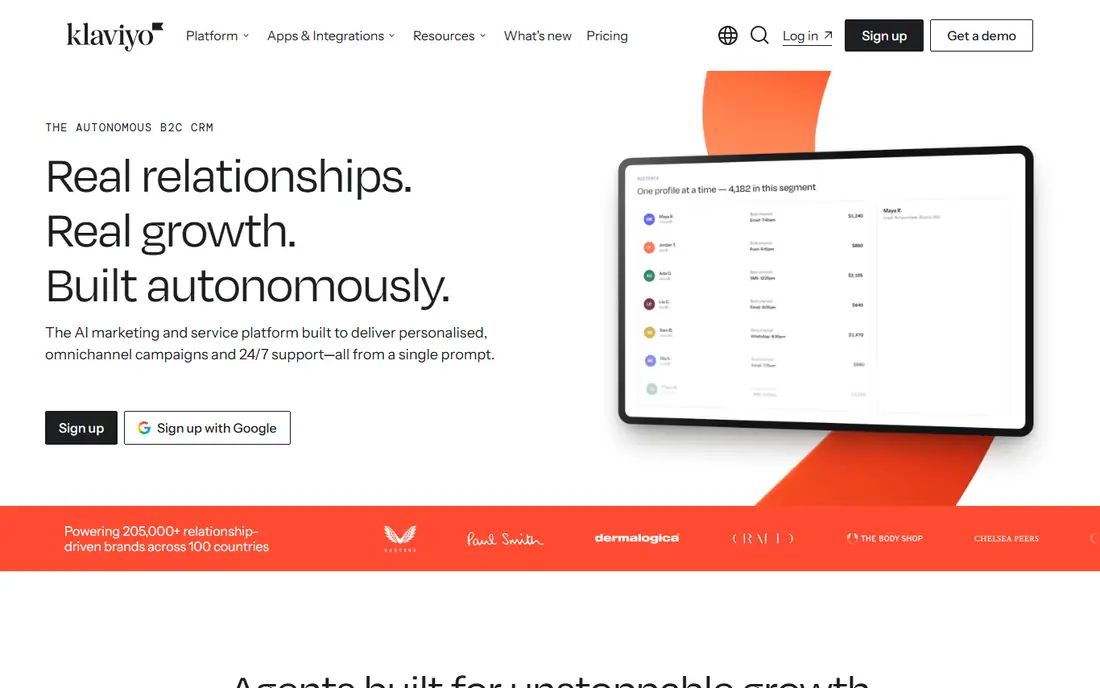
Klaviyo is built around commerce data, and that focus shows in every part of the product. Purchase history, browsing behaviour, and product views feed segments, flows, and product recommendations without a separate data project. For a store, that means abandoned cart, post purchase, and win back flows can use real buying signals rather than simple open and click history.
AI agents and campaign drafting tools extend that data advantage. A marketer can ask for a campaign based on a segment or a goal, then review the draft, the audience, and the send logic before anything goes out. Predictive tools for lifetime value, churn risk, and next order timing help a team decide who should get a discount and who should get a product story instead. That judgement matters, because blanket discounts eat margin.
The trade off is complexity and cost. New users face many settings, and SMS charges sit on top of email pricing, so a combined plan needs careful budgeting. Data quality also matters more here than in a simple newsletter tool, since poor product feeds or duplicate profiles weaken the AI output. Stores with real order volume and a team that will maintain segments will get the most from Klaviyo.
What we like- Strong predictive analytics
- Deep Shopify and ecommerce integrations
- AI campaign drafting from customer data
Watch out for- Learning curve for new users
- Price grows with profiles and SMS use
- Setup takes care with data and consent
Starting price$19 per month
Free planFree trial
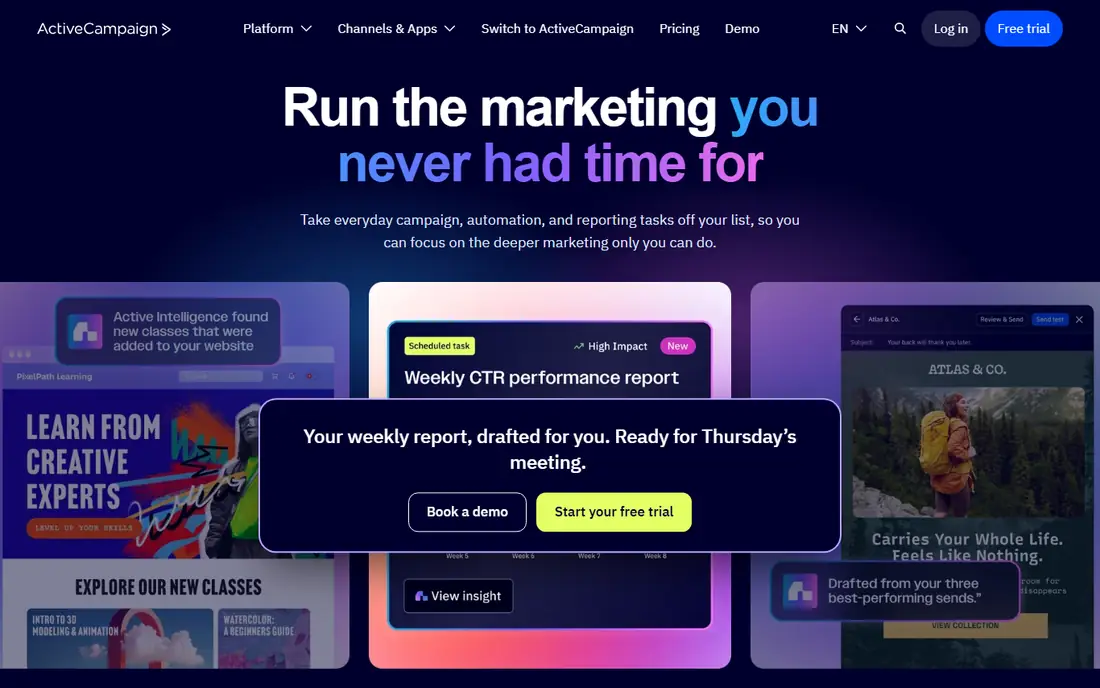
ActiveCampaign fits teams that think in journeys rather than single campaigns. The automation builder supports branching by behaviour, tags, scores, and custom fields, which suits onboarding, trial conversion, and long nurture sequences. AI features build on that structure by drafting campaigns, suggesting segments, and summarising performance, so a small team can maintain more journeys than it could by hand.
Active Intelligence is the part to study during a trial, because it draws on account activity to propose next steps and draft messages in a house style. That can shorten setup time for a welcome series or a reactivation flow, and it can surface dead ends in older automations that no one has checked for months. Reporting ties email results to deals and pipeline stages, which helps a B2B team argue for budget with numbers rather than open rates alone.
The main limits are price and learning time. There is no free tier, only a trial, and the full AI set sits on higher plans. A team that only sends a monthly newsletter will pay for depth it does not use. A team that runs many automated paths, scores leads, and works from a shared CRM will find the depth worth the effort.
What we like- Deep automation builder
- AI that learns from account activity
- Strong CRM and sales tools
Watch out for- No permanent free plan
- Interface can feel busy at first
- Higher plans needed for the full AI set
#4Omnisend
Best for: Shopify and WooCommerce stores4.6/5 on
G2 (1,249 reviews, checked Oct 2026)
Visit omnisend.com
Starting price$16 per month
Free planYes
Omnisend keeps the focus narrow, and that focus helps store owners. Welcome, abandoned cart, browse abandonment, and post purchase flows come with sensible defaults, so a store can launch useful automation in days rather than weeks. AI tools write copy, pick send times, and shape segments from purchase and engagement data, which reduces the manual work behind each campaign.
Brand assets are another practical strength. A store can store logos, colours, and product details once, then reuse them across campaigns, which keeps emails consistent when several people send. Email, SMS, and web push sit in the same account, so a promotion can reach a customer on more than one channel without exporting lists between tools. That matters for flash sales and product launches with short windows.
The limits show outside ecommerce. B2B teams that need lead scoring, long nurture paths, and CRM deal tracking will find the tool thinner than ActiveCampaign or HubSpot. SMS pricing also needs attention, since a large SMS list can change the monthly total quickly. For a store that lives on Shopify or WooCommerce, Omnisend offers a direct path from order data to revenue focused email.
What we like- Ecommerce flows ready to use
- AI copy, send time, and segmentation tools
- Email, SMS, and push in one place
Watch out for- Less suited to pure B2B lead nurture
- Reporting depth varies by plan
- SMS costs add up
#5GetResponse
Best for: All in one email and landing pages4.3/5 on
G2 (1,143 reviews, checked Oct 2026)
Visit getresponse.com
Starting price$19 per month
Free planYes
GetResponse suits a solo operator or small team that wants one account for email, landing pages, and lead capture. A launch can start with a page, a form, and a welcome sequence without wiring three tools together. AI help covers subject lines, email copy, and page layouts, which is useful when one person writes, designs, and sends.
Perfect Timing is the feature to test first, because it adjusts send time per contact rather than using one time for a whole list. That small change can lift opens for an audience spread across time zones or work patterns. Automation tools cover cart recovery, welcome paths, and scoring, while webinar tools on higher plans suit teachers and coaches who sell through live sessions.
The breadth is also the weakness. A buyer must read plan limits closely, since some features that look central sit behind a higher tier. Teams that only need email may find the extra products distracting, and teams that need deep CRM features will still need another system. For a small business that wants fewer subscriptions, GetResponse packs a lot into one monthly bill.
What we like- Landing pages, forms, and webinars in one account
- Per contact send time optimisation
- AI copy help for pages and emails
Watch out for- Plan names and limits need careful reading
- Webinar features sit on higher plans
- Interface mixes many products
Starting priceSee website
Free planYes
HubSpot makes most sense when email is part of a wider CRM system rather than a standalone channel. Contact, company, and deal data feed email personalisation, so a message can reflect lifecycle stage, recent activity, and sales notes without manual list work. AI tools draft content, summarise records, and help agents handle routine questions, which saves time for teams that already live in the CRM.
Marketing Hub plans add automation, landing pages, and reporting that tie campaigns to pipeline, not just clicks. That link helps a B2B team show which campaigns create meetings and deals, and which ones only create opens. Integrations cover common sales, support, and advertising tools, and the free CRM tier lets a small team start with contacts and basic email before paying for marketing features.
Cost is the honest catch. HubSpot pricing scales with hubs, contacts, and seats, and a team can move from a modest start to a large annual contract as it adds products. A buyer should map the exact hub and tier needed, check contact limits, and confirm which AI features sit in each plan. Teams that want email only, with no CRM need, will find cheaper options in this list.
What we like- CRM data drives personalisation
- AI agents tied to contacts and deals
- Strong reporting across marketing and sales
Watch out for- Pricing can rise sharply with hubs and seats
- Setup rewards a careful data model
- Email alone is not the cheapest path
Starting priceSee website
Free planYes
Kit, formerly ConvertKit, is built for creators who earn from an audience rather than from a large product catalogue. Forms, landing pages, and visual automations cover the core creator path, from lead magnet to paid newsletter or digital product. Subscriber tagging and segmentation stay clear, which helps a writer or podcaster send different paths to readers, buyers, and new subscribers.
AI support works in a different way here. Kit connects to outside AI tools, so a creator can ask questions about subscribers, draft emails, and schedule sends with approval before anything leaves the account. That approval step matters, since a creator audience notices tone shifts quickly. Unlimited emails on paid plans, priced by active subscribers, also suit a publisher who sends often and does not want to count each send.
The limits are about scope. A store that needs deep product recommendations, complex cart flows, and SMS at scale will find Klaviyo or Omnisend stronger. Design tools are simpler than a full marketing suite, which suits most newsletters but not a brand that needs highly custom layouts. For a creator who values list ownership, clear automation, and steady sending, Kit is a clean fit.
What we like- Simple automation for creators
- Unlimited emails on paid plans by subscriber count
- Creator network and recommendations
Watch out for- Less ecommerce depth than Klaviyo or Omnisend
- AI works through connected tools rather than a full suite
- Design options are simpler
How we chose
We compared vendor pricing pages, feature documentation, and public reviews on G2, Capterra, and Reddit, with a focus on AI features that change daily work rather than demo claims. We looked for send time optimisation, segmentation, draft creation, and predictive tools, then checked whether those features sit on free, entry, or higher plans. We also weighed integrations, automation depth, list size pricing, deliverability tools, and fit for ecommerce, B2B, and creator use cases. No tool in this list was ranked on a single feature, since a strong AI writer cannot fix poor data, weak consent practices, or a plan that outgrows a budget.
What to check before you pay for AI email
Start with list size and sending volume, because both drive price in this category. Count active contacts, not total records, and check how each vendor counts unsubscribed or inactive profiles. Then check send limits, since some plans cap monthly emails while others price by contacts and allow unlimited sends. A team that sends weekly to a large list needs a different plan shape than a creator who sends daily to a small list.
Next, test the AI features on a real campaign during a trial. Ask the tool to draft a welcome email, a product announcement, and a reactivation message, then edit each one for tone and accuracy. Check whether send time tools work per contact or only per list, and whether segments update on their own as behaviour changes. A useful AI tool should reduce editing time after the first few sends, not create a new review burden.
Finally, check data and deliverability basics before you judge AI output. Confirm domain authentication, list import rules, unsubscribe handling, and export options, since moving a list later should not feel like a trap. Review integration depth for your store, CRM, or form tool, and confirm support hours for your time zone. AI can improve a campaign, but clean data, clear consent, and a simple offer still decide most results.
Frequently asked questions
Do AI email tools write the whole email for me?
AI tools can draft subject lines, body copy, and calls to action from a prompt, a product page, or past campaigns. You should still edit for tone, product facts, pricing, and legal claims before sending, since AI drafts can miss details or invent specifics. Treat the draft as a first version that saves writing time, not as a finished message.
Which AI feature is most likely to lift results?
Send time optimisation and behaviour based segmentation tend to matter more than clever subject lines alone, because they change who gets a message and when. A relevant segment sent at a time a subscriber often opens mail will usually beat a generic blast with a stronger headline. Test one change at a time so you can see what actually moved opens, clicks, or sales.
Is a free plan enough to use AI email features?
Free plans help you learn the editor, forms, and basic automation, but many AI features sit on paid plans or carry usage limits. Check the pricing page for each tool to see which AI tools are included at your tier, and whether credits or subscriber limits apply. A trial on a paid plan gives a clearer picture than a free plan alone.
How does pricing scale as my list grows?
Most tools in this list price by contacts or profiles, so costs rise as the list grows even if sending frequency stays flat. Some plans also charge for SMS, extra seats, or higher send limits. Model the price at your current list size and at double that size, and check how inactive contacts are counted.
Should a small store choose Klaviyo or Omnisend?
Klaviyo suits stores with larger order volume, complex segments, and a team that will maintain data and flows. Omnisend suits smaller stores that want ready made ecommerce flows, simpler setup, and email plus SMS in one account. Both work with major store platforms, so the choice comes down to team time, budget, and how much custom segmentation you will actually use.
Can I move my list if I change tools later?
Most tools allow list export, but field mapping, tags, automation history, and consent records need care during a move. Export contacts, tags, and segments before cancelling, and check whether automation logic must be rebuilt in the new tool. Plan a migration during a quiet sending week, and send a warm up campaign to engaged subscribers first.
Sources we checked (7)
- https://mailchimp.com/pricing
- https://www.klaviyo.com/pricing
- https://www.activecampaign.com/pricing
- https://www.omnisend.com/pricing
- https://www.getresponse.com/pricing
- https://www.hubspot.com/pricing
- https://kit.com/pricing
Is your product missing or out of date?
We review this list regularly. Vendors can request a listing, send updated pricing or ask about featured placement.

Shihab Mia · Founder, Rankite
Shihab has 5+ years in B2B and SaaS SEO. He writes Rankite's software buying guides from pricing pages, documentation and public user reviews. More about Shihab.