How we make this list: we compare pricing pages, product documentation and public user reviews. Ratings come from G2, Capterra or Trustpilot, with the date we checked them.
Best AI home decor app at a glance
Room AI is the best AI home decor app for most people, with chat-led redesigns that keep your layout intact. DecorMatters is the best free pick for inspiration and AR try-ons, and Spoak is the best for learning design properly. All eight apps here are free to try, and most cost under $10 a month.
Key takeaways
- Room AI is the strongest all-round pick, with conversational editing and no credit system to manage.
- DecorMatters is the best free way to test styles, with a large community and AR previews of furniture in your room.
- Spoak is the only pick built around learning design, with classes and a community that votes on your work.
- Planner 5D and Homestyler are the picks when you want to plan a whole room in 3D rather than restyle a photo.
- Most decor apps cost $7 to $30 a month, and the free tiers are generous enough for a single room.
Best AI home decor apps compared
| Tool | Best for | Starting price | Free plan |
| Room AI | Chat-led redesigns | Free sample; Personal $29/month | Yes |
| DecorMatters | Free inspiration and AR try-ons | Free; membership from $6.99/month | Yes |
| Spoak | Learning design properly | Free guest pass; member $7/month | Yes |
| Planner 5D | 3D room planning | Free; Premium $59.99/year | Yes |
| Homestyler | 3D planning with free renders | Free; Pro+ from $6.80/month | Yes |
| Remodel AI | Fast photo restyles | Free; $39.99/year | Yes |
| REimagineHome | Shoppable decor with real products | Free; Essential $19/month | Yes |
| Houzz | Buying the products you see | Free for homeowners | Yes |
What can an AI home decor app do that Pinterest cannot?
Pinterest shows you other people's rooms, while an AI home decor app shows you your own room restyled. Upload a photo of your living room and the app returns the same room with new paint, new furniture and a new style, in under a minute. Some apps add AR, so you can point your phone at the corner and see a chair sitting there at real scale. Others match the render to products you can buy, which Pinterest never does. The gap is real but narrow: AI renders are ideas, not guarantees, and the app will sometimes invent furniture that does not exist or move a window. Use the app to settle on a direction, then buy from a store with a returns policy.
Do I need a paid plan to decorate one room?
No, and for a single room you should not pay at all. Room AI gives a free sample with no card, DecorMatters is free with optional membership, Spoak gives a free guest pass with starter tokens, and Homestyler gives unlimited 1K renders on its free plan. Remodel AI gives 3 free designs and REimagineHome gives 5, which is enough to test two or three styles on one room. Pay only when you decorate several rooms, stage a home for sale, or want watermark-free 4K exports. The cheapest paid options are Spoak at $7 a month and DecorMatters from $6.99 a month, so a single month of either covers a whole flat.
How accurate are AI decor renders?
Accurate enough for style, not accurate enough for measurements. The better apps preserve your walls, windows and doors and only change finishes and furniture, which is why Room AI and Remodel AI lead this list. The weaker apps hallucinate: they add windows, shrink sofas, or place a rug under a wall. Accuracy improves when you photograph the room straight on, in daylight, with the floor visible and clutter removed. Never order furniture from a render alone. Measure the space, check the product dimensions against the real room, and remember that colours on a screen shift under your own lighting.
Which AI home decor app is best for renters?
DecorMatters is the best pick for renters, because it is free, mobile-first, and built around trying looks without buying anything. Its AR preview lets you test furniture placement without drilling a hole or moving a sofa, and the community designs give you ideas that work in small rented rooms. Room AI is the best alternative when you want a serious restyle of a room you cannot repaint, since its chat editing lets you test removable options such as rugs, curtains and art. Avoid apps that push permanent changes, and skip any paid plan until you have tested the free tier on your own rooms.
Quick comparison
| Tool | Best for | Starting price | Free plan |
|---|
 Room AI | Chat-led redesigns that keep your layout intact | Free sample; Personal $29/month or $19/month billed yearly, third-party reported, checked 13 Nov 2026 | Yes, a free sample with no card |
 DecorMatters | Free inspiration, AR try-ons and community ideas | Free; membership from $6.99/month, third-party reported, checked 13 Nov 2026 | Yes |
 Spoak | Learning interior design with classes and community | Free guest pass; member $7/month or $70/year, third-party reported, checked 13 Nov 2026 | Yes, a free guest pass with 1,000 starter tokens |
 Planner 5D | Drawing a room in 2D and furnishing it in 3D | Free; Premium $59.99/year, third-party reported, checked 13 Nov 2026 | Yes, unlimited projects with half the catalog |
 Homestyler | 3D planning with generous free renders | Free; Pro+ from $6.80/month, third-party reported, checked 13 Nov 2026 | Yes, Basic with unlimited 1K renders |
 Remodel AI | Fast photo restyles in many styles | Free; $39.99/year for unlimited generations, third-party reported, checked 13 Nov 2026 | Yes, 3 free designs |
 REimagineHome | Shoppable decor with real furniture products | Free; Essential $19/month for 30 credits, third-party reported, checked 13 Nov 2026 | Yes, 5 free designs |
 Houzz | Buying the products in your design and hiring pros | Free for homeowners, third-party reported, checked 13 Nov 2026 | Yes |
Is your product missing or out of date?
We review this list regularly. Vendors can request a listing, send updated pricing or ask about featured placement.
The 8 best AI home decor apps compared
#1
Room AI
Best for: Chat-led redesigns that keep your layout intact
Visit roomai.com
Starting priceFree sample; Personal $29/month or $19/month billed yearly, third-party reported, checked 13 Nov 2026
Free planYes, a free sample with no card
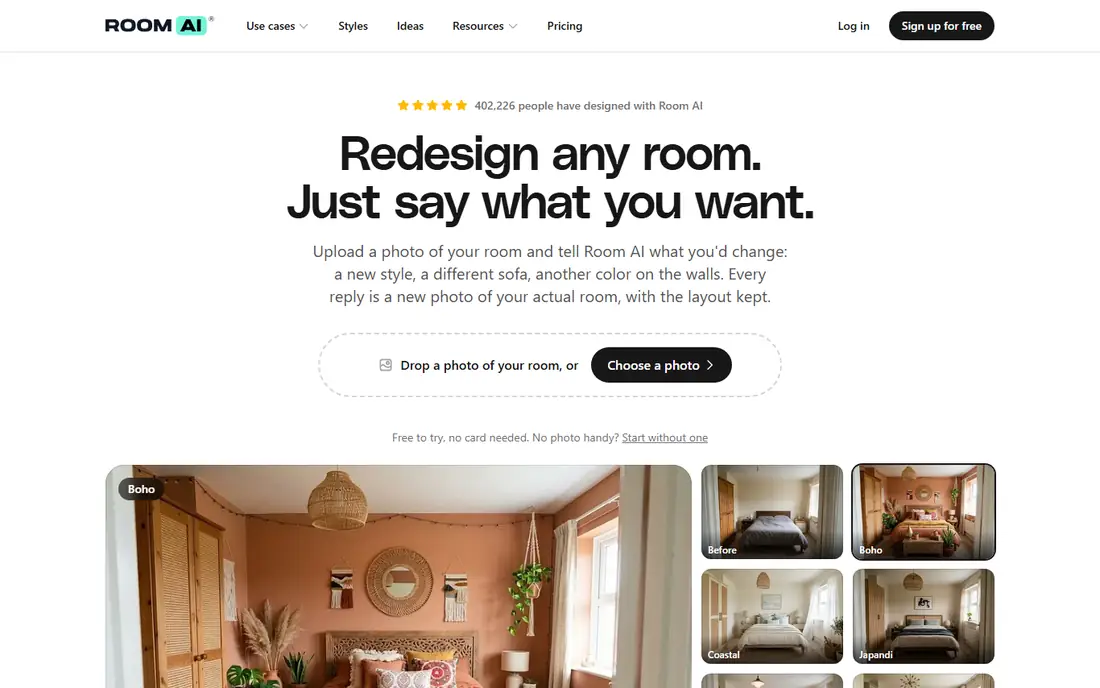
Room AI is an AI interior designer you talk to: upload a photo of your room, describe what you want in plain language, and refine the result through chat instead of re-rolling random images. It was one of the first tools in this category, launched in 2022, and it keeps your room layout intact better than most rivals. Personal is $29 a month, or $19 a month billed yearly, with a commercial licence on the $99 a month Pro plan and team pricing at $299 a month. Usage refills monthly with no credit top-ups. Pick Room AI when you want to iterate by talking through changes rather than guessing at prompts.
What we like- Conversational editing on every plan, no credits, photos never used for training, 7-day trial
Watch out for- Web only with no native app, and the Personal plan carries a small watermark
Starting priceFree; membership from $6.99/month, third-party reported, checked 13 Nov 2026
Free planYes
DecorMatters turns decorating into a social game: upload a room photo, try new layouts and furniture, preview changes in augmented reality, and share the result with a community that has created more than 21 million designs. The app is free to download with in-app purchases for coins and membership, and the App Store lists monthly membership from $6.99, with some sources citing $9.99 a month and a yearly option at $39.99. The home page shows no pricing, so confirm the price in the app store before you subscribe. Pick DecorMatters when you want inspiration and feedback alongside the AI tools, and when you like testing ideas on your phone.
What we like- AR furniture preview, 21 million plus community designs, design games, iOS and Android apps
Watch out for- No price is shown on the home page, and reported membership prices vary from $6.99 to $9.99 a month by source
#3
Spoak
Best for: Learning interior design with classes and community
Visit spoak.com
Starting priceFree guest pass; member $7/month or $70/year, third-party reported, checked 13 Nov 2026
Free planYes, a free guest pass with 1,000 starter tokens
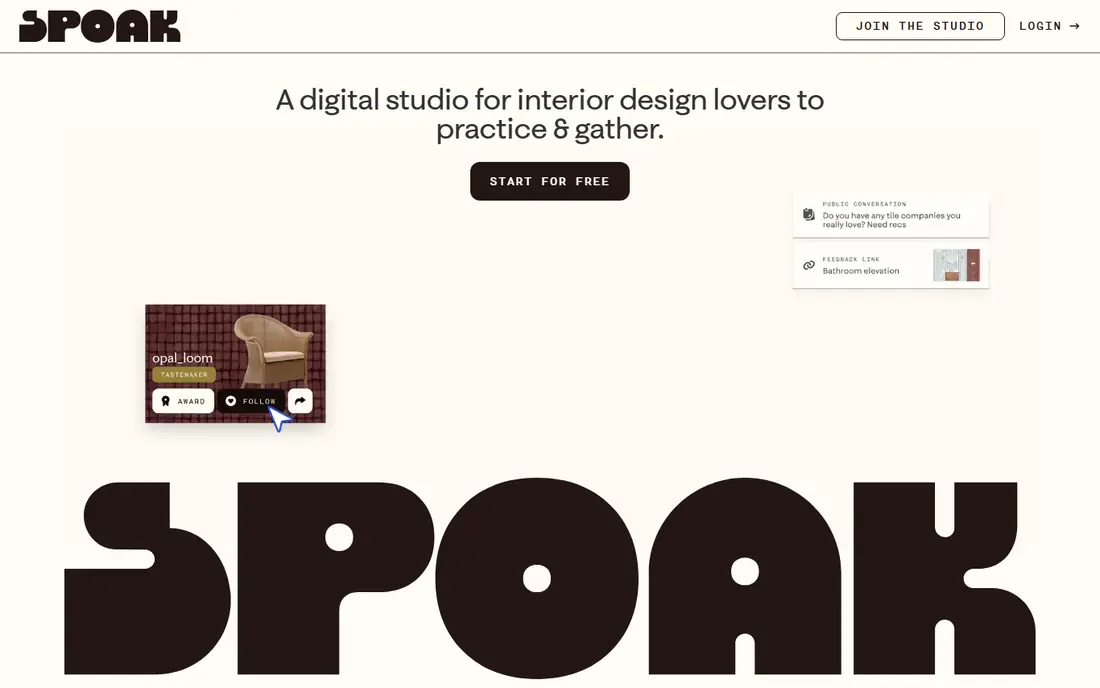
Spoak is a digital design studio where enthusiasts practise, learn and share, rather than a pure AI generator. Membership is $7 a month and opens the full studio with 5,000 time-saving tokens a month, unlimited designs that never expire, classes, and a community that votes on your work. A free guest pass gives 1,000 starter tokens and one design in each mode. Every AI-backed feature has an AI-free alternative that simply takes longer, which suits people who want to learn design rather than outsource it. Pick Spoak when you want to get better at decorating, not just see one room restyled.
What we like- Design classes, ad-free community, AI features have AI-free alternatives, unlimited designs on membership
Watch out for- AI tools use tokens, so heavy AI use costs extra, and the Pro tier for client work is $50 to $100 a month
#4Planner 5D
Best for: Drawing a room in 2D and furnishing it in 3D4.7/5 on
G2 (178 reviews, checked Oct 2026)
Visit planner5d.com
Starting priceFree; Premium $59.99/year, third-party reported, checked 13 Nov 2026
Free planYes, unlimited projects with half the catalog
Planner 5D is the most complete planning tool on this list, because it starts with a measured floor plan rather than a photo. You draw the room in 2D, furnish it in 3D from a catalog of more than 10,000 items, and walk through the result before you buy anything. The free version covers unlimited projects with about half the catalog, which is enough for a first layout. Premium at $59.99 a year unlocks the full catalog, floor plan upload to 3D, and standard renders, while the Professional tier at $399.99 a year adds 4K renders and CAD export. Pick Planner 5D when you want to plan the whole room, not just restyle a photo of it.
What we like- 2D and 3D editors on every platform, 10,000 plus item catalog, AI design help, 7-day trial
Watch out for- Realistic renders need Premium, and the free catalog is limited to about half the items
#5Homestyler
Best for: 3D planning with generous free renders4.7/5 on
G2 (12 reviews, checked Oct 2026)
Visit homestyler.com
Starting priceFree; Pro+ from $6.80/month, third-party reported, checked 13 Nov 2026
Free planYes, Basic with unlimited 1K renders
Homestyler combines a cloud 3D floor planner with an AI stager, so you can redesign a room from a photo and then rebuild it properly in 3D. The free Basic plan includes unlimited projects and unlimited 1K renders, which is the most generous free rendering allowance here. Paid plans start from $6.80 a month for Pro+, which adds 75 renders each at 2K and 4K per month, watermark removal and AI credits. The separate Homestyler AI site charges more for photo redesigns, so use the main planner for 3D work and the AI site only for quick photo tests. Pick Homestyler when you want free renders and a real 3D planner in one account.
What we like- 100,000 plus free models, unlimited projects, AI stager for photo redesigns, 4K renders on paid plans
Watch out for- The lowest paid price is a first-month offer on some pages, so confirm the renewal price at checkout
Starting priceFree; $39.99/year for unlimited generations, third-party reported, checked 13 Nov 2026
Free planYes, 3 free designs
Remodel AI turns a room photo into a photorealistic redesign in about 30 seconds, with 40 plus styles from Art Deco to Japandi. It covers living rooms, bedrooms, kitchens and bathrooms, and adds specialised tools for paint colour, new flooring, object removal and furniture replacement. The free tier gives 3 full-quality designs with no credit card, which is enough to test whether the style engine suits your home. The paid app plan is $39.99 a year for unlimited generations, while the web Pro plan is listed at $29 a month, so buy on the platform that fits your budget. Pick Remodel AI when you want the quickest way to see a room in a new style.
What we like- 40 plus styles, 8 specialised tools, 30-second renders, works on web and mobile
Watch out for- No floor plan tools, no furniture shopping, and the web Pro plan at $29 a month costs far more than the app annual plan
Starting priceFree; Essential $19/month for 30 credits, third-party reported, checked 13 Nov 2026
Free planYes, 5 free designs
REimagineHome redesigns a room from a photo and then shows the real products used in the render, which makes it the most practical pick for anyone who wants to buy what they see. New users get 5 free designs with no card required. Essential is $19 a month for 30 credits, Pro is $36 a month for 200 credits with conversational editing and reference images, and Advanced and Agency plans cover higher volumes. One standard generation costs 1 credit, or 2 with Real Products. Pick REimagineHome when the goal is a shopping list as well as a picture, especially for staging a home for sale.
What we like- Real product matching, conversational editing on Pro, virtual staging, batch processing for listings
Watch out for- Credit system means heavy users pay more, and the Essential plan uses older tools while newer features start on Pro
#8
Houzz
Best for: Buying the products in your design and hiring pros
Visit houzz.com
Starting priceFree for homeowners, third-party reported, checked 13 Nov 2026
Free planYes
Houzz is not an AI decor app, and it belongs on this list because it answers the question every other app leaves open: where do I buy it and who installs it. The app is free for homeowners and combines a marketplace of professionals, a product catalog with real prices, and an AR feature that places furniture in your room through the camera. Use the AI apps on this list to settle on a style, then use Houzz to price the products in the render and find a professional with verified reviews. The trade-off is that Houzz will not redesign a photo for you, and its app is heavier than the single-purpose tools here. Pick Houzz when you are ready to buy and hire.
What we like- Huge product catalog with real prices, professional directory with reviews, AR furniture placement, inspiration photo library
Watch out for- Not an AI redesign tool, and the app is heavy and can feel slow
How we picked these apps
We picked apps that restyle a real room from a photo, plan a room in 3D, or connect the design to products you can buy. Every app here is free to try, and we favoured tools with a genuine free tier over trials that demand a card. Prices were gathered from vendor pricing pages and third-party price checks dated October and November 2026, and are marked third-party reported where we did not open the vendor page directly. We left out apps that shut down, such as Modsy, and apps that hide pricing entirely. Check the vendor page before you pay, because app store prices vary by region and by platform.
Frequently asked questions
What is the best AI home decor app?
Room AI is the best AI home decor app for most people, because its chat editing lets you refine a design in plain language instead of re-rolling random images, and it preserves your room layout better than most rivals. DecorMatters is the best free alternative for inspiration and AR try-ons, and Spoak is the best if you want to learn design. If you need a 3D plan as well as a restyle, Planner 5D is the stronger pick.
Are AI home decor apps free?
Most AI home decor apps are free to try, and several are free to use for a single room. DecorMatters and Houzz are free, Homestyler gives unlimited 1K renders, Spoak gives a free guest pass, and Remodel AI gives 3 free designs. Paid plans start at $7 a month for Spoak and from $6.99 a month for DecorMatters membership. Pay only when you decorate several rooms or want watermark-free 4K exports, and cancel after the project ends.
Can I see furniture in my room before I buy it?
Yes, with the AR features in DecorMatters and Houzz. Point your phone at the corner where the chair should go and the app places a 3D model at real scale, so you can check whether it fits and how it looks in your light. AI restyles show the whole room at once but cannot guarantee the scale of individual pieces, so measure the space before ordering.
What is the difference between AI decor apps and interior design apps?
The terms overlap, and vendors use them interchangeably, but the split is useful: decor apps focus on styling a room with furniture, colour and accessories, while interior design apps also handle floor plans, measurements and construction details. Room AI, DecorMatters and Spoak are decor apps. Planner 5D and Homestyler sit on the design side because they draw plans in 2D and 3D. Pick a decor app for styling and a design app when the layout changes too.
Can AI decor apps help me sell my home?
Yes, and this is one of the strongest uses. REimagineHome and Room AI both offer virtual staging, which shows an empty room furnished and styled so buyers can picture living there. Staging a photo costs a few dollars per image, against hundreds per room for physical staging. Use the AI render in the listing photos, but disclose that the room is virtually staged, and keep the empty-room photo available so buyers know what they are actually viewing.
Sources we checked (12)
- https://roomai.com
- https://roomai.com/pricing
- https://decormatters.com
- https://apps.apple.com/us/app/decor-matters-ai-home-design/id1168709467
- https://www.spoak.com/pricing
- https://planner5d.com
- https://www.homestyler.com
- https://www.remodelai.io
- https://www.reimaginehome.ai/pricing
- https://www.houzz.com
- https://tools.aileapers.com/articles/45-ai-interior-design-tools.html
- https://www.renderahouse.com/blog/homestyler-pricing
Is your product missing or out of date?
We review this list regularly. Vendors can request a listing, send updated pricing or ask about featured placement.

Shihab Mia · Founder, Rankite
Shihab has 5+ years in B2B and SaaS SEO. He writes Rankite's software buying guides from pricing pages, documentation and public user reviews. More about Shihab.