How we make this list: we compare pricing pages, product documentation and public user reviews. Ratings come from G2, Capterra or Trustpilot, with the date we checked them.
Key takeaways
- CardMintAI is the most accessible starting point, with a free grade on signup and clear subgrades for centering, corners, edges, and surface.
- Gradeon and GemGrader give the most detailed breakdowns for collectors who want to see exactly where a card loses points.
- SwapLoom and PokemonCardChecker combine AI grading with collection tracking and market prices, which helps decide whether to submit, sell, or hold.
- SlabLineage stands out for its pre-grade math, because it compares the raw price with the likely graded value before you pay a grading fee.
- No AI estimate is an official PSA, BGS, or CGC grade, and photo quality, lighting, and glare can change the result.
Quick comparison
| Tool | Best for | Starting price | Free plan |
|---|
 CardMintAI CardMintAI | Fast first estimate | $10 per month | Yes |
 SwapLoom SwapLoom | Grading plus collection tracking | $12.90 per month | Yes |
 SlabLineage SlabLineage | Submit-or-skip math | See website | See website |
 Gradeon Gradeon | Detailed defect breakdowns | See website | Yes |
 Gradr Gradr | Quick phone grading with sub-scores | See website | See website |
 GemGrader GemGrader | Confidence bands and centering detail | See website | Yes |
 PokemonCardChecker PokemonCardChecker | Condition check plus market prices | See website | Yes |
Is your product missing or out of date?
We review this list regularly. Vendors can request a listing, send updated pricing or ask about featured placement.
The best AI grading app for Pokemon cards
Starting price$10 per month
Free planYes
CardMintAI fits collectors who want a quick answer before paying a professional grading fee. Upload a photo, and the AI scores centering, corners, edges, and surface, then returns a predicted PSA grade from 1 to 10 with individual subgrades. The whole check takes about two seconds on the vendor site, which makes it practical to screen a stack of cards before choosing a few for submission. A visual defect map shows where points were lost, so you can learn what graders look for on your own cards.
The free tier is narrow by design: one grade on signup, with no credit card required. The Rookie plan at $10 per month adds 20 gradings per month, while Collector at $25 per month adds batch grading and an analytics dashboard. If you grade only a few cards before each submission, the pay-once credit packs may cost less than a monthly plan, because unused credits do not expire. Treat the predicted grade as a screening tool, not a promise, and re-check any borderline card with a second photo in better light.
What we like- One free grade on signup
- Full subgrade report for each card
- Credit packs that never expire
Watch out for- Free tier covers only one grade
- Higher plans are needed for batch grading and analytics
Starting price$12.90 per month
Free planYes
SwapLoom suits serious collectors who want grading, cataloging, and trading in one place. You can add cards by photo, scan, or search, then run an AI grading check that analyzes centering, corners, edges, and surface against PSA standards. Prices update from PriceCharting in the United States and Cardmarket in Europe, and the collection view shows total value, filters, and export options. Support for French, English, Japanese, German, Italian, Spanish, and Portuguese cards helps collectors with international sets.
The honest limit is stated on the SwapLoom site itself: AI grades go up to 8.5 at most, because grades of 9 and 10 require physical inspection by certified graders. That cap is actually a strength for decision-making, because it stops the app from flattering a near-mint card into a false 10. The free Starter plan includes 2 credits per month, while Collector at $12.90 per month adds 70 credits and faster price updates. Casual collectors may find the trading features unnecessary, but organized collectors will use the full workspace.
What we like- AI grading inside a full collection manager
- Prices from PriceCharting and Cardmarket
- Multi-language card support
Watch out for- AI grades are capped at 8.5 on the vendor site
- Trading and pricing features add complexity for casual users
Starting priceSee website
Free planSee website
SlabLineage fits sellers and collectors who think in money first and grades second. Take two photos, front and back, and the AI reviews centering, corners, edges, and surface on each side, returning an estimated grade range for PSA and TAG in about 60 seconds. The calculator then compares what a 9 or a 10 would be worth against the raw price, minus the grading fee, so you can see whether submission is likely to pay. That math matters, because a card can earn a good grade and still lose money after fees and postage.
The catch is transparency on price. The main pre-grade page does not present a simple price list, so you need to check the checkout or account pages before committing to a batch. The pre-grade guarantee also applies to eligible estimates only, with terms on the vendor site, and it is an offer to buy the slab in defined cases rather than a guarantee of a professional grade. Use SlabLineage when the decision is financial, and use a second app when you want a detailed defect report.
What we like- PSA and TAG pre-grade ranges from two photos
- Submission math compares raw and graded values
- Pre-grade guarantee for eligible estimates
Watch out for- Pricing is not shown clearly on the main pre-grade page
- Guarantee terms apply only to eligible estimates
Starting priceSee website
Free planYes
Gradeon suits collectors who want to understand a grade, not just receive a number. Photograph the front and back, add close-ups of a corner or edge if needed, and Gradeon measures borders, scores surface, corners, edges, and centering, and returns a PSA-comparable pre-grade from 1 to 10 in half steps. Eleven defect types, each rated from 1 to 5 in severity, are drawn on the photo, so you can see a scratch, print line, or dent exactly where the app found it. Surface counts for 35 percent of the score, with corners and edges at 25 percent each and centering at 15 percent, which mirrors how much surface damage matters in practice.
That detail costs time. Confirming centering pins and reviewing defects takes longer than a single scan, and the standard check takes about one to two minutes. The free allowance of 3 full grades every week, refreshed automatically on iOS and Android, is generous for casual collectors, but heavy submitters will need a paid plan whose price is not listed on the landing page. Gradeon also covers One Piece and Riftbound cards alongside Pokemon, which helps multi-game collectors. Use it when a card is valuable enough to deserve a careful look.
What we like- Eleven defect types with severity scores
- Centering checked with user-confirmed pins
- 3 free full grades every week
Watch out for- The manual defect step takes longer than a one-tap scan
- Paid pricing is not shown on the main landing page
Starting priceSee website
Free planSee website
Gradr fits collectors who grade on the go and want a fast, guided workflow. The in-app camera guide asks for four photos covering the front, back, edges, and corners, and the vision models inspect centering, corners, edges, surface, and authenticity, returning a PSA-style grade with a sub-score breakdown in under 20 seconds. A digital slab view saves the grade, sub-scores, and live market value together, which makes it easy to review a batch later or share a result with a buyer.
The vendor site presents Gradr as an iOS grading lab, so Android users should confirm availability before planning around it. Pricing is also not shown on the main page, so check the app listing or account pages for current costs. Gradr states plainly that its output is an AI prediction only, and that it is not affiliated with PSA or CGC, which is the right framing for any pre-grading tool. Use Gradr for fast screening at a card show or shop, and use Gradeon or CardMintAI when you want a slower, more detailed report.
What we like- Four guided photos in under 20 seconds
- PSA-style grade with four sub-scores
- Live market value shown beside the grade
Watch out for- IOS-focused presentation on the vendor site
- Pricing is not shown clearly on the main page
Starting priceSee website
Free planYes
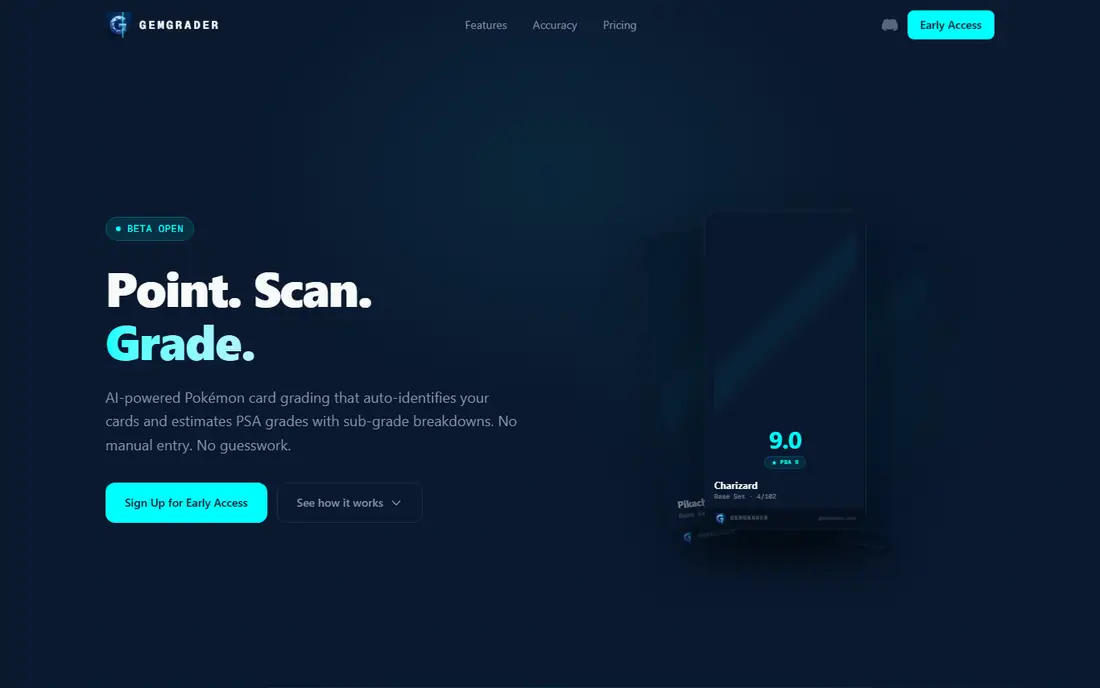
GemGrader suits collectors who distrust a single confident number and want to see how sure the app really is. Snap the front and back in the guided viewfinder, and on-device computer vision measures centering to sub-pixel precision, while cloud AI inspects corners, edges, and surface for small defects. The result is an estimated PSA grade with subgrades, a confidence level, and a plain-English analysis, plus a probability distribution across grades so you can see whether a card sits firmly at one grade or straddles two. Auto-identification reads the card name, set number, and rarity, which removes manual entry for English and Japanese cards.
GemGrader is unusually candid about limits. Its site notes that phone cameras lack the resolution for micro-defect detection at PSA 10 standards, and that telling a 9 from a 10 is the hardest boundary. The free tier offers one scan per month, token packs start at £2.99 for 5 tokens that never expire, and the Grade Pass at £6.99 per month offers unlimited scans. Because the app is in open beta, expect changes to features and pricing, and treat early results as a second opinion alongside another grader.
What we like- On-device centering measured to sub-pixel precision
- Confidence bands show uncertainty
- Auto-identification for English and Japanese cards
Watch out for- Still in open beta, so features and prices may change
- Token and subscription prices are listed in pounds
Starting priceSee website
Free planYes
PokemonCardChecker fits collectors who want a fast condition check tied directly to value. Upload a photo, and the AI identifies the card, assesses condition as near mint, lightly played, moderately played, heavily played, or damaged, and produces raw and PSA-graded price estimates. The site states that every account starts with 5 free scans and no credit card is required, with extra scans earned through referrals. That low barrier makes it a good first tool for a new collector sorting a binder or a recent purchase.
The trade-off is depth. A condition label plus an estimated grade range is less detailed than the four-part subgrade reports from CardMintAI or Gradeon, so a borderline card may still need a second check. Results also depend heavily on photo quality, with clear, well-lit photos of both sides giving the most useful estimates. Use PokemonCardChecker to triage a collection and estimate value quickly, then run the strongest candidates through a more detailed grader before paying to submit.
What we like- AI condition labels from near mint to damaged
- Raw and graded price estimates
- 5 free scans on signup with no credit card
Watch out for- Condition labels are broader than a full subgrade report
- Pricing for extra scans is not shown on the main page
How we chose
We compared pricing pages, vendor documentation, and public reviews on G2, Capterra, and Reddit, alongside each app's stated grading method, photo requirements, and output format. We only included tools that genuinely use AI or computer vision to estimate a card grade or condition for Pokemon cards, and that exist today with a working site or app listing. Generic price trackers, marketplaces, and manual condition guides were left out, even when they mention grading in passing. We also checked whether each vendor states plainly that an AI estimate is not an official professional grade, because that honesty matters when money is at stake.
Getting a useful estimate instead of a misleading one
Photograph the card properly
Place the card flat on a plain, light surface, with no shadows and no sleeve glare if possible. Take clear photos of the front and back, and add close-ups of corners and edges when the app allows them. Poor lighting, a tilted angle, or a reflective sleeve can hide whitening and surface scratches, which are exactly the defects that move a grade.
Read subgrades, not just the headline number
A single predicted grade hides the reason behind it. A card with strong centering but weak corners needs different handling from a card with surface damage, and only a subgrade report shows that difference. If an app gives only a broad condition label, run the card through a second tool that breaks down centering, corners, edges, and surface before you decide.
Compare the estimate with the submission math
Check the raw price, the likely graded price at the predicted grade, and the full submission cost, including grading fees, postage, and insurance. A card that might earn a 9 is not automatically worth submitting if the graded premium is small. SlabLineage and the market prices inside SwapLoom, GemGrader, and PokemonCardChecker help with that comparison, but confirm current market prices yourself before paying.
Treat every AI grade as a screening result
Professional graders examine a card in hand, under controlled light, with tools a phone camera cannot match. Use AI grading to choose which cards to submit, which to sell raw, and which to keep, and keep your expectations modest for grades of 9 and 10. When a card is valuable, the cost of a professional opinion is part of the decision, not an extra to avoid.
Frequently asked questions
Can an AI app give me an official PSA grade?
No. AI apps give an estimate based on photos, while PSA, BGS, and CGC grades are given by human graders who examine the card in hand. Use AI estimates to screen cards and plan submissions, and treat the professional grade as the only official result.
How accurate are AI Pokemon card graders?
Accuracy varies by app, card, and photo quality. Vendors often report that most predictions land within one grade point of the professional grade, but borderline cards, especially between 9 and 10, are harder to call from phone photos. Take a second photo in better light when a result looks surprising.
Do I need special equipment to use an AI grading app?
No special equipment is required for most apps, just a phone camera, a flat surface, and good light. A plain background, no glare, and photos of both sides give the best results. Some apps ask for extra close-ups of corners and edges, which you can take with the same phone.
Which AI grading app is best for beginners?
CardMintAI is a good starting point, because the free grade on signup and the clear subgrade report make the grading factors easy to learn. PokemonCardChecker is also beginner-friendly, thanks to its free scans and simple condition labels tied to market prices.
Should I submit a card that an AI app rates as a 10?
Check it again first, and be cautious. A predicted 10 from a photo is not a guarantee, and phone cameras can miss micro-defects that matter at the top of the scale. Compare the result with a second app, review the subgrades, and weigh the submission cost against the graded premium.
Are AI grading apps free?
Most offer a free starting allowance, such as one free grade, a few scans per month, or a few free grades per week. Heavy use requires a subscription or credit packs, so check the free limit against how many cards you plan to grade each month before you pay.
Sources we checked (7)
- https://www.cardmintai.com/pokemon-card-grade-calculator/
- https://swaploom.com/
- https://slablineage.com/grade
- https://gradeon.ai/
- https://gradrexchange.com/
- https://gemgrader.app/
- https://pokemoncardchecker.com/
Is your product missing or out of date?
We review this list regularly. Vendors can request a listing, send updated pricing or ask about featured placement.

Shihab Mia · Founder, Rankite
Shihab has 5+ years in B2B and SaaS SEO. He writes Rankite's software buying guides from pricing pages, documentation and public user reviews. More about Shihab.