How we make this list: we compare pricing pages, product documentation and public user reviews. Ratings come from G2, Capterra or Trustpilot, with the date we checked them.
Any.do vs Todoist: which one should your team pick
Any.do and Todoist are the two best known personal task managers, and they take different routes to the same goal. Any.do pairs a to-do list with a built-in calendar and a My Day planner, so the day itself is the unit of work. Todoist pairs a to-do list with projects, filters and labels, so it scales from a handful of tasks to several hundred. Both run on web, mobile and desktop, both sync across devices, and both offer a free plan with a paid upgrade at about five dollars a month.
The choice matters because a task tool only works if you open it every day. This guide compares the two head to head, then widens the view to six more tools, so you can see whether a cheaper or simpler option covers the same ground.
Direct answer: Todoist is the top pick for most buyers, because its filters, labels and project structure handle a growing task list better than Any.do, and its Pro plan costs the same five dollars a month on annual billing. Any.do suits buyers who plan each day in a calendar view and want WhatsApp and location reminders. TickTick is the best value alternative, with a calendar, habit tracker and Pomodoro timer for 49.99 dollars a year.
Key takeaways
- Todoist Pro costs 5 dollars a month billed annually, or 60 dollars a year. Any.do Premium costs 4.99 dollars a month billed annually, or 59.88 dollars a year.
- Any.do includes a built-in calendar and a My Day planner. Todoist adds its calendar layout on Pro and is stronger on filters and projects.
- TickTick Premium at 49.99 dollars a year is the cheapest paid plan here and bundles habits and a focus timer.
- Microsoft To Do and Google Tasks are free and suit buyers inside Microsoft 365 or Google Workspace.
- Asana and Trello cost more per seat and suit teams, not solo task tracking.
Todoist is better for tracking a large volume of daily tasks, while Any.do is better for planning one day at a time. Todoist lets you type a task in plain language, such as "call the dentist every Tuesday at 9am", and it parses the date, time and recurrence for you. Priorities from P1 to P4, labels and filters then let you slice a long list into views such as "today, high priority, work" in a couple of clicks. Pro raises the limits to 300 personal projects and 150 filters.
Any.do takes the opposite approach. Its My Day view asks you to pick the tasks that matter today, and its built-in calendar shows tasks next to meetings in one place. Recurring tasks, color tags and location reminders need Premium, so the free plan is thinner than Todoist's for repeat work. If your day is driven by appointments, Any.do feels more natural. If it is driven by a long list of small tasks, Todoist keeps up better.
How much do Any.do and Todoist cost in 2026?
Any.do Premium and Todoist Pro both cost about five dollars a month on annual billing, so price alone does not settle the choice. Any.do Premium is 4.99 dollars a month billed annually, which is 59.88 dollars a year, or 7.99 dollars a month billed monthly. Todoist Pro is 5 dollars a month billed annually, which is 60 dollars a year, or 7 dollars a month billed monthly. Over a year the difference is twelve cents, so the feature sets decide.
One warning applies to Any.do pricing. Two official Any.do pages showed different Premium prices when checked in 2026, with a second page listing 5.99 dollars a month on monthly billing and lower annual figures. The main pricing page figures used here are 4.99 dollars a month billed annually and 7.99 dollars billed monthly, so confirm the total at checkout. Todoist Business costs 8 dollars per user a month billed annually, or 10 dollars billed monthly, for teams that need a shared workspace.
The wider field is cheaper. TickTick Premium lists at 49.99 dollars a year, about 4.17 dollars a month, though a 35.99 dollar figure still appears in older articles and as a promotion. Remember The Milk Pro lists at 49.99 dollars a year, while older pages still show 39.99 dollars a year. Asana Starter costs 10.99 dollars per user a month billed annually, Trello Standard costs 5 dollars, and Microsoft To Do and Google Tasks are free.
What is the biggest feature difference between Any.do and Todoist?
The biggest difference is that Any.do is a planner first and a task list second, while Todoist is a task system first. Any.do builds its day around the calendar, with tasks and meetings side by side, a My Day review each morning, and WhatsApp reminders that ping you where you already chat. Location reminders on Premium can nudge you when you arrive somewhere. Todoist has no built-in calendar of the same kind, and its calendar layout arrives on Pro as a way to view tasks.
Todoist answers with structure. Filters and labels build saved views for any slice of your work, priorities rank what matters, and AI Assist can break a large task into subtasks. Any.do Premium is a personal plan with no sharing, so teams need the separate Teams plan at 4.99 dollars per member a month. Todoist Pro lets you share a personal project with up to five people, and Business adds a shared workspace for a team.
How hard is it to switch from Any.do to Todoist, or the reverse?
Switching is straightforward for the task list itself, but it takes an afternoon if you rely on recurring tasks and reminders. Both tools export tasks, and Todoist provides import options that accept common formats, so a plain list of tasks and due dates moves across in minutes. The work comes after the import, when you rebuild the parts that do not transfer cleanly, such as repeating schedules, reminder settings, tags and attachments.
Start by exporting everything from the old tool, then check that due dates and recurring rules survived. Rebuild your most used recurring tasks by hand rather than trusting an automated import, and re-enter reminders one project at a time. Keep the old app installed for two weeks as a safety net, and only cancel the old subscription after a full week in the new tool. Buyers who switch for the calendar or the filters usually stay, while buyers who switch only for price often come back.
Quick comparison
| Tool | Best for | Starting price | Free plan |
|---|
 Any.do | People who plan each day in a calendar view | $4.99 per month billed annually ($7.99 billed monthly) | Yes, Personal plan free with lists, reminders and calendar |
 Todoist | Individuals and teams who manage a large task list with filters | $5 per user per month billed annually ($60 per year; $7 billed monthly) | Yes, Beginner plan free with 5 projects and 3 filters |
 TickTick | Solo buyers who want tasks, calendar, habits and a timer in one app | $49.99 per year (about $4.17 per month) | Yes, free plan with 9 lists, 99 tasks per list and 5 habits |
 Microsoft To Do | People who use Outlook and Microsoft 365 and want a free app | Free | Yes, the full app is free with a Microsoft account |
 Google Tasks | People in Gmail and Google Calendar who want the simplest free list | Free | Yes, free with a Google account |
 Remember The Milk | Long-time task list users who like Smart Add entry | $49.99 per year | Yes, Basic plan free with sharing limited to 2 people |
 Asana | Teams that need timelines, dashboards and automations | $10.99 per user per month billed annually ($13.49 billed monthly) | Yes, Personal plan free for up to 2 users |
 Trello | Visual planners who like boards, cards and simple automation | $5 per user per month billed annually ($6 billed monthly) | Yes, free plan with up to 10 boards and 10 collaborators |
Is your product missing or out of date?
We review this list regularly. Vendors can request a listing, send updated pricing or ask about featured placement.
The eight tools below cover the full range of this comparison, from free apps that live inside Microsoft 365 or Google Workspace to full project tools for teams.
#1Any.do
Best for: People who plan each day in a calendar view4.2/5 on
G2 (197 reviews, checked Oct 2026)
Visit any.do
Starting price$4.99 per month billed annually ($7.99 billed monthly)
Free planYes, Personal plan free with lists, reminders and calendar
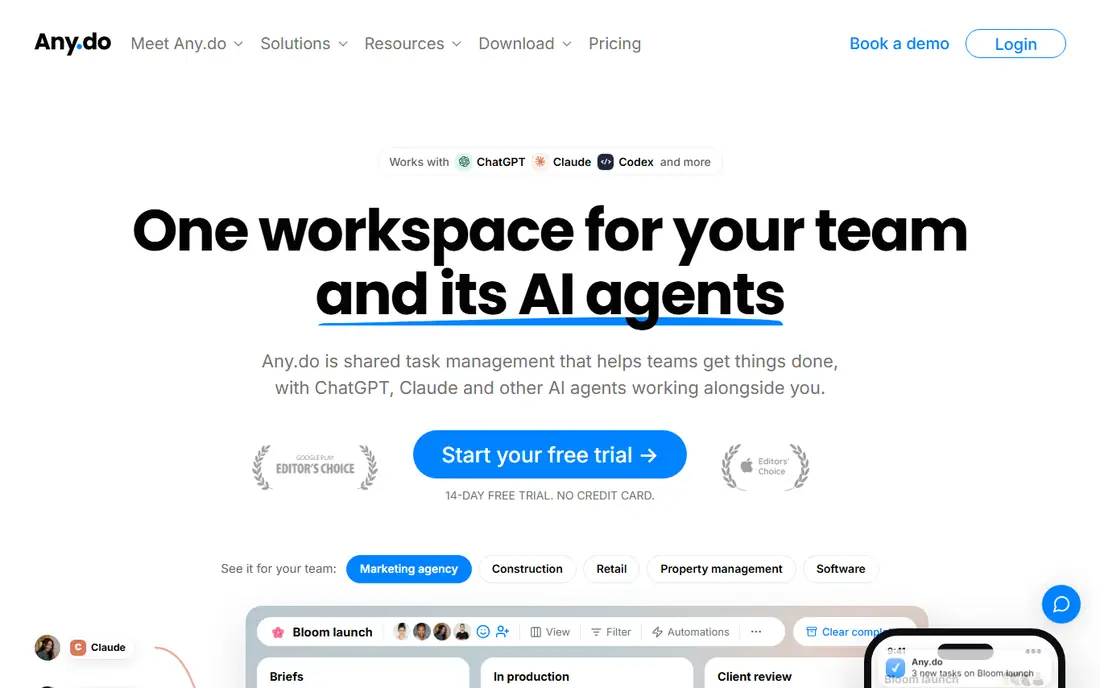
Any.do combines a to-do list, a daily planner and a calendar in one app. The My Day view turns each morning into a short planning session, and the calendar shows tasks next to meetings. Premium adds recurring tasks, color tags, location reminders and WhatsApp reminders, but it stays a solo plan, so sharing needs the Teams plan. The pricing page lists Premium at 4.99 dollars a month billed annually, while a second Any.do page showed 5.99 dollars a month on monthly billing, so confirm the total at checkout.
What we like- Built-in calendar and My Day planner
- WhatsApp reminders
Watch out for- Premium is a personal plan with no sharing, and Any.do pages show different Premium prices
#2Todoist
Best for: Individuals and teams who manage a large task list with filters4.5/5 on
G2 (832 reviews, checked Oct 2026)
Visit todoist.com
Starting price$5 per user per month billed annually ($60 per year; $7 billed monthly)
Free planYes, Beginner plan free with 5 projects and 3 filters
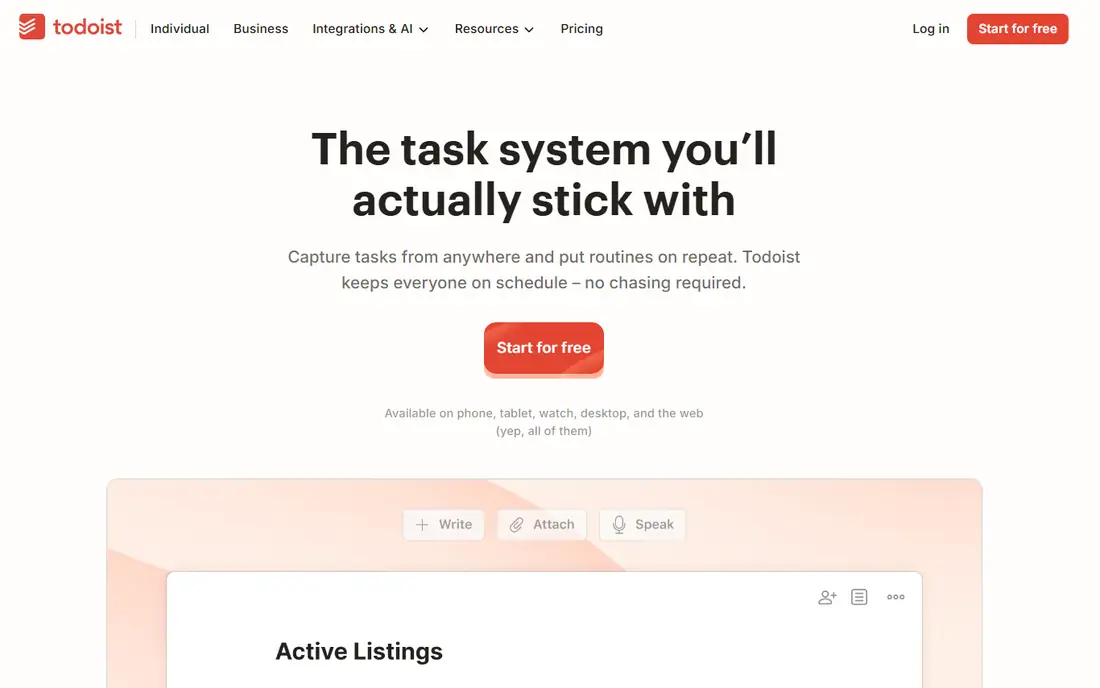
Todoist has been a leading task manager since 2007, and its strength is structure at scale. Natural language entry turns a typed sentence into a dated, recurring task, and priorities, labels and filters turn a long list into views. Pro raises the limits to 300 personal projects and 150 filters, and adds the calendar layout, task durations and AI Assist. Todoist Pro rose in price on 10 December 2025, from 48 dollars a year to 60 dollars, so older articles that quote four dollars a month are out of date.
What we like- Natural language entry
- 150 filters and labels on Pro
Watch out for- The free plan caps projects at 5, and team work needs Business at $8 per user a month
#3TickTick
Best for: Solo buyers who want tasks, calendar, habits and a timer in one app4.5/5 on
G2 (113 reviews, checked Oct 2026)
Visit ticktick.com
Starting price$49.99 per year (about $4.17 per month)
Free planYes, free plan with 9 lists, 99 tasks per list and 5 habits
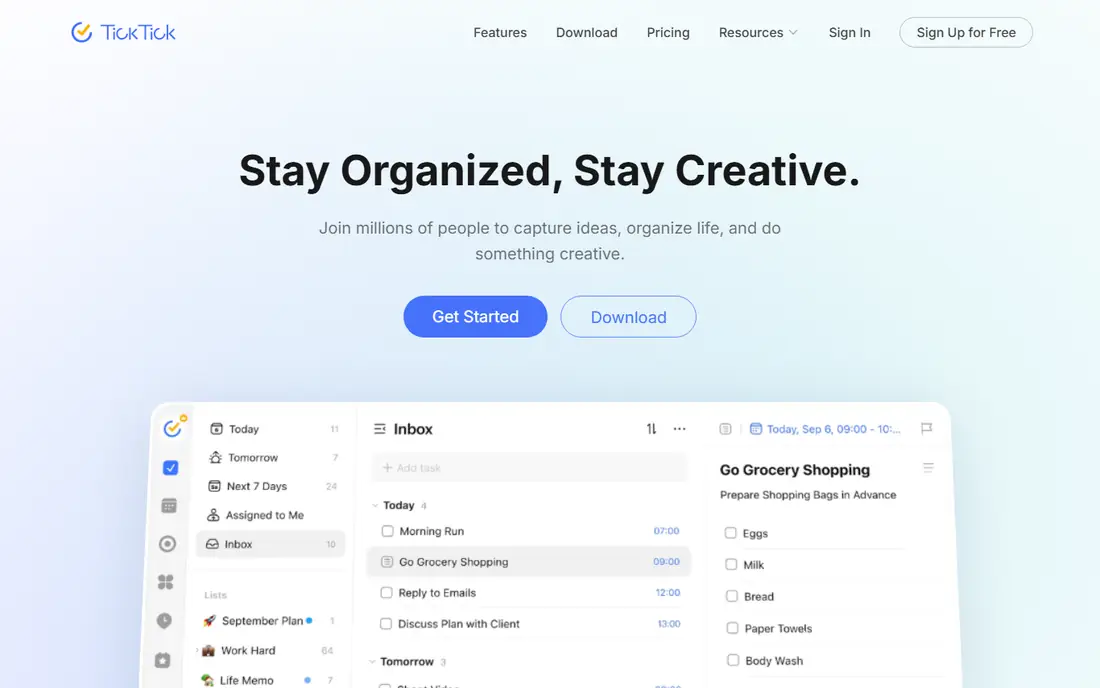
TickTick is the best value paid plan in this guide. Premium costs 49.99 dollars a year, about ten dollars a year less than Todoist Pro, and it bundles tasks, a calendar, a habit tracker and a Pomodoro timer. Premium raises the limits to 299 lists, 299 habits and five reminders per task, and adds multiple calendar views and task durations. The free plan is unusually generous, with nine lists and five habits, so many buyers never need to pay. The main gap is collaboration, because TickTick is built for one person.
What we like- Calendar, habit tracker and Pomodoro timer in one app
Watch out for- No team or family plan exists, and the older $35.99 figure still appears in articles
#4Microsoft To Do
Best for: People who use Outlook and Microsoft 365 and want a free app4.4/5 on
G2 (99 reviews, checked Oct 2026)
Visit todo.microsoft.com
Starting priceFree
Free planYes, the full app is free with a Microsoft account
Microsoft To Do is the free task app that replaced Wunderlist, and it is the simplest choice here for anyone who lives in Outlook. Tasks flagged in Outlook appear in To Do, the My Day view offers a short daily planning list, and smart lists group tasks by due date, importance and planned day. Sync runs through a Microsoft account on every platform. The trade-off is depth: there are no custom filters, no labels, no time tracking and no project views, so a buyer with hundreds of tasks will outgrow it.
What we like- Outlook and Microsoft 365 integration
- My Day planning view
Watch out for- No paid tier means no custom filters, labels or time tracking
#5
Google Tasks
Best for: People in Gmail and Google Calendar who want the simplest free list
Visit tasks.google.com
Starting priceFree
Free planYes, free with a Google account
Google Tasks sits inside Gmail and Google Calendar, so a task can be created from an email in one click and its due date appears on the calendar. The interface is a plain list with dates, notes and one level of subtasks, and it syncs through a Google account. There are no priorities, no tags, no filters and no reminders beyond date and time, so anyone with a complex workflow will hit the ceiling fast. It is free, fast and already installed.
What we like- Built into Gmail and Google Calendar
- Very simple to learn
Watch out for- No priorities, tags or custom views, and subtasks go only one level deep
#6Remember The Milk
Best for: Long-time task list users who like Smart Add entry4.4/5 on
G2 (16 reviews, checked Oct 2026)
Visit rememberthemilk.com
Starting price$49.99 per year
Free planYes, Basic plan free with sharing limited to 2 people
Remember The Milk is one of the oldest task managers still running, and its Smart Add entry parses dates, priorities and tags from a typed sentence. Pro costs 49.99 dollars a year and adds subtasks, unlimited sharing, mobile reminders and widgets, file attachments, IFTTT and Zapier, plus MilkScript automation. The free Basic plan covers the web, desktop and mobile apps but keeps finished tasks for only seven days. The app raised Pro from 39.99 dollars to 49.99 dollars a year, so older reviews quote the old figure.
What we like- Smart Add natural language entry
- IFTTT and Zapier on Pro
Watch out for- Pro has no trial, the interface feels dated, and older pages still list $39.99
#7Asana
Best for: Teams that need timelines, dashboards and automations4.4/5 on
G2 (13,930 reviews, checked Oct 2026)
Visit asana.com
Starting price$10.99 per user per month billed annually ($13.49 billed monthly)
Free planYes, Personal plan free for up to 2 users
Asana is a work management platform rather than a personal task list. Starter costs 10.99 dollars per user a month billed annually and adds timeline and Gantt views, dashboards, forms, custom fields and unlimited automations, while Advanced at 24.99 dollars adds portfolios, goals, workload, approvals and native time tracking. The free Personal plan covers up to two users with unlimited tasks and projects for a trial. A solo buyer who only tracks personal tasks will pay more than twice the price of Todoist Pro for features they may never open.
What we like- Timeline and Gantt views
- Unlimited automations on Starter
Watch out for- Per-seat pricing makes it the most expensive option here for a solo buyer
#8Trello
Best for: Visual planners who like boards, cards and simple automation4.4/5 on
G2 (14,064 reviews, checked Oct 2026)
Visit trello.com
Starting price$5 per user per month billed annually ($6 billed monthly)
Free planYes, free plan with up to 10 boards and 10 collaborators
Trello turns tasks into cards on boards for visual planners. Standard costs five dollars per user a month billed annually and lifts the board cap, adds custom fields, advanced checklists, card mirroring and one thousand automation runs a month. Premium at ten dollars adds calendar, timeline, table, dashboard and map views plus unlimited automation, and Enterprise at 17.50 dollars is annual only with a 50 seat minimum. The free plan is generous for one person but its ten board cap pushes active users to Standard quickly.
What we like- Visual boards that are easy to learn
- Butler automation
Watch out for- Card boards suit projects better than dated task lists, and free caps boards at 10
Comparison table
The table below puts the eight tools side by side on starting price, free plan and best fit.
| Tool | Starting price | Free plan | Best for |
| Any.do | $4.99 per month billed annually | Yes, Personal plan | Daily calendar planning |
| Todoist | $5 per user per month billed annually | Yes, Beginner plan | Large lists with filters |
| TickTick | $49.99 per year | Yes, 9 lists | Tasks, calendar, habits, timer |
| Microsoft To Do | Free | Yes, full app free | Outlook and Microsoft 365 users |
| Google Tasks | Free | Yes, full app free | Gmail and Google Calendar users |
| Remember The Milk | $49.99 per year | Yes, Basic plan | Smart Add and simple sharing |
| Asana | $10.99 per user per month billed annually | Yes, Personal plan for 2 users | Teams, timelines, dashboards |
| Trello | $5 per user per month billed annually | Yes, 10 boards | Visual boards and automation |
Frequently asked questions
Is Any.do or Todoist better for personal use?
Todoist is the better pick for most users, because its filters, labels and 300 project limit handle a growing list. Any.do is the better pick if you plan each day on a calendar and want WhatsApp reminders and a My Day review. Both cost about five dollars a month on annual billing, so try each free plan.
Can I use Todoist for free?
Yes. The Beginner plan is free and includes five projects, three filters and five collaborators per project, which covers a short personal list. Paid features need Pro at five dollars a month billed annually. The free plan has no time limit, so you can use it before deciding whether Pro is worth sixty dollars a year.
Which tool is cheapest for one person?
Microsoft To Do and Google Tasks are free, so they are the cheapest options. TickTick Premium and Remember The Milk Pro both list at 49.99 dollars a year, about ten dollars less a year than Todoist Pro. Any.do Premium costs 59.88 dollars a year billed annually. Asana Starter is the most expensive here at 10.99 dollars per user a month.
Does Any.do work for teams?
Any.do works for teams on its Teams plan, but Premium is a personal plan with no sharing or collaboration features. Teams costs 4.99 dollars per member a month billed annually, or 7.99 dollars billed monthly, and adds a workspace, unlimited boards and members, workflow templates and admin permissions. The Family plan covers four members at 8.33 dollars a month billed annually.
What is the best free alternative to Any.do and Todoist?
TickTick has the best free plan, with nine lists, 99 tasks per list, five habits and a calendar. Microsoft To Do is the best free option for Outlook users, and Google Tasks is the best free option for Gmail users. Pick TickTick if you want habits and a focus timer. For Outlook or Gmail users, pick the matching free app.
Sources we checked (8)
- https://www.any.do
- https://todoist.com/pricing
- https://ticktick.com
- https://todo.microsoft.com
- https://tasks.google.com
- https://www.rememberthemilk.com
- https://asana.com/pricing
- https://trello.com/pricing
Is your product missing or out of date?
We review this list regularly. Vendors can request a listing, send updated pricing or ask about featured placement.

Shihab Mia · Founder, Rankite
Shihab has 5+ years in B2B and SaaS SEO. He writes Rankite's software buying guides from pricing pages, documentation and public user reviews. More about Shihab.