How we make this list: we compare pricing pages, product documentation and public user reviews. Ratings come from G2, Capterra or Trustpilot, with the date we checked them.
What Is the Best Any.do Alternative in 2026?
Todoist is the best Any.do alternative for most people in 2026. It works on every major platform, captures tasks fast with plain language dates, and its free plan covers everyday personal lists. If you want the lowest cost, TickTick is the stronger pick, because Premium costs $49.99 per year and adds a calendar, a habit tracker, and a Pomodoro timer.
How Do Any.do Alternatives Compare on Price?
Price is the first thing most buyers check, and the range in this list runs from free to more than $10 per user per month. Microsoft To Do and Google Tasks cost nothing, with no paid tier to buy, so they are the cheapest way to leave Any.do if your lists are simple and you already live inside Microsoft or Google accounts. Things 3 is different again, because you pay once per device instead of paying every month, at $49.99 for Mac, $9.99 for iPhone, and $19.99 for iPad, with no subscription and free sync through Things Cloud. TickTick Premium costs $49.99 per year, which works out to about $4.17 per month, and Remember The Milk Pro costs $49.99 per year as well, so both sit below Todoist Pro at $60 per year. Todoist Pro costs $7 per month billed monthly, or $60 per year, which is $5 per month.
| Tool |
Starting paid price |
Free plan |
| Todoist |
$7 per month billed monthly, $60 per year |
Yes, Beginner |
| TickTick |
$49.99 per year, about $4.17 per month |
Yes |
| Microsoft To Do |
Free, no paid plan |
Yes, full app |
| Google Tasks |
Free, no paid plan |
Yes, full app |
| Things 3 |
$49.99 Mac, $9.99 iPhone, $19.99 iPad, one-time each |
No, 15-day Mac trial |
| Remember The Milk |
$49.99 per year |
Yes, Basic |
| Asana |
$13.49 per user per month billed monthly, $10.99 billed annually |
Yes, Personal for up to 2 users |
| ClickUp |
$10 per user per month billed monthly, $7 billed annually |
Yes, Free Forever |
Annual billing cuts Todoist Pro from $7 to $5 per month, ClickUp Unlimited from $10 to $7 per user per month, and Asana Starter from $13.49 to $10.99 per user per month. If you plan to use the app every day for a year, annual billing is usually worth it. If you only need a tool for one project or one season, monthly billing is the safer choice, even though the monthly rate is higher. The two free tools need no billing decision at all, and Things 3 needs only a one-time decision per device, which suits buyers who dislike subscriptions and work only on Apple devices.
Which Any.do Alternative Should You Choose for Personal Use?
For personal use, the best choice depends on how you plan your day and which devices you use. If you want a calm daily list with a My Day view, Microsoft To Do and Things 3 are the strongest fits, because both put the day ahead front and centre and keep extra features out of the way. If you want one app that also tracks habits and time, TickTick is the strongest fit, because it bundles a calendar, a habit tracker, and a Pomodoro timer with your tasks, so you do not need three separate apps. If you live in Gmail and Google Calendar, Google Tasks is the simplest fit, because it sits inside those apps and turns an email into a task in one.
What Should You Check Before You Switch from Any.do?
Before you switch, check four things. First, check which Any.do features you actually use. Recurring tasks, location reminders, colour tags, and WhatsApp reminders are Premium features in Any.do, so if you pay for those, make sure your new app includes them on its free plan or on the paid plan you intend to buy. TickTick includes location reminders on Premium, Todoist includes custom reminders on Pro, and Remember The Milk includes mobile reminders on Pro, while Microsoft To Do and Google Tasks include reminders at no cost. Second, check your shared lists. Any.do Premium is a single-user plan with no sharing, so if you share lists with a partner or a family, you need a tool that supports sharing on the plan you buy. Third, check your calendar. Any.do has.
Quick comparison
| Tool | Best for | Starting price | Free plan |
|---|
 Todoist | People who want fast task capture, plain language dates, and a task app that works on every platform | $7 per month billed monthly, or $60 per year for Pro, checked 17 November 2026 | Yes, Beginner plan with 5 personal projects and 3 filter views |
 TickTick | People who want tasks, a calendar, a habit tracker, and a Pomodoro timer in one low cost app | $49.99 per year for Premium, about $4.17 per month, checked 17 November 2026 | Yes, free plan with 9 lists, 99 tasks per list, and 5 habits |
 Microsoft To Do | Microsoft 365 and Outlook users who want a free daily list with no paid tier | Free with a Microsoft account, no paid plan, checked 17 November 2026 | Yes, the full app is free with a Microsoft account |
 Google Tasks | Gmail and Google Calendar users who want the simplest free list with no new app to learn | Free with a Google account, no paid plan, checked 17 November 2026 | Yes, the full app is free with a Google account |
 Things 3 | Apple users who want a calm, polished task app with a one-time purchase and no subscription | $49.99 one-time for Mac, $9.99 one-time for iPhone, $19.99 one-time for iPad, checked 17 November 2026 | No permanent free plan, 15-day free trial of the Mac app |
 Remember The Milk | People who want a long running, simple task app with smart lists, tags, and location reminders | $49.99 per year for Pro, checked 17 November 2026 | Yes, Basic plan with web, desktop, and mobile apps |
 Asana | Small teams who want shared projects, timelines, and dashboards instead of a personal list | $13.49 per user per month billed monthly, or $10.99 per user per month billed annually for Starter, checked 17 November 2026 | Yes, Personal plan free for up to 2 users |
 ClickUp | Small teams and solo users who want tasks, docs, chat, and dashboards in one workspace | $10 per user per month billed monthly, or $7 per user per month billed annually for Unlimited, checked 17 November 2026 | Yes, Free Forever plan with no seat limit |
Is your product missing or out of date?
We review this list regularly. Vendors can request a listing, send updated pricing or ask about featured placement.
8 Best Any.do Alternatives
#1Todoist
Best for: People who want fast task capture, plain language dates, and a task app that works on every platform4.5/5 on
G2 (832 reviews, checked Oct 2026)
Visit todoist.com
Starting price$7 per month billed monthly, or $60 per year for Pro, checked 17 November 2026
Free planYes, Beginner plan with 5 personal projects and 3 filter views
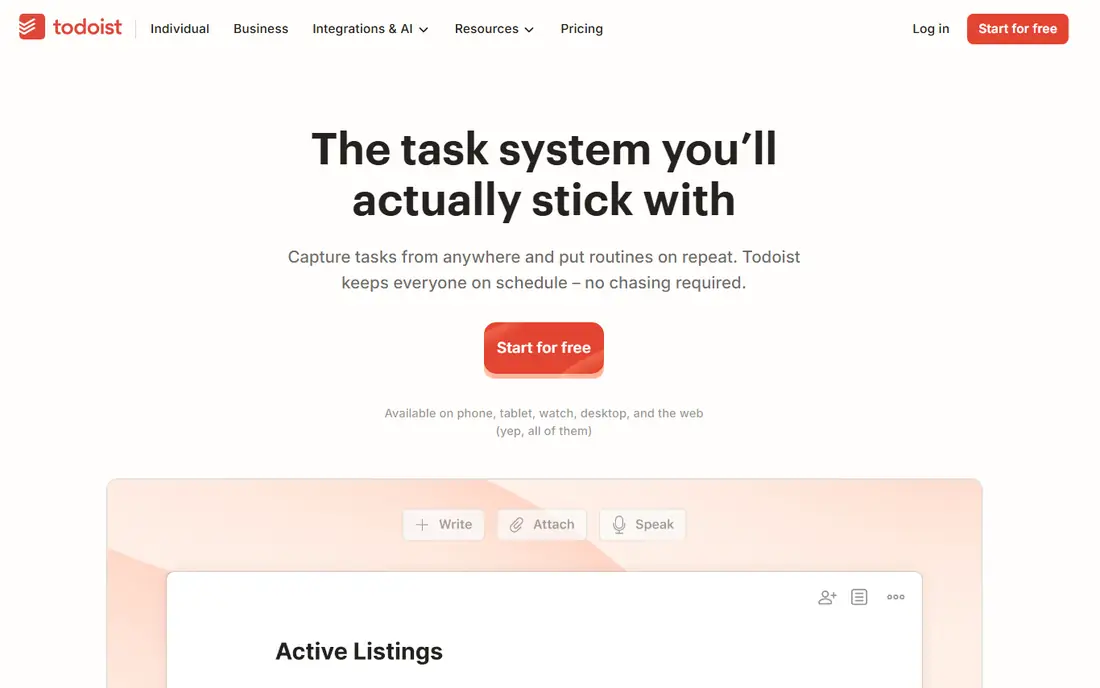
Todoist is the closest direct replacement for Any.do, and it is the best pick for most people who switch. The free Beginner plan covers simple personal lists, while Pro raises the limit to 300 personal projects and 150 filter views, and adds a calendar layout, task durations, deadlines, custom reminders, and full activity history. Capture is the standout feature. You can type a task such as call the dentist every Tuesday at 10am and Todoist sets the date.
What we like- Fast capture with plain language dates, calendar layout on Pro, task durations and deadlines, custom reminders, full activity history, and apps for web, desktop, and mobile
Watch out for- Reminders, filters, and the calendar layout need Pro, the free plan is limited to 5 projects, and Pro is dearer than TickTick Premium over a year
#2TickTick
Best for: People who want tasks, a calendar, a habit tracker, and a Pomodoro timer in one low cost app4.5/5 on
G2 (113 reviews, checked Oct 2026)
Visit ticktick.com
Starting price$49.99 per year for Premium, about $4.17 per month, checked 17 November 2026
Free planYes, free plan with 9 lists, 99 tasks per list, and 5 habits
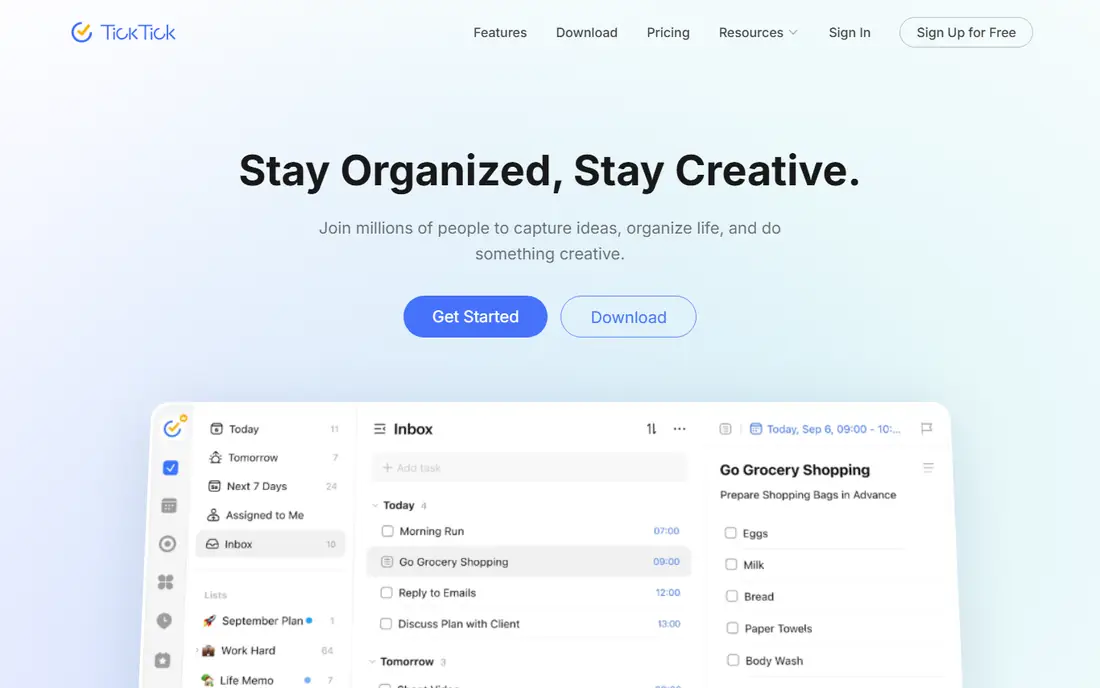
TickTick is the best value pick in this list, and it is the strongest choice if you want more than a plain list. Premium costs $49.99 per year on the vendor upgrade page, which is $10 less per year than Todoist Pro, and it adds a full calendar with a timeline view, a habit tracker, a Pomodoro timer, custom smart lists, advanced statistics, and themes. The free plan is useful, with 9 lists, 99 tasks per list, basic.
What we like- Built in calendar with timeline view, habit tracker, Pomodoro timer, location reminders, custom smart lists, and a low annual price for what it includes
Watch out for- No team or family plan, the free plan caps lists, tasks, and habits, and some sources list a promotional annual rate of $35.99, so confirm the price on your own checkout screen
#3Microsoft To Do
Best for: Microsoft 365 and Outlook users who want a free daily list with no paid tier4.4/5 on
G2 (99 reviews, checked Oct 2026)
Visit to-do.office.com
Starting priceFree with a Microsoft account, no paid plan, checked 17 November 2026
Free planYes, the full app is free with a Microsoft account
Microsoft To Do is the official successor to Wunderlist, which shut down in 2020 after Microsoft acquired it, and it is the best free switch for anyone who already uses Outlook or Microsoft 365. It costs nothing, with no paid plan and no feature gates, and it syncs tasks with Outlook, so flagged emails appear as tasks and your lists are available in Teams as well. The My Day view is its best feature for daily planning. Each.
What we like- Free with no paywall, My Day view for daily planning, Outlook and Teams integration, lists and steps for subtasks, file attachments, and desktop apps for Windows and Mac
Watch out for- No calendar view as rich as TickTick or Todoist Pro, no tags or colour labels like Any.do Premium, and it needs a Microsoft account with an Exchange Online mailbox for full sync
#4
Google Tasks
Best for: Gmail and Google Calendar users who want the simplest free list with no new app to learn
Visit tasks.google.com
Starting priceFree with a Google account, no paid plan, checked 17 November 2026
Free planYes, the full app is free with a Google account
Google Tasks is the simplest app in this list, and that is its strength. It lives inside Gmail and Google Calendar, so a task created from an email stays close to the message that prompted it, and a task with a date and time appears on your calendar without extra setup. There are no boards to learn, no workspace to set up, and no paid tier to weigh up, because the whole app is free with any Google.
What we like- Free with no paid tier, built into Gmail, Calendar, Docs, and Drive, one-click task creation from an email, subtasks, due dates, and simple sharing through a link
Watch out for- No desktop app for Windows or Mac, no tags, priorities, or colour labels, no habit tracker or Pomodoro timer, and no board or calendar planning view
#5
Things 3
Best for: Apple users who want a calm, polished task app with a one-time purchase and no subscription
Visit culturedcode.com
Starting price$49.99 one-time for Mac, $9.99 one-time for iPhone, $19.99 one-time for iPad, checked 17 November 2026
Free planNo permanent free plan, 15-day free trial of the Mac app
Things 3 is the best pick in this list for Apple users who dislike subscriptions. You buy each app once, at $49.99 for Mac, $9.99 for iPhone, and $19.99 for iPad, and there is no monthly fee to keep using it, with sync through Things Cloud included at no extra cost. The design is calm and focused. Areas hold the parts of your life, Projects sit inside them with headings for phases, and every task can have a.
What we like- Calm and polished design, one-time purchase with no subscription, free sync through Things Cloud, Areas and Projects for structure, start dates that hide tasks until their day, and interactive widgets
Watch out for- Apple only, with no web, Windows, or Android version, each device is a separate purchase, so all three cost $79.97, and you cannot share a list with anyone
#6Remember The Milk
Best for: People who want a long running, simple task app with smart lists, tags, and location reminders4.4/5 on
G2 (16 reviews, checked Oct 2026)
Visit rememberthemilk.com
Starting price$49.99 per year for Pro, checked 17 November 2026
Free planYes, Basic plan with web, desktop, and mobile apps
Remember The Milk is one of the oldest task apps still in active use, launched in October 2005, and it suits people who want a stable list without the extra features of a project tool. The free Basic plan covers web, desktop, and mobile apps, with lists, tasks, and basic sharing, while Pro costs $49.99 per year and adds subtasks, unlimited sharing, advanced sorting, coloured tags, mobile app reminders, widgets, file attachments, offline web access, Microsoft Outlook sync.
What we like- Running since 2005 with a stable design, smart lists and advanced sorting, subtasks and coloured tags on Pro, mobile reminders, offline web access, and automation through MilkScript, IFTTT, and Zapier
Watch out for- Pro costs $49.99 per year with no monthly option, older sources still list $39.99 per year, so confirm the current price before you pay, and the design feels dated next to Todoist and TickTick
#7Asana
Best for: Small teams who want shared projects, timelines, and dashboards instead of a personal list4.4/5 on
G2 (13,930 reviews, checked Oct 2026)
Visit asana.com
Starting price$13.49 per user per month billed monthly, or $10.99 per user per month billed annually for Starter, checked 17 November 2026
Free planYes, Personal plan free for up to 2 users
Asana is the team pick in this list, and it suits buyers who are leaving Any.do because they need shared work, not just a personal list. The free Personal plan covers up to 2 users, which is enough for a pair to try the workflow, while Starter costs $13.49 per user per month billed monthly, or $10.99 per user per month billed annually, and adds a Timeline view, dependencies, custom templates, forms, dashboards, custom fields, and unlimited automations.
What we like- Timeline and Gantt views, workflow builder, dashboards, custom fields, forms, unlimited automations on Starter, unlimited free guests, and AI Studio credits on Starter
Watch out for- The dearest entry price in this list, the free Personal plan is capped at 2 users, and it is more tool than a single person needs for a simple daily list
#8ClickUp
Best for: Small teams and solo users who want tasks, docs, chat, and dashboards in one workspace4.6/5 on
G2 (14,878 reviews, checked Oct 2026)
Visit clickup.com
Starting price$10 per user per month billed monthly, or $7 per user per month billed annually for Unlimited, checked 17 November 2026
Free planYes, Free Forever plan with no seat limit
ClickUp is the most complete workspace in this list, and it suits buyers who want tasks plus docs, chat, and dashboards without buying three tools. The Free Forever plan has no seat limit, which is rare in this category, and it covers basic tasks, lists, and views. Unlimited costs $10 per user per month billed monthly, or $7 per user per month billed annually, and adds unlimited storage, Spaces, Gantt charts, integrations, forms, and native time tracking. Business.
What we like- Free plan with no seat limit, many views including list, board, calendar, and Gantt, native time tracking on Unlimited, docs and chat in the same workspace, and unlimited storage on Unlimited
Watch out for- ClickUp lists a newer Core plan at $9 per user per month billed annually beside Unlimited, so the price you are quoted depends on your signup screen, and AI is a separate add-on at $9 per user per month, not included in the base plan
Frequently asked questions
Is there a free alternative to Any.do?
Yes, several tools in this list are free. Microsoft To Do and Google Tasks are fully free, with no paid tier to buy, and they cover everyday lists, reminders, and subtasks. Todoist, TickTick, Remember The Milk, Asana, and ClickUp also have free plans, but each limits projects, lists, or features, so check the free plan limits before you.
Which Any.do alternative is cheapest?
Microsoft To Do and Google Tasks are the cheapest, because both are free with no paid plan. Among paid tools, TickTick Premium and Remember The Milk Pro are the cheapest at $49.99 per year each, which is about $4.17 per month. Todoist Pro is next at $60 per year, while ClickUp Unlimited costs $7 per user per month.
Which Any.do alternative is best for families?
TickTick and Microsoft To Do are the best starting points for families, but the right pick depends on sharing. Any.do Premium is a single-user plan with no sharing, so a family needs a tool that supports shared lists. Microsoft To Do lets you share lists at no cost, and Google Tasks lets you share a list through a.
Can I move my tasks from Any.do to Todoist or TickTick?
Yes, in most cases, but the move is not one click. Any.do does not export directly into every rival, so export your lists from Any.do, then import or rebuild them in the new app. Todoist and TickTick both support imports from common formats, and both let you add tasks fast with plain language input or voice capture. Keep.
Is Wunderlist still a good Any.do alternative?
No, Wunderlist is not a current alternative. Wunderlist shut down in 2020 after Microsoft acquired it, and Microsoft To Do is its official successor. Microsoft To Do carries the same simple list model forward, with Outlook and Teams integration, and it remains free for Microsoft account holders. If you see an old guide that lists Wunderlist as an.
Sources we checked (9)
- https://todoist.com/pricing
- https://ticktick.com/about/upgrade
- https://to-do.office.com
- https://tasks.google.com
- https://culturedcode.com/things/
- https://www.rememberthemilk.com/upgrade/
- https://asana.com/pricing
- https://clickup.com/pricing
- https://www.any.do
Is your product missing or out of date?
We review this list regularly. Vendors can request a listing, send updated pricing or ask about featured placement.

Shihab Mia · Founder, Rankite
Shihab has 5+ years in B2B and SaaS SEO. He writes Rankite's software buying guides from pricing pages, documentation and public user reviews. More about Shihab.