How we make this list: we compare pricing pages, product documentation and public user reviews. Ratings come from G2, Capterra or Trustpilot, with the date we checked them.
Weebly vs WordPress: the short answer
Weebly suits a business that wants a simple site with no maintenance. WordPress suits a business that wants a content site that can grow without platform limits. WordPress.com Personal starts at 4 dollars per month on annual billing, which is cheaper than Weebly Personal at 13 dollars, but plugin access needs the Business plan at 25 dollars. WordPress.org software is free, and shared hosting typically costs 3 to 30 dollars per month, while managed WordPress hosting typically costs 25 to 100 dollars per month. Weebly is easier to start and easier to keep, while WordPress gives more control and more room to grow. For a simple brochure site, Weebly is the safer pick. For a blog or a site that will grow, WordPress is the better home.
Key takeaways
- Weebly Personal costs 13 dollars per month on annual billing, and Professional at 15 dollars removes the Square ads and adds a free domain.
- WordPress.org software is free, and shared hosting typically costs 3 to 30 dollars per month, while managed WordPress hosting typically costs 25 to 100 dollars per month.
- WordPress.com Personal costs 4 dollars per month on annual billing, but plugins and themes need the Business plan at 25 dollars.
- Weebly is easier to learn, while WordPress needs setup, updates and security work from the owner.
- Weebly announced a 2026 wind-down in 67 countries, the United States is not among them, and Square recommends Square Online for new websites.
How much does Weebly cost compared with WordPress?
Weebly sells a free plan and three paid tiers. Personal costs 13 dollars per month on annual billing, 16 dollars month to month. Professional costs 15 dollars, 20 dollars month to month. Performance costs 32 dollars, 36 dollars month to month. Personal connects a custom domain but keeps Square ads on the site. Professional removes the ads and adds a free domain, unlimited storage and password protection. Performance adds PayPal, item reviews, abandoned cart emails and priority support. Older price reads of 10, 12 and 26 dollars per month are stale.
WordPress.org software is free to download and use. The cost is hosting, a domain and optional paid themes and plugins. Shared hosting typically costs 3 to 30 dollars per month, and managed WordPress hosting typically costs 25 to 100 dollars per month. A domain costs about 10 to 15 dollars per year. A simple WordPress site on shared hosting can cost less than Weebly Personal, while a managed host with premium plugins can cost more than Weebly Performance.
WordPress.com sells a free plan and four paid tiers. Personal costs 4 dollars per month on annual billing, Premium costs 8 dollars, Business costs 25 dollars and Commerce costs 45 dollars. Personal connects a custom domain, Premium adds design tools, Business unlocks plugins and themes, and Commerce adds a store.
Over three years, Weebly Personal costs about 468 dollars, WordPress.com Personal costs about 144 dollars plus renewals, and a self-hosted WordPress site on cheap shared hosting can cost under 200 dollars including a domain.
Which builder is easier for a first website?
Weebly is the simpler of the two to learn. Its drag and drop editor is plain and uncluttered, with a small set of elements that a beginner learns in an hour. There are fewer choices to make, which is a strength for a first site and a weakness for a business that wants a distinctive look. Weebly templates are older and show their age on mobile.
WordPress.org takes the most setup of any option here. The owner picks a host, installs WordPress, picks a theme, and manages updates, backups and security. The editor is flexible once it is set up, and the plugin range covers almost any feature. WordPress.com is easier than WordPress.org, because hosting and updates are handled, but the cheapest plans are limited and plugin access sits behind the 25 dollar tier.
Which builder is better for selling online?
WordPress with WooCommerce handles a store of any size. The WooCommerce plugin is free, WooPayments charges 2.9 percent plus 30 cents per transaction, and extensions add subscriptions, bookings and memberships. There is no monthly platform fee, which makes it the cheapest route for a high-volume seller who can manage the technical side.
Weebly Performance handles a small store, with PayPal, item reviews and abandoned cart emails, and Square payment integration for in-person sales. The store tools are thinner than WooCommerce. WordPress.com Commerce at 45 dollars per month adds a store on hosted WordPress, but it costs more than Weebly Performance and less than a managed WordPress host with WooCommerce.
For a store that expects to grow past a few dozen products and wants no maintenance, Shopify is the better buy. Its Basic plan at 29 dollars per month includes the strongest checkout, the widest payment options and the largest app ecosystem in this list.
How we picked
We compared the two named builders head to head on price, ease of use, content tools and selling options, then added six alternatives that buyers commonly shortlist next to them. Prices were checked on 20 November 2026 from vendor pricing pages and November 2026 pricing reads. Weebly prices are the United States rates read from its pricing page in October and November 2026, with older 10, 12 and 26 dollar reads flagged stale. WordPress.org hosting ranges are typical shared and managed hosting prices reported in 2026 reads, not a single vendor price. WordPress.com prices are list prices on annual billing, before renewal increases. Prices are search verified, so confirm the price at checkout before buying.
Quick comparison
| Tool | Best for | Starting price | Free plan |
|---|
 Weebly | The cheapest paid route to a custom domain for a simple site. | 13 dollars per month for Personal on annual billing, 16 dollars month to month; Professional 15 dollars, Performance 32 dollars. | Yes, with Square ads and a Weebly subdomain. |
 WordPress.org | A content site that must grow without platform limits. | Free software; shared hosting typically 3 to 30 dollars per month, managed WordPress hosting typically 25 to 100 dollars per month. | The software is free; hosting and a domain are paid separately. |
 WordPress.com | Blogging and content-led sites that want WordPress without managing hosting. | 4 dollars per month for Personal on annual billing; Premium 8 dollars, Business 25 dollars, Commerce 45 dollars. | Yes, with a WordPress.com subdomain and ads. |
 Wix | A buyer who wants a flexible editor and a large app market at a mid-range price. | 17 dollars per month for Light on annual billing; Core 29 dollars, Business 39 dollars, Business Elite 159 dollars. | Yes, with Wix branding and a Wix subdomain. |
 Squarespace | A business that wants a polished, design-led site with marketing built in. | 19 dollars per month for Basic on annual billing; Core 29 dollars, Plus 49 dollars, Advanced 99 dollars. | No, 14-day trial only. |
 Webflow | Design-led sites and teams that want precise control without writing code. | 15 dollars per month for Basic on annual billing; Premium 25 dollars per month, 39 dollars month to month. | Yes, with a Webflow subdomain and limits. |
 Shopify | A store that expects to grow, with the strongest checkout in this list. | 29 dollars per month for Basic on annual billing, 39 dollars month to month; Grow 79 dollars, Advanced 299 dollars. | No, free trial only. |
 WooCommerce | A WordPress site owner who wants a free store plugin and full control. | Free plugin; hosting typically 25 to 350 dollars per month depending on the host and traffic. | The plugin is free; hosting and a domain are paid separately. |
Is your product missing or out of date?
We review this list regularly. Vendors can request a listing, send updated pricing or ask about featured placement.
The 8 best website builders for a Weebly vs WordPress buyer
| Tool |
Starting price |
Free plan |
Best for |
| Weebly |
13 dollars per month, annual |
Yes |
Cheapest custom domain |
| WordPress.org |
Free software, hosting 3 to 30 dollars per month |
Software free |
Full control and growth |
| WordPress.com |
4 dollars per month, annual |
Yes |
Blogging without hosting |
| Wix |
17 dollars per month, annual |
Yes |
Flexible editor and apps |
| Squarespace |
19 dollars per month, annual |
No |
Polished design |
| Webflow |
15 dollars per month, annual |
Yes |
Design-led sites |
| Shopify |
29 dollars per month, annual |
No |
Growing online stores |
| WooCommerce |
Free plugin, hosting separate |
Plugin free |
Self-hosted stores |
#1Weebly
Best for: The cheapest paid route to a custom domain for a simple site.4.2/5 on
G2 (482 reviews, checked Oct 2026)
Visit weebly.com
Starting price13 dollars per month for Personal on annual billing, 16 dollars month to month; Professional 15 dollars, Performance 32 dollars.
Free planYes, with Square ads and a Weebly subdomain.

Weebly is the budget pick that still connects a custom domain. Personal at 13 dollars per month is cheaper than WordPress.com Business, and the editor is simple enough for a first site. Professional at 15 dollars removes the Square ads and adds a free domain, while Performance at 32 dollars adds PayPal, reviews and abandoned cart emails. The warning is strategic: Weebly announced a 2026 wind-down in 67 countries, the United States is not among them.
What we like- Lowest paid starting price among hosted builders here, simple editor for beginners, Square payment integration, free plan for drafting.
Watch out for- Square now steers new sites toward Square Online, few updates in recent years, Square ads stay on Personal, older price reads of 10, 12 and 26 dollars are stale.
#2WordPress.org
Best for: A content site that must grow without platform limits.4.4/5 on
G2 (9,546 reviews, checked Oct 2026)
Visit wordpress.org
Starting priceFree software; shared hosting typically 3 to 30 dollars per month, managed WordPress hosting typically 25 to 100 dollars per month.
Free planThe software is free; hosting and a domain are paid separately.
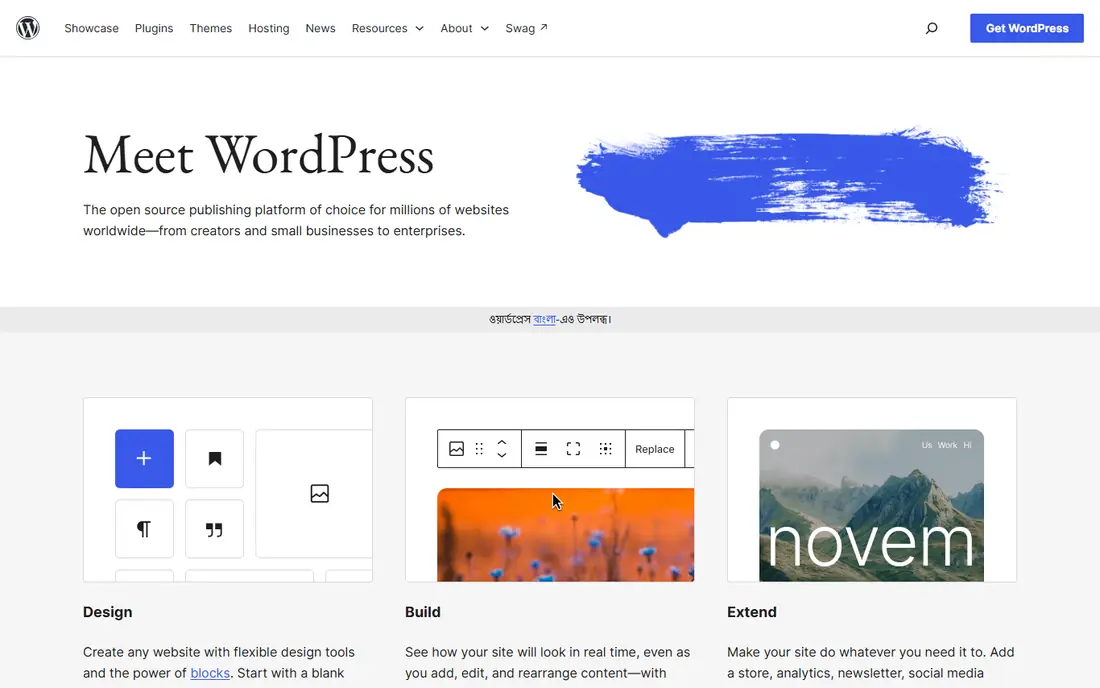
WordPress.org is the pick when control matters more than convenience. The software is free, and a site can grow from a blog to a store to a membership site without changing platforms. Shared hosting at 3 to 30 dollars per month suits a small site, while managed hosting at 25 to 100 dollars per month suits a business site with traffic. The trade off is maintenance: updates, backups and security fall on the owner, and a cheap host can make a site slow.
What we like- No platform limits on pages, plugins or design, largest theme and plugin range anywhere, full ownership of the site and data, no monthly platform fee.
Watch out for- The owner manages hosting, updates, backups and security, setup takes longer than a hosted builder, costs vary widely by host, support depends on the host and plugin vendors.
#3WordPress.com
Best for: Blogging and content-led sites that want WordPress without managing hosting.4.4/5 on
G2 (2,717 reviews, checked Oct 2026)
Visit wordpress.com
Starting price4 dollars per month for Personal on annual billing; Premium 8 dollars, Business 25 dollars, Commerce 45 dollars.
Free planYes, with a WordPress.com subdomain and ads.

WordPress.com is the hosted middle ground. Personal at 4 dollars per month suits a simple site with a custom domain, Premium at 8 adds design tools, Business at 25 unlocks plugins and themes, and Commerce at 45 adds a store. The blogging tools are stronger than Weebly, and a site can grow into self-hosted WordPress without changing platforms. The catch is that the cheapest plans are limited, and the features that make WordPress powerful sit behind the 25 dollar tier.
What we like- Strong blogging tools, huge theme and plugin range on higher plans, low entry price, easy move to self-hosted WordPress later.
Watch out for- Plugin access needs the Business plan, renewal prices run higher than the first-term price, the free plan shows ads.
#4Wix
Best for: A buyer who wants a flexible editor and a large app market at a mid-range price.4.2/5 on
G2 (1,888 reviews, checked Oct 2026)
Visit wix.com
Starting price17 dollars per month for Light on annual billing; Core 29 dollars, Business 39 dollars, Business Elite 159 dollars.
Free planYes, with Wix branding and a Wix subdomain.
Wix is the balanced pick in this comparison. Light at 17 dollars per month connects a custom domain, Core at 29 adds more storage and marketing, and Business at 39 adds a full store with abandoned cart recovery and more payment options. The editor lets a page be shaped freely, which Weebly does not, and the app market adds booking, events, memberships and other features without changing platforms.
What we like- Drag and drop editor with real layout freedom, large app market, strong template range, store tools from Business.
Watch out for- Templates cannot be switched after launch without rebuilding, the free plan shows Wix ads, the editor can feel busy for a beginner.
#5Squarespace
Best for: A business that wants a polished, design-led site with marketing built in.4.4/5 on
G2 (1,133 reviews, checked Oct 2026)
Visit squarespace.com
Starting price19 dollars per month for Basic on annual billing; Core 29 dollars, Plus 49 dollars, Advanced 99 dollars.
Free planNo, 14-day trial only.
Squarespace earns its higher price through design and integration. Templates use careful type and spacing, and pages hold together on mobile without the owner fiddling with breakpoints. The July 2026 rename replaced Personal and Business with Basic, Core, Plus and Advanced. Selling starts on Basic, with lower transaction fees on higher plans, and Advanced adds abandoned cart recovery and subscriptions.
What we like- Best templates in this comparison, built-in scheduling and email campaigns, selling included from Basic, strong mobile design with little extra work.
Watch out for- No free plan, higher starting price than Weebly or Wix, store tools are thinner than Shopify for a growing catalog.
#6Webflow
Best for: Design-led sites and teams that want precise control without writing code.4.4/5 on
G2 (995 reviews, checked Oct 2026)
Visit webflow.com
Starting price15 dollars per month for Basic on annual billing; Premium 25 dollars per month, 39 dollars month to month.
Free planYes, with a Webflow subdomain and limits.
Webflow suits a business that treats the website as a design asset rather than a quick listing. The designer gives control over layout, animation and responsive behavior that Weebly and WordPress.com do not match, and the CMS handles blogs and directories well. Basic at 15 dollars per month covers a simple site, while Premium at 25 dollars adds the CMS and more pages. Sources disagree on the Premium bandwidth allowance, with 50 GB and 200 GB both reported. Webflow is a poor fit for a beginner who wants a site today, and it has no native store at this price.
What we like- Precise visual design control, clean code output, strong CMS for content sites, no plugin maintenance.
Watch out for- Steepest learning curve among hosted builders here, pricing has two tiers that confuse buyers, bandwidth limits are reported inconsistently across sources.
#7Shopify
Best for: A store that expects to grow, with the strongest checkout in this list.4.4/5 on
G2 (5,144 reviews, checked Oct 2026)
Visit shopify.com
Starting price29 dollars per month for Basic on annual billing, 39 dollars month to month; Grow 79 dollars, Advanced 299 dollars.
Free planNo, free trial only.
Shopify is the pick when selling is the main job of the site. Basic at 29 dollars per month includes the checkout, discount codes, abandoned cart recovery and reporting that builders charge extra for, and the app store covers almost any selling need. Grow at 79 dollars adds better reporting and more staff accounts, and Advanced at 299 adds advanced reports and lower card rates. A November 2026 read reported Grow at 89 dollars and Advanced at 359 dollars on a price test, and a non-United States read showed Basic at 19 dollars and Grow at 49 dollars. Shopify is overkill for a simple brochure site, and its monthly cost plus apps can pass 50 dollars quickly.
What we like- Best checkout and payment options here, largest app ecosystem, strong inventory and discount tools, reliable uptime for stores.
Watch out for- Costs more than a builder for a brochure site, themes and apps add cost, transaction fees apply unless Shopify Payments is used.
#8WooCommerce
Best for: A WordPress site owner who wants a free store plugin and full control.4.4/5 on
G2 (1,283 reviews, checked Oct 2026)
Visit woocommerce.com
Starting priceFree plugin; hosting typically 25 to 350 dollars per month depending on the host and traffic.
Free planThe plugin is free; hosting and a domain are paid separately.
WooCommerce turns a WordPress site into a store without a monthly platform fee, which makes it the cheapest route for a high-volume seller who can manage the technical side. The plugin is free, WooPayments charges 2.9 percent plus 30 cents per transaction, and extensions add subscriptions, bookings, memberships and more. A cheap host can make a store slow at checkout. WooCommerce suits a business that already runs WordPress and has someone to maintain it.
What we like- No monthly platform fee, full control over the store and data, huge extension range, no platform transaction fee.
Watch out for- The owner manages hosting, updates and security, costs vary widely by host, support depends on the host and extension vendors.
Frequently asked questions
Is Weebly or WordPress cheaper in the long run?
It depends on the hosting. WordPress.com Personal at 4 dollars per month is cheaper than Weebly Personal at 13 dollars, but it does not include plugins. A self-hosted WordPress site on shared hosting at 3 to 30 dollars per month can cost less than Weebly Personal, while managed hosting at 25 to 100 dollars costs more. Weebly is the cheaper fixed price with no maintenance work.
What is the difference between WordPress.org and WordPress.com?
WordPress.org is free software that the owner installs on their own hosting, with full control and full maintenance. WordPress.com is a hosted service that runs WordPress for the owner, with limits on the cheaper plans and no maintenance work. A site can move from WordPress.com to WordPress.org later without changing platforms.
Can I switch from Weebly to WordPress later?
Yes, but it takes work. Weebly lets a site export content, and WordPress has import tools, but the design must be rebuilt on a WordPress theme. A business that expects to grow into WordPress should start there rather than migrate later. A business that wants a simple site now can start on Weebly and move when the limits bite.
Which is better for SEO, Weebly or WordPress?
WordPress has the edge on SEO, with stronger blogging tools, a larger plugin range for structured data and redirects, and full control over the site structure. Weebly includes basic SEO fields, but its templates and tooling are older. Either can rank for a local business, and the content and local listings matter more than the platform.
Is Weebly shutting down?
Not in the United States. Weebly announced a 2026 wind-down in 67 countries, with new pages blocked from 29 June 2026 and account access ending 26 December 2026 in those countries, and the United States is not listed among them. Square says it has no plans to discontinue the builder in the United States, while recommending Square Online for new websites.
Sources we checked (8)
- https://www.weebly.com/pricing
- https://wordpress.org
- https://wordpress.com/pricing
- https://www.wix.com/plans
- https://www.squarespace.com/pricing
- https://webflow.com/pricing
- https://www.shopify.com/pricing
- https://woocommerce.com/pricing
Is your product missing or out of date?
We review this list regularly. Vendors can request a listing, send updated pricing or ask about featured placement.

Shihab Mia · Founder, Rankite
Shihab has 5+ years in B2B and SaaS SEO. He writes Rankite's software buying guides from pricing pages, documentation and public user reviews. More about Shihab.