How we make this list: we compare pricing pages, product documentation and public user reviews. Ratings come from G2, Capterra or Trustpilot, with the date we checked them.
Key takeaways
- FreshBooks has the most invoice-centred workflow for service businesses, with estimates, proposals, retainers and payment reminders built around billing.
- QuickBooks Online offers the widest invoicing depth for growing businesses, including batch invoicing and workflow automation on higher plans.
- Xero keeps invoicing simple and consistent, but its entry plan caps the number of invoices, so volume matters when choosing a tier.
- Zoho Books and Wave are the strongest low-cost routes, with Zoho Books offering a free tier for very small businesses and Wave offering free invoicing on its Starter plan.
- Payment processing fees are separate from subscription prices on every tool here, so check card and bank transfer rates before judging the total cost.
Quick comparison
| Tool | Best for | Starting price | Free plan |
|---|
 QuickBooks Online QuickBooks Online | Growing businesses that need batch invoicing and automation | $38 per month (Simple Start) | Free trial |
 FreshBooks FreshBooks | Freelancers and service firms that bill by project or hour | $23 per month (Lite) | Free trial |
 Xero Xero | Businesses that want tidy invoicing tied to bank reconciliation | $27 per month (Early, US) | Free trial |
 Zoho Books Zoho Books | Budget-conscious businesses that want full invoicing at a low price | $20 per month (Standard, monthly billing) | Yes |
 Wave Wave | Very small businesses that want invoicing without a subscription | $19 per month (Pro plan) | Yes |
 FreeAgent FreeAgent | UK freelancers and small businesses that file tax through their accounting tool | £33 per month | Free trial |
 Kashoo Kashoo | Small businesses that want simple invoicing and unlimited users | See website | Free trial |
Is your product missing or out of date?
We review this list regularly. Vendors can request a listing, send updated pricing or ask about featured placement.
The best accounting software for invoice features
#1QuickBooks Online
Best for: Growing businesses that need batch invoicing and automation4.0/5 on
G2 (3,871 reviews, checked Oct 2026)
Visit quickbooks.intuit.com
Starting price$38 per month (Simple Start)
Free planFree trial
QuickBooks Online treats invoicing as part of a full accounting system rather than a standalone feature, and that shows in the depth. Invoices can be customized with a logo, sent with a payment link for cards, bank transfers and digital wallets, and tracked from sent to viewed to paid. Estimates convert to invoices, reminders can be scheduled, and on the Advanced plan batch invoicing and workflow automation handle volume that would otherwise need manual work.
The cost curve is the main warning. Simple Start at $38 per month covers one user, Essentials at $85 covers three, and Plus at $140 covers five, based on 2026 list prices. A business that only needs strong invoicing may pay for accounting depth it rarely uses. Still, if invoicing volume is growing and an accountant already works in QuickBooks, the familiarity and the breadth make it hard to beat.
What we like- Unlimited invoices on paid plans
- Recurring invoices, estimates and payment reminders
- Batch invoicing and workflow automation on higher plans
Watch out for- Price rises sharply between tiers
- User limits are tight on lower plans
- Some invoice automation requires the Advanced plan
#2FreshBooks
Best for: Freelancers and service firms that bill by project or hour4.5/5 on
G2 (981 reviews, checked Oct 2026)
Visit freshbooks.com
Starting price$23 per month (Lite)
Free planFree trial
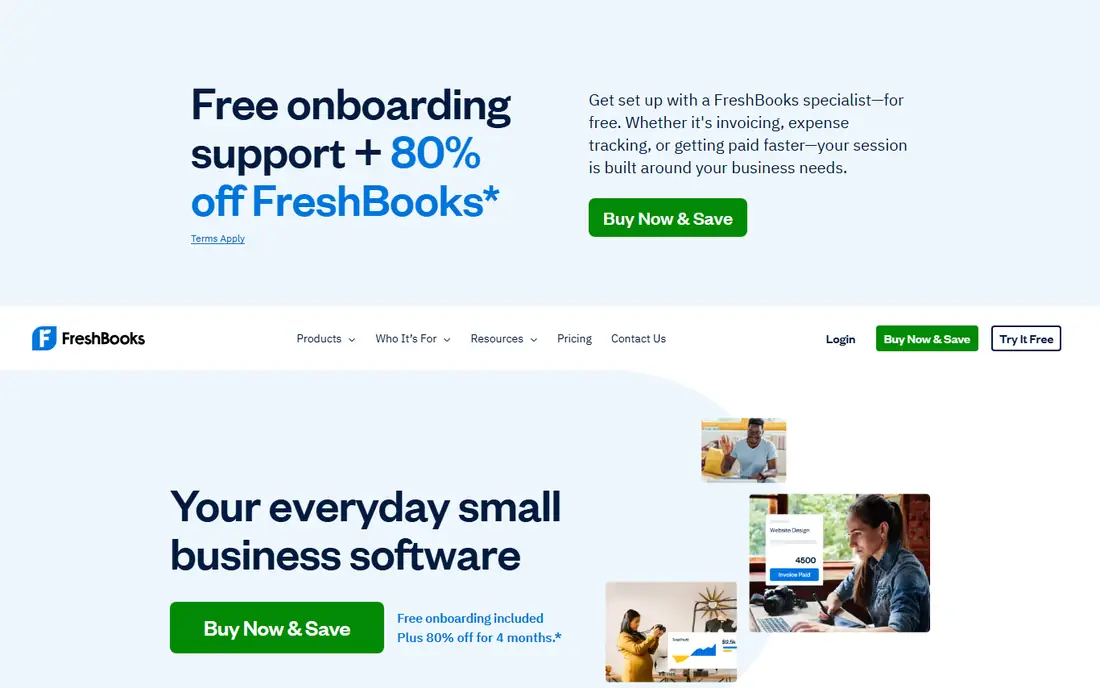
FreshBooks began as an invoicing tool, and its billing flow still feels like the centre of the product. A proposal can become an invoice, time tracked on a project can be added to that invoice, and clients can pay through a portal without a separate payment tool. Recurring invoices and automatic reminders on the Plus plan remove the weekly chase for retainer clients, and late fees can be applied to overdue balances.
Client caps decide the real price. Lite at $23 per month allows five billable clients, which suits a solo freelancer with a short roster but not a growing firm. Plus at $43 per month raises the cap to fifty and adds full double-entry reports, while Premium at $70 removes the cap. Businesses should price the tier that matches their client count, not the cheapest headline rate.
What we like- Estimates, proposals and invoices in one billing flow
- Recurring invoices and automatic payment reminders from the Plus plan
- Time tracking that flows into invoices
Watch out for- Lite caps billable clients at five
- Extra team members cost $11 per month each
- Inventory features are limited
#3Xero
Best for: Businesses that want tidy invoicing tied to bank reconciliation4.4/5 on
G2 (1,832 reviews, checked Oct 2026)
Visit xero.com
Starting price$27 per month (Early, US)
Free planFree trial
Xero keeps invoicing calm and predictable. Invoices, quotes and credit notes share the same clear layout, payment links can be added, and repeating invoices handle subscriptions and retainers without retyping. When a payment arrives, bank feeds help match it to the right invoice, so the books stay current without a separate reconciliation session.
Volume is the deciding factor. The Early plan in the US allows a limited number of invoices and bills each month, so a business sending dozens of invoices needs the Growing plan at $59 per month. That is still reasonable for a business with steady billing, and the app ecosystem around Xero is wide. Businesses that invoice in several currencies or track project costs should also check the Established plan, where those features appear.
What we like- Clean invoice templates and online payment options
- Quotes convert to invoices
- Automatic reminders and repeating invoices
- Strong bank feeds for matching payments
Watch out for- Entry plan limits invoice and bill volume
- Multi-currency and project tracking need higher plans
- Payroll is handled through partners in the US
#4Zoho Books
Best for: Budget-conscious businesses that want full invoicing at a low price4.4/5 on
G2 (329 reviews, checked Oct 2026)
Visit zoho.com
Starting price$20 per month (Standard, monthly billing)
Free planYes
Zoho Books gives small businesses a genuine free starting point, with invoicing, expense tracking and a client portal included for businesses under $50,000 in annual revenue, subject to invoice limits. Paid plans add progress invoicing, sales tax handling, recurring expenses and custom fields, and the Professional plan adds multi-currency, projects and inventory. Annual billing lowers the Standard plan to $15 per organization per month.
The interface is practical rather than polished, and businesses already inside the Zoho suite will get the most from it, since CRM, inventory and payroll sit in separate Zoho products that connect to Books. For a business that wants strong invoicing without paying QuickBooks prices, Zoho Books is the value pick in this guide, provided its accountant is comfortable working outside QuickBooks or Xero.
What we like- Free tier for businesses under $50,000 in annual revenue
- Recurring invoices, payment links and automated follow-ups
- Client portal and multi-currency on higher plans
Watch out for- Extra users cost extra per month
- Advanced inventory waits for higher tiers
- Payroll is a separate Zoho product
#5Wave
Best for: Very small businesses that want invoicing without a subscription4.3/5 on
G2 (328 reviews, checked Oct 2026)
Visit waveapps.com
Starting price$19 per month (Pro plan)
Free planYes
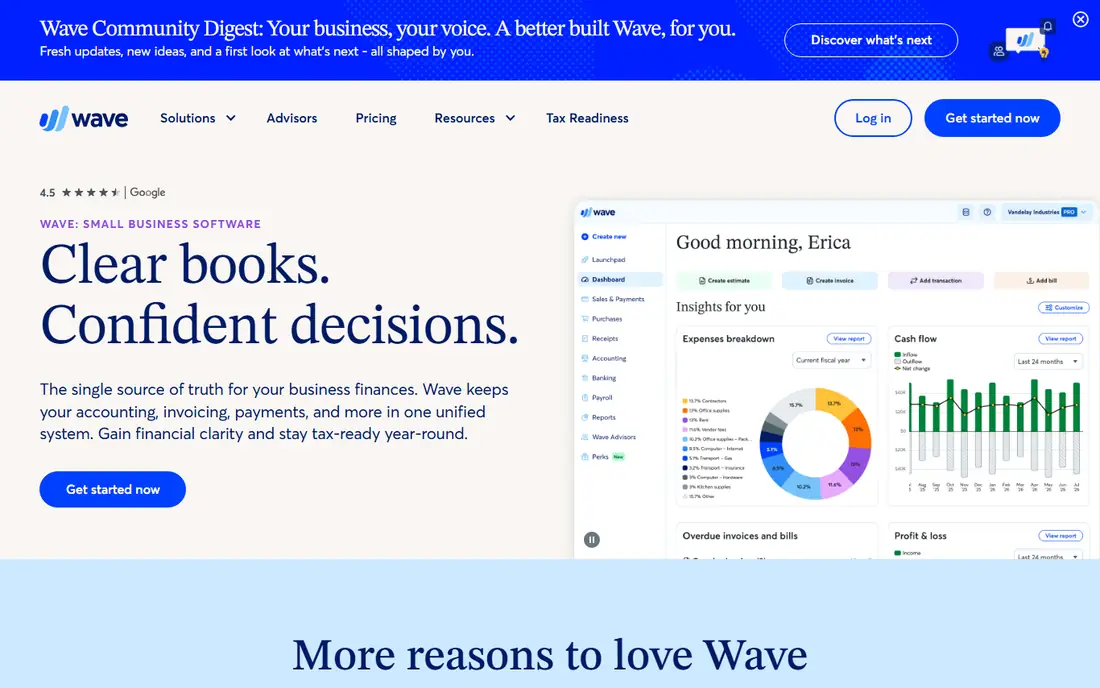
Wave suits the owner who mainly needs to send professional invoices and get paid, and who does not want a monthly bill for that privilege. Invoices can be customized, sent with payment links, set to recur, and tracked from the dashboard, while estimates convert to invoices in a few clicks. The mobile app covers invoicing on the go, which matters for contractors and field service businesses.
The free tier is not a full accounting replacement. Bank transaction imports, receipt scanning and other bookkeeping conveniences sit behind the Pro plan at $19 per month, and payment processing fees still apply when clients pay by card. For a business with simple books and a modest invoice count, Wave is hard to argue against. For a business with inventory, payroll or complex tax needs, a fuller accounting tool will save time later.
What we like- Free invoicing and estimates on the Starter plan
- Recurring invoices and payment links
- Simple reports and receipt capture
Watch out for- Accounting depth is lighter than QuickBooks or Xero
- Pro features such as bank connections and receipt tools cost extra
- Support options are limited on the free tier
#6FreeAgent
Best for: UK freelancers and small businesses that file tax through their accounting tool4.3/5 on
G2 (45 reviews, checked Oct 2026)
Visit freeagent.com
Starting price£33 per month
Free planFree trial
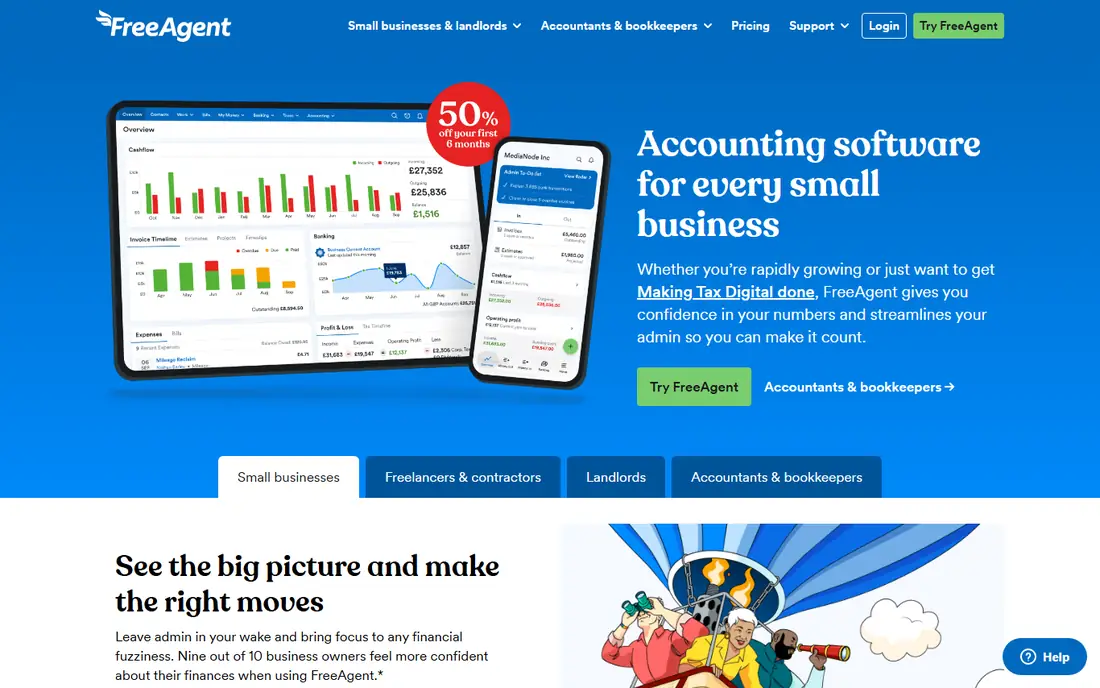
FreeAgent approaches invoicing as part of tax compliance, which is exactly what many UK sole traders and limited companies need. An invoice can be raised, sent and chased automatically, and the same system estimates tax, prepares VAT returns and handles self-assessment filing. That single flow removes the year-end scramble that comes from keeping invoices in one tool and tax in another.
US buyers should look elsewhere, since FreeAgent is designed around UK rules and its pricing is in pounds. UK buyers, by contrast, should check whether their bank offers FreeAgent free, since some UK business bank accounts include it at no extra cost. When paid directly, the list price is £33 per month before VAT, with a 30-day free trial.
What we like- Invoices, estimates and recurring invoices with a client view
- Automatic chasing emails for overdue invoices
- UK tax, VAT and self-assessment filing built in
Watch out for- Priced in pounds and built mainly for UK businesses
- US tax and payroll features are limited
- Invoice customization is less deep than FreshBooks
#7Kashoo
Best for: Small businesses that want simple invoicing and unlimited users4.6/5 on
G2 (55 reviews, checked Oct 2026)
Visit kashoo.com
Starting priceSee website
Free planFree trial
Kashoo keeps the invoicing workflow short: create an invoice, send it, let the client pay through a connected Stripe or Square account, and watch the payment match in the ledger. Unlimited users is a real advantage for a business where an owner, a bookkeeper and a part-time helper all need access without paying per seat. Bank feeds, expense tracking, sales tax and multi-currency round out a solid small-business ledger.
The drawback is transparency on price, since the homepage does not display a clear monthly rate at the time of checking, so buyers should confirm the current price before committing. Feature depth also trails the larger tools, with fewer automation options and a smaller integration range. For a small team that values simplicity and shared access over advanced automation, Kashoo is a sensible shortlist entry.
What we like- Unlimited invoices and unlimited users on one subscription
- Invoices accept payments through Stripe and Square
- Straightforward reports and bank feeds
Watch out for- Pricing is not shown clearly on the homepage, so a quote check is needed
- Feature depth is lighter than QuickBooks
- Payroll runs through a partner integration
How we chose
We compared vendor pricing pages and invoicing documentation, and we weighed features that affect payment speed in practice: recurring invoices, estimates that convert, payment links, automatic reminders, late fees, partial payments, client portals, batch invoicing and how cleanly payments reconcile in the ledger. Tools that only offered basic invoice creation, without reminders or payment options, were left out. Prices are starting list prices for October 2026, with promotional discounts ignored.
How to judge invoice features before you buy
Start by counting your real invoice patterns. A business with ten retainer clients needs recurring invoices and automatic reminders more than it needs fancy templates. A business with hundreds of one-off sales needs batch invoicing and a payment link that works on mobile. A business with project work needs time and expenses to flow into invoices without retyping, which is where FreshBooks and Zoho Books stand out.
Check the payment step, not just the invoice step
An invoice that cannot be paid easily is a delay, not a document. Confirm which payment methods each tool supports, what the processing fee is for cards and bank transfers, whether clients can pay part of an invoice, and whether the client portal shows outstanding balances clearly. Also confirm how refunds and credit notes work, since those edge cases cause the most support messages.
Watch the limits that raise your bill later
Client caps, invoice caps, user caps and per-user fees decide the true cost. FreshBooks caps billable clients, Xero caps invoices on its entry plan, and QuickBooks caps users per tier. List your current client count, invoice count and team size, then add a year of growth, and price the tier that still fits. A tool that looks cheap at signup but forces an upgrade in three months is not cheap.
Frequently asked questions
What invoice features matter most in accounting software?
Recurring invoices, payment links, automatic reminders, estimates that convert to invoices, and a client portal matter most, because they shorten the time between sending an invoice and receiving payment. Batch invoicing matters for high-volume businesses, while late fees and partial payments matter for businesses with slow payers.
Which accounting software has the best invoicing for freelancers?
FreshBooks is a strong pick for freelancers and service businesses, because estimates, time tracking and invoices share one flow. Wave is the best free option for very small volumes, while Zoho Books offers a free tier with fuller accounting behind it.
Can accounting software send invoices automatically?
Yes, most tools here support recurring invoices on a schedule and automatic payment reminders for overdue invoices. QuickBooks Advanced adds batch invoicing and workflow automation, while FreshBooks and Zoho Books cover recurring billing and reminders on their mid-tier plans.
Do I pay extra for clients to pay online?
Subscription prices do not include payment processing fees. Card payments usually carry a percentage plus a fixed fee per transaction, while bank transfers are often cheaper. Check the exact processing rate on the vendor pricing page, since it varies by tool and by payment method.
Is a free accounting tool enough for invoicing?
For a very small business with simple books, Wave or the Zoho Books free tier can be enough. As invoice volume, client count or tax complexity grows, a paid plan with bank feeds, reminders and fuller reports usually pays for itself in time saved and fewer missed payments.
Should invoicing live inside accounting software or in a separate tool?
Keeping invoicing inside accounting software avoids double entry and keeps payment status tied to the ledger, which helps at tax time. A separate invoicing tool can make sense when billing is highly specialized, but for most small businesses the combined approach is simpler and less error-prone.
Sources we checked (7)
- https://quickbooks.intuit.com/pricing
- https://www.freshbooks.com/pricing
- https://www.xero.com/pricing
- https://www.zoho.com/us/books/pricing
- https://www.waveapps.com/pricing
- https://www.freeagent.com/pricing
- https://www.kashoo.com/pricing
Is your product missing or out of date?
We review this list regularly. Vendors can request a listing, send updated pricing or ask about featured placement.

Shihab Mia · Founder, Rankite
Shihab has 5+ years in B2B and SaaS SEO. He writes Rankite's software buying guides from pricing pages, documentation and public user reviews. More about Shihab.