How we make this list: we compare pricing pages, product documentation and public user reviews. Ratings come from G2, Capterra or Trustpilot, with the date we checked them.
Key takeaways
- Jellyfin is the best free Stremio alternative, with a full media server, hardware transcoding, and multi user profiles at zero cost.
- Plex is the best polished alternative, with the broadest device support and the easiest setup, though remote streaming now needs a paid pass.
- Kodi is the best local media center, with unmatched customization through add-ons and skins, running on nearly every device.
- Emby is the best middle ground, with live TV and DVR recording, a free tier, and Premiere at $4.99 per month or $119 lifetime.
- JustWatch is the best discovery alternative, showing where a title is legally available across your subscriptions, free and ad supported.
Quick comparison
| Tool | Best for | Starting price | Free plan |
|---|
 Jellyfin Jellyfin | Free media server | Free | Yes |
 Plex Plex | Polished device support | Free | Yes |
 Emby Emby | Live TV and DVR | Free | Yes |
 Kodi Kodi | Local media center | Free | Yes |
 Universal Media Server Universal Media Server | DLNA streaming | Free | Yes |
 Infuse Infuse | Apple ecosystem playback | Free | Yes |
 JustWatch JustWatch | Licensed streaming discovery | Free | Yes |
 Tubi Tubi | Free licensed streaming | Free | Yes |
Is your product missing or out of date?
We review this list regularly. Vendors can request a listing, send updated pricing or ask about featured placement.
The best Stremio alternatives
Starting priceFree
Free planYes
Jellyfin is the best free Stremio alternative, with a full media server, hardware accelerated transcoding, and multi user profiles at zero cost. It runs on Windows, Mac, Linux, NAS, and Docker, and its official Samsung Tizen app launched in February 2026, joining an existing LG webOS app, which closed the smart TV gap with Plex. For users who own a media collection and want a server with no strings attached, Jellyfin is the top pick.
Setup needs more configuration than Plex, and the iOS and Apple TV clients still trail Plex in polish. For a user willing to configure a server once, Jellyfin delivers everything Plex charges for, free.
What we like- Completely free with no premium tier
- Hardware accelerated transcoding included
- Multi user profiles
- Official Samsung and LG TV apps
Watch out for- Setup needs more configuration than Plex
- IOS and Apple TV clients trail Plex in polish
- Community support rather than a company help desk
Starting priceFree
Free planYes
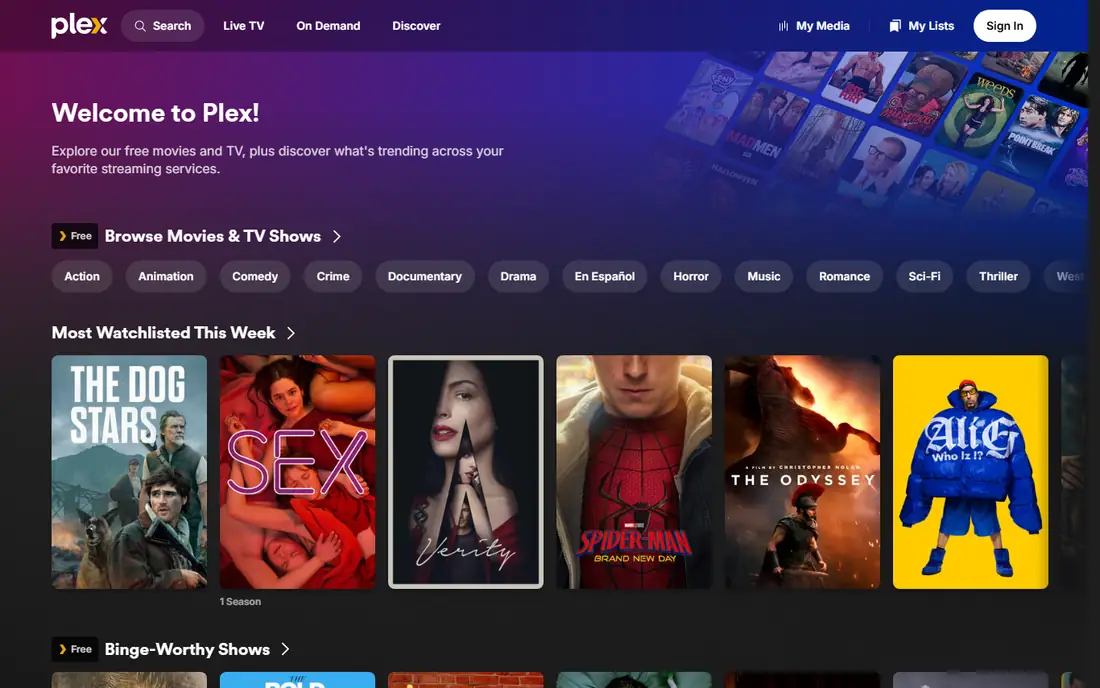
Plex is the best polished alternative, with the broadest device support and the easiest setup of any media server. Local streaming at home is free, and the apps on smart TVs, phones, streaming sticks, and consoles are the most polished in the category. For a family that needs to watch without help, Plex just works on every device.
Since April 2025, remote streaming outside the home network needs Plex Pass at $6.99 per month or $69.99 per year, with a lifetime pass now at $749.99, or a Remote Watch Pass at $2.99 per month. Authentication routes through plex.tv, so a plex.tv outage can affect local login. For polish and device coverage, Plex remains the leader, but its remote access paywall pushed many users to Jellyfin.
What we like- Broadest device support
- Easiest setup
- Polished apps on every platform
- Free local streaming at home
Watch out for- Remote streaming needs Plex Pass at $6.99 per month or a $749.99 lifetime pass, or a $2.99 per month Remote Watch Pass
- Authentication routes through plex.tv
Starting priceFree
Free planYes
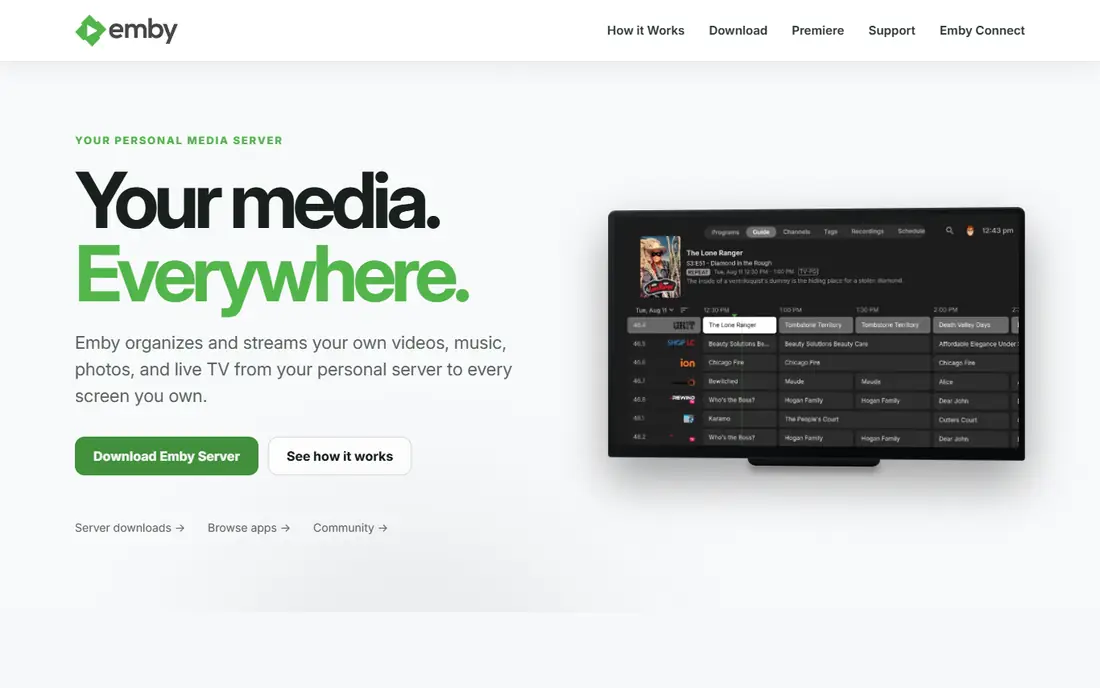
Emby is the best middle ground, with live TV and DVR recording, a free tier, and Premiere at $4.99 per month or $119 lifetime, a fraction of Plex's new lifetime price. It works cross platform with solid smart TV, mobile, and web clients, and its Kodi integration suits users who want server side tracking with Kodi playback.
Premiere gates the most useful features, and Emby is no longer open source since 2018. For a user who wants live TV and DVR with a lower lifetime cost than Plex, Emby is the best value paid option.
What we like- Live TV and DVR recording
- Free tier with Premiere at $4.99 per month or $119 lifetime
- Strong Kodi integration
- Cross platform clients
Watch out for- Premiere gates the most useful features
- No longer open source since 2018
- Smaller community than Jellyfin
#4Kodi
Best for: Local media center4.2/5 on
G2 (19 reviews, checked Oct 2026)
Visit kodi.tv
Starting priceFree
Free planYes
Kodi is the best local media center, free and open source since its origins as Xbox Media Center in 2002, with the largest add-on and skin ecosystem of any tool here. It plays nearly any codec, runs on Windows, Mac, Linux, Android, and Fire TV, and handles personal video recorder backends for live TV. For a user who manages media on the device they watch on and enjoys configuration, Kodi is unmatched.
Kodi is a local media center, not a server, so it does not stream your library to other devices the way Jellyfin or Plex do. For local playback with deep customization, Kodi is the best choice.
What we like- Completely free and open source
- Runs on Windows, Mac, Linux, Android, and Fire TV
- Largest add-on and skin ecosystem
- Plays nearly any codec
Watch out for- Local device only, not a server
- Setup is moderate to high effort
- No built in remote streaming for other devices
Starting priceFree
Free planYes
Universal Media Server is the best DLNA streaming option, free and open source, streaming your media to any DLNA device with no account required and setup in under ten minutes. It suits users who want a simple server that just works on a smart TV, console, or speaker without apps, accounts, or configuration.
There are no dedicated client apps, so browsing and playback control rely on the built in DLNA player of the target device, which limits library features like watch tracking. For simple, account free streaming to any device, Universal Media Server is the easiest option.
What we like- Completely free and open source
- DLNA streaming to any device
- No account required
- Setup in under ten minutes
Watch out for- No dedicated client apps, relies on device DLNA players
- Browsing and playback control are limited
- No library features like watch tracking
Starting priceFree
Free planYes
Infuse is the best Apple ecosystem front end for media files, with best in class playback on Mac, iPhone, iPad, and Apple TV. It plays files directly from a NAS or server without transcoding, with a polished library, metadata, and subtitle handling. A 7 day trial lets you test before buying a one-time or annual license.
Infuse is Apple only and is a front end, not a server, so it needs files on a NAS or server to play. For an Apple household with an existing media collection, Infuse is the best playback experience available.
What we like- Best in class playback on Mac and Apple TV
- Plays files from NAS or servers without transcoding
- Polished library and metadata
Watch out for- Apple only
- Paid license needed beyond a 7 day trial
- Not a server, a front end for existing files
Starting priceFree
Free planYes
JustWatch is the best discovery alternative, showing where a movie or show is legally available across your subscriptions, rentals, and free services, with a watchlist and price tracking. It is free and ad supported on web, mobile, and TV apps. For a cord cutter with several subscriptions, JustWatch answers the daily question of where to watch something without checking each app.
JustWatch is discovery only and does not play media itself, and availability data varies by region. For finding licensed sources quickly, it is an essential companion to any media center.
What we like- Shows where a title is legally available across subscriptions
- Free and ad supported
- Watchlist and price tracking
- Web, mobile, and TV apps
Watch out for- Discovery only, does not play media itself
- Availability data varies by region
- Ads on the free tier
Starting priceFree
Free planYes
Tubi is the best free licensed streaming service, offering a large catalog of movies and shows free with ads on nearly every device. It needs no subscription, and most content plays without an account. For a cord cutter who wants legal free streaming alongside a personal media library, Tubi adds a real catalog at zero cost.
Ads interrupt viewing, and the catalog varies by region. For free, legal streaming with no subscription, Tubi is the strongest option.
What we like- Large licensed catalog free with ads
- Available on nearly every device
- No account or subscription needed for most content
Watch out for- Ad supported, with commercial breaks
- Catalog varies by region
- No downloads for offline viewing on most plans
How we chose
We compared Stremio alternatives using published 2026 pricing, server versus local design, device support, live TV and DVR features, and discovery coverage, drawing on vendor pages and independent media server comparisons. Each tool had to serve legal media use: your own collection or licensed streaming sources. We weighted cost, device coverage, and ease of setup, and we left out any tool whose main use is unlicensed streaming. Prices change, so confirm the current rate before signing.
Buying guide: how to pick a Stremio alternative
Start with where your media lives. A personal collection on a NAS or home server points to Jellyfin, Plex, or Emby. Local files on one device point to Kodi. Files on a NAS watched on Apple devices point to Infuse. No collection at all, only subscriptions, points to JustWatch for discovery and Tubi for free licensed streaming.
Next, weigh setup effort against polish. Jellyfin costs nothing but needs configuration, while Plex costs more for remote access but works for a whole family without help. Emby sits between them, with live TV and DVR at a lower lifetime price than Plex. For a household where non technical users watch daily, polish matters more than a zero bill.
Finally, check device coverage before committing. Jellyfin now has official Samsung and LG TV apps, Plex and Emby have had them for years, and Kodi runs on Fire TV and Android. Test your actual TV, phone, and streaming stick during setup, since a server that does not play on the living room TV is not a solution.
Frequently asked questions
Is Stremio legal?
Stremio itself is legal software that organizes a personal library and aggregates catalogs. Legality depends on the sources used with it: licensed services and your own media are legal, while unlicensed sources are not. This guide covers media center alternatives for legal use only.
What is the best free Stremio alternative?
Jellyfin, for a full media server with transcoding and multi user profiles at zero cost. Kodi is the best free local media center, and Universal Media Server is the best free DLNA server. All three are free with no paid tier gating core features.
Is Jellyfin better than Plex?
On cost and privacy, clearly, and the smart TV gap closed in 2026. On polish and setup ease, Plex is still ahead. Try Jellyfin first because trying it costs nothing, and switch to Plex only if the family needs its polish.
Can I watch my own media outside my home?
Yes, with Jellyfin, Emby, or Universal Media Server remote access free, or with Plex Pass or a Remote Watch Pass on Plex. Kodi alone does not stream to other devices, since it is a local media center rather than a server.
Do I need a server computer for these tools?
Jellyfin, Plex, and Emby need a computer, NAS, or Docker host running at home. Kodi and Infuse play files from existing storage without a dedicated server. A Raspberry Pi or an old laptop can run Jellyfin for a small household.
Where can I legally stream movies free?
Tubi offers a large licensed catalog free with ads, and JustWatch shows which of your subscriptions or free services carry a given title. Both are legal, free, and available on nearly every device.
Sources we checked (0)
Is your product missing or out of date?
We review this list regularly. Vendors can request a listing, send updated pricing or ask about featured placement.

Shihab Mia · Founder, Rankite
Shihab has 5+ years in B2B and SaaS SEO. He writes Rankite's software buying guides from pricing pages, documentation and public user reviews. More about Shihab.