How we make this list: we compare pricing pages, product documentation and public user reviews. Ratings come from G2, Capterra or Trustpilot, with the date we checked them.
Key takeaways
- The best story telling app in 2026 is led by Storybird, Book Creator, and Toontastic for writers, kids, and classrooms that want stories with art.
- Storytelling apps differ by audience, since kids apps focus on drawing, animation, and voice, while writer apps focus on plotting, drafting, editing, and publishing.
- The best app depends on your goal, whether you want to write a novel, make a picture book, tell a bedtime story, teach a class, or publish online.
- Most top apps are free to start, with paid plans for full art libraries, classroom tools, advanced writing features, or publishing features.
- A story app should make finishing easy, since a story that stays a draft helps no reader, and sharing tools matter just as much as writing tools.
Quick comparison
Is your product missing or out of date?
We review this list regularly. Vendors can request a listing, send updated pricing or ask about featured placement.
The best story telling app
Starting priceFree
Free planYes
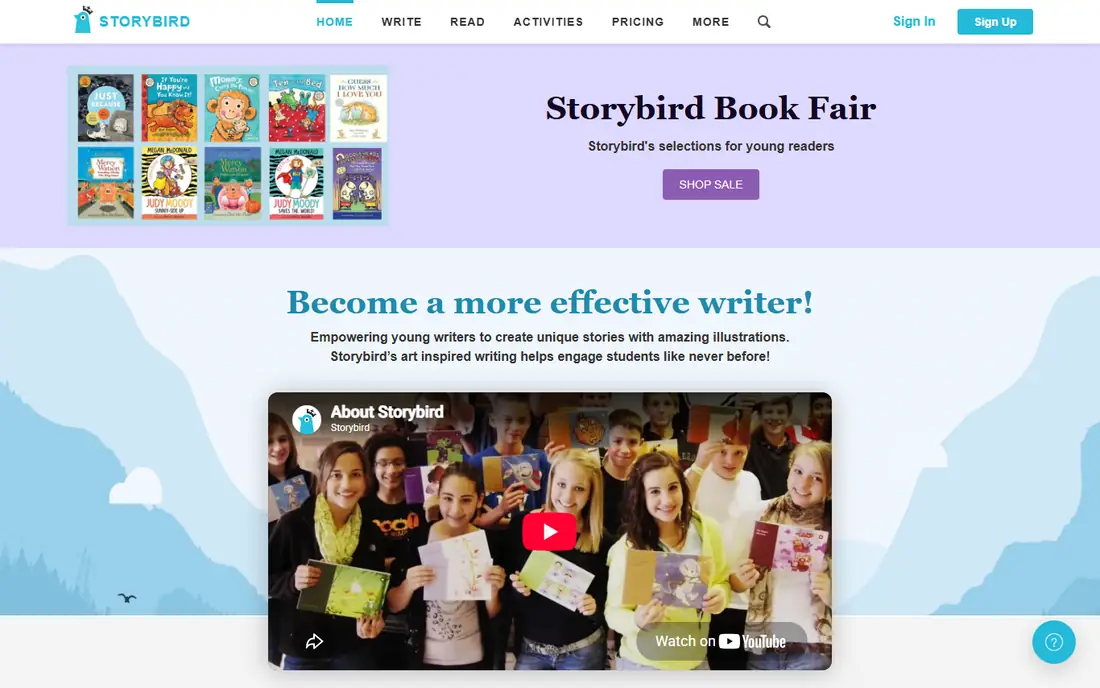
Storybird is the best fit for picture book stories, pairing professional art with simple writing tools so anyone can make a picture book without any drawing skill. Its art library covers many styles, and its classroom tools let teachers assign stories, track progress, and give feedback. Storybird stories read well on screen and print well for gifts, keepsakes, and classroom displays.
The limits are art style and length. Its art is fixed to its library, so you cannot draw your own style, and longer stories suit other tools much better. For a writer, parent, or teacher who wants a beautiful picture book fast, Storybird is the best choice, and basic use is free to start.
What we like- Beautiful art library
- Easy picture book maker
- Classroom tools
Watch out for- Art style fixed
- Longer stories limited
- Full library needs a subscription
Starting priceFree
Free planYes
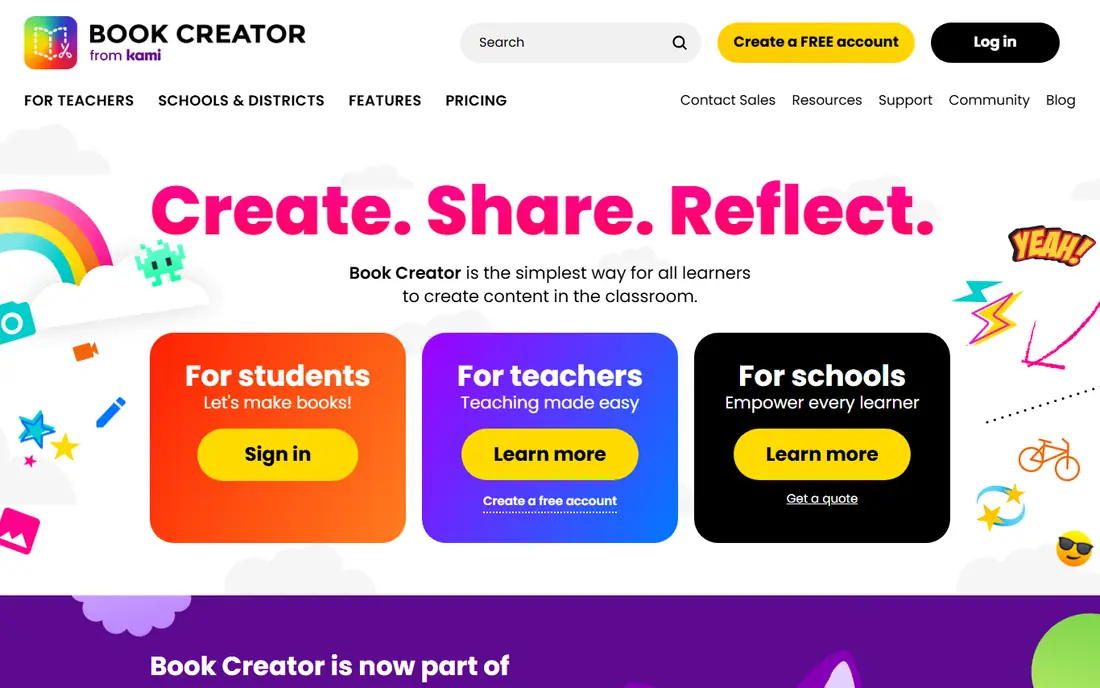
Book Creator suits multimedia books, letting you combine text, images, drawings, audio, and video into a book that reads on tablets, Chromebooks, and the web. Its classroom tools cover assignments, libraries, collaboration, and publishing, and its simple editor suits kids and adults alike. A story with narration, photos, drawings, and video feels richer than text alone, and Book Creator makes that easy.
The limits are library and layout. The free plan limits how many books you can keep in your library, and advanced layout features need a subscription. For a classroom or family that wants multimedia stories, Book Creator is the best choice overall.
What we like- Text, image, audio, and video
- Classroom friendly
- Easy publishing
Watch out for- Free library limited
- Advanced layout needs a subscription
- Web focus
Starting priceFree
Free planYes
Toontastic 3D is the best fit for kids animated stories, letting children build 3D characters, sets, props, and scenes, then narrate the story with their own voice. Its story arc guide teaches setup, conflict, challenge, climax, and resolution in a playful way, which makes it a strong classroom tool for young writers. The app is free, which suits schools, libraries, and families.
The limits are audience and length. It focuses on kids, story length is limited, and it needs a Google account for some features today. For a child or classroom that wants animated storytelling, Toontastic 3D is the best choice overall.
What we like- Free
- 3D animation
- Voice narration
Watch out for- Kids focus
- Story length limited
- Google account needed
Starting priceFree
Free planYes
Wattpad suits publishing stories online, with a huge reader community, comments, votes, follows, and reading lists that help new writers find readers. Its paid stories program lets popular writers earn, and its chapters format suits serial stories that build an audience steadily over time. Many published authors started on Wattpad, which shows its real discovery power.
The limits are noise and quality. Discovery is noisy with millions of stories, quality varies very widely, and the free version shows ads. For a writer who wants readers and feedback online, Wattpad is the best choice today.
What we like- Huge reader community
- Comments and votes
- Paid stories program
Watch out for- Discovery noisy
- Quality varies
- Ads in free version
Starting priceFree
Free planYes
Storyist is the best fit for novel writing, with manuscript tools, character sheets, setting sheets, plot outlines, and story structure aids for long fiction. Its iOS and Mac sync lets writers draft on iPhone or iPad and edit on Mac, and its export covers standard manuscript formats that publishers and agents expect.
The limits are platform and learning. It is iOS and Mac only, its depth takes real time to learn, and the full version is paid. For a novelist on Apple devices, Storyist is a strong choice overall.
What we like- Novel structure tools
- Character sheets
- IOS and Mac sync
Watch out for- IOS and Mac only
- Learning curve
- Full version paid

#6Plottr
Best for: Plotting and timelines4.8/5 on
G2 (2 reviews, checked Oct 2026)
Visit plottr.com
Starting price$25 per year
Free planNo
Plottr suits plotting and timelines, giving writers a visual timeline to map scenes, character arcs, subplots, and plot threads across a whole novel. Its templates cover common story structures, and its character, place, and theme sheets keep world details consistent. Plotting before drafting helps writers finish novels rather than stall mid story or lose the thread.
The limits are price and drafting. Plottr is paid only, it focuses on plotting rather than drafting, and writers still need a writing app for the manuscript. For a novelist who wants to plan before writing, Plottr is a strong choice.
What we like- Visual timelines
- Character arcs
- Outline templates
Watch out for- Paid only
- Plotting focus
- No drafting depth
Starting price$23.99 one time
Free planNo
Scrivener iOS is the best fit for long form writing on mobile, with a research binder, corkboard, and outline tools that handle novels, screenplays, and nonfiction. Its binder keeps research, notes, and drafts in one project, and its compile tools export manuscripts in many formats. Writers who outline deeply and draft in pieces benefit most from Scrivener.
The limits are platform and learning. On mobile it is iOS only, its learning curve is steep, and sync with desktop needs setup through Dropbox or iCloud. For a serious long form writer on iOS, Scrivener is the best choice.
What we like- Deep long form tools
- Research binder
- Corkboard
Watch out for- IOS only on mobile
- Steep learning curve
- Sync needs setup
Starting priceFree
Free planYes
Novelist suits Android novel writing, with a story bible for characters, places, and plot, plus drafting and export tools for Android writers. Its free tier covers the core writing job, and its story bible helps writers keep long novels consistent.
The limits are platform and polish. It is Android only, its community is smaller than Wattpad or Scrivener, and its interface feels basic. For an Android novelist who wants a free writing app with a story bible, Novelist is a strong choice.
What we like- Free Android writing
- Story bible
- Export options
Watch out for- Android only
- Smaller community
- Interface basic
How we chose
We ranked apps by writing tools, art and narration, structure aids, sharing, and price, favoring apps that help users finish and share stories over apps with the most features. We gave extra weight to audience fit, since a kids app and a novel app serve different users, and to sharing, since a story that cannot reach readers stays private. We also weighed price, since classrooms and families need free or low cost options.
Buying guide
Start by naming your audience and goal. A kids classroom suits Toontastic 3D and Book Creator, a picture book maker suits Storybird, a novelist suits Storyist, Scrivener, or Novelist, and a writer seeking readers suits Wattpad. One audience match beats an app chosen for features alone.
Next, test the writing and sharing flow before you commit to a long story. Write a short story end to end, add art or narration if your app supports it, and share it with your intended readers. A flow that feels easy for a short story will hold up for a long one, while a flow that frustrates you early will stall a novel.
Finally, check export and ownership before you invest months in a story. Confirm you can export your text, keep your rights, and move your work to another app or publisher. A story locked in one app is a risk, and a clear export path protects your work.
Also consider classroom and family needs if you teach or parent. Classroom tools, age ratings, moderation, and privacy controls matter more than advanced writing features for school use, and a free tier that covers a whole class is worth more than a paid pro tool. Check privacy policies and age ratings before you assign an app to kids, and test the app yourself first so you know what students will see.
Frequently asked questions
What is the best storytelling app for kids?
Toontastic 3D is the best kids choice, with free 3D animation and voice narration plus a story arc guide. Book Creator suits older kids who want multimedia books, and Storybird suits kids who want picture books with professional art.
Can I publish a story from these apps?
Yes, though paths differ. Wattpad publishes to a reader community directly, Book Creator and Storybird support sharing and printing, and novel apps like Storyist and Scrivener export manuscripts for agents and publishers.
Do storytelling apps cost money?
Most offer free tiers, with paid plans for full libraries, classroom tools, or advanced features. Plottr costs $25 per year, Scrivener iOS costs $23.99 once, and Toontastic 3D is free.
Which app is best for writing a novel?
Storyist suits Apple users, Scrivener iOS suits serious long form writers on iOS, and Novelist suits Android writers. Pair any of them with Plottr for visual plotting before you draft.
Can kids use Wattpad?
Wattpad is rated for teens and up, and its community includes mature content, so it suits older teens rather than young kids. Younger kids should use Toontastic 3D, Book Creator, or Storybird with teacher or parent guidance.
Do I keep rights to stories I post on Wattpad?
Yes, writers keep rights to their Wattpad stories, though Wattpad terms grant the platform a license to display them. Read the current terms before you post, especially if you later want traditional publishing.
Sources we checked (0)
Is your product missing or out of date?
We review this list regularly. Vendors can request a listing, send updated pricing or ask about featured placement.

Shihab Mia · Founder, Rankite
Shihab has 5+ years in B2B and SaaS SEO. He writes Rankite's software buying guides from pricing pages, documentation and public user reviews. More about Shihab.
 Storybird
 Book Creator
 Toontastic 3D
 Wattpad
 Storyist
 Scrivener iOS
 Novelist