How we make this list: we compare pricing pages, product documentation and public user reviews. Ratings come from G2, Capterra or Trustpilot, with the date we checked them.
What is Shotcut and why look for an alternative
Shotcut is a free, open source video editor that runs on Windows, Mac and Linux. It handles 4K timelines, a wide range of formats through FFmpeg, and a solid set of filters without charging anything or adding a watermark. For many hobbyists and budget-conscious creators it is the first editor they ever install, and it stays installed for years.
People still look for an alternative for a few practical reasons. Shotcut has no proxy editing workflow as smooth as some rivals, so large 4K projects can feel slow on modest hardware. Its interface is functional rather than polished, and beginners often find the learning curve steeper than a guided editor such as Filmora. Motion graphics, text templates and audio tools are thinner than in paid editors, and there is no cloud sync or team review built in. If any of those gaps slows your work down, one of the eight editors below is likely a better fit.
How do you pick the right Shotcut alternative
Start with your platform and your budget. Shotcut is free and cross-platform, so a paid Windows-only editor is a step backwards for a Linux user who edits on a laptop. Next, list the two or three features you actually use every week. If you cut simple YouTube videos, a friendly editor with templates beats a professional colour suite. If you grade footage or mix audio, a pro-grade free editor makes more sense.
Check the export limits before you commit. Some free editors cap resolution, add a watermark, or lock the best codecs behind a paid tier. Shotcut exports 4K with no watermark, so any replacement should match that or be honest about what it charges for. Finally, test the editor with your own footage. A one-hour trial edit tells you more about performance on your machine than any feature list.
The 8 best Shotcut alternatives at a glance
| Tool |
Best for |
Starting price |
Free plan |
| OpenShot |
Beginners who want the simplest free editor |
Free |
Yes |
| Kdenlive |
Linux and Windows editors who want pro features free |
Free |
Yes |
| DaVinci Resolve |
Colour grading and professional finishing |
Free; Studio $295 one-time |
Yes |
| Olive |
Lightweight open source editing on older hardware |
Free |
Yes |
| Blender |
Editors who also need 3D and motion graphics |
Free |
Yes |
| Filmora |
Beginners who want templates and AI tools |
$49.99 per year |
Yes, with watermark |
| CapCut |
Short-form social video on desktop and mobile |
Free; Pro $19.99 per month |
Yes |
| Lightworks |
Precision trimming with a film industry history |
Free; Pro from $27.99 per month |
Yes |
Quick comparison
| Tool | Best for | Starting price | Free plan |
|---|
 OpenShot | Beginners who want the simplest free video editor | Free | Yes, fully free and open source with no watermark |
 Kdenlive | Linux and Windows editors who want professional features at no cost | Free | Yes, fully free and open source with no watermark |
 DaVinci Resolve | Colour grading, professional finishing and editors who want everything in one app | Free; DaVinci Resolve Studio $295 one-time | Yes, the free edition exports 4K with no watermark |
 Olive | Lightweight open source editing on older or modest hardware | Free | Yes, fully free and open source |
 Blender | Editors who also need 3D animation, modelling and motion graphics | Free | Yes, fully free and open source |
 Filmora | Beginners who want templates, effects and AI tools in a guided editor | $49.99 per year for the Basic annual plan | Yes, free version exports with a watermark |
 CapCut | Short-form social video on desktop and mobile | Free; CapCut Pro $19.99 per month or $179.99 per year | Yes, free tier with watermark-free 1080p export |
 Lightworks | Precision trimming and editors who value a film industry pedigree | Free; Pro from $27.99 per month | Yes, free edition exports up to 1080p with no watermark |
Is your product missing or out of date?
We review this list regularly. Vendors can request a listing, send updated pricing or ask about featured placement.
The 8 best Shotcut alternatives
Each editor below is free or fairly priced, runs on at least two platforms, and covers the core job Shotcut does, with its own strengths and trade-offs.
#1OpenShot
Best for: Beginners who want the simplest free video editor4.5/5 on
G2 (31 reviews, checked Oct 2026)
Visit openshot.org
Starting priceFree
Free planYes, fully free and open source with no watermark
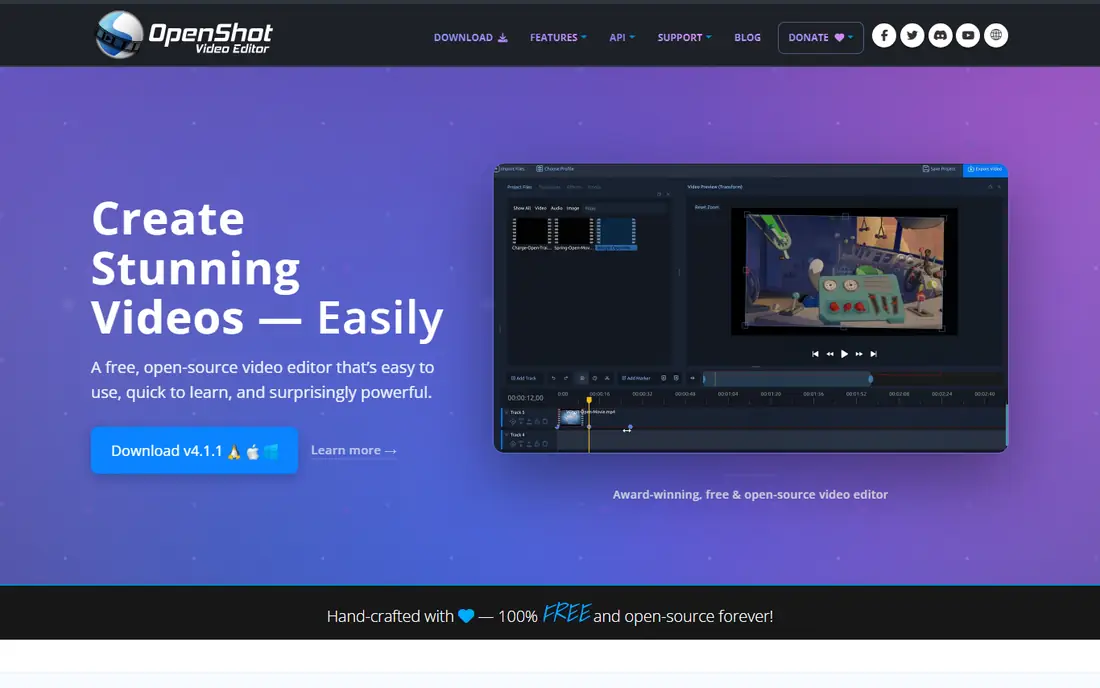
OpenShot is the closest thing to Shotcut with a friendlier face. It is free and open source, runs on the same three platforms, and opens with a clean timeline that a first-time editor can understand in minutes. Drag a clip in, trim it, add a transition, and export. There is no account to create and no watermark on exports, which keeps it honest for hobbyists and classroom use. The built-in title editor and animated 3D titles are a pleasant surprise at this price, and the unlimited track layout handles picture-in-picture work without fuss. Where it falls short of Shotcut is stability and speed. Large projects with many clips can stutter, and the occasional crash means saving often is wise. Colour correction is basic, and there is no proxy workflow for heavy 4K footage. For short videos, family projects and school assignments, OpenShot is the easiest free switch from Shotcut.
What we like- Very easy to learn, cross-platform on Windows, Mac and Linux, unlimited tracks, animated titles and 3D title templates
Watch out for- Can feel slow and unstable on long timelines, fewer advanced colour and audio tools than Kdenlive
#2Kdenlive
Best for: Linux and Windows editors who want professional features at no cost
Visit kdenlive.org
Starting priceFree
Free planYes, fully free and open source with no watermark
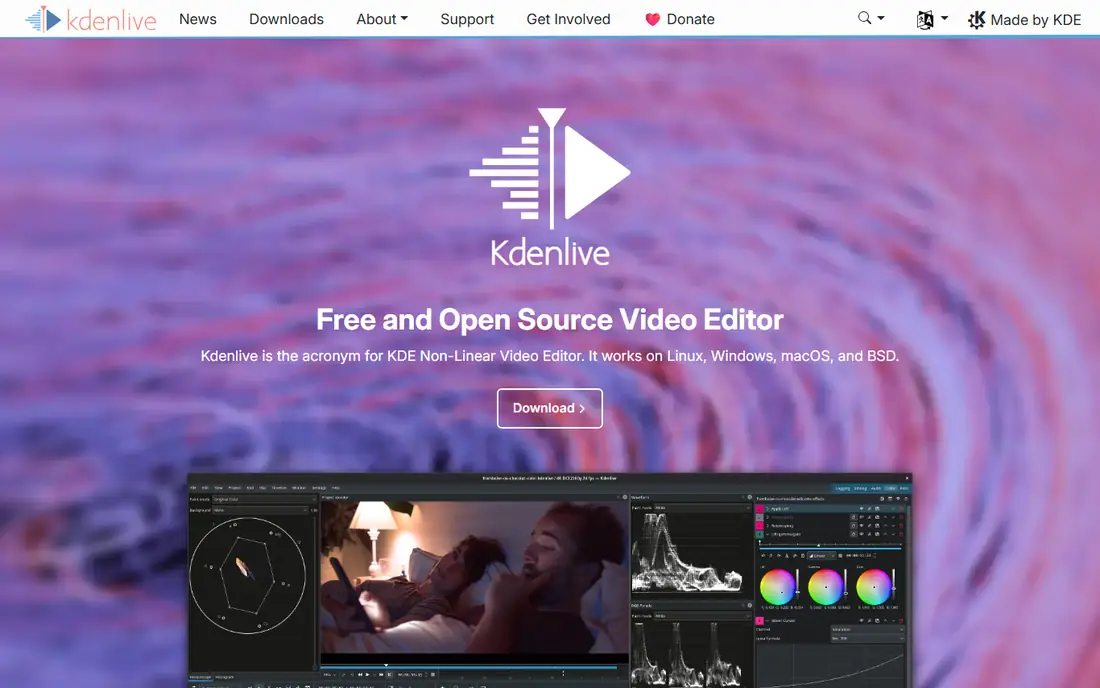
Kdenlive is the free editor most likely to make a Shotcut user feel upgraded rather than sideways. It is open source, runs on Linux, Windows and Mac, and packs a feature set that sits closer to a paid non-linear editor. Proxy clips are the headline: turn them on and 4K footage edits smoothly on hardware that chokes in Shotcut. The timeline supports unlimited video and audio tracks, keyframeable effects, rotoscoping, and a proper audio mixer with level meters. Titling, transitions and colour scopes are all included, and the interface can be rearranged to match the way you work. The trade-off is complexity. A new user faces more panels and more options than Shotcut shows, and the Mac build has historically lagged behind Linux and Windows in polish. Render times are reasonable, and the project files are portable. If you edit on Linux and want the most capable free editor available, Kdenlive is the pick.
What we like- Powerful multi-track editing, proxy clips for smooth 4K work, strong audio mixer and effects, customisable interface
Watch out for- Mac version is less polished, interface can overwhelm a first-time editor
#3DaVinci Resolve
Best for: Colour grading, professional finishing and editors who want everything in one app4.7/5 on
G2 (221 reviews, checked Oct 2026)
Visit blackmagicdesign.com
Starting priceFree; DaVinci Resolve Studio $295 one-time
Free planYes, the free edition exports 4K with no watermark
DaVinci Resolve is the strongest free video editor on the market, and it makes Shotcut look limited by comparison. The free edition includes the full edit page, the colour page that Hollywood colourists use, Fusion visual effects, and Fairlight audio post, with 4K exports and no watermark. That is an extraordinary amount of capability for zero cost. The $295 Studio licence is a one-time purchase that adds AI tools such as noise reduction, stereoscopic 3D, HDR grading extras and multi-GPU support. For a Shotcut user who has outgrown basic cutting, Resolve is the natural destination. The cost is complexity and hardware. The interface has seven pages and a learning curve to match, and smooth playback of 4K footage wants a modern GPU and plenty of RAM. Beginners should expect a week of tutorials before the workflow feels natural. If you are serious about video quality and willing to learn, no other free editor comes close.
What we like- Industry-leading colour tools, Fusion effects and Fairlight audio built in, no watermark on the free version, one-time Studio price
Watch out for- Steep learning curve, needs a strong computer, Studio price is high for casual use
Starting priceFree
Free planYes, fully free and open source
Olive is a young open source editor that aims to be fast, light and modern. It runs on Windows, Mac and Linux, and its design goal is a professional-grade non-linear editor that stays responsive on hardware where heavier editors struggle. The current alpha already handles multi-track timelines, keyframed effects and a node-based compositor for more advanced work. For a Shotcut user on an older laptop, Olive can feel noticeably quicker, and the interface is cleaner and less cluttered than Shotcut's. The honest catch is maturity. Olive is still in alpha, so features arrive steadily but the ecosystem of tutorials, plugins and templates is far smaller than Shotcut's. Occasional bugs are part of the deal, and some workflows that Shotcut handles routinely may need a workaround. Treat Olive as a promising second editor to watch and test, not as a drop-in replacement for paid client work today.
What we like- Very light on system resources, clean node-based compositing in the works, cross-platform, no watermark
Watch out for- Still in alpha, smaller community, fewer ready-made effects and tutorials than mature editors
#5Blender
Best for: Editors who also need 3D animation, modelling and motion graphics4.6/5 on
G2 (319 reviews, checked Oct 2026)
Visit blender.org
Starting priceFree
Free planYes, fully free and open source
Blender is famous as a 3D animation tool, but it also ships a video sequence editor that can cut, trim and assemble footage with transitions, speed control and basic colour work. For a creator who already uses Blender for 3D, keeping the edit in the same app removes a round trip and keeps the whole pipeline free. The video editor handles multi-track timelines, strips for video, audio and images, and proxy generation for smoother playback. The community is enormous, so tutorials exist for almost every task. The drawback is focus. Video editing is one feature inside a giant 3D application, so the workflow is less streamlined than a dedicated editor, and the interface can intimidate anyone who only wants to cut a vlog. Colour and audio tools are basic next to DaVinci Resolve. Blender earns its place here for 3D creators and motion designers who want one free tool for everything, not for editors who want the fastest possible cutting workflow.
What we like- Full 3D suite plus a video sequence editor, huge free community and tutorials, no cost ever, cross-platform
Watch out for- Video editing is a secondary feature, the interface is dense, overkill if you only cut video
#6Filmora
Best for: Beginners who want templates, effects and AI tools in a guided editor4.4/5 on
G2 (613 reviews, checked Oct 2026)
Visit filmora.wondershare.com
Starting price$49.99 per year for the Basic annual plan
Free planYes, free version exports with a watermark
Filmora is the paid editor that most directly answers the complaint that Shotcut feels rough around the edges. It is built for speed: drag in clips, pick a template, let AI captions and auto beat sync do the tedious work, and export a polished video the same afternoon. The effects library is large, the title and transition presets look modern, and the interface guides a beginner instead of leaving them to figure it out. The Basic annual plan costs $49.99 per year, and a perpetual plan is listed at $79.99. The free version is fully usable for learning but stamps a watermark on exports, which rules it out for published work. Long-term cost is the real consideration. Three years of Basic costs about $150, while Shotcut and Kdenlive cost nothing. Filmora also lacks the deep colour scopes and audio mixing of a pro editor. For YouTubers and social creators who value speed over depth, that trade is usually worth it.
What we like- Very easy to learn, large template and effects library, AI captions and background removal, good performance on mid-range PCs
Watch out for- Free exports carry a watermark, subscription cost adds up over time, fewer pro colour and audio tools than Resolve
#7CapCut
Best for: Short-form social video on desktop and mobile1.2/5 on
Trustpilot (1,347 reviews, checked Oct 2026)
Visit capcut.com
Starting priceFree; CapCut Pro $19.99 per month or $179.99 per year
Free planYes, free tier with watermark-free 1080p export
CapCut owns short-form video for a reason. The free tier includes a full multi-track editor with keyframes, chroma key, auto captions and 1080p watermark-free export, which covers most social content without paying. Templates, trending effects and a huge music and sound library make a vertical video in minutes, and the same project can move between phone, desktop and browser. Pro at $19.99 per month or $179.99 per year adds 4K export, the full AI toolkit and a large commercial asset library. The price did jump in 2025, from roughly $9.99 a month, so budget-conscious creators should check the current figure before subscribing. CapCut is not a long-form editor: timelines get unwieldy on a 20-minute video, and colour and audio tools are shallow next to Resolve. For Shorts, Reels and TikTok, it is faster than Shotcut and easier to learn, and the free tier is generous enough to test properly.
What we like- Excellent auto captions and templates, works on desktop, mobile and web, fast for Reels, Shorts and TikTok, free tier is genuinely useful
Watch out for- Pro price rose sharply in 2025, some features and prices vary by region, not suited to long-form or complex projects
#8Lightworks
Best for: Precision trimming and editors who value a film industry pedigree3.6/5 on
G2 (31 reviews, checked Oct 2026)
Visit lwks.com
Starting priceFree; Pro from $27.99 per month
Free planYes, free edition exports up to 1080p with no watermark
Lightworks has cut films such as Pulp Fiction and Braveheart, and that pedigree shows in its trimming tools. The timeline is built for fast, precise cutting, with a workflow that professional editors praise once they learn it. The free edition is a real editor rather than a demo: it exports MP4 up to 1080p with no watermark, though the free licence needs renewing by signing in every 90 days. Paid Create and Pro tiers add 4K and 8K export, more formats, hardware input and output support, and the full effects bundle, with Pro from $27.99 a month. The interface is the hurdle. It does not look or behave like Shotcut, Premiere or Resolve, so expect a few days of relearning how to trim and navigate. Regional pricing also varies, so check the vendor page for your currency. For editors who cut dialogue-heavy or documentary work and care about trimming speed, Lightworks is a distinctive and capable alternative.
What we like- Superb trimming and timeline precision, used on Oscar-winning films, free version has no watermark, runs on Windows, Mac and Linux
Watch out for- Free version caps exports at 1080p, unusual interface takes time to learn, Pro subscription is pricey next to one-time rivals
Which Shotcut alternative should you pick
If you want to stay free and keep things simple, OpenShot is the easiest switch, and Kdenlive is the strongest free upgrade, especially on Linux. Both cost nothing, run on the same platforms as Shotcut, and export without a watermark. If your goal is better-looking video, DaVinci Resolve is the clear winner: the free edition alone outclasses every other free editor for colour and finishing, and the $295 Studio licence is a one-time purchase. Lightworks suits editors who cut long interviews or documentaries and want the fastest trimming workflow. For social content, CapCut is faster than Shotcut for vertical video, while Filmora is the best paid choice for beginners who want templates and AI help. Try the free option that matches your work first, edit one real project in it, and only pay when a specific paid feature saves you real time.
Frequently asked questions
Is there a free alternative to Shotcut that exports without a watermark
Yes. OpenShot, Kdenlive, Olive, Blender and DaVinci Resolve are all free and export without a watermark. DaVinci Resolve free exports up to 4K, Lightworks free exports up to 1080p with no watermark, and Kdenlive has no resolution cap. Filmora and CapCut have free tiers, but Filmora watermarks free exports while CapCut does not at 1080p.
Which Shotcut alternative is best for Linux
Kdenlive is the best free Shotcut alternative on Linux, with proxy editing, a strong audio mixer and a large community. Shotcut itself runs well on Linux, so the switch only makes sense if you want deeper features. DaVinci Resolve and Blender also run on Linux, and OpenShot is a simpler option. Olive is worth testing if your hardware is modest.
Is DaVinci Resolve really free
Yes, the standard edition of DaVinci Resolve is free and includes editing, colour grading, Fusion effects and Fairlight audio, with 4K exports and no watermark. DaVinci Resolve Studio costs $295 as a one-time purchase and adds AI tools, HDR grading extras, stereoscopic 3D and multi-GPU support. The free edition is enough for most creators and small studios.
What is the easiest Shotcut alternative for beginners
OpenShot is the easiest free alternative, with a clean timeline and very little to learn. Filmora is the easiest paid alternative, with templates, guided effects and AI captions that speed up the first few projects. CapCut is the easiest choice if you mainly edit short vertical videos for social media. All three are faster to learn than DaVinci Resolve or Lightworks.
Does Filmora cost more than Shotcut over time
Yes. Shotcut is free forever, while Filmora Basic costs $49.99 per year, so three years costs about $150. A perpetual Filmora plan is listed at $79.99, which can work out cheaper if you keep the same version for years. Pay for Filmora only if its templates and AI tools save you enough editing time to justify the subscription.
Sources we checked (8)
- https://www.openshot.org
- https://kdenlive.org
- https://www.blackmagicdesign.com/products/davinciresolve
- https://www.olivevideoeditor.org
- https://www.blender.org
- https://filmora.wondershare.com
- https://www.capcut.com
- https://lwks.com
Is your product missing or out of date?
We review this list regularly. Vendors can request a listing, send updated pricing or ask about featured placement.

Shihab Mia · Founder, Rankite
Shihab has 5+ years in B2B and SaaS SEO. He writes Rankite's software buying guides from pricing pages, documentation and public user reviews. More about Shihab.