How we make this list: we compare pricing pages, product documentation and public user reviews. Ratings come from G2, Capterra or Trustpilot, with the date we checked them.
What does SaneBox cost in 2026
SaneBox sells three plans in 2026. Snack costs $9.49 per month, or $65 per year, for one account. Lunch costs $15.99 per month, or $109 per year, for two accounts. Dinner costs $42.99 per month, or $319 per year, for four accounts. There is a 7-day free trial and no free plan. Older figures of $7, $12, and $36 per month are outdated. Yearly billing is cheaper: Snack drops from about $114 a year to $65, Lunch from about $192 to $109, and Dinner from about $516 to $319. Cost is the main reason people look for an alternative. A free cleaner can remove bulk mail for far less, and a full email app with a free plan can replace both SaneBox and your current client.
Which SaneBox alternative is best for Gmail users
Gmail users have the widest choice, because almost every tool here works with Gmail. Shortwave is built for Gmail and Google Workspace only, and it is the closest match if you want an AI inbox with smart search, AI summaries, and team features. Spark also works well with Gmail, adding a smart inbox, snooze, send later, and a Gatekeeper that screens new senders. Clean Email connects to Gmail for bulk unsubscribe, blocking, and auto-cleaning. Unroll.Me is Gmail-friendly and free, but it only handles subscriptions. For a full Gmail replacement, start with Shortwave or Spark; to keep Gmail and add cleanup, start with Clean Email.
Which SaneBox alternative is best for a free inbox cleanup
Unroll.Me is the only fully free tool here, and the fastest way to cut newsletter clutter at no cost. It shows every subscription in one list, lets you unsubscribe in bulk, and rolls the ones you keep into a daily digest called the Rollup. Clean Email also has a free plan, and it cleans up to 1,000 emails, enough for a small inbox or a first pass at a larger one. Spark and eM Client both have free plans for the full core inbox, with unlimited accounts on Spark and two on eM Client. Edison Mail is free too, with unlimited accounts. Use Unroll.Me or Clean Email for a quick cleanup, and Spark, eM Client, or Edison Mail for a free inbox you can keep using every day.
Switching away from SaneBox is usually simple, because your mail stays with your provider. SaneBox only adds folders and rules on top of your account, so removing it does not delete messages. Still, check five things before you move. First, confirm your provider works with the new tool. Gmail is covered almost everywhere, but Outlook, iCloud, Yahoo, Exchange, and IMAP vary, and Shortwave is Gmail only. Second, review your SaneBox folders: messages in SaneLater and SaneNews stay there unless you move them back. Third, check whether filters, snooze rules, and blocked senders move with you; most do not, so rebuild them. Fourth, check privacy: Unroll.Me shares anonymised data from commercial mail with its owner NielsenIQ. Fifth, check the real price, since several tools here have regional pricing or prices that changed in 2026.
Quick comparison
| Tool | Best for | Starting price | Free plan |
|---|
 Clean Email | People who want bulk unsubscribe, auto-clean rules, and a smart inbox view | $9.99 per month, or $29.99 per year for 1 account, checked November 2026. Note the vendor pricing URL returns 404; plans are reached from clean.email. | Yes, free plan cleans up to 1,000 emails; 14-day Premium trial, no card needed |
 Unroll.Me | Anyone who wants a free, fast way to unsubscribe from newsletters | $0, free with no paid tier | Yes, free, full product |
 Spark | Cross-device users who want a smart inbox, Gatekeeper screening, and AI help | $10 per user per month for Plus, or $99 per user per year, which is $8.25 per month, checked November 2026 | Yes, free plan with Smart Inbox and unlimited accounts; 7-day trial of Plus and Pro |
 Edison Mail | Mobile-first users who want a free, fast inbox with unlimited accounts | $14.99 per month for Mail+, or $99.99 per year; the core app is free, checked November 2026 | Yes, free plan with unlimited accounts and the full core inbox; no trial needed |
 Shortwave | Gmail and Google Workspace users who want an AI inbox with smart search and summaries | $18 per seat per month for Pro, monthly billing only with no annual discount, checked November 2026 | Yes, free plan with limited AI, 90-day search history and a Sent with Shortwave signature on sent mail; 14-day trial on paid plans |
 Superhuman | High-volume professionals who want the fastest keyboard-driven inbox | $30 per user per month for Mail Starter, or $25 per month billed annually, $300 per year, checked November 2026 | No free plan and no published free trial |
 Mailbird | Windows and Mac users who want a desktop email client with a unified inbox | $69 per year per user for Premium Yearly, per GetApp and G2 listings, checked November 2026; the vendor pricing page shows varying regional figures, so confirm at checkout | Yes, free plan with 1 account; 14-day money-back guarantee |
 eM Client | Windows and Mac users who want a full desktop client with calendar, tasks, and contacts | $49.95 per year for Personal, 1 user on up to 3 devices, or $74.95 one-time for the current version, checked November 2026 | Yes, free licence for personal use with 2 accounts on 1 device; 30-day free trial |
Is your product missing or out of date?
We review this list regularly. Vendors can request a listing, send updated pricing or ask about featured placement.
The 8 best SaneBox alternatives
#1Clean Email
Best for: People who want bulk unsubscribe, auto-clean rules, and a smart inbox view4.4/5 on
G2 (10 reviews, checked Oct 2026)
Visit clean.email
Starting price$9.99 per month, or $29.99 per year for 1 account, checked November 2026. Note the vendor pricing URL returns 404; plans are reached from clean.email.
Free planYes, free plan cleans up to 1,000 emails; 14-day Premium trial, no card needed
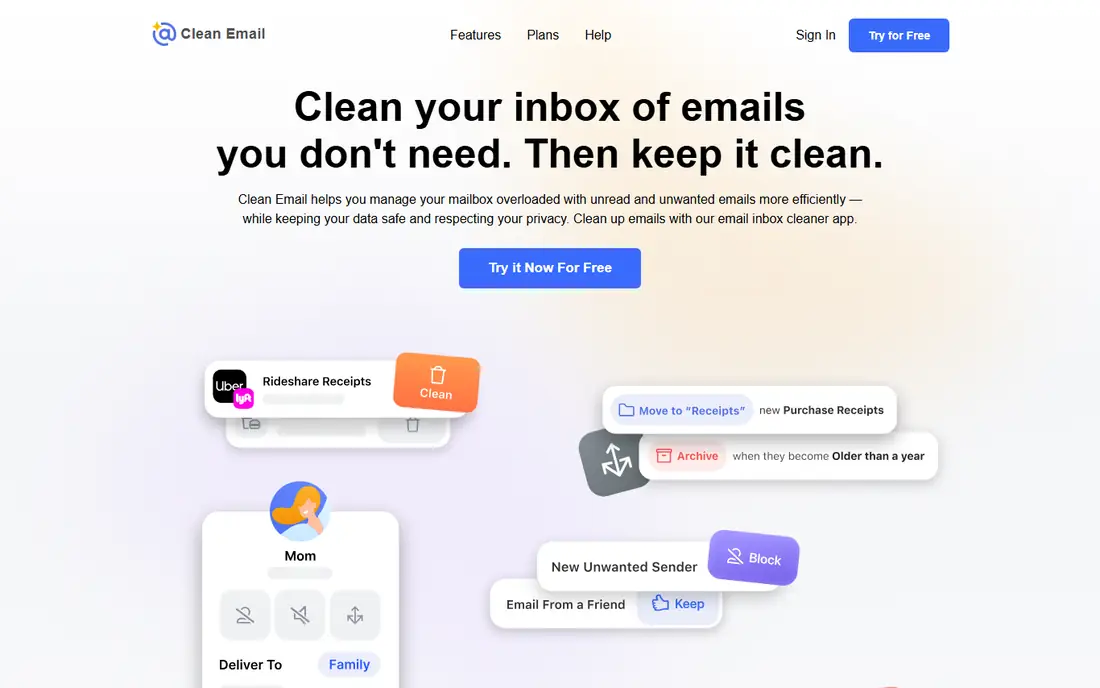
Clean Email is the closest replacement for the cleanup part of SaneBox. It connects to your existing account and gives you tools to unsubscribe in bulk, block senders, group mail by sender, and set Auto Clean rules that delete, archive, or label old messages. The Screener asks new senders for approval before their mail reaches your inbox. The free plan covers up to 1,000 emails, and $29.99 a year is lower than SaneBox Snack at $65 a year.
What we like- Strong bulk tools for unsubscribing, blocking, and grouping mail by sender. Smart Views sort mail into useful groups. Works with Gmail, Outlook, Yahoo, iCloud, and IMAP.
Watch out for- Key tools such as Unsubscriber, Screener and Auto Clean are locked behind paid plans, and there is no Windows app.
#2
Unroll.Me
Best for: Anyone who wants a free, fast way to unsubscribe from newsletters
Visit unroll.me
Starting price$0, free with no paid tier
Free planYes, free, full product
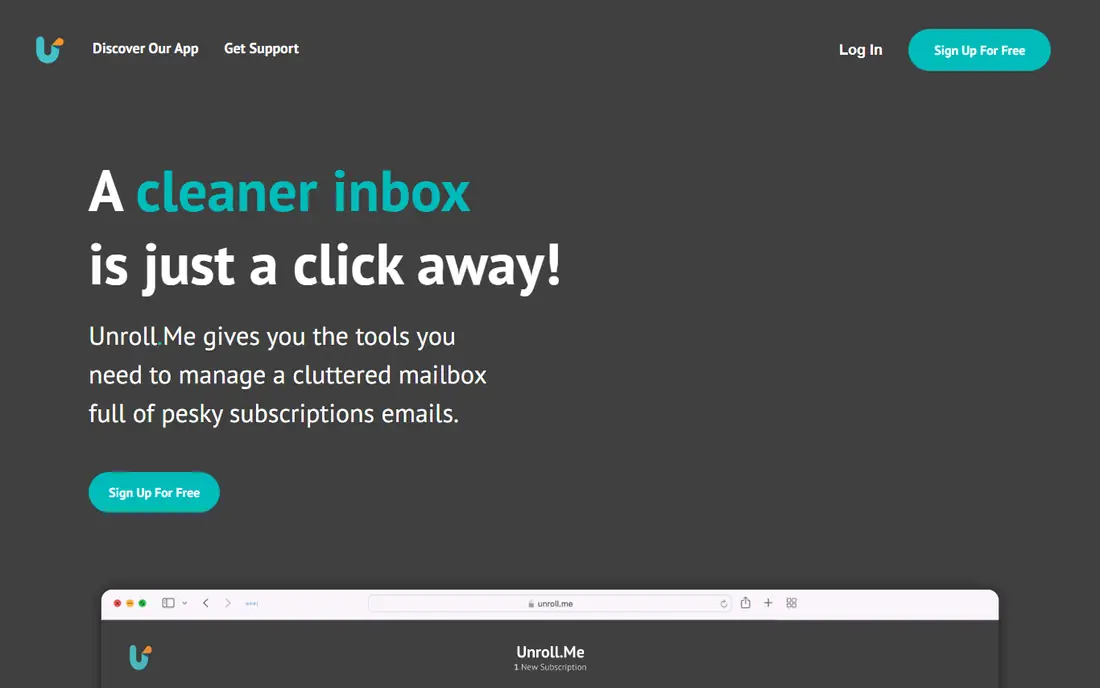
Unroll.Me does one job and does it well. It scans your inbox for subscriptions, shows them in a single list, and lets you unsubscribe, keep, or roll up each one. Kept subscriptions arrive in the Rollup, a single daily digest, instead of filling your inbox through the day. That is narrower than SaneBox, which also filters mail, snoozes messages, and blocks senders, but for newsletter clutter it is enough, and the price is zero. The trade-off is privacy, and it is unavailable in the EU and EEA since 2018.
What we like- Completely free with no paid tier and no feature paywall. Unsubscribe in bulk from one list. Rollup digest combines kept subscriptions into one daily email.
Watch out for- It is funded by selling anonymised data from your commercial mail to its owner NielsenIQ, and it has been unavailable in the EU and EEA since 2018.
#3
Spark
Best for: Cross-device users who want a smart inbox, Gatekeeper screening, and AI help
Visit sparkmailapp.com
Starting price$10 per user per month for Plus, or $99 per user per year, which is $8.25 per month, checked November 2026
Free planYes, free plan with Smart Inbox and unlimited accounts; 7-day trial of Plus and Pro
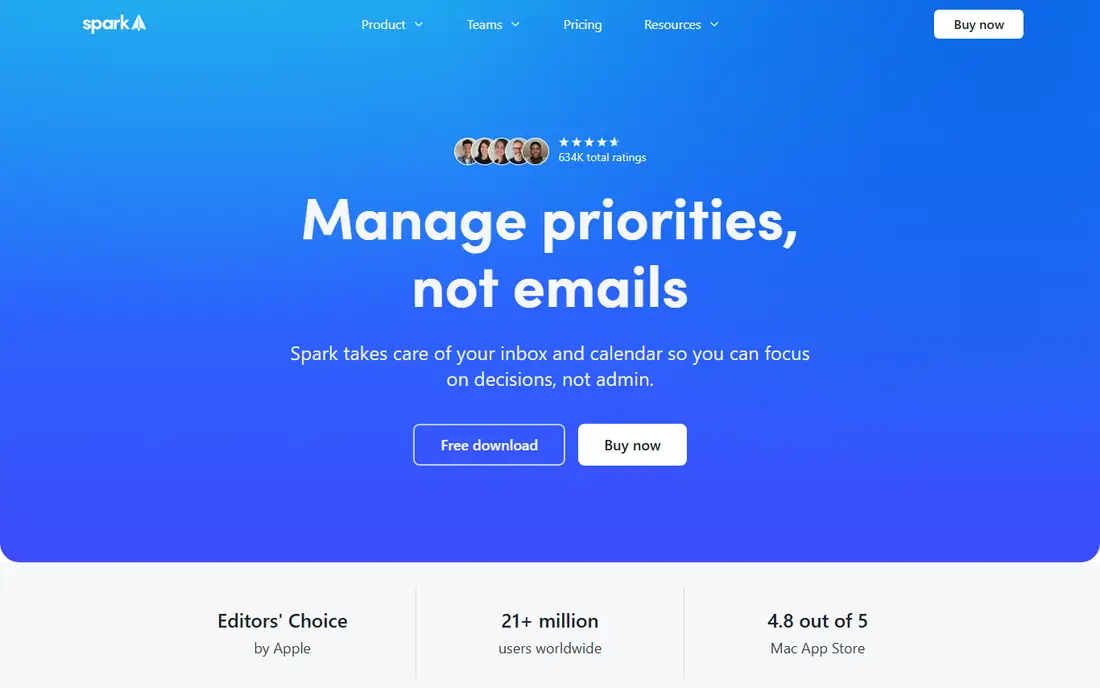
Spark is the best full-app alternative to SaneBox. It replaces your email client instead of sitting on top of it, and its Smart Inbox, Gatekeeper, and grouping features do much of the sorting work that SaneBox does with folders. Gatekeeper holds mail from new senders until you approve them. The free plan is generous, with unlimited accounts, Smart Inbox, snooze, send later, and reminders. Plus starts at $10 per user per month, or $99 per year, and Pro costs more for team features.
What we like- Runs on Mac, Windows, iOS, and Android. Smart Inbox sorts mail into Personal, Notifications, and Newsletters. Gatekeeper screens new senders. Shared inboxes and delegation on Pro.
Watch out for- Gatekeeper, Priority inbox, most AI features and shared inboxes need Plus or Pro, and AI usage is quota-capped per month. Note the older Premium plan at $7.99 per month is legacy and no longer sold to new buyers.
#4
Edison Mail
Best for: Mobile-first users who want a free, fast inbox with unlimited accounts
Visit edisonmail.com
Starting price$14.99 per month for Mail+, or $99.99 per year; the core app is free, checked November 2026
Free planYes, free plan with unlimited accounts and the full core inbox; no trial needed
Edison Mail is a good pick if you read most mail on your phone and want to stop paying for filtering. The core app is free, with unlimited accounts, fast search, and a clean interface, plus unsubscribe and spam controls. Mail+ costs $14.99 per month, or $99.99 per year, and adds custom swipe actions and extra themes. The desktop app was retired, so Edison Mail is mobile only on iOS and Android, and several Mail+ features are iPhone-only.
What we like- Free core app with unlimited accounts and no ads. Fast search and a clean mobile interface. Works with Gmail, Outlook, Yahoo, iCloud, and IMAP. Built-in unsubscribe and spam controls.
Watch out for- The desktop app was retired, so it is mobile only on iOS and Android, and several Mail+ features are iPhone-only.
#5
Shortwave
Best for: Gmail and Google Workspace users who want an AI inbox with smart search and summaries
Visit shortwave.com
Starting price$18 per seat per month for Pro, monthly billing only with no annual discount, checked November 2026
Free planYes, free plan with limited AI, 90-day search history and a Sent with Shortwave signature on sent mail; 14-day trial on paid plans
Shortwave is the most focused AI inbox here, and the best pick for Gmail users who want SaneBox-style sorting and AI help. It groups messages into threads by topic, writes AI summaries, and lets teams share threads and comment inside them. The free plan covers the basics with limited AI and 90-day search history, though sent mail carries a Sent with Shortwave signature. Pro costs $18 per seat per month, with monthly billing only. The limit is provider support: Gmail and Google Workspace only.
What we like- Built for Gmail with fast search, AI summaries, and threads grouped by topic. Strong team features with shared threads and comments.
Watch out for- Gmail and Google Workspace only, with no Outlook or IMAP support. Note prices rose on 30 June 2026, when Pro was $14.
#6Superhuman
Best for: High-volume professionals who want the fastest keyboard-driven inbox4.7/5 on
G2 (1,309 reviews, checked Oct 2026)
Visit superhuman.com
Starting price$30 per user per month for Mail Starter, or $25 per month billed annually, $300 per year, checked November 2026
Free planNo free plan and no published free trial
Superhuman is the premium pick here, priced for people whose inbox is a core work tool. It is built around speed, with keyboard shortcuts, snippets for common replies, a split inbox, and read statuses. Mail Starter costs $30 per user per month, or $25 per month billed annually at $300 per year. Full AI features need the Business plan at $40 per month. There is no free plan and no published free trial.
What we like- Very fast, keyboard-driven workflow with snippets, split inbox, and read statuses. Strong AI drafting and summarising on paid plans. Works with Gmail and Outlook.
Watch out for- The highest price in this set with no free tier, and Gmail and Outlook only
- Full AI features need the $40 per month Business plan. Note these figures are third-party reported from the vendor pricing page, which is script-rendered.
#7Mailbird
Best for: Windows and Mac users who want a desktop email client with a unified inbox3.6/5 on
G2 (101 reviews, checked Oct 2026)
Visit getmailbird.com
Starting price$69 per year per user for Premium Yearly, per GetApp and G2 listings, checked November 2026; the vendor pricing page shows varying regional figures, so confirm at checkout
Free planYes, free plan with 1 account; 14-day money-back guarantee
Mailbird is a desktop email client rather than a filtering layer, so it replaces your current app. It brings multiple accounts into one unified inbox, adds a calendar, tasks, and contacts, and lets you open chat, video, and task apps inside the same window. That makes it useful for people who want SaneBox-style tidiness plus a full client. Premium Yearly costs $69 per year per user, per GetApp and G2 listings. The free plan covers one account, with ads and prompts to upgrade.
What we like- Unified inbox across Gmail, Outlook, Yahoo, iCloud, and IMAP. Calendar, tasks, and contacts built in. App integrations with chat, video, and task tools.
Watch out for- The free plan is limited to one account and shows ads and prompts to upgrade, and pricing display varies by region and promotion.
#8eM Client
Best for: Windows and Mac users who want a full desktop client with calendar, tasks, and contacts4.0/5 on
G2 (61 reviews, checked Oct 2026)
Visit emclient.com
Starting price$49.95 per year for Personal, 1 user on up to 3 devices, or $74.95 one-time for the current version, checked November 2026
Free planYes, free licence for personal use with 2 accounts on 1 device; 30-day free trial
eM Client is a solid alternative for SaneBox users who want a better client. It covers the same ground as Mailbird, with multiple accounts in one inbox, a built-in calendar and task list, contacts, and chat. Version 11, released in October 2026, adds an AI assistant and lets you bring your own AI provider. Personal costs $49.95 per year for one user on up to three devices, or $74.95 one-time. The free licence covers personal use with two accounts on one device.
What we like- Unified inbox, calendar, tasks, contacts, and chat in one app. One-time license option. Fast search and offline support.
Watch out for- The free tier caps at 2 accounts on one device and omits snooze and Send Later, and there is no Linux or web version. Note a $24.95 per year figure seen from some regions is not the US price
- Regional pricing varies.
How the 8 SaneBox alternatives compare on price
| Tool |
Starting price |
Free plan |
| Clean Email |
$9.99 per month, or $29.99 per year for 1 account |
Yes, up to 1,000 emails |
| Unroll.Me |
$0 |
Yes, full product |
| Spark |
$10 per user per month for Plus |
Yes, unlimited accounts |
| Edison Mail |
$14.99 per month for Mail+ |
Yes, unlimited accounts |
| Shortwave |
$18 per seat per month for Pro |
Yes, limited AI |
| Superhuman |
$30 per user per month for Mail Starter |
No free plan |
| Mailbird |
$69 per year per user for Premium Yearly |
Yes, 1 account |
| eM Client |
$49.95 per year for Personal |
Yes, 2 accounts on 1 device |
Prices were checked in November 2026. SaneBox Snack costs $9.49 per month, or $65 per year, Lunch costs $15.99 per month, or $109 per year, and Dinner costs $42.99 per month, or $319 per year.
Which SaneBox alternative should you pick
Pick Clean Email for the closest match to SaneBox filtering without changing email apps, since its bulk unsubscribe, Screener, and Auto Clean tools do the same job for $29.99 per year. Pick Unroll.Me for a free, fast cleanup of newsletters only, if you accept its data policy and its absence from the EU and EEA. Pick Spark for a full email app with a smart inbox, Gatekeeper, and a free plan with unlimited accounts. Pick Edison Mail if you read mail mainly on your phone. Pick Shortwave if you use Gmail and want the strongest AI inbox here, at $18 per seat. Pick Superhuman only if you process a very large amount of mail each day and the speed is worth $30 a month. Pick Mailbird or eM Client for a desktop client with calendar, tasks, and contacts; eM Client is the better pick for a one-time license.
Frequently asked questions
Is SaneBox worth the price in 2026
SaneBox is worth the price if you want filtering that works across any email app, and you value its folders, snooze, reminders, and sender blocking enough to pay $65 a year for Snack, $109 a year for Lunch, or $319 a year for Dinner. It is not worth the price if you only need to clear newsletters, since Unroll.Me does that for free and Clean Email does it for $29.99 a year, or if you want a full email app, since Spark and Edison Mail have free plans.
What is the best free SaneBox alternative
Unroll.Me is the best free SaneBox alternative for a quick cleanup, because it costs nothing, unsubscribes in bulk, and rolls kept subscriptions into one daily digest. Clean Email is the best free option for a wider cleanup, since its free plan covers up to 1,000 emails. Spark and Edison Mail are the best free full inboxes, with free plans and unlimited accounts, and eM Client is free for personal use with two accounts.
Can I use a SaneBox alternative with Gmail
Yes. Almost every tool here works with Gmail. Shortwave is built for Gmail and Google Workspace only. Spark, Clean Email, Unroll.Me, Edison Mail, Mailbird, and eM Client all connect to Gmail, and Superhuman works with Gmail and Outlook. Your mail stays with Google, so you can connect the same account and keep your messages, labels, and folders.
Does any SaneBox alternative work with Outlook
Yes. Clean Email, Spark, Edison Mail, Mailbird, and eM Client all work with Outlook, and Superhuman works with Gmail and Outlook. Shortwave does not work with Outlook, since it is Gmail and Google Workspace only, and Unroll.Me covers Gmail, Outlook, Yahoo, and AOL for subscription cleanup. Check IMAP and Exchange support before you switch if you use a work Outlook account with shared mailboxes.
Will I lose my email if I cancel SaneBox
No. SaneBox is a layer on top of your email account, not a mailbox, so your messages stay with your provider when you cancel. Messages in SaneBox folders such as SaneLater and SaneNews stay in those folders unless you move them back first, so review them before you cancel. Filters, snooze rules, and blocked senders will not move to the new tool, so rebuild them after you switch.
Sources we checked (9)
- https://clean.email/plans
- https://unroll.me
- https://sparkmailapp.com/pricing
- https://www.edisonmail.com/features/edison-mail-plus
- https://shortwave.com/pricing
- https://superhuman.com/mail/pricing
- https://www.getmailbird.com/pricing/
- https://emclient.com/pricing
- https://sanebox.com/pricing
Is your product missing or out of date?
We review this list regularly. Vendors can request a listing, send updated pricing or ask about featured placement.

Shihab Mia · Founder, Rankite
Shihab has 5+ years in B2B and SaaS SEO. He writes Rankite's software buying guides from pricing pages, documentation and public user reviews. More about Shihab.