How we make this list: we compare pricing pages, product documentation and public user reviews. Ratings come from G2, Capterra or Trustpilot, with the date we checked them.
The short answer
Zoho CRM is the better pick for small and mid size teams that want a full CRM at a low price, because it starts free for up to 3 users and paid tiers run from 14 dollars per user per month billed annually. Salesforce is the better pick for large or complex sales organisations that need deep customisation and the AppExchange ecosystem, starting at 25 dollars per user per month on Starter Suite, with real functionality from 100 dollars on Pro Suite.
Key takeaways
- Zoho CRM is free for up to 3 users, then Standard at 14 dollars, Professional at 23 dollars, Enterprise at 40 dollars and Ultimate at 52 dollars per user per month billed annually.
- Salesforce Sales Cloud starts at 25 dollars per user per month on Starter Suite, Pro Suite at 100 dollars, Enterprise at 165 to 175 dollars, and only Starter can be billed month to month.
- Zoho Professional at 23 dollars a seat undercuts Salesforce Pro Suite at 100 dollars by 77 dollars a seat, which is 770 dollars a month for a 10 person team.
- Salesforce wins on customisation depth, advanced reporting and marketplace breadth.
Salesforce vs Zoho CRM at a glance
|
Salesforce Sales Cloud |
Zoho CRM |
| Starting price |
25 dollars per user per month, Starter Suite |
Free for up to 3 users; Standard 14 dollars per user per month, annual billing |
| Mid tier |
Pro Suite 100 dollars per user per month, annual billing |
Professional 23 dollars per user per month, annual billing |
| Top tier |
Enterprise 165 to 175 dollars, Unlimited 330 to 350 dollars |
Enterprise 40 dollars, Ultimate 52 dollars per user per month, annual billing |
| Free plan |
Free Suite for up to 2 users, with limits |
Yes, up to 3 users |
| Best for |
Large, complex sales organisations |
Small and mid size teams that want value |
| AI |
Agentforce, from 550 dollars on Agentforce 1 Sales |
Zia AI agents, included from Professional |
Which CRM is cheaper?
Zoho CRM is far cheaper at every tier. Free covers up to 3 users. Standard at 14 dollars per user per month billed annually, or 20 dollars billed monthly, adds email integration, mass email, built in calling, multiple pipelines and forecasting. Professional at 23 dollars, or 35 dollars monthly, adds Zia AI agents, Blueprint process management, CPQ, inventory and portals. Enterprise at 40 dollars, or 50 dollars monthly, adds territory management, sandboxes and field level encryption. Ultimate at 52 dollars covers large deployments. Zoho adds local taxes on top, and prices are geo rendered, so the figures you see outside the US may differ.
Salesforce Starter Suite costs 25 dollars per user per month and covers basic contact, lead and opportunity tracking. Pro Suite at 100 dollars per user per month billed annually adds forecasting, campaign management, custom reporting and advanced automation. Enterprise costs 165 dollars per user per month in most current listings, although some pages show 175 dollars. Unlimited costs 330 dollars in most listings and 350 dollars in others. Only Starter Suite can be paid month to month.
The gap is stark at team scale. Ten users cost 230 dollars a month on Zoho Professional against 1,000 dollars a month on Salesforce Pro Suite, a difference of 770 dollars a month, or 9,240 dollars a year, before implementation costs.
Which CRM is easier to use?
Zoho CRM is easier to set up for a small team, but neither product is as simple as HubSpot. Zoho setup wizard covers pipelines, custom fields and email connection in a day, and the interface is functional rather than polished. Some teams find the menus deep and the terminology dated, and support quality varies by plan.
Salesforce is harder by design. The same flexibility that lets an enterprise model any process means more screens, more settings and more decisions during setup. Most teams hire a partner or a dedicated admin to configure objects, validation rules, approval processes and reports.
How do sales features compare?
Both CRMs cover the core sales job: contacts, accounts, deals, pipelines, tasks, email and calendar sync. Zoho Professional adds inventory management and CPQ at 23 dollars a seat, features Salesforce reserves for higher tiers or add ons. Zoho Enterprise adds territory management and sandboxes at 40 dollars a seat, where Salesforce charges 165 dollars for the same class of feature.
Salesforce answers with depth. Its reporting engine covers custom report types, joined reports and territory reporting that Zoho cannot match. Flow automation handles multi step approvals and cross object updates that go beyond Zoho workflows. AppExchange lists thousands of add ons, far more than Zoho Marketplace, so niche needs such as industry clouds or advanced telephony are easier to fill. Zoho answers with breadth of its own. More than 45 Zoho apps, covering books, desk, campaigns, projects and people, share one login and one billing account.
How do automation and AI compare?
Salesforce automation runs on Flow, the most capable workflow engine in either product. It models multi step approvals, complex assignment rules and cross object updates. Agentforce adds autonomous agents on the 550 dollar Agentforce 1 Sales tier.
Zoho automation is simpler and cheaper. Blueprint on Professional enforces the steps of a sales process, so a deal cannot skip a stage without approval. Zia AI agents ship on Professional at 23 dollars a seat, where Salesforce AI costs far more. Zia covers lead scoring, prediction, anomaly detection and a conversational assistant.
Which CRM should you pick?
Pick Zoho CRM if your team has fewer than 50 seats, a tight budget, and a sales process that fits in 10 to 20 pipelines. Pick Salesforce if you have a dedicated admin or partner, a complex sales process with territories and approvals, or a plan to scale past 100 seats with deep customisation.
Quick comparison
| Tool | Best for | Starting price | Free plan |
|---|
 Salesforce Sales Cloud | Large and complex sales organisations that need deep customisation | Free Suite for up to 2 users; Starter Suite 25 dollars per user per month, Pro Suite 100 dollars, Enterprise 165 dollars | Yes, Free Suite for up to 2 users with limits |
 Zoho CRM | Budget conscious teams that want a full CRM for under 25 dollars a seat | Free for up to 3 users; Standard 14 dollars, Professional 23 dollars, Enterprise 40 dollars per user per month billed annually | Yes, up to 3 users |
 HubSpot Sales Hub | Small and mid size teams that want to start fast without a consultant | Free for up to 2 users; Starter 7 dollars per seat per month billed annually for new customers, 20 dollars list; Professional 90 dollars | Yes, up to 2 users |
 Pipedrive | Small sales teams that want a visual pipeline and nothing else in the way | Essential 14 dollars, Advanced 29 dollars, Professional 49 dollars per user per month billed annually | No, 14 day trial only |
 Freshsales | Small teams that want the lowest paid entry price in this list | Growth 9 dollars, Pro 39 dollars, Enterprise 59 dollars per user per month billed annually | No permanent free plan on the main pricing page, 21 day trial; some pages list a free tier for up to 3 users |
 monday CRM | Visual teams that already work in boards and want CRM on the same platform | Basic 12 dollars, Standard 17 dollars, Pro 28 dollars per seat per month billed annually, minimum 3 seats | No, 14 day trial only |
 Copper | Teams that live in Gmail and Google Workspace and want the CRM inside their inbox | Starter 9 dollars, Basic 23 dollars, Professional 59 dollars, Business 99 dollars per user per month billed annually | No, 14 day trial only |
 Insightly | Agencies and service businesses that need projects attached to the CRM | Plus 29 dollars, Professional 49 dollars, Enterprise 99 dollars per user per month billed annually | No, 14 day trial only |
Is your product missing or out of date?
We review this list regularly. Vendors can request a listing, send updated pricing or ask about featured placement.
The 8 best CRMs in this comparison
#1Salesforce Sales Cloud
Best for: Large and complex sales organisations that need deep customisation4.4/5 on
G2 (27,571 reviews, checked Oct 2026)
Visit salesforce.com
Starting priceFree Suite for up to 2 users; Starter Suite 25 dollars per user per month, Pro Suite 100 dollars, Enterprise 165 dollars
Free planYes, Free Suite for up to 2 users with limits
Salesforce is the standard for enterprise CRM because it can model almost any sales process. Starter Suite at 25 dollars per user per month covers the basics, Pro Suite at 100 dollars adds forecasting and advanced automation, and Enterprise at 165 dollars adds territory management and deeper customisation. In September 2026 Salesforce replaced Enterprise, Unlimited and Agentforce 1 editions with new Core, Advanced and Max editions for new customers only, so new buyers should confirm which edition names appear on the live pricing page.
What we like- Deepest customisation and reporting in the category, huge AppExchange marketplace, Flow automation handles complex processes, scales to thousands of seats
Watch out for- Needs an admin or partner to set up, Enterprise price is listed as 165 dollars on some pages and 175 dollars on others, only Starter can be billed month to month, implementation costs add up
#2Zoho CRM
Best for: Budget conscious teams that want a full CRM for under 25 dollars a seat4.1/5 on
G2 (2,952 reviews, checked Oct 2026)
Visit zoho.com
Starting priceFree for up to 3 users; Standard 14 dollars, Professional 23 dollars, Enterprise 40 dollars per user per month billed annually
Free planYes, up to 3 users
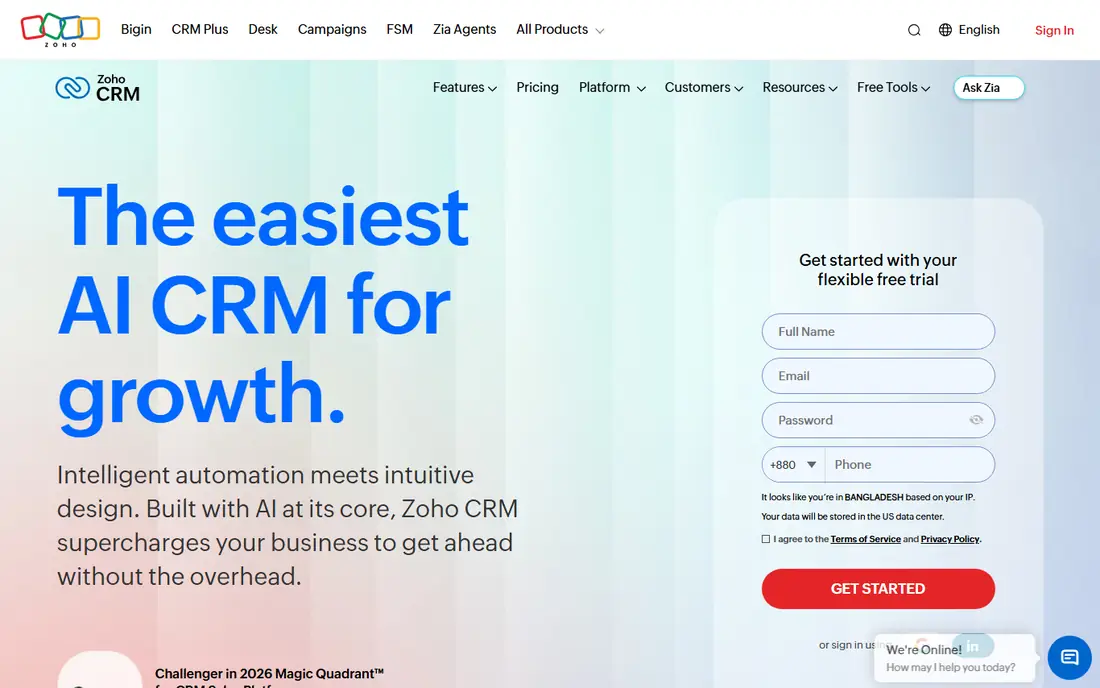
Zoho CRM is the value pick in this comparison. Free covers up to 3 users, Standard at 14 dollars per user per month billed annually adds email integration, multiple pipelines and forecasting, Professional at 23 dollars adds Zia AI agents, Blueprint, CPQ and inventory, and Enterprise at 40 dollars adds territory management, sandboxes and field level encryption. Ultimate at 52 dollars covers large deployments. Zoho prices are geo rendered, so the figures you see outside the US may differ, and local taxes are added on top.
What we like- Cheapest full CRM here, free plan covers 3 users, Professional adds AI agents and Blueprint process management, wide Zoho app ecosystem
Watch out for- Interface feels dated next to HubSpot, advanced features need the higher tiers, support quality varies by plan
#3HubSpot Sales Hub
Best for: Small and mid size teams that want to start fast without a consultant4.4/5 on
G2 (14,364 reviews, checked Oct 2026)
Visit hubspot.com
Starting priceFree for up to 2 users; Starter 7 dollars per seat per month billed annually for new customers, 20 dollars list; Professional 90 dollars
Free planYes, up to 2 users
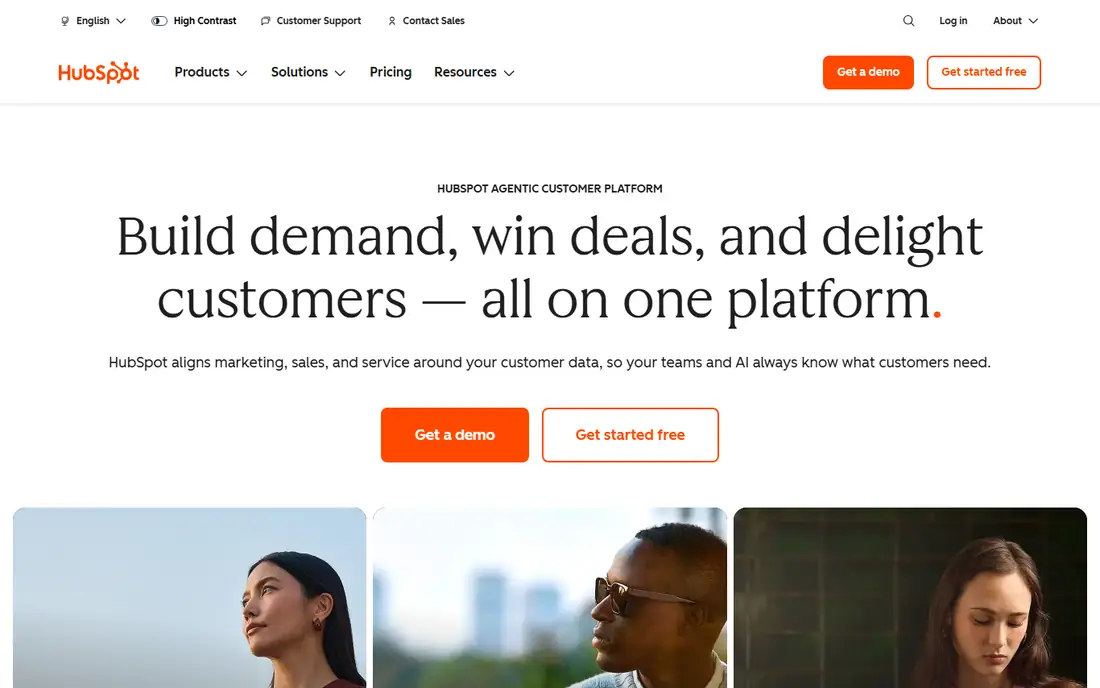
HubSpot is the fastest route from zero to a working CRM and the usability benchmark in this list. The free plan covers up to 2 users with contacts, deals and meeting links, and Starter adds pipelines and workflows at 7 dollars per seat per month billed annually for eligible new customers. Professional at 90 dollars per seat per month billed annually adds sequences, forecasting and playbooks, plus the mandatory 1,500 dollar onboarding fee. Enterprise at 150 dollars per seat per month adds up to 1,000 workflows.
What we like- Easiest setup in this list, free plan is genuinely usable, sequences and meeting links built in, marketing and service hubs share one contact record
Watch out for- Mandatory 1,500 dollar onboarding fee on Professional and 3,500 dollars on Enterprise, Starter list price is 20 dollars and the 7 dollar rate is a new customer offer, per seat costs climb fast above Starter
#4Pipedrive
Best for: Small sales teams that want a visual pipeline and nothing else in the way4.3/5 on
G2 (5,034 reviews, checked Oct 2026)
Visit pipedrive.com
Starting priceEssential 14 dollars, Advanced 29 dollars, Professional 49 dollars per user per month billed annually
Free planNo, 14 day trial only
Pipedrive suits teams that live in the pipeline. Essential at 14 dollars per user per month billed annually covers pipeline and contact management. Advanced at 29 dollars adds full email sync and workflow automation. Professional at 49 dollars adds forecasting, revenue reporting and group email. Power at 64 dollars and Enterprise at 99 dollars cover larger teams. Some current pages list Advanced at 34 dollars and Professional at 59 dollars, which conflicts with the 29 and 49 dollar figures, so confirm the live price before you budget.
What we like- Cleanest pipeline view in the category, no mandatory onboarding fees, no contact limits on any tier, easy for reps to adopt
Watch out for- No permanent free plan, useful add ons such as LeadBooster and Smart Docs cost extra, some pages list Advanced at 34 dollars and Professional at 59 dollars, so confirm the live price
#5Freshsales
Best for: Small teams that want the lowest paid entry price in this list4.5/5 on
G2 (1,237 reviews, checked Oct 2026)
Visit freshworks.com
Starting priceGrowth 9 dollars, Pro 39 dollars, Enterprise 59 dollars per user per month billed annually
Free planNo permanent free plan on the main pricing page, 21 day trial; some pages list a free tier for up to 3 users
Freshsales is the cheapest way into a real CRM. Growth at 9 dollars per user per month billed annually covers contact lifecycle stages, built in chat, email and phone, basic workflows and a product catalogue. Pro at 39 dollars adds Freddy AI contact scoring, sales sequences, deal insights and multiple pipelines. Enterprise at 59 dollars adds forecasting insights, field level permissions, sandbox and audit logs. The free plan situation is unclear, because the main pricing page shows no free tier, only a 21 day trial.
What we like- Cheapest paid tier here at 9 dollars, built in phone, email and chat, Freddy AI scoring on Pro, 21 day trial with full access
Watch out for- No free plan on the main pricing page, sequences need Pro at 39 dollars, smaller marketplace than HubSpot or Salesforce
#6monday CRM
Best for: Visual teams that already work in boards and want CRM on the same platform4.5/5 on
G2 (1,810 reviews, checked Oct 2026)
Visit monday.com
Starting priceBasic 12 dollars, Standard 17 dollars, Pro 28 dollars per seat per month billed annually, minimum 3 seats
Free planNo, 14 day trial only
monday CRM is part of the monday work platform, and it shows in the interface. Basic at 12 dollars per seat per month billed annually covers unlimited pipelines and contacts with 1,000 active contacts and deals. Standard at 17 dollars adds two way Gmail and Outlook sync, an AI email generator and 250 automations a month. Pro at 28 dollars adds forecasting, email sequences, quotes and invoices, mass email and 25,000 automations a month. Ultimate is custom priced. Every paid tier needs at least 3 seats.
What we like- Board based interface teams learn fast, automations scale with the plan, quotes and invoices on Pro, unlimited contacts and deals on Pro
Watch out for- 3 seat minimum on every paid tier, no free plan, email sequences need Pro at 28 dollars, Ultimate is custom priced
#7Copper
Best for: Teams that live in Gmail and Google Workspace and want the CRM inside their inbox4.5/5 on
G2 (1,158 reviews, checked Oct 2026)
Visit copper.com
Starting priceStarter 9 dollars, Basic 23 dollars, Professional 59 dollars, Business 99 dollars per user per month billed annually
Free planNo, 14 day trial only
Copper is the CRM for teams that live in Gmail. It captures email and calendar activity automatically, shows contact and deal details in a Gmail sidebar, and needs no separate email sync to configure. Starter at 9 dollars per user per month billed annually covers basic contacts with a 1,000 contact cap, Basic at 23 dollars adds custom pipelines and 2,500 contacts, Professional at 59 dollars adds workflow automation and 15,000 contacts, and Business at 99 dollars adds unlimited contacts and premium support. One 2026 directory lists only three tiers without Starter, so Starter may have been withdrawn. The hard limit is Google only.
What we like- Native Google Workspace integration, activity captured from Gmail automatically, simple setup for Google teams, no separate email sync to configure
Watch out for- Only works with Google Workspace, not Outlook or Microsoft 365, no permanent free plan, Starter may have been withdrawn, so confirm the live plans
#8Insightly
Best for: Agencies and service businesses that need projects attached to the CRM4.2/5 on
G2 (945 reviews, checked Oct 2026)
Visit insightly.com
Starting pricePlus 29 dollars, Professional 49 dollars, Enterprise 99 dollars per user per month billed annually
Free planNo, 14 day trial only
Insightly is the only CRM in this list that turns a won deal into a delivery project without a second tool. Plus at 29 dollars per user per month billed annually covers lead and contact management with prebuilt dashboards and native projects. Professional at 49 dollars adds lead routing, workflow automation and an AI copilot. Enterprise at 99 dollars adds sandboxes, price books, quotes and audit logging. Plus has no lead assignment or routing, so most teams need Professional.
What we like- Built in project management no other CRM here offers, Professional adds lead routing and workflow automation, no onboarding fee
Watch out for- No free plan, Plus has no lead assignment or workflow automation, AppConnect integration layer starts at 249 dollars a month plus a 3,000 dollar setup fee
Frequently asked questions
Is Zoho CRM really free?
Zoho CRM free edition covers up to 3 users with contact and lead management, tasks and basic reporting, and no credit card is required. Paid tiers start at Standard, 14 dollars per user per month billed annually.
Is Salesforce worth it for a small business?
Salesforce is worth it for a small business only if the team already knows it will outgrow a simple tool, for example a team with a complex sales process, multiple product lines, or plans to hire a dedicated sales operation within a year. Meaningful functionality starts at Pro Suite, 100 dollars per user per month billed annually, and most small teams need paid help to set it up.
Can I migrate from Salesforce to Zoho CRM?
Yes. Zoho offers a migration wizard and import tools for contacts, accounts, deals and activities, and most teams complete the move in days rather than weeks. The hard part is rebuilding custom objects, workflows and reports, because Salesforce Flow and custom fields do not map one to one. Budget a week for a simple migration and a month for a heavily customised Salesforce org.
Does Zoho CRM integrate with Gmail and Outlook?
Yes. Zoho CRM integrates with both Gmail and Outlook for email sync, calendar and contacts, and it works with Google Workspace and Microsoft 365. That is a real advantage over Copper, which works with Google Workspace only. Zoho also connects to its own apps, including Books, Desk, Campaigns and Projects, plus common tools such as Slack and QuickBooks.
Which CRM has better reporting, Salesforce or Zoho?
Salesforce has better reporting for complex needs, with custom report types, joined reports, territory reporting and dashboards that scale to thousands of users. Zoho reporting covers the standard sales reports most teams need, such as pipeline, forecast and rep activity, and Enterprise adds custom dashboards and anomaly detection.
How we picked
We compared Salesforce and Zoho CRM on price, ease of use, sales features, automation and integrations, using list prices checked on 17 November 2026. Salesforce Enterprise is listed as 165 dollars on most current pages and 175 dollars on others, and Unlimited as 330 or 350 dollars, so we flagged both figures. Zoho prices are geo rendered, so confirm the live figure on the Zoho pricing page before you buy. Last verified 17 November 2026.
Sources we checked (8)
- https://www.salesforce.com
- https://www.zoho.com/crm
- https://www.hubspot.com
- https://www.pipedrive.com
- https://www.freshworks.com/crm
- https://monday.com/crm
- https://www.copper.com
- https://www.insightly.com
Is your product missing or out of date?
We review this list regularly. Vendors can request a listing, send updated pricing or ask about featured placement.

Shihab Mia · Founder, Rankite
Shihab has 5+ years in B2B and SaaS SEO. He writes Rankite's software buying guides from pricing pages, documentation and public user reviews. More about Shihab.