How we make this list: we compare pricing pages, product documentation and public user reviews. Ratings come from G2, Capterra or Trustpilot, with the date we checked them.
Key takeaways
- DaVinci Resolve is the best free professional editor, with color grading and audio tools that rival paid software.
- Shotcut and Kdenlive are the best free open-source editors, with no watermark and no subscription.
- Filmora Basic at 49.99 dollars a year is the best paid editor for beginners who want templates and AI tools.
- CapCut is the best free editor for social video, with templates, captions and mobile editing.
- Lightworks Pro at 35 dollars a month is the best choice for editors who want a pay-once license for pro formats.
Why Do Users Look for an OpenShot Alternative?
OpenShot earned its fans by offering free, open-source video editing with a simple timeline that runs on Windows, Mac and Linux. Users still look elsewhere for a few clear reasons. OpenShot can feel slow on long projects, with occasional crashes and limited preview performance. It has no built-in color grading, motion tracking or AI tools, and its effects library is thinner than paid editors. Some users want a free editor with more power, a paid editor with templates, or a mobile app for editing on the go. Others want professional color tools, multicam editing or faster rendering. The right alternative depends on whether you need a free tool, professional color grading, templates, mobile editing or a paid editor with support.
What Is the Best Free Alternative to OpenShot?
Shotcut is the best free alternative to OpenShot for simple editing, with a clean timeline, no watermark, no account and no ads. Kdenlive is the best free choice for users who want more power, with multicam editing, effects and proxy editing. DaVinci Resolve is the best free choice for users who want professional tools, with color grading, Fairlight audio and Fusion effects in the free version. All three are free forever, with no watermark on exports. Start with Shotcut for quick cuts, Kdenlive for longer projects with more tracks, and DaVinci Resolve if you want professional color and audio tools.
Which OpenShot Alternative Is Best for Beginners?
Filmora Basic is the best paid alternative for beginners, at 49.99 dollars a year, with templates, effects, auto captions and AI tools in a friendly interface. CapCut is the best free alternative for beginners who make social video, with templates, auto captions and a mobile app. Clipchamp is the best free alternative for beginners on Windows, with a browser editor, stock media and auto captions. Shotcut is the best free desktop alternative for beginners who want no watermark and no account. Beginners who publish weekly should try Filmora first, since its templates save hours, while beginners who only edit occasionally should try Shotcut or CapCut for free.
Can You Replace OpenShot Without Paying?
Yes, Shotcut, Kdenlive, DaVinci Resolve, CapCut and Clipchamp all offer free plans with no watermark on most exports. Shotcut and Kdenlive are fully free and open source, with no paid tier at all. DaVinci Resolve is free with professional color, audio and effects tools, and Studio at 295 dollars once adds advanced features. CapCut is free with templates and captions, and Clipchamp is free with stock media and auto captions. The trade-off is learning curve: DaVinci Resolve is the most powerful free editor, but it takes longer to learn than OpenShot. If you only need simple cuts and titles, Shotcut covers most editing work for zero dollars.
How Much Should You Pay for Video Editing Software?
Video editing software should cost between zero and 49.99 dollars a year for most creators, because Shotcut, Kdenlive and DaVinci Resolve are free and Filmora Basic is 49.99 dollars a year. VSDC Pro at 19.99 dollars a year is the cheapest paid editor with hardware acceleration and no watermark. CapCut Pro at 9.99 dollars a month suits creators who publish social video daily and need premium templates. Lightworks Pro at 35 dollars a month suits editors who need professional formats and a pay-once option. DaVinci Resolve Studio at 295 dollars once is the best value for professionals, since it never asks for another payment. Watch for sales, since Filmora and VSDC run frequent discounts on annual plans.
Quick comparison
| Tool | Best for | Starting price | Free plan |
|---|
 Shotcut | Users who want a free, simple editor with no watermark | Free | Yes, the full app is free and open source |
 Kdenlive | Users who want a free editor with multicam and proxy editing | Free | Yes, the full app is free and open source |
 DaVinci Resolve | Users who want free professional editing, color grading and audio | Free, Studio 295 dollars one-time | Yes, generous free version with professional tools |
 Filmora | Beginners who want templates, effects and AI tools | 49.99 dollars per year (Basic) | Free version, exports with watermark |
 CapCut | Creators who make social video with templates and captions | Free, Pro 9.99 dollars per month | Yes, generous free version with templates and captions |
 Lightworks | Editors who want professional formats with a pay-once option | Free, Pro 35 dollars per month | Yes, exports up to 1080p |
 Clipchamp | Beginners on Windows who want browser editing with stock media | Free, Premium 11.99 dollars per month | Yes, generous free version with stock media |
 VSDC | Windows users who want a cheap paid editor with no watermark | Free, Pro 19.99 dollars per year | Yes, free version with basic tools |
Is your product missing or out of date?
We review this list regularly. Vendors can request a listing, send updated pricing or ask about featured placement.
The 8 Best OpenShot Alternatives
#1Shotcut
Best for: Users who want a free, simple editor with no watermark4.2/5 on
G2 (42 reviews, checked Oct 2026)
Visit shotcut.org
Starting priceFree
Free planYes, the full app is free and open source
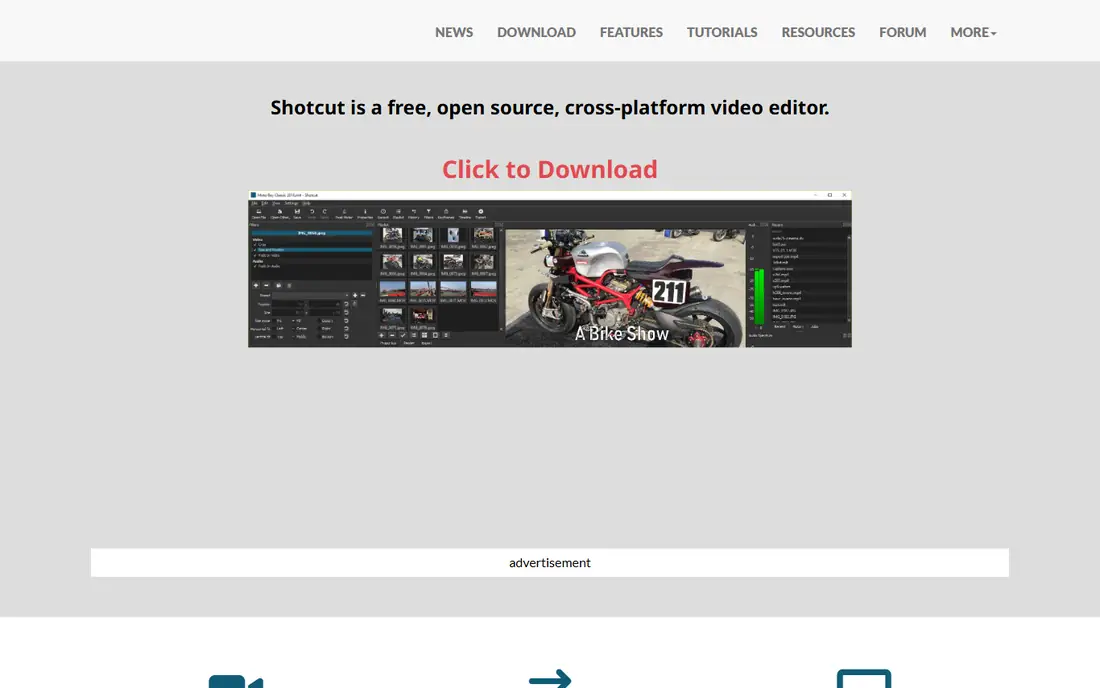
Shotcut is the best free alternative to OpenShot for simple editing, because it is free, fast to learn and exports without a watermark. It covers trimming, transitions, filters, titles and audio mixing on a clean timeline, with support for a wide range of video formats through FFmpeg. Shotcut runs on Windows, macOS and Linux, and it is free forever with no paid tier, no account and no ads. The interface looks plain next to Filmora or CapCut, and preview performance on long projects is weaker than DaVinci Resolve. Users who only need quick cuts, titles and simple effects will work faster here than in OpenShot. Shotcut suits hobbyists, teachers and small creators who want a free editor that never asks for payment.
What we like- Free forever, no watermark, no account, runs on Linux, wide format support
Watch out for- The interface looks plain, and preview performance is weaker than DaVinci Resolve
#2Kdenlive
Best for: Users who want a free editor with multicam and proxy editing
Visit kdenlive.org
Starting priceFree
Free planYes, the full app is free and open source
Kdenlive is the best free alternative to OpenShot for longer projects, with multicam editing, proxy editing and a deep effects library. It covers multi-track timelines, keyframes, transitions, color tools and audio mixing, with proxy clips that keep editing smooth on modest hardware. Kdenlive runs on Windows, macOS and Linux, and it is free forever with no paid tier, no watermark and no account. The interface takes longer to learn than Shotcut, and stability varies by release, so users should keep project backups. For creators who edit longer videos with many tracks, Kdenlive is the strongest free open-source editor in this guide. It suits YouTubers, educators and small teams who need more power than OpenShot without paying.
What we like- Free forever, multicam editing, proxy editing, effects and transitions, runs on Linux
Watch out for- The interface takes time to learn, and stability varies by release
#3DaVinci Resolve
Best for: Users who want free professional editing, color grading and audio4.7/5 on
G2 (221 reviews, checked Oct 2026)
Visit blackmagicdesign.com
Starting priceFree, Studio 295 dollars one-time
Free planYes, generous free version with professional tools
DaVinci Resolve is the best OpenShot alternative for users who want professional tools at no cost. Its free version includes the full editor, world-class color grading, Fairlight audio mixing and Fusion visual effects, with no watermark and no time limit. Studio at 295 dollars once adds advanced noise reduction, stereoscopic 3D, HDR grading and collaboration tools, with no subscription ever. DaVinci Resolve runs on Windows, macOS and Linux, and it renders fast on modern hardware. The limits are real, since the learning curve is steep and it needs a powerful computer for smooth 4K editing. Creators who want the best free editor and are willing to learn it should pick DaVinci Resolve first. It suits YouTubers, filmmakers and anyone who wants professional color tools without a subscription.
What we like- Free professional color grading, Fairlight audio, Fusion effects, fast rendering, no subscription
Watch out for- The learning curve is steep, and it needs a powerful computer for smooth editing
Starting price49.99 dollars per year (Basic)
Free planFree version, exports with watermark
Filmora is the best paid alternative to OpenShot for beginners, because it pairs a friendly interface with templates, effects and AI tools. Basic costs 49.99 dollars a year with watermark-free 4K export, 1 GB of cloud storage and version upgrades. Advanced at 59.99 dollars a year adds 1,000 AI credits a month and 10 GB of cloud storage, while a perpetual license costs 79.99 dollars once for Filmora 16. Filmora covers auto captions, motion tracking, speed ramping, green screen and multicam editing, with a mobile app for editing on the go. The free version exports with a watermark, and AI credits cost extra past the allowance. Creators who publish weekly and want templates that save hours should pick Filmora first. It suits beginners, marketers and small creators who want fast results.
What we like- Friendly interface, huge template library, AI captions and tools, 4K export, mobile app
Watch out for- The free version watermarks exports, and AI credits cost extra past the allowance
#5CapCut
Best for: Creators who make social video with templates and captions1.2/5 on
Trustpilot (1,347 reviews, checked Oct 2026)
Visit capcut.com
Starting priceFree, Pro 9.99 dollars per month
Free planYes, generous free version with templates and captions
CapCut is the best OpenShot alternative for social video, because it was built for short-form content with templates, auto captions and a mobile app. You pick a template, drop in clips, and CapCut adds transitions, captions and music in minutes. The free plan covers templates, captions and basic editing on desktop, web and mobile, while Pro at 9.99 dollars a month adds premium templates, cloud storage and advanced AI tools. CapCut is owned by ByteDance and is free to start, with no watermark on most free exports. The limits are real, since some premium templates need Pro, and business use needs a paid plan. Creators who publish TikTok, Reels and Shorts daily will work faster here than in any desktop editor.
What we like- Free with templates, auto captions, mobile and desktop apps, huge effect library
Watch out for- The free plan limits some premium templates, and business use needs a paid plan
#6Lightworks
Best for: Editors who want professional formats with a pay-once option3.6/5 on
G2 (31 reviews, checked Oct 2026)
Visit lwks.com
Starting priceFree, Pro 35 dollars per month
Free planYes, exports up to 1080p
Lightworks is the best OpenShot alternative for editors who want professional formats and a pay-once license. It has edited major films, with a timeline built for speed, plus trimming, effects and audio tools that professionals trust. The free plan covers core editing with MP4 export up to 1080p, while Create costs 20 dollars a month and Pro costs 35 dollars a month, with yearly and pay-once options. Pro unlocks 4K and 8K export, professional formats, hardware I/O and advanced project sharing. The interface feels dated next to Filmora or CapCut, and the free plan caps exports at 1080p. Editors who need professional output formats and want to own their license should pick Lightworks Pro. It suits filmmakers and editors who work with broadcast formats.
What we like- Pro editing heritage, pay-once license available, 4K and 8K export in Pro, runs on Linux
Watch out for- The interface feels dated, and the free plan caps exports at 1080p
#7Clipchamp
Best for: Beginners on Windows who want browser editing with stock media4.1/5 on
G2 (49 reviews, checked Oct 2026)
Visit clipchamp.com
Starting priceFree, Premium 11.99 dollars per month
Free planYes, generous free version with stock media
Clipchamp is the best OpenShot alternative for beginners on Windows, because it runs in a browser with stock media and auto captions built in. You drag clips onto a timeline, add text, transitions and stock footage, and export without installing anything. The free plan covers editing with stock media and auto captions, while Premium at 11.99 dollars a month adds premium stock, brand kits and 4K export. Clipchamp is owned by Microsoft and ships with Windows 11, with a web version for other systems. The limits are real, since it needs an internet connection and premium stock needs a paid plan. Beginners who want the easiest editor on Windows should try Clipchamp first, since it is free and takes minutes to learn.
What we like- Runs in a browser, stock video and audio library, auto captions, easy to learn
Watch out for- Needs an internet connection, and premium stock needs a paid plan
#8VSDC
Best for: Windows users who want a cheap paid editor with no watermark4.2/5 on
G2 (55 reviews, checked Oct 2026)
Visit videosoftdev.com
Starting priceFree, Pro 19.99 dollars per year
Free planYes, free version with basic tools
VSDC is the best OpenShot alternative for Windows users who want a cheap paid editor with no watermark. The free version covers basic editing with a watermark-free export in many cases, while Pro at 19.99 dollars a year adds hardware acceleration, advanced masking, motion tracking and priority support. VSDC covers multi-track timelines, color correction, audio editing and screen recording, with export presets for YouTube and social video. The limits are clear, since it is Windows only and the interface looks dated next to Filmora. For a Windows user who wants a paid editor at the lowest price, VSDC Pro is hard to beat. It suits hobbyists and small creators who edit on Windows and want no subscription burden.
What we like- Cheapest paid editor in this guide, hardware acceleration in Pro, no watermark in Pro, screen recording
Watch out for- Windows only, and the interface looks dated next to Filmora
Frequently asked questions
Is there a completely free alternative to OpenShot?
Yes, Shotcut, Kdenlive and DaVinci Resolve are all completely free, with no paid tier required for the core tools and no watermark on exports. Shotcut covers simple editing, Kdenlive covers longer projects with multicam, and DaVinci Resolve covers professional color and audio. Start with Shotcut for quick cuts, Kdenlive for longer projects, and DaVinci Resolve if you want professional tools.
Is DaVinci Resolve better than OpenShot?
DaVinci Resolve is better for professional work, with color grading, Fairlight audio, Fusion effects and fast rendering in the free version. OpenShot is better for absolute beginners who want the simplest timeline and the lightest install. Editors who publish weekly and want professional color tools should pick DaVinci Resolve, while editors who only need quick cuts should pick Shotcut or Kdenlive.
Can Filmora open OpenShot project files?
No, Filmora cannot open OpenShot project files directly, since each editor uses its own project format. Export your finished clips from OpenShot as MP4 files, then import them into Filmora and continue editing from there. Keep the original OpenShot project files as backups in case you need to re-export a clip. For new projects, start directly in Filmora to avoid the extra export step.
Which alternative is best for beginners?
Shotcut is the easiest free starting point for desktop editing, because it is free, simple and exports without a watermark. Clipchamp is the easiest starting point on Windows, because it runs in a browser with stock media. Filmora is the easiest paid starting point for beginners who want templates and AI tools, at 49.99 dollars a year. Beginners should try Shotcut first, since it is free, and move to Filmora later if they want templates.
Do I need to pay monthly for any of these alternatives?
No, only the paid subscriptions here bill monthly, and most offer annual billing that costs less. Shotcut, Kdenlive and DaVinci Resolve are free forever, with DaVinci Resolve Studio at 295 dollars once. Filmora Basic is 49.99 dollars a year, VSDC Pro is 19.99 dollars a year, and CapCut Pro is 9.99 dollars a month. Lightworks Pro is 35 dollars a month with a pay-once option, and Clipchamp Premium is 11.99 dollars a month. If you want to avoid subscriptions entirely, Shotcut plus DaVinci Resolve covers most editing work at no cost.
How We Picked These Alternatives
We picked these eight tools by checking each vendor site on 16 November 2026, confirming the product is still sold and maintained, and verifying the starting price on the vendor pricing page or a pricing listing checked in November 2026. We favored live products with active development, and we left out discontinued apps and tools whose official sites no longer load. Prices are US list prices unless stated otherwise, and they can change with sales and regional pricing. We did not run hands-on lab tests for this guide, and our findings rest on vendor documentation, pricing pages and public feature lists.
Sources we checked (9)
- https://shotcut.org
- https://kdenlive.org
- https://www.blackmagicdesign.com/products/davinciresolve
- https://filmora.wondershare.com
- https://www.capcut.com
- https://www.lwks.com
- https://clipchamp.com
- https://www.videosoftdev.com
- https://www.openshot.org
Is your product missing or out of date?
We review this list regularly. Vendors can request a listing, send updated pricing or ask about featured placement.

Shihab Mia · Founder, Rankite
Shihab has 5+ years in B2B and SaaS SEO. He writes Rankite's software buying guides from pricing pages, documentation and public user reviews. More about Shihab.