How we make this list: we compare pricing pages, product documentation and public user reviews. Ratings come from G2, Capterra or Trustpilot, with the date we checked them.
What is the best OctaneRender alternative in 2026?
The best OctaneRender alternative for most GPU artists is Redshift. It costs 289 dollars per year billed annually, it runs on the GPU, and it works inside Cinema 4D, Maya, 3ds Max, Houdini and Katana. It is fast, stable in production, and widely used in motion graphics and VFX. Blender with Cycles is the best free option, and it costs nothing for commercial work. OctaneRender itself is still a strong product. OctaneRender Prime is free for a single GPU, and Studio+ is 19.99 euros per month billed yearly, which is 239.88 euros per year. Prices in this guide were checked on 16 Nov 2026.
Why do artists switch from OctaneRender?
Artists switch from OctaneRender for several practical reasons, and cost is only one of them. Some studios already pay for a host application that bundles a renderer, so a separate OctaneRender subscription adds a second bill for the same seat. Maya users get Arnold in the Media and Entertainment Collection, and Cinema 4D users get Redshift included with their subscription. Other artists switch because their clients or collaborators use a different renderer, and matching the studio pipeline matters more than raw speed. None of these reasons means OctaneRender is weak. It means the best renderer is the one that fits your pipeline, your hardware and your clients.
Which OctaneRender alternative is best for GPU rendering?
Redshift is the best GPU alternative to OctaneRender for most artists. It is a biased GPU renderer, which means it takes shortcuts that speed up renders while keeping the image close to a fully unbiased result. It handles large scenes well, it supports out of core geometry so scenes larger than GPU memory can still render, and it works in the main DCC applications. V-Ray is the best GPU option if you also want a CPU fallback, because V-Ray can render on the CPU, the GPU, or both at once. Blender Cycles is the best free GPU renderer, and it runs on NVIDIA, AMD, Intel and Apple Silicon GPUs. Unreal Engine is the best option when you need real time rendering, because you can walk through a scene live and change lighting on the spot.
How much should you pay for an OctaneRender alternative?
You should pay between zero and 1,299 dollars per year for a single seat, depending on the tool and the work. Blender and Unreal Engine cost nothing to start, and both are free below the revenue limits that apply to Unreal Engine. Redshift costs 289 dollars per year, Arnold costs 430 dollars per year, and Corona Solo costs 414 dollars per year. V-Ray Solo costs 540 dollars per year. These four are the closest price match to OctaneRender Studio+, which costs 239.88 euros per year when billed annually. KeyShot Studio Professional costs 1,299 dollars per year, and Lumion Pro costs 1,149 dollars per year, so both sit well above OctaneRender. Blender, KeyShot, Lumion and Unreal Engine are standalone, so they carry no host cost.
Which renderer should you choose for archviz, product design, or film?
For archviz, choose Corona or V-Ray. Corona is simple to set up and gives clean interior light with little tuning, while V-Ray gives more control over materials, light and render passes. Lumion is a good pick for archviz when you need fast animations and walkthroughs, because it renders in real time and ships with a large library of trees, people and furniture. For product design, choose KeyShot or Blender. KeyShot turns a CAD model into a studio shot in minutes, and it reads more than 30 CAD formats. Blender costs nothing and covers modeling, texturing and rendering in one application. For film and VFX, choose Arnold or Redshift. Arnold is the standard renderer for feature animation and large VFX shows, and Redshift is the standard GPU renderer for motion graphics and fast episodic work.
How do the 8 alternatives compare on price?
| Tool | Starting price per year | Free option | Render type |
| V-Ray | 540 dollars | 30 day trial | CPU and GPU |
| Redshift | 289 dollars | Trial | GPU |
| Arnold | 430 dollars | 30 day trial | CPU and GPU |
| Corona | 414 dollars | 30 day trial | CPU |
| Blender | Free | Free, full version | CPU and GPU |
| KeyShot | 1,299 dollars | 14 day trial | CPU and GPU |
| Lumion | 1,149 dollars | 14 day trial | GPU, real time |
| Unreal Engine | Free | Free below 1 million dollars revenue | Real time |
The table shows the starting price for a single seat, checked on 16 Nov 2026. Blender is the only tool in the list with no paid tier at all, and Unreal Engine is free for most small studios and for games below 1 million dollars in lifetime gross revenue. The paid renderers all use subscriptions, and none of them sells a perpetual licence for a new buyer in 2026.
Quick comparison
| Tool | Best for | Starting price | Free plan |
|---|
 V-Ray | Photoreal archviz, product renders and VFX across many host applications | 540 dollars per year for V-Ray Solo, billed annually | No free plan. A 30 day trial is available on the Chaos site. |
 Redshift | GPU rendering for motion graphics, VFX and fast production work | 289 dollars per year billed annually, or 49 dollars per month billed monthly | No free plan. A trial is available from Maxon. |
 Arnold | Feature film, animation and high end VFX where image quality comes first | 430 dollars per year for a single user subscription, or 55 dollars per month | No free plan. A 30 day trial is available from Autodesk. |
 Corona | Archviz interiors and exteriors with simple setup and clean light | 414 dollars per year for Corona Solo, billed annually | No free plan. A 30 day free trial is available from Chaos. |
 Blender | Artists who want a free full 3D pipeline with modeling, animation and rendering in one app | Free, with no paid tier | Free and open source under the GNU GPL, for commercial work with no seat limit |
 KeyShot | Product design, CAD visualisation and fast studio shots from engineering models | 1,299 dollars per year for KeyShot Studio Professional, billed annually | No free plan. A 14 day trial is available from KeyShot. |
 Lumion | Archviz animations, walkthroughs and fast client presentations | 1,149 dollars per year for Lumion Pro, billed annually | No free plan. A 14 day free trial of Pro is available. |
 Unreal Engine | Real time archviz, virtual production, games and interactive experiences | Free, with a 5 percent royalty on lifetime gross revenue above 1 million dollars per product for games | Free to download and use, with all features included. Free for students, educators and companies under 1 million dollars in annual gross revenue. |
Is your product missing or out of date?
We review this list regularly. Vendors can request a listing, send updated pricing or ask about featured placement.
8 Best OctaneRender Alternatives
The eight tools below cover GPU rendering, CPU rendering, and free options.
#1V-Ray
Best for: Photoreal archviz, product renders and VFX across many host applications4.5/5 on
G2 (241 reviews, checked Oct 2026)
Visit chaos.com
Starting price540 dollars per year for V-Ray Solo, billed annually
Free planNo free plan. A 30 day trial is available on the Chaos site.

V-Ray is the most flexible renderer in this list, and many studios standardise on it. It is made by Chaos, the same company behind Corona and Enscape, and it has served archviz, automotive, product and film work for many years. You can render on the CPU for stability, switch to the GPU for faster previews, or use hybrid rendering for both at once. V-Ray needs a host application, so budget for Maya, 3ds Max, Cinema 4D or SketchUp as well.
What we like- Works in 3ds Max, Maya, Cinema 4D, Houdini, SketchUp, Rhino, Revit, Nuke and Unreal. Renders on CPU, GPU, or both. Large Chaos Cosmos asset library and strong material control.
Watch out for- The learning curve is steep. New users face many settings for sampling, light cache and materials, and a bad setting can slow a render or add noise that takes time to trace.
#2Redshift
Best for: GPU rendering for motion graphics, VFX and fast production work4.1/5 on
G2 (18 reviews, checked Oct 2026)
Visit maxon.net
Starting price289 dollars per year billed annually, or 49 dollars per month billed monthly
Free planNo free plan. A trial is available from Maxon.
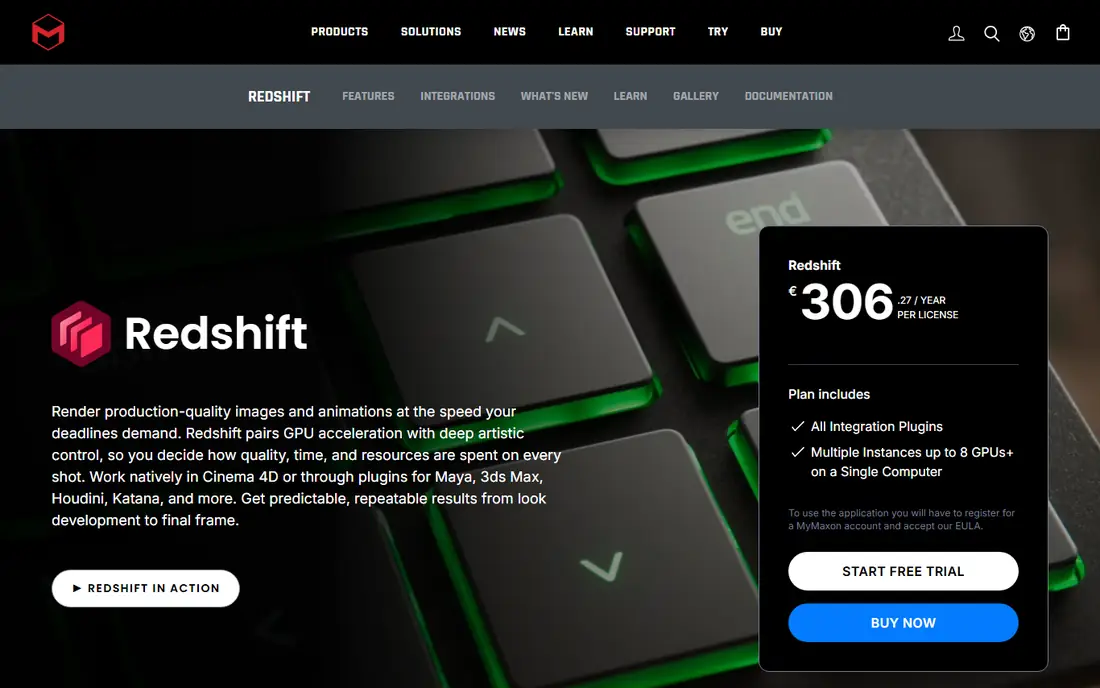
Redshift is the closest direct replacement for OctaneRender, because it is also a GPU first renderer built for speed. It is made by Maxon, and it ships with Cinema 4D, so motion designers who already use Cinema 4D get it at no extra cost. The annual price of 289 dollars is lower than V-Ray Solo, Arnold and Corona Solo. Redshift uses a biased rendering method, which trades a little accuracy for much faster frames, and the results hold up well for broadcast, advertising and episodic work. The main limit is the missing Blender plugin in the 2026 release.
What we like- Fast GPU rendering with out of core support for large scenes. Included with Cinema 4D and Maxon One. Works in Maya, 3ds Max, Houdini, Cinema 4D and Katana.
Watch out for- There is no Blender plugin in Redshift 2026. Maxon paused Blender development, and Redshift 2025.6 was the last release to support Blender, so Blender users must stay on the older version or switch tools.
#3Arnold
Best for: Feature film, animation and high end VFX where image quality comes first4.6/5 on
G2 (22 reviews, checked Oct 2026)
Visit autodesk.com
Starting price430 dollars per year for a single user subscription, or 55 dollars per month
Free planNo free plan. A 30 day trial is available from Autodesk.
Arnold is the renderer behind many feature films and animated shows, and Autodesk has kept it focused on quality and predictability rather than speed tricks. It is a Monte Carlo ray tracer, so it traces light paths in a physically based way and produces clean images with few artefacts. The standard surface shader handles most materials with a small set of controls, so artists spend less time on settings and more time on look development. Arnold works as a plugin for Maya, 3ds Max, Houdini, Cinema 4D and Katana.
What we like- Industry standard for film and animation. Clean, predictable results with little tuning. Included in the Autodesk Media and Entertainment Collection with five Arnold licences.
Watch out for- Arnold is slower than GPU renderers on simple scenes. It is a CPU first renderer at heart, so artists who need fast previews may find the interactive render slower than Redshift or OctaneRender.
#4Corona
Best for: Archviz interiors and exteriors with simple setup and clean light4.7/5 on
G2 (118 reviews, checked Oct 2026)
Visit chaos.com
Starting price414 dollars per year for Corona Solo, billed annually
Free planNo free plan. A 30 day free trial is available from Chaos.
Corona is made by Chaos, the same company behind V-Ray, and it is the simplest photoreal renderer in this list. It was built for archviz artists who want a good image without tuning dozens of render settings. The light solver handles interior daylight and artificial light well, and the material system uses a small set of clear controls. Corona renders on the CPU only, which is a limit if you own a fast GPU, but CPU rendering is stable and it handles very large scenes without running out of video memory.
What we like- Very easy to learn, with sensible defaults that give good results fast. Strong light solver for interiors. Same Cosmos asset library as V-Ray.
Watch out for- Corona is CPU only, so it cannot use your GPU to speed up renders. Artists with a strong GPU and a weak CPU will get slower results than they would from a GPU renderer.
#5Blender
Best for: Artists who want a free full 3D pipeline with modeling, animation and rendering in one app4.6/5 on
G2 (319 reviews, checked Oct 2026)
Visit blender.org
Starting priceFree, with no paid tier
Free planFree and open source under the GNU GPL, for commercial work with no seat limit
Blender is the only tool in this list that is free, and it is also the only one that covers the whole 3D pipeline in a single application. You can model, sculpt, texture, rig, animate, simulate and render without buying any other software, and you can use the results for commercial work with no royalty and no seat fee. Cycles is the path tracing renderer, and it runs on the GPU or the CPU with support for NVIDIA, AMD, Intel and Apple Silicon.
What we like- Costs nothing, with no watermark and no feature limits. Includes Cycles and Eevee renderers, modeling, sculpting, animation and compositing. Large community and many free add ons.
Watch out for- The interface and workflow take time to learn, and studio pipelines built around Maya or 3ds Max may need extra steps to exchange files. Support comes from the community and documentation, not a paid support desk.
#6KeyShot
Best for: Product design, CAD visualisation and fast studio shots from engineering models4.5/5 on
G2 (182 reviews, checked Oct 2026)
Visit keyshot.com
Starting price1,299 dollars per year for KeyShot Studio Professional, billed annually
Free planNo free plan. A 14 day trial is available from KeyShot.
KeyShot is built for product designers, not for archviz or film, and that focus shows in the workflow. You import a CAD model, drag a material onto it, pick an HDRI studio environment, and you have a clean product shot in minutes. It reads SolidWorks, Rhino, Creo, CATIA, STEP, IGES and many other formats, so engineering teams can render without rebuilding the model. KeyShot Studio Professional costs 1,299 dollars per year for one named seat, and it includes animations, local AI tools and AI denoise.
What we like- Reads more than 30 CAD formats, with drag and drop materials and HDRI lighting. Very fast to learn. Real time ray tracing in the viewport with accurate studio lighting.
Watch out for- Network rendering is no longer included with Professional. Since KeyShot 2026.1, you need the Business plan at 1,599 dollars per year to use the Network Rendering add on, which raises the cost for teams.
#7Lumion
Best for: Archviz animations, walkthroughs and fast client presentations4.5/5 on
G2 (110 reviews, checked Oct 2026)
Visit lumion.com
Starting price1,149 dollars per year for Lumion Pro, billed annually
Free planNo free plan. A 14 day free trial of Pro is available.
Lumion is a real time archviz renderer, which means you see the finished look as you work instead of waiting for a frame to render. You import a model from SketchUp, Revit, Archicad or Rhino, add trees, people, cars and furniture from the built in library, set the sun and weather, and export a still, a video or a 360 degree panorama. Lumion is the best pick in this list for client presentations, because a walkthrough video sells a design faster than a set of still images.
What we like- Renders in real time with a library of more than 10,000 models and materials. Strong landscape, weather and animation tools. LiveSync links to SketchUp, Revit, Archicad and Rhino.
Watch out for- Lumion runs on Windows only, with no macOS build at any price. It also needs a strong GPU with at least 6 GB of VRAM, so artists on laptops or Macs cannot use it.
#8Unreal Engine
Best for: Real time archviz, virtual production, games and interactive experiences4.5/5 on
G2 (151 reviews, checked Oct 2026)
Visit unrealengine.com
Starting priceFree, with a 5 percent royalty on lifetime gross revenue above 1 million dollars per product for games
Free planFree to download and use, with all features included. Free for students, educators and companies under 1 million dollars in annual gross revenue.
Unreal Engine is the most different tool in this list, because it is a full game engine as well as a renderer. You build a scene once, and then you can walk through it live, change the time of day, swap materials and record a video without waiting for frames to render. The engine is free to download, and games pay a 5 percent royalty only on lifetime gross revenue above 1 million dollars per product. Unreal Engine suits interactive projects such as configurators, training simulations and virtual production stages.
What we like- Full real time engine with Lumen lighting, Nanite geometry and a large asset library. Free below the revenue threshold. Strong for walkthroughs, configurators and virtual production.
Watch out for- The learning curve is steep, and the workflow is closer to game development than to still image rendering. Non game companies above 1 million dollars in annual revenue pay 1,850 dollars per seat per year instead of the royalty.
Frequently asked questions
Is OctaneRender still worth using in 2026?
Yes, OctaneRender is still worth using if you already own a GPU heavy workflow and you like its speed and material system. OctaneRender Prime is free for a single GPU, and Studio+ costs 19.99 euros per month billed yearly. The reasons to switch are usually pipeline fit, host software, or cost, not image quality. If your clients use V-Ray or Redshift, matching their renderer will save more time than any speed gain from staying with OctaneRender.
Which OctaneRender alternative is cheapest?
Blender is the cheapest alternative because it costs nothing, and it includes the Cycles path tracer and the Eevee real time renderer with no feature limits. Unreal Engine is also free for most small users, with a 5 percent royalty only after 1 million dollars in lifetime gross revenue per game product. Among paid renderers, Redshift is cheapest at 289 dollars per year, followed by Corona Solo at 414 dollars per year and Arnold at 430 dollars per year.
Which OctaneRender alternative is best for archviz?
Corona is the best pick for archviz stills, because it is easy to learn and it handles interior light well with little tuning. V-Ray is the best pick if you want more control or you work in several host applications. Lumion is the best pick for archviz animations and walkthroughs, because it renders in real time and ships with a large library of landscape and entourage assets. Most archviz studios pick one of these three.
Can I use an OctaneRender alternative for free?
Yes, you can use Blender for free with no limits, and you can use Unreal Engine for free below the revenue thresholds in the licence. OctaneRender Prime is also free for a single GPU, so you can keep using OctaneRender without paying if one GPU is enough for your scenes. The paid renderers in this list offer trials of 14 to 30 days, but ongoing commercial work needs a paid licence.
Do I need a host application for these alternatives?
It depends on the tool. V-Ray, Redshift, Arnold and Corona are plugins, so you need a host such as Maya, 3ds Max, Cinema 4D, Houdini, SketchUp or Revit, and that host has its own licence cost. Blender, KeyShot, Lumion and Unreal Engine are standalone applications, so they need no host. Check the host list on the vendor site before you buy a plugin renderer, because the host cost can be larger than the renderer cost.
Sources we checked (9)
- https://home.otoy.com/render/octane-render/purchase/
- https://www.chaos.com/vray
- https://www.chaos.com/corona/buy-online
- https://www.maxon.net/en/redshift
- https://www.autodesk.com/products/arnold/overview
- https://www.blender.org/
- https://www.keyshot.com/
- https://lumion.com/
- https://www.unrealengine.com/en-US/license
Is your product missing or out of date?
We review this list regularly. Vendors can request a listing, send updated pricing or ask about featured placement.

Shihab Mia · Founder, Rankite
Shihab has 5+ years in B2B and SaaS SEO. He writes Rankite's software buying guides from pricing pages, documentation and public user reviews. More about Shihab.