How we make this list: we compare pricing pages, product documentation and public user reviews. Ratings come from G2, Capterra or Trustpilot, with the date we checked them.
The short answer: which OBS Studio alternative should you pick
Most streamers should stay with OBS Studio, because it is free, open source and does the core job with no watermark and no time limit. Pay for an alternative only when it solves a specific gap. Restream Standard at $19 a month is the best pick for multistreaming to several platforms at once. Streamlabs Ultra at $27 a month is the best pick for alerts, overlays and themes without plugins. Ecamm Live Standard at $16 a month billed annually is the best pick for Mac users who want a polished studio.
Key takeaways
- OBS Studio is free and open source, with no watermark, no time limit and a large plugin library.
- Restream Standard at $19 a month is the cheapest way to multistream without running a second encoder.
- Streamlabs Ultra at $27 a month, or $15.75 a month billed annually, bundles alerts, overlays, multistreaming and editing tools.
- vMix Basic HD at $60 once is the cheapest professional switcher licence, but it is Windows only and capped at 4 inputs.
- Wirecast Studio at $34 a month billed annually is the pick for Mac and Windows production teams that need remote guests.
Why streamers look for an OBS Studio alternative
OBS Studio is the standard free encoder for a reason. It records and streams in high quality, mixes scenes and sources, supports plugins for almost anything, and costs nothing. The reason people pay for something else is rarely quality. It is setup time, multistreaming, guests, and support. OBS needs plugins and manual configuration for multistreaming, remote guests and alerts, and when something breaks the only support is community forums and documentation. A paid tool bundles those pieces and adds a support team.
The alternatives below split into three groups. Desktop encoders such as Streamlabs, XSplit, vMix, Wirecast and Camtasia replace OBS on the same machine. Cloud studios such as Restream and Lightstream move the production to the browser, so a weak PC or a console can stream without a capture card. Ecamm Live is the Mac-only studio for creators who want polish without plugins. Pick the group that matches the missing piece, not the tool with the longest feature list.
The 8 best OBS Studio alternatives compared
| Tool | Best for | Starting price | Free plan |
| Streamlabs | Alerts, overlays and multistreaming for gamers | $27 per month | Yes, Desktop free |
| XSplit Broadcaster | Polished Windows production with plugins | $14.99 per month | Yes, up to 720p |
| vMix | Professional switching with NDI and replay | $60 once | 60-day trial |
| Wirecast | Mac and Windows production with remote guests | $34 per month | Free trial |
| Lightstream | Browser studio for console streamers | $9 per month | Yes, 720p |
| Restream | Multistreaming to many platforms at once | $19 per month | Yes, 2 channels |
| Ecamm Live | Polished Mac studio for interviews and shows | $16 per month | 14-day trial |
| Camtasia | Recording plus a full editor for training video | $179.88 per year | Trial only |
Quick comparison
| Tool | Best for | Starting price | Free plan |
|---|
 Streamlabs | Gamers and creators who want alerts, overlays and multistreaming without plugins | $27 per month (Ultra; $15.75 per month billed annually at $189 per year) | Yes, Streamlabs Desktop is free |
 XSplit Broadcaster | Windows streamers who want polished production tools and plugins | $14.99 per month (Premium; $59.99 per year, or $119.99 once for a lifetime licence) | Yes, free for personal use up to 720p |
 vMix | Professional live production with multi-camera switching, NDI and replay | $60 once (Basic HD, one-time licence) | No, 60-day free trial of the full Pro edition |
 Wirecast | Mac and Windows production teams that need remote guests and ISO recording | $34 per month (Studio, billed annually; $59 month to month) | No, free trial only |
 Lightstream | Console streamers who want a browser studio without a powerful PC | $9 per month (Premium, billed annually; $12 month to month) | Yes, free tier at 720p with the Lightstream logo |
 Restream | Multistreaming one live feed to many platforms at once | $19 per month (Standard; $16 per month billed annually at $190 per year) | Yes, free for 2 channels with Restream branding |
 Ecamm Live | Mac creators running polished interview shows and podcasts | $16 per month (Standard, billed annually; $20 month to month) | No, 14-day free trial with no card required |
 Camtasia | Recording plus a full editor for training video and tutorials | $179.88 per year (Essentials; Starter capture-only plan is $39 per year) | No, free trial only |
Is your product missing or out of date?
We review this list regularly. Vendors can request a listing, send updated pricing or ask about featured placement.
The 8 best OBS Studio alternatives
#1Streamlabs
Best for: Gamers and creators who want alerts, overlays and multistreaming without plugins4.1/5 on
G2 (59 reviews, checked Oct 2026)
Visit streamlabs.com
Starting price$27 per month (Ultra; $15.75 per month billed annually at $189 per year)
Free planYes, Streamlabs Desktop is free
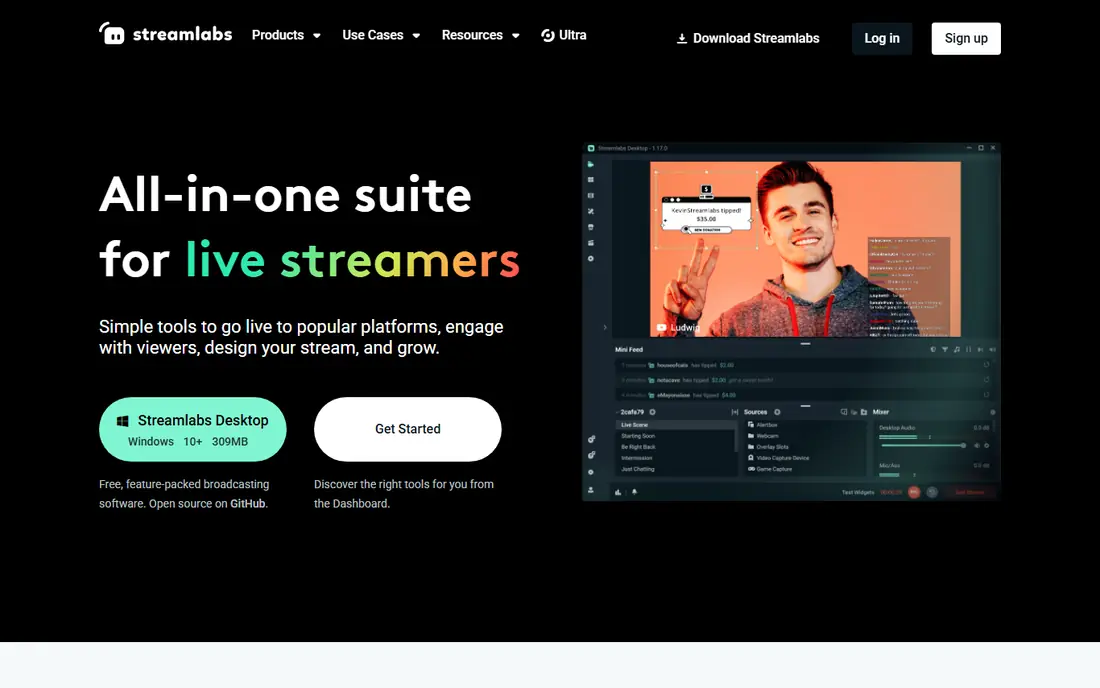
Streamlabs is OBS with the extras already installed. It is built on the same open-source core, so the recording and streaming engine feels familiar, but alerts, overlays, themes, chat and donations work out of the box instead of needing plugins. Streamlabs Desktop itself is free, with no watermark and no time limit on local recordings. Ultra costs $27 a month or $189 a year, which works out to $15.75 a month, and adds multistreaming to three or more destinations, the full theme library and six Pro tools including Talk Studio Pro, Cross Clip Pro and Video Editor Pro. The trade is weight and cost. Streamlabs uses more system resources than plain OBS, and the feature that most streamers actually want, multistreaming, is the paid part. For a gaming streamer who wants a polished setup in an evening rather than a weekend of plugin configuration, Streamlabs is the fastest switch.
What we like- Alerts, overlays and themes built in, multistreaming with Ultra, a bundle of editing and clip tools
Watch out for- Multistreaming is paywalled behind Ultra, the app is heavy on system resources, and some users report the interface feels cluttered
#2XSplit Broadcaster
Best for: Windows streamers who want polished production tools and plugins3.9/5 on
G2 (23 reviews, checked Oct 2026)
Visit xsplit.com
Starting price$14.99 per month (Premium; $59.99 per year, or $119.99 once for a lifetime licence)
Free planYes, free for personal use up to 720p
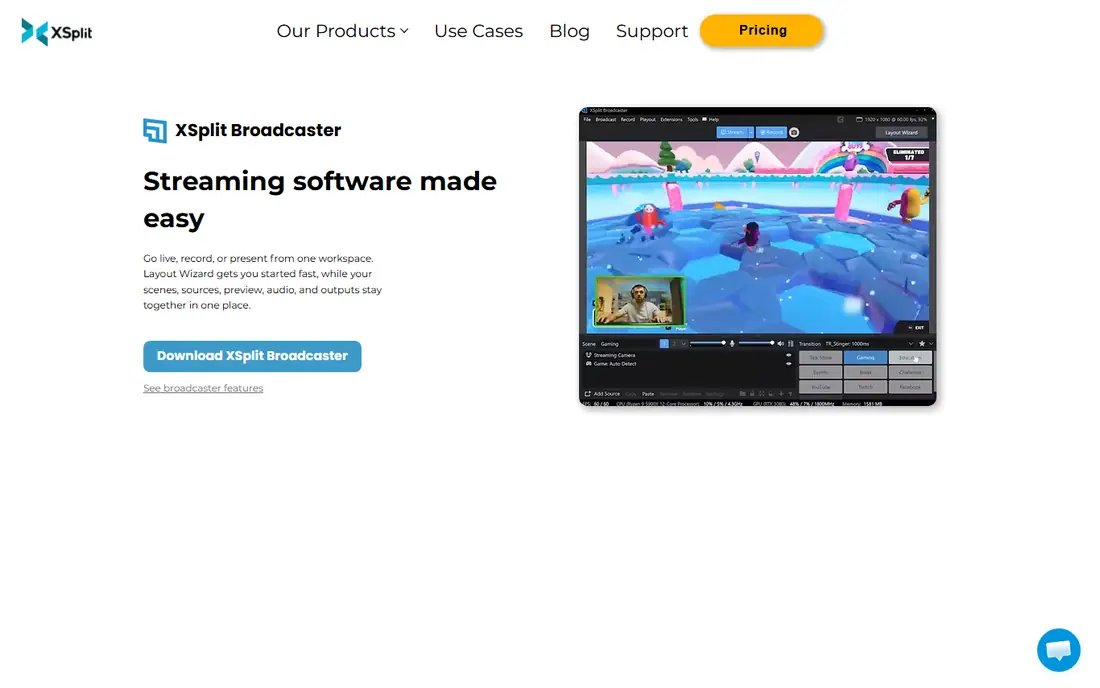
XSplit Broadcaster is the veteran commercial encoder for Windows, and it shows in the polish. Scenes, sources, audio mixing and transitions are laid out clearly, the plugin store adds chat, alerts and widgets, and Premium adds multistreaming, unlimited scenes and commercial use. Premium costs $14.99 a month, $59.99 a year, or $119.99 once for a lifetime licence on the comparison page, though the product page lists lifetime at $199.99, so confirm the checkout figure. The free tier streams up to 720p without a watermark, with a small logo above that resolution, a four-scene limit and personal use only. The hard limit is platform. XSplit runs on Windows only, so Mac and Linux streamers need another tool. For a Windows streamer who wants a supported commercial product with a clean interface, XSplit is a solid middle ground between free OBS and a full production switcher.
What we like- Clean production tools, a plugin store, multistreaming on Premium, virtual camera support
Watch out for- Windows only, the free tier watermarks above 720p and limits scenes, and commercial use needs Premium
#3vMix
Best for: Professional live production with multi-camera switching, NDI and replay4.3/5 on
G2 (32 reviews, checked Oct 2026)
Visit vmix.com
Starting price$60 once (Basic HD, one-time licence)
Free planNo, 60-day free trial of the full Pro edition
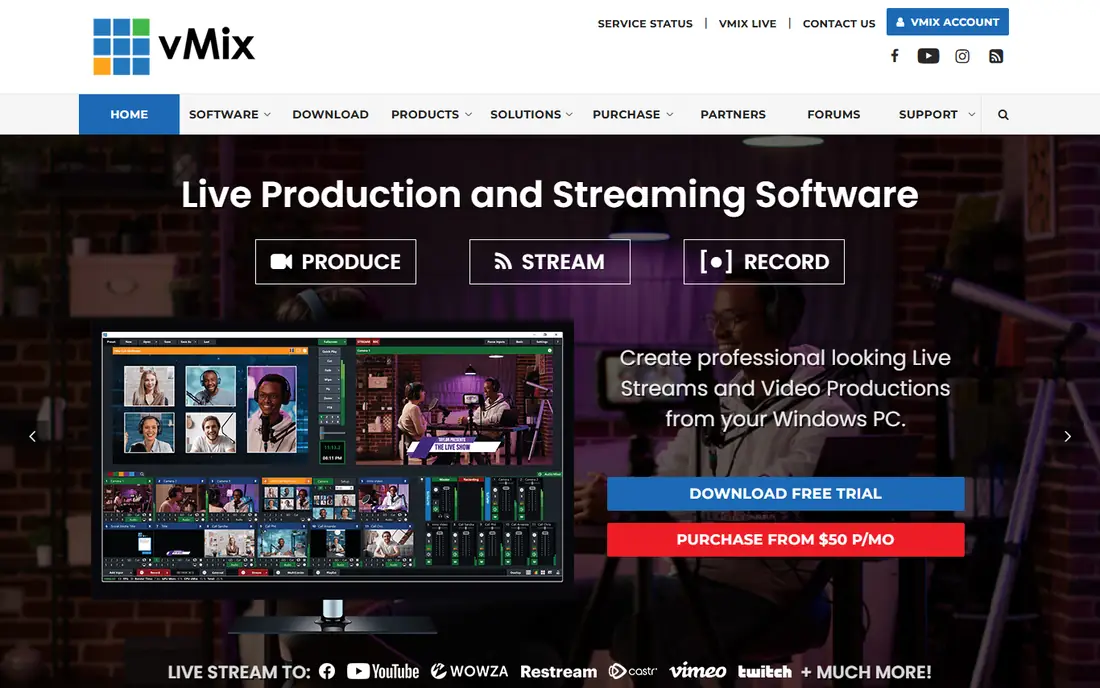
vMix is the professional switcher on this list, built for churches, schools, sports and corporate events rather than bedroom streamers. It switches cameras, mixes audio, displays titles, brings in remote guests and records isolated feeds, all from one app. Licences are one-time purchases: Basic HD is $60, HD is $350, 4K is $700 and Pro is $1,200, each with 12 months of free updates, plus a vMix MAX subscription at $50 a month. Basic HD is the cheapest entry, but it caps at 4 total inputs, 3 cameras or NDI sources and 1080p, so most real productions need HD at $350. There is no permanent free edition, only a fully functional 60-day trial of Pro. vMix runs on Windows only. Pick it when the show has multiple cameras, a replay and a graphics package, and stay with OBS when the show is one person and a screen.
What we like- True production switching, NDI inputs, instant replay on higher tiers, one-time licences with no subscription
Watch out for- Windows only, Basic HD is capped at 4 inputs, and the interface has a steep learning curve
#4Wirecast
Best for: Mac and Windows production teams that need remote guests and ISO recording4.2/5 on
G2 (37 reviews, checked Oct 2026)
Visit wirecast.io
Starting price$34 per month (Studio, billed annually; $59 month to month)
Free planNo, free trial only
Wirecast is the cross-platform production tool for teams that need remote guests and a support line. Studio costs $34 a month billed annually or $59 month to month, and Pro costs $42 a month billed annually or $79 month to month. Studio includes unlimited camera inputs, screen capture, GPU encoding and two Rendezvous remote guests who join from a browser link with no download. Pro adds NDI output, cloud multistreaming, ISO recording of individual cameras, seven remote guests and PTZ camera control. The app runs on Mac and Windows and includes over a million stock assets. The trade is the subscription. A team that used to buy Wirecast once now pays every month, and the features that justify the switch over OBS, multistreaming and ISO recording, sit on Pro. Wirecast suits a production team with a budget and a support contract, not a solo streamer.
What we like- Runs on Mac and Windows, built-in remote guests, ISO recording on Pro, dedicated support
Watch out for- A subscription that adds up over time, and cloud multistreaming and ISO recording need Pro at $42 a month billed annually
#5Lightstream
Best for: Console streamers who want a browser studio without a powerful PC4.7/5 on
G2 (23 reviews, checked Oct 2026)
Visit golightstream.com
Starting price$9 per month (Premium, billed annually; $12 month to month)
Free planYes, free tier at 720p with the Lightstream logo
Lightstream moves the studio to the cloud, which is the whole point. A console streamer can build scenes, add overlays and guests, and multistream from a browser, with no capture card and no gaming PC. The free tier runs at 720p with the Lightstream logo, a 10-hour stream limit, up to 3 scenes and 5 destinations. Premium costs $12 a month or $9 a month billed annually, and adds 1080p, a 48-hour limit, up to 20 scenes, 10 guests and third-party URL imports. Older plan names such as Gamer at $7 a month still appear on review sites, but the current Studio page lists Free and Premium. The trade is control. Lightstream depends on a stable connection to its cloud, and it cannot match OBS for local sources, plugins or fine control. For a console streamer or a team that streams from different locations, the browser studio is the simplest setup available.
What we like- Runs entirely in the browser, no capture card or gaming PC needed, guest invites and overlays built in
Watch out for- Cloud dependence means a bad connection hurts, and local production depth is below OBS
#6Restream
Best for: Multistreaming one live feed to many platforms at once4.5/5 on
G2 (82 reviews, checked Oct 2026)
Visit restream.io
Starting price$19 per month (Standard; $16 per month billed annually at $190 per year)
Free planYes, free for 2 channels with Restream branding
Restream is the best OBS alternative when the job is multistreaming. It takes one feed, from OBS or from its own browser studio, and sends it to YouTube, Twitch, Facebook, LinkedIn and more at the same time, with chat from every platform in one window. Standard costs $19 a month or $190 a year, covers 3 simultaneous channels, removes Restream branding and adds custom RTMP. Professional at $49 a month covers 5 channels and adds 1080p in Studio, and Business at $239 a month covers 8 channels. The free plan streams to 2 channels with branding. Restream also works alongside OBS rather than replacing it, since the encoder can send its feed to Restream and let the cloud handle distribution. The limits are the 720p Studio cap on Standard and the add-on pricing for webinars from $99 a month and clips from $19 a month. For a creator who streams to three platforms at once, Restream pays for itself in saved setup time.
What we like- Multistreaming to up to 8 channels, a browser studio with guests, chat aggregation across platforms
Watch out for- Studio video is capped at 720p on Standard, and webinars and clip generation are paid add-ons
#7Ecamm Live
Best for: Mac creators running polished interview shows and podcasts4.3/5 on
G2 (19 reviews, checked Oct 2026)
Visit ecamm.com
Starting price$16 per month (Standard, billed annually; $20 month to month)
Free planNo, 14-day free trial with no card required
Ecamm Live is the app Mac users move to when OBS feels too fiddly. It is built only for macOS, and the interface shows it: camera switching, overlays, lower thirds, guest interviews and recording sit in one clean window, with support for DSLR and mirrorless cameras. Standard costs $16 a month billed annually or $20 month to month, and includes multistreaming to up to 10 destinations, custom overlays and branding, and picture-in-picture screen sharing. Pro at $32 a month billed annually adds 4K streaming, isolated recording, Ecamm for Zoom and a virtual camera. There is a 14-day trial and no free plan. The hard limit is platform: there is no Windows version at all. For a Mac-based podcaster or interview host, Ecamm is the most polished studio on this list. For a Windows user, it is not an option.
What we like- A polished Mac-native studio, guest interviews, overlays and recording, multistreaming to 10 destinations
Watch out for- Mac only, with no Windows version, and no free plan beyond the trial
#8Camtasia
Best for: Recording plus a full editor for training video and tutorials4.6/5 on
G2 (1,769 reviews, checked Oct 2026)
Visit techsmith.com
Starting price$179.88 per year (Essentials; Starter capture-only plan is $39 per year)
Free planNo, free trial only
Camtasia earns its place here for a different job. OBS records and streams live, but it does not edit, and a trainer who records a lesson and then needs cuts, callouts and quizzes has to open a second app. Camtasia combines the recorder and a full timeline editor, so a rough capture becomes a polished tutorial without leaving the app. Essentials costs $179.88 a year, Create costs $249 a year and adds AI features, and every plan now includes Snagit for screenshots. The trade is live streaming. Camtasia is not a live production tool, so it cannot replace OBS for a live show, and it moved to an annual subscription with the 2025 release. Pick Camtasia when the output is a recorded course or tutorial library, and keep OBS when the output is a live stream.
What we like- A full timeline editor plus recorder, templates and assets, quizzes and interactive elements
Watch out for- Not built for live streaming, and current versions are subscription only
How much does switching from OBS Studio cost
OBS Studio costs nothing, so every alternative adds a bill, and the right question is what the bill buys. Restream Standard at $190 a year buys multistreaming to three platforms. Streamlabs Ultra at $189 a year buys alerts, themes, multistreaming and editing tools in one subscription. Lightstream Premium at $108 a year buys a browser studio for console streaming. Ecamm Live Standard at $192 a year buys a polished Mac studio. XSplit Premium at $59.99 a year is the cheapest annual desktop licence, and vMix Basic HD at $60 once is the cheapest professional licence with no recurring cost. Wirecast Studio at $408 a year billed annually is the most expensive desktop option here, and it only makes sense for a team that uses remote guests and support every week. Add the cost of rebuilding scenes, overlays and alerts to every option, since that migration takes an evening or more.
How to choose an OBS Studio alternative
Start with the missing piece. If the gap is multistreaming, pick Restream and keep OBS as the encoder. If the gap is alerts and overlays, pick Streamlabs. If the gap is remote guests, pick Ecamm Live on Mac or Wirecast on either platform. If the gap is multi-camera production, pick vMix. If the gap is a weak PC or a console, pick Lightstream. Then check the platform. XSplit, vMix and Ecamm Live each exclude an operating system, so confirm the tool runs on the machine that will stream. Finally, trial with a real show. Run a full-length test stream in each finalist, watch the recording back, and check CPU usage and dropped frames. The tool that holds a stable stream on your hardware is the right one, whatever the feature table says.
Frequently asked questions
Is OBS Studio really free
Yes. OBS Studio is free and open source, with no paid tier, no watermark and no time limit on recordings or streams. The project is maintained by contributors and funded by sponsors, and the software runs on Windows, Mac and Linux.
What is the best OBS alternative for multistreaming
Restream is the best pick for multistreaming, because it sends one feed to many platforms at once from the cloud, and it works alongside OBS rather than replacing it. Streamlabs Ultra also multistreams to three or more destinations, and Lightstream Premium covers up to five destinations from the browser. Wirecast Pro adds cloud multistreaming as well, but it costs more.
Can Streamlabs replace OBS completely
Yes, for most gaming and chat-led streams. Streamlabs Desktop is built on the OBS core, so the engine is familiar, and it adds alerts, overlays, themes and donations without plugins. The trade is resource use and cost: Streamlabs is heavier than plain OBS, and multistreaming needs the $27 a month Ultra subscription.
Which OBS alternative works on Mac
Wirecast, Ecamm Live, Streamlabs, Restream and Lightstream all run on Mac. Ecamm Live is Mac only and the most polished Mac studio here. XSplit and vMix are Windows only, so Mac users should rule them out first. OBS Studio itself runs on Mac, Windows and Linux, which is one reason it stays the default for cross-platform teams.
Do I need a paid tool if I only record, not stream live
No, in most cases. OBS Studio records locally for free with no limit, and it is the best recorder on this list for the price. Pay for Camtasia only when the recording needs a full editor, and pay for Loom or Vimeo only when the video needs cloud hosting and a share link.
Sources we checked (9)
- https://streamlabs.com/ultra
- https://www.xsplit.com/pricing
- https://www.vmix.com/purchase
- https://www.wirecast.io/pricing/
- https://golightstream.com/pricing
- https://restream.io/pricing
- https://www.ecamm.com/pricing
- https://www.techsmith.com
- https://obsproject.com
Is your product missing or out of date?
We review this list regularly. Vendors can request a listing, send updated pricing or ask about featured placement.

Shihab Mia · Founder, Rankite
Shihab has 5+ years in B2B and SaaS SEO. He writes Rankite's software buying guides from pricing pages, documentation and public user reviews. More about Shihab.