How we make this list: we compare pricing pages, product documentation and public user reviews. Ratings come from G2, Capterra or Trustpilot, with the date we checked them.
Pick NetSuite if you need one system for finance, inventory, orders, CRM and e-commerce, and you want the deepest multi-subsidiary accounting. Pick Business Central if you want an ERP with a published per-user price, strong Microsoft integration, and a smaller implementation. Business Central Essentials costs 80 dollars per user per month, while NetSuite is priced by quote.
Key takeaways
- NetSuite publishes no prices. Business Central publishes Essentials at 80 dollars, Premium at 110 dollars and Team Members at 8 dollars per user per month, paid yearly.
- Business Central prices rose on 1 November 2025, from 70 and 100 dollars. Older reads of 70 and 100 dollars should not be used.
- NetSuite is broader, with CRM and e-commerce built in. Business Central leans on the Microsoft stack and partner add-ons for the same depth.
- Sage Intacct is finance-first and quote only, Acumatica licenses by transaction volume, and Odoo Standard starts at 24.90 dollars per user per month for the first 12 months.
How do NetSuite and Business Central compare on price
Business Central is the only ERP in this comparison with a published per-user price. Microsoft lists Essentials at 80 dollars per user per month, Premium at 110 dollars and Team Members at 8 dollars, all paid yearly. A Device licence costs 45 dollars per device per month, and month-to-month billing costs more: 96 dollars for Essentials, 132 dollars for Premium and 9.60 dollars for Team Members. Prices rose on 1 November 2025, from 70 dollars for Essentials and 100 dollars for Premium. Ten Essentials users cost 9,600 dollars a year at list price, before implementation and add-ons.
NetSuite publishes no list prices. Oracle quotes every NetSuite subscription individually, based on modules, users, entities and contract length, so you cannot budget for it without a sales conversation. Implementation is quoted separately for both products, and it is usually the larger cost: partner estimates for Business Central implementation run from 25,000 to 150,000 dollars, and NetSuite implementation is similar or larger. The published price is the real advantage of Business Central: you can budget the software line before you talk to a partner.
NetSuite covers more out of the box. It combines accounting, inventory, order management, CRM and e-commerce in one cloud ERP, with multi-subsidiary and multi-currency accounting built in. It handles warehouse management, demand planning, manufacturing and order fulfilment, so a company that sells physical products can run the whole business on it. That breadth is why NetSuite costs more and takes longer to set up.
Business Central covers finance, sales, purchasing, inventory, projects and warehousing in Essentials, and adds service order management and manufacturing in Premium. It does not include a full CRM or e-commerce platform on its own: most buyers pair it with Dynamics 365 Sales or a Shopify or BigCommerce connector, and with AppSource add-ons for the gaps. If your business already runs on Microsoft 365, Teams and Outlook, Business Central fits naturally. If you want one vendor for the whole stack, NetSuite covers more of it.
How do deployment and the Microsoft stack differ
NetSuite is a single cloud system run by Oracle. There is no on-premise option, and every customer runs the same cloud release, with two upgrades a year. Customisation is done through SuiteCloud rather than by changing the core.
Business Central is also cloud-first, sold through Microsoft partners, and it runs on the same Microsoft cloud as Office, Teams and Azure. It integrates tightly with Outlook, Excel and Power BI, and Copilot is included in the licence. It can also be deployed on-premise through a partner, which suits firms with strict data rules. The Microsoft stack works best when you already use it: a firm on Google Workspace gets less from Business Central than a firm on Microsoft 365. Odoo and SAP Business One also offer on-premise deployment, while NetSuite, Sage Intacct and Acumatica are cloud-first.
What does implementation look like for each
Both implementations are partner-led and take months. NetSuite implementation takes weeks or months, usually run by Oracle or a partner. You scope modules, map your chart of accounts, migrate data, set up subsidiaries and workflows, train staff and test before you go live. The scope is usually larger than Business Central, because NetSuite covers operations as well as finance.
Business Central implementation is usually run by a Microsoft partner, and it is typically smaller in scope. You scope licences by user type, map your chart of accounts, migrate data, set up warehouses and workflows, and train staff. Implementation for a mid-size firm runs from 25,000 to 150,000 dollars, depending on scope, data and add-ons. Support is tiered for both products, and the help you get depends on the support package in your contract. If you need to be live next quarter rather than next month, either product can do it, but neither can be set up in a week.
Check your operations first. If you hold stock, run a warehouse or manufacture, both products fit, but NetSuite covers more of it out of the box while Business Central Premium adds manufacturing for 30 dollars more per user per month. Check your existing stack next: a Microsoft 365 firm gets more from Business Central, while a firm that wants one vendor for CRM and e-commerce gets more from NetSuite. Check your entity count: both handle several subsidiaries, with multi-currency built in. Check the quote carefully: ask for the software, implementation, training and support lines separately, and ask what a renewal looks like. Acumatica caps renewal rises at 10 percent a year, while neither NetSuite nor Business Central publishes a cap. Finally, check the team that will run it: both products are built for finance and operations teams, not for an owner who does the books alone.
Quick comparison
| Tool | Best for | Starting price | Free plan |
|---|
 NetSuite | Mid-size businesses that need accounting, inventory, CRM and e-commerce in one system | Quote only; Oracle does not publish NetSuite list prices | No free plan; demo available on request |
 Microsoft Dynamics 365 Business Central | Small and mid-size firms that want a published per-user ERP price inside the Microsoft stack | 80 dollars per user per month for Essentials; Premium 110 dollars, Team Members 8 dollars, paid yearly | No free plan; 30-day trial available |
 Sage Intacct | Mid-size finance teams that need multi-entity accounting and revenue recognition | Quote only; Sage does not publish Sage Intacct prices | No free plan; no free trial, only a guided demo on request |
 QuickBooks Online | US small businesses that want the deepest feature set and a large accountant network | 38 dollars per month for Simple Start; Essentials 85 dollars, Plus 140 dollars, Advanced 340 dollars; Solopreneur 20 dollars | No free plan; 30-day trial on paid plans; 70 percent off for three months until 29 November 2026 |
 Xero | Growing teams that want unlimited users and clean multi-currency accounting | 27 dollars per month for Early; Growing 59 dollars, Established 97 dollars | No free plan; introductory discount for new US customers for the first three to six months |
 Acumatica | Distributors, manufacturers and contractors that expect headcount to grow | Quote only; Acumatica publishes no prices, and APEX packages start under 1,495 dollars per month for distribution | No free plan; demo available on request |
 SAP Business One | Small and mid-size businesses that want an affordable ERP from SAP, on cloud or on-premise | Quote only; SAP Business One is partner-quoted, with perpetual or subscription licences | No free plan; demo available on request |
 Odoo | Small businesses that want one subscription covering every app, from accounting to e-commerce | 0 dollars for One App Free; Standard 24.90 dollars per user per month for the first 12 months, then 31.10 dollars, billed yearly | One App Free costs nothing for one app with unlimited users |
Is your product missing or out of date?
We review this list regularly. Vendors can request a listing, send updated pricing or ask about featured placement.
#1NetSuite
Best for: Mid-size businesses that need accounting, inventory, CRM and e-commerce in one system4.1/5 on
G2 (4,963 reviews, checked Oct 2026)
Visit netsuite.com
Starting priceQuote only; Oracle does not publish NetSuite list prices
Free planNo free plan; demo available on request
NetSuite is the enterprise option in this list: it combines accounting, inventory, order management, CRM and e-commerce in one cloud ERP, with multi-subsidiary and multi-currency support built in. Oracle does not publish list prices, so every quote is custom and depends on modules, users and contract length.
What we like- Full ERP in one system
- Strong inventory, order management and multi-subsidiary accounting
- Scales well past small business size
Watch out for- Quote-only pricing means a sales process before you know the cost
- Implementation is slow and expensive
- Far more than a small business needs
#2Microsoft Dynamics 365 Business Central
Best for: Small and mid-size firms that want a published per-user ERP price inside the Microsoft stack4.0/5 on
G2 (917 reviews, checked Oct 2026)
Visit microsoft.com
Starting price80 dollars per user per month for Essentials; Premium 110 dollars, Team Members 8 dollars, paid yearly
Free planNo free plan; 30-day trial available
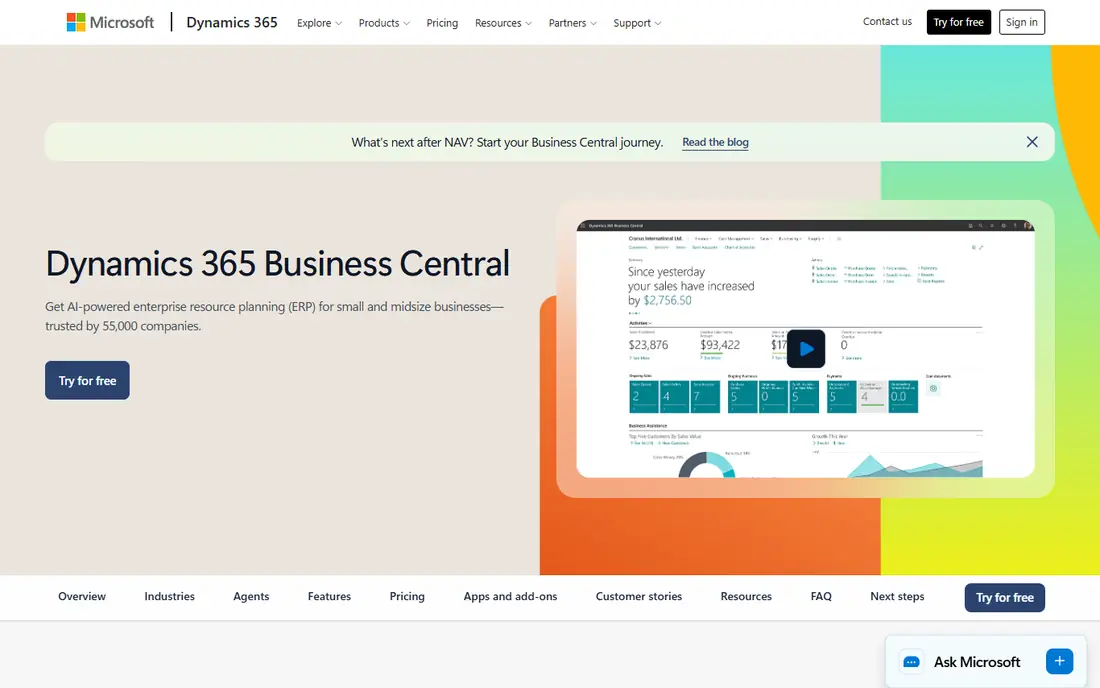
Microsoft Dynamics 365 Business Central is the ERP for small and mid-size firms that already run on Microsoft tools. Essentials costs 80 dollars per user per month, Premium 110 dollars and Team Members 8 dollars, all paid yearly, after a price rise on 1 November 2025 that moved Essentials from 70 dollars and Premium from 100 dollars. Essentials covers finance, sales, purchasing, inventory, projects and warehousing, while Premium adds service order management and manufacturing. The published price is the advantage over NetSuite and Sage Intacct: you can budget the software line before you talk to a partner.
What we like- Only ERP in this list with a published per-user price
- Strong finance, sales, purchasing and inventory
- Premium adds manufacturing and service management
Watch out for- Prices rose on 1 November 2025, from 70 and 100 dollars
- Implementation is usually partner-led and adds cost
- The full Microsoft stack works best when you already use it
#3Sage Intacct
Best for: Mid-size finance teams that need multi-entity accounting and revenue recognition4.3/5 on
G2 (4,521 reviews, checked Oct 2026)
Visit sage.com
Starting priceQuote only; Sage does not publish Sage Intacct prices
Free planNo free plan; no free trial, only a guided demo on request

Sage Intacct is a cloud financial system for growing and mid-size organisations, typically with more than 20 employees or more than 4 million dollars in annual revenue. It covers core financials, multi-entity consolidation, project accounting, revenue recognition, planning and subscription billing, with AI agents that help with the close, AP matching, anomaly checks and timesheets. Sage does not publish prices, so every subscription is quoted through Sage or a partner, and third-party planning ranges put a typical mid-market subscription at 10,000 to 35,000 dollars per year.
What we like- Deep multi-entity and consolidation tools
- Strong revenue recognition and project accounting
- AI agents for close, AP and anomaly checks
Watch out for- Quote-only pricing with no public rate card
- Implementation typically takes three to six months
- Built for finance teams, not owners who do their own books
#4QuickBooks Online
Best for: US small businesses that want the deepest feature set and a large accountant network4.0/5 on
G2 (3,871 reviews, checked Oct 2026)
Visit quickbooks.intuit.com
Starting price38 dollars per month for Simple Start; Essentials 85 dollars, Plus 140 dollars, Advanced 340 dollars; Solopreneur 20 dollars
Free planNo free plan; 30-day trial on paid plans; 70 percent off for three months until 29 November 2026
QuickBooks Online is the default accounting choice for US small businesses: almost every US accountant knows it, most banks connect to it, and most industry tools integrate with it. Plans run from Simple Start at 38 dollars per month for one user through Essentials at 85 dollars for three users, Plus at 140 dollars for five users and Advanced at 340 dollars for 25 users, with Solopreneur at 20 dollars for one-person businesses. Plus adds inventory, project profitability and budgeting, while Advanced adds batch workflows, custom permissions and revenue recognition. The weakness is price: a five-person team pays for Plus even if it only needs invoicing.
What we like- Largest US accountant network
- Strong inventory and project tools on Plus
- Built-in payroll
- Deep sales tax and 1099 handling
Watch out for- Most expensive small business option in this comparison at the top tiers
- Per-user limits force upgrades as the team grows
- Prices rose in August 2026
#5Xero
Best for: Growing teams that want unlimited users and clean multi-currency accounting4.4/5 on
G2 (1,832 reviews, checked Oct 2026)
Visit xero.com
Starting price27 dollars per month for Early; Growing 59 dollars, Established 97 dollars
Free planNo free plan; introductory discount for new US customers for the first three to six months
Xero is the best choice for a business where several people touch the books. Early costs 27 dollars per month and includes quotes, 20 invoices and five bills a month, bank reconciliation, document capture, reports, sales tax and a 30-day forecast. Growing at 59 dollars removes the invoice cap and adds bill entry, dashboards, budgets and a 60-day forecast. Established at 97 dollars adds multi-currency, project time and costs, expense and mileage claims, KPI analysis and a 180-day forecast. None of the plans charge per user, a real saving for a team of five or more. The trade-offs are the invoice cap on Early, the lack of native US payroll, and the October 2026 price rise from 25, 55 and 90 dollars.
What we like- Unlimited users on every plan
- No per-user fees
- Strong multi-currency and project tools on Established
- Clean interface
Watch out for- Early caps invoices at 20 per month and bills at five
- No native payroll in the US, it is powered by Gusto
- Prices rose in October 2026
#6Acumatica
Best for: Distributors, manufacturers and contractors that expect headcount to grow4.4/5 on
G2 (2,021 reviews, checked Oct 2026)
Visit acumatica.com
Starting priceQuote only; Acumatica publishes no prices, and APEX packages start under 1,495 dollars per month for distribution
Free planNo free plan; demo available on request
Acumatica is a cloud ERP sold in industry editions for distribution, manufacturing, construction, retail, professional services and general business. It publishes no prices, but it publishes the mechanics of a quote: consumption licensing, priced on monthly transaction volume, or named-user licensing. Consumption licensing has no user limit, so a warehouse full of light users costs the same as a small office. Its APEX packages bundle software, implementation and support from under 1,495 dollars per month for distribution, under 1,500 dollars for construction and under 2,185 dollars for manufacturing. Renewals rise by no more than 10 percent a year. Acumatica sells only through resellers, so the partner you pick matters as much as the software.
What we like- Licences by transaction volume, not users, so headcount growth does not raise the bill
- APEX bundles software, implementation and support
- Renewal rises capped at 10 percent a year
Watch out for- Quote-only pricing with no public rate card
- Sold only through resellers, so your partner matters as much as the software
- Smaller app ecosystem than NetSuite
#7SAP Business One
Best for: Small and mid-size businesses that want an affordable ERP from SAP, on cloud or on-premise4.3/5 on
G2 (542 reviews, checked Oct 2026)
Visit sap.com
Starting priceQuote only; SAP Business One is partner-quoted, with perpetual or subscription licences
Free planNo free plan; demo available on request
SAP Business One is the ERP for small businesses from SAP, with more than 85,000 customers worldwide across wholesale distribution, light manufacturing, retail and professional services. It connects accounting, inventory, purchasing, sales, customer relationships, reporting and analytics in one system, with cloud or on-premise deployment and built-in analytics. Pricing is partner-quoted, with perpetual or subscription licences and Professional, Limited and Starter user types, so there is no list price to compare.
What we like- Affordable entry point into SAP
- Cloud or on-premise deployment
- More than 85,000 customers worldwide
- Built-in analytics
Watch out for- Quote-only pricing with no public rate card
- Implementation runs through a partner
- Smaller ecosystem than NetSuite or Business Central
#8Odoo
Best for: Small businesses that want one subscription covering every app, from accounting to e-commerce4.2/5 on
G2 (354 reviews, checked Oct 2026)
Visit odoo.com
Starting price0 dollars for One App Free; Standard 24.90 dollars per user per month for the first 12 months, then 31.10 dollars, billed yearly
Free planOne App Free costs nothing for one app with unlimited users
Odoo sells one per-user subscription covering all its apps, from accounting and inventory to CRM, e-commerce and manufacturing. One App Free costs nothing for one app with unlimited users. Standard costs 24.90 dollars per user per month for the first 12 months, then 31.10 dollars, on yearly billing, or 31.10 dollars then 38.90 dollars on monthly billing. Custom costs 49.00 dollars per user per month for the first 12 months, then 61.00 dollars, on yearly billing, or 61.10 dollars then 76.20 dollars monthly, and it adds Odoo Studio, multi-company, the external API and the choice of Odoo Online, Odoo.sh or on-premise hosting. Odoo sets prices by visitor location, and the first-year discount applies only to the users on your first order.
What we like- One per-user subscription covers all apps
- Cheap entry point
- Custom adds Studio, multi-company and the external API
- Free tier for a single app
Watch out for- First-year discount ends after 12 months, so the renewal price is higher
- Prices vary by visitor location
- Implementation usually runs through a partner
Frequently asked questions
Is Business Central cheaper than NetSuite
Usually, yes, at the software line, because Business Central publishes its price and NetSuite does not. Ten Essentials users cost 9,600 dollars a year at list price, while a typical mid-market NetSuite subscription lands in the tens of thousands of dollars per year. Implementation can change the answer, because both are partner-led. Ask for both quotes with implementation broken out.
Can Business Central handle manufacturing
Yes, on Premium. Essentials covers finance, sales, purchasing, inventory, projects and warehousing, while Premium at 110 dollars per user per month adds service order management and manufacturing, including production orders, bills of materials with routings and capacity planning. If you only need light assembly, Essentials may be enough. If you run a real shop floor, budget for Premium.
Does NetSuite integrate with Microsoft 365
Yes, through connectors and SuiteCloud integrations, but it is not native in the way Business Central is. NetSuite connects to Outlook, Excel and Teams through add-ons and partner tools, while Business Central is built on the same Microsoft cloud and includes Copilot. If your team lives in Microsoft 365, Business Central will feel more joined up.
Which ERP is better for a distributor
Both fit, and the choice turns on size and stack. NetSuite is the stronger pick for a distributor with several entities, warehouses and sales channels, because it ties inventory, orders and CRM into one system. Business Central is the stronger pick for a smaller distributor that already runs on Microsoft tools and wants a published per-user price. Acumatica is the third option worth quoting: it licenses by transaction volume, not users, which suits a distributor with many warehouse staff.
When should a small business skip both
Skip both if you run one entity and your books are simple. QuickBooks Online Plus at 140 dollars per month or Xero Established at 97 dollars per month will do the job at a small fraction of the cost, and either can be set up in a day. Move to NetSuite or Business Central when you add a second entity, a warehouse, or multi-currency consolidation that the small business tools cannot handle.
Sources we checked (8)
- https://www.netsuite.com/portal/products/netsuite-pricing.shtml
- https://www.microsoft.com/en-us/dynamics-365/products/business-central/pricing
- https://www.sage.com/en-us/products/sage-intacct/
- https://quickbooks.intuit.com/pricing/
- https://www.xero.com/us/pricing/
- https://www.acumatica.com/
- https://www.sap.com/products/erp/business-one.html
- https://www.odoo.com/pricing
Is your product missing or out of date?
We review this list regularly. Vendors can request a listing, send updated pricing or ask about featured placement.

Shihab Mia · Founder, Rankite
Shihab has 5+ years in B2B and SaaS SEO. He writes Rankite's software buying guides from pricing pages, documentation and public user reviews. More about Shihab.