How we make this list: we compare pricing pages, product documentation and public user reviews. Ratings come from G2, Capterra or Trustpilot, with the date we checked them.
What does Mailbird cost in 2026
Mailbird pricing is the first thing to pin down before comparing alternatives. Reports conflict, because Mailbird has sold several plan names over the years. Its own guides list Personal plans starting at $3.25 per user per month and Business plans starting at $5.75 per user per month, with pay-once options of $49.50 for Personal and $99.75 for Business. Other Mailbird pages from 2026 quote Premium from $4.03 per user per month billed yearly, or $99.75 pay once, and some quote a starting figure near $2.28 per month for yearly subscriptions. The $7.99 Business figure sometimes cited could not be confirmed in November 2026 checks; the vendor's own pages point to $5.75 instead.
Which Mailbird alternative is best for Windows users
Windows users have the widest choice. eM Client and Thunderbird are the strongest desktop-first picks, and Mailspring is a solid lighter option. eM Client feels closest to Mailbird, with calendar, tasks, contacts, and chat built in. Thunderbird is free and open source, and its 2026 releases added native Exchange support, which removed its biggest weakness for work accounts. If you want the closest one-for-one replacement on Windows, start with eM Client. If you want to stop paying altogether, start with Thunderbird.
Which Mailbird alternative is best for Mac and mobile users
Mailbird has no iPhone or Android app, and its Mac version is newer and less complete than the Windows build. That gap matters if you read mail on your phone. Spark, Newton, BlueMail, and Canary Mail all run on Mac, iPhone, and Android, with Windows covered too. Spark has the most polished cross-device experience and the best team features of the group. Canary Mail is the pick if encryption matters, since its Pro+ plan adds PGP and SecureSend.
Is there a free Mailbird alternative with unlimited accounts
Yes. Thunderbird is completely free with unlimited accounts, no ads, and no paid tier. Mailspring is free with unlimited accounts, though its best productivity features need the $8 per month Pro plan. BlueMail is free with unlimited accounts, with AI features on the paid Plus plan. Spark is free with unlimited accounts, with AI and team features on paid plans.
What should you check before switching email clients
Switching email clients is usually quick, because your mail stays with your provider. The client only changes how you read it. Still, check five things before you move. First, confirm your provider works: Gmail, Outlook, iCloud, Yahoo, Exchange, and plain IMAP cover most people, but Exchange calendars and shared mailboxes vary by client. Second, check whether your rules, filters, and signatures move with you; most do not, and you will need to rebuild them. Third, check offline access if you work in places with weak internet. Fourth, check whether snooze, send later, and tracking are free or paid, since those are the features most clients charge for.
Quick comparison
| Tool | Best for | Starting price | Free plan |
|---|
 eM Client | Windows and Mac users who want a full desktop client with calendar, tasks, and contacts built in | $24.95 per year for Personal, checked November 2026. Conflicting reports list $39.95 per year and $49.95 per year, so confirm on the vendor pricing page before you buy. | Yes, free for personal non-commercial use with up to two accounts. Commercial use needs a paid license. |
 Mozilla Thunderbird | Anyone who wants a free, private, open-source email client with no paid tier at all | $0, free forever | Yes, the whole app is free, with unlimited accounts, no ads, and no paid tier. Donations are voluntary. |
 Spark | Cross-device users and small teams who want a smart inbox, AI help, and shared inboxes | $10 per user per month for Plus, or $99 per user per year, checked November 2026 | Yes, free with unlimited accounts, Smart Inbox, snooze, send later, reminders, and a calendar. |
 Newton | People who want a simple, fast email app with read receipts and send later on every device | $5 per month for Pro with annual billing, checked September 2026. Older reports list $49.99 per year, which matches the same annual figure. | Yes, a free plan covers up to two Gmail, Outlook, or IMAP accounts, with 15 read receipts per month and 20 AI actions per day. |
 Postbox | Existing Postbox users who already own a license and want a familiar desktop workflow | $49 per user as a one-time purchase, per vendor-supplied pricing last updated November 2026. Note that Postbox was acquired by eM Client in October 2024 and is no longer sold or developed, so this is the last listed price, not a current purchase option. | No free plan. A 30-day free trial was offered while the app was on sale. |
 Mailspring | Mac, Windows, and Linux users who want a fast, modern open-source client with read receipts and link tracking | $8 per month for Mailspring Pro, or $85 per year, checked October 2026 | Yes, free with unlimited accounts, unified inbox, search, and mail rules. Pro features are capped weekly on the free plan. |
 BlueMail | Budget buyers who want AI writing and summaries on every platform for a low yearly price | $35.99 per year for Plus, shown as $3 per month billed annually, checked October 2026. Monthly billing is $4.99 per month. The US App Store shows different figures, $6.99 and $49.99, so check the channel you buy through. | Yes, free with unlimited accounts, unified inbox, calendar, and PGP encryption, with no ads. |
 Canary Mail | Privacy-minded users who want AI sorting, tracker blocking, and PGP encryption across all their accounts | $36 per year for Growth, checked October 2026. Pro+ costs $100 per year. | Yes, free with unlimited accounts on up to two devices, with AI inbox sorting and tracker blocking. |
Is your product missing or out of date?
We review this list regularly. Vendors can request a listing, send updated pricing or ask about featured placement.
The 8 best Mailbird alternatives
#1eM Client
Best for: Windows and Mac users who want a full desktop client with calendar, tasks, and contacts built in4.0/5 on
G2 (61 reviews, checked Oct 2026)
Visit emclient.com
Starting price$24.95 per year for Personal, checked November 2026. Conflicting reports list $39.95 per year and $49.95 per year, so confirm on the vendor pricing page before you buy.
Free planYes, free for personal non-commercial use with up to two accounts. Commercial use needs a paid license.
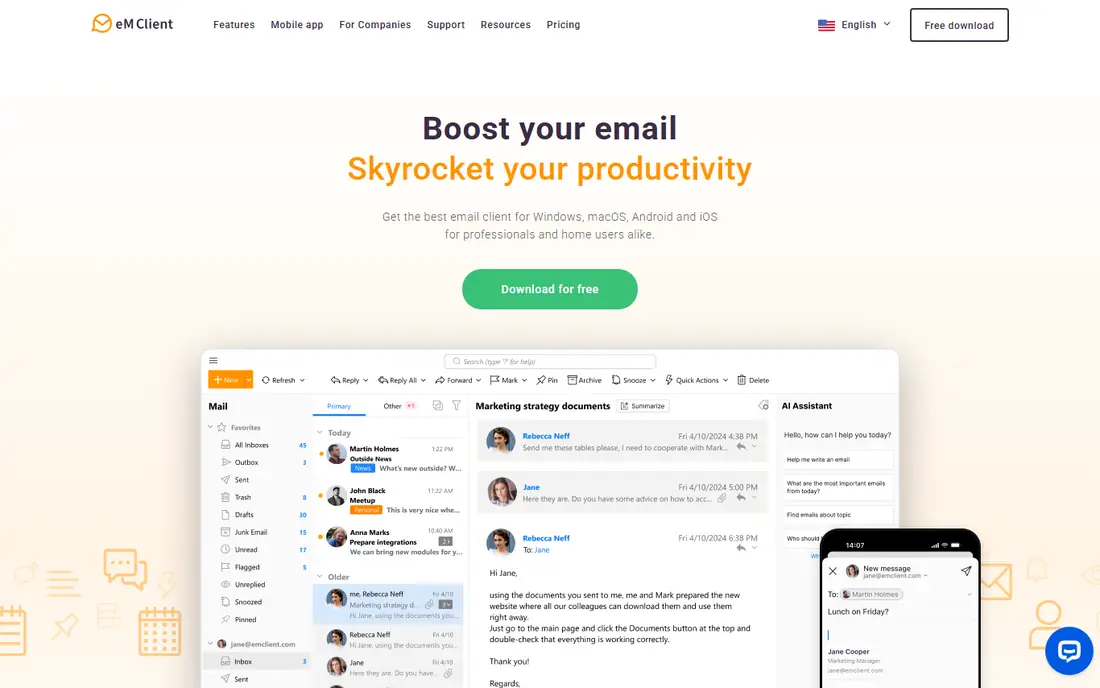
eM Client is the closest direct replacement for Mailbird on the desktop. It covers the same ground: multiple accounts in one inbox, a built-in calendar and task list, and a clean interface that does not need a browser. Version 11, released in October 2026, adds an AI assistant and lets you bring your own AI provider. The one-time license is a real advantage over subscription-only rivals, since a single payment of $39.95 covers the current version on up to three devices.
What we like- Unified inbox, calendar, tasks, contacts, and chat in one app. One-time license option. Fast search and offline support. Works on Windows and Mac.
Watch out for- The free plan caps you at two accounts and forbids commercial use. The AI assistant arrived only in version 11, released in October 2026, so it is newer and less proven than the AI in Spark or Canary Mail.
#2Mozilla Thunderbird
Best for: Anyone who wants a free, private, open-source email client with no paid tier at all4.3/5 on
G2 (340 reviews, checked Oct 2026)
Visit thunderbird.net
Starting price$0, free forever
Free planYes, the whole app is free, with unlimited accounts, no ads, and no paid tier. Donations are voluntary.
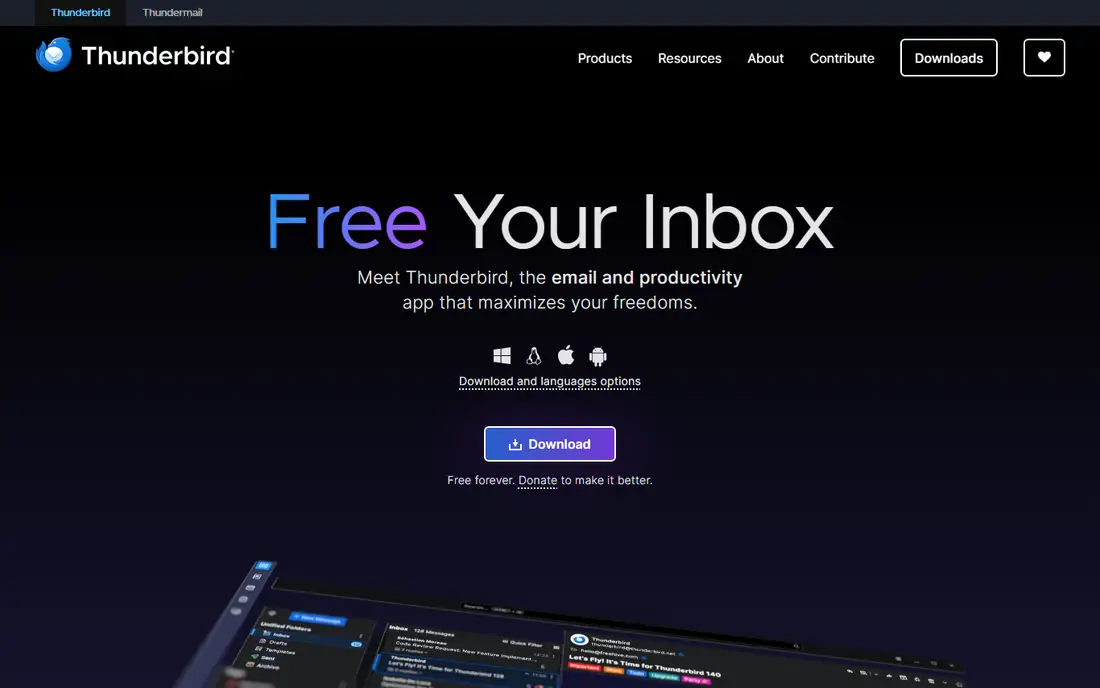
Thunderbird is the obvious answer when the goal is to stop paying for email software without losing a real desktop client. It has been free and open source for more than two decades, and it is developed by MZLA Technologies Corporation, a subsidiary of the Mozilla Foundation. Recent versions added native Exchange Web Services support, which makes it a realistic work client for Microsoft 365 mailboxes, and Thunderbird Mobile covers Android. Thunderbird is funded by donations and puts no ads in the inbox, which is rare in this category.
What we like- Completely free with no feature paywall. Open source and funded by donations, not ads. Built-in calendar, contacts, and tasks. Add-ons extend it far beyond the default feature set.
Watch out for- No iPhone or iPad app, and no web version, so mobile use is Android only. The default interface looks plain next to Mailbird or Spark, and polish depends on themes and add-ons. Some paid-client features, such as built-in AI drafting and advanced scheduling, need add-ons or manual setup.
#3
Spark
Best for: Cross-device users and small teams who want a smart inbox, AI help, and shared inboxes
Visit sparkmailapp.com
Starting price$10 per user per month for Plus, or $99 per user per year, checked November 2026
Free planYes, free with unlimited accounts, Smart Inbox, snooze, send later, reminders, and a calendar.
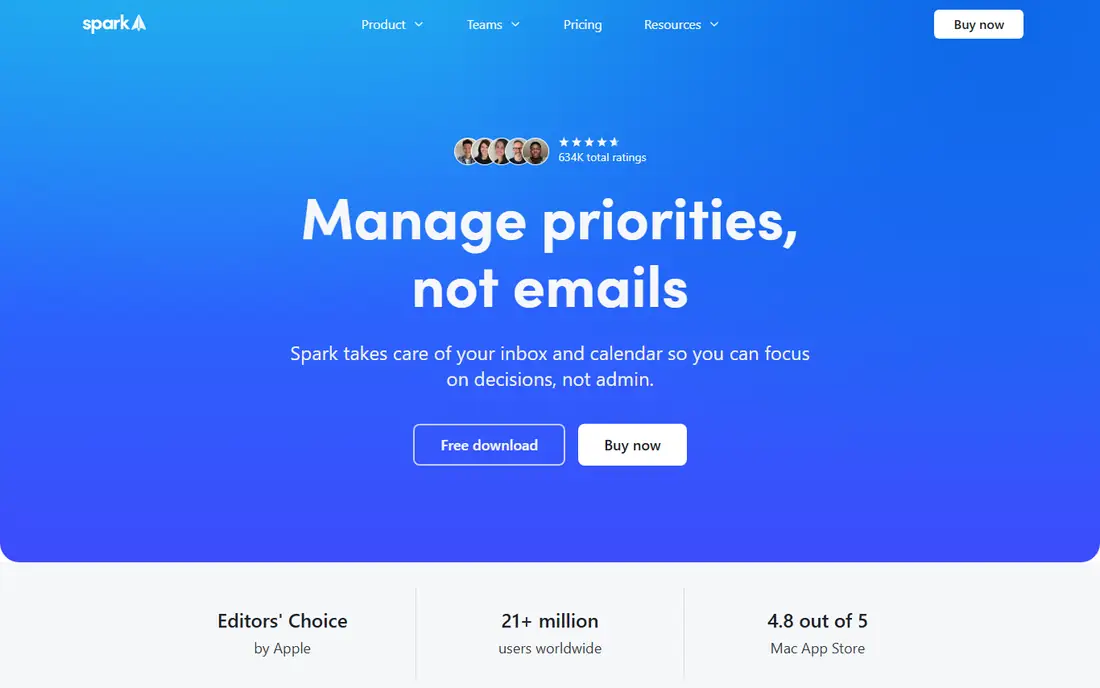
Spark is the best cross-platform alternative to Mailbird. One subscription covers Mac, Windows, iPhone, and Android, and the Smart Inbox, Gatekeeper, and grouping features make a busy inbox easier to manage than Mailbird's app-heavy approach. The pricing changed in late 2025: the old Premium plan at $4.99 per month billed annually, or $7.99 monthly, is now legacy for existing subscribers only. New customers choose Free, Plus at $10 per month or $99 per year, or Pro at $20 per month or $199 per year, per user.
What we like- Runs on Mac, Windows, iOS, and Android with one subscription. Smart Inbox sorts mail automatically. Shared inboxes, delegation, and internal comments on Pro. AI assistant with meeting notes on paid plans.
Watch out for- The older Premium plan at $4.99 per month is now legacy, so new buyers pay the higher Plus price of $10 per month. Most AI features need a paid plan, and the free plan limits AI meeting notes. Team features cost more as headcount grows, at $20 per user per month for Pro.
#4
Newton
Best for: People who want a simple, fast email app with read receipts and send later on every device
Visit newtonhq.com
Starting price$5 per month for Pro with annual billing, checked September 2026. Older reports list $49.99 per year, which matches the same annual figure.
Free planYes, a free plan covers up to two Gmail, Outlook, or IMAP accounts, with 15 read receipts per month and 20 AI actions per day.
Newton is the minimalist pick in this list. It does fewer things than eM Client or Spark, and that is the point: the interface stays out of the way, and the features it does include, such as read receipts, send later, snooze, and templates, work well. Pro costs $5 per month with annual billing and adds unlimited accounts, unlimited read receipts, templates, and 200 AI actions per day.
What we like- Clean, fast interface on Mac, Windows, iOS, and Android. Read receipts, send later, snooze, and templates. Tidy Inbox filters low-priority mail automatically.
Watch out for- Pro needs annual billing at the listed price, and there is no monthly Pro option. The free plan caps you at two accounts, which rules it out for multi-account users who will not pay. Newton has a smaller user base than Spark or Thunderbird, so third-party integrations are thinner.
#5Postbox
Best for: Existing Postbox users who already own a license and want a familiar desktop workflow3.5/5 on
G2 (32 reviews, checked Oct 2026)
Visit postbox-inc.com
Starting price$49 per user as a one-time purchase, per vendor-supplied pricing last updated November 2026. Note that Postbox was acquired by eM Client in October 2024 and is no longer sold or developed, so this is the last listed price, not a current purchase option.
Free planNo free plan. A 30-day free trial was offered while the app was on sale.
Postbox earns a place here only as a warning and a bridge, not as a recommendation for new buyers. It was a strong desktop client with excellent search and organization, and its $49 one-time license was good value while it lasted. Since the eM Client acquisition in October 2024, there have been no updates, security patches, or new features, and the app is no longer sold. If you already own Postbox, it can keep running for a while, but you should plan a move to eM Client, since the same company now owns Postbox.
What we like- Powerful search, quick replies, and message organization built for heavy email users. One-time license with no subscription. Works on Mac and Windows.
Watch out for- The app is discontinued. Postbox announced in October 2024 that it had been acquired by eM Client, and that it would no longer be sold or developed, with no further updates, security patches, or new features. Extra theme packs cost $8 to $12, and support requests cost $8 each, which adds up.
#6Mailspring
Best for: Mac, Windows, and Linux users who want a fast, modern open-source client with read receipts and link tracking3.8/5 on
G2 (18 reviews, checked Oct 2026)
Visit getmailspring.com
Starting price$8 per month for Mailspring Pro, or $85 per year, checked October 2026
Free planYes, free with unlimited accounts, unified inbox, search, and mail rules. Pro features are capped weekly on the free plan.
Mailspring is a good middle ground between the fully free Thunderbird and the subscription-heavy Spark. The free version covers the basics well: unlimited accounts, a unified inbox, fast search, and mail rules. Pro costs $8 per month, or $85 per year, and removes the weekly caps on snooze, send later, reminders, read receipts, and link tracking, while adding templates, contact profiles, and mailbox insights.
What we like- Open source, fast, and light on resources. Unified inbox across Gmail, Office 365, and IMAP. Read receipts, link tracking, send later, and follow-up reminders on Pro. Touch and gesture support.
Watch out for- Pro is the only paid tier, and it does not include premium support. Some Pro features need a Mailspring cloud account, which privacy-minded users may dislike. There is no mobile app, so it is desktop only.
#7BlueMail
Best for: Budget buyers who want AI writing and summaries on every platform for a low yearly price4.3/5 on
G2 (53 reviews, checked Oct 2026)
Visit bluemail.me
Starting price$35.99 per year for Plus, shown as $3 per month billed annually, checked October 2026. Monthly billing is $4.99 per month. The US App Store shows different figures, $6.99 and $49.99, so check the channel you buy through.
Free planYes, free with unlimited accounts, unified inbox, calendar, and PGP encryption, with no ads.
BlueMail is the cheapest route to an AI-powered inbox in this list. The free plan is generous: unlimited accounts, a unified inbox, Clusters that group mail from the same senders, a calendar, and PGP encryption, with no ads. Plus costs $35.99 per year, shown as $3 per month billed annually, or $4.99 billed monthly, and adds unlimited GemAI, which summarizes threads and drafts replies, plus an email verified badge, premium themes, desktop email backup, and priority support.
What we like- Runs on iPhone, Android, Mac, Windows, and Linux. Free plan covers unlimited accounts with no ads. Plus adds unlimited GemAI for writing and summaries, desktop email backup, and priority support at a low yearly price.
Watch out for- The vendor pricing page has at times not shown exact USD amounts, and App Store prices differ from website prices, which makes the real cost harder to pin down. AI features need the paid Plus plan. S/MIME encryption is only on the Enterprise plan, and support is thinner than the bigger rivals.
#8Canary Mail
Best for: Privacy-minded users who want AI sorting, tracker blocking, and PGP encryption across all their accounts4.5/5 on
G2 (53 reviews, checked Oct 2026)
Visit canarymail.io
Starting price$36 per year for Growth, checked October 2026. Pro+ costs $100 per year.
Free planYes, free with unlimited accounts on up to two devices, with AI inbox sorting and tracker blocking.
Canary Mail is the privacy-first alternative to Mailbird. It works with Gmail, Outlook, iCloud, Yahoo, Exchange, and any IMAP account, and it sorts your inbox with AI, blocks tracking pixels by default, and warns about phishing and impersonation. The free plan covers unlimited accounts on two devices, which is enough for a phone and a laptop. Growth costs $36 a year and adds AI writing and summaries, read receipts, send later, and a calendar on up to five devices. Pro+ costs $100 a year and adds PGP encryption and SecureSend, which sends a password-protected message to people who do not use PGP.
What we like- Blocks tracking pixels by default and does not use your email to train AI. PGP encryption and SecureSend on Pro+. Runs on Mac, iPhone, iPad, Windows, and Android. Lifetime licenses available: $100 for Growth and $300 for Pro+.
Watch out for- There is no monthly billing, only yearly or lifetime, so you pay a full year up front. AI writing and summaries need the paid Growth plan. It does not host email, so you still need a provider, and Proton accounts only work on desktop through Bridge.
How the 8 Mailbird alternatives compare on price
| Tool |
Starting price |
Free plan |
| eM Client |
$24.95 per year for Personal |
Yes, up to two accounts |
| Mozilla Thunderbird |
$0 |
Yes, unlimited accounts |
| Spark |
$10 per user per month for Plus |
Yes, unlimited accounts |
| Newton |
$5 per month for Pro, annual billing |
Yes, up to two accounts |
| Postbox |
$49 one-time, no longer sold |
No, trial only while on sale |
| Mailspring |
$8 per month for Pro |
Yes, unlimited accounts |
| BlueMail |
$35.99 per year for Plus |
Yes, unlimited accounts |
| Canary Mail |
$36 per year for Growth |
Yes, unlimited accounts on two devices |
Prices were checked against vendor pricing pages and vendor-page checks from September to November 2026.
Which Mailbird alternative should you pick
Pick eM Client if you want the closest desktop replacement for Mailbird, with a one-time license and a full calendar and task list. Pick Thunderbird if you want to pay nothing and keep a capable, private desktop client. Pick Spark if you work across phone and computer and want the best smart inbox and team features. Pick Mailspring if you want a light open-source desktop client with read receipts and link tracking. Pick BlueMail if you want cheap AI help on every platform. Pick Canary Mail if privacy and encryption matter most to you. Skip Postbox as a new purchase, since it is discontinued, and move to eM Client instead.
Frequently asked questions
Is Mailbird still a good email client in 2026
Mailbird is still a capable desktop email client, with a unified inbox, app integrations, and a clean interface on Windows and Mac. Its limits are the free plan covering one account, no mobile apps, and a Mac version that launched in September 2025 and still trails Windows on features.
What is the best free Mailbird alternative
Thunderbird is the best free Mailbird alternative, because it costs nothing, has unlimited accounts, no ads, and no paid tier, with a calendar, contacts, and tasks built in. Mailspring and BlueMail are also free with unlimited accounts, but their best features need a paid plan.
Can I move my email from Mailbird to another client without losing messages
Yes. Your messages stay with your email provider, not with Mailbird, so connecting the same accounts in the new client brings your mail across. Rules, filters, signatures, and local folders usually do not move, so rebuild them in the new client after you switch.
Does any Mailbird alternative work on iPhone and Android
Yes. Spark, Newton, BlueMail, and Canary Mail all have iPhone and Android apps, and Thunderbird has an Android app. Mailbird itself has no mobile app, so any of these is an upgrade if you read mail on your phone.
Is Postbox still a safe Mailbird alternative
No, not for new buyers. Postbox was acquired by eM Client in October 2024 and is no longer sold or developed, with no further updates, security patches, or new features. Existing Postbox users can keep using it for now, but they should plan a move to eM Client or Thunderbird.
Sources we checked (10)
- https://www.emclient.com/pricing
- https://www.thunderbird.net
- https://sparkmailapp.com/pricing
- https://newtonhq.com/pricing
- https://www.postbox-inc.com
- https://getmailspring.com/docs/about-mailspring-pro-subscriptions
- https://bluemail.me/pricing
- https://canarymail.io/pricing
- https://www.getmailbird.com/pricing
- https://www.getmailbird.com/best-email-clients/
Is your product missing or out of date?
We review this list regularly. Vendors can request a listing, send updated pricing or ask about featured placement.

Shihab Mia · Founder, Rankite
Shihab has 5+ years in B2B and SaaS SEO. He writes Rankite's software buying guides from pricing pages, documentation and public user reviews. More about Shihab.