How we make this list: we compare pricing pages, product documentation and public user reviews. Ratings come from G2, Capterra or Trustpilot, with the date we checked them.
What Is Lucidspark and Why Look for an Alternative
Lucidspark is the virtual whiteboard from Lucid Software, built for brainstorming with sticky notes, templates, voting and grouping. Teams use it to run ideation sessions, plan projects and turn scattered ideas into organised boards that everyone can see at once.
Many teams still look for an alternative. Price is one reason. Lucidspark lists an Individual plan at around 9 dollars per user per month billed annually in a vendor check from 15 November 2026, while some older reads show 7.95 dollars, so confirm the current figure at checkout before you budget. Other teams want a larger template library, stronger facilitation controls, a free plan that stays useful for longer, or a whiteboard that lives inside a suite they already pay for.
The right replacement depends on how your team works. A product team that runs weekly design reviews needs different features from a facilitator who runs all day workshops with voting and timed activities. A small remote team needs a low cost per seat and a free plan that covers real work. This guide covers eight tools with verified starting prices checked on 16 November 2026.
How We Picked These Lucidspark Alternatives
We started with tools that offer a real infinite canvas, sticky notes, templates and live collaboration, because those are the core of Lucidspark. Every tool here supports multiple people editing the same board at the same time, and every one offers templates for brainstorming, retrospectives or planning. We then checked each vendor pricing page for a current starting price and a free plan.
We also weighed facilitation features, such as voting, timers, breakout groups and anonymous input, because those decide whether a workshop runs smoothly. Integration mattered too, especially links to Microsoft Teams, Slack, Figma, Jira and Google Workspace, since a whiteboard that fits your existing stack gets used far more often. We also checked ease of use for new participants and export options.
We did not rank these tools by popularity alone. A tool that suits a design team may frustrate a facilitator, and a low cost tool may lack the admin controls a large company needs. Each entry below states who it suits best, what it costs to start, what the free plan covers, and one real drawback.
Quick comparison
| Tool | Best for | Starting price | Free plan |
|---|
 Miro | Large workshops, cross functional planning and teams that need a deep template library | $8 per member per month billed annually ($10 billed monthly), checked 16 November 2026 | Free plan with 3 editable boards, unlimited members and guests who can view or comment |
 Mural | Facilitators who run structured workshops with large groups | $9.99 per member per month billed annually ($12 billed monthly), checked 16 November 2026 | Free plan with unlimited members and 3 editable murals at a time |
 FigJam | Design and product teams already using Figma | $3 per editor per month billed annually on Professional for a Collab seat ($5 billed monthly), checked 16 November 2026 | Free Starter plan with 3 FigJam files in a team folder plus unlimited drafts |
 Microsoft Whiteboard | Teams already paying for Microsoft 365 who want a whiteboard inside Teams | $0 extra, included with Microsoft 365 business and education plans, checked 16 November 2026 | Included with Microsoft 365 business and education tenants at no separate per user fee, no standalone paid Whiteboard tier |
 Whimsical | Product teams that want fast flowcharts, wireframes, mind maps and docs in one workspace | $10 per editor per month billed annually ($12 billed monthly) for Pro, checked 16 November 2026 | Free plan with unlimited boards, members and guests, limited to 50 board objects and 50 doc blocks created per month |
 Stormboard | Structured brainstorming, retrospectives and teams that need strong reporting after a session | $10 per user per month billed monthly, or $8.33 per user per month billed annually, for Business, checked 16 November 2026 | Free Personal plan with up to 5 members per Storm and 20 MB storage |
 Excalidraw | Quick hand drawn sketches, architecture diagrams and teams that want a free tool with no account | Free for the core editor, Excalidraw+ costs $6 per user per month billed annually ($7 billed monthly), checked 16 November 2026 | Free core editor with one scene, unlimited collaborators and no account required |
 Klaxoon | Highly structured workshops with polls, quizzes, surveys and live engagement | 24.90 euros per user per month for Starter, checked 16 November 2026 | Free plan at 0 euros with limited activities and participants |
Is your product missing or out of date?
We review this list regularly. Vendors can request a listing, send updated pricing or ask about featured placement.
The 8 Best Lucidspark Alternatives
The eight tools below cover the full range of Lucidspark replacements, from full workshop platforms to a free sketching canvas. Miro and Mural lead for facilitated sessions at scale. FigJam suits design teams already inside Figma. Microsoft Whiteboard suits teams already paying for Microsoft 365. Whimsical suits product teams that want fast diagrams and docs in one place. Stormboard suits structured brainstorming with strong reporting. Excalidraw suits quick sketches with no account needed. Klaxoon suits structured workshops with polls and surveys built in.
#1Miro
Best for: Large workshops, cross functional planning and teams that need a deep template library4.6/5 on
G2 (13,631 reviews, checked Oct 2026)
Visit miro.com
Starting price$8 per member per month billed annually ($10 billed monthly), checked 16 November 2026
Free planFree plan with 3 editable boards, unlimited members and guests who can view or comment

Miro is the most complete direct replacement for Lucidspark for most teams. Its canvas handles sticky notes, diagrams, mind maps and planning boards, and its template library covers workshops, retrospectives and sprint planning. Facilitators get timers, voting and breakout frames, while product teams get Jira and Confluence integrations. Guests can edit on paid plans without an account, which keeps large workshops moving. If your team runs regular workshops and wants one board for almost every visual job, Miro is the safest first trial on this list.
What we like- Very large template library, strong integrations with Slack, Jira, Microsoft Teams and Google Workspace, visitor editing without sign in on paid plans, unlimited private boards on Starter
Watch out for- The free plan limits editable boards to the three most recent, and paid plans require a minimum of two licences, so a solo user still pays for two seats
#2Mural
Best for: Facilitators who run structured workshops with large groups4.6/5 on
G2 (1,496 reviews, checked Oct 2026)
Visit mural.co
Starting price$9.99 per member per month billed annually ($12 billed monthly), checked 16 November 2026
Free planFree plan with unlimited members and 3 editable murals at a time
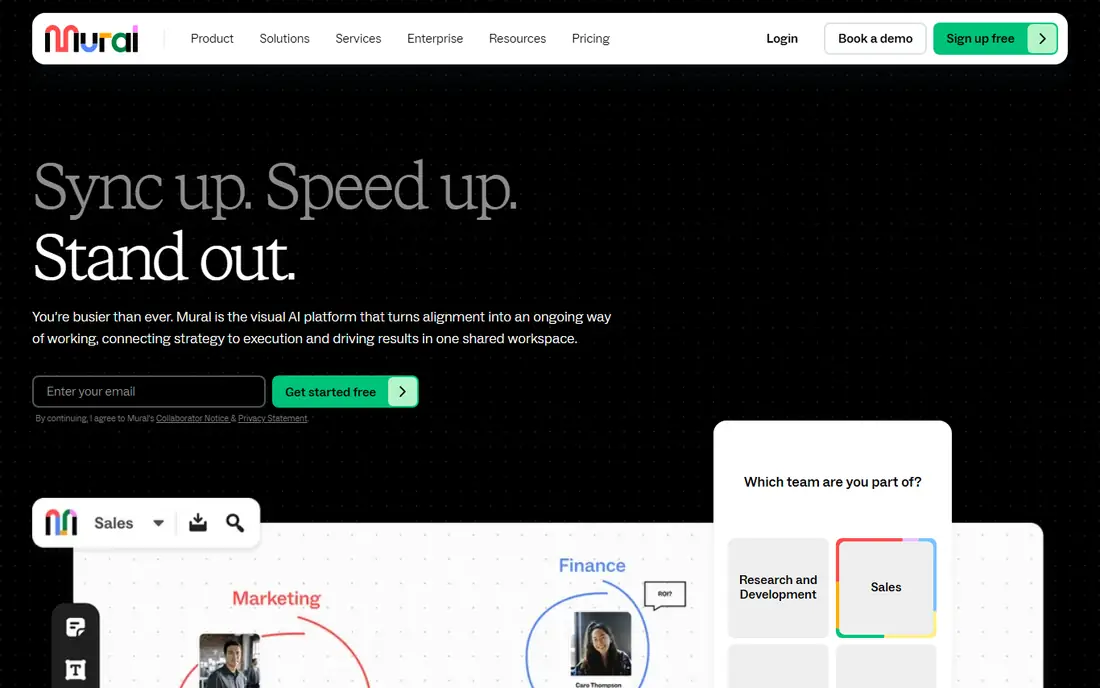
Mural is built around the facilitator, and that focus shows in every session. Its tools include private mode, which hides each participant's sticky notes until the facilitator reveals them, anonymous voting, timers and a structured agenda view that keeps a workshop on track. Visitors can edit murals on Team+, so external participants join without a paid seat. The canvas stays organised with dozens of contributors, although teams that want freeform drawing may find Mural more rigid than Miro. If your main job is running workshops rather than drawing diagrams, Mural deserves a trial ahead of the more general tools here.
What we like- Purpose built facilitation tools including anonymous voting, timers and private mode, unlimited visitors with editing rights on Team+, strong template library for design thinking and agile ceremonies
Watch out for- The free plan caps editable murals at three, and the interface can feel less flexible than Miro for freeform diagramming outside a facilitated session
#3FigJam
Best for: Design and product teams already using Figma4.5/5 on
G2 (465 reviews, checked Oct 2026)
Visit figma.com
Starting price$3 per editor per month billed annually on Professional for a Collab seat ($5 billed monthly), checked 16 November 2026
Free planFree Starter plan with 3 FigJam files in a team folder plus unlimited drafts
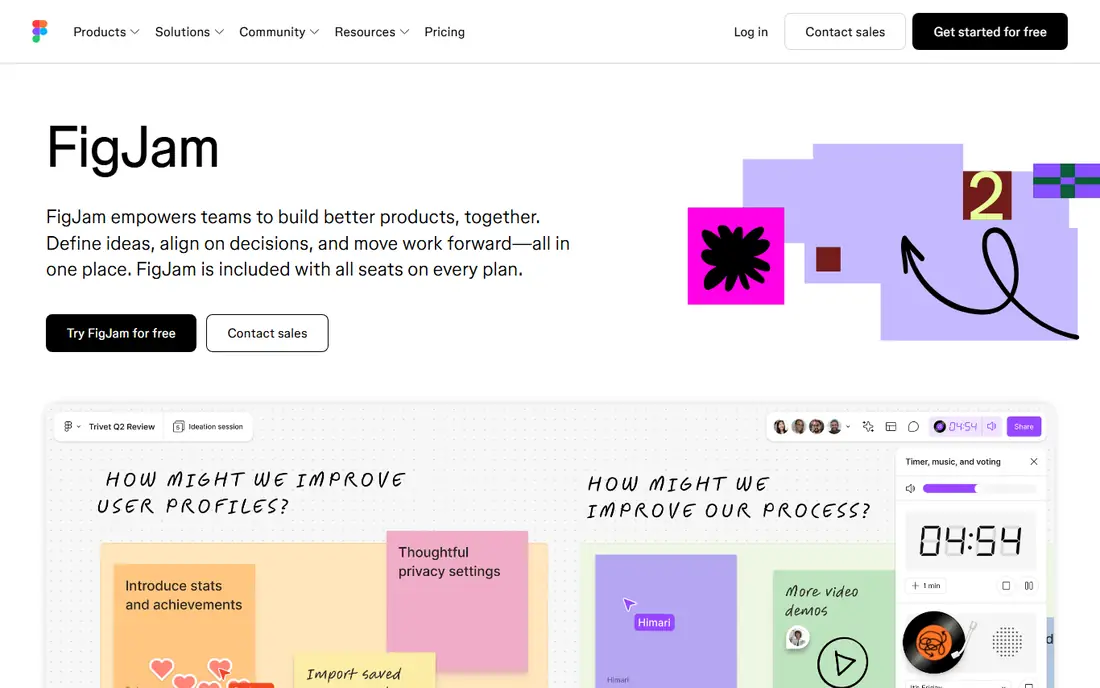
FigJam is the natural choice when your team already pays for Figma, because it removes the gap between a rough whiteboard idea and a finished design. A brainstorm on a FigJam board can move into Figma with a click, and designers can pull components and assets straight into the board. The interface is light, with sticky notes, stamps, connectors and a timer, and it loads fast even in a large session. The trade off is scope. FigJam is not a full workshop platform, and it offers fewer admin controls and less reporting than Miro or Mural. If your team designs in Figma every day, FigJam is the lowest friction option on this list.
What we like- Lives inside Figma so ideas move straight into design files, very low cost for a Collab seat, simple and fast interface, strong stamps, widgets and audio chat
Watch out for- The free plan limits shared FigJam files to three per team folder, and it lacks the deep facilitation controls and reporting found in Miro and Mural
#4Microsoft Whiteboard
Best for: Teams already paying for Microsoft 365 who want a whiteboard inside Teams4.0/5 on
G2 (51 reviews, checked Oct 2026)
Visit microsoft.com
Starting price$0 extra, included with Microsoft 365 business and education plans, checked 16 November 2026
Free planIncluded with Microsoft 365 business and education tenants at no separate per user fee, no standalone paid Whiteboard tier
Microsoft Whiteboard is the simplest choice for a team that already lives in Microsoft 365. It offers an infinite canvas with sticky notes, templates, reactions, inking and pen support, and it opens as a tab inside a Teams meeting so participants can draw together without leaving the call. Boards are stored in OneDrive under the same sharing and compliance rules as other Microsoft 365 files. The limits are real. It is not a facilitation platform, so it lacks anonymous voting, breakout control and structured workshop reporting. Teams that need only a simple shared canvas inside Teams should start here before paying for a separate tool.
What we like- No extra cost for Microsoft 365 tenants, native integration with Teams meetings, boards stored in OneDrive with the same security and compliance controls as the rest of Microsoft 365
Watch out for- Personal Microsoft accounts lost the ability to create or edit whiteboards on 22 August 2026 and now keep view and export access only, and the standalone Whiteboard apps retired in October 2026, so access now runs through Teams and the web
#5Whimsical
Best for: Product teams that want fast flowcharts, wireframes, mind maps and docs in one workspace4.6/5 on
G2 (189 reviews, checked Oct 2026)
Visit whimsical.com
Starting price$10 per editor per month billed annually ($12 billed monthly) for Pro, checked 16 November 2026
Free planFree plan with unlimited boards, members and guests, limited to 50 board objects and 50 doc blocks created per month
Whimsical combines boards and docs in a single workspace, which suits product teams that move from a brainstorm to a flowchart to a written spec. Its editor is notably fast, with smart connectors, auto layout for flowcharts and mind maps, and wireframe components that snap into place. Only editors pay, so stakeholders and viewers join free. The free plan is generous on boards and members but limits new objects each month, so an active team will need Pro. Whimsical is less suited to large facilitated workshops than Miro or Mural. If your work is mostly diagrams, flows and wireframes, Whimsical is a strong alternative to Lucidspark.
What we like- Very fast editor for flowcharts and wireframes, docs sit beside boards in the same workspace, viewers and guests are always free, clean and uncluttered interface
Watch out for- The free plan caps new board objects and doc blocks at 50 each per month, and AI credits are limited, with extra credits sold separately
#6
Stormboard
Best for: Structured brainstorming, retrospectives and teams that need strong reporting after a session
Visit stormboard.com
Starting price$10 per user per month billed monthly, or $8.33 per user per month billed annually, for Business, checked 16 November 2026
Free planFree Personal plan with up to 5 members per Storm and 20 MB storage
Stormboard is a data first whiteboard, built to turn a brainstorm into structured, reportable output. Ideas start as sticky notes, then get grouped, voted on and ranked, and the results export as a formatted Word, PowerPoint or Excel file that a manager can share without rebuilding the board. That reporting suits innovation and agile teams that must show what came out of a session. Two way sync with Jira and Azure DevOps is included on the Business plan, so action items move into the tracker without retyping. The free plan is limited to five members per Storm, so a real team retrospective needs the paid plan. If the report after the workshop matters as much as the workshop itself, Stormboard is worth a close look.
What we like- Sticky notes are anonymous by default, every board exports as a formatted Word document, PowerPoint deck or Excel workbook, two way sync with Jira and Azure DevOps is included on Business
Watch out for- The free plan caps each Storm at 5 members, which is too small for most team retrospectives, and StormAI is only a 30 day trial on Business with renewal pricing left unclear
#7Excalidraw
Best for: Quick hand drawn sketches, architecture diagrams and teams that want a free tool with no account4.5/5 on
G2 (32 reviews, checked Oct 2026)
Visit excalidraw.com
Starting priceFree for the core editor, Excalidraw+ costs $6 per user per month billed annually ($7 billed monthly), checked 16 November 2026
Free planFree core editor with one scene, unlimited collaborators and no account required
Excalidraw is the lightest tool on this list, and that is its appeal. Open the site and you can start drawing within seconds, with no account, no install and no onboarding. The hand drawn style makes rough ideas look intentionally rough, which encourages quick sketches and stops teams from polishing a diagram too early. Multiple people can collaborate on the same scene. The free editor keeps one scene in the browser, so it suits ad hoc sketching rather than a library of team boards. Excalidraw+ adds unlimited scenes saved in the cloud, sharing controls, comments, presentations and voice hangouts. If your team needs a fast sketching tool rather than a full brainstorming suite, Excalidraw is the cheapest and simplest option here.
What we like- Free and open source core, no account needed to start drawing, hand drawn style suits rough sketches and technical diagrams, fast and private by design
Watch out for- The free editor saves only one scene in the browser and lacks cloud saving, sharing controls and team management, which all sit behind the paid Excalidraw+ plan
#8
Klaxoon
Best for: Highly structured workshops with polls, quizzes, surveys and live engagement
Visit klaxoon.com
Starting price24.90 euros per user per month for Starter, checked 16 November 2026
Free planFree plan at 0 euros with limited activities and participants
Klaxoon is a workshop platform first and a whiteboard second, and it suits facilitators who need to keep a large room engaged. Its Board is the shared canvas for sticky notes and diagrams, while its activities add live polls, quizzes, surveys, word clouds and questions that participants answer from their own devices. That mix works well for training sessions, large team meetings and hybrid workshops where attention drifts easily. The price is the main drawback, since Starter at 24.90 euros per user per month costs far more than Miro or FigJam. If you run frequent large workshops and need engagement tools built in, Klaxoon earns its price.
What we like- Built in polls, quizzes, surveys, word clouds and live questions keep large groups engaged, more than 200 templates, co facilitation and detailed activity reports
Watch out for- Starter costs 24.90 euros per user per month, which is the highest starting price on this list, and the interface can feel cluttered for new users on a first session
Lucidspark vs the Alternatives at a Glance
Prices were checked on 16 November 2026 and exclude tax.
| Tool | Starting price | Free plan | Best for |
| Miro | $8 per member per month billed annually | 3 editable boards | Large workshops and planning |
| Mural | $9.99 per member per month billed annually | 3 editable murals | Structured facilitation |
| FigJam | $3 per editor per month billed annually, Collab seat | 3 shared FigJam files | Design teams in Figma |
| Microsoft Whiteboard | $0 extra with Microsoft 365 | Included with Microsoft 365 | Teams meetings and simple boards |
| Whimsical | $10 per editor per month billed annually | 50 objects a month | Flowcharts and wireframes |
| Stormboard | $8.33 per user per month billed annually | 5 members per Storm | Structured brainstorming and reporting |
| Excalidraw | Free, Plus $6 per user per month billed annually | 1 scene, no account needed | Quick sketches and diagrams |
| Klaxoon | 24.90 euros per user per month | Free plan with limited activities | Large engaged workshops |
How to Choose the Right Whiteboard for Your Team
Start with the job, not the brand. Write down the three sessions your team runs most often, such as a weekly retrospective, a quarterly planning day or a design review, and note how many people join, whether guests take part, and what must leave the room afterwards. If the output is a report or a set of action items, Stormboard or Klaxoon will serve you better than a plain canvas. If the output is a design file, FigJam will save your team the most time.
Next, count the real cost. Multiply the per seat price by the number of people who will edit, not by the number who will only view, since most tools here charge editors only and let viewers join free. Check the free plan limits against your real usage, because a three board cap or a five member cap can force an upgrade in the first month. Trial the top two tools with a real session and ask what slowed participants down. Check admin controls and data storage if your company requires them.
Frequently asked questions
Is Lucidspark free?
Lucidspark offers a free plan with limited boards and features for individuals and small teams trying the tool. The free plan covers basic brainstorming with sticky notes and templates, but larger teams usually need a paid plan for unlimited boards, more storage and admin controls. Lucidspark lists an Individual plan at around 9 dollars per user per month billed annually in a vendor check from 15 November 2026,
Which Lucidspark alternative is best for workshops?
Mural is the strongest choice for structured workshops, because it was built for facilitators with private mode, anonymous voting, timers and agenda controls. Miro is a close second and suits teams that also need planning and diagramming outside workshops. Klaxoon suits very large or training style workshops where polls and quizzes keep participants engaged.
What is the cheapest Lucidspark alternative?
Excalidraw is the cheapest option, because its core editor is free and needs no account, while Excalidraw+ costs 6 dollars per user per month billed annually. Microsoft Whiteboard costs nothing extra for teams already paying for Microsoft 365. FigJam is also cheap for Figma users, with a Collab seat at 3 dollars per editor per month billed annually.
Can I use a Lucidspark alternative for free?
Yes, every tool in this guide offers a free plan or a free tier. Miro and Mural both allow three editable boards or murals, FigJam allows three shared files plus unlimited drafts, and Excalidraw needs no account at all. Whimsical and Stormboard also offer free plans with monthly or member limits.
Should I switch from Lucidspark to Miro?
Switch to Miro if your team runs many kinds of visual work beyond brainstorming, such as planning, journey mapping and retrospectives, and wants a larger template library and deeper integrations. Stay with Lucidspark if your team already uses Lucidchart heavily and values the shared Lucid workspace.
Sources we checked (9)
- https://miro.com/pricing
- https://www.mural.co/pricing
- https://www.figma.com/pricing
- https://www.microsoft.com/microsoft-365/microsoft-whiteboard
- https://whimsical.com/pricing
- https://stormboard.com/pricing
- https://plus.excalidraw.com/pricing
- https://klaxoon.com/pricing
- https://www.lucid.co/products/lucidspark/pricing
Is your product missing or out of date?
We review this list regularly. Vendors can request a listing, send updated pricing or ask about featured placement.

Shihab Mia · Founder, Rankite
Shihab has 5+ years in B2B and SaaS SEO. He writes Rankite's software buying guides from pricing pages, documentation and public user reviews. More about Shihab.