How we make this list: we compare pricing pages, product documentation and public user reviews. Ratings come from G2, Capterra or Trustpilot, with the date we checked them.
What is Kdenlive and why look for an alternative
Kdenlive is a free, open source video editor that runs on Linux, Windows and Mac. It offers multi-track timelines, proxy clips for smooth 4K editing, keyframeable effects, rotoscoping, and a proper audio mixer, all without charging anything or watermarking exports. On Linux it is widely regarded as the most capable free editor available, and many creators use it as their daily driver for YouTube, documentaries and client work.
People still search for an alternative for a few reasons. The Mac version has historically been less polished than the Linux and Windows builds, so Mac users often want something more native. The interface can feel dense for a beginner, and some editors want a simpler tool for quick cuts. Others need features Kdenlive does not prioritise, such as guided templates, AI captions, a large stock library, or cloud collaboration. Stability has improved over the years, but a crash at the wrong moment still pushes some users toward a paid editor with formal support.
How do you pick the right Kdenlive alternative
Match the editor to your platform first. Kdenlive shines on Linux, so a Windows-only replacement is a poor trade for a Linux editor. Decide whether you want to stay free or pay for convenience. Free editors such as Shotcut and DaVinci Resolve cover serious work at no cost, while paid editors such as Filmora trade money for templates and speed. Think about your footage, too. If you edit 4K regularly, proxy editing matters more than a pretty interface, and Kdenlive already does that well, so any replacement should match it.
Check the export terms before switching. Kdenlive exports any resolution with no watermark, so a free tier that caps resolution or stamps a watermark is a downgrade. Finally, test with a real project. Install the candidate, cut one of your own videos in it, and judge speed, stability and export quality on your own machine before you move your workflow.
The 8 best Kdenlive alternatives at a glance
| Tool |
Best for |
Starting price |
Free plan |
| Shotcut |
Free cross-platform editing with wide format support |
Free |
Yes |
| OpenShot |
Beginners who want the simplest free editor |
Free |
Yes |
| DaVinci Resolve |
Colour grading and professional finishing |
Free; Studio $295 one-time |
Yes |
| Blender |
Editors who also need 3D and motion graphics |
Free |
Yes |
| Olive |
Lightweight open source editing on modest hardware |
Free |
Yes |
| Flowblade |
Linux editors who want a fast, focused timeline |
Free |
Yes |
| Pitivi |
Simple GNOME-style editing on Linux |
Free |
Yes |
| Filmora |
Beginners who want templates and AI tools |
$49.99 per year |
Yes, with watermark |
Quick comparison
| Tool | Best for | Starting price | Free plan |
|---|
 Shotcut | Free cross-platform editing with wide format support | Free | Yes, fully free and open source with no watermark |
 OpenShot | Beginners who want the simplest free editor | Free | Yes, fully free and open source with no watermark |
 DaVinci Resolve | Colour grading, professional finishing and editors who want everything in one app | Free; DaVinci Resolve Studio $295 one-time | Yes, the free edition exports 4K with no watermark |
 Blender | Editors who also need 3D animation, modelling and motion graphics | Free | Yes, fully free and open source |
 Olive | Lightweight open source editing on older or modest hardware | Free | Yes, fully free and open source |
 Flowblade | Linux editors who want a fast, focused timeline | Free | Yes, fully free and open source with no watermark |
 Pitivi | Simple GNOME-style editing on Linux | Free | Yes, fully free and open source with no watermark |
 Filmora | Beginners who want templates, effects and AI tools in a guided editor | $49.99 per year for the Basic annual plan | Yes, free version exports with a watermark |
Is your product missing or out of date?
We review this list regularly. Vendors can request a listing, send updated pricing or ask about featured placement.
The 8 best Kdenlive alternatives
Each editor below is free or fairly priced, runs on at least two platforms, and covers the core job Kdenlive does, with its own strengths and trade-offs.
#1Shotcut
Best for: Free cross-platform editing with wide format support4.2/5 on
G2 (42 reviews, checked Oct 2026)
Visit shotcut.org
Starting priceFree
Free planYes, fully free and open source with no watermark
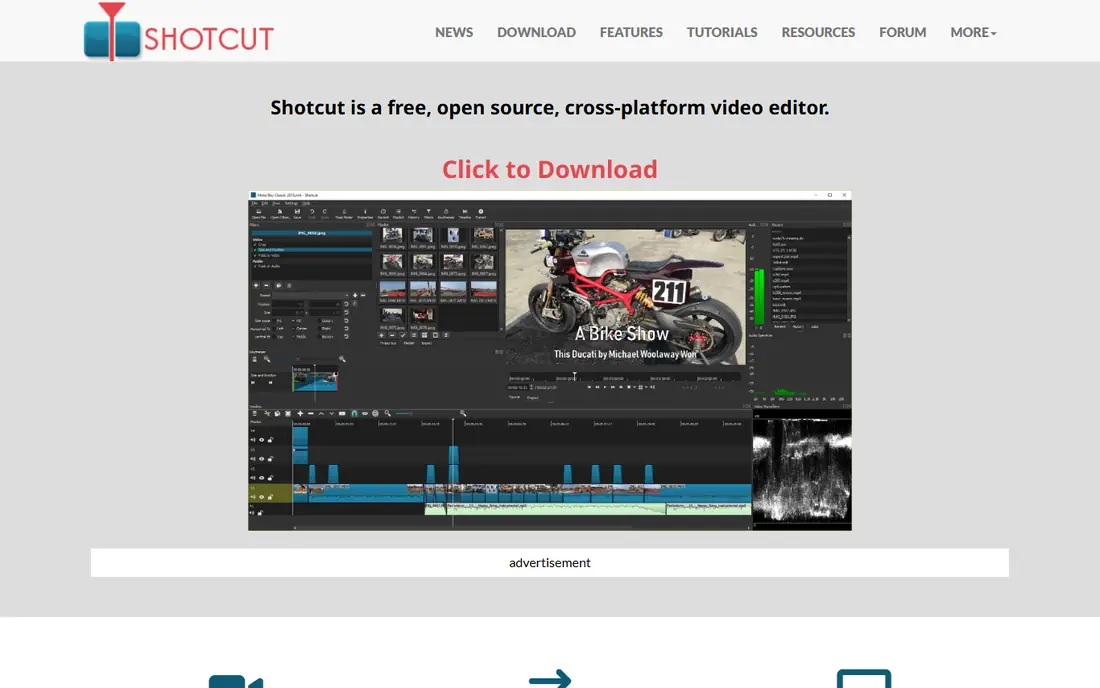
Shotcut is the most direct free swap for Kdenlive. It is open source, cross-platform, and handles an enormous range of formats because it is built on FFmpeg. Drop in almost any file and it plays, which is handy when clients send odd codecs. The timeline supports multi-track editing, filters, transitions and 4K export with no watermark, and there is no account or subscription to manage. Where it sits behind Kdenlive is workflow polish. Proxy editing exists but is less smooth, the audio tools are thinner, and the interface is functional rather than refined. Colour scopes and keyframe controls are present but less deep. For a Kdenlive user who wants a second free editor on the same machine, or a Linux editor who wants a simpler fallback for quick jobs, Shotcut is the natural choice. It will not feel like an upgrade, but it costs nothing and rarely gets in the way.
What we like- Runs on Windows, Mac and Linux, excellent format support through FFmpeg, 4K export with no watermark, no account needed
Watch out for- No proxy workflow as smooth as Kdenlive, interface feels less polished, fewer advanced audio tools
#2OpenShot
Best for: Beginners who want the simplest free editor4.5/5 on
G2 (31 reviews, checked Oct 2026)
Visit openshot.org
Starting priceFree
Free planYes, fully free and open source with no watermark
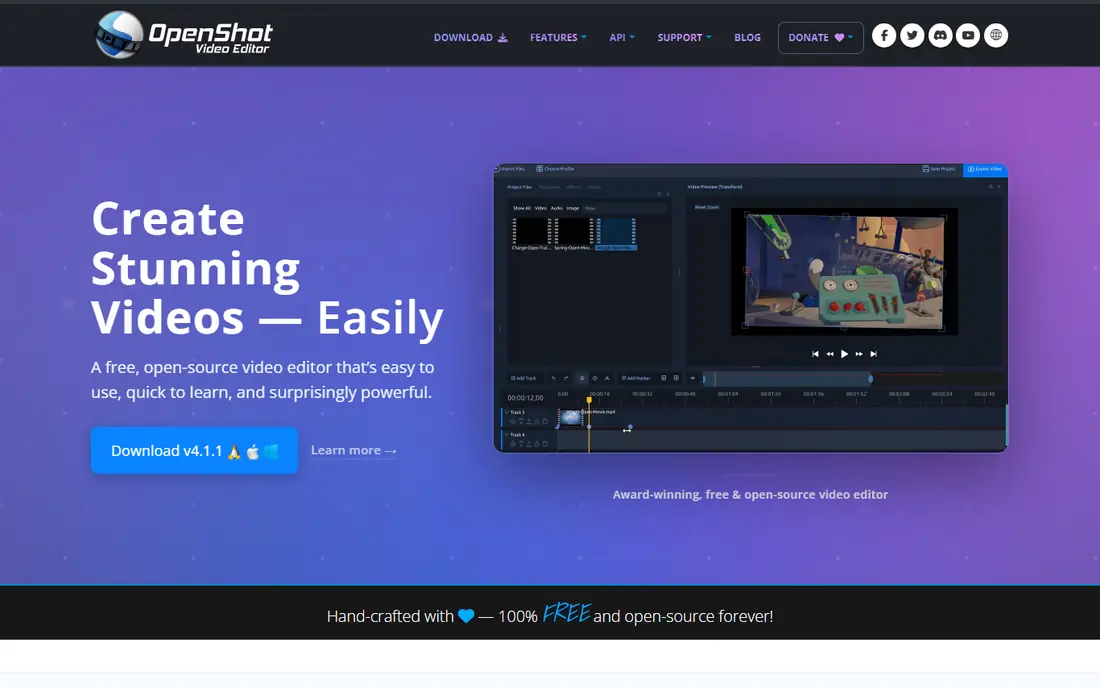
OpenShot trades Kdenlive power for simplicity. The timeline is clean, the learning curve is short, and a first-time editor can cut a finished video in an afternoon. It is free and open source on Windows, Mac and Linux, with no watermark and no account. Animated titles and 3D title templates are included, and unlimited tracks make picture-in-picture easy. The gap is capability. OpenShot lacks Kdenlive proxy workflow, deep colour tools and a real audio mixer, and it can stutter or crash on long, complex projects. That makes it a poor choice for a 30-minute documentary but a good one for short videos, family projects and classroom work. If you found Kdenlive too dense and your projects are short, OpenShot removes the friction. If you regularly edit long timelines, stay with Kdenlive or move up to DaVinci Resolve instead.
What we like- Very easy to learn, cross-platform, unlimited tracks, animated titles and 3D title templates
Watch out for- Slower and less stable on long timelines, fewer pro colour and audio tools than Kdenlive
#3DaVinci Resolve
Best for: Colour grading, professional finishing and editors who want everything in one app4.7/5 on
G2 (221 reviews, checked Oct 2026)
Visit blackmagicdesign.com
Starting priceFree; DaVinci Resolve Studio $295 one-time
Free planYes, the free edition exports 4K with no watermark
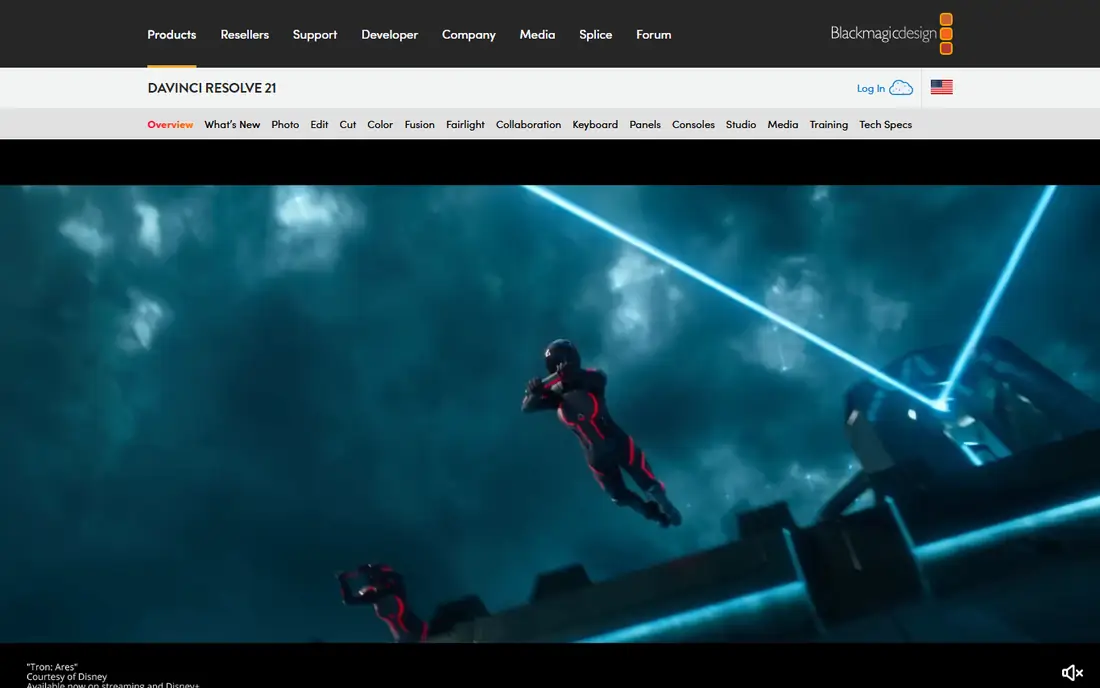
DaVinci Resolve is the upgrade path for a Kdenlive user who has hit the ceiling of free editing. The free edition includes the full edit page, the colour page used by professional colourists, Fusion visual effects, and Fairlight audio post, with 4K exports and no watermark. Studio costs $295 once and adds AI tools such as noise reduction, HDR grading extras, stereoscopic 3D and multi-GPU support. Compared with Kdenlive, Resolve offers deeper colour, better audio, and a more polished finishing workflow. The price is complexity and hardware. The interface has seven pages, the learning curve is real, and smooth 4K playback wants a modern GPU and plenty of RAM. Linux support is good but limited to certain distributions and requires a compatible GPU. If you are serious about video quality and willing to invest a week learning the tool, Resolve is the most capable free editor available.
What we like- Industry-leading colour tools, Fusion effects and Fairlight audio built in, no watermark, one-time Studio price
Watch out for- Steep learning curve, needs a strong computer, Studio price is high for casual use
#4Blender
Best for: Editors who also need 3D animation, modelling and motion graphics4.6/5 on
G2 (319 reviews, checked Oct 2026)
Visit blender.org
Starting priceFree
Free planYes, fully free and open source
Blender is best known for 3D, but it includes a video sequence editor that cuts, trims and assembles footage with transitions, speed control and basic colour work. For a creator who already models or animates in Blender, keeping the edit in the same application removes a round trip and keeps the whole pipeline free. The video editor supports multi-track timelines, video, audio and image strips, and proxy generation for smoother playback. The community is enormous, so tutorials exist for nearly every task. The drawback is focus. Editing is one feature inside a giant 3D application, so the workflow is less streamlined than Kdenlive, and the interface can overwhelm someone who only wants to cut a vlog. Colour and audio tools are basic next to Resolve. Blender earns its place for 3D creators and motion designers who want one free tool for everything, not for editors who want the fastest cutting workflow.
What we like- Full 3D suite plus a video sequence editor, huge free community, no cost ever, cross-platform
Watch out for- Video editing is a secondary feature, dense interface, overkill if you only cut video
Starting priceFree
Free planYes, fully free and open source
Olive is a young open source editor built to be fast, light and modern. It runs on Windows, Mac and Linux, and its goal is a professional-grade non-linear editor that stays responsive on hardware where heavier editors struggle. The current alpha handles multi-track timelines, keyframed effects and a node-based compositor for advanced work. For a Kdenlive user on an older laptop, Olive can feel quicker, and the interface is cleaner and less cluttered. The honest catch is maturity. Olive is still in alpha, so features arrive steadily but the ecosystem of tutorials, plugins and templates is far smaller than Kdenlive. Occasional bugs are part of the deal, and some workflows Kdenlive handles routinely may need a workaround. Treat Olive as a promising second editor to test on short projects, not as a replacement for paid client work today.
What we like- Very light on system resources, clean interface, node-based compositing in development, cross-platform, no watermark
Watch out for- Still in alpha, smaller community, fewer effects and tutorials than mature editors
Starting priceFree
Free planYes, fully free and open source with no watermark
Flowblade is a Linux-only editor that prioritises speed and a focused cutting workflow. It is free and open source, with a film-style timeline, fast trimming, and solid proxy and rendering tools. On modest Linux hardware it feels responsive, and the interface stays out of the way once you learn its shortcuts. It shares Kdenlive open source roots and a similar philosophy, but it is a smaller project with a smaller community, fewer built-in effects, and less tutorial coverage. That means less help when something goes wrong and fewer ready-made transitions. Flowblade suits a Linux editor who mainly cuts and trims and wants a quick, light tool for that job. If you rely on Kdenlive rotoscoping, deep audio mixing or its large effect library, Flowblade will feel thin. For straight cutting on Linux, it is quick and dependable.
What we like- Fast and responsive on Linux, clean film-style workflow, good proxy and rendering tools, lightweight
Watch out for- Linux only, smaller community, fewer effects and less documentation than Kdenlive
Starting priceFree
Free planYes, fully free and open source with no watermark
Pitivi is the simplest editor on this list. It is a free, open source Linux editor built around the GNOME desktop, with a clean timeline, easy trimming, and just enough effects and transitions for short videos. There is no clutter and almost no learning curve, which makes it a good choice for quick cuts, school projects and simple social clips. The trade is capability. Pitivi has no proxy workflow, limited colour tools, and a small development team, so new features arrive slowly. It cannot match Kdenlive for multi-track complexity, audio mixing or long-form work. Think of Pitivi as the editor you open when Kdenlive feels like too much for a two-minute job. For anything longer or more demanding, Kdenlive, Shotcut or Resolve is the better call.
What we like- Very simple interface, integrates well with GNOME, good for quick cuts, lightweight
Watch out for- Few advanced features, no proxy workflow, small development team, Linux only
#8Filmora
Best for: Beginners who want templates, effects and AI tools in a guided editor4.4/5 on
G2 (613 reviews, checked Oct 2026)
Visit filmora.wondershare.com
Starting price$49.99 per year for the Basic annual plan
Free planYes, free version exports with a watermark
Filmora is the paid option for a Kdenlive user who wants speed instead of depth. It is built for fast results: pick a template, let AI captions and auto beat sync handle the tedious work, and export a polished video the same afternoon. The effects library is large, titles look modern, and the interface guides a beginner rather than leaving them to figure it out. Basic costs $49.99 per year, with a perpetual plan listed at $79.99. The free version works for learning but watermarks exports, which rules it out for published work. Three years of Basic costs about $150, while Kdenlive costs nothing, so the value depends on how much time the templates save you. Filmora also lacks Kdenlive depth in colour scopes and audio mixing. For YouTubers and social creators who value speed over control, it is a fair trade.
What we like- Very easy to learn, large template and effects library, AI captions and background removal, good performance on mid-range PCs
Watch out for- Free exports carry a watermark, subscription cost adds up, fewer pro colour and audio tools than Resolve
Which Kdenlive alternative should you pick
If you want to stay free, Shotcut is the closest like-for-like swap, and DaVinci Resolve is the strongest upgrade for colour and finishing. OpenShot is the simplest free choice for short videos, while Flowblade and Pitivi suit Linux editors who want a lighter tool for quick cuts. Olive is worth watching if your hardware is modest, and Blender fits creators who also work in 3D. Filmora is the only paid pick here, and it makes sense only if templates and AI tools save you real editing time. For most Kdenlive users, the honest answer is to stay with Kdenlive and add Resolve for colour work, since both are free and they cover different strengths.
Frequently asked questions
Is there a free alternative to Kdenlive for Linux
Yes. Shotcut, OpenShot, Olive, Flowblade and Pitivi are all free and run on Linux, and DaVinci Resolve and Blender have Linux builds too. Flowblade is Linux only and is the fastest option for straight cutting. Kdenlive remains the most capable free Linux editor overall, so switch only if you need something simpler or more specialised.
Which Kdenlive alternative is best for beginners
OpenShot is the easiest free alternative, with a clean timeline and very little to learn. Pitivi is even simpler but Linux only and very basic. Filmora is the easiest paid alternative, with templates and AI tools that speed up early projects. All three are faster to learn than DaVinci Resolve.
Is DaVinci Resolve really free
Yes, the standard edition of DaVinci Resolve is free and includes editing, colour grading, Fusion effects and Fairlight audio, with 4K exports and no watermark. DaVinci Resolve Studio costs $295 as a one-time purchase and adds AI tools, HDR grading extras, stereoscopic 3D and multi-GPU support. The free edition covers most creators and small studios.
Does Shotcut have proxy editing like Kdenlive
Shotcut supports proxy files, but the workflow is less smooth than Kdenlive, where proxy clips are a core feature with easy toggling. If smooth 4K editing on modest hardware is your main need, Kdenlive and DaVinci Resolve handle proxies better. OpenShot and Pitivi have no real proxy workflow at all.
Is Filmora worth paying for if Kdenlive is free
It depends on your time. Filmora Basic costs $49.99 per year, and its templates, AI captions and effects library can cut hours off a social video workflow. If you edit long-form or technical content, Kdenlive depth and zero cost are hard to beat. Pay for Filmora only when its speed features save you more time than the subscription costs.
Sources we checked (8)
- https://shotcut.org
- https://www.openshot.org
- https://www.blackmagicdesign.com/products/davinciresolve
- https://www.blender.org
- https://www.olivevideoeditor.org
- https://jliljebl.github.io/flowblade
- https://www.pitivi.org
- https://filmora.wondershare.com
Is your product missing or out of date?
We review this list regularly. Vendors can request a listing, send updated pricing or ask about featured placement.

Shihab Mia · Founder, Rankite
Shihab has 5+ years in B2B and SaaS SEO. He writes Rankite's software buying guides from pricing pages, documentation and public user reviews. More about Shihab.