How we make this list: we compare pricing pages, product documentation and public user reviews. Ratings come from G2, Capterra or Trustpilot, with the date we checked them.
What Is the Best Instagantt Alternative in 2026?
GanttPRO is the best Instagantt alternative in 2026 for teams that want a Gantt chart tool without depending on Asana. It starts at $7 per user per month billed annually, includes critical path and baselines, and works as a planner on its own. TeamGantt is the alternative for small teams that prefer a flat monthly rate and a timeline view.
Key takeaways
- GanttPRO is the best direct replacement for Instagantt, with a standalone Gantt chart, critical path, and baselines from $7 per user per month billed annually.
- TeamGantt suits small teams that want a flat monthly rate instead of paying per user, with Base starting at $59 per month billed monthly.
- monday.com, Asana, Wrike, and ClickUp only show Gantt charts on paid plans.
- Smartsheet and ProjectManager.com have no free plan, only a free trial.
- Instagantt has a free plan, but only for Asana users, and standalone accounts get a 7-day free trial instead.
Why Do Teams Look for an Instagantt Alternative?
Instagantt started as a Gantt chart add-on for Asana, and that origin still shapes the product. It works well for Asana users who want a timeline view of work they already manage in Asana. Teams that do not use Asana get less value from it, because the free plan only covers Asana users, with up to 3 Asana projects and 1 user, and standalone accounts get a 7-day free trial.
Many teams also outgrow a chart that sits on top of another tool. They want resource workload views, time tracking, or a broader work management system in the same place. Others want a flat monthly price instead of a per-user price that grows with every hire. A dedicated Gantt tool such as GanttPRO or TeamGantt gives those teams a planner that stands on its own.
How Much Does Instagantt Cost in 2026?
Instagantt Individual costs $10 per month billed annually, or $12 billed monthly. The Teams plan costs $20 per month billed annually, flat for 3 users, plus $8 per extra user. Both plans include critical path and baselines, which is generous.
The free plan is the part buyers most often misunderstand. It is only for Asana users, and it covers up to 3 Asana projects and 1 user. Standalone accounts do not get a free plan. They get a 7-day free trial with no card needed. If your team runs on Asana and only needs a timeline for a few projects, the free plan may be enough. If your team does not use Asana, budget for a paid plan or pick an alternative below with a real free tier.
How Do Instagantt Alternative Prices Compare?
Price is the first filter for most buyers. The cheapest per-user plans start at $7 per month billed annually, while flat-rate and enterprise plans run higher. Free plans also differ. Some tools offer a usable free tier, and two offer no free plan at all. The table below shows the starting paid price and free plan for each tool. Prices were checked 17 November 2026 and can change, so confirm the price at checkout before you buy.
| Tool | Starting paid price | Free plan |
| GanttPRO | $7 per user per month billed annually | No, 14-day free trial only |
| TeamGantt | $59 per month flat billed monthly | Yes, Personal with 1 user, 1 project, 40 tasks |
| monday.com | $9 per seat per month billed annually | Yes, up to 2 seats, no Gantt view |
| Asana | $10.99 per user per month billed annually | Yes, Personal up to 2 users, no Gantt view |
| Smartsheet | $9 per member per month billed annually | No, 30-day free trial only |
| ClickUp | $7 per user per month billed annually | Yes, Free Forever plan |
| Wrike | $10 per user per month billed annually | Yes, unlimited users, 200 active tasks, no Gantt view |
| ProjectManager.com | $15 per user per month billed annually | No, 30-day free trial only |
A good Gantt chart tool does more than draw bars on a timeline. Start with dependencies and critical path. If you cannot link tasks and see which ones drive the end date, the chart is only a picture, not a plan. Baselines matter too, because they let you compare the agreed plan with the work as it actually runs. GanttPRO and Instagantt include both on every plan, but several rivals reserve them for higher tiers.
Next, check workload views. A chart that shows who is overloaded helps a manager fix a schedule before a deadline slips. Then look at the price model. A per-user price suits a small fixed team, while a flat rate such as TeamGantt Base suits a team that adds members often. Finally, check whether the tool works on its own. If you do not use Asana, a standalone planner saves you a second subscription.
Which Instagantt Alternative Fits Your Team?
The right pick depends on your team size and how you work. Small teams that want a simple timeline should start with TeamGantt or GanttPRO. TeamGantt is the easier tool to learn, and its flat rate keeps costs steady as the team grows. GanttPRO is the stronger pick for complex projects with dependencies, baselines, and resource costs.
Teams that already use Asana can use its built-in Gantt view from the Starter plan. Teams that want one system for all their work should look at monday.com or ClickUp. Larger teams tend to land on Smartsheet, Wrike, or ProjectManager.com for deeper reporting and admin controls. If budget is the main limit, ClickUp Free Forever and Wrike free plan are good places to start.
Quick comparison
| Tool | Best for | Starting price | Free plan |
|---|
 GanttPRO | Teams that want a dedicated standalone Gantt chart tool with critical path and baselines | $7 per user per month billed annually for Core, checked 17 November 2026 | No, 14-day free trial only |
 TeamGantt | Small teams that want a simple timeline and a flat monthly rate | $59 per month flat billed monthly for Base, $49 per month billed annually, checked 17 November 2026 | Yes, Personal plan with 1 user, 1 project, and 40 tasks |
 monday.com | Teams that want a Gantt chart inside a broad work management platform | $9 per seat per month billed annually for Basic, $12 billed monthly, 3-seat minimum, checked 17 November 2026 | Yes, up to 2 seats, no Gantt view included |
 Asana | Teams already using Asana that want a built-in Gantt timeline view | $10.99 per user per month billed annually for Starter, $13.49 billed monthly, checked 17 November 2026 | Yes, Personal plan up to 2 users, no Gantt view included |
 Smartsheet | Larger teams and regulated industries that need reporting, approvals, and admin controls | $9 per member per month billed annually for Pro, $12 billed monthly, checked 17 November 2026 | No, 30-day free trial only, free plan closed to new signups 28 August 2024 |
 ClickUp | Budget-conscious teams that want a free plan and a Gantt chart in one flexible platform | $7 per user per month billed annually for Unlimited, $10 billed monthly, checked 17 November 2026 | Yes, Free Forever plan |
 Wrike | Mid-size and larger teams that need workload views, approvals, and cross-team projects | $10 per user per month billed annually for Team, 2 to 15 users, checked 17 November 2026 | Yes, unlimited users with 200 active tasks, no Gantt view included |
 ProjectManager.com | Project managers who want Gantt charts with real-time dashboards and resource planning | $15 per user per month billed annually for Team, $18 billed monthly, checked 17 November 2026 | No, 30-day free trial only |
Is your product missing or out of date?
We review this list regularly. Vendors can request a listing, send updated pricing or ask about featured placement.
8 Best Instagantt Alternatives
#1GanttPRO
Best for: Teams that want a dedicated standalone Gantt chart tool with critical path and baselines4.8/5 on
G2 (588 reviews, checked Oct 2026)
Visit ganttpro.com
Starting price$7 per user per month billed annually for Core, checked 17 November 2026
Free planNo, 14-day free trial only
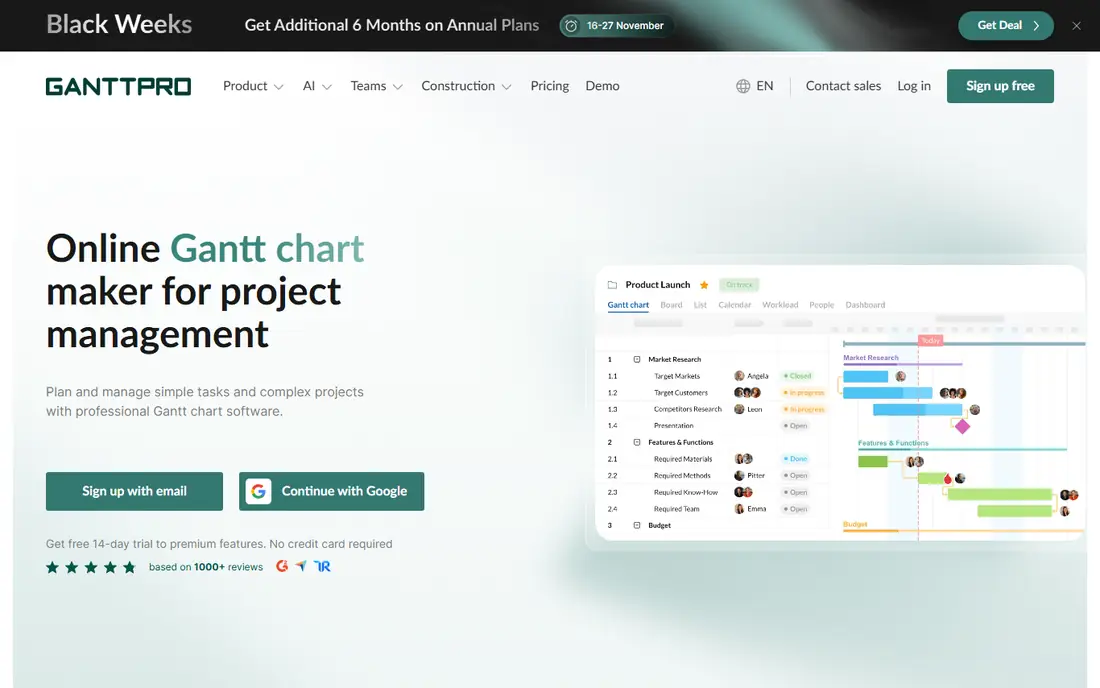
GanttPRO is the closest direct replacement for Instagantt, and it is the top pick in this guide. It is a dedicated Gantt chart tool, not an add-on to another system. Core starts at $7 per user per month billed annually, or $9 billed monthly, with volume pricing for larger teams. It covers task dependencies, milestones, workload views, and cost tracking. The trade-off is scope, since GanttPRO is not a full work management platform, so teams that want docs and chat may need a second system.
What we like- Critical path and baselines included on every plan, clean and focused Gantt interface, resource workload and cost tracking
Watch out for- No free plan, so every user needs a paid seat or a trial, and the tool is built for planning rather than broad work management
#2TeamGantt
Best for: Small teams that want a simple timeline and a flat monthly rate4.8/5 on
G2 (895 reviews, checked Oct 2026)
Visit teamgantt.com
Starting price$59 per month flat billed monthly for Base, $49 per month billed annually, checked 17 November 2026
Free planYes, Personal plan with 1 user, 1 project, and 40 tasks
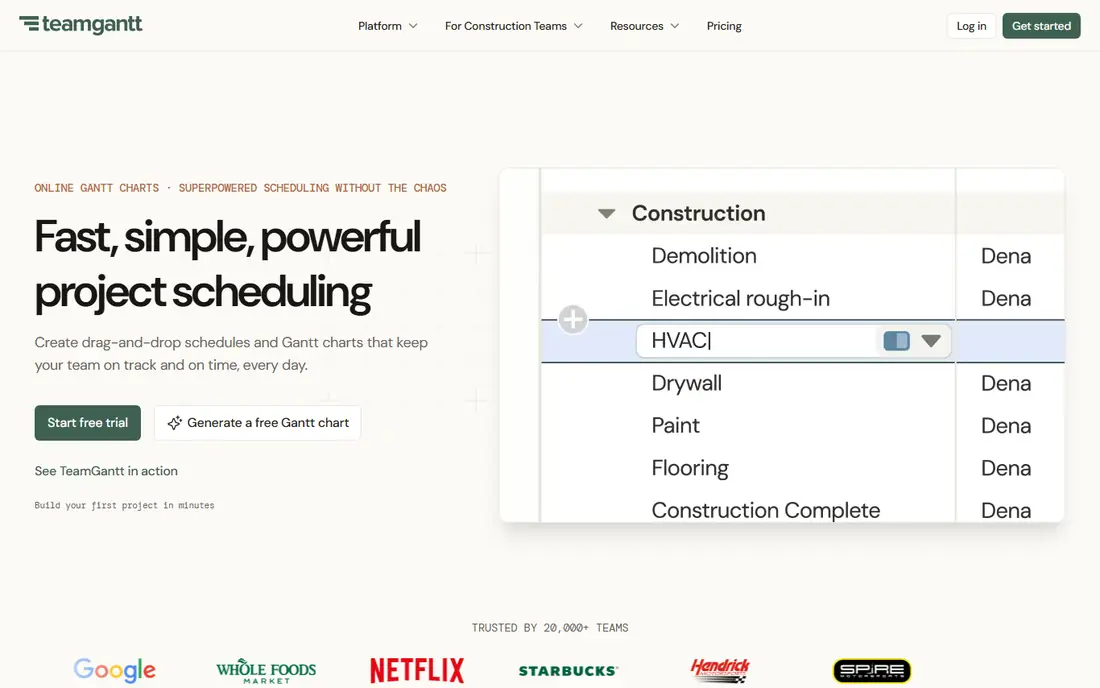
TeamGantt is the easiest Gantt tool in this list to pick up, and its flat pricing draws small teams. Base costs $59 per month billed monthly, or $49 billed annually, and that flat rate covers the team rather than charging per seat. Older sources still cite a $24 Basic plan, so confirm the current price before you buy. The interface is a clean drag-and-drop timeline with dependencies, milestones, and a workload view. The free Personal plan covers 1 user, 1 project, and 40 tasks.
What we like- Flat monthly pricing that does not grow per user, very easy to learn, workload view included
Watch out for- Older sources still cite a $24 Basic plan, so buyers should confirm the current Base price on the vendor page before purchase, and advanced reporting is limited next to enterprise tools
#3monday.com
Best for: Teams that want a Gantt chart inside a broad work management platform4.7/5 on
G2 (17,182 reviews, checked Oct 2026)
Visit monday.com
Starting price$9 per seat per month billed annually for Basic, $12 billed monthly, 3-seat minimum, checked 17 November 2026
Free planYes, up to 2 seats, no Gantt view included
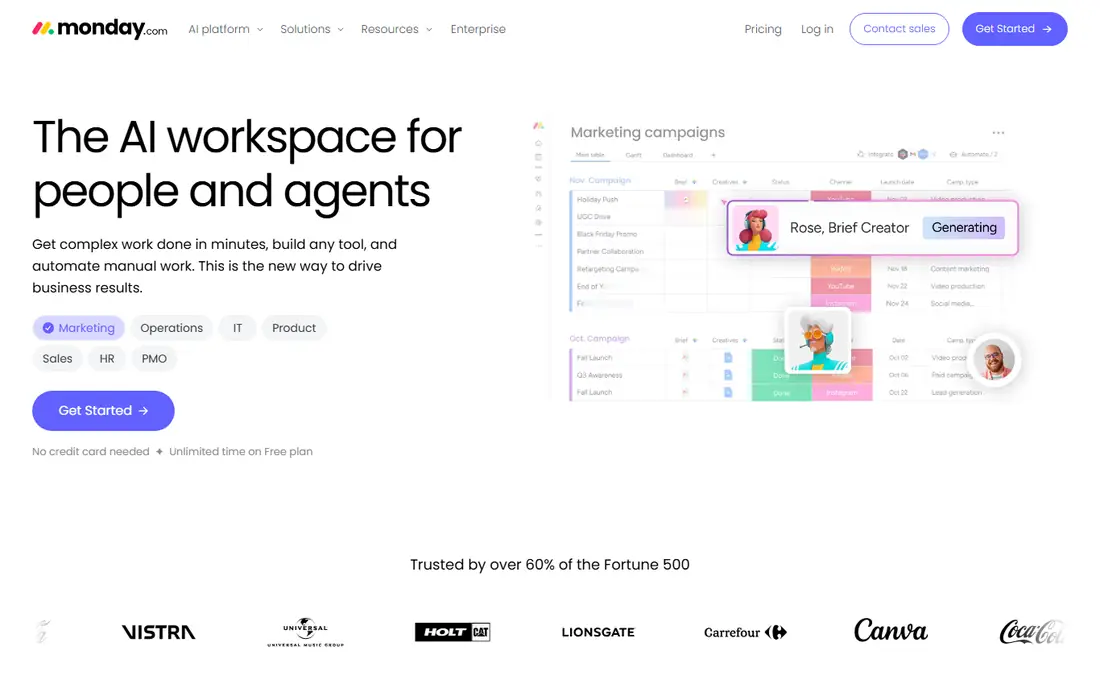
monday.com is a work management platform first and a Gantt tool second. Its boards cover projects, tasks, and CRM, and the Gantt view turns any board into a timeline with dependencies. Basic starts at $9 per seat per month billed annually, or $12 billed monthly. The catch is that the Gantt view starts at the Standard plan at $12 per seat per month billed annually, so buyers who only need a timeline pay more. The free plan covers up to 2 seats, but it has no Gantt view. monday.com fits teams that want one system for planning, tracking, and reporting.
What we like- Wide range of boards, automations, and integrations, polished interface, strong templates for many team types
Watch out for- The Gantt view starts at the Standard plan at $12 per seat per month billed annually, so the cheapest plan cannot replace Instagantt, and costs rise fast as seats are added
#4Asana
Best for: Teams already using Asana that want a built-in Gantt timeline view4.4/5 on
G2 (13,930 reviews, checked Oct 2026)
Visit asana.com
Starting price$10.99 per user per month billed annually for Starter, $13.49 billed monthly, checked 17 November 2026
Free planYes, Personal plan up to 2 users, no Gantt view included
Asana is the natural alternative for teams already running their work in Asana, since Instagantt itself is built on Asana. The Starter plan starts at $10.99 per user per month billed annually, or $13.49 billed monthly, and adds the timeline Gantt view. The free plan covers up to 2 users, which suits a pair of collaborators. Asana covers tasks, projects, portfolios, and reporting in one place, with one of the widest integration libraries. The timeline view supports dependencies and milestones, though its Gantt features are lighter than a dedicated tool such as GanttPRO.
What we like- Strong task management and collaboration, wide integration library, timeline view is built in rather than bolted on
Watch out for- The Gantt timeline view starts at the Starter plan, so the free Personal plan cannot replace Instagantt, and costs add up per user on larger teams
#5Smartsheet
Best for: Larger teams and regulated industries that need reporting, approvals, and admin controls4.4/5 on
G2 (22,767 reviews, checked Oct 2026)
Visit smartsheet.com
Starting price$9 per member per month billed annually for Pro, $12 billed monthly, checked 17 November 2026
Free planNo, 30-day free trial only, free plan closed to new signups 28 August 2024
Smartsheet pairs a spreadsheet-style grid with Gantt charts, dashboards, and reports, and it suits teams that manage large or complex programs. Pro starts at $9 per member per month billed annually, or $12 billed monthly. There is no free plan. The free plan closed to new signups on 28 August 2024, and new users get a 30-day free trial instead. Smartsheet works well for construction, operations, and compliance-heavy teams that need approvals, audit trails, and portfolio views. Its Gantt charts support dependencies, critical path, and baselines.
What we like- Powerful reporting and dashboards, familiar spreadsheet-style grid, strong admin and permission controls
Watch out for- No free plan, since the free plan closed to new signups on 28 August 2024, and the interface can feel dated next to newer tools such as monday.com or ClickUp
#6ClickUp
Best for: Budget-conscious teams that want a free plan and a Gantt chart in one flexible platform4.6/5 on
G2 (14,878 reviews, checked Oct 2026)
Visit clickup.com
Starting price$7 per user per month billed annually for Unlimited, $10 billed monthly, checked 17 November 2026
Free planYes, Free Forever plan
ClickUp is the most feature-packed tool in this list for the price, and its Free Forever plan is the most generous free tier here. Unlimited starts at $7 per user per month billed annually, or $10 billed monthly, and it includes Gantt charts. One caveat is that some new accounts see the same tier renamed Core at $9 per user per month, with changes taking effect at renewal from January 2027, so confirm the tier name and price at checkout. ClickUp covers tasks, docs, goals, time tracking, and automations, and the Gantt view supports dependencies and milestones. The breadth is both the strength and the weakness.
What we like- Free Forever plan is genuinely usable, Gantt charts included on paid plans, huge range of views and features for the price
Watch out for- Some new accounts see the same tier renamed Core at $9 per user per month, with changes taking effect at renewal from January 2027, so confirm the tier name and price at checkout, and the sheer number of features can overwhelm new users
#7Wrike
Best for: Mid-size and larger teams that need workload views, approvals, and cross-team projects4.2/5 on
G2 (4,540 reviews, checked Oct 2026)
Visit wrike.com
Starting price$10 per user per month billed annually for Team, 2 to 15 users, checked 17 November 2026
Free planYes, unlimited users with 200 active tasks, no Gantt view included
Wrike is a work management platform aimed at mid-size and larger teams, and its Gantt charts sit alongside workload views, approvals, and reporting. The Team plan starts at $10 per user per month billed annually and covers 2 to 15 users. The free plan allows unlimited users and 200 active tasks, but it has no Gantt view, so it cannot replace Instagantt on its own. Wrike suits teams that run many projects at once and need to see who is overloaded. The trade-off is setup time. Wrike takes longer to configure than TeamGantt or GanttPRO.
What we like- Strong workload and resource views, approvals and proofing tools, scales well across departments
Watch out for- The Gantt view starts at the Team plan, so the free plan cannot replace Instagantt, and setup takes more effort than simpler tools such as TeamGantt
#8ProjectManager.com
Best for: Project managers who want Gantt charts with real-time dashboards and resource planning4.4/5 on
G2 (103 reviews, checked Oct 2026)
Visit projectmanager.com
Starting price$15 per user per month billed annually for Team, $18 billed monthly, checked 17 November 2026
Free planNo, 30-day free trial only
ProjectManager.com is built for professional project managers, and its Gantt charts come with the planning depth that audience expects. The Team plan starts at $15 per user per month billed annually, or $18 billed monthly, which makes it the priciest starting plan in this list. There is no free plan, only a 30-day free trial. In return, you get real-time dashboards, resource planning, and workload views. The tool covers the full project life cycle and suits construction, engineering, IT, and consulting teams that run formal projects.
What we like- Real-time dashboards and reporting, strong resource planning, Gantt charts built for professional project managers
Watch out for- No free plan, only a 30-day free trial, and at $15 per user per month billed annually it is the priciest starting plan in this list
Frequently asked questions
Is there a free alternative to Instagantt?
Yes. ClickUp Free Forever is the most generous free plan in this list, and Wrike free plan covers unlimited users with 200 active tasks. TeamGantt Personal covers 1 user, 1 project, and 40 tasks, while monday.com and Asana free plans cover up to 2 users. Note that monday.com, Asana, and Wrike free plans do not include a Gantt view.
Which Instagantt alternative is the cheapest?
GanttPRO and ClickUp are the cheapest paid options in this list, both starting at $7 per user per month billed annually. GanttPRO is the better pick for a dedicated Gantt chart, since it includes critical path and baselines on every plan. ClickUp is the better pick if you want a wider platform, since the same price covers docs and time tracking.
Does monday.com include a Gantt chart on its free plan?
No. monday.com free plan covers up to 2 seats, but it does not include the Gantt view. The Gantt view starts at the Standard plan, which costs $12 per seat per month billed annually, with a 3-seat minimum. The Basic plan at $9 per seat per month billed annually also lacks the Gantt view. Teams that want a free Gantt chart should look at ClickUp Free Forever instead.
Can I use these Instagantt alternatives without Asana?
Yes. All eight tools in this list work as standalone products and do not need Asana. GanttPRO and TeamGantt are dedicated Gantt tools that run on their own. The other six are full project platforms with their own task systems. Instagantt is the odd one out, since it is built on Asana and its free plan only covers Asana users.
Which Instagantt alternative is best for resource management?
GanttPRO, TeamGantt, Wrike, and ProjectManager.com all offer workload or resource views that show who is overbooked. GanttPRO includes resource workload and cost tracking from its Core plan. TeamGantt workload view is simple and easy to read, which suits small teams. Wrike and ProjectManager.com offer deeper resource planning for larger teams.
Sources we checked (9)
- https://ganttpro.com/pricing
- https://www.teamgantt.com/pricing
- https://monday.com/pricing
- https://asana.com/pricing
- https://www.smartsheet.com/pricing
- https://clickup.com/pricing
- https://www.wrike.com/pricing
- https://www.projectmanager.com/pricing
- https://www.instagantt.com/pricing
How We Picked These Alternatives
We picked tools that offer a Gantt chart view and can replace Instagantt, either as a dedicated chart tool or as part of a wider platform. Starting prices were checked 17 November 2026 on the vendor pricing pages listed in Sources. Prices were search-verified and homepages were not individually opened in the browser, so confirm the price and plan features at checkout before you buy. Each tool above has at least one real con, and free plan limits are stated as listed by the vendor.
Last verified: 17 November 2026
Is your product missing or out of date?
We review this list regularly. Vendors can request a listing, send updated pricing or ask about featured placement.

Shihab Mia · Founder, Rankite
Shihab has 5+ years in B2B and SaaS SEO. He writes Rankite's software buying guides from pricing pages, documentation and public user reviews. More about Shihab.