How we make this list: we compare pricing pages, product documentation and public user reviews. Ratings come from G2, Capterra or Trustpilot, with the date we checked them.

Key takeaways
- Blender is the strongest free replacement, with full 3D modeling, sculpting, rendering and animation at no cost.
- LibreCAD is the best free 2D alternative, with simple drafting tools at no cost.
- FreeCAD is free, so any paid alternative should offer real value, such as cloud collaboration or CAM.
- Fusion 360 is the best paid upgrade, at 680 dollars a year with CAD, CAM and simulation in one app.
- Onshape is the best browser-based alternative, at 1,500 dollars a year with built-in versioning and team tools.
Why Do Users Look for a FreeCAD Alternative?
FreeCAD earned its fans by offering true parametric CAD for free, with measured modeling, technical drawings and a spreadsheet-driven workflow. Users still look elsewhere for a few clear reasons. The interface feels rough next to commercial CAD, and large assemblies can slow down. Some users want 2D drafting only, without the weight of a full 3D modeler. Others need cloud collaboration, version control or CAM tools that FreeCAD does not offer out of the box. A few want better rendering, animation or sculpting in the same app. The right alternative depends on what you design, whether you need 2D or 3D, and whether you work alone or with a team.
What Is the Best Free Alternative to FreeCAD?
Blender is the best free alternative to FreeCAD for general 3D work. It is open source, free forever, and runs on Windows, macOS and Linux. It includes modeling, sculpting, texturing, rendering, animation and video editing in one download. LibreCAD is the best free choice for 2D drafting, with simple tools for floor plans, schematics and mechanical drawings. OpenSCAD suits programmers who want to build models from code, while SolveSpace suits users who want a small, fast parametric modeler. Blender has the steepest learning curve here, while LibreCAD is the easiest to learn. Start with Blender for general 3D work and LibreCAD for 2D drafting.
Which FreeCAD Alternative Is Best for Engineering?
Fusion 360 is the best paid alternative for engineering, combining parametric modeling, CAM, simulation and PCB design in one subscription at 680 dollars a year. Onshape is the best choice for teams, with browser-based CAD, real-time collaboration and automatic versioning at 1,500 dollars a year. AutoCAD is the best choice for firms that exchange DWG files with engineers and consultants, since it is the industry standard for 2D drafting. FreeCAD still leads on price, since it is free, so paid tools should be judged on the time they save. For a small engineering firm, Fusion 360 covers the most ground at the lowest paid price.
Can You Replace FreeCAD Without Paying?
Yes, Blender, LibreCAD, OpenSCAD and SolveSpace are all free forever, with no paid tier at all. Blender covers general 3D modeling and rendering, LibreCAD covers 2D drafting, OpenSCAD covers code-driven modeling for 3D printing, and SolveSpace covers small parametric parts. FreeCAD is free too, so the question is not price but fit: Blender is better for organic shapes and rendering, LibreCAD is simpler for 2D drawings, and OpenSCAD is faster for parametric parts defined by code. None of these matches FreeCAD on technical drawings, since its TechDraw workbench is the strongest free option for dimensioned sheets. If drawings are your main work, FreeCAD remains the best free choice.
How Much Should You Pay for CAD Software?
CAD software should cost between zero and 680 dollars a year for most freelancers and small firms, because Blender and LibreCAD are free and Fusion 360 is 680 dollars a year. BricsCAD Lite at 345 dollars a year is fair for users who need DWG compatibility with a perpetual license option. Onshape Standard at 1,500 dollars a year suits distributed teams who need browser-based CAD with built-in versioning. AutoCAD at 2,095 dollars a year only makes sense for firms that live on DWG files and exchange drawings with engineers daily. Watch for education pricing, since Autodesk gives students free access and Onshape offers a free tier for non-commercial work.
Quick comparison
| Tool | Best for | Starting price | Free plan |
|---|
 Blender | Users who want a free, full-featured 3D app for modeling, rendering and animation | Free | Yes, the full app is free and open source |
 LibreCAD | Users who want free, simple 2D drafting for plans and schematics | Free | Yes, the full app is free and open source |
 OpenSCAD | Programmers and makers who want to build 3D models from code | Free | Yes, the full app is free and open source |
 SolveSpace | Users who want a small, fast parametric modeler for simple parts | Free | Yes, the full app is free and open source |
 AutoCAD | Firms that need industry-standard DWG drafting and documentation | 2,095 dollars per year | 15-day free trial |
 Fusion 360 | Product designers who want cloud CAD with CAM and simulation in one app | 680 dollars per year | Free personal tier for non-commercial use |
 Onshape | Distributed teams who want browser-based CAD with built-in versioning | 1,500 dollars per year | Free tier for non-commercial use, documents are public |
 BricsCAD Lite | Users who want DWG-compatible CAD with a perpetual license option | 345 dollars per year | 30-day free trial |
Is your product missing or out of date?
We review this list regularly. Vendors can request a listing, send updated pricing or ask about featured placement.
The 8 Best FreeCAD Alternatives
#1Blender
Best for: Users who want a free, full-featured 3D app for modeling, rendering and animation4.6/5 on
G2 (319 reviews, checked Oct 2026)
Visit blender.org
Starting priceFree
Free planYes, the full app is free and open source
Blender is the closest free match to FreeCAD for general 3D work, and it is the first app to try if you want a different free modeler. It covers modeling, sculpting, texturing, rendering, animation and video editing in one download, with the Cycles renderer producing photorealistic images without a paid plugin. The community is huge, with free tutorials, add-ons and asset libraries for almost every use case. Blender runs on Windows, macOS and Linux, which makes it the only free option here that serves Linux users. The trade-off is that Blender is not parametric CAD, so changing a dimension means editing the mesh by hand, and it has no TechDraw equivalent for dimensioned drawings. Engineers who need drawings should keep FreeCAD and use Blender for rendering and animation.
What we like- Free forever with no paywall, huge modeling and sculpting toolset, Cycles rendering, animation and video editing
Watch out for- Not parametric CAD, so measured engineering models are harder, and it has no built-in technical drawing tools
#2LibreCAD
Best for: Users who want free, simple 2D drafting for plans and schematics3.8/5 on
G2 (25 reviews, checked Oct 2026)
Visit librecad.org
Starting priceFree
Free planYes, the full app is free and open source
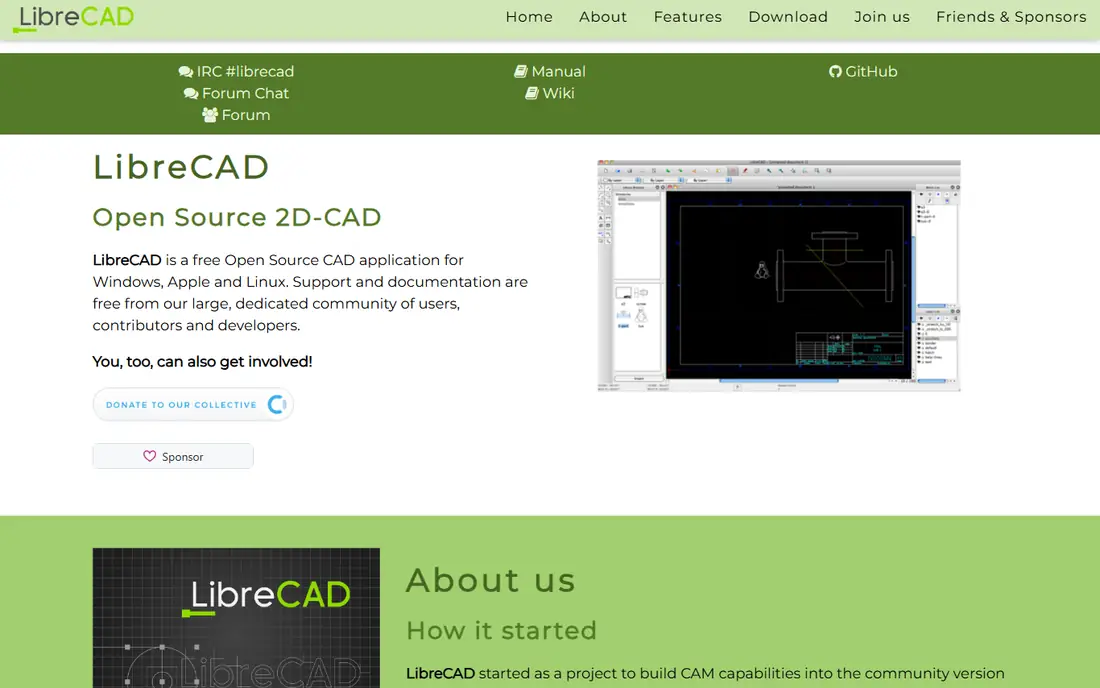
LibreCAD is the best free 2D alternative to FreeCAD, and it suits users who draw floor plans, schematics and mechanical parts in two dimensions. It is light and fast, running well on old hardware, with layers, blocks, dimensions and hatching for clean technical drawings. The app reads and writes DXF files, which matters for sharing drawings with other CAD tools. LibreCAD runs on Windows, macOS and Linux, and it is free forever with no paid tier. The limits are clear, since it is 2D only, with no 3D modeling, no parametric features and an interface that looks dated. Users who only need 2D drawings will finish faster here than in FreeCAD, while users who need 3D parts should look at Blender or SolveSpace instead.
What we like- Free forever, very light and fast, simple 2D drafting, runs on old hardware, DXF support
Watch out for- 2D only with no 3D modeling, and the interface looks dated next to commercial CAD
#3OpenSCAD
Best for: Programmers and makers who want to build 3D models from code4.3/5 on
G2 (31 reviews, checked Oct 2026)
Visit openscad.org
Starting priceFree
Free planYes, the full app is free and open source
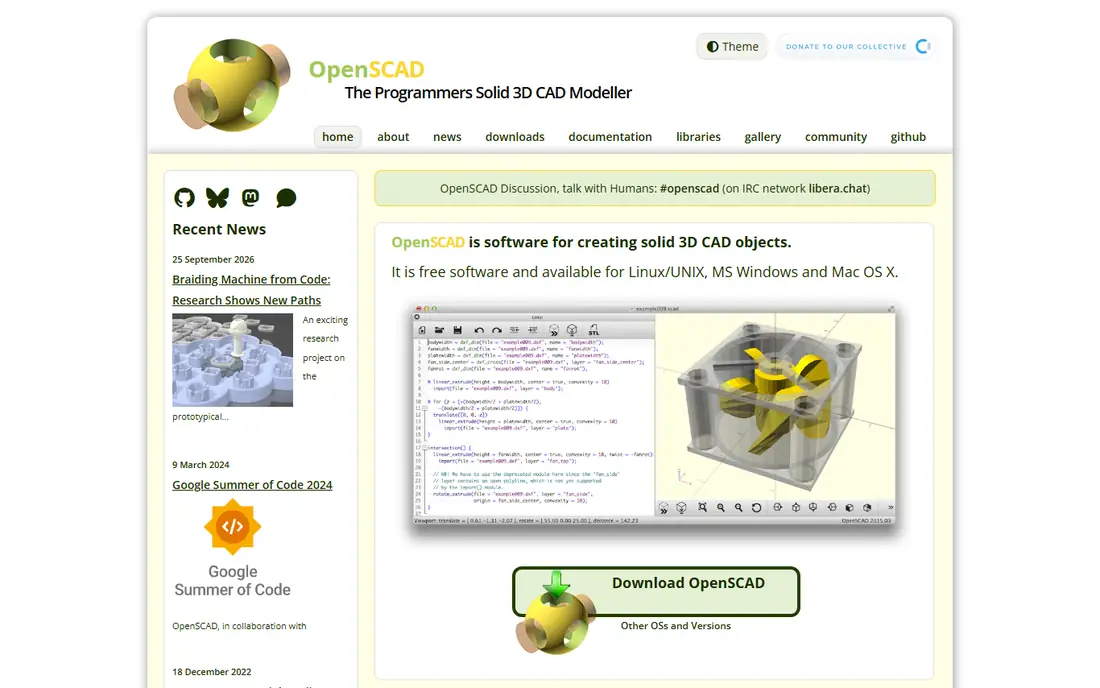
OpenSCAD is the best FreeCAD alternative for makers who think in code, because it builds 3D models from a script rather than from mouse clicks. You define shapes, holes and patterns with variables and functions, so changing one number rebuilds the whole part. That makes it ideal for parametric 3D printing, where the same design needs many sizes. The app is free forever, small and fast, running on Windows, macOS and Linux. The limits are real, since there is no visual modeling, so every shape needs code, and rendering complex models can be slow. Designers who prefer to draw with a mouse should pick Blender or SolveSpace instead. OpenSCAD suits engineers and programmers who want precise, repeatable parts for 3D printing.
What we like- Free forever, models defined by code, perfect for parametric 3D printing, small and fast
Watch out for- No visual modeling tools, so every shape needs code, and rendering is slow for complex models
#4
SolveSpace
Best for: Users who want a small, fast parametric modeler for simple parts
Visit solvespace.com
Starting priceFree
Free planYes, the full app is free and open source
SolveSpace is the smallest parametric CAD alternative to FreeCAD, and it suits users who want a fast tool for simple parts without a heavy install. It combines 2D sketching, 3D modeling and constraint solving in one small app, with a parametric workflow that lets you change dimensions and rebuild the part. The app exports STEP, STL and DXF files, which covers 3D printing and CNC work. SolveSpace is free forever, runs on Windows, macOS and Linux, and opens in seconds on modest hardware. The limits are clear, since the feature set is small, assembly tools are limited and the interface is plain. Users who need large assemblies or technical drawings should stay with FreeCAD, while users who model simple brackets and parts will work faster here.
What we like- Free forever, true parametric modeling, very light and fast, simple 2D and 3D tools
Watch out for- Small feature set, limited assembly tools, and the interface is plain
#5AutoCAD
Best for: Firms that need industry-standard DWG drafting and documentation4.4/5 on
G2 (2,010 reviews, checked Oct 2026)
Visit autodesk.com
Starting price2,095 dollars per year
Free plan15-day free trial
AutoCAD is the industry standard for 2D drafting and documentation, and it remains the strongest FreeCAD alternative for firms that exchange DWG files with engineers and consultants. It includes seven specialized toolsets for architecture, mechanical, electrical and mapping work, plus web and mobile apps for viewing and editing on site. The subscription costs 2,095 dollars a year, or 260 dollars a month, with AutoCAD LT at 540 dollars a year for 2D-only drafting. The price is the problem for small firms, since five years of AutoCAD costs more than 10,000 dollars, and the software stops working when you stop paying. AutoCAD suits firms that live on DWG files, while FreeCAD users who only need occasional drafting should look at BricsCAD Lite or LibreCAD instead.
What we like- Industry standard for DWG files, seven specialized toolsets included, web and mobile apps, huge plugin ecosystem
Watch out for- Subscription only with no one-time purchase, and the price is high for small firms
#6Fusion 360
Best for: Product designers who want cloud CAD with CAM and simulation in one app4.5/5 on
G2 (519 reviews, checked Oct 2026)
Visit autodesk.com
Starting price680 dollars per year
Free planFree personal tier for non-commercial use
Fusion 360 is the best paid upgrade from FreeCAD for product design, combining parametric modeling, CAM, simulation and PCB design in one subscription. It runs on Windows and macOS, with cloud storage that lets teams share designs and track versions without a server. The commercial subscription costs 680 dollars a year, or 85 dollars a month, with a free personal tier for hobbyists who earn under 1,000 dollars a year from their work. The personal tier limits you to 10 active documents and no commercial use, so small businesses need the paid plan. The app needs an internet connection for cloud features, and some users dislike Autodesk changing the price and the feature split between tiers. For makers and small product firms, Fusion 360 is the fastest step up from FreeCAD.
What we like- CAD, CAM, simulation and PCB design in one subscription, cloud collaboration, free personal tier
Watch out for- Subscription only, needs an internet connection for cloud features, and the personal tier limits documents and commercial use
#7Onshape
Best for: Distributed teams who want browser-based CAD with built-in versioning4.7/5 on
G2 (724 reviews, checked Oct 2026)
Visit onshape.com
Starting price1,500 dollars per year
Free planFree tier for non-commercial use, documents are public
Onshape is the best browser-based CAD alternative to FreeCAD, built by PTC for teams who work in different offices. It runs entirely in a web browser, with nothing to install, and several people can edit the same model at the same time. Versioning works like software code, with branches and merges that let you test design changes without breaking the main model. The Standard plan costs 1,500 dollars per user per year, and Professional at 2,500 dollars adds release management, simulation and rendering. The free tier is fully functional for CAD, but every document is public and non-commercial only, so it does not suit client work. Onshape needs an internet connection, and it has no offline desktop app. For distributed hardware teams, it is the most modern CAD workflow in this guide.
What we like- Runs in a browser with nothing to install, real-time collaboration, automatic versioning, published pricing
Watch out for- High yearly price, needs an internet connection, and the free tier makes every document public
#8BricsCAD Lite
Best for: Users who want DWG-compatible CAD with a perpetual license option4.5/5 on
G2 (135 reviews, checked Oct 2026)
Visit bricsys.com
Starting price345 dollars per year
Free plan30-day free trial
BricsCAD Lite is the best paid alternative for users who want DWG compatibility without a subscription trap. It reads and writes DWG files natively, uses commands that AutoCAD users recognize, and supports LISP routines, which matters if your office relies on AutoCAD scripts. The Lite edition covers 2D drafting at 345 dollars a year, with a perpetual license from 780 dollars once, while Pro at 780 dollars a year adds 3D modeling. BricsCAD is now sold under the Octave name, and the store lists subscriptions and perpetual licenses side by side. The community is smaller than FreeCAD, and 3D features need the Pro edition, so Lite suits drafters who work in 2D. For a small firm that exchanges DWG files daily, BricsCAD Lite is the cheapest professional seat that still lets you buy once.
What we like- Native DWG files, familiar AutoCAD commands, perpetual license available, LISP support
Watch out for- Smaller community than FreeCAD, and 3D features need the Pro edition
Frequently asked questions
Is there a completely free alternative to FreeCAD?
Yes, Blender, LibreCAD, OpenSCAD and SolveSpace are all completely free and open source, with no paid tier, no ads and no locked features. Blender covers general 3D modeling and rendering, LibreCAD covers 2D drafting, OpenSCAD covers code-driven modeling for 3D printing, and SolveSpace covers small parametric parts. Start with Blender for general work and LibreCAD for 2D drawings.
Is Fusion 360 better than FreeCAD?
Fusion 360 is better for product design teams, with cloud collaboration, CAM, simulation and PCB design in one app. FreeCAD is better for users who want free software with no subscription, and its TechDraw workbench is strong for dimensioned drawings. Fusion 360 costs 680 dollars a year, while FreeCAD is free. Makers who sell products and need CAM should pick Fusion 360, while hobbyists and open-source users should stay with FreeCAD.
Can Blender open FreeCAD files?
Blender cannot open FreeCAD native files directly, so you should export your models as STEP, STL or OBJ before switching. Blender imports STL and OBJ with geometry intact in most cases, though parametric history is lost. Export your important models while you still have FreeCAD installed, and keep the original files as backups in case you need them later.
Which alternative is best for beginners?
LibreCAD is the easiest starting point for 2D drafting, because it is free, light and simple. SolveSpace is the easiest parametric modeler, with a small toolset that new users learn quickly. Blender is the best free choice for general 3D work, though its interface takes a week to learn. Beginners should try LibreCAD for drawings and SolveSpace for parts, since both are free, and move to Fusion 360 later if they need CAM and simulation.
Do I need to pay monthly for any of these alternatives?
No, only the paid subscriptions here bill monthly, and all of them offer annual billing that costs less. Blender, LibreCAD, OpenSCAD and SolveSpace are free forever. AutoCAD, Fusion 360, Onshape and BricsCAD are subscriptions, so the software stops working when you stop paying, except for the BricsCAD perpetual license. If you want to avoid subscriptions entirely, Blender plus LibreCAD covers most modeling and drafting work for free.
How We Picked These Alternatives
We picked these eight tools by checking each vendor site on 16 November 2026, confirming the product is still sold and maintained, and verifying the starting price on the vendor pricing page or app store listing. We favored live products with active development, and we left out discontinued apps and tools whose official sites no longer load. Prices are US list prices unless stated otherwise, and they can change with sales and regional pricing. We did not run hands-on lab tests for this guide, and our findings rest on vendor documentation, pricing pages and public feature lists.
Sources we checked (9)
- https://www.blender.org
- https://librecad.org
- https://openscad.org
- https://solvespace.com
- https://www.autodesk.com/products/autocad/overview
- https://www.autodesk.com/products/fusion-360/overview
- https://www.onshape.com/en/
- https://www.bricsys.com
- https://www.freecad.org
Is your product missing or out of date?
We review this list regularly. Vendors can request a listing, send updated pricing or ask about featured placement.

Shihab Mia · Founder, Rankite
Shihab has 5+ years in B2B and SaaS SEO. He writes Rankite's software buying guides from pricing pages, documentation and public user reviews. More about Shihab.