How we make this list: we compare pricing pages, product documentation and public user reviews. Ratings come from G2, Capterra or Trustpilot, with the date we checked them.
What is Filmora and why look for an alternative
Wondershare Filmora is a popular video editor for beginners and casual creators. It offers a simple timeline, drag and drop effects, titles, transitions, and templates that make it easy to produce a polished video without learning a professional editing system. For many home users, YouTubers, and small business owners, that simplicity is the main attraction.
Filmora Basic costs $49.99 per year, while a perpetual license costs $79.99 one-time for Filmora 16 only, for one platform, and it does not cover future major versions. The free version watermarks every export, which makes it hard to use for finished work. Some users also want more control over colour, audio, or multi-track editing, a free editor with no watermark, or a one-time purchase that does not expire. The eight alternatives below cover those needs, from free open source editors to professional grade software.
How do you pick the right Filmora alternative
Start with your budget and your tolerance for learning. If you want to spend nothing, DaVinci Resolve, Shotcut, OpenShot, and Kdenlive all cost $0 and export without a watermark. If you want a simple editor with guided help, Adobe Premiere Elements, Movavi Video Editor, and CapCut are easier to learn than DaVinci Resolve. If you edit on Linux, Kdenlive and Shotcut are strong choices, while DaVinci Resolve also runs on Linux.
Check the export limits before you commit. Some free plans cap resolution at 1080p, watermark exports, or limit the length of a trial export. Check whether the price is a subscription, a one-time payment, or a time limited license, because a one-time payment does not always mean lifetime access. Adobe Premiere Elements is a good example, since the 2026 edition is a 3-year term license rather than a perpetual license. Finally, match the tool to your main output. Short-form social video suits CapCut, colour grading suits DaVinci Resolve, and home movies suit Premiere Elements or Movavi.
The 8 best Filmora alternatives at a glance
| Tool |
Best for |
Starting price |
Free plan |
| Adobe Premiere Elements |
Home users and hobbyists who want guided editing |
$99.99 one-time for a 3-year term license |
No free plan, 7-day free trial |
| DaVinci Resolve |
Colour grading and professional editing at no cost |
$0 free version, Studio $295 one-time |
Yes, full free version with no watermark |
| Shotcut |
Free, no-watermark editing on any platform |
$0, free and open source |
Yes, fully free |
| OpenShot |
Absolute beginners who want the simplest free editor |
$0, free and open source |
Yes, fully free |
| Kdenlive |
Linux users and intermediate multi-track editing |
$0, free and open source |
Yes, fully free |
| CapCut |
Short-form social video with templates and auto captions |
$0 free plan, Pro $19.99 per month or $179.99 per year |
Yes, free plan included |
| Lightworks |
Professional non linear editing with a film pedigree |
Free, Pro reported at $27.99 per month |
Yes, free version capped at 1080p |
| Movavi Video Editor |
Beginners who want a simple guided editor with AI tools |
$19.95 per month, Plus $69.95 per year on sale |
Free trial only, watermarked exports |
Quick comparison
| Tool | Best for | Starting price | Free plan |
|---|
 Adobe Premiere Elements | Home users and hobbyists who want guided, automated editing with no monthly subscription | $99.99 one-time payment for a 3-year term license (upgrade from an earlier version $79.99; bundle with Photoshop Elements $149.99) | No free plan, free 7-day trial only |
 DaVinci Resolve | Colour grading and professional-level editing at no cost | Free version $0, Studio $295 one-time (currently $236 on a 20 percent sale until 20 Nov 2026, quote $295 standard) | Yes, fully usable free version with no watermark and no time limit |
 Shotcut | Budget-conscious editors who want a free, no-watermark, cross-platform editor with broad format support | $0, free and open source under GPLv3, no paid tier | Yes, fully free with no watermark |
 OpenShot | Absolute beginners who want the simplest free timeline editor | $0, free and open source, no paid tier for the desktop editor | Yes, fully free with no watermark |
 Kdenlive | Linux users and intermediate editors who want multi-track editing free | $0, free and open source, no paid version, no subscription, no watermark | Yes, fully free with no watermark |
 CapCut | Short-form social video creators who want fast templates and auto captions | Free plan $0, Pro $19.99 per month or $179.99 per year | Yes, free plan included |
 Lightworks | Professional non linear editing with a film industry pedigree and advanced trimming | Free, Pro reported at $27.99 per month, confirm at checkout | Yes, free version capped at 1080p |
 Movavi Video Editor | Beginners who want a simple, guided editor with AI tools on Windows or Mac | Video Editor $19.95 per month, Video Editor Plus $69.95 per year on sale (list $155.95), Video Editor Plus lifetime $149.95 on sale (list $333.95) | Free trial only, exports are watermarked and capped at 60 seconds |
Is your product missing or out of date?
We review this list regularly. Vendors can request a listing, send updated pricing or ask about featured placement.
The 8 best Filmora alternatives
These eight editors cover the main reasons people leave Filmora: price, watermarks, control, and platform fit. Each entry lists the vendor price checked on 16 Nov 2026, the free plan, a real strength, and a real drawback.
#1Adobe Premiere Elements
Best for: Home users and hobbyists who want guided, automated editing with no monthly subscription4.1/5 on
G2 (54 reviews, checked Oct 2026)
Visit adobe.com
Starting price$99.99 one-time payment for a 3-year term license (upgrade from an earlier version $79.99; bundle with Photoshop Elements $149.99)
Free planNo free plan, free 7-day trial only
Adobe Premiere Elements is the closest paid alternative to Filmora for home users who want help rather than a blank timeline. Guided edits explain each step for tasks such as trimming, colour correction, and adding titles, while automated features can assemble a slideshow or highlight reel from your clips. The interface is clean, with effects grouped by theme, and it includes tools for stabilisation, noise reduction, and audio cleanup. The main limits are the 3-year term license, which means the app stops opening when the term ends, and the single timeline per project. If you want a one-off payment and a gentle learning curve, and you are comfortable replacing the software after three years, Premiere Elements is a solid choice.
What we like- Guided edits walk beginners through common tasks, automated tools speed up routine work, and the interface stays familiar to anyone who has used Adobe software before
Watch out for- The $99.99 payment buys only 3 years of use, not lifetime ownership, and it allows only one timeline per project
#2DaVinci Resolve
Best for: Colour grading and professional-level editing at no cost4.7/5 on
G2 (221 reviews, checked Oct 2026)
Visit blackmagicdesign.com
Starting priceFree version $0, Studio $295 one-time (currently $236 on a 20 percent sale until 20 Nov 2026, quote $295 standard)
Free planYes, fully usable free version with no watermark and no time limit
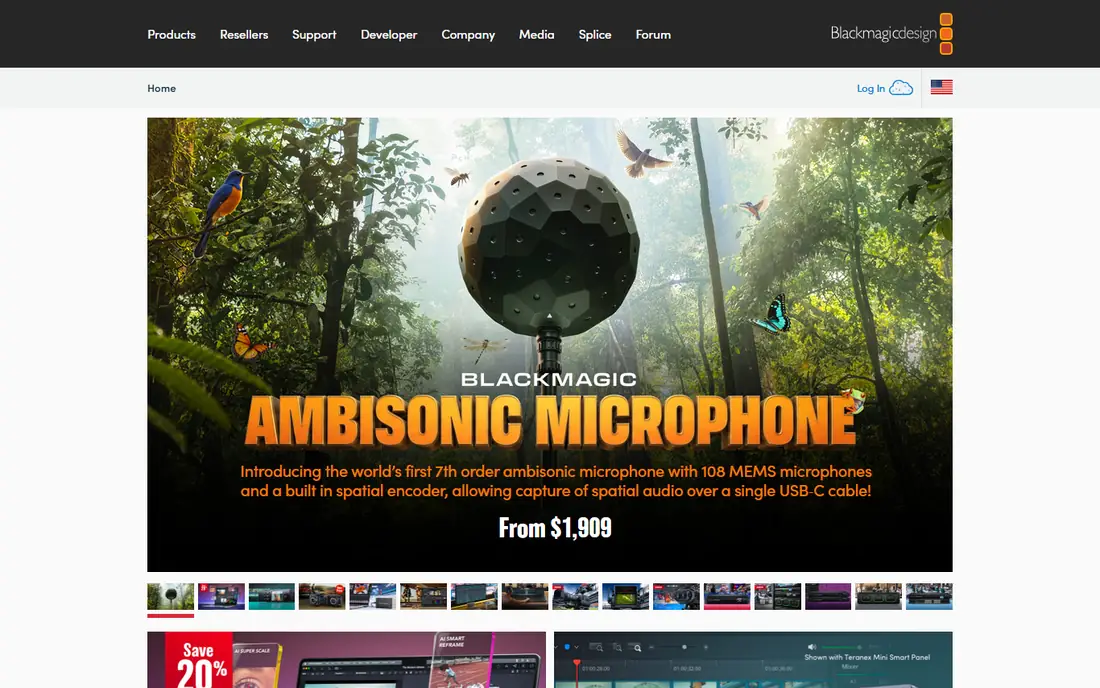
DaVinci Resolve is the strongest free alternative to Filmora for anyone willing to learn a professional tool. The free version includes the full editing timeline, the colour page that made the software famous in film and television, Fairlight audio tools, and Fusion visual effects, all without a watermark or a time limit. You can cut multi-track projects, grade footage with curves and scopes, mix audio, and export up to 4K UHD. The Studio version, at $295 one-time, adds noise reduction, HDR grading, stereoscopic 3D, and higher resolution output, and it is currently $236 on a 20 percent sale until 20 Nov 2026. The trade-off is complexity. The interface has several pages, and a beginner will need tutorials to get comfortable. If you plan to edit regularly and want professional results without a subscription, DaVinci Resolve is hard to beat.
What we like- Professional colour grading, multi-track editing, and audio tools at no cost, with no watermark on exports
Watch out for- Steep learning curve for beginners, and the free version omits noise reduction, HDR grading, stereoscopic 3D and output above 4K UHD
#3Shotcut
Best for: Budget-conscious editors who want a free, no-watermark, cross-platform editor with broad format support4.2/5 on
G2 (42 reviews, checked Oct 2026)
Visit shotcut.org
Starting price$0, free and open source under GPLv3, no paid tier
Free planYes, fully free with no watermark
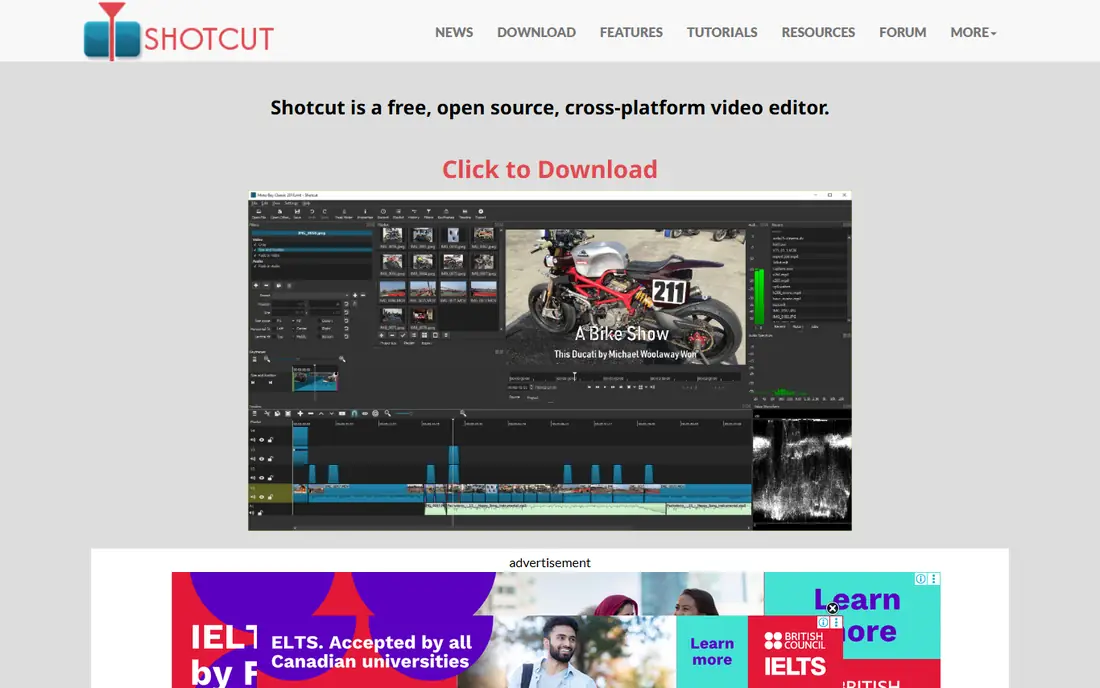
Shotcut is a free, open source editor that covers the basics well and costs nothing to use. It runs on Windows, Mac, and Linux, supports a broad range of formats through FFmpeg, and lets you edit on a multi-track timeline with filters, transitions, and keyframes. Exports carry no watermark, and there is no paid tier behind a paywall. The interface is functional rather than polished, and new users may need time to find tools that are more obvious in Filmora or Movavi. There are no built-in templates or stock media, so you will bring your own footage and build effects yourself. For editors who want a free, reliable, cross-platform tool and do not mind a plain interface, Shotcut is a practical alternative.
What we like- Free and open source with no paid tier, runs on Windows, Mac, and Linux, and supports a wide range of video formats without conversion
Watch out for- The interface looks dated and is less intuitive than commercial editors, and there are no built-in templates or stock media library
#4OpenShot
Best for: Absolute beginners who want the simplest free timeline editor4.5/5 on
G2 (31 reviews, checked Oct 2026)
Visit openshot.org
Starting price$0, free and open source, no paid tier for the desktop editor
Free planYes, fully free with no watermark
OpenShot is the simplest free editor in this list, and that is its main strength. The timeline is easy to understand, with tracks for video, audio, and titles, and the toolbar covers trimming, splitting, transitions, and basic animation without burying options in menus. It is free and open source, with no paid tier for the desktop editor and no watermark on exports. Beginners can cut a short video, add music and titles, and export it in a single session. The weakness is performance. Rendering can be slow, previews can lag on complex or 4K projects, and larger timelines can become unstable. If you edit short, simple videos and want the easiest free start, OpenShot fits.
What we like- Very simple timeline that beginners can learn in an afternoon, free with no watermark, and available on Windows, Mac, and Linux
Watch out for- Slow rendering and preview lag on complex or 4K projects, and users report occasional instability on larger timelines
#5Kdenlive
Best for: Linux users and intermediate editors who want multi-track editing free
Visit kdenlive.org
Starting price$0, free and open source, no paid version, no subscription, no watermark
Free planYes, fully free with no watermark
Kdenlive is a free, open source editor that suits intermediate users who want more control than OpenShot without paying for it. It offers multi-track editing, a wide set of effects and transitions, keyframe animation, audio mixing, and proxy editing for smoother playback on heavier footage. It is strongest on Linux, where it is a long-standing favourite, and it also runs on Windows and Mac. There is no paid version, no subscription, and no watermark, so the full editor is available from the start. The interface is less polished than Filmora or Movavi, and the built-in effects library is smaller. Stability can also vary, especially on Windows. For Linux users and intermediate editors who want a capable free editor, Kdenlive is a strong pick.
What we like- Multi-track editing with effects, transitions, and keyframes at no cost, strong on Linux, and no subscription or watermark
Watch out for- Occasional stability issues, especially on Windows, and the interface is less polished than commercial editors, with a smaller built-in effects library
#6CapCut
Best for: Short-form social video creators who want fast templates and auto captions1.2/5 on
Trustpilot (1,347 reviews, checked Oct 2026)
Visit capcut.com
Starting priceFree plan $0, Pro $19.99 per month or $179.99 per year
Free planYes, free plan included
CapCut is built for short-form social video, and it shows in every part of the workflow. Templates let you drop clips into a trending format in minutes, auto captions generate readable subtitles quickly, and the mobile and desktop apps share projects so you can start on a phone and finish on a computer. The free plan covers basic editing, while Pro, at $19.99 per month or $179.99 per year, unlocks premium templates, effects, and AI tools. The main limit is the credit system. Pro AI tools run on a capped monthly credit pool of 1,200 credits, so heavy AI use can run out before the month ends, and there is no perpetual license. If your main output is TikTok, Reels, or Shorts, and you value speed over fine control, CapCut is the most direct Filmora alternative for social creators.
What we like- Fast templates, auto captions, and AI tools built for TikTok, Reels, and Shorts, with a simple mobile and desktop workflow
Watch out for- Pro AI tools run on a capped monthly credit pool (1,200 credits), there is no perpetual license
#7Lightworks
Best for: Professional non linear editing with a film industry pedigree and advanced trimming3.6/5 on
G2 (31 reviews, checked Oct 2026)
Visit lwks.com
Starting priceFree, Pro reported at $27.99 per month, confirm at checkout
Free planYes, free version capped at 1080p
Lightworks has a long history in professional film editing, and its trimming tools reflect that background. The timeline supports precise cuts, multi-track editing, and a workflow built around keyboard driven editing that becomes fast once learned. The free version lets you learn the system and export at up to 1080p, which is enough for many online videos. Pro is reported at $27.99 per month in third party listings, while the official pricing page does not show a dollar figure in a text fetch, so confirm the price at checkout. The learning curve is real. The interface follows a film editing model that feels unfamiliar to editors coming from Filmora or Premiere, and the free export cap rules out 4K delivery. If you want a professional editor with a film pedigree and you are willing to learn its workflow, Lightworks deserves a trial.
What we like- Professional trimming and editing workflow used in film, with a free version for learning the system
Watch out for- Free version caps exports at 1080p, and the interface follows a film editing workflow that takes real learning for editors coming from Premiere or Filmora
#8Movavi Video Editor
Best for: Beginners who want a simple, guided editor with AI tools on Windows or Mac4.6/5 on
G2 (418 reviews, checked Oct 2026)
Visit movavi.com
Starting priceVideo Editor $19.95 per month, Video Editor Plus $69.95 per year on sale (list $155.95), Video Editor Plus lifetime $149.95 on sale (list $333.95)
Free planFree trial only, exports are watermarked and capped at 60 seconds
Movavi Video Editor is one of the easiest paid alternatives to Filmora for beginners on Windows or Mac. The interface is clean, with effects, titles, and transitions grouped so you can drag them onto the timeline without hunting through menus. AI tools help with background removal, noise reduction, and motion tracking, and the editor includes stickers, intros, and sample media to get a project started quickly. Pricing starts at $19.95 per month for Video Editor, while Video Editor Plus costs $69.95 per year on sale, list $155.95, and the Plus lifetime license costs $149.95 on sale, list $333.95. The free trial is limited, with watermarked exports capped at 60 seconds, so it is useful for testing the interface rather than finishing a video. The lifetime license also covers only the version purchased, not future major versions. If you want a guided editor with AI help and a clear upgrade path, Movavi is a good fit.
What we like- Simple guided interface with AI tools for background removal and noise reduction, and a clear path from trial to paid plans
Watch out for- The free version watermarks exports and caps video at 60 seconds, and the lifetime license covers only the version purchased, not future major versions
Which Filmora alternative should you choose
Choose DaVinci Resolve if you want professional tools for free and you are willing to learn. It gives you colour grading, multi-track editing, and no watermark at $0, which no other free editor in this list matches. Choose Shotcut or Kdenlive if you want a free editor with no subscription and no watermark, with Kdenlive better for Linux and multi-track work. Choose OpenShot if you are an absolute beginner and you want the simplest free timeline you can learn in an afternoon.
Choose Adobe Premiere Elements if you want a one-off payment, guided editing, and no monthly subscription, and you accept the 3-year term license. Choose Movavi Video Editor if you want a simple guided editor with AI tools and you are happy with a yearly or lifetime plan for the version you buy. Choose CapCut if your main output is short-form social video and you want templates and auto captions. Choose Lightworks if you want professional trimming and a film editing workflow, and you are willing to learn a different interface.
Frequently asked questions
Is there a free alternative to Filmora with no watermark
Yes. DaVinci Resolve, Shotcut, OpenShot, and Kdenlive are all free and export without a watermark. DaVinci Resolve is the most capable of the four, with professional colour grading and multi-track editing, while Shotcut and Kdenlive suit editors who want a lighter free tool. OpenShot is the simplest option for beginners who want to learn quickly.
Is DaVinci Resolve better than Filmora
DaVinci Resolve is more powerful than Filmora for colour grading, multi-track editing, and audio mixing, and the free version has no watermark. Filmora is easier to learn, with more templates and guided effects for beginners. Choose DaVinci Resolve if you edit often and want professional control, and choose Filmora or a simpler alternative if you want the fastest path to a finished video.
What is the cheapest Filmora alternative
Shotcut, OpenShot, Kdenlive, and the free version of DaVinci Resolve all cost $0, with no paid tier required for the core editor. CapCut also has a free plan for basic social video editing. Among paid options, Movavi Video Editor Plus at $69.95 per year on sale is cheaper than a Filmora yearly plan over time, while Adobe Premiere Elements costs $99.99 for a 3-year term license.
Does Adobe Premiere Elements work like Filmora
Premiere Elements is similar to Filmora in that it targets home users and hobbyists, with guided edits and automated tools. It differs in pricing and structure, since the 2026 edition is a 3-year term license rather than a perpetual license, and it allows only one timeline per project. Filmora offers more templates and effects out of the box, while Premiere Elements integrates with the Adobe ecosystem.
Can I use CapCut instead of Filmora for YouTube videos
Yes, you can use CapCut for YouTube videos, especially Shorts and other short-form content, where its templates and auto captions save time. For longer YouTube videos that need multi-track editing, colour grading, or precise audio work, DaVinci Resolve or Kdenlive will give you more control. CapCut Pro costs $19.99 per month or $179.99 per year, and its AI tools use a capped monthly credit pool.
Sources we checked (9)
- https://www.adobe.com
- https://www.blackmagicdesign.com
- https://shotcut.org
- https://www.openshot.org/
- https://kdenlive.org
- https://www.capcut.com
- https://lwks.com
- https://www.movavi.com/videoeditor/
- https://filmora.wondershare.com
Is your product missing or out of date?
We review this list regularly. Vendors can request a listing, send updated pricing or ask about featured placement.

Shihab Mia · Founder, Rankite
Shihab has 5+ years in B2B and SaaS SEO. He writes Rankite's software buying guides from pricing pages, documentation and public user reviews. More about Shihab.