How we make this list: we compare pricing pages, product documentation and public user reviews. Ratings come from G2, Capterra or Trustpilot, with the date we checked them.
What Is the Best Box Alternative in 2026?
Google Workspace is the best Box alternative for most teams in 2026, because Business Starter costs $7 per user per month billed annually and pairs 30 GB pooled storage with Docs, Sheets, and Meet in one workspace. Dropbox Business suits teams that want simple shared folders with strong sync, while Microsoft 365 fits offices already on Windows and Outlook.
Key takeaways:
- Google Workspace Business Starter at $7 per user per month is the cheapest full office suite among the paid options here, and it includes email, Docs, Sheets, and Meet.
- Dropbox Business Standard matches Box Business at $15 per user per month, so the choice comes down to sync quality, admin controls, and storage.
- Sync.com Teams 1TB is the lowest priced paid plan on this list at $6 per user per month, with a first-year promo of $4.50.
- Only Google Drive, Dropbox, pCloud, and Sync.com offer a free personal plan, and none of the eight tools offers a free business tier.
- Teams that need client file requests or regulated data should look at ShareFile, Egnyte, or Tresorit rather than a general cloud drive.
How Much Do Box Alternatives Cost?
Box Business costs $15 per user per month billed annually, or $20 billed monthly, with a 3-user minimum, unlimited storage, and a 5 GB file upload limit. Box Business Starter is cheaper at $5 per user per month billed annually, or $7 monthly, but it caps storage at 100 GB and supports 3 to 10 users. Most alternatives in this guide sit between $6 and $19 per user per month on annual billing. The real cost difference usually comes from storage limits, user minimums, and the extra apps bundled into the plan. Check the per-user price, the billing period, the minimum seat count, and the storage allowance together before you compare two plans. Prices below were checked 17 November 2026 on each vendor pricing page, and buyers should confirm them at checkout.
| Tool |
Starting paid price |
Free plan |
| Google Drive (Google Workspace Business Starter) |
$7 per user per month billed annually |
No free business plan; free personal Google account with 15 GB |
| Dropbox Business (Standard) |
$15 per user per month billed annually |
Yes, Basic 2 GB |
| Microsoft OneDrive for Business (Microsoft 365 Business Basic) |
$7 per user per month paid yearly |
Yes, 5 GB free personal OneDrive |
| ShareFile (Advanced) |
$16.50 per user per month billed annually |
No, free trial only |
| Egnyte (Team) |
$10 per user per month billed annually |
No, 15-day free trial only |
| pCloud Business |
$7.99 per user per month billed annually |
Yes, free personal plan (10 GB) |
| Tresorit (Business) |
$19 per user per month billed annually |
No, 14-day free trial only |
| Sync.com (Teams 1TB) |
$6 per user per month billed annually |
Yes, free Starter plan, 5 GB |
Which Box Alternative Has the Best Free Plan?
No Box alternative on this list offers a free business plan, so a free plan only helps for personal use or a small trial of the interface. Dropbox Basic gives 2 GB free, which is enough to test sync and sharing but too small for real team work. Google gives the most free space at 15 GB on a personal account, shared across Drive, Gmail, and Photos. Sync.com offers a free Starter plan with 5 GB, and pCloud offers a free personal plan with 10 GB. OneDrive gives 5 GB free on a personal account. ShareFile, Egnyte, and Tresorit offer no free plan at all, only a timed free trial of 14 or 15 days.
Is Google Drive Better Than Box for Business?
Google Drive is better than Box for teams that already live in Gmail, Docs, and Sheets, because the files, the email, and the video meetings sit in one account with one login. Business Starter costs $7 per user per month billed annually, which is less than half of Box Business at $15, and it includes a business email address, shared drives, and 30 GB pooled storage per user. Box is stronger for teams that need granular admin controls, content lifecycle rules, and deep integrations with enterprise systems, and its unlimited storage on the Business plan suits teams with very large file libraries. Box also caps single file uploads at 5 GB. If your team edits documents together all day, Google Drive usually wins.
Start by auditing what you have in Box before you move anything. List the folders, the owners, the shared links, and the files larger than 5 GB, because those are the items most likely to fail or stall during a move. Most vendors in this guide offer a migration tool, an import wizard, or a paid migration service, and Google, Microsoft, Dropbox, and Egnyte all document Box migration paths. Move one department or one folder tree first, check that permissions and shared links survived, and then move the rest in batches. Keep Box read-only during the move so nobody edits a file in two places at once. Cancel the Box subscription only after the new platform has run for at least a week without a missing file report.
Quick comparison
| Tool | Best for | Starting price | Free plan |
|---|
 Google Drive (Google Workspace Business Starter) | Small and midsize teams that want cloud storage plus email, Docs, Sheets, and Meet in one subscription | $7 per user per month billed annually ($8.40 flexible monthly), checked 17 November 2026 | No free business plan; free personal Google account with 15 GB |
 Dropbox Business (Standard) | Teams that want simple shared folders, fast sync, and file requests from clients or partners | $15 per user per month billed annually ($18 monthly), checked 17 November 2026 | Yes, Basic 2 GB |
 Microsoft OneDrive for Business (Microsoft 365 Business Basic) | Offices already using Windows, Outlook, and Teams that want storage bundled with Microsoft 365 | $7 per user per month paid yearly ($8.40 monthly), checked 17 November 2026 | Yes, 5 GB free personal OneDrive; no free business plan |
 ShareFile (Advanced) | Professional services firms that need branded client portals and secure file requests | $16.50 per user per month billed annually ($18.15 monthly), checked 17 November 2026 | No, free trial only |
 Egnyte (Team) | Teams with offices, field staff, or branch locations that need files synced across sites | $10 per user per month billed annually, checked 17 November 2026 | No, 15-day free trial only |
 pCloud Business | Small teams that want simple per-user storage with a low monthly price and a free personal plan to test | $7.99 per user per month billed annually ($9.99 monthly), checked 17 November 2026 | Yes, free personal plan (10 GB); Business has a 30-day free trial, no free business tier |
 Tresorit (Business) | Regulated teams that need end-to-end encryption, data residency, and strict access controls | $19 per user per month billed annually ($24 monthly), checked 17 November 2026 | No, 14-day free trial only |
 Sync.com (Teams 1TB) | Small teams on a tight budget that want private, encrypted storage at the lowest paid price here | $6 per user per month billed annually ($8 monthly), checked 17 November 2026 | Yes, free Starter plan, 5 GB |
Is your product missing or out of date?
We review this list regularly. Vendors can request a listing, send updated pricing or ask about featured placement.
8 Best Box Alternatives
#1
Google Drive (Google Workspace Business Starter)
Best for: Small and midsize teams that want cloud storage plus email, Docs, Sheets, and Meet in one subscription
Visit workspace.google.com
Starting price$7 per user per month billed annually ($8.40 flexible monthly), checked 17 November 2026
Free planNo free business plan; free personal Google account with 15 GB
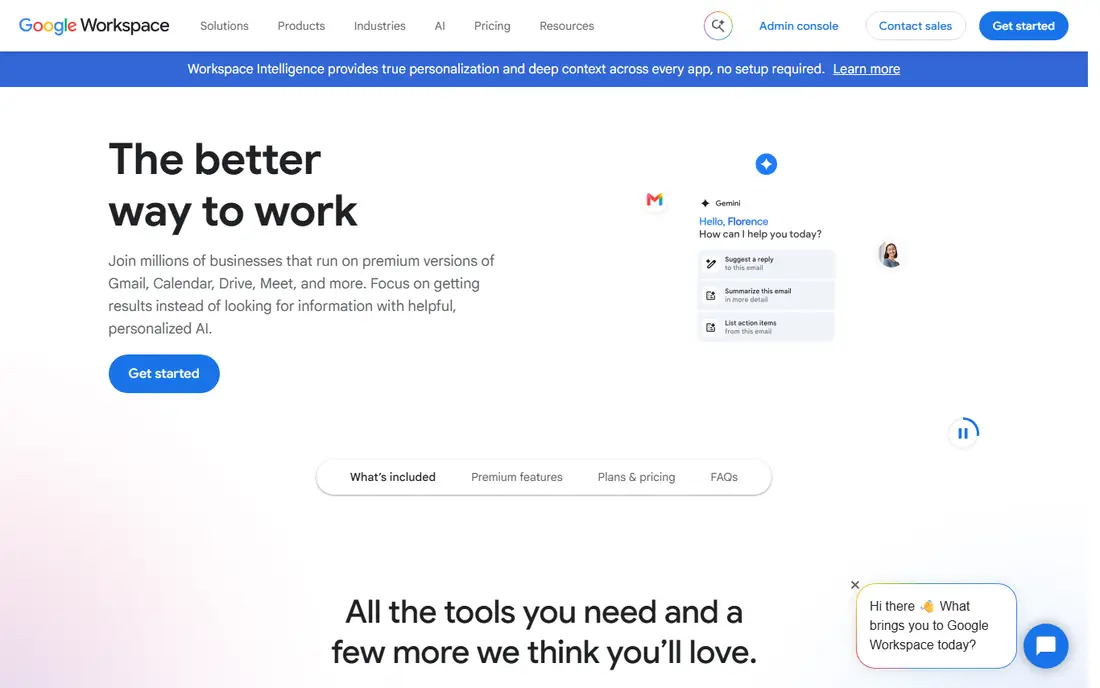
Google Workspace Business Starter is the most complete Box alternative for the money, because it replaces storage, email, documents, spreadsheets, and video meetings with a single subscription. Admins can set sharing rules, retention policies, and two-step verification from one console. Docs, Sheets, and Slides support live editing with comments and version history. The 30 GB pooled storage per user is the main limit on Starter, and teams with large video or design libraries will need Business Standard or Business Plus.
What we like- Lowest cost full office suite in this guide, strong real-time collaboration, generous app bundle
Watch out for- Storage is pooled at 30 GB per user on Starter, so heavy media teams must upgrade to a higher tier
#2
Dropbox Business (Standard)
Best for: Teams that want simple shared folders, fast sync, and file requests from clients or partners
Visit dropbox.com
Starting price$15 per user per month billed annually ($18 monthly), checked 17 November 2026
Free planYes, Basic 2 GB
Dropbox Business Standard matches Box Business on price at $15 per user per month billed annually, so buyers should choose on features rather than cost. Smart Sync lets staff see large folders without downloading every file to their laptop. File requests let clients upload documents without a Dropbox account, which is useful for accountants, lawyers, and agencies. Pooled storage is reported as 3 TB, 5 TB, or 9 TB depending on the source, so this guide uses 3 TB and buyers should confirm the current figure at checkout.
What we like- Fast and reliable sync, easy file requests, familiar interface most staff already know
Watch out for- Storage is pooled team storage rather than per-user, and the price matches Box Business with no saving
#3
Microsoft OneDrive for Business (Microsoft 365 Business Basic)
Best for: Offices already using Windows, Outlook, and Teams that want storage bundled with Microsoft 365
Visit microsoft.com
Starting price$7 per user per month paid yearly ($8.40 monthly), checked 17 November 2026
Free planYes, 5 GB free personal OneDrive; no free business plan

Microsoft 365 Business Basic is the best Box alternative for offices that already run on Windows and Outlook, because the storage, email, and Teams chat arrive in one $7 per user per month subscription. Each user gets 1 TB of OneDrive storage, and files open in the web versions of Word, Excel, and PowerPoint. The 1-month trial is longer than the 14-day trials most rivals offer. Note that the standalone OneDrive for Business Plan 1 at $5 and Plan 2 at $10 closed to new customers after 31 May 2026, so new buyers cannot buy OneDrive alone and must choose a Microsoft 365 plan.
What we like- 1 TB OneDrive per user, bundled with Teams, Exchange, and web versions of Word and Excel
Watch out for- Standalone OneDrive for Business Plan 1 ($5) and Plan 2 ($10) closed to new customers after 31 May 2026, so new buyers must take a Microsoft 365 plan
#4
ShareFile (Advanced)
Best for: Professional services firms that need branded client portals and secure file requests
Visit sharefile.com
Starting price$16.50 per user per month billed annually ($18.15 monthly), checked 17 November 2026
Free planNo, free trial only
ShareFile Advanced is built for firms that collect files from clients, not just store files for staff. The branded client portal lets accountants, lawyers, and financial advisers send a professional upload link instead of asking clients to email sensitive documents. At $16.50 per user per month billed annually, ShareFile costs more than Box Business at $15, so buyers should only choose it when the client portal and request workflows are the main need.
What we like- Branded client portal, secure file requests, e-signature workflows
Watch out for- No free plan, and the Advanced plan costs more than Box Business while offering less storage per licence
#5
Egnyte (Team)
Best for: Teams with offices, field staff, or branch locations that need files synced across sites
Visit egnyte.com
Starting price$10 per user per month billed annually, checked 17 November 2026
Free planNo, 15-day free trial only
Egnyte Team is the best Box alternative for teams that still keep files on a local server or a network drive alongside the cloud. It syncs files between offices and remote staff, so a branch office can open a large file from a local cache instead of waiting on a slow connection. The Team plan costs $10 per user per month billed annually and covers 1 to 10 users with 1 TB of default storage. Larger teams must step up to the Business tier at $22 per user per month billed annually, which is a big jump.
What we like- Hybrid cloud and on-premises file access, strong governance and content classification
Watch out for- No free plan, and the Team tier is limited to 1 to 10 users, so larger teams must move to the Business tier at $22
#6pCloud Business
Best for: Small teams that want simple per-user storage with a low monthly price and a free personal plan to test4.5/5 on
Capterra (180 reviews, checked Oct 2026)
Visit pcloud.com
Starting price$7.99 per user per month billed annually ($9.99 monthly), checked 17 November 2026
Free planYes, free personal plan (10 GB); Business has a 30-day free trial, no free business tier
pCloud Business is a straightforward Box alternative for small teams that want 1 TB of storage per user without paying for a full office suite. The price is $7.99 per user per month billed annually, or $9.99 billed monthly, with a 3-user minimum, which puts it close to Google Workspace Starter on cost while offering far more storage per user. pCloud also offers a Crypto add-on for client-side encryption, which suits teams handling sensitive files.
What we like- 1 TB storage per user, clear per-user pricing, crypto add-on for client-side encryption
Watch out for- Business features are thinner than Dropbox or Egnyte, and advanced admin controls sit behind higher tiers or add-ons
#7
Tresorit (Business)
Best for: Regulated teams that need end-to-end encryption, data residency, and strict access controls
Visit tresorit.com
Starting price$19 per user per month billed annually ($24 monthly), checked 17 November 2026
Free planNo, 14-day free trial only
Tresorit Business is the most security-focused Box alternative in this guide, and its $19 per user per month price reflects that. Files are end-to-end encrypted, so even Tresorit cannot read them, and admins can set data residency, device policies, and detailed access rules. Storage starts from 6 TB, and the plan requires 3 or more users. Note that plan names changed in late 2026, and older sources list Business Standard at $14.50 per user per month, so buyers should confirm the current $19 price at publication and at checkout.
What we like- End-to-end encryption, strong compliance credentials, secure file rooms for external sharing
Watch out for- Highest price in this guide, and no free plan, so it only makes sense when security is the top priority
#8
Sync.com (Teams 1TB)
Best for: Small teams on a tight budget that want private, encrypted storage at the lowest paid price here
Visit sync.com
Starting price$6 per user per month billed annually ($8 monthly), checked 17 November 2026
Free planYes, free Starter plan, 5 GB
Sync.com Teams 1TB is the cheapest paid Box alternative in this guide at $6 per user per month billed annually, with a first-year promo of $4.50 per user per month. Each user gets 1 TB of storage, and files are end-to-end encrypted by default, which is unusual at this price. The main weakness is the smaller ecosystem: integrations with third-party apps are fewer than Dropbox or Google Drive, and advanced admin features are lighter.
What we like- Lowest paid price in this guide, end-to-end encryption, first-year promo at $4.50 per user per month
Watch out for- Fewer integrations than Dropbox or Google Drive, and the promo price rises after the first year
Frequently asked questions
Is there a free alternative to Box?
Yes, several tools offer a free personal plan, but none offers a free business plan. Google gives 15 GB free on a personal account, pCloud gives 10 GB, OneDrive gives 5 GB, Sync.com gives 5 GB, and Dropbox Basic gives 2 GB. These free plans suit one person testing the service, not a team. For business use, expect to pay, and use the free trial on the paid plan instead. A free plan hides the admin controls a business needs.
What is the cheapest Box alternative?
Sync.com Teams 1TB is the cheapest paid plan in this guide at $6 per user per month billed annually, with a first-year promo of $4.50. Google Workspace Business Starter and Microsoft 365 Business Basic both cost $7 per user per month, but they bundle email and office apps for only a dollar more. Check the user minimum, because a low per-user price still costs more if you must buy seats you do not need.
Is Google Drive or Dropbox better than Box?
Google Drive is better for teams that want storage, email, Docs, and Meet in one subscription, and it costs $7 per user per month against Box Business at $15. Dropbox is better for teams that want the simplest shared folders and the fastest sync, and it matches Box at $15. Box is better for deep admin controls and unlimited storage on the Business plan. Choose Google for value, Dropbox for sync, and Box when governance is the priority.
Can I migrate my files from Box to Google Drive or Dropbox?
Yes, both Google and Dropbox document migration paths from Box, and Microsoft, Egnyte, and others offer similar tools. List your folders, owners, and shared links, then move one folder tree first and check that permissions survived. Keep Box read-only during the move so nobody edits a file in two places, and run both systems in parallel for at least a week. Cancel Box only after the file counts match and no shared link is still in use.
Which Box alternative is best for security and compliance?
Tresorit Business is the strongest choice for security, with end-to-end encryption, data residency controls, and secure file rooms, at $19 per user per month billed annually. Egnyte suits teams that need content classification and governance across offices and local servers. ShareFile fits professional services firms that need a branded client portal with secure requests. For most small teams, Sync.com offers end-to-end encryption at a much lower price, but its compliance reporting is lighter than Tresorit or Egnyte.
Sources we checked (10)
- https://www.box.com/pricing
- https://workspace.google.com/pricing/
- https://www.dropbox.com/business/pricing
- https://www.microsoft.com/en-us/microsoft-365/business
- https://www.sharefile.com/pricing
- https://www.egnyte.com/pricing
- https://www.pcloud.com/business
- https://tresorit.com/pricing
- https://www.sync.com/pricing
- https://rankite.com
How we picked
We compared the eight tools on starting paid price, free plan, storage allowance, user minimums, admin controls, and fit for common team sizes. Prices were checked 17 November 2026 on each vendor pricing page, and buyers should confirm them at checkout because vendors change prices without notice. Prices are search-verified; homepages were not individually opened in the browser for this guide.
Last verified: 17 November 2026
Is your product missing or out of date?
We review this list regularly. Vendors can request a listing, send updated pricing or ask about featured placement.

Shihab Mia · Founder, Rankite
Shihab has 5+ years in B2B and SaaS SEO. He writes Rankite's software buying guides from pricing pages, documentation and public user reviews. More about Shihab.