How we make this list: we compare pricing pages, product documentation and public user reviews. Ratings come from G2, Capterra or Trustpilot, with the date we checked them.
Key takeaways
- TradingView is the best default for most traders, with a free tier, clean charts and a huge community sharing indicators and ideas.
- TrendSpider is the automation pick, drawing trendlines and scanning multiple timeframes automatically, but it starts at $59 per month with no free tier.
- Broker-linked platforms such as thinkorswim and Webull give strong charting free with an account, which beats paying for a standalone tool.
- Real-time data costs extra on some platforms, so confirm what is included before comparing headline prices. This guide is educational, not financial advice.
Quick comparison
| Tool | Best for | Starting price | Free plan |
|---|
 TradingView TradingView | Best overall charting | $12.95 per month | Yes |
 TrendSpider TrendSpider | Automated technical analysis | $59 per month | No |
 StockCharts StockCharts | Classic technical analysis | $19.95 per month | Yes |
 TC2000 TC2000 | Charting and scanning on a budget | $24.99 per month | No |
 Finviz Elite Finviz Elite | Screening first, charting second | $39.50 per month | Yes |
 thinkorswim thinkorswim | Options and active traders | Free | Yes |
 Webull Webull | Beginners, no account minimum | Free | Yes |
 MetaTrader 5 MetaTrader 5 | Forex and futures traders | Free | Yes |
Is your product missing or out of date?
We review this list regularly. Vendors can request a listing, send updated pricing or ask about featured placement.
The best stock charting software
Starting price$12.95 per month
Free planYes
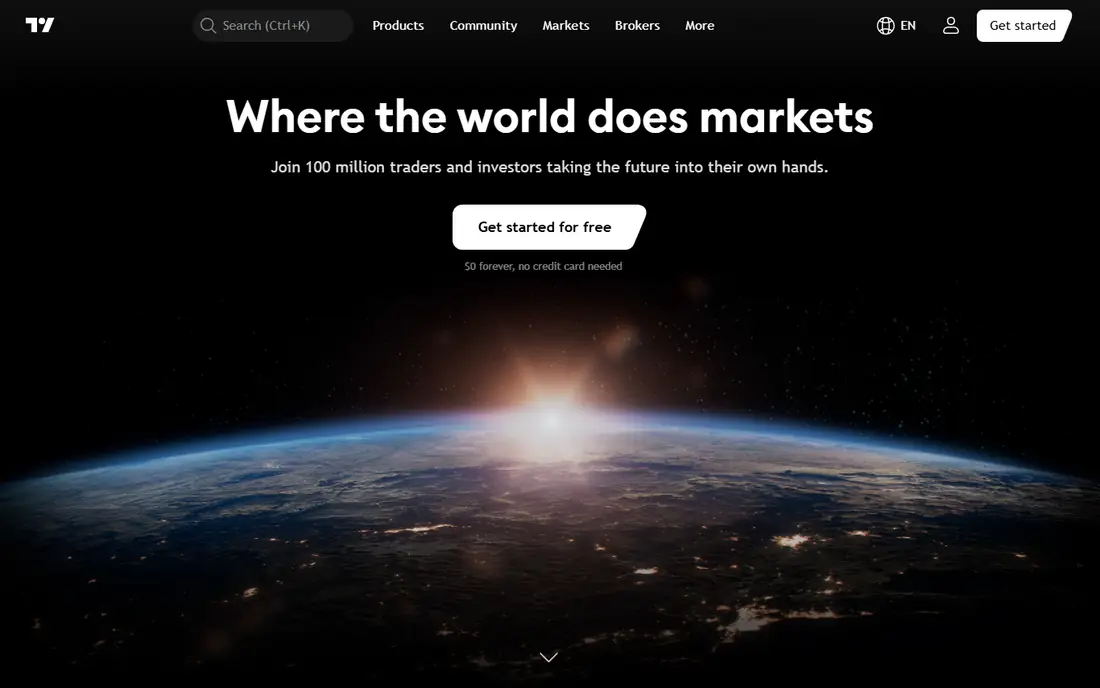
TradingView remains the strong default for charting because of its clean visuals, flexible charts and Pine Script community, where traders share thousands of public indicators and strategies. It covers stocks, futures, crypto and world markets in one browser tab, and its social ideas feed lets beginners see how experienced traders read the same chart. Paid plans start at Essential $12.95 per month billed annually, rising to Plus $29.95 and Premium $59.95.
The free plan is genuinely limited, with fewer indicators per chart and slower data refresh, and paid tiers get expensive fast for traders who need many layouts or real-time data on several exchanges. For most traders, though, TradingView's combination of quality, community and coverage makes it the best first charting platform.
What we like- Free tier with clean charts
- Pine Script community with thousands of public indicators
- Covers stocks, futures, crypto and world markets
- Social ideas from 50 million plus users
Watch out for- Free plan is genuinely limited
- Paid tiers get expensive fast
- Screener auto-refresh is limited on lower plans
Starting price$59 per month
Free planNo
TrendSpider automates the chart work active traders usually do by hand: it draws trendlines, detects patterns and watches multiple timeframes at once, then alerts you when price interacts with a level you care about. The scanner lets you describe a setup in plain language, such as a stock near a multi-timeframe trendline with a weak momentum reading, rather than building a long filter chain. Backtesting and no-code bots are included, with bot slots and scan frequency rising on higher plans.
Pricing is the detail to check first. Published October 2026 checks put Standard at $59 to $89 per month depending on billing term, with Premium and higher tiers above that, and a paid 14-day intro period rather than a free trial. Real-time US stock data is included for non-professionals, but futures data and extra AI assistant messages cost more. For technical traders who spend hours on charts each week, TrendSpider saves real time. It is less useful for long-term investors who mainly need fundamentals.
What we like- Automated trendlines and pattern detection
- Multi-timeframe analysis and smart alerts
- Backtesting and no-code bots on all plans
- 50 years of historical data
Watch out for- No free tier, only a paid intro period
- Standard $59 to $89 per month by billing term
- No fundamental data of its own
- Steeper learning curve
Starting price$19.95 per month
Free planYes
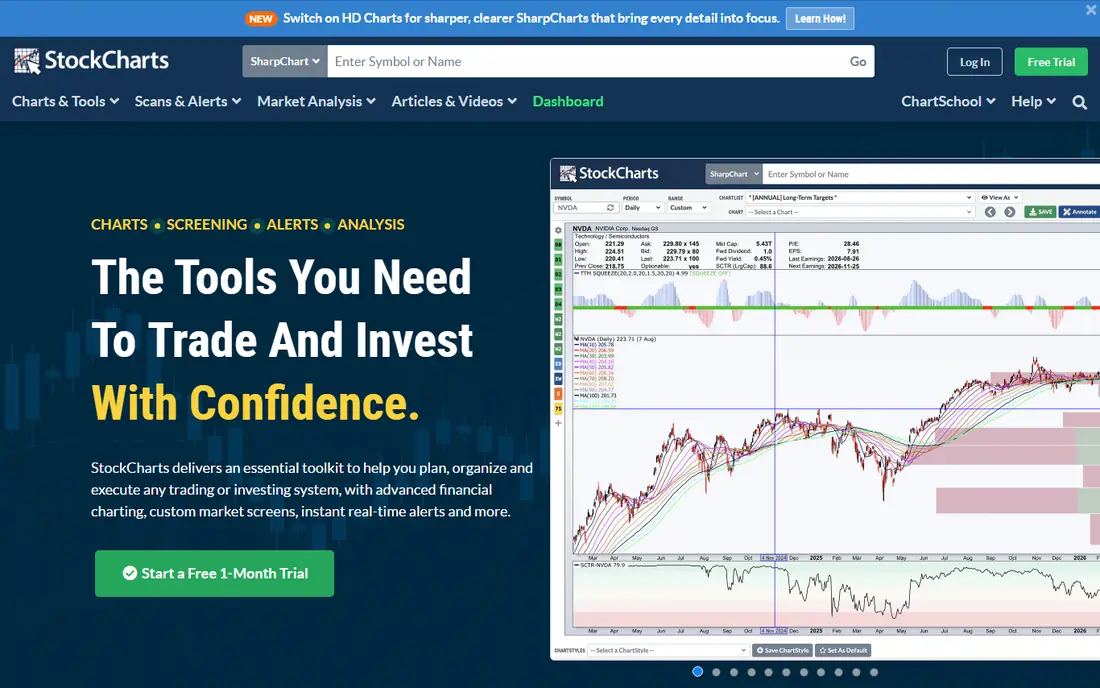
StockCharts is one of the more beginner-friendly technical analysis platforms, largely because of ChartSchool, the built-in educational library that has run for over 25 years. New chart types such as Point and Figure, Renko, Kagi and Heikin Ashi come explained rather than dumped on the interface, and the proprietary SCTR, StockCharts Technical Rank, rates stocks 0 to 100 on relative strength for a quick reference point.
Pricing runs free, Basic $19.95 per month, Extra $29.95 and PRO $49.95, with real-time data adding $9.95 per month per exchange and annual plans including one free month. The interface feels dated next to TradingView. For traders who value education and classic technical analysis over social features, StockCharts is a solid, honest platform.
What we like- Free tier plus Basic $19.95, Extra $29.95 and PRO $49.95 per month
- ChartSchool education built in for 25 years plus
- Proprietary SCTR ranking 0 to 100
- Many chart types explained
Watch out for- Real-time data adds $9.95 per month per exchange
- Interface feels dated next to TradingView
- Annual plans include one free month only
Starting price$24.99 per month
Free planNo
TC2000 is a long-standing platform that balances strong charting, screening and options trading, and it suits US stock and options traders who want one desktop tool rather than a browser tab. Pricing runs Basic $24.99, Premium $49.99 and Premium Plus $99.99 per month, with real-time US stocks on Nasdaq Basic and real-time scanning on Premium. The combination of charting and technical scanning in one package is the draw.
There is no free tier, the interface has a learning curve for beginners, and global market coverage is thinner than TradingView's. For US-focused traders who want charting plus scanning on a budget, TC2000 delivers good value without the social layer they may not need.
What we like- Long-standing platform balancing charting, screening and options trading
- Basic $24.99, Premium $49.99 and Premium Plus $99.99 per month
- Real-time US stocks on Nasdaq Basic
- Good for US stock and options traders
Watch out for- No free tier
- Interface learning curve for beginners
- Less global market coverage than TradingView
Starting price$39.50 per month
Free planYes
Finviz Elite is the screening-first pick: a free tier for basic screening, with Elite at $39.50 per month or $299.50 per year adding real-time data from 4 a.m. to 8 p.m. Eastern and faster refresh. Preset screeners make a daily review fast, and the heat maps and group performance views give a market-wide picture that pure charting tools lack.
Charting is secondary here, with fewer indicators than TradingView, free tier data is delayed, and no backtesting is listed. For traders whose workflow starts with a screen, such as finding stocks near highs on rising volume, then moves to a chart for entry timing, Finviz Elite paired with a free charting tool is a strong, affordable stack.
What we like- Free tier for basic screening
- Elite $39.50 per month or $299.50 per year
- Real-time data from 4 a.m. to 8 p.m. Eastern on Elite
- Preset screeners for daily review
Watch out for- Charting is secondary to screening
- Free tier data is delayed
- No backtesting listed
- Fewer indicators than TradingView
Starting priceFree
Free planYes
thinkorswim, now part of Schwab, is free with a Schwab account and is the best choice for options and active traders who want professional-grade charting without a separate subscription. Options analytics, strategy testing and paper trading are included, and the educational content helps traders learn the platform's deep feature set. For traders who already bank or invest with Schwab, it is the obvious charting home.
It requires a Schwab brokerage account, the desktop platform has a steep learning curve, and it is overkill for casual long-term investors who check a portfolio weekly. For active traders, especially options traders, thinkorswim's free-with-account pricing is hard to beat.
What we like- Free with a Schwab account
- Strong options analytics and strategy testing
- Paper trading included
- Solid educational content
Watch out for- Requires a Schwab brokerage account
- Desktop platform has a steep learning curve
- Overkill for casual long-term investors
Starting priceFree
Free planYes
Webull is free with no account minimum, making it the easiest entry point for beginners who want real charts without paying or funding a large account. The mobile charts are clean, the app is approachable, and a paid Premium tier adds extras for traders who outgrow the free feature set. For a new trader learning to read price action, Webull removes every barrier except the learning itself.
Charting depth trails TradingView and thinkorswim, advanced screening is limited, and some features sit behind Premium. For beginners, though, free and simple beats deep and confusing. Webull is the best free first charting app for new traders.
What we like- Free with no account minimum
- Clean mobile charts
- Paid Premium tier available for extras
- Good for beginners learning to read charts
Watch out for- Charting depth trails TradingView and thinkorswim
- Advanced screening is limited
- Some features sit behind the Premium tier
Starting priceFree
Free planYes
MetaTrader 5 is free and works with dozens of brokers, making it the default charting platform for forex and futures traders and for algo developers who automate strategies. It supports multi-asset trading, a deep indicator library and expert advisors that run automated strategies, and the broker ecosystem means traders can pick execution quality separately from charting.
Live trading needs an MT5-supporting broker, stock charting is thinner than on dedicated stock platforms, and the interface feels technical to newcomers. For forex and futures traders, or for anyone building automated strategies, MetaTrader 5 is the free professional standard.
What we like- Free, with a broker account needed to trade live
- Works with dozens of brokers
- Multi-asset trading and algo support
- Deep indicator and expert advisor ecosystem
Watch out for- Requires an MT5-supporting broker for live trading
- Stock charting is thinner than dedicated stock platforms
- Interface feels technical
How we chose
We compared charting quality, data costs, screening, backtesting and price, using October 2026 published comparisons and vendor pricing. TradingView leads on overall quality and community, TrendSpider leads on automation, StockCharts leads on education, and thinkorswim and Webull lead on free-with-account value. Prices used: TradingView Essential $12.95 per month annual, TrendSpider Standard $59 per month annual, StockCharts Basic $19.95 per month, TC2000 Basic $24.99 per month, Finviz Elite $39.50 per month or $299.50 per year, with thinkorswim, Webull and MetaTrader 5 free with an account.
We also weighed data costs, since headline prices hide them. StockCharts charges $9.95 per month per exchange for real-time data, TrendSpider charges extra for futures data, and free tiers on several platforms carry delayed data. No platform here was used hands-on for live trading for this guide; the picks rest on published features, pricing and documented capabilities.
What to check before you pay
First, confirm whether you already get charting free through your broker. Schwab, Webull and Interactive Brokers accounts include strong charting at no extra cost, and paying for a standalone tool on top of that wastes money. Second, check data costs: real-time data, futures data and exchange fees can add $10 to $50 per month beyond the subscription.
Third, match the tool to your workflow. Screeners should start with Finviz or TC2000, automation traders should start with TrendSpider, and visual learners should start with TradingView. Use free tiers and trials on real trades, not demo data, before committing to a paid plan, and remember that no charting tool guarantees profits. This guide is educational, not financial advice, and past chart patterns do not predict future returns.
Frequently asked questions
What is the best free stock charting software?
TradingView's free tier is the best free standalone charting option, with clean charts and community indicators, though it is limited. Webull and thinkorswim are free with a brokerage account and offer stronger charting for account holders, with no separate subscription.
Is TradingView or TrendSpider better?
TradingView is better for visual charting, community learning and flexibility, with a free tier and plans from $12.95 per month. TrendSpider is better for automation, with automatic trendlines, multi-timeframe scanning and no-code bots, starting at $59 per month with no free tier. Visual traders should pick TradingView; automation traders should pick TrendSpider.
Do I need real-time data for charting?
Day traders and short-term swing traders need real-time data, since delayed quotes can mislead entry and exit timing. Long-term investors checking weekly positions can work with delayed data. Check each platform's data terms, since StockCharts charges $9.95 per month per exchange for real-time data and free tiers often carry delays.
Can charting software replace a broker?
No. Charting software analyzes prices, while a broker executes trades and holds your account. Some platforms, such as thinkorswim and Webull, bundle both, but standalone tools like TradingView, TrendSpider and StockCharts need a separate brokerage account for trading.
What is the cheapest good stock charting tool?
Webull and thinkorswim are free with an account, making them the cheapest strong options. Among standalone tools, TradingView's free tier and StockCharts Basic at $19.95 per month are the cheapest credible choices, with TC2000 Basic at $24.99 per month close behind.
Does charting software guarantee trading profits?
No. Charting tools organize price data and highlight patterns, but no indicator, pattern or automation guarantees profits. Treat backtest results with care, since past performance does not predict future returns, and never trade money you cannot afford to lose. This guide is educational, not financial advice.
Sources we checked (0)
Is your product missing or out of date?
We review this list regularly. Vendors can request a listing, send updated pricing or ask about featured placement.

Shihab Mia · Founder, Rankite
Shihab has 5+ years in B2B and SaaS SEO. He writes Rankite's software buying guides from pricing pages, documentation and public user reviews. More about Shihab.