How we make this list: we compare pricing pages, product documentation and public user reviews. Ratings come from G2, Capterra or Trustpilot, with the date we checked them.
Best reviewed software to auto generate docs
Direct answer: PandaDoc is the best reviewed software to auto generate docs for most sales and operations teams, because it covers templates, approval workflows, e-signatures and payments in one place, with a free plan for light use. Docupilot is the best low cost alternative for high volume template work, because it charges by document volume rather than by seat.
Document generation software turns a template and a set of data into a finished document. A sales team can turn a CRM record into a proposal, a legal team can turn a matter file into a contract, and an operations team can turn an order into an invoice, all without retyping names, dates, prices and clauses.
Buyers should judge these tools on four points. First, template quality, which covers how easy it is to build a template and how much control it gives over layout, tables and conditional text. Second, automation, which covers data merging, bulk generation, approvals and delivery. Third, integrations, which decide whether the tool can pull data from a CRM, a form, a spreadsheet or an API without manual export. Fourth, review scores, which show how real users rate ease of use, support and reliability over time.
Key takeaways
- PandaDoc suits sales teams that want proposals, contracts, e-signatures and payments in one workflow.
- Docupilot suits small teams with high document volume, with an entry plan at 29 dollars a month for 100 documents.
- Conga Composer and Fluent by Apryse suit Salesforce shops and enterprises with complex templates.
- Zoho Writer is the cheapest starting point, with a free editor and automation charged by credit.
How we picked
We compared eight tools that generate contracts, proposals, reports, invoices and legal forms from templates and data. We checked each vendor homepage on 14 November 2026 and confirmed that it loads. We checked each vendor pricing page where one is published, and we used third party reported prices where the vendor does not publish them. Prices are third party reported and checked 14 November 2026 where the vendor does not publish them, and conflicts are flagged in the entries.
Comparison table
| Tool | Best for | Starting price | Free plan |
| PandaDoc | Sales proposals and contracts | 19 dollars per user per month, billed annually | Yes |
| Conga Composer | Salesforce document generation | Quote | No |
| Formstack Documents | Form driven documents in a suite | 250 dollars per month, billed annually | No |
| Templafy | Branded Office documents at scale | 40 dollars per user per month | Yes, Individual plan |
| Docupilot | High volume template automation | 29 dollars per month | No, 14 day trial |
| Docmosis | Developer led document generation | 49 dollars per month | No, 30 day trial |
| Zoho Writer | Low cost document automation | 0 dollars, automation from 0.05 dollars per credit | Yes |
| Fluent by Apryse | Complex reports and regulated documents | Quote | No |
What is document generation software
Document generation software is software that merges data from a CRM, form, spreadsheet, database or API into a prebuilt template and produces a finished document in PDF, Word or another format. It replaces copy and paste work, so a contract, proposal, invoice or report keeps the same wording and layout while names, dates, prices and line items change.
How much does document generation software cost
Document generation software costs from 0 dollars to several hundred dollars a month for self serve plans, and from thousands of dollars a year for enterprise plans sold by quote. Per seat plans suit teams where a small number of people send documents, while per document plans suit teams where many people trigger documents but volume is predictable. The entry price is rarely the full cost, because add ons, extra seats, extra document volume, implementation and e-signature envelopes can add to the bill.
Can document generation software replace manual drafting
Document generation software can replace most routine drafting, but it does not replace legal judgement or a careful review of unusual terms. It works best for repeatable documents where the structure stays the same and only the data changes, such as standard contracts, proposals, invoices, offer letters and reports. A template owner still needs to set the wording, the conditional rules and the approval steps, and a person still needs to check the first batch of generated documents.
Which integrations matter most
The integrations that matter most are the ones that hold the data for the documents a team sends every day. For sales teams, that is usually a CRM such as Salesforce or HubSpot, plus a payment tool and an e-signature tool. For operations teams, it is usually a form tool, a spreadsheet, an ERP system or an API that can push data into a template. For regulated teams, it is a document store, an approval system and an audit log.
Quick comparison
| Tool | Best for | Starting price | Free plan |
|---|
 PandaDoc | Sales teams that need proposals, contracts, e-signatures and payments in one place | 19 dollars per user per month, billed annually, for the Starter plan | Yes, a free plan with limited documents and templates |
 Conga Composer | Salesforce teams that generate quotes, contracts and invoices at volume | Quote, no published price | No permanent free plan, a 30 day trial is reported for Composer in some sources |
 Formstack Documents | Teams already on Formstack Forms or Salesforce that need Word, PowerPoint or PDF output | 250 dollars per month, billed annually, for the Suite plan | No permanent free plan, a 14 day trial of the Suite is offered |
 Templafy | Enterprises that need branded, compliant documents across Microsoft Office | 40 dollars per user per month for the Team plan, up to 25 seats | Yes, an Individual plan for one seat with AI PowerPoint generation |
 Docupilot | Small teams that want Word or PDF templates filled from Zapier, Make, Airtable or an API | 29 dollars per month for the Starter plan, 100 documents and one seat | No permanent free plan, a 14 day free trial with no card required |
 Docmosis | Software teams that generate PDF and Word documents from their own applications | 49 dollars per month for Docmosis Cloud Professional, 4,000 pages a month | No permanent free plan, a 30 day trial is offered |
 Zoho Writer | Small businesses and Zoho users that want low cost document automation | 0 dollars for the editor, automation credits from 0.05 dollars per credit after free credits | Yes, the editor is free for individuals and organisations with unrestricted access to its features |
 Fluent by Apryse | Enterprises that need complex, accurate reports and regulated documents | Quote, no published price, formerly Windward Studios | No permanent free plan, a trial is reported on third party listings |
Is your product missing or out of date?
We review this list regularly. Vendors can request a listing, send updated pricing or ask about featured placement.
#1PandaDoc
Best for: Sales teams that need proposals, contracts, e-signatures and payments in one place4.7/5 on
G2 (3,621 reviews, checked Oct 2026)
Visit pandadoc.com
Starting price19 dollars per user per month, billed annually, for the Starter plan
Free planYes, a free plan with limited documents and templates
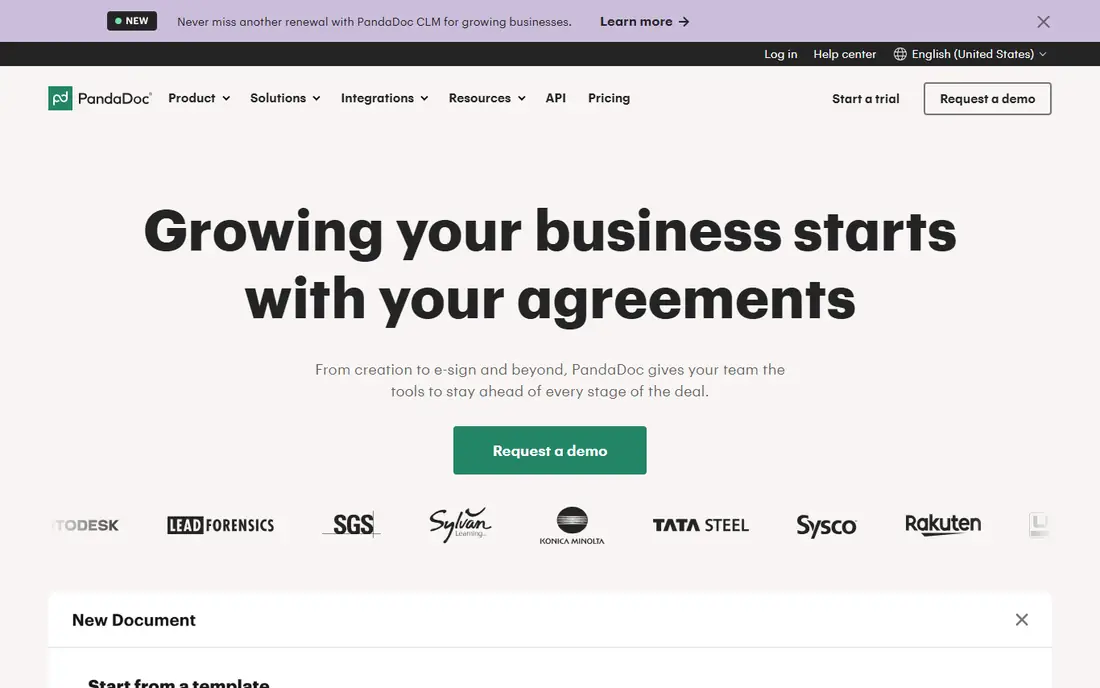
PandaDoc is a document workflow platform that covers the path from a first draft to a signed and paid agreement. A team builds a proposal or contract in a drag and drop editor, pulls in CRM data, sends it for signature, and tracks opens and completion in one place. The content library stores reusable blocks, so a team can reuse approved wording instead of rewriting it. Price conflict flagged: third party sources disagree on the free plan limit, with some listing 60 documents a year and others listing five documents a month, and one source lists an Essentials plan at 35 dollars per user per month that does not match the current Starter and Business prices on the vendor pricing page.
What we like- Strong template library with more than 450 templates, built in e-signatures, CRM integrations with Salesforce and HubSpot, and approval workflows
Watch out for- The Starter plan is limited to five templates, and pricing tables and payment collection need the Business plan, so the real cost is often the 49 dollar Business tier
#2
Conga Composer
Best for: Salesforce teams that generate quotes, contracts and invoices at volume
Visit conga.com
Starting priceQuote, no published price
Free planNo permanent free plan, a 30 day trial is reported for Composer in some sources
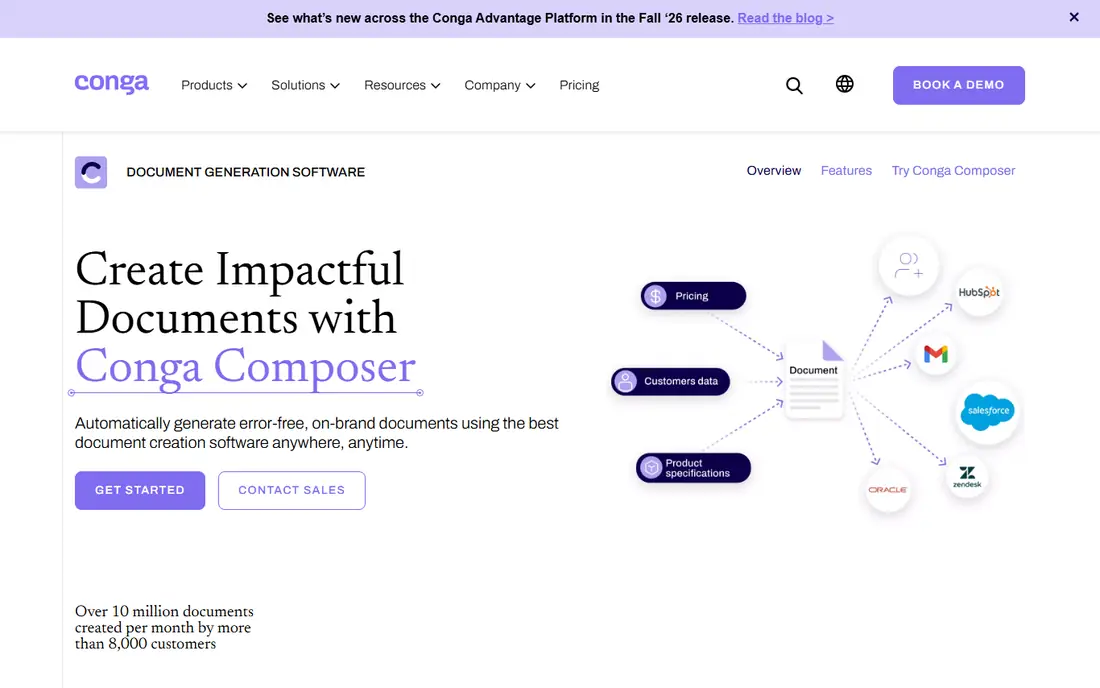
Conga Composer is a document generation engine built for Salesforce. It pulls live CRM data into Word, Excel, PowerPoint and PDF templates, applies conditional logic and calculations, and can batch out hundreds of contracts or proposals at once. Conga Batch and Conga Trigger add scheduled and event based generation, so documents can run without a button click. Price conflict flagged: third party figures disagree sharply, with one source listing 6 dollars per user per month, another listing 30 to 100 dollars per user per month, and purchasing data listing Composer at 14,300 to 97,000 dollars a year. Conga itself publishes no rate, so treat every per user figure as unverified and get the rate, the included volume and the overage rate in writing.
What we like- Deep Salesforce integration, batch generation for high volume work, conditional logic and calculations, and Word, Excel, PowerPoint and PDF output
Watch out for- Conga publishes no price, so a buyer cannot compare cost without a sales call, and the product needs Salesforce expertise to set up and maintain
#3Formstack Documents
Best for: Teams already on Formstack Forms or Salesforce that need Word, PowerPoint or PDF output4.5/5 on
G2 (153 reviews, checked Oct 2026)
Visit formstack.com
Starting price250 dollars per month, billed annually, for the Suite plan
Free planNo permanent free plan, a 14 day trial of the Suite is offered
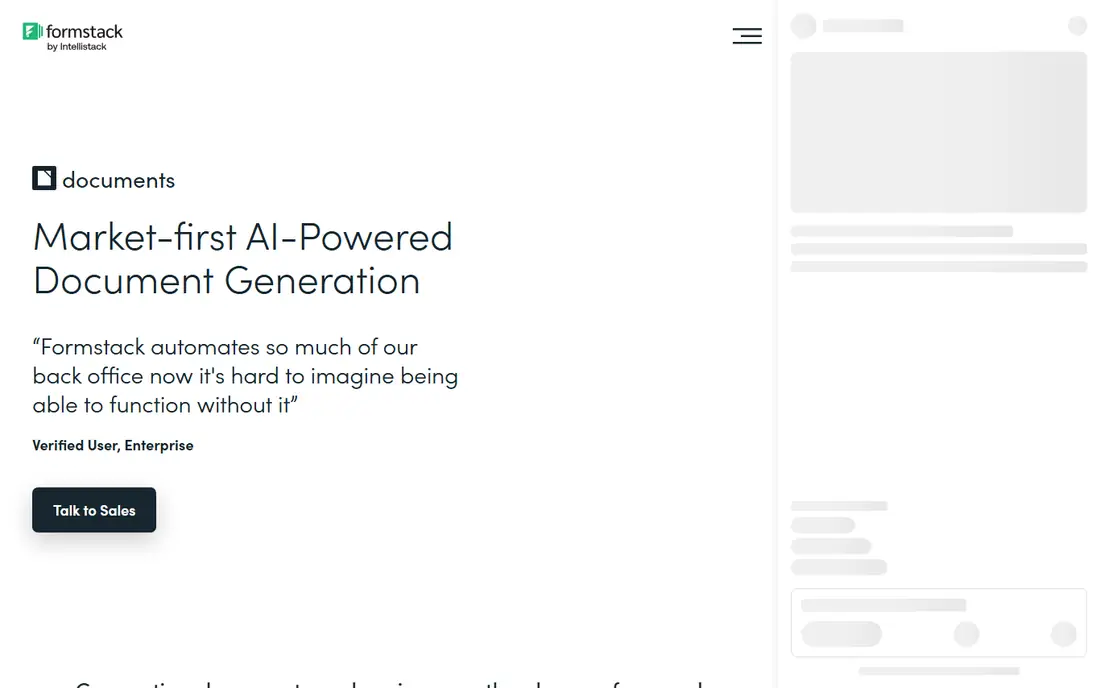
Formstack Documents automates document generation from form data or CRM records. A team uploads a Word, fillable PDF, PowerPoint or Excel template, maps the fields, and generates a finished document when a form is submitted or a record changes. The Suite adds Forms and Sign, so a team can collect data, generate a document and collect a signature without leaving the platform. Price conflict flagged: older third party listings show a standalone Documents plan from 92 dollars a month, and one purchasing source lists 50 to 100 dollars per user per month, while the current vendor pricing page lists the Suite at 250 dollars a month billed annually as the lowest public tier that includes Documents. Use the Suite figure above.
What we like- Merges data from Forms, Salesforce, CSV files and more than 40 other apps, supports DOCX, PPTX, XLSX and PDF output, and includes Formstack Sign in the Suite
Watch out for- There is no low cost standalone Documents plan on the current pricing page, so a team that only needs document generation still pays the full Suite price
#4Templafy
Best for: Enterprises that need branded, compliant documents across Microsoft Office4.4/5 on
G2 (59 reviews, checked Oct 2026)
Visit templafy.com
Starting price40 dollars per user per month for the Team plan, up to 25 seats
Free planYes, an Individual plan for one seat with AI PowerPoint generation
Templafy is an enterprise document generation platform that governs templates, brand assets and content inside Microsoft Office. A user opens a template or a Document Agent in Word or PowerPoint, and the tool pulls in approved slides, text and data, so every document follows the same brand and legal rules. The central library updates content in one place, and permission based access controls who can use each template. Price conflict flagged: the vendor pricing page lists Team at 40 dollars per user per month, while an older third party listing puts the starting price at 50 dollars per user per month. Use the vendor figure above, checked 14 November 2026.
What we like- Central content library and company templates inside Word, PowerPoint, Outlook and Excel, Document Agents that generate documents from approved content, and brand and compliance controls
Watch out for- The Team plan is capped at 25 seats, so larger organisations must move to Enterprise pricing by quote, and the strongest governance features sit on Enterprise rather than Team
#5Docupilot
Best for: Small teams that want Word or PDF templates filled from Zapier, Make, Airtable or an API4.6/5 on
G2 (73 reviews, checked Oct 2026)
Visit docupilot.com
Starting price29 dollars per month for the Starter plan, 100 documents and one seat
Free planNo permanent free plan, a 14 day free trial with no card required
Docupilot is a template engine for high volume document work. A team uploads a Word, PDF, PowerPoint or Excel template, adds merge fields, and sends data in from Zapier, Make, Airtable, a webhook or its REST API. The tool supports dynamic templates with variables, conditionals, loops and tables, and it can deliver documents by email, upload them to storage, or send them for e-signature. Price conflict flagged: sources agree on the 29 dollar Starter price, but they disagree on Enterprise seats, with one vendor page listing 25 seats and another listing 15 seats for the 699 dollar Enterprise plan.
What we like- Unlimited templates on every plan, per document pricing that avoids a per seat tax, more than 70 native integrations plus Zapier and Make, and API access on every plan
Watch out for- E-signature is a paid add on from 1.50 dollars per envelope at low volume, so a team that signs every document will pay more than the headline plan price
#6
Docmosis
Best for: Software teams that generate PDF and Word documents from their own applications
Visit docmosis.com
Starting price49 dollars per month for Docmosis Cloud Professional, 4,000 pages a month
Free planNo permanent free plan, a 30 day trial is offered
Docmosis is an API first document generation engine for software teams. Authors create templates in Word or LibreOffice with plain text placeholders, and an application sends JSON or XML data to a REST API and receives a finished document back. The same engine is sold as Cloud, as Tornado for self hosting, and as a Java library for embedding in a Java application. Cloud plans are priced by pages per month, with Professional at 49 dollars, Business at 64 dollars and Enterprise at 78 dollars for the same 4,000 page quota. Price conflict flagged: some third party listings round the starting price to 50 dollars a month, while the vendor pricing page and G2 list 49 dollars a month. Use the vendor figure above.
What we like- Mature template syntax in Word or LibreOffice, SOC 2 Type II assurance, uptime above 99.9 percent since 2016, and self hosted Tornado and embedded Java options beside the cloud API
Watch out for- There is no visual template designer for non technical users, and output is limited to PDF, DOCX, ODT and TXT, so teams that need Excel or PowerPoint output will need another tool
#7Zoho Writer
Best for: Small businesses and Zoho users that want low cost document automation4.4/5 on
G2 (97 reviews, checked Oct 2026)
Visit zoho.com
Starting price0 dollars for the editor, automation credits from 0.05 dollars per credit after free credits
Free planYes, the editor is free for individuals and organisations with unrestricted access to its features
Zoho Writer is a free online word processor with a document automation add on. A team writes and edits documents without a subscription, then uses merge, fillable forms and e-signature collection to generate documents from business data. Organisations get 200 or 1,000 free automation credits a month, depending on their plan, and Zoho One users get 50 free credits per user a month, capped at 1,000 extra credits. After the free credits, Zoho lists 0.05 dollars per credit up to 4,000 credits, 0.02 dollars from 4,001 to 9,000, and 0.01 dollars from 9,001 to 200,000. Most documents cost one credit, while a PDF form costs five.
What we like- Free editor with no document limit, mail merge, fillable forms, approval routing and e-signature collection, and deep integration with Zoho CRM, Books, Invoice and Sign
Watch out for- Automation is charged by credit, so a team with high volume needs to track credit use, and the strongest value comes inside the Zoho ecosystem
#8
Fluent by Apryse
Best for: Enterprises that need complex, accurate reports and regulated documents
Visit windwardstudios.com
Starting priceQuote, no published price, formerly Windward Studios
Free planNo permanent free plan, a trial is reported on third party listings
Fluent by Apryse, formerly Windward Studios, is a document generation platform for reports and templates where accuracy is not optional. A team designs a template in Microsoft Office, connects it to data from almost any source, and generates loan packages, insurance policies, financial statements, HR letters and compliance reports. The consumption licence charges by the number of pages or documents generated. Price conflict flagged: the vendor pricing page gives no rate, while TrustRadius lists a starting price of 190 dollars a month and older Windward Core listings of 547 dollars a month for Core Pro and 605 dollars a month for Core Flex. Those older figures may reflect retired editions, so get a current quote in writing.
What we like- Templates designed directly in Microsoft Office, advanced conditional logic and calculations, data from almost any source, and native Office output
Watch out for- Pricing is by quote with a fixed annual fee, so a buyer cannot compare cost without a sales call, and the learning curve is steep for complex templates
Frequently asked questions
How do I choose between per seat and per document pricing
Choose per seat pricing when a small, fixed team sends most documents, because the cost stays predictable as volume rises. Choose per document pricing when many people trigger documents, or when volume varies by month. Work out the annual total for your own seat count and monthly volume before you pick a plan.
Can I use document generation software without a CRM
Yes, most tools in this guide work without a CRM. Docupilot, Formstack Documents and Zoho Writer can pull data from forms, spreadsheets, CSV files, Zapier or an API, so a small team can automate contracts, invoices and reports without a CRM.
Do these tools handle legal documents safely
These tools can generate legal documents from approved templates, but they do not give legal advice. A lawyer should approve the template wording, the conditional clauses and the signature process before a team uses them at scale. Keep an audit trail, use version control for templates, and review the first batch of generated documents carefully.
What output formats should I expect
Most tools in this guide produce PDF and Word documents, and several also produce Excel, PowerPoint, HTML email or plain text. PandaDoc, Formstack Documents and Docupilot cover the widest mix of common business formats, while Docmosis is limited to PDF, DOCX, ODT and TXT. Check the output list before you buy if your team needs Excel or PowerPoint output.
How long does setup take
Setup takes from a few hours for a simple template tool to several weeks for an enterprise tool. Docupilot, Zoho Writer and PandaDoc can be running on a first template in a day. Conga Composer, Templafy and Fluent by Apryse take longer, because they need template design, data mapping, approval rules and admin training before they go live.
Sources we checked (15)
- https://www.signwell.com/resources/pandadoc-pricing/
- https://www.pandadoc.com/lp/product/
- https://congaprd.conga.com/products/conga-composer
- https://bindlegal.com/resources/comparisons/conga-clm-pricing-2026/
- https://formester.com/blog/best-document-generation-software/
- https://www.formstack.com/?utm_source=jsembed&utm_medium=product&utm_campaign=product+branding&fa=h,5692479
- https://www.templafy.com/home/pricing/
- https://www.docupilot.com/blog/best-pandadoc-alternatives
- https://www.docupilot.com/blog/document-generation-software
- https://www.docmosis.com/
- https://www.statwharf.com/best/document-generation-software/
- https://www.zoho.com/writer/pricing.html
- https://www.creatorscripts.com/software/zoho-writer
- https://www.windwardstudios.com/solution/flex-pro
- https://www.guideflow.com/blog/document-generation-software-tools
Is your product missing or out of date?
We review this list regularly. Vendors can request a listing, send updated pricing or ask about featured placement.

Shihab Mia · Founder, Rankite
Shihab has 5+ years in B2B and SaaS SEO. He writes Rankite's software buying guides from pricing pages, documentation and public user reviews. More about Shihab.