How we make this list: we compare pricing pages, product documentation and public user reviews. Ratings come from G2, Capterra or Trustpilot, with the date we checked them.
Key takeaways
- The first question is native or scanned: Tabula and PDF24 handle native PDFs with selectable text, while ABBYY, Lido, and Nanonets add OCR for scanned pages.
- ABBYY FineReader is the best reviewed accuracy pick, with 4.5 out of 5 in one comparison and OCR in 198 languages, at $8.25 per user per month billed annually.
- Tabula is the best free table extractor for native PDFs, exporting to CSV, while Lido offers a free tier of 50 pages for scanned table OCR.
- Adobe Acrobat suits teams that already need a full PDF suite, while Smallpdf and Sejda suit occasional extraction inside broader PDF tools.
- Always verify extracted numbers: OCR accuracy drops on low quality scans, and table structure can break on borderless tables, so check totals before using data.
Quick comparison
| Tool | Best for | Starting price | Free plan |
|---|
 ABBYY FineReader PDF ABBYY FineReader PDF | Best accuracy, scanned docs | $8.25 per user per month | No |
 Adobe Acrobat Adobe Acrobat | Full PDF suite extraction | $19.99 per month | No |
 Tabula Tabula | Free native table extraction | Free | Yes |
 Lido Lido | Scanned table OCR free tier | Free | Yes |
 Smallpdf Smallpdf | Occasional extraction online | $10 per month | Yes |
 Sejda Sejda | Occasional extraction, no account | $7.50 per month | Yes |
 PDF24 Tools PDF24 Tools | Free everyday extraction | Free | Yes |
 Nanonets Nanonets | Automated batch extraction | See website | Yes |
Is your product missing or out of date?
We review this list regularly. Vendors can request a listing, send updated pricing or ask about featured placement.
#1ABBYY FineReader PDF
Best for: Best accuracy, scanned docs4.5/5 on
G2 (294 reviews, checked Oct 2026)
Visit abbyy.com
Starting price$8.25 per user per month
Free planNo
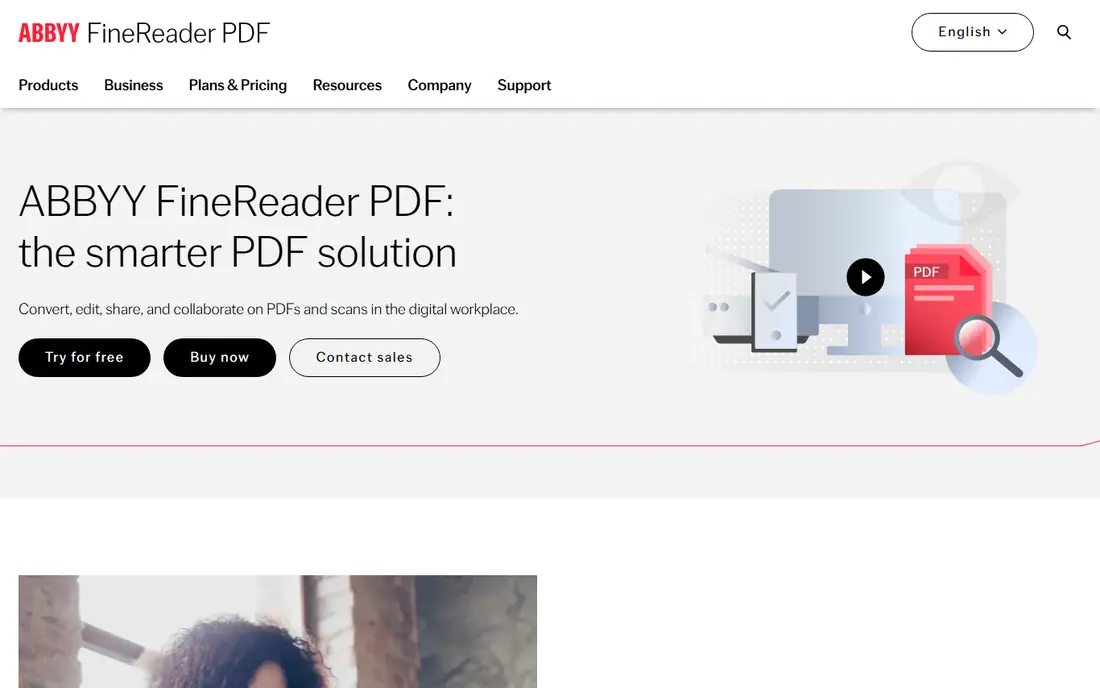
ABBYY FineReader PDF is the most reviewed and highest rated extraction tool in this guide, with 4.5 out of 5 in one comparison and a reputation for layout preservation across multi column and mixed language documents. Standard runs $8.25 per user per month billed annually, or $16 month to month, with basic OCR and PDF editing, while Corporate runs $13.75 per user per month billed annually with document comparison and Hot Folder automation for up to 5,000 pages per month. Annual pricing of $99 to $165 per year costs notably less than Acrobat Pro at $240 per year in the same comparison.
The trade off is price against accuracy. ABBYY costs more than free tools, but it handles scanned documents, complex layouts, and 198 languages better than any tool here. ABBYY suits businesses, legal firms, and libraries that process large volumes of printed documents needing precise extraction.
What we like- Best in class accuracy reported at 99.8 percent
- OCR in 198 languages
- Layout, tables, and graphics preserved
- Document comparison
- Hot Folder automation on Corporate
Watch out for- No permanent free plan
- Subscription only
- Accuracy drops on very low quality scans
- Mac feature parity is limited
- Interface learning curve
#2Adobe Acrobat
Best for: Full PDF suite extraction4.7/5 on
Capterra (4,264 reviews, checked Oct 2026)
Visit adobe.com
Starting price$19.99 per month
Free planNo
Adobe Acrobat is the full PDF suite with extraction built in, exporting PDFs to Word, Excel, and PowerPoint while preserving layout, and running OCR on scanned pages to make them searchable. Acrobat Pro starts from $19.99 per month on an annual plan billed monthly, with a 7 day free trial and no permanent free plan. It suits teams that already need editing, signing, and protection alongside extraction, since the suite covers the whole document workflow.
The trade off is suite value against specialist accuracy. Acrobat extracts well for everyday documents, but ABBYY leads on complex scans and language coverage. Acrobat fits teams that need a full PDF suite with extraction inside it.
What we like- Export to Word, Excel, and PowerPoint
- OCR for scanned pages
- Trusted output quality
- Full editing and signing after extraction
- Enterprise controls
Watch out for- No permanent free plan
- Highest price here
- Trial only 7 days
- Extraction depth is lower than ABBYY on complex scans
Starting priceFree
Free planYes
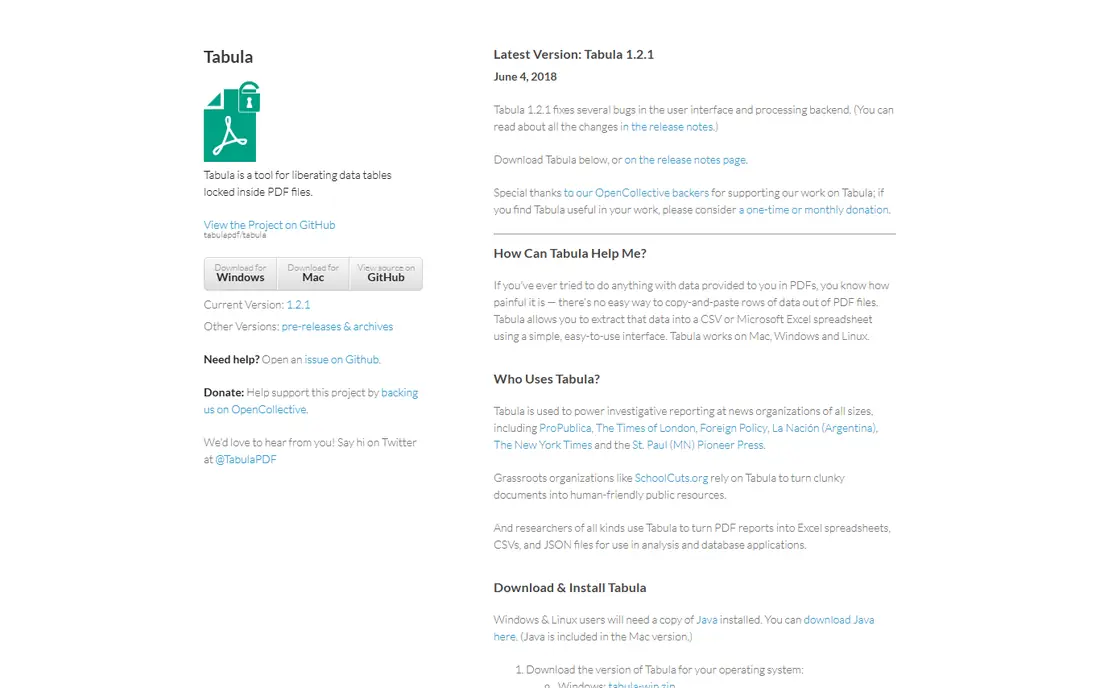
Tabula is the best free table extraction tool for native PDFs with selectable text, working in the browser to let users select a table area and export it to CSV for Excel. It handles simple tables well and costs nothing, with no account needed, which makes it the first tool to try for a one-off table from a digital report. Tabula is open source and maintained by journalists and researchers who needed clean table data.
The trade off is free simplicity against scan limits. Tabula cannot read scanned documents at all, and it fails on some borderless tables where other tools succeed. Tabula fits users extracting tables from native PDFs at no cost.
What we like- Completely free
- Runs in the browser
- Selects tables and exports to CSV
- Best free option for native PDFs
- No account needed
Watch out for- No OCR for scanned documents
- Struggles with borderless tables
- No batch automation
- Interface is basic
Starting priceFree
Free planYes
Lido is the accessible scanned table OCR option, combining optical character recognition with table structure detection to output rows, columns, and headers in structured form. The free tier covers 50 pages, which suits a small batch of scanned invoices or financial statements, while paid tiers scale by volume for batch processing. Lido exports directly to Excel, which saves the CSV cleanup step that Tabula users face.
The trade off is free access against volume limits. Lido is the most accessible scanned OCR option for a small job, but 50 free pages bind larger projects. Lido fits users with scanned tables who need structured Excel output without paying for ABBYY first.
What we like- Free tier covers 50 pages
- PDF table OCR with structured output
- Direct Excel export
- Batch processing
- Good for scanned invoices and statements
Watch out for- Free tier is small
- Paid pricing varies by volume
- Accuracy depends on scan quality
- Newer vendor than ABBYY and Adobe
#5Smallpdf
Best for: Occasional extraction online4.5/5 on
G2 (306 reviews, checked Oct 2026)
Visit smallpdf.com
Starting price$10 per month
Free planYes
Smallpdf covers extraction as part of a broader online PDF suite, converting PDFs to Word, Excel, and PowerPoint with a polished interface and fast processing. The free tier covers limited use, while Pro runs $10 per month billed annually, or $15 month to month, with OCR, unlimited conversions, and page tools. Smallpdf suits users who extract occasionally and also need compress, merge, and sign tools in the same account.
The trade off is convenience against free limits. Smallpdf is easy and fast, but free use is thin and OCR needs a paid plan. Smallpdf fits occasional users who want extraction inside a polished online suite.
What we like- Polished interface
- PDF to Word, Excel, and PowerPoint conversion
- OCR on paid plans
- Fast for occasional use
- Mobile apps
Watch out for- Free tier limits operations per hour
- OCR needs Pro
- Page tools need Pro
- Free web shows prompts
#6Sejda
Best for: Occasional extraction, no account4.5/5 on
G2 (42 reviews, checked Oct 2026)
Visit sejda.com
Starting price$7.50 per month
Free planYes
Sejda offers extraction with no account and clean privacy handling, letting users pull text and tables from PDFs in the browser without signing up. The free plan covers 3 tasks per day with files up to 50 MB or 200 pages, while paid plans start from $7.50 per month, or $63 per year, with a $5 week pass for short projects. Files are deleted after processing, which matters for users extracting from sensitive documents online.
The trade off is privacy convenience against limits. Sejda is clean and private for a web tool, but daily task limits bind frequent users and OCR depth trails ABBYY. Sejda fits occasional users who want extraction without an account.
What we like- No account needed for free use
- Clean privacy handling
- Files deleted after processing
- Text and table extraction
- Week pass available
Watch out for- Free plan limits to 3 tasks per day
- Files cap at 50 MB or 200 pages
- No desktop app
- OCR depth trails ABBYY
Starting priceFree
Free planYes
PDF24 Tools covers everyday extraction free, converting PDFs to Word, Excel, and text formats online, with an offline Creator suite on Windows for desktop work. Merging, splitting, compressing, and converting are all free with no limits reported, which makes PDF24 the best no cost everyday option for native PDFs. The interface is clean and needs no account, so a quick extraction takes minutes.
The trade off is free breadth against scan handling. PDF24 handles native PDFs well for free, but scanned OCR depth is basic compared with ABBYY and Lido. PDF24 Tools fits users who extract from native PDFs daily at no cost.
What we like- Fully free with no limits
- PDF to Word, Excel, and text conversion
- Offline Windows Creator
- Clean interface
- No account needed
Watch out for- No OCR for scanned documents on free tools
- Windows only for full desktop suite
- Online merges cap at 100 MB in some reports
- Extraction depth is basic
#8Nanonets
Best for: Automated batch extraction4.7/5 on
G2 (97 reviews, checked Oct 2026)
Visit nanonets.com
Starting priceSee website
Free planYes
Nanonets is the AI automation pick for teams that extract the same document types repeatedly, such as invoices, receipts, and forms, with models that learn from corrections. It offers a free tier for small use, while paid pricing varies by volume and larger use needs a quote, so this guide lists it as See website. An API lets teams plug extraction into their own apps and workflows, which suits finance and operations teams processing hundreds of documents per month.
The trade off is automation power against setup effort. Nanonets saves the most time at volume, but it needs training and configuration that one-off users do not need. Nanonets fits teams automating repeated document extraction at scale.
What we like- AI based document extraction
- Automated batch processing
- API for apps and workflows
- Learns from corrections
- Suits invoices, receipts, and forms
Watch out for- Pricing varies by volume and needs a quote for larger use
- Setup takes time
- Accuracy needs training on unusual layouts
- Overkill for one-off extraction
How we chose
We compared published pricing pages and third party extraction comparisons from 2026, recording native versus scanned handling separately, since that split decides whether a tool works at all on your documents. We favored tools with distinct strengths, best accuracy, full suite value, free native tables, free scanned OCR, occasional online use, no account privacy, free everyday use, and automated batch work, and we noted review ratings where comparisons published them. We weighed OCR accuracy, table structure detection, and output format separately, since no single tool leads on all three.
Start with document type: native PDFs should shortlist Tabula and PDF24 free, while scanned PDFs should shortlist ABBYY and Lido. Next, check volume: one-off tables need Tabula or Lido free, while repeated batches need Nanonets or ABBYY Corporate automation. Then check output needs: Excel users should favor Lido and ABBYY for direct structured export, while Word users should favor Acrobat and Smallpdf. Finally, verify extracted numbers before using them, since OCR accuracy drops on low quality scans and borderless tables can break structure. A tool that matches your document type, your volume, and your output format will save more cleanup time than the most famous name.
Frequently asked questions
What is the best reviewed PDF extraction tool overall?
ABBYY FineReader leads on accuracy and language coverage for scanned documents, Tabula leads free for native tables, and Acrobat leads for full suite users, so the best pick depends on document type.
Can free tools extract tables from scanned PDFs?
No for Tabula and PDF24, which need selectable text. Lido free covers 50 scanned pages with OCR, while ABBYY handles scanned documents at paid prices.
Why do extracted tables sometimes break?
Borderless tables, merged cells, and low quality scans confuse structure detection, so check row counts and totals against the original before using data.
Is ABBYY worth the price over Acrobat?
ABBYY costs less per year than Acrobat Pro in one comparison and leads on OCR accuracy and language coverage, while Acrobat wins for teams that also need editing and signing.
Does Nanonets need training for my documents?
Yes for unusual layouts. Nanonets learns from corrections, so standard invoices work fast, while custom forms need a short training period.
How do I extract a table from a PDF into Excel?
For native PDFs, select the table in Tabula and export to CSV, then open in Excel. For scanned PDFs, use Lido or ABBYY, which export structured data directly to Excel.
Sources we checked (0)
Is your product missing or out of date?
We review this list regularly. Vendors can request a listing, send updated pricing or ask about featured placement.

Shihab Mia · Founder, Rankite
Shihab has 5+ years in B2B and SaaS SEO. He writes Rankite's software buying guides from pricing pages, documentation and public user reviews. More about Shihab.