How we make this list: we compare pricing pages, product documentation and public user reviews. Ratings come from G2, Capterra or Trustpilot, with the date we checked them.
What is MongoDB management software
MongoDB management software is the tooling a team uses to run MongoDB day to day: browsing collections and documents, building aggregation pipelines, managing indexes and users, watching server health and moving data between environments. MongoDB stores data as documents, not tables, so a good management tool understands nested fields, arrays and the aggregation framework, rather than forcing documents into a relational grid. The best tools also cover schema analysis, query optimisation and team sharing.
Direct answer: MongoDB Compass is the top pick for most teams because it is free, official, and covers browsing, queries, schema analysis and index management with no licence cost. Studio 3T is the best paid alternative for professional teams, at $499 per user per year for Professional. Start with Compass and pay only when the team needs SQL queries, scheduled tasks or team features.
Key takeaways
- MongoDB Compass is free and official, and it covers the daily work of browsing, querying and analysing MongoDB data.
- Studio 3T Professional costs $499 per user per year and is the most complete paid MongoDB IDE, with SQL query support and scheduled tasks.
- NoSQLBooster Personal costs $129 one time and is the best pick for developers who live in the MongoDB shell.
- Navicat for MongoDB Enterprise costs $279.99 per year and adds visual aggregation, data modelling and BI reports.
- Robo 3T is free but legacy, so new teams should pick Compass instead.
How we picked
We compared eight tools on five points: MongoDB specific depth, aggregation support, schema analysis, team features, and pricing transparency. A tool scored well when it understood documents, nested fields and the aggregation framework, not just generic database browsing. Prices come from vendor pricing pages and vendor published comparisons, checked 21 November 2026. Where sources disagree on a price, both figures are printed and the conflict is flagged. Prices are search verified; vendor homepages were not individually opened in the browser for this guide.
Comparison table
| Tool | Best for | Starting price | Free plan |
| MongoDB Compass | Most MongoDB teams | Free | Free |
| Studio 3T | Professional MongoDB work | $499 per user per year | Community, non-commercial |
| NoSQLBooster | Shell first developers | $129 one time | Free edition |
| Navicat for MongoDB | Admin and BI reports | $279.99 per year | Premium Lite free |
| DbSchema | Visual schema design | $294 one time | Community free |
| Robo 3T | Free lightweight browsing | Free | Free, legacy |
| TablePlus | Fast native client | $99 one time | Free with limits |
| DBeaver | Multi database teams | Free; paid from $113 per year | Community free |
A small team should start with MongoDB Compass, because it is free, official and covers the daily work. Compass browses collections, runs queries, analyses schemas, manages indexes and explains query performance, all without a licence. When the team needs SQL queries against MongoDB, scheduled imports and exports, or team sharing, Studio 3T Professional at $499 per user per year is the next step. Developers who live in the shell should add NoSQLBooster Personal at $129 once, which gives them a script debugger and SQL style queries. Buying all three at once wastes money; the free tool covers the basics and the paid tools each solve one clear problem.
A paid MongoDB tool earns its price when it saves developer hours every week. Studio 3T pays for itself when a team runs scheduled data tasks, compares collections or writes SQL against MongoDB daily. NoSQLBooster pays for itself when a developer debugs MongoDB scripts for hours a week. Navicat for MongoDB earns its price for teams that need data modelling and BI reports. If the team runs one small MongoDB instance and rarely touches it, Compass is enough. If MongoDB is the core of the product, a paid IDE is a small cost next to slow queries and bad indexes.
How to choose MongoDB management software for your stack
Choose by job first. Daily browsing and schema analysis needs Compass. Professional development with SQL, scheduling and team features needs Studio 3T. Shell scripting and debugging needs NoSQLBooster. Modelling and BI reports need Navicat for MongoDB. Next, check the platform: Compass, Studio 3T, NoSQLBooster, Navicat, DbSchema, TablePlus and DBeaver run on Windows, macOS and Linux, while Robo 3T is cross platform but legacy. Finally, compare the licence model. A one time licence from NoSQLBooster, DbSchema or TablePlus keeps working after the update period ends, while a subscription such as Studio 3T stops getting updates when it lapses.
Quick comparison
| Tool | Best for | Starting price | Free plan |
|---|
 MongoDB Compass | Most MongoDB teams that want the official free client | Free | Free, with no paid edition for the core client |
 Studio 3T | Professional MongoDB teams that want SQL, scheduling and team features | $499 per user per year for Professional; Ultimate $699 per user per year | Community edition free for non-commercial use, limited to 3 connections |
 NoSQLBooster | Developers who live in the MongoDB shell | $129 one time for Personal; Professional $239 one time | Free edition, with fewer functions after a 30 day trial |
 Navicat for MongoDB | Teams that want admin tools, automation and BI reports for MongoDB | $279.99 per year for Enterprise, or $27.99 per month; $559 per user perpetual | Navicat Premium Lite free, connecting to MongoDB with core features |
 DbSchema | Teams that want visual schema design for MongoDB and relational engines | $294 one time for Pro, or $29.40 per month; Architect $470.40 one time | Community Edition free, for any use |
 Robo 3T | Teams that want a free lightweight MongoDB browser | Free | Free, with no paid edition |
 TablePlus | Developers who want a fast native client for MongoDB and other databases | $99 one time for a Basic licence, 1 device; Standard $129 for 2 devices | Free version limited to 2 open tabs, 2 open windows and 2 advanced filters |
 DBeaver | Teams that manage MongoDB alongside relational databases | Free Community edition; Lite $113 per year, Enterprise $255 per year, Ultimate $510 per year | Community edition free and open source under Apache 2.0 |
Is your product missing or out of date?
We review this list regularly. Vendors can request a listing, send updated pricing or ask about featured placement.
These eight tools cover the main ways teams manage MongoDB in 2026, from the free official client to paid professional IDEs.
#1
MongoDB Compass
Best for: Most MongoDB teams that want the official free client
Visit mongodb.com
Starting priceFree
Free planFree, with no paid edition for the core client
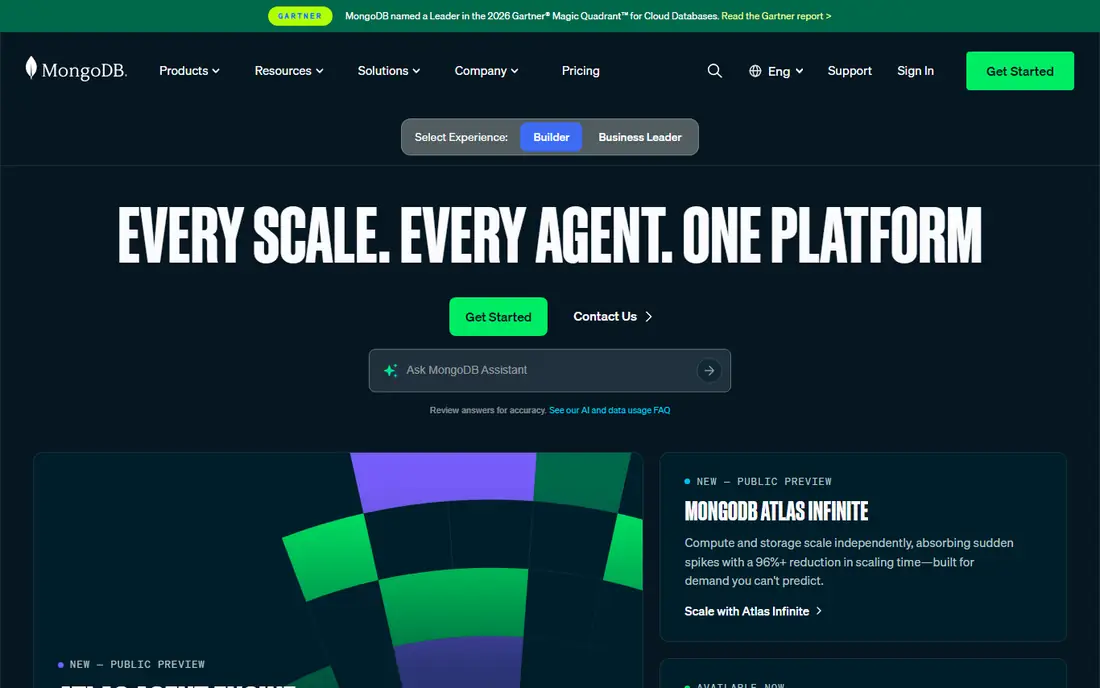
MongoDB Compass is the official graphical interface for MongoDB, and it is the default pick for most teams. It browses collections and documents, runs queries, analyses schemas, manages indexes and explains query performance, all free with no paid edition for the core client. The aggregation pipeline builder lets a team assemble stages visually instead of writing the pipeline by hand, and the schema view shows field types and distributions across a collection. Compass connects to MongoDB Atlas, self hosted MongoDB and compatible databases.
What we like- Official MongoDB tool, free with no limits, schema analysis and index management included, aggregation pipeline builder, natural language query help
Watch out for- No SQL query support, no scheduled tasks, no team sharing features, heavier than native apps because it runs on Electron
#2
Studio 3T
Best for: Professional MongoDB teams that want SQL, scheduling and team features
Visit studio3t.com
Starting price$499 per user per year for Professional; Ultimate $699 per user per year
Free planCommunity edition free for non-commercial use, limited to 3 connections
Studio 3T, formerly MongoChef, is a dedicated MongoDB IDE that targets professional developers and DBAs. Its standout feature is the ability to query MongoDB collections using SQL syntax, with Studio 3T translating SQL to MongoDB query language automatically. It also offers a visual aggregation builder, a built in mongo shell with autocomplete, code generation in JavaScript, Java, Python, C#, PHP and Ruby, and scheduled tasks for imports, exports and data comparisons. Professional costs $499 per user per year and Ultimate costs $699, according to vendor page reads from November 2026. A conflicting read lists $149 per year for Solo and $449 for Professional, so confirm the edition on the vendor page before buying.
What we like- SQL queries translated to MongoDB automatically, visual aggregation builder, scheduled imports, exports and comparisons, team features and code generation
Watch out for- Expensive next to the free tools, billed yearly only, a conflicting read lists $149 per year for Solo and $449 for Professional, so confirm the edition before buying
Starting price$129 one time for Personal; Professional $239 one time
Free planFree edition, with fewer functions after a 30 day trial
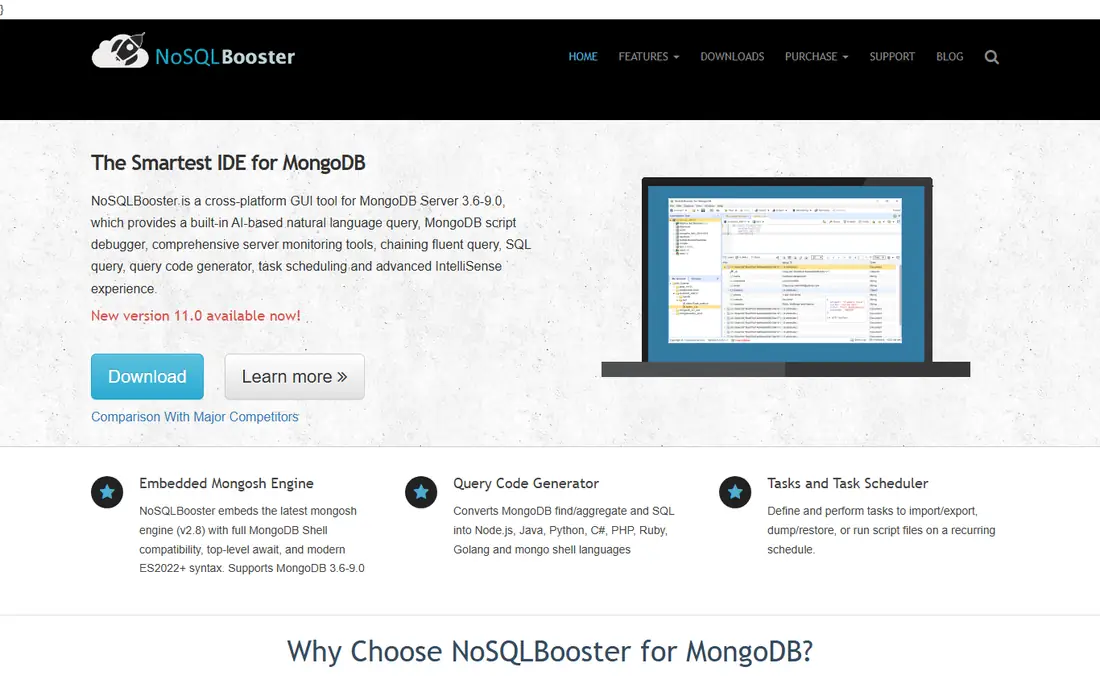
NoSQLBooster for MongoDB is a client built around an embedded MongoDB shell, and it suits developers who think in code rather than clicks. It runs SQL SELECT statements against MongoDB collections, with joins, GROUP BY and uncorrelated subqueries, and it includes a built in MongoDB script debugger, a fluent query API, a query code generator and task scheduling. Its free edition allows personal and commercial use, with every function for 30 days and fewer after that. The Personal licence costs $129 once and the Professional licence $239 once, and both include lifetime updates. The trade off is the Electron shell, which makes it heavier than a native app, but for a code first developer the shell and debugger are worth it.
What we like- Built in MongoDB script debugger, SQL SELECT queries against collections with joins and grouping, fluent query API, lifetime updates on paid licences
Watch out for- Electron based, so heavier than native apps, free edition loses functions after 30 days, AI features need active software assurance on a paid licence
#4
Navicat for MongoDB
Best for: Teams that want admin tools, automation and BI reports for MongoDB
Visit navicat.com
Starting price$279.99 per year for Enterprise, or $27.99 per month; $559 per user perpetual
Free planNavicat Premium Lite free, connecting to MongoDB with core features
Navicat for MongoDB is a client with a visual aggregation pipeline, data modelling and BI reports, built for teams that manage MongoDB alongside other work. It connects to MongoDB Atlas, Amazon DocumentDB and Azure Cosmos DB for MongoDB, and it covers all database objects, including collections, views, functions, indexes, GridFS and MapReduce. The Enterprise edition costs $279.99 per year, or $27.99 per month, with a $559 per user perpetual licence. A directory read lists $17.99 per month, which appears to be a different edition, so confirm the edition before buying. Navicat Premium Lite is free and connects to MongoDB too, but the aggregation pipeline and modelling sit under Standard and Enterprise only. The price is the barrier, but the toolkit is complete.
What we like- Visual aggregation pipeline, data modelling and BI reports, connects to Atlas, DocumentDB and Cosmos DB, automation and scheduled tasks included
Watch out for- Aggregation pipeline and modelling are Enterprise only, per product licensing means paying separately for each engine, a directory read lists $17.99 per month, which appears to be a different edition
#5DbSchema
Best for: Teams that want visual schema design for MongoDB and relational engines4.5/5 on
G2 (2 reviews, checked Oct 2026)
Visit dbschema.com
Starting price$294 one time for Pro, or $29.40 per month; Architect $470.40 one time
Free planCommunity Edition free, for any use
DbSchema is a schema design tool that works across relational and NoSQL engines, which suits teams that run MongoDB next to PostgreSQL or MySQL. Its free Community Edition connects to MongoDB, draws the schema and runs SQL, while Pro costs $294 once and includes a year of updates, with each later year costing $75 and optional. One licence covers a Mac and a Windows laptop of the same developer, and three years with updates cost $444. The strength is the visual model: a team can see collections, fields and relationships as a diagram instead of reading documents one by one. The limit is that DbSchema is a design tool, not a monitoring tool, so it pairs with Compass or a monitoring platform rather than replacing them.
What we like- Visual schema diagrams for MongoDB and relational databases, one licence covers both worlds, one time purchase, works on Windows, macOS and Linux
Watch out for- Renewal costs $75 per year for updates after the first year, modelling is its strength rather than monitoring, interface is busier than Compass
Starting priceFree
Free planFree, with no paid edition
Robo 3T, formerly Robomongo, is a free, lightweight MongoDB browser built as a native app on Qt and C++. It covers the basics: browsing collections, running queries and editing documents, with a simple interface and no account or licence needed. The problem is that it is a legacy product with no active development, so new teams should pick MongoDB Compass instead, which is free, actively maintained and far more capable. Robo 3T remains on this list because it still works and still costs nothing, but it is a fallback for old setups, not a first choice for a new team.
What we like- Free with no cost at any size, lightweight native app built on Qt and C++, simple interface for browsing and querying, no account or licence needed
Watch out for- Legacy product with no active development, no aggregation builder, basic feature set next to Compass, no support contract
#7TablePlus
Best for: Developers who want a fast native client for MongoDB and other databases4.3/5 on
G2 (31 reviews, checked Oct 2026)
Visit tableplus.com
Starting price$99 one time for a Basic licence, 1 device; Standard $129 for 2 devices
Free planFree version limited to 2 open tabs, 2 open windows and 2 advanced filters
TablePlus is built with native frameworks, Swift on macOS and .NET on Windows, and the difference is obvious the first time it opens. It starts fast with a simple interface, and it supports PostgreSQL, MySQL, SQLite, SQL Server, MongoDB, Redis and more than 20 other engines. The licence is a one time purchase: Basic costs $99 for one device and Standard costs $129 for two, each with one year of updates, and renewal costs $59 per device for another year. The free version is limited to 2 open tabs, 2 open windows and 2 advanced filters. The limit for MongoDB work is depth: TablePlus covers MongoDB basics but has no aggregation builder and no MongoDB specific tooling, so it suits developers who use MongoDB occasionally alongside relational databases, not teams that live in MongoDB.
What we like- Native speed with no Java or Electron layer, one time perpetual licence, clean inline data editing, covers more than 20 engines
Watch out for- MongoDB support is basic next to Compass or Studio 3T, no aggregation builder, free version caps tabs and windows tightly, licence is per device
#8DBeaver
Best for: Teams that manage MongoDB alongside relational databases4.4/5 on
G2 (172 reviews, checked Oct 2026)
Visit dbeaver.io
Starting priceFree Community edition; Lite $113 per year, Enterprise $255 per year, Ultimate $510 per year
Free planCommunity edition free and open source under Apache 2.0
DBeaver is the open source alternative to the paid suites, with a free Community Edition and paid Pro editions. It connects to PostgreSQL, MySQL, SQL Server, Oracle and dozens more engines through one interface, and the SQL editor offers completion, formatting and templates that hold up in daily use. MongoDB support sits in the paid Pro editions, with Lite at $113 a year, Enterprise at $255 a year and Ultimate at $510 a year. The Community Edition is free and open source, while the paid editions add NoSQL sources, schema compare, ERD editing, Git sync and AI features. For a team that runs MongoDB next to Postgres and MySQL, one DBeaver licence covers all three.
What we like- Covers more than 100 databases, free Community edition is genuinely useful, ER diagrams and data transfer included, runs on every platform
Watch out for- MongoDB support needs the paid Pro editions, Java based so it starts slower than native apps, MongoDB depth is thinner than Compass or Studio 3T
Frequently asked questions
What is the best free MongoDB management software
MongoDB Compass is the best free MongoDB management tool, because it is the official client, it is free with no limits, and it covers browsing, queries, schema analysis, index management and aggregation building. DBeaver Community is the best free alternative for teams that manage MongoDB alongside relational databases, and Robo 3T is free but legacy, so new teams should pick Compass. The right free tool depends on whether the team needs MongoDB depth or multi engine breadth.
How much does Studio 3T cost
Studio 3T Professional costs $499 per user per year and Ultimate costs $699 per user per year, according to vendor page reads from November 2026. The Community edition is free for non-commercial use, limited to 3 connections, and a 30 day trial is available for the paid editions. A conflicting read lists $149 per year for Solo and $449 for Professional, so confirm the edition before buying.
Is MongoDB Compass really free
Yes, MongoDB Compass is free, with no paid edition for the core client and no limits on servers, users or databases. It is the official graphical interface for MongoDB, maintained by MongoDB itself. There is no licence to buy, no trial to expire and no feature gate on the core work of browsing, querying, schema analysis and index management. The cost is the time to install and learn it, which is small next to the work it covers.
What is the difference between Compass and Studio 3T
Compass is the free official client for browsing, querying and analysing MongoDB data, with an aggregation pipeline builder and schema analysis. Studio 3T is a paid professional IDE that adds SQL queries against MongoDB, scheduled imports, exports and comparisons, team features and code generation. Compass covers the daily work for free, while Studio 3T earns its $499 per user per year when a team runs scheduled data tasks or writes SQL against MongoDB every day.
Should a team use NoSQLBooster or Studio 3T
Use NoSQLBooster if the team lives in the MongoDB shell and wants a script debugger, SQL style queries and a fluent query API for a one time payment of $129 for Personal or $239 for Professional. Use Studio 3T if the team wants a full IDE with code generation, at $499 per user per year for Professional. The choice is between a code first shell tool and a full graphical IDE, and the budget difference is large.
Sources we checked (7)
- https://DbSchema.com/blog/mongodb/best-mongodb-tools/
- https://dev.to/roxana_haidiner/best-mongodb-database-tools-in-2026-2i30
- https://www.querydeck.app/blog/best-mongodb-gui-mac-2026
- https://sourceforge.net/software/product/NoSQL-Manager/alternatives
- https://rankite.com/blog/database-software-with-the-best-development-tools
- https://startupstash.com/alternatives/squirrel-sql-client/
- https://dbschema.com/blog/tools/database-management-tool-cost-per-user/
Is your product missing or out of date?
We review this list regularly. Vendors can request a listing, send updated pricing or ask about featured placement.

Shihab Mia · Founder, Rankite
Shihab has 5+ years in B2B and SaaS SEO. He writes Rankite's software buying guides from pricing pages, documentation and public user reviews. More about Shihab.