How we make this list: we compare pricing pages, product documentation and public user reviews. Ratings come from G2, Capterra or Trustpilot, with the date we checked them.
Key takeaways
- Rough Estimator and CalcBlueprint lead for browser-based material estimates, with formulas shown and waste factors explained.
- CalcRafter and ConstructlyTools cover the widest trade range, from concrete and roofing to framing, fencing and finishing.
- NumberPunch suits phone-based site math, with feet-inch-fraction input and offline use.
- Concreter is a focused free Android app for concrete volume, mix ratios and cost, though it is new and unrated.
- Omni Calculator and Calculator Soup suit general construction math, from board feet to concrete volume, without signup.
Quick comparison
Is your product missing or out of date?
We review this list regularly. Vendors can request a listing, send updated pricing or ask about featured placement.
The best free construction calculator apps
Starting priceFree
Free planYes
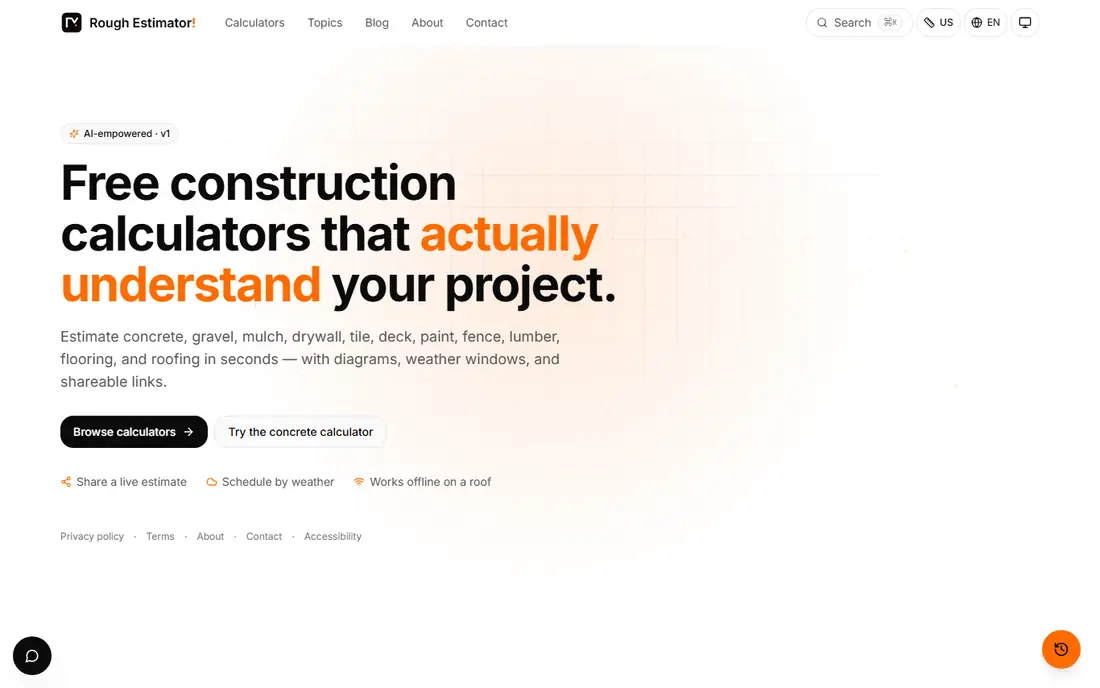
Rough Estimator offers free construction calculators for concrete, gravel, mulch, drywall, tile, deck, paint, fence, lumber, flooring and roofing, with diagrams and shareable links. Its distinctive habit is showing the formula and the standard behind each constant, citing ACI, AWC, TCNA and NRCA sources, so a suspicious number can be checked in one line rather than trusted blindly.
Waste is added on purpose and explained, such as a 10 percent concrete allowance for over-excavation and subgrade tolerance, and results arrive in the unit a supplier sells, such as yards and bags or squares and bundles. For a contractor or DIYer who wants to understand the estimate, not just read it, Rough Estimator is the strongest browser choice.
What we like- Shows the formula behind each answer
- Waste factors explained
- Diagrams and shareable links
Watch out for- Browser-based, not a native app
- Newer tool with less track record
- AI features may vary
Starting priceFree
Free planYes
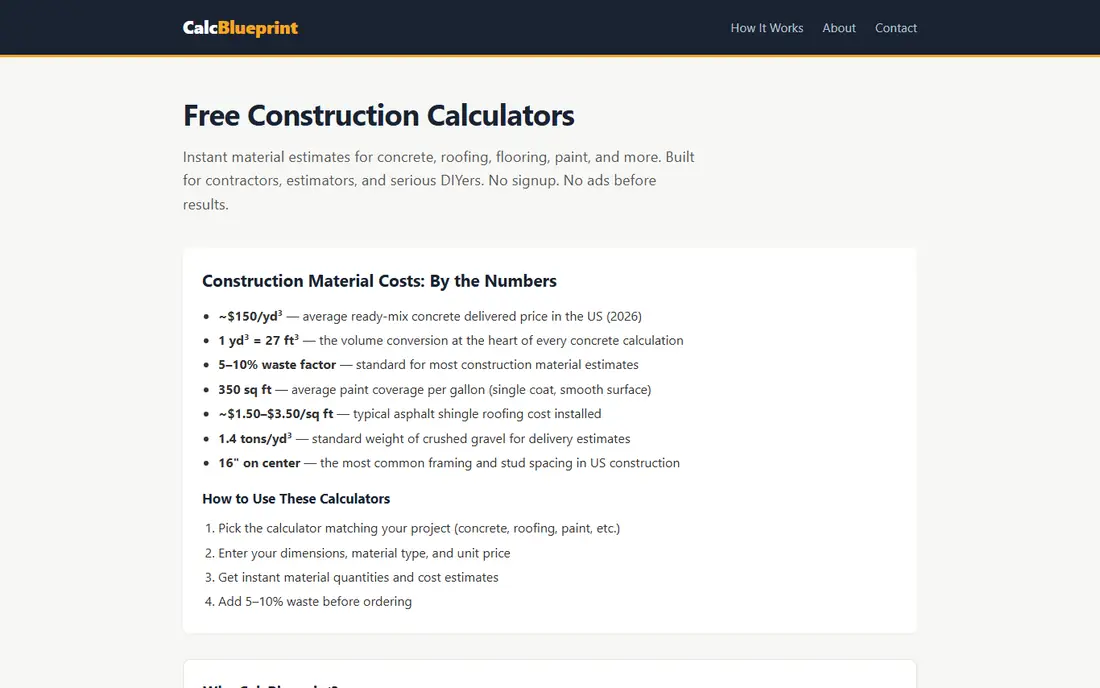
CalcBlueprint gives instant material estimates for concrete, roofing, flooring, paint and more, with no signup and no ads before results. Its published reference figures include about $150 per cubic yard for delivered ready-mix concrete in the US in 2026, a 5 to 10 percent waste factor for most materials, and about 350 square feet of paint coverage per gallon for a single coat on a smooth surface.
Results are estimates for planning, and the site itself advises verifying complex projects with a licensed contractor or engineer. For a quick field estimate with both quantities and costs, CalcBlueprint is fast and transparent.
What we like- No signup and no ads before results
- Industry-standard formulas
- Material and cost outputs together
Watch out for- Browser-based only
- Cost figures are US averages
- Complex projects still need a contractor check
Starting priceFree
Free planYes
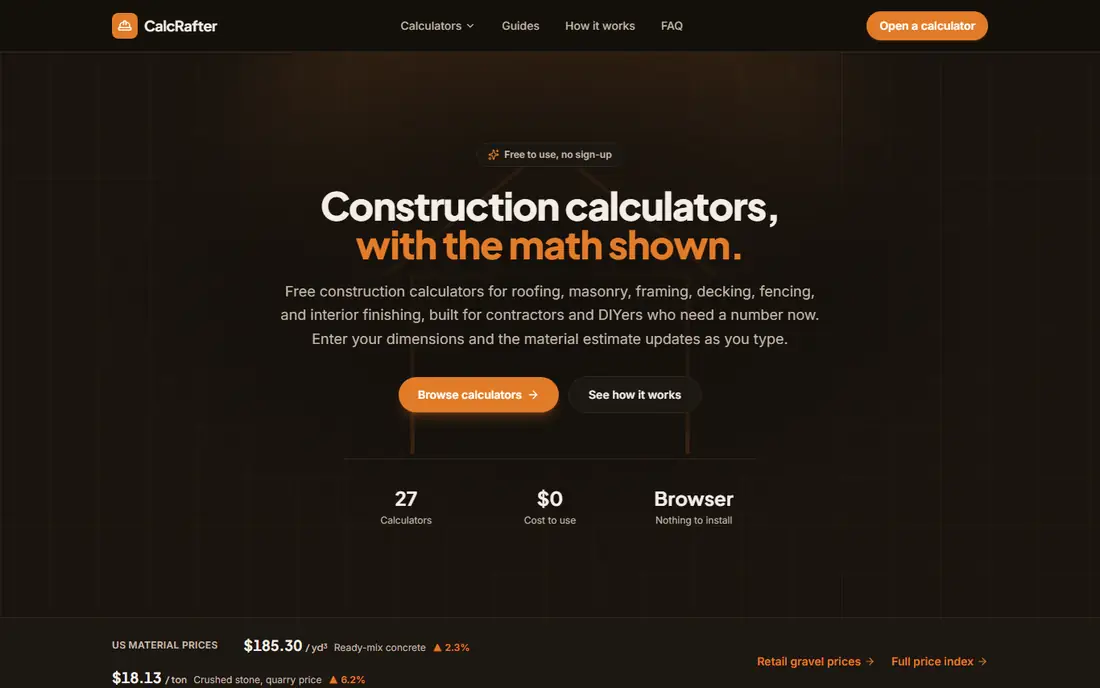
CalcRafter covers roofing, masonry, framing, decking, fencing and interior finishing in 27 free calculators, with nothing to install and no sign-up. Each calculator shows its math, and the site lists current US material prices, such as ready-mix concrete and crushed stone, so estimates reflect recent markets rather than stale figures.
One page per estimate, grouped by trade, keeps the workflow simple on a phone. Cost figures move with markets, so recheck prices for a project months out. For breadth in a browser, CalcRafter covers more trades than most rivals.
What we like- 27 free calculators across trades
- Math shown on each page
- Current US material prices listed
Watch out for- Browser-based only
- Newer site with less history
- Cost figures move with markets
Starting priceFree
Free planYes
ConstructlyTools offers more than 90 free calculators with no signup or subscription, covering concrete, roofing, flooring, tile, rebar, drywall and more. Waste factors are built in and shown, such as 10 percent for concrete pour waste and 10 to 20 percent for tile depending on layout, and cost calculators separate DIY from contractor pricing with regional multipliers.
The site is honest about accuracy: estimates land within 15 to 25 percent of contractor quotes in average US markets, with 25 to 40 percent added for high-cost regions such as the Pacific Coast and Northeast. For a broad free toolkit with cost ranges, ConstructlyTools is the deepest option.
What we like- More than 90 free tools
- Waste factors built in
- DIY versus contractor pricing
Watch out for- Estimates land within 15 to 25 percent of quotes
- High-cost regions need adjustment
- Browser-based
Starting priceFree
Free planYes
NumberPunch gives contractors and DIYers 7 free construction calculators on the phone, from gravel and concrete to voltage drop and stair layout, with no signup and no ads cluttering the screen. Its strength is input: type dimensions in feet, inches or metric, adjust for waste and compaction, and get volume, weight, cost and bag counts, with results that can be copied or texted to a supplier.
Seven calculators cannot match the breadth of CalcRafter or ConstructlyTools, but for site math on a phone without a connection, NumberPunch is the most practical pick. Preset modes for driveways, patios and walkways save time on repeat jobs.
What we like- Feet-inch-fraction input
- Works offline on the phone
- No signup and no ads on screen
Watch out for- Only 7 calculators
- Newer tool
- Less trade depth than browser rivals
Starting priceFree
Free planYes
Concreter is a free Android app for concrete estimates, covering slabs, footings, holes, steps, walls, curbs and custom shapes, with a mix ratio estimator, cost estimation from a price per cubic yard, unit conversions and project saving. For a concrete-focused job, it is quicker than a general calculator.
The app is new, launched in January 2026, with no ratings yet and only a small install base, so treat it as an unproven tool and double-check critical pours. It contains ads. For a free concrete-only app on Android, Concreter is worth trying, with verification on important jobs.
What we like- Fast concrete estimates for slabs, footings and columns
- Mix ratio estimator
- Project saving
Watch out for- New app with no ratings yet
- Android only
- Contains ads
Starting priceFree
Free planYes
Omni Calculator hosts a large library of calculators, including construction tools for concrete, board feet, roofing, flooring and paint, with explanations of the math behind each result. It suits quick checks when a trade-specific tool is not at hand, and it needs no signup for basic use.
Because it is general-purpose, it lacks the trade workflows of Rough Estimator or CalcRafter, such as supplier units and waste reasoning, and free use includes ads. For a fast, general construction calculation, Omni Calculator is a reliable fallback.
What we like- Huge calculator library across trades
- Clear explanations
- No signup for basic use
Watch out for- General-purpose, not trade-specific
- Ads on free use
- Results need trade judgement
Starting priceFree
Free planYes
Calculator Soup offers simple calculators for volume, area, concrete and general math, with no signup and instant results. It suits a quick check, such as cubic yards for a slab or square footage for flooring, when a full trade tool is unnecessary.
The interface is basic, and there are no trade workflows, waste reasoning or supplier units. For a fast number on site, Calculator Soup does the job. For a full material order, use a trade-specific tool from this list first.
What we like- Simple, fast calculators
- Volume, area and concrete tools
- No signup
Watch out for- Basic interface
- No trade workflows
- Ads on free use
How we chose
We compared tools on trade coverage, formula transparency, waste handling, offline use and price, using vendor pages and current comparisons. Browser tools lead on breadth, while phone tools lead on site usability, especially feet-inch-fraction input. Prices are free across the board for the tools listed, with ads on some free apps, and where a tool's track record is thin, such as Concreter, we said so. We did not claim hands-on testing. Cost figures are US averages that move with markets, so recheck prices near ordering time.
Using calculator results on a real job
A calculator result is a planning number, not an order. Add waste for your conditions: 5 to 10 percent for most materials, more for complex cuts, tile layouts and irregular shapes. Confirm the supplier's units, since yards, bags, squares and bundles differ, and confirm delivery access, since a truck that cannot reach the pour costs time and money.
For projects over $5,000, get three itemised contractor quotes and compare them against your estimate, since labour, access and regional prices move totals more than material maths. For structural work, such as footings, beams and retaining walls, verify with a licensed contractor or engineer. A free calculator saves time, but it does not replace professional judgement. Keep a running material list across calculators when a project spans trades, since concrete, lumber, roofing and paint estimates come from different tools, and a single combined list is what the supplier and the crew actually need.
Frequently asked questions
What is the best free construction calculator app?
Rough Estimator is best for transparent material estimates with formulas shown, CalcRafter and ConstructlyTools are best for trade breadth, and NumberPunch is best for offline phone math. Pick by whether you need breadth, transparency or site usability, and keep a second tool for cross-checks.
Are free construction calculators accurate?
Material quantities are usually accurate when measurements are right, while cost estimates land within 15 to 25 percent of contractor quotes in average markets. Labour, access and regional prices cause most of the gap, so get itemised quotes for large projects.
What waste factor should I add?
Use 5 to 10 percent for most materials, 10 percent for concrete pours, and 10 to 20 percent for tile depending on layout complexity. Complex cuts and irregular shapes need more, while clean, simple runs need less. When in doubt, round up, since a second delivery costs more than the spare material.
Do these calculators work offline?
NumberPunch works offline on the phone, and some native apps work offline, while browser tools such as Rough Estimator, CalcBlueprint and CalcRafter need a connection. Check offline behaviour before relying on a tool at a remote site, and save key results as screenshots before heading out.
How many cubic yards of concrete do I need for a slab?
Multiply length by width by thickness in feet, then divide by 27 to get cubic yards, and add about 10 percent for waste. A 10 by 10 foot slab at 4 inches thick needs about 1.24 cubic yards before waste, or about 1.37 with waste. Round up to the nearest half yard when ordering ready-mix, since a short load costs more in delay than the extra concrete costs.
Should I trust a free app for structural work?
No, not alone. Free calculators suit planning and material orders, but footings, beams, retaining walls and structural framing need a licensed contractor or engineer to verify loads, codes and soil conditions. Building codes vary by location, so a calculator cannot confirm whether a design passes inspection.
Sources we checked (9)
- https://www.roughestimator.com
- https://calcblueprint.com
- https://calcrafter.com
- https://constructlytools.com
- https://numberpunch.com
- https://www.appbrain.com
- https://www.omnicalculator.com
- https://www.calculatorsoup.com
- https://getconstructioncalculator.com/insights/best-construction-calculator-apps/
Is your product missing or out of date?
We review this list regularly. Vendors can request a listing, send updated pricing or ask about featured placement.

Shihab Mia · Founder, Rankite
Shihab has 5+ years in B2B and SaaS SEO. He writes Rankite's software buying guides from pricing pages, documentation and public user reviews. More about Shihab.
 Rough Estimator
 CalcBlueprint
 CalcRafter
 ConstructlyTools
 NumberPunch
 Concreter
 Omni Calculator
 Calculator Soup