How we make this list: we compare pricing pages, product documentation and public user reviews. Ratings come from G2, Capterra or Trustpilot, with the date we checked them.
What is the best field service management software for painting companies?
Jobber is the best field service management software for most painting companies because it covers the full job cycle at a clear starting price, from quotes and scheduling through dispatch, invoicing and card payments. Core starts at 29 dollars per month billed annually for one user. Housecall Pro is the strongest alternative for companies that want built-in consumer financing and strong review automation, starting at 59 dollars per month billed annually. ServiceTitan is the pick for larger painting operations with several crews and a need for deep reporting, though pricing is quote only.
Painting work has a shape that generic scheduling tools miss. Jobs range from a single room to a full exterior repaint, and estimates depend on surface area, prep work, coats and paint choice. Crews often work on site for several days, and the schedule has to flex around weather for exterior work. A good system has to produce room-by-room estimates a homeowner can approve from a phone, schedule multi-day crew work, track paint and materials, and keep a clean record of before and after photos that show the quality of the finish.
Prices in this guide were checked on 23 November 2026. Vendor homepages were opened this run to confirm each product is live. Where a vendor hides its pricing, the entry says quote only rather than repeating an unverified figure.
We picked tools that serve small to mid-sized home service businesses and that handle the core painting workflow: estimating, scheduling, dispatch, multi-day crew tracking, invoicing and payment collection. We checked that each vendor site loads, read the pricing page where one is published, and noted one real drawback for every product. Tools that only serve a different trade, or that have no usable job management features, were left out. Every price below is in US dollars unless stated otherwise.
| Tool |
Starting price |
Free plan |
Best for |
| Jobber |
From $29 per month billed annually |
No, 14-day free trial |
Most painting companies |
| Housecall Pro |
From $59 per month billed annually |
No, free trial |
Review automation and financing |
| ServiceTitan |
Quote only |
No |
Large multi-crew painting operations |
| FieldEdge |
Quote only |
No |
Dispatch-heavy service teams |
| Workiz |
From $275 per month |
No, free trial |
Companies that want an all-in-one platform |
| Service Fusion |
From $220 per month billed annually |
No, free trial |
Growing teams that need inventory control |
| Kickserv |
From $60 per month |
No, free trial |
Small teams on a tight budget |
| mHelpDesk |
From $169 per month |
No, free trial |
Simple scheduling and invoicing |
Quick comparison
| Tool | Best for | Starting price | Free plan |
|---|
 Jobber | Painting companies that want one system for quotes, scheduling, dispatch and payments | From $29 per month billed annually (Core, 1 user); $49 month to month | No free plan; 14-day free trial on the Grow plan |
 Housecall Pro | Painting companies that rely on Google reviews and want consumer financing at the point of sale | From $59 per month billed annually (Basic) | No free plan; free trial available |
 ServiceTitan | Large painting companies with several crews, a call center and complex reporting needs | Quote only | No free plan |
 FieldEdge | Painting companies that dispatch from a central office and need tight control over the day | Quote only | No free plan |
 Workiz | Painting companies that want scheduling, dispatch, payments and phone handling in one platform | From $275 per month (Standard) | No free plan; free trial available |
 Service Fusion | Growing painting companies that need inventory tracking alongside scheduling | From $220 per month billed annually (Starter) | No free plan; free trial available |
 Kickserv | Small painting companies that need solid scheduling and invoicing at a low monthly cost | From $60 per month (Start) | No free plan; free trial available |
 mHelpDesk | Painting companies that want straightforward scheduling, dispatch and invoicing without complexity | From $169 per month | No free plan; free trial available |
Is your product missing or out of date?
We review this list regularly. Vendors can request a listing, send updated pricing or ask about featured placement.
The 8 best field service management software options for painting companies
#1Jobber
Best for: Painting companies that want one system for quotes, scheduling, dispatch and payments4.6/5 on
G2 (530 reviews, checked Oct 2026)
Visit getjobber.com
Starting priceFrom $29 per month billed annually (Core, 1 user); $49 month to month
Free planNo free plan; 14-day free trial on the Grow plan
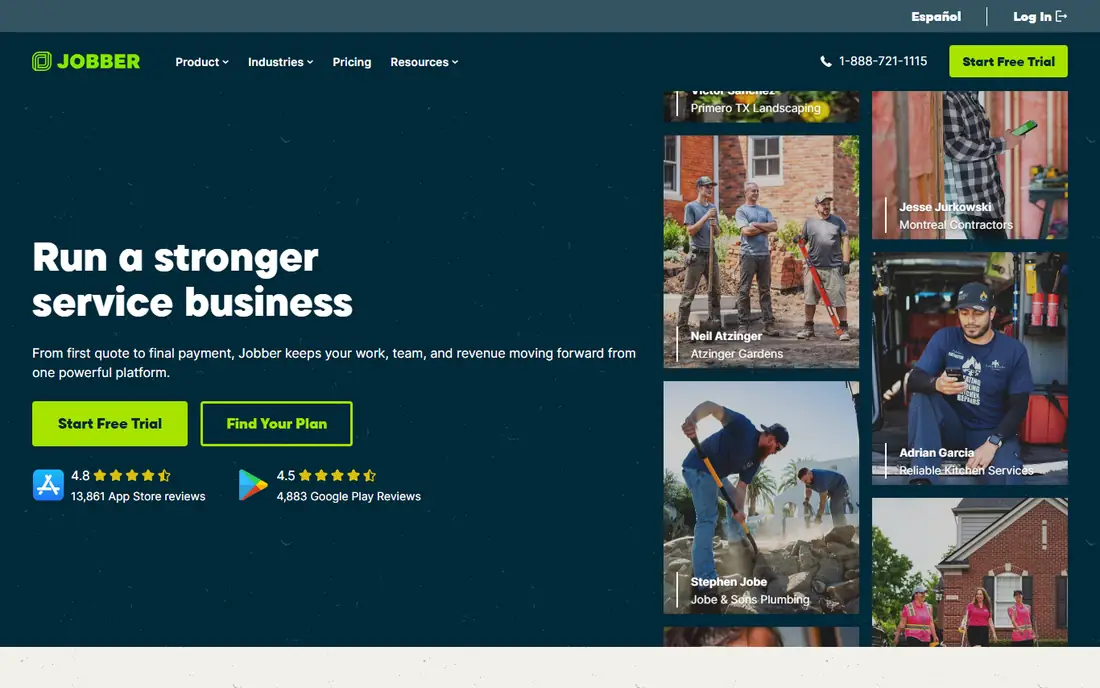
Jobber fits the painting trade because it moves a job from first call to paid invoice without retyping. An office user can take a call, create the job, assign a crew and send a room-by-room estimate the homeowner approves on a phone. The crew sees the job on a mobile app, records photos of the prep and the finished paintwork, and collects a card payment or deposit on site. Automated reminders cut no-shows, which matters when a missed start date pushes a whole week of crew work. Jobber also handles recurring work, so a company can sell annual touch-up visits and let the system generate the repeat jobs. The 29 dollar starting price is honest for a solo painter, but a company with an office user and a crew lead should budget for the Connect or Grow tier once a second user is added, since each extra user costs 29 dollars per month.
What we like- Clear per-user pricing, online booking, quote approvals, route scheduling, card payments, automated review requests
Watch out for- The entry Core plan covers only one user, so a two-person company pays more than the headline price, and the marketing automation features sit on the higher tiers
#2Housecall Pro
Best for: Painting companies that rely on Google reviews and want consumer financing at the point of sale4.3/5 on
G2 (205 reviews, checked Oct 2026)
Visit housecallpro.com
Starting priceFrom $59 per month billed annually (Basic)
Free planNo free plan; free trial available

Housecall Pro is a strong fit for painting companies because homeowners choose a painter largely on reviews and photos of past work. The platform asks for a review automatically after each completed job, which builds the review count that wins the next interior repaint search. Its dispatch board shows every crew on a map, so a new job can go to whoever finishes first rather than whoever is next on a list. The consumer financing feature helps on large jobs, such as a full exterior repaint, because a homeowner can spread the cost instead of delaying the work. Invoicing and card payments are built in, and the QuickBooks integration keeps the books tidy. The Basic plan at 59 dollars per month billed annually is a fair price for a small painting company, but buyers should check which tier includes the financing and automation features they need, since not everything is in Basic.
What we like- Strong automated review requests, consumer financing options, online booking, dispatch board, QuickBooks integration
Watch out for- The starting price is higher than Jobber for a solo operator, and some advanced reporting and marketing tools require higher tiers
#3ServiceTitan
Best for: Large painting companies with several crews, a call center and complex reporting needs4.4/5 on
G2 (375 reviews, checked Oct 2026)
Visit servicetitan.com
Starting priceQuote only
Free planNo free plan

ServiceTitan is the enterprise option in this list. It is built for home service companies that run several crews from a central office, and it shows in the depth of its reporting. Managers can track revenue per crew, close rates on estimates, marketing source performance and call booking rates in one place. The pricebook lets a company set flat-rate prices for common painting jobs, such as a bedroom repaint or an exterior prep and paint, so estimates stay consistent across sales staff. Call booking tools help a dispatcher turn inbound calls into booked estimates, and the mobile app keeps crews connected to the schedule all day. The drawback is the buying process: there is no published starting price, and implementation takes longer than the simpler tools here. A company with one crew will find Jobber or Housecall Pro faster to set up and cheaper to run.
What we like- Deep reporting and dashboards, call booking tools, pricebook, inventory management, marketing tracking, enterprise-grade controls
Watch out for- Pricing is quote only, so budgeting requires a sales conversation, and the platform is more than a small two-crew company needs
#4FieldEdge
Best for: Painting companies that dispatch from a central office and need tight control over the day4.0/5 on
G2 (87 reviews, checked Oct 2026)
Visit fieldedge.com
Starting priceQuote only
Free planNo free plan
FieldEdge is a long-running field service platform that suits painting companies with a dispatcher running the day. The dispatch board shows every job, crew and status in real time, so a new estimate request can be slotted into the nearest gap. Customer history is easy to reach, which helps when a repeat customer calls about a room the company painted three years ago and wants the same color matched. Service agreements are supported, so maintenance and touch-up plans can be scheduled automatically. The QuickBooks integration is one of the strongest in this category, which matters for companies that already run their accounts there. The trade-offs are a quote-only price, which makes comparison shopping slower, and an interface that looks older than the newer tools on this list. Companies that value dispatch control over a modern feel will be happy; companies that want a slick customer-facing booking page may prefer Jobber.
What we like- Real-time dispatch board, strong QuickBooks integration, service agreement management, mobile app for technicians, customer history
Watch out for- Pricing is quote only, and the interface feels dated next to newer tools such as Jobber
#5Workiz
Best for: Painting companies that want scheduling, dispatch, payments and phone handling in one platform4.5/5 on
G2 (247 reviews, checked Oct 2026)
Visit workiz.com
Starting priceFrom $275 per month (Standard)
Free planNo free plan; free trial available
Workiz aims to replace several tools at once. It includes a phone system, so incoming painting calls can be answered and booked inside the same platform that schedules the work. Online booking, dispatch, invoicing and card payments are all included, and automation rules can send reminders, follow-ups and review requests without manual effort. For a painting company that is tired of paying for a separate phone system, a scheduler and a payment tool, that consolidation has real value. The catch is price: Standard starts at 275 dollars per month, which is a big step up from Jobber or Housecall Pro. The vendor pricing page did not render its prices when checked for this guide, so buyers should confirm the current figure with the vendor before deciding. Small painting companies should compare carefully; larger companies that can use the phone system will get more value.
What we like- All-in-one platform with built-in phone system, online booking, dispatch, invoicing, payments and automation
Watch out for- The starting price is far higher than the simpler tools here, and the vendor pricing page did not render prices during this check, so the figure rests on third-party verification
#6Service Fusion
Best for: Growing painting companies that need inventory tracking alongside scheduling4.1/5 on
G2 (124 reviews, checked Oct 2026)
Visit servicefusion.com
Starting priceFrom $220 per month billed annually (Starter)
Free planNo free plan; free trial available
Service Fusion earns its place for painting companies that carry real materials stock. Paint, primer, brushes, rollers and sprayer parts have to be on site when the crew arrives, and Service Fusion tracks inventory against jobs so the office knows what is running low. Estimates can be built from the pricebook, recurring touch-up visits are scheduled automatically, and GPS tracking shows where each crew is during the day. The QuickBooks integration keeps invoicing and accounting in step. At 220 dollars per month billed annually for the Starter plan, it is priced for companies that have outgrown a simple scheduler rather than for a solo painter. The setup is heavier than Jobber, so a company should expect a week or two of configuration before the team is fully running on it.
What we like- Inventory management, dispatch, estimates, recurring jobs, QuickBooks integration, GPS tracking
Watch out for- The starting price is high for a small shop, and the setup takes longer than the simplest tools on this list
#7Kickserv
Best for: Small painting companies that need solid scheduling and invoicing at a low monthly cost4.5/5 on
G2 (181 reviews, checked Oct 2026)
Visit kickserv.com
Starting priceFrom $60 per month (Start)
Free planNo free plan; free trial available
Kickserv is the budget pick on this list. At 60 dollars per month for the Start plan, it covers the essentials: scheduling, dispatch, estimates, invoicing and a customer record that shows past jobs and notes, including the paint colors used at each property. The interface is simple, which means a small painting team can start using it without a long training period. Online scheduling lets customers book an estimate without calling, which suits homeowners comparing painters. The drawback is depth: there is no built-in financing, no advanced marketing automation and no large-company reporting. There is also a note of caution on price, since public sources disagree on whether the 60 dollar figure is monthly or tied to a billing period, so a buyer should confirm the exact terms on the vendor site before signing up. For a small painting company that mainly needs scheduling and invoicing, Kickserv is good value.
What we like- Low starting price, online scheduling, dispatch, estimates, invoicing, customer history, simple interface
Watch out for- The billing basis for the 60 dollar figure is not fully clear from public sources, so buyers should confirm it, and the feature set is thinner than Jobber or Housecall Pro
#8mHelpDesk
Best for: Painting companies that want straightforward scheduling, dispatch and invoicing without complexity4.0/5 on
G2 (146 reviews, checked Oct 2026)
Visit mhelpdesk.com
Starting priceFrom $169 per month
Free planNo free plan; free trial available
mHelpDesk covers the painting basics in a plain package. Jobs can be scheduled and dispatched from a central board, estimates turn into invoices, and crews can update jobs from a phone. Customer records keep the history of each property, including colors and finishes used, which helps when a customer calls for a touch-up years later. The interface is straightforward, so a team that dislikes complicated software will find it easy to adopt. The main caution is pricing transparency: the vendor pricing page returns a 404 error, so the 169 dollar per month figure comes from third-party sources and should be confirmed with the vendor before a decision. The feature set is also narrower than Jobber or Housecall Pro, with less automation and no built-in financing. It suits a company that wants a simple, no-frills scheduler and is willing to verify the price directly.
What we like- Simple scheduling and dispatch, estimates and invoicing, customer management, mobile access for technicians
Watch out for- The 169 dollar figure rests on third-party sources only, because the vendor pricing page returns a 404, and the feature set is narrower than the leaders here
How to choose field service software for a painting company
Start with team size. A solo painter or a two-person crew should pick Jobber or Kickserv, because the starting prices are low and the setup is fast. A company with several crews should look at Housecall Pro or Service Fusion, where dispatch, inventory and review automation start to pay for themselves. A company with a call center and many crews should talk to ServiceTitan or FieldEdge.
Next, weigh the two things that make painting work different. First, estimates are detailed and room-by-room, so the estimating and quote approval tools matter more than they do for simple repair trades. Second, exterior work depends on weather, so a schedule that can be moved quickly and a dispatch board that shows the whole week are worth more than a rigid calendar. Finally, confirm the price on the vendor site before buying, since several vendors in this list hide pricing or change tiers often.
Frequently asked questions
How much does field service management software cost for a painting company?
Expect to pay from 29 dollars per month for a solo operator on Jobber Core billed annually, up to 275 dollars per month or more for an all-in-one platform such as Workiz. Most small painting companies land between 60 and 220 dollars per month. Quote-only products such as ServiceTitan and FieldEdge can cost more, and the final price depends on team size and add-ons, so always confirm the current figure with the vendor.
Does Jobber work well for painting companies?
Yes. Jobber covers estimates, scheduling, dispatch, invoicing and card payments in one place, and its mobile app suits crews working on site. The Core plan starts at 29 dollars per month billed annually for one user. The main limitation is that each extra user costs 29 dollars per month, so a company with an office user and a crew lead should budget for a higher tier.
Which software is best for painting estimates?
Jobber and ServiceTitan are the strongest choices for painting estimates. Jobber lets a homeowner approve a room-by-room estimate from a phone, while ServiceTitan adds a pricebook that keeps flat-rate prices consistent across sales staff. Housecall Pro is also strong, with online booking that turns an estimate request into a scheduled visit.
Do any of these tools track paint and materials inventory?
Yes. Service Fusion has the strongest inventory tracking in this list, covering paint, primer and supplies against jobs. ServiceTitan and FieldEdge also include inventory features. Jobber and Housecall Pro track materials used on a job but offer less depth on stock levels, so a company that carries large paint stock should prefer Service Fusion.
Can I offer financing on a full exterior repaint with these tools?
Housecall Pro includes consumer financing options that let a homeowner spread the cost of a full exterior repaint. Workiz also supports payment plans through its payments features. Jobber supports card payments and deposits but does not include built-in consumer financing, so a company that wants financing should check Housecall Pro first.
Sources we checked (8)
- https://getjobber.com
- https://www.housecallpro.com
- https://www.servicetitan.com
- https://www.fieldedge.com
- https://www.workiz.com
- https://www.servicefusion.com
- https://www.kickserv.com
- https://www.mhelpdesk.com
Is your product missing or out of date?
We review this list regularly. Vendors can request a listing, send updated pricing or ask about featured placement.

Shihab Mia · Founder, Rankite
Shihab has 5+ years in B2B and SaaS SEO. He writes Rankite's software buying guides from pricing pages, documentation and public user reviews. More about Shihab.