How we make this list: we compare pricing pages, product documentation and public user reviews. Ratings come from G2, Capterra or Trustpilot, with the date we checked them.
Key takeaways
- Sage 300 Construction and Viewpoint Vista lead for mid-size and large contractors that need job costing, payroll, and accounting in one system.
- Acumatica Construction Edition suits firms that want cloud ERP with construction project management built in.
- Jonas and FOUNDATION serve smaller contractors with strong accounting and job cost tools at lower complexity.
- Construction ERP prices are almost always quote-based, so implementation and training often cost as much as licenses.
- Job costing accuracy matters more than feature count, since thin margins leave little room for cost errors.
Quick comparison
Is your product missing or out of date?
We review this list regularly. Vendors can request a listing, send updated pricing or ask about featured placement.
The best ERP software for construction companies
Starting priceSee website
Free planNo
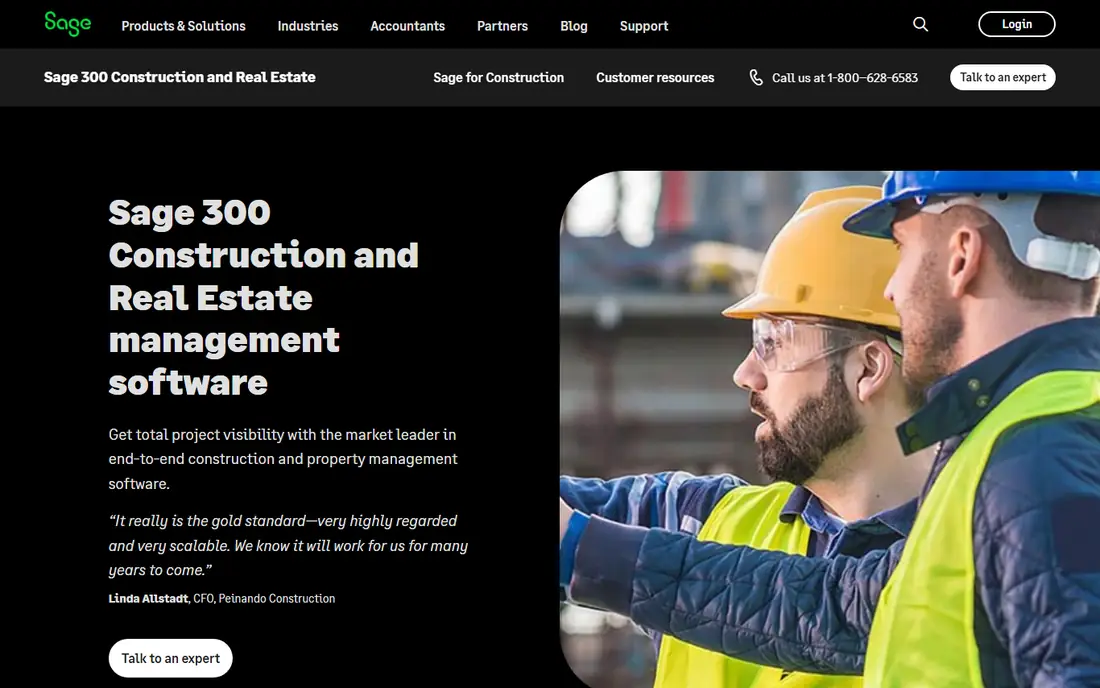
Sage 300 Construction and Real Estate, formerly Timberline, is the long-running ERP for mid-size contractors, covering job costing, accounting, payroll, equipment, and project management in one system. Its job cost depth is the main draw: committed costs, change orders, and billing all tie to the general ledger, so managers see true project margins. Decades of contractor use mean accountants and auditors know the system well.
The trade-offs are age and setup. The interface feels dated next to cloud rivals, implementation usually needs a Sage partner, and cloud hosting options are newer than the desktop product. Even so, Sage 300 suits mid-size contractors that want proven job costing and accounting depth from a vendor with a long construction history.
What we like- Strong job costing and accounting
- Long contractor track record
- Payroll and equipment tools
Watch out for- Interface feels dated
- Implementation needs a partner
- Cloud options are newer
Starting priceSee website
Free planNo
Acumatica Construction Edition adds project management, job costing, change orders, and compliance to the Acumatica cloud ERP, giving contractors finance, inventory, and field tools in one system. Its consumption-based pricing suits firms with many occasional users, such as field staff and subcontractors, who would be costly under per-user licensing. Mobile access lets foremen update daily reports and time from the job site.
The limits are maturity and partners. Acumatica is newer in construction than Sage or Viewpoint, partner quality varies by region, and some specialty trades need add-ons. Even so, Acumatica suits contractors that want a modern cloud ERP with construction features built in rather than bolted on.
What we like- Cloud-native ERP
- Construction project management built in
- Consumption-based pricing
Watch out for- Newer in construction than Sage or Vista
- Partner quality varies
- Some trades need add-ons

#3Viewpoint Vista
Best for: Large contractors4.0/5 on
G2 (137 reviews, checked Oct 2026)
Visit trimble.com
Starting priceSee website
Free planNo
Viewpoint Vista, from Trimble, is an ERP for large contractors, covering accounting, job costing, human resources, payroll, and project management at scale. Its depth suits firms running many large projects with complex billing, union payroll, and multi-company structures. Integration with Trimble field and estimating tools gives large firms a connected workflow from bid to closeout.
The trade-offs are cost and complexity. Vista is complex and costly, implementation takes months, and the interface is dense for casual users. Even so, Vista suits large contractors that need enterprise-grade job costing, payroll, and project controls in one system.
What we like- Deep job costing for large firms
- Strong HR and payroll
- Integrates with Trimble field tools
Watch out for- Complex and costly
- Implementation takes months
- Interface is dense
Starting priceSee website
Free planNo
Jonas Construction Software serves smaller and mid-size contractors with accounting, job costing, payroll, and project management in a system sized for firms that do not need Vista-scale depth. Its service and support reputation is strong, and its steady product history appeals to contractors that dislike frequent vendor changes. Job cost reporting ties estimates, commitments, and actuals together clearly.
The limits are polish and scale. Cloud options are less polished than Acumatica, the ecosystem is smaller, and reporting takes learning. Even so, Jonas suits smaller contractors that want reliable construction accounting and job costing with good support.
What we like- Accounting plus job costing for smaller firms
- Good service and support
- Steady product history
Watch out for- Less cloud polish than Acumatica
- Smaller ecosystem
- Reporting needs learning
Starting priceSee website
Free planNo
FOUNDATION, from Foundation Software, is a construction accounting and job costing system used by thousands of US contractors, covering general ledger, payroll, job cost, and project management. Its accounting depth and US-based support are the main draws, and its job cost reports help managers catch overruns early. The product has a long, stable history in the contractor market.
The trade-offs are age and mobile depth. The interface feels dated, mobile tools are thinner than cloud rivals, and implementation needs training time. Even so, FOUNDATION suits contractors whose priority is accurate construction accounting and job costing with responsive support.
What we like- Strong construction accounting
- Job costing and payroll
- US-based support
Watch out for- Interface feels dated
- Mobile tools are thinner
- Implementation needs training
Starting priceSee website
Free planNo
CMiC is an integrated ERP and project management platform built on a single database, so accounting, job costing, document control, and field management share the same data without syncing. That design suits large contractors and owners running capital projects where document control and audit trails matter as much as cost. Its project controls cover budgets, forecasts, and change management in depth.
The limits are cost and complexity. CMiC is priced for larger firms, implementations are long, and smaller contractors will find it heavy. Even so, CMiC suits large contractors and project owners that want one database for ERP, project management, and document control.
What we like- Single database for ERP and project management
- Strong for large capital projects
- Good document control
Watch out for- High cost
- Long implementations
- Complex for smaller firms
Starting priceSee website
Free planNo
Plexxis builds ERP for drywall, framing, and specialty trade contractors, with estimating tools for wall and ceiling work plus job costing, accounting, and project management. Its trade focus is the draw: estimating and takeoff fit how drywall contractors actually bid, which generic ERP tools handle poorly. That fit saves estimators time and reduces bid errors.
The limits are focus and scale. Plexxis is narrow by design, the vendor is smaller than Sage or Trimble, and general contractor depth is thinner. Even so, Plexxis suits drywall and specialty trade contractors that want ERP built around their trade rather than adapted from a generic system.
What we like- Built for drywall and specialty trades
- Wall-and-ceiling estimating
- Job costing for trade contractors
Watch out for- Narrow trade focus
- Smaller vendor
- Less general contractor depth
Starting priceSee website
Free planNo
RedTeam Flex combines construction project management with accounting, covering bids, contracts, change orders, scheduling, and job costing in a cloud platform for commercial contractors. Its project-first design suits firms that manage work from the field and want accounting tied to project data without a separate system. The interface is more modern than older contractor ERPs.
The trade-offs are maturity and depth. RedTeam is newer than Sage or Viewpoint, some accounting depth trails those rivals, and the partner network is smaller. Even so, RedTeam Flex suits commercial contractors that want cloud project management and accounting in one modern platform.
What we like- Project management plus accounting in one
- Good for commercial contractors
- Cloud-based
Watch out for- Newer than Sage or Vista
- Some accounting depth trails rivals
- Partner network is smaller
How we chose
We compared construction ERP systems on job costing, accounting, payroll, project management, field mobility, and implementation track record, favoring vendors with proven contractor deployments. We excluded generic ERP tools without construction job costing and standalone estimating tools that do not cover accounting. Prices are quote-based for nearly every vendor, so we wrote See website rather than publishing figures that would mislead buyers.
Buying guide
Start by listing your must-have processes: job costing, payroll, change orders, billing, equipment tracking, and subcontractor compliance, and rank them by pain. Subcontractor certificates and lien waivers matter a lot on commercial work, so check how each system handles them before you buy. Firms that buy for accounting alone often end up with a system the field never uses, while firms that buy for the field may neglect financial controls. The best rollouts involve both office and field staff from the first demo, so neither side gets a system built only for the other. Next, set a realistic budget that includes implementation, data migration, training, and a year of support, since licenses are often less than half the total cost.
Then check references from contractors your size and trade, and ask about go-live time, budget overruns, and support after launch. Ask specifically about payroll and union reporting if those apply to you, since payroll mistakes are costly and hard to fix after go-live. Finally, plan a pilot on one or two live projects before a full rollout, since job costing mistakes surface fastest on real work. A vendor demo with your own project data tells you more than a generic sales presentation, and a pilot with your own crews tells you even more about daily usability.
Frequently asked questions
What is construction ERP software?
It ties job costing, project management, payroll, accounting, and equipment tracking into one system, so contractors see real project margins and control costs instead of relying on separate spreadsheets.
How much does construction ERP cost?
Almost every vendor prices by quote, based on users, modules, and company size. Licenses are only part of the cost, since implementation, data migration, training, and support often match or exceed license fees.
How long does implementation take?
Small firms can go live in three to six months, while large contractors often need nine to eighteen months, and phased rollouts by division or region can shorten the risk. Data cleanup, payroll setup, and staff training drive the timeline more than software installation itself.
Is cloud construction ERP better than desktop?
For most firms, yes, since cloud ERP gives field access, easier updates, and no server management. Firms with strict data rules or deep custom needs may still prefer hosted or desktop deployment.
Can small contractors use ERP software?
Yes. Jonas, FOUNDATION, and Acumatica serve smaller contractors, and modular pricing lets them start with accounting and job costing before adding field and equipment tools.
Sources we checked (0)
Is your product missing or out of date?
We review this list regularly. Vendors can request a listing, send updated pricing or ask about featured placement.

Shihab Mia · Founder, Rankite
Shihab has 5+ years in B2B and SaaS SEO. He writes Rankite's software buying guides from pricing pages, documentation and public user reviews. More about Shihab.
 Sage 300 Construction
 Acumatica Construction
 Jonas Construction
 FOUNDATION
 CMiC
CMiC Plexxis
 RedTeam Flex