How we make this list: we compare pricing pages, product documentation and public user reviews. Ratings come from G2, Capterra or Trustpilot, with the date we checked them.

Best AI remodel app at a glance
Remodel AI is the best AI remodel app for most homeowners, with 3 free designs, 40 plus styles, and renders in about 30 seconds. Planner 5D is the best pick when you also want to draw floor plans, and REimagineHome is the best for shoppable results with real products. All eight apps here are free to try.
Key takeaways
- Remodel AI is the cheapest way to test a new look, with 3 free designs and unlimited renders from $39.99 a year on the app.
- Planner 5D and Homestyler cover the full job, from floor plan to 3D render, while the pure AI apps only restyle a photo.
- magicplan is the only pick here that measures your real room and turns it into a plan you can hand to a contractor.
- Credit systems punish heavy use, so unlimited plans suit anyone redesigning a whole house.
- AI renders are visual ideas, not construction documents, so check measurements before you order anything.
Best AI remodel apps compared
| Tool | Best for | Starting price | Free plan |
| Remodel AI | Fast photo redesigns in many styles | Free; $39.99/year | Yes |
| Planner 5D | Floor plans plus 3D design | Free; Premium $59.99/year | Yes |
| Homestyler | 3D planning with free renders | Free; Pro+ from $6.80/month | Yes |
| REimagineHome | Shoppable results with real products | Free; Essential $19/month | Yes |
| Room AI | Chat-led redesigns | Free sample; Personal $29/month | Yes |
| magicplan | Measuring rooms into floor plans | Free; Sketch $12.99/month | Yes |
| Interior AI | Virtual staging for agents | $29/month for 100 renders | No |
| Houzz | Hiring pros and buying products | Free for homeowners | Yes |
What does an AI remodel app actually do?
An AI remodel app takes a photo of your room and returns a redesigned version of it. You pick a room type and a style, such as modern, Scandinavian or farmhouse, and the app generates a photorealistic image in under a minute. Most apps also handle exteriors, paint colours, flooring swaps and virtual staging for empty rooms. The better apps keep your walls, windows and doors in place and only change the finishes and furniture. The weaker ones move openings or invent furniture that could never fit. None of these apps produces a measured plan or a permit-ready drawing, so treat the output as a visual brief for a designer or contractor, not as a building document.
Can an AI remodel app replace a designer or contractor?
No, and the honest apps say so in their own terms. An AI remodel app is good at showing what a room could look like, which is the hardest part of starting a renovation. It cannot check whether a wall is load-bearing, whether your wiring supports new lighting, or whether a layout meets local building codes. A designer adds judgement about flow, light and materials, and a contractor prices the work and builds it. The best workflow is to use the app to settle on a direction, then take the best renders to a designer or contractor for a quote. Houzz fits that second step best, because it connects the inspiration to real professionals and products.
How much do AI remodel apps cost?
Most AI remodel apps are free to try and charge between $7 and $30 a month for unlimited use. Remodel AI is the cheapest annual option at $39.99 a year on the app, while its web Pro plan is listed at $29 a month, so check which platform you are buying on. Planner 5D Premium is $59.99 a year, Homestyler Pro+ starts from $6.80 a month, and REimagineHome Essential is $19 a month for 30 credits. Room AI Personal is $29 a month, or $19 a month billed yearly. Prices here are third-party reported, checked 13 Nov 2026, because no vendor pricing page was opened directly for this guide. Credit-based plans look cheap until you redesign a whole house, so compare the cost per render, not the headline price.
Which AI remodel app is best for a kitchen renovation?
Remodel AI is the best pick for a kitchen, because it has dedicated tools for cabinets, countertops and flooring, plus 40 plus styles to compare side by side. Take a straight-on photo in daylight, run three or four styles, and keep the one that fits your budget for cabinets and worktops. Planner 5D is the better choice if you want to move the layout itself, since you can redraw the floor plan and test where the island or the fridge should go. REimagineHome is worth a look when you want to buy the exact products in the render. Whichever app you use, save the before photo and the render together, because a contractor quotes faster from a pair of images than from a description.
Quick comparison
| Tool | Best for | Starting price | Free plan |
|---|
 Remodel AI | Fast photo redesigns across interior, exterior and garden | Free; $39.99/year for unlimited generations, third-party reported, checked 13 Nov 2026 | Yes, 3 free designs |
 Planner 5D | Drawing floor plans and furnishing them in 3D | Free; Premium $59.99/year, third-party reported, checked 13 Nov 2026 | Yes, unlimited projects with half the catalog |
 Homestyler | 3D planning with generous free renders | Free; Pro+ from $6.80/month, third-party reported, checked 13 Nov 2026 | Yes, Basic with unlimited 1K renders |
 REimagineHome | Shoppable redesigns with real furniture products | Free; Essential $19/month for 30 credits, third-party reported, checked 13 Nov 2026 | Yes, 5 free designs |
 Room AI | Chat-led redesigns with layout preserved | Free sample; Personal $29/month or $19/month billed yearly, third-party reported, checked 13 Nov 2026 | Yes, a free sample with no card |
 magicplan | Measuring a real room and turning it into a floor plan | Free; Sketch $12.99/month or $129.99/year, third-party reported, checked 13 Nov 2026 | Yes, 2 free projects with all features |
 Interior AI | Virtual staging for real estate agents | $29/month for 100 renders, third-party reported, checked 13 Nov 2026 | No |
 Houzz | Hiring professionals and buying real products | Free for homeowners, third-party reported, checked 13 Nov 2026 | Yes |
Is your product missing or out of date?
We review this list regularly. Vendors can request a listing, send updated pricing or ask about featured placement.
The 8 best AI remodel apps compared
#1
Remodel AI
Best for: Fast photo redesigns across interior, exterior and garden
Visit remodelai.io
Starting priceFree; $39.99/year for unlimited generations, third-party reported, checked 13 Nov 2026
Free planYes, 3 free designs

Remodel AI turns a room photo into a photorealistic redesign in about 30 seconds, with 40 plus styles from Art Deco to Japandi. It covers kitchens, bathrooms, bedrooms, living rooms, exteriors, patios and gardens, and adds specialised tools for paint colour, new flooring, object removal and furniture replacement. The free tier gives 3 full-quality designs with no credit card, which is enough to test whether the style engine suits your home. The paid app plan is $39.99 a year for unlimited generations, while the web Pro plan is listed at $29 a month, so buy on the platform that fits your budget. Pick Remodel AI when you want the quickest way to see a room in a new style.
What we like- 40 plus styles, 8 specialised tools, 30-second renders, works on web and mobile
Watch out for- No floor plan tools, no furniture shopping, and the web Pro plan at $29 a month costs far more than the app annual plan
#2Planner 5D
Best for: Drawing floor plans and furnishing them in 3D4.7/5 on
G2 (178 reviews, checked Oct 2026)
Visit planner5d.com
Starting priceFree; Premium $59.99/year, third-party reported, checked 13 Nov 2026
Free planYes, unlimited projects with half the catalog
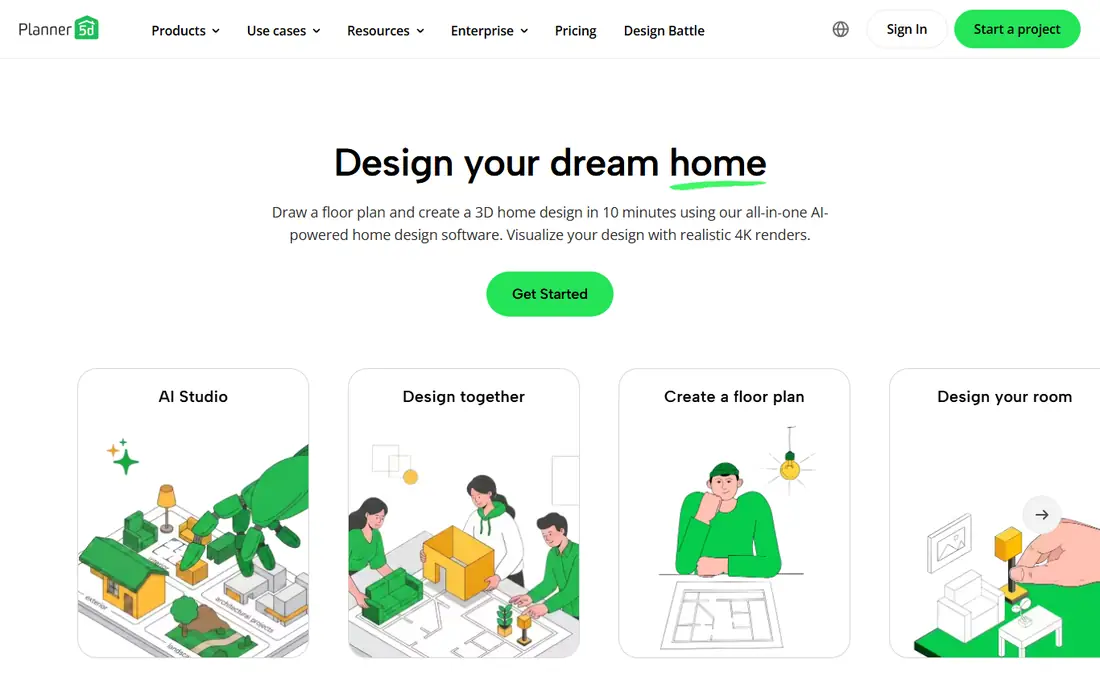
Planner 5D is the most complete planning tool on this list, because it starts with a measured floor plan rather than a photo. You draw the room in 2D, furnish it in 3D from a catalog of more than 10,000 items, and walk through the result before you buy anything. The free version covers unlimited projects with about half the catalog, which is enough for a first layout. Premium at $59.99 a year unlocks the full catalog, floor plan upload to 3D, and standard renders, while the Professional tier at $399.99 a year adds 4K renders and CAD export. Pick Planner 5D when your renovation changes the layout, not just the look.
What we like- 2D and 3D editors on every platform, 10,000 plus item catalog, AI design help, 7-day trial
Watch out for- Realistic renders need Premium, and the free catalog is limited to about half the items
#3Homestyler
Best for: 3D planning with generous free renders4.7/5 on
G2 (12 reviews, checked Oct 2026)
Visit homestyler.com
Starting priceFree; Pro+ from $6.80/month, third-party reported, checked 13 Nov 2026
Free planYes, Basic with unlimited 1K renders

Homestyler combines a cloud 3D floor planner with an AI stager, so you can redesign a room from a photo and then rebuild it properly in 3D. The free Basic plan includes unlimited projects and unlimited 1K renders, which is the most generous free rendering allowance here. Paid plans start from $6.80 a month for Pro+, which adds 75 renders each at 2K and 4K per month, watermark removal and AI credits. The separate Homestyler AI site charges more for photo redesigns, so use the main planner for 3D work and the AI site only for quick photo tests. Pick Homestyler when you want free renders and a real 3D planner in one account.
What we like- 100,000 plus free models, unlimited projects, AI stager for photo redesigns, 4K renders on paid plans
Watch out for- The lowest paid price is a first-month offer on some pages, so confirm the renewal price at checkout
Starting priceFree; Essential $19/month for 30 credits, third-party reported, checked 13 Nov 2026
Free planYes, 5 free designs
REimagineHome redesigns a room from a photo and then shows the real products used in the render, which makes it the most practical pick for anyone who wants to buy what they see. New users get 5 free designs with no card required. Essential is $19 a month for 30 credits, Pro is $36 a month for 200 credits with conversational editing and reference images, and Advanced and Agency plans cover higher volumes. One standard generation costs 1 credit, or 2 with Real Products. Pick REimagineHome when the goal is a shopping list as well as a picture, especially for staging a home for sale.
What we like- Real product matching, conversational editing on Pro, virtual staging, batch processing for listings
Watch out for- Credit system means heavy users pay more, and the Essential plan uses older tools while newer features start on Pro
Starting priceFree sample; Personal $29/month or $19/month billed yearly, third-party reported, checked 13 Nov 2026
Free planYes, a free sample with no card
Room AI is an AI interior designer you talk to: upload a photo, describe what you want in plain language, and refine the result through chat instead of re-rolling random images. It was one of the first tools in this category, launched in 2022, and it keeps your room layout intact better than most rivals. Personal is $29 a month, or $19 a month billed yearly, with a commercial licence on the $99 a month Pro plan and team pricing at $299 a month. Usage refills monthly with no credit top-ups. Pick Room AI when you want to iterate by talking through changes rather than guessing at prompts.
What we like- Conversational editing on every plan, no credits, photos never used for training, 7-day trial
Watch out for- Web only with no native app, and the Personal plan carries a small watermark
#6magicplan
Best for: Measuring a real room and turning it into a floor plan4.3/5 on
G2 (12 reviews, checked Oct 2026)
Visit magicplan.app
Starting priceFree; Sketch $12.99/month or $129.99/year, third-party reported, checked 13 Nov 2026
Free planYes, 2 free projects with all features
magicplan is the odd one out here, because it measures rather than imagines. Walk through a room with your phone and it builds a floor plan from the scan, which you can export to CAD formats or hand to a contractor as a PDF. The free plan covers 2 complete projects with all features and no time limit, and Sketch at $12.99 a month adds unlimited plans and exports. Report and Estimate plans add photo reports and Xactimate estimating for contractors. Pick magicplan when your renovation starts with accurate measurements, and pair it with a styling app like Remodel AI for the visual side.
What we like- LiDAR room scanning, DXF and IFC export, PDF reports, works on iOS, Android and web
Watch out for- The team plans are priced per project and start at $250 a month, which is far beyond a homeowner budget
#7Interior AI
Best for: Virtual staging for real estate agents4.6/5 on
G2 (6 reviews, checked Oct 2026)
Visit interiorai.com
Starting price$29/month for 100 renders, third-party reported, checked 13 Nov 2026
Free planNo
Interior AI was one of the earliest AI interior design tools, and it still suits real estate agents who need virtual staging at scale. Upload a photo, pick a style, and get a staged image for a listing, with 100 renders for $29 a month or 500 renders on the $99 a month Pro plan. The interface is clean and the style application is consistent, which matters when you stage a whole property in one look. The trade-offs are real: there is no mobile app, no free tier, and newer apps produce better output for less money. Pick Interior AI only when you stage listings regularly and value a stable, predictable workflow over the lowest price.
What we like- Virtual staging mode, consistent style application, clean interface, renders at scale
Watch out for- Web only with no mobile app, expensive next to newer rivals, and no free tier to test with
#8
Houzz
Best for: Hiring professionals and buying real products
Visit houzz.com
Starting priceFree for homeowners, third-party reported, checked 13 Nov 2026
Free planYes
Houzz is not an AI remodel app, and it belongs on this list because it answers the question every other app leaves open: who builds it and where do I buy it. The app is free for homeowners and combines a marketplace of professionals, a product catalog with real prices, and an AR feature that places furniture in your room through the camera. Use the AI apps on this list to settle on a style, then use Houzz to find a contractor with verified reviews and to price the products in the render. The trade-off is that Houzz will not redesign a photo for you, and its app is heavier than the single-purpose tools here. Pick Houzz when you are ready to hire and buy.
What we like- Huge product catalog with real prices, professional directory with reviews, AR furniture placement, inspiration photo library
Watch out for- Not an AI redesign tool, and the app is heavy and can feel slow
How we picked these apps
We picked apps that redesign a real room from a photo, draw a floor plan, or connect the design to a professional and a product. Every app here is free to try except Interior AI, which has no free tier and is included because agents still use it for staging at scale. Prices were gathered from vendor pricing pages and third-party price checks dated October and November 2026, and are marked third-party reported where we did not open the vendor page directly. We left out apps that shut down, such as Modsy, and apps with no public price at all. Check the vendor page before you pay, because app store prices vary by region and by platform.
Frequently asked questions
What is the best AI remodel app for beginners?
Remodel AI is the best starting point for beginners, because it needs no learning curve: upload a photo, pick a style, and see the result in about 30 seconds. The 3 free designs let you test it on your own rooms before paying anything. If you want to change the layout as well as the look, start with Planner 5D instead, since its free plan lets you draw the room first.
Are AI remodel apps free?
Most AI remodel apps are free to try, but few are free to use properly. Remodel AI gives 3 free designs, REimagineHome gives 5, Homestyler gives unlimited 1K renders, and magicplan gives 2 free projects. After that you pay a subscription or buy credits. The cheapest annual plans are Remodel AI at $39.99 a year on the app and Planner 5D Premium at $59.99 a year. Check whether the price is monthly or annual before you subscribe.
Can I use an AI remodel app for exterior design?
Yes, several apps on this list cover exteriors. Remodel AI has dedicated exterior, landscape and garden tools, and REimagineHome handles garden and exterior changes on its paid plans. Take the photo in daylight from straight on, and keep the roofline and windows visible so the AI preserves the structure. Exterior renders are the least reliable kind, so expect odd windows or invented landscaping and treat the result as inspiration rather than a plan.
Will the AI keep my room layout the same?
Usually, but not always. Remodel AI and Room AI are the strongest at preserving walls, windows and doors, while cheaper apps sometimes move openings or add furniture that blocks a door. The risk rises with cluttered rooms and angled photos, so tidy the room and shoot straight on from the doorway. If the layout matters, use Planner 5D or magicplan to draw the real plan first, and use the AI render only for style ideas.
Do AI remodel apps give cost estimates?
Only one app here tries. Renovate AI, which did not make the final list because its pricing is hidden behind an account, advertises a cost estimation feature that breaks down materials and labour. The other apps give no prices at all, so use Houzz to price products and get quotes from local contractors. Treat any AI cost figure as a rough guide, never as a quote, and always get at least two real quotes before committing to a renovation.
Sources we checked (12)
- https://www.remodelai.io
- https://www.remodelai.io/blog/best-ai-remodel-apps
- https://planner5d.com
- https://www.renderahouse.com/blog/homestyler-pricing
- https://www.reimaginehome.ai/pricing
- https://roomai.com/pricing
- https://magicplan.app/pricing
- https://interiorai.com
- https://www.houzz.com
- https://roomai.com/best-ai-interior-design-tools
- https://www.meltflexai.com/blog/planner-5d-pricing
- https://www.renderahouse.com/blog/reimaginehome-pricing
Is your product missing or out of date?
We review this list regularly. Vendors can request a listing, send updated pricing or ask about featured placement.

Shihab Mia · Founder, Rankite
Shihab has 5+ years in B2B and SaaS SEO. He writes Rankite's software buying guides from pricing pages, documentation and public user reviews. More about Shihab.