How we make this list: we compare pricing pages, product documentation and public user reviews. Ratings come from G2, Capterra or Trustpilot, with the date we checked them.

Key takeaways
- Accounting firms usually need two kinds of software at once: a ledger for client books and a practice system for work, documents, and billing.
- QuickBooks Online Accountant is free for firms, which makes it a natural starting point when most clients already run on QuickBooks.
- Practice management prices cluster between $40 and $89 per user per month, but annual billing, seat minimums, and add-ons change the real total.
- Karbon suits email-driven teams, TaxDome suits portal-first firms, and Jetpack Workflow suits firms that mainly need recurring work under control.
- Before signing a multi-year deal, run one busy month of real client work through the trial, including tax season style deadlines and client document requests.
Quick comparison
| Tool | Best for | Starting price | Free plan |
|---|
 QuickBooks Online Accountant QuickBooks Online Accountant | Firms with many QuickBooks clients | $0 per month | Yes |
 Xero Xero | Firms wanting flat pricing per client file | $27 per month | No |
 Karbon Karbon | Email-driven collaboration | $59 per user/month (billed annually) | No |
 TaxDome TaxDome | All-in-one client portal | $800 per seat/year | No |
 Canopy Canopy | Tax-heavy practices | $74 per user/month (billed annually) | No |
 Financial Cents Financial Cents | Small firms wanting fast setup | $19 per month | No |
 Jetpack Workflow Jetpack Workflow | Recurring work tracking | $40 per user/month (billed annually) | No |
 Uku Uku | Small firms watching profitability | $19 per member/month (billed annually) | No |
Is your product missing or out of date?
We review this list regularly. Vendors can request a listing, send updated pricing or ask about featured placement.
The best accounting software for accounting firms
#1QuickBooks Online Accountant
Best for: Firms with many QuickBooks clients4.4/5 on
G2 (86 reviews, checked Oct 2026)
Visit quickbooks.intuit.com
Starting price$0 per month
Free planYes
QuickBooks Online Accountant gives a firm one dashboard for its client files, with tools for review, reporting, and team access. That central view matters when a firm manages dozens of books and needs to see which ones are behind on reconciliation or review. It also connects to Intuit tax and payroll products, so a firm that already lives in that family can move from bookkeeping to filing with fewer exports.
The catch is scope. QuickBooks Online Accountant is a strong client management layer, not a full replacement for a practice management suite. Firms that need deep workflow automation, a polished client portal, engagement letters, and billing in one place often pair it with Karbon, TaxDome, or a similar tool. Client subscription costs also sit outside the free firm plan, so the total bill depends on how many clients the firm manages and which QuickBooks plans those clients use.
What we like- Free Core plan for firms
- One login for client books
- Accountant discounts on client subscriptions
Watch out for- Client plans are paid separately
- Practice workflow is lighter than dedicated tools
- Some advanced features sit behind paid tiers
#2Xero
Best for: Firms wanting flat pricing per client file4.4/5 on
G2 (1,832 reviews, checked Oct 2026)
Visit xero.com
Starting price$27 per month
Free planNo

Xero charges per organization rather than per seat, which changes the math for a firm with several staff who need access to the same client file. A bookkeeper, a reviewer, and a partner can all work in one file without the firm paying three seat fees for that file. Bank feeds, invoicing, and reconciliation cover the daily bookkeeping work well, and the higher plan adds multi-currency, projects, and expense claims.
The limit to watch is volume across clients. Every separate legal entity is a separate subscription, so a firm with 50 small clients pays for 50 files, even when some of those files are quiet for months. The Early plan also caps invoices at 20 per month and bills at five per month, which rules it out for most active clients. Firms should price Xero by client count and plan tier, not by staff count alone.
What we like- No per-user fees on plans
- Unlimited users
- Strong bank feed and reconciliation tools
Watch out for- Each client entity needs its own subscription
- Early plan caps invoices and bills
- No annual billing discount on the US page
#3Karbon
Best for: Email-driven collaboration4.8/5 on
G2 (931 reviews, checked Oct 2026)
Visit karbonhq.com
Starting price$59 per user/month (billed annually)
Free planNo
Karbon turns client email into work. Messages land in a shared triage area where the team can assign them, comment internally, and link them to the right client and job, instead of leaving answers buried in individual inboxes. That design fits firms where most client contact still arrives by email and where handoffs between staff cause delays. Work templates, recurring jobs, and time tracking then sit in the same system as the conversation.
The price and the learning curve are the honest trade-offs. The Team plan starts at $59 per user per month billed annually, and the Business plan at $89 adds automation and client reminders that many growing firms will want. Firms should also budget for onboarding time and for extras such as e-signature credits. A small firm that only needs task lists will find Karbon heavier than it needs.
What we like- Shared inbox and triage for client email
- Strong workflow automation on higher plans
- Client portal included
Watch out for- No free plan
- Setup takes real time
- E-signatures and some reporting cost extra
#4TaxDome
Best for: All-in-one client portal4.7/5 on
G2 (732 reviews, checked Oct 2026)
Visit taxdome.com
Starting price$800 per seat/year
Free planNo

TaxDome aims to replace several tools at once. The client portal handles document uploads, messages, organizers, and e-signatures, while the firm side handles pipelines, automations, billing, and payments. For a tax or bookkeeping firm that wants clients to have one clear place to go, that breadth is the main selling point. Unlimited clients and documents mean the firm does not pay more as its client list grows, only as its seat count grows.
The commitment is the part to read twice. Core seats are sold per year and billed upfront, with Essentials at $800 per seat per year on a one-year term, Pro at $1,000, and Business at $1,200. Essentials is solo only, so a two-person firm starts at Pro. Seasonal seats help at tax time, but the upfront annual bill makes TaxDome a decision to test carefully before signing, ideally with a demo that covers a full client onboarding flow.
What we like- Polished client portal and mobile app
- Unlimited clients and storage
- E-signatures included
Watch out for- Annual billing paid upfront
- Solo plan cannot add a second user
- Multi-year discounts reward long commitments
Starting price$74 per user/month (billed annually)
Free planNo

Canopy grew out of tax work, and that heritage still shows. Firms that handle tax resolution or a heavy tax caseload get transcript tools, notices support, and workflow features built around tax deadlines, alongside the usual CRM, documents, portal, and billing. For a US firm where tax season drives the calendar, that focus can save time that a generic workflow tool would not.
The cost structure needs a careful read. The Standard plan starts at $74 per user per month billed annually, with Plus at $109 adding roles, capacity planning, and custom reporting. Some specialist tax work is metered on top of the seat price, so a firm should estimate its transcript and automation usage before comparing Canopy to a flat-priced rival. There is also no self-serve free trial, so expect a sales-led demo before purchase.
What we like- Strong tax workflow and IRS transcript tools
- Client portal with mobile access
- Document management and billing in one system
Watch out for- No free plan or self-serve trial
- Specialist tax features can add metered costs
- Higher seat price than several rivals
Starting price$19 per month
Free planNo
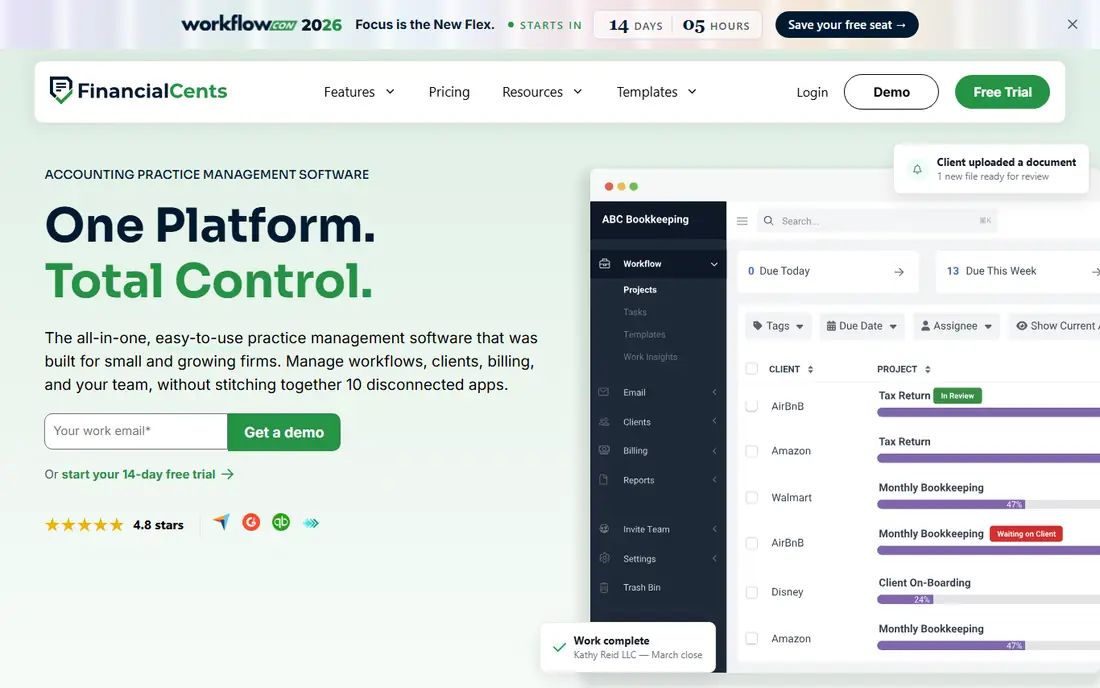
Financial Cents keeps the focus narrow: workflows, client management, time tracking, and billing for small firms that want to be running within days. The interface is plain and task-led, which helps when a firm is moving off spreadsheets and shared inboxes and cannot afford a long implementation. The Solo plan starts at $19 per month, and the team plan is priced higher, so small firms should confirm the team rate for their headcount.
That simplicity is also the limit. A firm that needs deep automation, advanced capacity planning, or a highly polished client app may outgrow Financial Cents sooner than it would outgrow Karbon or Canopy. For a firm under about 20 staff that mainly needs reliable recurring workflows and clear ownership of every job, the trade is usually worth it, especially at the lower price point.
What we like- Low solo starting price
- Simple workflow setup
- 14-day free trial
Watch out for- Team plan costs more than the solo headline price
- Fewer enterprise controls
- Portal depth is narrower than TaxDome
Starting price$40 per user/month (billed annually)
Free planNo
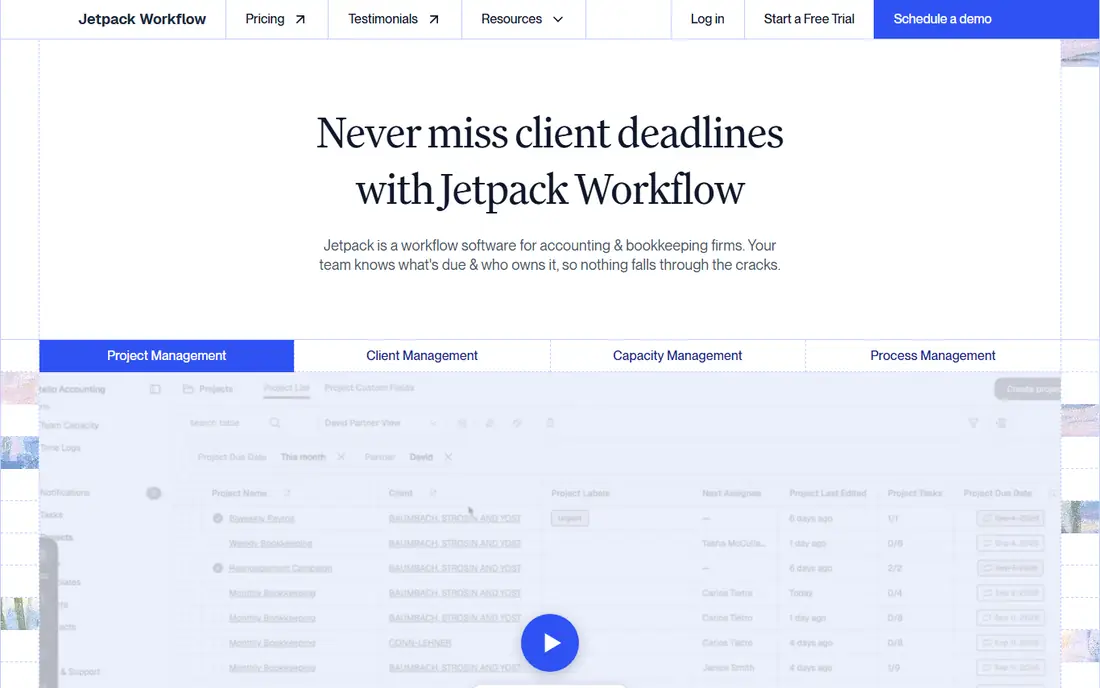
Jetpack Workflow does one job well. It tracks recurring client work, deadlines, templates, and who is responsible for each job, so nothing slips when a staff member is away or when tax season piles up. Firms that already have a portal, a billing tool, and a document system often prefer this focused approach to replacing everything at once. Setup is faster than a full suite, and the team view makes capacity problems visible before deadlines are missed.
The honest limit is that Jetpack Workflow is not a full practice suite. It does not handle client invoicing or provide a client portal, so firms that want those features must keep other tools alongside it. That is a fair trade when the main pain is missed deadlines, and a poor trade when the firm wants one login for everything. Price it as part of a stack, not as a single replacement.
What we like- Clear recurring job and deadline tracking
- Capacity views
- 14-day free trial
Watch out for- No client portal or invoicing
- Narrower than all-in-one suites
- Still needs other tools for billing
#8Uku
Best for: Small firms watching profitability4.7/5 on
G2 (109 reviews, checked Oct 2026)
Visit getuku.com
Starting price$19 per member/month (billed annually)
Free planNo

Uku gives small firms a single place for tasks, time, billing, and a client portal, with views that tie tracked time to client profitability. That last point matters for firms moving from hourly billing toward fixed fees or advisory work, because it shows which clients actually make money after staff time is counted. The Solo plan starts at $19 per member per month billed annually, with Team at $38, and monthly billing is available for firms that prefer not to commit for a year.
Uku is a smaller vendor than Intuit, Karbon, or TaxDome, so firms should check integration coverage and support hours against their own stack before switching. The higher tiers add workforce management, client budgeting, and analytics that larger firms will want. For a small firm that wants one affordable system and a clear view of profit per client, Uku is a credible shortlist option.
What we like- Low solo starting price
- Profitability and time tracking views
- Monthly billing option
Watch out for- Smaller vendor than the category leaders
- Some advanced features sit on higher tiers
- US tax depth is thinner than Canopy
How we chose
We compared vendor pricing pages, product documentation, and public reviews on G2, Capterra, and Reddit, and we weighed features, integrations, and fit by firm size. We favored tools that firms actually use for client work in the United States, and we left out general project tools that lack accounting workflows. Prices in this guide reflect vendor pages and recent third-party pricing checks from October 2026, so confirm the current price before buying, since vendors change plans often.
What to check before you sign
A firm should start with its own workflow, not with a feature list. List the five jobs that cause the most missed deadlines or rework, then run those exact jobs through each shortlisted tool during a trial. Include a new client onboarding, a document chase, a month-end close, and an invoice, because a tool that looks clean in a demo can still slow down on real work.
Contract and billing traps
Check whether seats are billed annually upfront, whether seasonal staff need separate seats, and whether e-signatures, payments, or tax tools carry extra fees. TaxDome bills core seats upfront for the year, while Karbon and Canopy bill per user per month on annual terms. Ask what happens when a staff member leaves mid-term, and get the answer in writing before signing a multi-year deal.
Data export and client access
Confirm how the firm exports client documents, task history, and billing records if it leaves, and how clients reach their own files during the switch. A tool with a strong portal still creates disruption when clients must learn a new login, so plan a short message to clients that explains what changes and what stays the same. Keep the old system read-only for at least one full filing cycle.
Frequently asked questions
Do accounting firms need practice management software and a ledger?
Yes, in most cases. The ledger holds client books, while practice software holds the work, documents, deadlines, and billing for the firm itself. Some firms run both in one vendor family, and others pair QuickBooks or Xero with a dedicated practice tool.
What is the cheapest way for a solo firm to start?
QuickBooks Online Accountant is free for firms, and Xero starts at $27 per month per client file. For practice work, Financial Cents Solo and Uku Solo both start at $19 per month, which keeps the early stack affordable until client volume grows.
Is Karbon or TaxDome better for a small tax firm?
TaxDome fits firms that want one polished client portal with billing and e-signatures included. Karbon fits firms where work arrives by email and where shared triage and collaboration matter most. The deciding test is a trial with real client email and a real document request.
How long does setup take?
A focused tool such as Jetpack Workflow or Financial Cents can be running in days for a small firm. A full suite such as Karbon, TaxDome, or Canopy usually takes weeks, including template building, data migration, and staff training, and tax season is the worst time to start.
Can a firm switch tools later without losing client data?
Usually, with planning. Export documents, task history, and billing records before cancelling, and keep the old system available in read-only form through one filing cycle. Check export formats during the trial, not after the contract is signed, because some tools export tasks and notes less cleanly than documents.
Should a firm pick one vendor for everything?
Only when that vendor covers the firm's real work well. A single suite cuts logins and integrations, but it can also force compromises on the ledger or the portal. Many firms do better with a strong ledger plus one practice tool, chosen separately for each job.
Sources we checked (8)
- https://quickbooks.intuit.com/accountants/pricing/
- https://www.xero.com/us/pricing-plans/
- https://karbonhq.com/pricing/
- https://taxdome.com/pricing/
- https://www.getcanopy.com/pricing/
- https://financial-cents.com/pricing/
- https://jetpackworkflow.com/pricing/
- https://getuku.com/pricing/
Is your product missing or out of date?
We review this list regularly. Vendors can request a listing, send updated pricing or ask about featured placement.

Shihab Mia · Founder, Rankite
Shihab has 5+ years in B2B and SaaS SEO. He writes Rankite's software buying guides from pricing pages, documentation and public user reviews. More about Shihab.