How we make this list: we compare pricing pages, product documentation and public user reviews. Ratings come from G2, Capterra or Trustpilot, with the date we checked them.
What is Balsamiq and why look for an alternative
Balsamiq is a low-fidelity wireframing tool for sketching the layout, content, and flow of a website or app before any visual design starts. Its hand-drawn style is deliberate: rough boxes, buttons, and text placeholders keep early discussions on structure instead of colours and fonts, and its simple interface lets product managers and founders wireframe without design training.
The main reason people look for an alternative is that Balsamiq stops at wireframes. It cannot produce high-fidelity designs, interactive prototypes with real logic, or developer handoff, so a team has to rebuild the agreed flow in a second tool before it can ship. That rebuild adds time and a second subscription.
Price is the second reason. Balsamiq moved from per-space pricing to per-editor pricing, so Starter is now $16 per editor per month billed annually, or $23 billed monthly. The old $9 per month figure on some listing sites is outdated. For a small team that only needs occasional wireframes, that per-editor cost is hard to justify when several alternatives offer a usable free plan, and there is no permanent free plan, only a trial.
How do you pick the right Balsamiq alternative
Start with how far the tool needs to go. If you only need low-fidelity wireframes and you want the same rough, discussion-friendly style, pick a dedicated wireframing tool such as Moqups, Wireframe.cc, or MockFlow. If you want the wireframe to grow into a high-fidelity design and a clickable prototype in the same file, pick a full design tool such as Figma, Uizard, or Justinmind, which support both low-fidelity drafts and finished screens.
Next, decide how much interaction the wireframe needs. A static layout can be drawn in any of these tools. If stakeholders need to click through a flow, test navigation, or see conditional states, pick a tool with real prototyping, such as Axure RP, Justinmind, Uizard, or Mockplus. If the wireframe is for a mobile app, check for device frames, gestures, and preview on a phone.
Then check collaboration and price. Real-time co-editing matters if two or more people shape the same wireframe at once. Figma, Moqups, and MockFlow offer it, while Wireframe.cc and Mockplus suit solo work. Compare the price model too, since a tool that looks cheap for one person can get expensive for ten. Finally, check the free plan, since several alternatives let a small team wireframe for free.
The 8 best Balsamiq alternatives at a glance
| Tool |
Best for |
Starting price |
Free plan |
| Moqups |
All-in-one wireframes, diagrams, and prototypes |
Solo $13 per month billed annually |
Yes, limited free plan |
| Figma |
Wireframes that grow into high-fidelity design |
Professional $16 per full seat per month billed annually |
Yes, Starter plan |
| Axure RP |
Interactive prototypes with logic and conditions |
Pro $29 per user per month billed yearly |
No, 30-day free trial |
| Uizard |
AI-generated wireframes and mockups from a prompt |
Pro $12 per creator per month billed yearly |
Yes, free plan |
| Mockplus |
Fast wireframes and prototypes with a large component library |
RP Individual $99 per year |
Yes, free plan |
| Wireframe.cc |
The simplest possible browser wireframe |
Solo $12 per month |
Yes, single-page wireframe |
| MockFlow |
Structured wireframing with review and handoff |
Wireframing $14 per user per month billed yearly |
Yes, Basic plan |
| Justinmind |
Interactive prototypes with gestures and conditions |
Professional $19 per user per month billed yearly |
Yes, free plan |
Quick comparison
| Tool | Best for | Starting price | Free plan |
|---|
 Moqups | All-in-one wireframes, diagrams, and prototypes in one browser tool with real-time collaboration | Solo $13 per month billed annually ($17 billed monthly). Team $19 per user per month billed annually. | Yes. Limited free plan with a small number of projects. |
 Figma | Wireframes that grow into high-fidelity design, prototypes, and developer handoff in one file | Professional $16 per full seat per month billed annually ($20 billed monthly) | Yes. Starter plan with unlimited drafts and 500 AI credits per month. |
 Axure RP | High-fidelity interactive prototypes with variables, conditional logic, adaptive views and built-in specifications | Pro $29 per user per month billed yearly ($34 billed monthly) | No. No permanent free plan, 30-day free trial. |
 Uizard | AI-generated wireframes and mockups from a prompt, a screenshot, or a hand-drawn sketch | Pro $12 per creator per month billed yearly ($19 billed monthly). Business $39 per creator per month billed yearly. | Yes. Free plan with 3 AI generations per month and 2 projects. |
 Mockplus | Fast wireframes and interactive prototypes with a large ready-made component library | RP Individual $99 per year (vendor lists periodic discounts; $39.60 on sale 6 Nov 2026) | Yes. RP Individual free with 3 prototypes and 10 pages per prototype. |
 Wireframe.cc | The simplest possible browser wireframe, with no account and no learning curve | Solo $12 per month. Trio $32.50 per month for 3 users. | Yes. Free wireframes are public with a unique URL and limited to a single page. |
 MockFlow | Structured wireframing with review, annotations, and design handoff in one workspace | Wireframing $14 per user per month billed yearly ($19 billed monthly). Product Design $19 per user per month billed yearly. | Yes. Basic plan with 1 UI project and 2 reviewers per project. |
 Justinmind | Interactive prototypes with mobile gestures, conditional navigation, and data-driven screens, with a free plan to start | Professional $19 per user per month billed yearly ($29 billed monthly). Perpetual Professional license $455 per user. | Yes. Free plan with unlimited viewers and up to 2 editors. |
Is your product missing or out of date?
We review this list regularly. Vendors can request a listing, send updated pricing or ask about featured placement.
The 8 best Balsamiq alternatives
The eight tools below are ordered from the closest direct replacement for most Balsamiq teams to the most specialised options. Prices are in USD and were checked on 16 Nov 2026.
#1
Moqups
Best for: All-in-one wireframes, diagrams, and prototypes in one browser tool with real-time collaboration
Visit moqups.com
Starting priceSolo $13 per month billed annually ($17 billed monthly). Team $19 per user per month billed annually.
Free planYes. Limited free plan with a small number of projects.
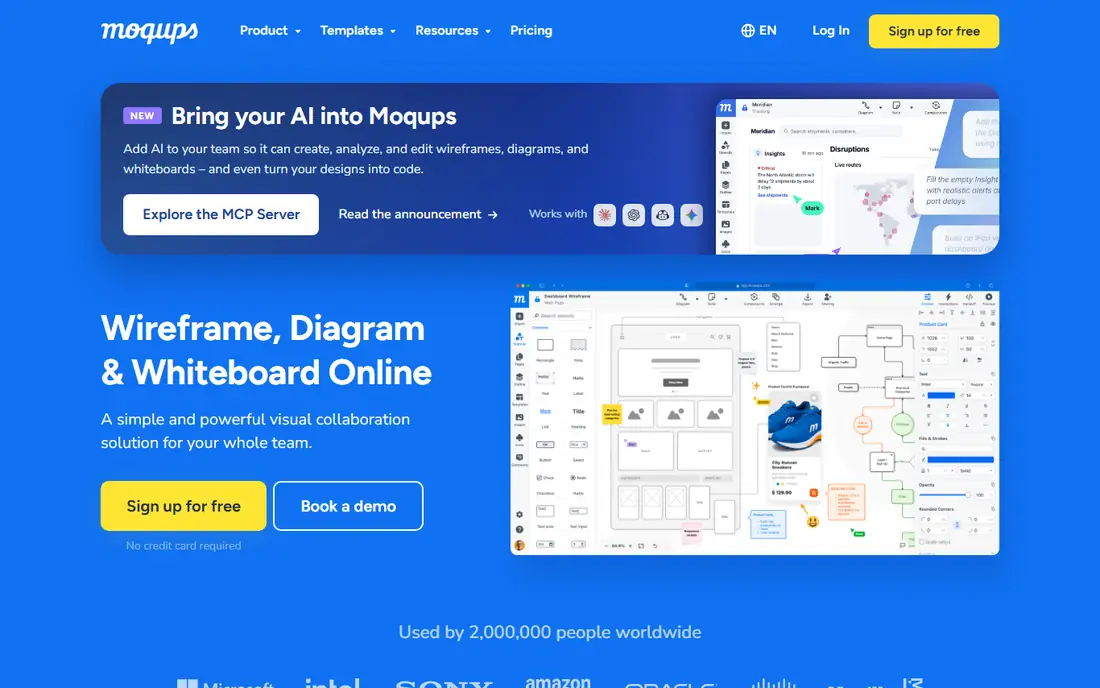
Moqups is the closest direct replacement for Balsamiq, and it goes further in every direction. It covers wireframes, flowcharts, diagrams, and clickable prototypes in one browser tool, so a team can agree a flow, draw the screens, and link them into a testable prototype without switching apps. Real-time collaboration lets a product manager and a designer shape the same wireframe at once, and the stencil library covers common web and mobile patterns. Solo is $13 per month billed annually, which undercuts Balsamiq Starter, and the Team plan is $19 per user per month billed annually. The free plan is limited to a small number of projects, and the high-fidelity design tools are weaker than Figma. For teams that want a better Balsamiq rather than a different kind of tool, Moqups is the first place to look.
What we like- Wireframes, diagrams, and prototypes in one place, real-time collaboration, a large stencil library, and an easy learning curve
Watch out for- Per-seat costs add up for larger teams, high-fidelity design tools are weaker than Figma, and the free plan is too limited for ongoing work
#2Figma
Best for: Wireframes that grow into high-fidelity design, prototypes, and developer handoff in one file4.7/5 on
G2 (1,593 reviews, checked Oct 2026)
Visit figma.com
Starting priceProfessional $16 per full seat per month billed annually ($20 billed monthly)
Free planYes. Starter plan with unlimited drafts and 500 AI credits per month.
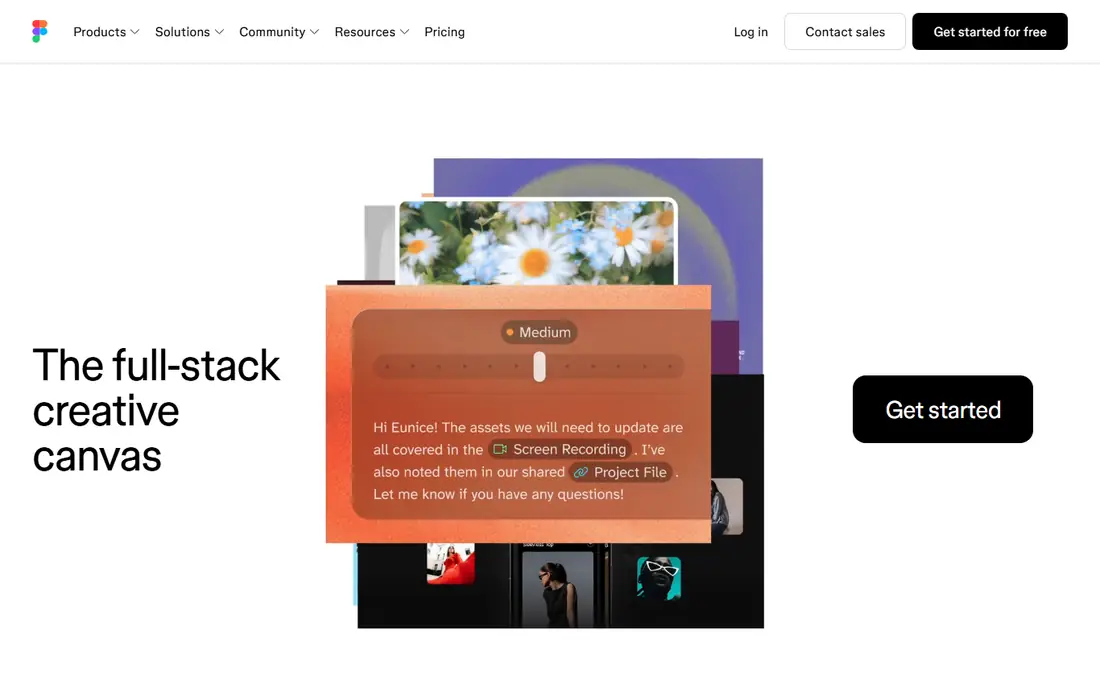
Figma is the best Balsamiq alternative for teams that want the wireframe to become the finished design. You can sketch a low-fidelity layout with basic shapes, then refine the same file into high-fidelity screens, link them into a prototype, and hand the result to developers through Dev Mode, with no rebuild and no second tool. Real-time co-editing means a whole team can shape the flow together, and shared components keep repeated screens consistent. The Starter plan is free, which already beats Balsamiq on price for small teams, and Professional is $16 per full seat per month billed annually. The trade-off is discipline: Figma makes it easy to polish too early, so a team that wants rough wireframes needs to agree to keep the early frames plain.
What we like- Wireframes, design, and prototyping in one tool, real-time co-editing, strong component libraries, and Dev Mode handoff
Watch out for- More complex than a dedicated wireframing tool, so early sketches can drift into polish too soon, and per-seat costs scale with the team
#3Axure RP
Best for: High-fidelity interactive prototypes with variables, conditional logic, adaptive views and built-in specifications4.2/5 on
G2 (277 reviews, checked Oct 2026)
Visit axure.com
Starting pricePro $29 per user per month billed yearly ($34 billed monthly)
Free planNo. No permanent free plan, 30-day free trial.
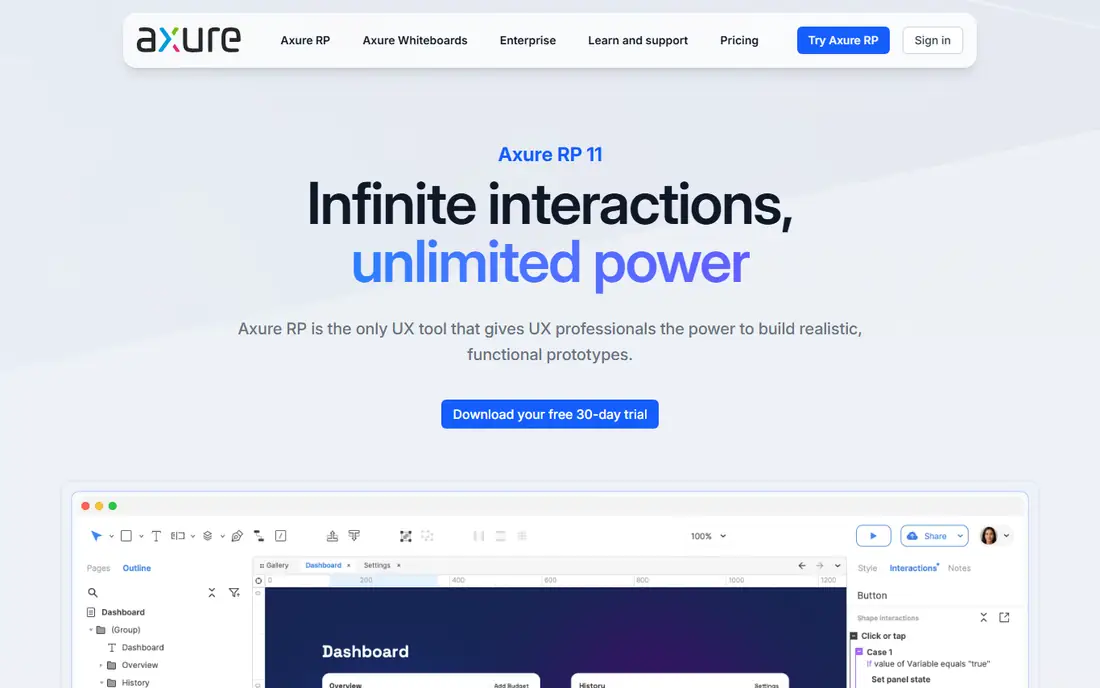
Axure RP is the specialist pick for teams whose wireframes need to behave like the real product. It supports variables, conditional logic, dynamic panels, and adaptive views, so you can build a prototype that responds to user input, shows different states, and tests a multi-step flow before any code is written. Built-in specifications give developers a clear record of the intended behaviour, which is useful for enterprise products, forms, and dashboards with many edge cases. That power comes with a learning curve: the interface feels dated next to Figma or Moqups, and new users need time to learn the logic system. Pro is $29 per user per month billed yearly, with no permanent free plan, only a 30-day free trial. Buy Axure when the wireframe has to prove a flow, not just show a layout.
What we like- Powerful interactive prototyping with variables and conditional logic, adaptive views for responsive layouts, and built-in specifications for developers
Watch out for- Steep learning curve and a dated interface, overkill for simple static wireframes, and no real-time co-authoring on the Pro plan
#4Uizard
Best for: AI-generated wireframes and mockups from a prompt, a screenshot, or a hand-drawn sketch4.5/5 on
G2 (46 reviews, checked Oct 2026)
Visit uizard.io
Starting pricePro $12 per creator per month billed yearly ($19 billed monthly). Business $39 per creator per month billed yearly.
Free planYes. Free plan with 3 AI generations per month and 2 projects.
Uizard suits teams that want a wireframe fast and are happy to let AI draft the first version. Autodesigner 2.0 turns a text prompt, a screenshot, or a hand-drawn sketch into an editable multi-screen mockup, which a designer can then adjust rather than drawing from scratch. The template library covers common app and web patterns, and Pro adds CSS and React handoff for developers. Pricing is per creator, so reviewers and commenters cost nothing, and Pro is $12 per creator per month billed yearly. The free plan allows 3 AI generations a month and 2 projects, which is enough to test the workflow but not to run a project. AI output still needs a cleanup pass on complex screens. For speed on a first draft, Uizard is hard to beat.
What we like- Autodesigner AI turns prompts and screenshots into editable screens, a large template library, CSS and React handoff, and per-creator pricing that keeps reviewers free
Watch out for- AI output needs cleanup on complex screens, 3 AI generations a month on the free plan is very limited, and the tool is owned by Miro, so its roadmap follows Miro
#5
Mockplus
Best for: Fast wireframes and interactive prototypes with a large ready-made component library
Visit mockplus.com
Starting priceRP Individual $99 per year (vendor lists periodic discounts; $39.60 on sale 6 Nov 2026)
Free planYes. RP Individual free with 3 prototypes and 10 pages per prototype.
Mockplus is a fast, practical wireframing and prototyping tool with a large library of ready-made components, icons, and interactions. You can drag components onto a canvas, link screens into a clickable prototype, and share it for review without writing code. The free tier is genuinely useful, with 3 prototypes and 10 pages per prototype, and RP Individual is $99 per year, with the vendor listing periodic discounts. That annual price is low next to per-seat subscriptions, and it suits freelancers and small teams. The product line is confusing: RP, Cloud, and iDoc each have their own plans, so check which product the price belongs to before you buy. For quick wireframes on a tight budget, Mockplus is a strong value pick.
What we like- Large component library, fast drag-and-drop prototyping, a genuinely useful free tier, and a low one-time style annual price
Watch out for- The product line is split across RP, Cloud, and iDoc, which confuses pricing, and the interface feels less modern than Figma or Moqups
#6Wireframe.cc
Best for: The simplest possible browser wireframe, with no account and no learning curve3.8/5 on
G2 (50 reviews, checked Oct 2026)
Visit wireframe.cc
Starting priceSolo $12 per month. Trio $32.50 per month for 3 users.
Free planYes. Free wireframes are public with a unique URL and limited to a single page.
Wireframe.cc is the minimalist option, and it is the fastest way to put a wireframe on screen. Open the site, start drawing, and share a link. There is no account to create and no interface to learn, which makes it ideal for a quick sketch in a meeting or a first draft before a proper tool is involved. The free version works without an account, with public wireframes limited to a single page, and Solo is $12 per month for unlimited projects and revisions. The limits are real: free wireframes are public, there is no real prototyping or conditional logic, and the feature set is much smaller than Moqups or Figma. Wireframe.cc is a sketchpad, not a design system. Use it when speed matters more than features, and move to a fuller tool once the idea needs structure.
What we like- No account or install needed, the simplest interface in this list, and a very low price for solo use
Watch out for- Single-page free wireframes are public, no real prototyping or logic, and a much smaller feature set than Moqups or Figma
#7MockFlow
Best for: Structured wireframing with review, annotations, and design handoff in one workspace4.2/5 on
G2 (83 reviews, checked Oct 2026)
Visit mockflow.com
Starting priceWireframing $14 per user per month billed yearly ($19 billed monthly). Product Design $19 per user per month billed yearly.
Free planYes. Basic plan with 1 UI project and 2 reviewers per project.
MockFlow is a structured wireframing tool that covers the full early-design workflow: draw the wireframe, annotate it, send it for review, and hand it to design. The component library covers common web and mobile patterns, and the review workflow, with comments and approvals, suits teams that need sign-off before design starts. Wireframing is $14 per user per month billed yearly, and Product Design is $19, which adds more design tools for teams that want to go further in the same workspace. The Basic plan is free with 1 UI project and 2 reviewers, which is enough to test the workflow on a real project. MockFlow is less well known than Figma or Moqups, so there are fewer templates and less community help, and the free plan is limited to a single project. For a team that wants a tidy, review-led wireframing process, MockFlow is a solid choice.
What we like- Clear wireframing workflow with review and annotations, a good component library, and a straightforward per-user price
Watch out for- Less well known than Figma or Moqups, so fewer templates and less community help, and the free plan is limited to a single project
#8Justinmind
Best for: Interactive prototypes with mobile gestures, conditional navigation, and data-driven screens, with a free plan to start4.0/5 on
G2 (55 reviews, checked Oct 2026)
Visit justinmind.com
Starting priceProfessional $19 per user per month billed yearly ($29 billed monthly). Perpetual Professional license $455 per user.
Free planYes. Free plan with unlimited viewers and up to 2 editors.
Justinmind is a practical Balsamiq replacement for teams that prototype mobile apps and web flows with real interaction. It supports mobile gestures, tab navigation, conditional content, and data lists, so a wireframe can become a prototype that simulates a working app closely enough for usability testing. The UI kit library, with more than 4,000 elements, speeds up building common screens, and unlimited reviewers mean stakeholders can comment without a paid seat. The free plan covers up to 2 editors, which suits a small team testing the tool on a real project. Professional is $19 per user per month billed yearly, with a perpetual license option at $455 per user for teams that prefer to own the software. The interface feels dated next to Figma, and the community is smaller, so expect fewer templates and less peer help.
What we like- Strong interactive prototyping with gestures and conditional logic, a large library of UI kits with 4,000 plus elements, and a free plan for small teams
Watch out for- A dated interface next to Figma and Moqups, a smaller community and fewer templates than the market leaders, and user testing integrations need the Professional plan
Which Balsamiq alternative should you choose
Choose Moqups if you want a better Balsamiq: wireframes, diagrams, and prototypes in one tool, for less than Balsamiq Starter. Choose Figma if you want the wireframe to grow into high-fidelity design and developer handoff in the same file. Choose Axure RP if the wireframe has to prove a complex flow with logic. Choose Uizard if you want AI to draft the first wireframe from a prompt or a screenshot. Choose Mockplus for fast wireframes on a low annual price with a useful free tier. Choose Wireframe.cc for the simplest possible sketch, with no account. Choose MockFlow for a structured process with review and sign-off. Choose Justinmind for mobile prototypes with gestures and a free plan.
Frequently asked questions
Is Moqups better than Balsamiq
For most teams, yes. Moqups covers wireframes, diagrams, and clickable prototypes in one browser tool, with real-time collaboration, for Solo at $13 per month billed annually, which undercuts Balsamiq Starter at $16 per editor per month billed annually. Balsamiq still wins if you specifically want its rough, hand-drawn style to keep feedback on structure.
What is the best free Balsamiq alternative
Figma is the best free Balsamiq alternative for most teams, with a free Starter plan, unlimited drafts, and a path from wireframe to finished design. Wireframe.cc is the best free option for a quick sketch with no account. Mockplus is the best free option for prototyping on a budget, with 3 free prototypes.
Can I import my Balsamiq wireframes into another tool
There is no direct Balsamiq import in most alternatives, so expect to redraw or rebuild. Moqups, Figma, and MockFlow all support image import, so you can bring in exported wireframes as a reference and trace the layout. For a large library, budget a day to rebuild the key flows rather than every screen.
Which Balsamiq alternative is best for mobile app wireframes
Justinmind is the best Balsamiq alternative for mobile app wireframes, because it supports mobile gestures, conditional navigation, and device frames, with a free plan for up to 2 editors. Uizard is the fastest option for a first draft, since it can turn a screenshot or a sketch into an editable mockup.
Do I still need Balsamiq if I use Figma
No, for most teams Figma covers wireframing, high-fidelity design, prototyping, and handoff in one file, so Balsamiq becomes redundant. Keep Balsamiq only if your team specifically relies on its rough style to keep early feedback on structure, or if non-designers on your team prefer its simpler interface.
Sources we checked (9)
- https://balsamiq.com/pricing/
- https://moqups.com/pricing/
- https://www.figma.com/pricing/
- https://www.axure.com/pricing
- https://uizard.io/pricing/
- https://www.mockplus.com/pricing/
- https://wireframe.cc/premium.html
- https://www.mockflow.com/pricing/
- https://www.justinmind.com/pricing/
Is your product missing or out of date?
We review this list regularly. Vendors can request a listing, send updated pricing or ask about featured placement.

Shihab Mia · Founder, Rankite
Shihab has 5+ years in B2B and SaaS SEO. He writes Rankite's software buying guides from pricing pages, documentation and public user reviews. More about Shihab.