How we make this list: we compare pricing pages, product documentation and public user reviews. Ratings come from G2, Capterra or Trustpilot, with the date we checked them.
What is the main difference between Aircall and Dialpad?
Aircall is a cloud phone system built for teams that live on the phone. It gives each team a shared number, a shared inbox, call routing, IVR menus and call recording. Dialpad is a unified communications platform that combines calling, messaging, video meetings and AI on one plan. Its main difference is Dialpad Ai, which transcribes calls in real time and writes summaries on every plan, including Standard. Aircall puts AI summaries on Professional, while Dialpad puts transcription on Standard. Aircall needs at least three licenses, while Dialpad lets a single user start on Standard.
How much do Aircall and Dialpad cost for a small team?
Aircall Essentials costs 30 dollars per license per month billed annually, or 40 dollars billed monthly, and Professional costs 50 dollars billed annually, or 70 dollars billed monthly. Both plans need at least three licenses, so the lowest annual bill is 90 dollars per month for Essentials and 150 dollars per month for Professional. Dialpad Connect Standard costs 15 dollars per user per month billed annually, or 27 dollars billed monthly, and Pro costs 25 dollars billed annually, or 35 dollars billed monthly. Pro needs at least three users, while Standard has a one user minimum. For a five person team on annual billing, Aircall Essentials costs 150 dollars per month, Aircall Professional costs 250 dollars per month, Dialpad Standard costs 75 dollars per month and Dialpad Pro costs 125 dollars per month.
Which cloud phone system is best for sales teams?
The best cloud phone system for a sales team is the one that shortens the time between a lead and a live conversation, and that keeps call notes in the CRM without manual work. Aircall Professional is a strong fit because it includes a power dialer, outbound call campaigns, smart routing and call monitoring, plus a Salesforce integration that logs calls against contacts. Dialpad Pro is a strong fit for smaller sales teams because it includes CRM integrations with Salesforce, HubSpot and Zendesk, real time transcription and AI summaries that save reps from typing notes after every call. RingCentral Advanced is a strong fit for larger sales teams because it adds CRM integrations, core reporting and 1,000 pooled toll free minutes per month.
Which cloud phone system is best for support teams?
The best cloud phone system for a support team is the one that routes callers to the right person fast, keeps wait times visible and records every call for training. Aircall is a strong fit because shared numbers, shared inboxes, IVR menus, call queues and call tagging keep a support queue organised. Dialpad Pro is a strong fit for small support teams because it adds hold queues, 24 hour support, up to 25 ring groups and integrations with Zendesk, HubSpot and Salesforce, with AI transcription on every call. RingCentral Advanced and Ultra are strong fits for larger support teams because they add call queues, reporting and, on Ultra, 10,000 pooled toll free minutes.
How do the 8 cloud phone systems compare on price and features?
Starting prices are on annual billing, per user or per license per month, and taxes and fees are extra.
| Tool | Starting price | Free plan | Call recording | Best for |
| Aircall | 30 dollars per license per month | No | Yes, on Essentials | Sales and support teams |
| Dialpad | 15 dollars per user per month | No | Yes, on Standard | Small teams that want AI |
| RingCentral | 20 dollars per user per month | No | Yes, on Core | Growing teams that need scale |
| 8x8 | Quote, reported from 24 dollars per user per month | No | Yes, on X2 | Global teams and contact centers |
| Vonage | 19.99 dollars per line per month | No | On Advanced only | Small businesses that want desk phones |
| Nextiva | 15 dollars per user per month | No | Add on for Core, included on Engage | Teams that want voice and video |
| Zoom Phone | 10.50 dollars per user per month | No | Yes, on Unlimited | Teams already on Zoom |
| Ooma Office | 19.95 dollars per user per month | No | Yes, on Pro | Small offices with no contract |
Dialpad, Nextiva and Zoom Phone start at 15 dollars or less per user per month, while Aircall starts at 30 dollars per license per month and needs three licenses. RingCentral, Vonage and Ooma sit in the middle at about 20 dollars per user or per line per month. 8x8 is the only system here without a published starting price, so budget time for a sales quote.
How we picked these 8 cloud phone systems
We picked systems that sell a cloud business phone service in the United States, publish a starting price or a reported price range, and cover the main buyer needs in this comparison: shared numbers, call recording, CRM integrations, AI transcription and video meetings. RingCentral, 8x8, Vonage, Nextiva, Zoom Phone and Ooma Office were added because they are the most common alternatives buyers shortlist against Aircall and Dialpad. Prices change, so confirm the current price on the vendor site before you buy. Last verified 18 November 2026.
Quick comparison
| Tool | Best for | Starting price | Free plan |
|---|
 Aircall | Sales and support teams that need shared numbers, call queues and CRM logging | 30 dollars per license per month billed annually; Professional 50 dollars billed annually; Custom by quote; 3 license minimum | No free plan; free trial available |
 Dialpad | Small teams that want AI transcription, calling, messaging and video in one app | 15 dollars per user per month billed annually; Pro 25 dollars billed annually; Enterprise by quote | No free plan; free trial available |
 RingCentral | Growing teams that need a full unified communications platform with video, chat and phone | 20 dollars per user per month billed annually; Advanced 25 dollars billed annually; Ultra 35 dollars billed annually | No free plan; 14 day free trial available |
 8x8 | Global teams and companies that need unified communications and a contact center from one vendor | Quote based; reported X2 from 24 dollars per user per month billed annually, X4 44 dollars, X6 85 dollars | No free plan; demo available |
 Vonage | Small businesses that want desk phones, video meetings and team messaging on simple per line plans | 19.99 dollars per line per month for Mobile (13.99 dollars with 30 percent promo through 31 December 2026); Premium 29.99 dollars (20.99 dollars promo); Advanced 39.99 dollars (27.99 dollars promo) | No free plan; demo available |
 Nextiva | Growing businesses that want voice, video, SMS and team chat with a contact center path | 15 dollars per user per month billed annually for NEXT Core; NEXT Engage 25 dollars billed annually; NEXT Scale 75 dollars billed annually | No free plan; free trial available |
 Zoom Phone | Teams already using Zoom Workplace that want phone, video and chat from one vendor | 10.50 dollars per user per month for US and Canada Metered; US and Canada Unlimited 16 dollars billed annually; Pro Plus 20.50 dollars billed annually; Business Plus 24.50 dollars billed annually | No free plan; demo available |
 Ooma Office | Small offices that want flat monthly pricing, a free toll free number and no contract | 19.95 dollars per user per month for Essentials; Pro 24.95 dollars; Pro Plus 29.95 dollars; no contract required | No free plan; demo available |
Is your product missing or out of date?
We review this list regularly. Vendors can request a listing, send updated pricing or ask about featured placement.
8 Best Cloud Phone Systems Compared
The eight tools below cover the full range from a low cost starter phone to a full contact center platform.
#1Aircall
Best for: Sales and support teams that need shared numbers, call queues and CRM logging4.2/5 on
Capterra (466 reviews, checked Oct 2026)
Visit aircall.io
Starting price30 dollars per license per month billed annually; Professional 50 dollars billed annually; Custom by quote; 3 license minimum
Free planNo free plan; free trial available
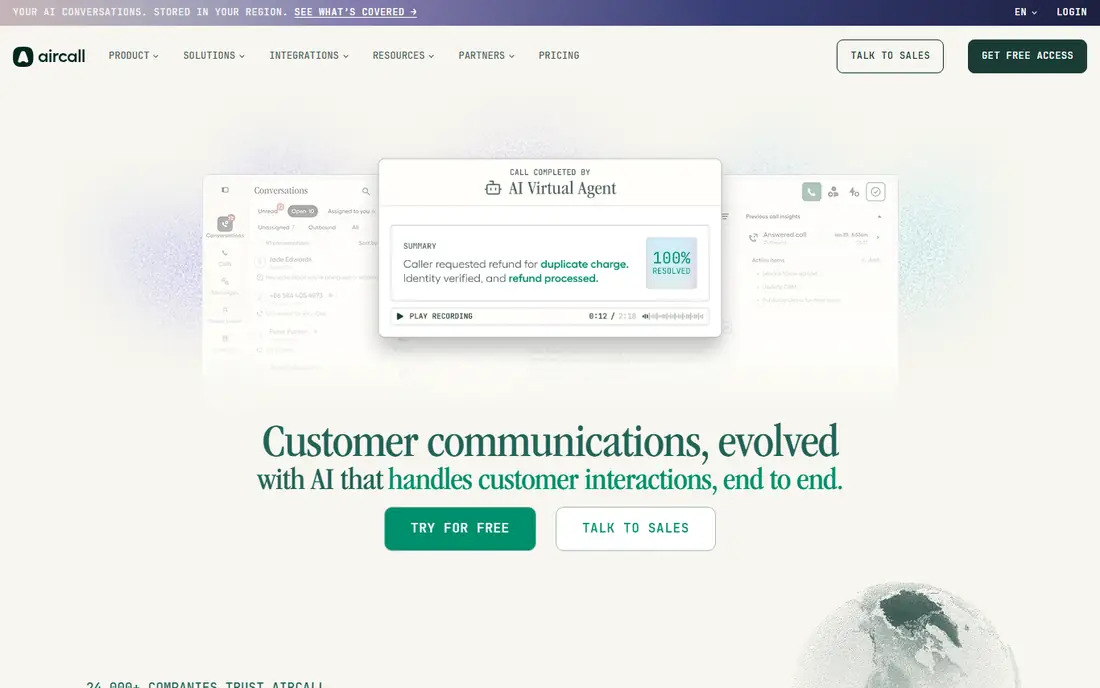
Aircall is built for teams that treat the phone as their main work tool. Essentials includes unlimited calls within the United States and Canada, SMS, shared inboxes, call recordings, AI transcripts, IVR and 50 AI Voice Agent minutes per month. Professional adds smart routing, queue callback, advanced analytics, AI call summaries, call monitoring, Power Dialer and the Salesforce integration. The three license minimum means a two person team pays for three seats, so compare the 90 dollar monthly floor against Dialpad Standard first.
What we like- Shared numbers and shared inbox, strong CRM integrations, power dialer on Professional, call monitoring and whisper, more than 250 integrations
Watch out for- Three license minimum raises the entry cost for a one or two person team, and AI summaries are not on Essentials
#2Dialpad
Best for: Small teams that want AI transcription, calling, messaging and video in one app4.4/5 on
G2 (4,201 reviews, checked Oct 2026)
Visit dialpad.com
Starting price15 dollars per user per month billed annually; Pro 25 dollars billed annually; Enterprise by quote
Free planNo free plan; free trial available
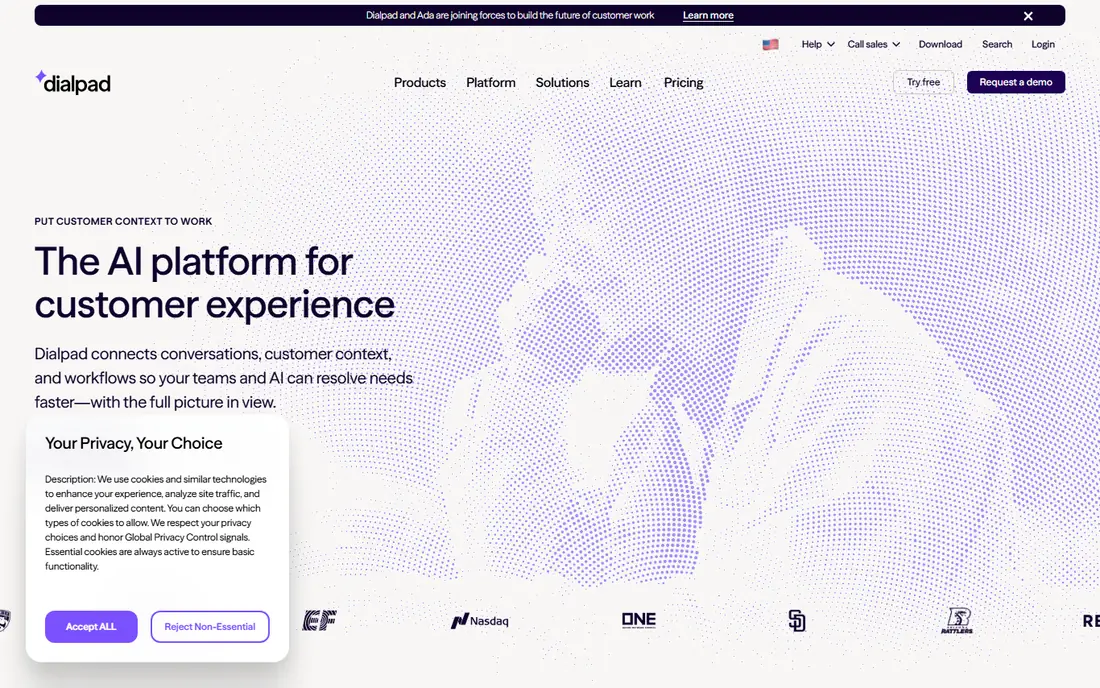
Dialpad Connect combines calling, messaging and video meetings with Dialpad Ai, which transcribes calls as they happen, writes summaries and pulls out action items. Standard includes unlimited calling within the United States and Canada, SMS, auto attendants, visual voicemail, call forwarding, call recording and up to three ring groups. Pro adds 24 hour support, international numbers, CRM integrations, open APIs and up to 25 ring groups. The one user minimum on Standard makes Dialpad a cheap way for a solo operator to get an AI phone system.
What we like- Real time AI transcription on every plan, low starting price, one user minimum on Standard, Google Workspace and Microsoft 365 integrations
Watch out for- Pro needs three users and CRM integrations are limited on Standard, so a growing team may need to upgrade sooner than planned
#3RingCentral
Best for: Growing teams that need a full unified communications platform with video, chat and phone4.1/5 on
G2 (1,076 reviews, checked Oct 2026)
Visit ringcentral.com
Starting price20 dollars per user per month billed annually; Advanced 25 dollars billed annually; Ultra 35 dollars billed annually
Free planNo free plan; 14 day free trial available
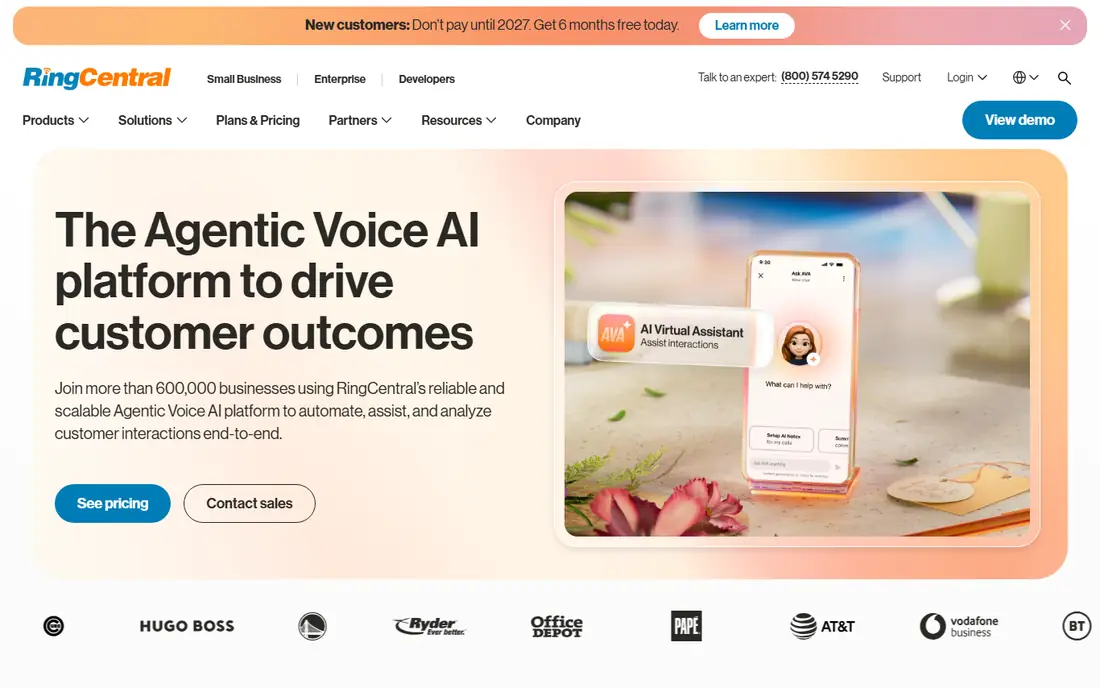
RingCentral RingEX combines calling, video meetings and team chat in one app. Core includes unlimited domestic calling, on demand call recording, 100 pooled toll free minutes, 25 SMS per user per month and HD meetings for up to 300 participants. Advanced adds CRM integrations, multiple sites, core reporting, 1,000 pooled toll free minutes and 100 SMS per user per month. Ultra adds 10,000 pooled toll free minutes, RingCentral Webinar, unlimited storage and device analytics. The AI Receptionist is a separate add on from 39 dollars per month.
What we like- Large app library, strong video meetings, CRM integrations on Advanced, pooled toll free minutes and SMS allowances
Watch out for- Core has no CRM integration and no automatic call recording, so most teams need Advanced at 25 dollars per user per month
#48x8
Best for: Global teams and companies that need unified communications and a contact center from one vendor4.2/5 on
G2 (939 reviews, checked Oct 2026)
Visit 8x8.com
Starting priceQuote based; reported X2 from 24 dollars per user per month billed annually, X4 44 dollars, X6 85 dollars
Free planNo free plan; demo available
8x8 sells unified communications and contact center products on one platform, with its own global voice network rather than leased infrastructure. X2 covers business phone, video meetings and team messaging with unlimited calling in 14 countries. X4 adds analytics, call monitoring, single sign on and advanced CRM integration, with unlimited calling in 48 countries. X6 adds voice contact center features, IVR, real time analytics and compliance controls for regulated teams. Get a written quote before budgeting, because reported prices vary by seat count.
What we like- Global voice network with calling in many countries, integrated contact center, Microsoft Teams integration, compliance controls for regulated teams
Watch out for- No published pricing on the vendor site, so buyers must go through sales, and the quote process can take weeks
#5Vonage
Best for: Small businesses that want desk phones, video meetings and team messaging on simple per line plans4.3/5 on
G2 (503 reviews, checked Oct 2026)
Visit vonage.com
Starting price19.99 dollars per line per month for Mobile (13.99 dollars with 30 percent promo through 31 December 2026); Premium 29.99 dollars (20.99 dollars promo); Advanced 39.99 dollars (27.99 dollars promo)
Free planNo free plan; demo available
Vonage Business Communications, known as VBC, sells three plans priced per line per month. Mobile includes desktop and mobile apps, unlimited domestic calling, SMS and MMS, and voicemail. Premium adds desk phone support, video meetings for up to 200 participants, team messaging, single sign on and the VBC App Center. Advanced adds on demand call recording for 15 hours per month, visual voicemail with transcription and call groups. Standard prices are 19.99 dollars, 29.99 dollars and 39.99 dollars per line per month for one to four lines.
What we like- Simple per line plans, desk phone support on Premium, video meetings for up to 200 people, no user minimum stated for small teams
Watch out for- Call recording is only on Advanced, and the promo price rises by about 43 percent after the first 12 months
#6Nextiva
Best for: Growing businesses that want voice, video, SMS and team chat with a contact center path4.5/5 on
G2 (3,659 reviews, checked Oct 2026)
Visit nextiva.com
Starting price15 dollars per user per month billed annually for NEXT Core; NEXT Engage 25 dollars billed annually; NEXT Scale 75 dollars billed annually
Free planNo free plan; free trial available
Nextiva repackaged its small business plans in early 2026 into three tiers: NEXT Core, NEXT Engage and NEXT Scale. Core includes inbound and outbound voice, business SMS, video meetings, screen and file sharing, call routing, team chat and voicemail transcription. Engage adds a toll free number with 2,000 minutes, advanced reporting, an inbound call center, live chat and call recording. Scale adds unlimited SMS, smart call routing, AI transcription, AI call summaries and supervisor tools. Nextiva adds 5.45 dollars per line per month in fees, plus taxes.
What we like- Voice, video, SMS and team chat on every plan, clear three plan lineup, strong call recording on Engage, AI transcription on Scale
Watch out for- Call recording is an add on for Core, and monthly billing costs 35 to 50 percent more than annual billing
#7Zoom Phone
Best for: Teams already using Zoom Workplace that want phone, video and chat from one vendor4.6/5 on
G2 (2,672 reviews, checked Oct 2026)
Visit zoom.com
Starting price10.50 dollars per user per month for US and Canada Metered; US and Canada Unlimited 16 dollars billed annually; Pro Plus 20.50 dollars billed annually; Business Plus 24.50 dollars billed annually
Free planNo free plan; demo available
Zoom Phone is a cloud phone system sold as a standalone plan or as a bundle with Zoom Workplace. The Metered plan costs 10.50 dollars per user per month and charges outbound domestic calls per minute, which suits a team that rarely makes outbound calls. The US and Canada Unlimited plan costs 16 dollars per user per month billed annually and includes unlimited domestic calling, SMS, call recording and post call summaries. Pro Plus bundles phone with Workplace Pro at 20.50 dollars, and Business Plus bundles phone with Workplace Business at 24.50 dollars billed annually.
What we like- Simple add on for Zoom Workplace users, call queues on every plan, SMS and MMS, call recording and post call summaries
Watch out for- The cheapest plan is metered, so outbound calls cost extra per minute, and single sign on is not listed on Pro Plus
#8Ooma Office
Best for: Small offices that want flat monthly pricing, a free toll free number and no contract4.5/5 on
G2 (134 reviews, checked Oct 2026)
Visit ooma.com
Starting price19.95 dollars per user per month for Essentials; Pro 24.95 dollars; Pro Plus 29.95 dollars; no contract required
Free planNo free plan; demo available
Ooma Office lists three plans per user per month with no contract. Essentials includes more than 100 standard features, unlimited calling in the United States, Canada, Mexico and Puerto Rico, a virtual receptionist, a mobile app, one free toll free number and digital fax. Pro adds a desktop app, text messaging up to 250 messages per month, video meetings for up to 25 participants, call recording and enhanced call blocking. Pro Plus adds AI transcriptions, CRM integration, team chat, hot desking and call queuing.
What we like- Flat price with no annual discount games, no contract on any plan, unlimited calling to the United States, Canada, Mexico and Puerto Rico
Watch out for- Texting, the desktop app, video meetings and call recording do not start until Pro, and CRM integration does not start until Pro Plus
Frequently asked questions
Is Aircall better than Dialpad?
Aircall is better for call heavy sales and support teams that need shared numbers, call queues, a power dialer and deep CRM logging, while Dialpad is better for small teams that want AI transcription, a lower starting price and one app for calls, messages and video. Aircall starts at 30 dollars per license per month with a three license minimum. Dialpad starts at 15 dollars per user per month with a one user minimum on Standard.
How much does Aircall cost per month?
Aircall Essentials costs 30 dollars per license per month billed annually, or 40 dollars billed monthly, and Professional costs 50 dollars billed annually, or 70 dollars billed monthly. Both plans need at least three licenses, so the lowest annual bill is 90 dollars per month for Essentials and 150 dollars per month for Professional. Taxes, regulatory fees, extra numbers and some AI features cost extra.
Does Dialpad include AI call transcription?
Yes, Dialpad includes real time AI transcription on every Dialpad Connect plan, including Standard at 15 dollars per user per month billed annually. Dialpad Ai transcribes calls as they happen, writes summaries and flags action items. Pro adds CRM integrations, hold queues, 24 hour support and up to 25 ring groups. Setup fees, taxes and an annual administrative fee per user are extra, so confirm the full cost before you buy.
Which is the cheapest cloud phone system in this guide?
Dialpad and Nextiva are the cheapest at 15 dollars per user per month billed annually, followed by Zoom Phone Metered at 10.50 dollars per user per month and Zoom Phone Unlimited at 16 dollars per user per month billed annually. Aircall is the most expensive starter option at 30 dollars per license per month with a three license minimum. The cheapest list price is not always the cheapest bill, because taxes and fees vary.
Can I switch from Aircall to Dialpad without losing my number?
Yes, you can port your business number from Aircall to Dialpad, or to any other provider in this guide, in most cases. Number porting is a standard process, and your new provider will usually handle the transfer once you provide account details and authorisation. Keep your Aircall account active until the port completes, and do not cancel it early, because cancelling can release the number. Test the new system with a small group first.
Sources we checked (8)
- https://www.aircall.io/pricing/
- https://www.dialpad.com/pricing/
- https://www.ringcentral.com/pricing/
- https://www.8x8.com
- https://www.vonage.com
- https://www.nextiva.com
- https://www.zoom.com
- https://www.ooma.com
Is your product missing or out of date?
We review this list regularly. Vendors can request a listing, send updated pricing or ask about featured placement.

Shihab Mia · Founder, Rankite
Shihab has 5+ years in B2B and SaaS SEO. He writes Rankite's software buying guides from pricing pages, documentation and public user reviews. More about Shihab.