How we make this list: we compare pricing pages, product documentation and public user reviews. Ratings come from G2, Capterra or Trustpilot, with the date we checked them.
Zoho Forms is a form builder from Zoho, sold as a standalone product and as part of the Zoho One bundle. Its free plan allows 3 forms, 500 submissions a month and 1 user. Basic costs $12 per month, or $10 per month billed annually, for unlimited forms and 10,000 submissions a month. Standard costs $30 per month, or $25 per month billed annually, for 10 users and 25,000 submissions. Professional costs $60 per month, or $50 per month billed annually, for 25 users and 75,000 submissions. Teams look for an alternative for three reasons. The first is the free plan: 3 forms is too few for a team that runs a contact form, a feedback form, an application form and an event registration. The second is design: Zoho Forms templates look plain next to Typeform or Paperform.
Some tools charge per month, some per year, and some per user. The table below uses the entry price each vendor publishes.
| Tool |
Starting price, checked 16 Nov 2026 |
What the price buys |
| Jotform |
$39 per month, or $34 per month billed annually |
Bronze, 25 forms and 1,000 submissions a month |
| Typeform |
$39 per month, or $28 per month billed annually |
Basic, 100 responses a month and 1 user |
| Google Forms |
Free |
Unlimited forms and responses with a Google account |
| Cognito Forms |
$24 per month, or $19 per month billed annually |
Pro, 2,000 entries a month and 2 users |
| Wufoo |
$16.25 per month billed annually ($19 monthly) |
Starter, 10 forms and 1,000 entries a month |
| Formstack |
$99 per month, or $83 per month billed annually |
Forms, 25 forms and 1,000 submissions per form |
| Paperform |
$24 per month, or $20 per month billed annually |
Essentials, unlimited forms and 1,200 submissions a year |
| Microsoft Forms |
Free with a Microsoft account |
Unlimited forms and responses; Microsoft 365 from $6 per user per month |
Zoho Forms Basic at $10 per month billed annually is cheaper than every paid plan here except Wufoo Starter, and it includes 10,000 submissions a month, far more than Jotform Bronze or Typeform Basic. The gap is the free plan: Google Forms and Microsoft Forms cost nothing with no form limit, while Zoho Forms free covers only 3 forms.
Low volume teams, collecting under 500 entries a month, should start with a free plan. Google Forms has no entry cap at all, and Microsoft Forms is free with a Microsoft account, so either covers a small team with no upgrade pressure. Zoho Forms free covers 500 submissions a month but only 3 forms, so a team with four or five live forms will hit the form limit before the submission limit. Mid volume teams, collecting 1,000 to 10,000 entries a month, should compare the per month cost at their volume. Cognito Forms Pro covers 2,000 entries a month for $19 per month billed annually. Jotform Bronze covers 1,000 submissions a month for $34 per month billed annually. High volume teams should price the year, not the month. Multiply the monthly price by 12 and compare that total with the annual plan price,
Check the free plan limits, since the form count is usually the reason teams leave Zoho Forms. A free plan with 5 forms and 100 entries a month suits a different team than a free plan with unlimited forms and 500 submissions. Check CRM integration on the plan you intend to buy. Zoho Forms connects to Zoho CRM on every plan, while Jotform and Cognito Forms reserve Salesforce or HubSpot integrations for mid tier plans, so confirm the integration exists before you commit. Check conditional logic and calculations, since Zoho Forms includes them from Basic and some cheaper tools reserve them for higher tiers. Check where entries are stored and how you export them, since a team that needs entries in a spreadsheet should confirm the export format works with its reporting.
We picked tools that replace the core of what Zoho Forms does, which is building a form, publishing it, collecting entries and sending the data to another tool. Each tool is a live product with an official website that loads, a form building product, and a pricing page we could verify on 16 November 2026. Zoho Forms itself is not listed, since this guide is about replacing it.
Quick comparison
| Tool | Best for | Starting price | Free plan |
|---|
 Jotform | Teams that want the closest feature match to Zoho Forms | $39 per month, or $34 per month billed annually ($408 per year) for Bronze, checked 16 Nov 2026 | Starter plan, free, with 5 forms and 100 submissions a month |
 Typeform | Teams that want conversational forms with higher completion rates | $39 per month, or $28 per month billed annually ($336 per year) for Basic, checked 16 Nov 2026 | Free plan with 10 responses a month across all forms |
 Google Forms | Teams that want a free form builder with no entry limits | Free with a Google account, checked 16 Nov 2026 | Yes, free, with unlimited forms and unlimited responses |
 Cognito Forms | Teams that want unlimited forms on every plan at a low price | $24 per month, or $19 per month billed annually ($230.40 per year) for Pro, checked 16 Nov 2026 | Individual plan, free, with unlimited forms and 100 entries a month |
 Wufoo | Small teams that want a simple builder at a low monthly price | $16.25 per month billed annually ($195 per year) for Starter, checked 16 Nov 2026 | Free plan with 5 forms and 100 entries a month |
 Formstack | Regulated teams that need forms, documents and signatures in one platform | $99 per month, or $83 per month billed annually, for Forms, checked 16 Nov 2026 | No free plan; 14 day free trial of Forms |
 Paperform | Teams that want forms that look like designed landing pages | $24 per month, or $20 per month billed annually ($240 per year) for Essentials, checked 16 Nov 2026 | No free plan; 14 day free trial on paid plans |
 Microsoft Forms | Teams that already use Microsoft 365 and want forms inside it | Free with a Microsoft account, checked 16 Nov 2026 | Yes, free, with unlimited forms and responses for personal accounts |
Is your product missing or out of date?
We review this list regularly. Vendors can request a listing, send updated pricing or ask about featured placement.
#1Jotform
Best for: Teams that want the closest feature match to Zoho Forms4.7/5 on
G2 (5,415 reviews, checked Oct 2026)
Visit jotform.com
Starting price$39 per month, or $34 per month billed annually ($408 per year) for Bronze, checked 16 Nov 2026
Free planStarter plan, free, with 5 forms and 100 submissions a month
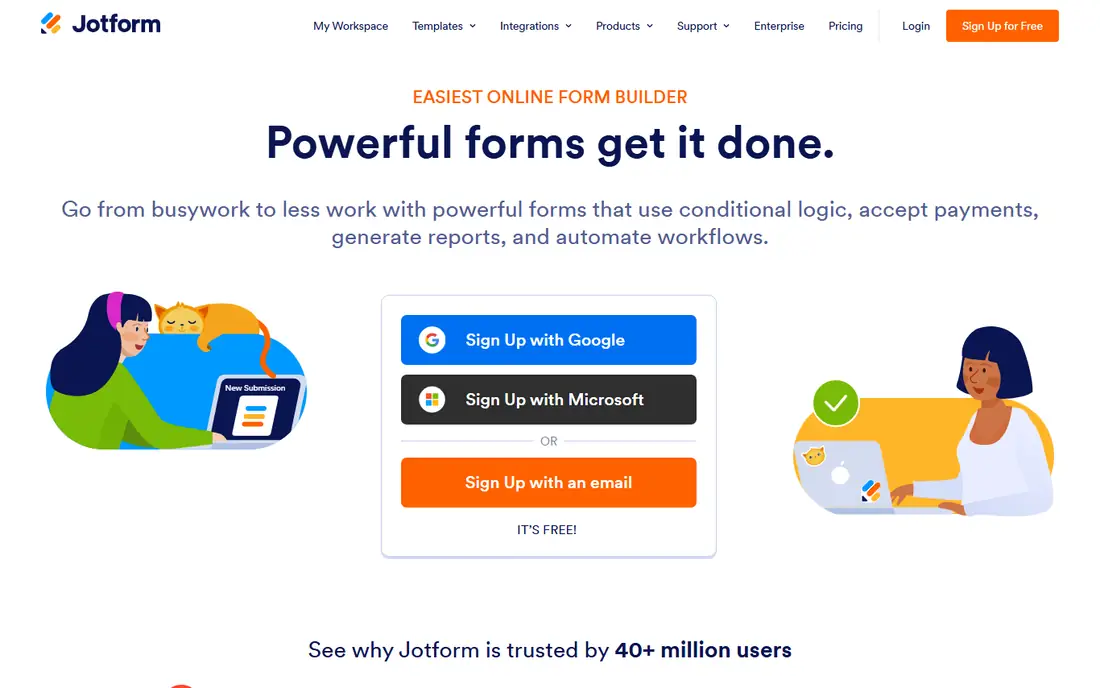
Jotform is the most direct replacement for Zoho Forms. It covers the same ground, with a drag and drop builder, conditional logic, calculations, file uploads and payment collection through Stripe, PayPal and Square, and it does not add its own fee on top of the processor rate. Bronze, at $34 per month billed annually, covers 25 forms and 1,000 submissions a month, which suits a small business running contact, order and feedback forms. Gold, at $99 per month billed annually, adds HIPAA features, which Zoho Forms does not include on its published plans.
What we like- More than 10,000 templates
- Payment integrations with no platform fee
- AI form generator included
Watch out for- Bronze allows only one user
- HIPAA features start on Gold at $99 per month billed annually
#2Typeform
Best for: Teams that want conversational forms with higher completion rates4.5/5 on
G2 (1,014 reviews, checked Oct 2026)
Visit typeform.com
Starting price$39 per month, or $28 per month billed annually ($336 per year) for Basic, checked 16 Nov 2026
Free planFree plan with 10 responses a month across all forms
Typeform takes a different approach to forms. Instead of showing every field on one page, it asks one question at a time, which feels like a conversation and usually lifts completion rates for surveys, quizzes and lead capture forms. Basic, at $28 per month billed annually, covers 100 responses a month, unlimited forms and one user, with payment questions and a brand logo. The main limit is the response cap: it applies across the whole account, so a team that runs several popular forms can hit the cap in the middle of a campaign.
What we like- One question at a time layout lifts completion rates
- Strong brand customization
- Logic jumps built in
Watch out for- Free plan covers only 10 responses a month
- Response caps apply across the whole account, not per form
#3Google Forms
Best for: Teams that want a free form builder with no entry limits4.7/5 on
Capterra (11,603 reviews, checked Oct 2026)
Visit forms.google.com
Starting priceFree with a Google account, checked 16 Nov 2026
Free planYes, free, with unlimited forms and unlimited responses
Google Forms is the free baseline for the whole category. It costs nothing, it caps nothing, and every response lands in a Google Sheet without any setup. A team that collects registrations, feedback or simple applications can run on Google Forms indefinitely and never pay a cent. The builder is plain, with a small set of question types and limited branding, and it cannot take payments, so a team that sells through its forms needs a different tool. Google Forms is the right pick when the form is a cost centre rather than a revenue tool, and it is the tool to compare every paid plan against before spending money.
What we like- Completely free with no response cap
- Responses land in Google Sheets automatically
- Very easy to share
Watch out for- No payment collection
- Limited design control
- No advanced logic beyond section branching
#4Cognito Forms
Best for: Teams that want unlimited forms on every plan at a low price4.6/5 on
G2 (163 reviews, checked Oct 2026)
Visit cognitoforms.com
Starting price$24 per month, or $19 per month billed annually ($230.40 per year) for Pro, checked 16 Nov 2026
Free planIndividual plan, free, with unlimited forms and 100 entries a month
Cognito Forms is the closest match to Zoho Forms on price and volume. Its free Individual plan allows unlimited forms and 100 entries a month, which already beats the Zoho Forms free plan limit of 3 forms. Pro, at $19 per month billed annually, covers 2,000 entries a month, two users, e-signatures and save and resume. The main drawback is the payment fee: Cognito Forms adds 2 percent on Individual and 1 percent on Pro on top of the processor rate, which only disappears on Team. A team that does not take payments through its forms can ignore that fee entirely, and for that team Cognito Forms is one of the cheapest paid form builders available.
What we like- Unlimited forms on every plan including free
- Calculations and conditional logic included
- E-signatures on Pro
Watch out for- Adds a 2 percent payment fee on free and 1 percent on Pro
- Advanced template customization needs Enterprise
#5Wufoo
Best for: Small teams that want a simple builder at a low monthly price4.2/5 on
G2 (296 reviews, checked Oct 2026)
Visit wufoo.com
Starting price$16.25 per month billed annually ($195 per year) for Starter, checked 16 Nov 2026
Free planFree plan with 5 forms and 100 entries a month
Wufoo is one of the oldest form builders, founded in 2006 and bought by SurveyMonkey in 2011. Its pricing is still competitive: Starter costs $16.25 per month billed annually, and Professional costs $33.25 per month billed annually for unlimited forms and 5,000 entries a month. The real concern is development: Wufoo has not shipped a notable product update since August 2020, so a buyer should assume the product they see today is the product they will still have in three years. That stability suits a team that wants a form builder that never changes under them, but a team that expects new features should pick a tool with active development.
What we like- Cheapest paid entry here
- Simple builder with a short learning curve
- Payments on Professional and above
Watch out for- No new features since 2020
- Starter caps forms at 10 and entries at 1,000 a month
#6Formstack
Best for: Regulated teams that need forms, documents and signatures in one platform4.0/5 on
Capterra (129 reviews, checked Oct 2026)
Visit formstack.com
Starting price$99 per month, or $83 per month billed annually, for Forms, checked 16 Nov 2026
Free planNo free plan; 14 day free trial of Forms
Formstack is the pick for a mid sized organization that needs more than a form. Its Forms plan costs $83 per month billed annually and includes one builder user, 25 forms, 1,000 submissions per form and 2 GB of storage. Suite, at $250 per month billed annually, adds document generation and unlimited eSignatures with three builder users. The catch is the price and the limits: there is no free plan, the entry plan covers a single builder, and HIPAA compliance is a paid add on below Enterprise.
What we like- Strong compliance features and HIPAA options
- Documents and eSignatures in Suite
- Salesforce native products
Watch out for- No free plan
- Entry plan covers only one builder user and 25 forms
- HIPAA costs extra below Enterprise
#7Paperform
Best for: Teams that want forms that look like designed landing pages4.8/5 on
G2 (86 reviews, checked Oct 2026)
Visit paperform.co
Starting price$24 per month, or $20 per month billed annually ($240 per year) for Essentials, checked 16 Nov 2026
Free planNo free plan; 14 day free trial on paid plans
Paperform is the design led option in this list. Its forms look like landing pages, with custom fonts, colours, images and layout control that Zoho Forms cannot match, and it includes payments, calculations, conditional logic and e-signatures. Essentials costs $20 per month billed annually and includes unlimited forms, 1,200 submissions a year, one user and 1 GB of storage. The main quirk is the annual submission pool: Essentials allows 1,200 submissions a year in total, so a team with a quiet year and one busy month can use the whole allowance in a few weeks. Paperform is the right pick when the form is a marketing asset that needs to look good, and the wrong pick when volume is unpredictable.
What we like- Best looking forms here, with full page design control
- Payments on every plan
- Calculations and conditional logic included
Watch out for- No permanent free plan
- Submission limits are pooled per year, so a busy month can eat the annual allowance
#8Microsoft Forms
Best for: Teams that already use Microsoft 365 and want forms inside it4.4/5 on
G2 (475 reviews, checked Oct 2026)
Visit forms.office.com
Starting priceFree with a Microsoft account, checked 16 Nov 2026
Free planYes, free, with unlimited forms and responses for personal accounts
Microsoft Forms is the free baseline for teams inside the Microsoft ecosystem. It costs nothing with a Microsoft account, it caps nothing for personal use, and every response lands in an Excel workbook without any setup. The builder covers surveys, quizzes and polls, with branching, scoring and a clean interface that suits internal feedback and event registration. The limits are the same as Google Forms: no payment collection, limited branding and no advanced logic beyond branching.
What we like- Free with a Microsoft account
- Responses land in Excel automatically
- Built in quiz and branching features
Watch out for- No payment collection
- Limited design control
- Advanced features need a paid Microsoft 365 plan
If you want the closest match to Zoho Forms, pick Jotform, which covers the same features with a larger template library and no payment processing fee. If you collect under 100 entries a month and want to pay nothing, pick Google Forms or Microsoft Forms, since both have no entry cap and match the ecosystem you already use. If you want unlimited forms on a free plan, pick Cognito Forms, whose Individual plan beats the Zoho Forms free limit of 3 forms. If design matters most, pick Paperform, and if you need documents and signatures as well as forms, pick Formstack. Check the form limit and the CRM integration on the plan you buy before you switch.
Frequently asked questions
Is Jotform cheaper than Zoho Forms?
No, Zoho Forms Basic costs $10 per month billed annually, while Jotform Bronze costs $34 per month billed annually, so Zoho Forms is cheaper at the entry tier. The difference is what you get: Jotform Bronze includes 25 forms and 1,000 submissions a month with a much larger template library, while Zoho Forms Basic includes unlimited forms and 10,000 submissions a month.
Can Google Forms replace Zoho Forms for business use?
Google Forms can replace Zoho Forms for registrations, feedback and simple applications, since it is free with no form or response limits. It cannot replace Zoho Forms for payment collection, approval workflows or CRM integration, since it has no payment field and no native CRM connection.
Does Microsoft Forms work without Microsoft 365?
Yes, Microsoft Forms works with a free personal Microsoft account, with unlimited forms and responses for personal use. A team that wants group forms, shared ownership and admin controls needs a Microsoft 365 plan, which starts at $6 per user per month.
Which Zoho Forms alternative has the best free plan?
Google Forms has the best free plan, with unlimited forms and unlimited responses and no time limit. Microsoft Forms is second, with the same unlimited approach for personal accounts. Cognito Forms Individual is the best free paid tier alternative, with unlimited forms and 100 entries a month, which already beats the Zoho Forms free plan limit of 3 forms.
Does Cognito Forms really charge a payment fee?
Yes, Cognito Forms adds its own fee on top of the payment processor rate: 2 percent on the free Individual plan and 1 percent on Pro. The fee disappears on Team and above, where Stripe, Square and PayPal process directly with no added charge.
Sources we checked (9)
- https://www.jotform.com/pricing
- https://www.typeform.com/pricing
- https://forms.google.com
- https://www.cognitoforms.com/pricing
- https://www.wufoo.com/pricing
- https://www.formstack.com/pricing
- https://paperform.co/pricing
- https://forms.office.com
- https://www.zoho.com/forms/pricing
Is your product missing or out of date?
We review this list regularly. Vendors can request a listing, send updated pricing or ask about featured placement.

Shihab Mia · Founder, Rankite
Shihab has 5+ years in B2B and SaaS SEO. He writes Rankite's software buying guides from pricing pages, documentation and public user reviews. More about Shihab.