How we make this list: we compare pricing pages, product documentation and public user reviews. Ratings come from G2, Capterra or Trustpilot, with the date we checked them.
What Is tldraw and Why Look for an Alternative
tldraw is a free, open-source infinite canvas for drawing, sketching and whiteboarding in the browser, with a clean hand-drawn feel and a free tier that needs no account for basic use. Developers also know it for its software development kit, which lets other products embed a drawing canvas.
People still look for an alternative for practical reasons. A product team may need structured workshops with voting, timers and private mode. A design team may want a large template library or a direct link to its design files. An engineering team may need proper diagramming shapes, version history or admin controls such as single sign-on. A company already paying for Microsoft 365 may prefer a whiteboard that lives inside Teams.
This guide compares eight alternatives covering those gaps, from free open-source sketching to paid workshop and diagramming platforms. Prices were checked on 16 November 2026 against vendor pricing pages and current search results. Use the comparison table and choosing guide to narrow the list to one or two tools worth a trial.
How We Picked These tldraw Alternatives
We picked tools that do the same core job as tldraw, drawing and thinking on a shared canvas, and that add something tldraw does not offer or does differently. Every tool here has a free plan or tier, so you can try it before paying, and every tool is actively maintained and widely used by product, design or engineering teams.
We checked the starting price on each vendor pricing page and noted the billing basis, because monthly and annual rates rarely match. Where a vendor changed its pricing model, we say so. FigJam used to be sold as a standalone Professional plan and is now included in Figma seats, so the cheapest full access is a Figma Collab seat. Lucidspark sources disagree, with older pages listing 7.95 dollars a month and the current vendor page listing 9 dollars a month billed annually, so we report the vendor figure and tell you to confirm it at checkout.
We also weighed free plan limits, because a free plan that caps you at three boards is a trial, not a workspace. We looked at templates, facilitation features, diagramming depth and admin controls. A small team sketching ideas needs a different tool from a facilitator running a workshop for fifty people, and the best-for line under each tool says which team it suits.
Quick comparison
| Tool | Best for | Starting price | Free plan |
|---|
 Excalidraw | Quick hand-drawn sketches, rough diagrams and open-source fans who want a free canvas | Free plan; Excalidraw+ from $6 per user per month billed annually ($7 billed monthly), checked 16 November 2026 | Yes, free editor with one scene, unlimited collaborators and no account needed |
 Miro | Large team workshops, planning sessions and organisations that need one canvas for many jobs | Free plan; Starter from $8 per member per month billed annually ($10 billed monthly), checked 16 November 2026 | Yes, free plan with three editable boards and 10 AI credits a month |
 FigJam | Design teams that already use Figma and want a whiteboard beside their design files | Free Starter plan; full access from $3 per seat per month billed annually ($5 billed monthly) on a Figma Collab seat, checked 16 November 2026 | Yes, free Starter plan with three FigJam files in a team folder and unlimited drafts |
 Whimsical | Product teams that want flowcharts, wireframes, mind maps and docs in one clean workspace | Free plan; Pro from $10 per editor per month billed annually ($12 billed monthly), checked 16 November 2026 | Yes, free plan with 50 board objects and 50 doc blocks a month |
 Microsoft Whiteboard | Teams already running on Microsoft 365 and Teams that want a whiteboard with no extra bill | Free with a Microsoft 365 work or school account; no separate paid Whiteboard tier, checked 16 November 2026 | Yes, included at no extra cost with a Microsoft 365 work or school account |
 Lucidspark | Brainstorming and retrospectives for teams that also diagram in Lucidchart | Free plan; Individual from $9 per month billed annually, checked 16 November 2026; older sources list $7.95, so confirm at checkout | Yes, free plan with three editable boards |
 Mural | Facilitators running structured workshops, design sprints and retrospectives with large groups | Free plan; Team+ from $9.99 per member per month billed annually ($12 billed monthly), checked 16 November 2026 | Yes, free plan with unlimited members and three editable murals at a time |
 diagrams.net (draw.io) | Free, private diagramming with no account, no subscription and no feature paywall | Free; the web and desktop editor cost $0 with no paid tier for individual use, checked 16 November 2026 | Yes, the full editor is free, with no sign-up and no account needed |
Is your product missing or out of date?
We review this list regularly. Vendors can request a listing, send updated pricing or ask about featured placement.
The 8 Best tldraw Alternatives
These eight tools cover tldraw use cases from free open-source sketching to enterprise workshops. Test the two or three that match your main job with a real session before you commit.
#1Excalidraw
Best for: Quick hand-drawn sketches, rough diagrams and open-source fans who want a free canvas4.5/5 on
G2 (32 reviews, checked Oct 2026)
Visit excalidraw.com
Starting priceFree plan; Excalidraw+ from $6 per user per month billed annually ($7 billed monthly), checked 16 November 2026
Free planYes, free editor with one scene, unlimited collaborators and no account needed
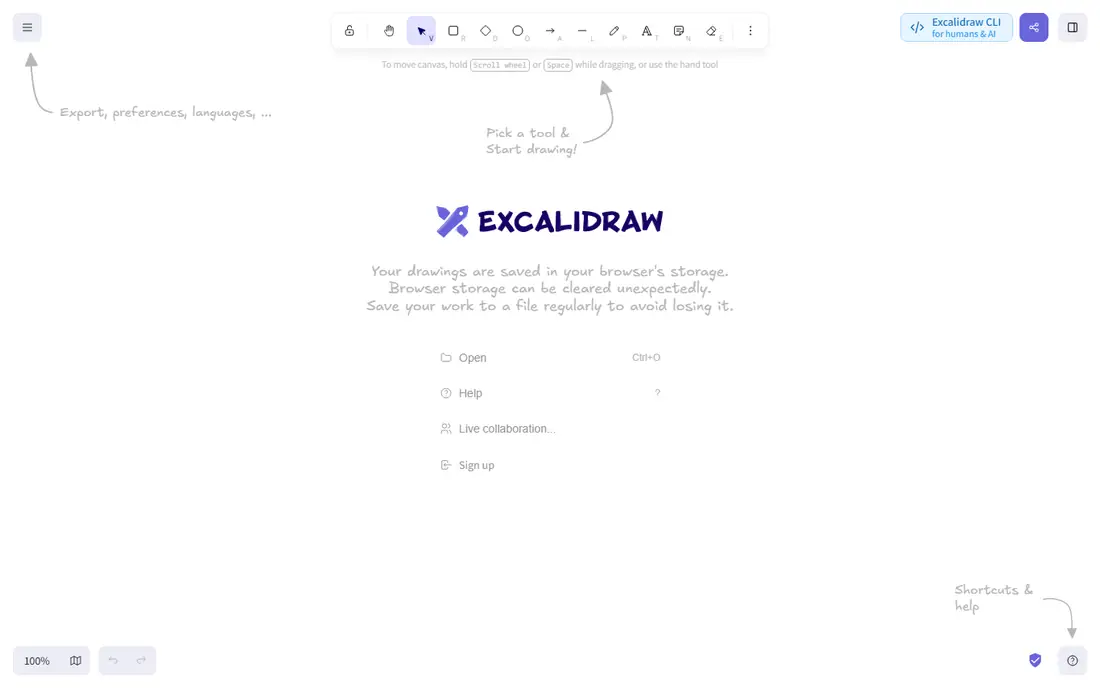
Excalidraw is the closest free alternative to tldraw in spirit. It is an open-source whiteboard with a hand-drawn look that opens in a browser, so you can start sketching and share a link with collaborators without an account. Shapes, arrows, text and freehand drawing all feel light and fast, and it suits architecture sketches, user flows and meeting notes. The free editor keeps one scene and gives ten AI requests a day. Excalidraw+ adds unlimited cloud-saved scenes and folders, access management, comments and presentations. Paid seats are billed per workspace and are non-refundable.
What we like- Free to use with no sign-up, open source, clean hand-drawn style, works in the browser, easy to share with a link
Watch out for- The free plan saves only one scene, and shared libraries are still listed as coming soon, so saved workspaces need Excalidraw+
#2Miro
Best for: Large team workshops, planning sessions and organisations that need one canvas for many jobs4.6/5 on
G2 (13,631 reviews, checked Oct 2026)
Visit miro.com
Starting priceFree plan; Starter from $8 per member per month billed annually ($10 billed monthly), checked 16 November 2026
Free planYes, free plan with three editable boards and 10 AI credits a month

Miro is the most capable all-rounder here and the default choice for teams that run workshops at scale. The canvas holds sticky notes, diagrams and timelines, and templates cover retrospectives, journey maps and sprint planning. Facilitators get timers, voting and breakout boards, and visitors can edit from a public link on paid plans. Starter adds unlimited private boards, high-resolution exports and 25 AI credits per member per month. Business, at 20 dollars per member per month billed annually, adds guest access and admin controls. Miro charges for every member, and the two-license minimum means a solo buyer pays 192 dollars a year on Starter before tax, which suits workshop teams but not a solo sketcher.
What we like- Huge template library, unlimited private boards on paid plans, visitor editing, strong integrations
Watch out for- The free plan caps you at three editable boards, and Starter has a two-license minimum, so a solo user pays for two seats
#3FigJam
Best for: Design teams that already use Figma and want a whiteboard beside their design files4.5/5 on
G2 (465 reviews, checked Oct 2026)
Visit figma.com
Starting priceFree Starter plan; full access from $3 per seat per month billed annually ($5 billed monthly) on a Figma Collab seat, checked 16 November 2026
Free planYes, free Starter plan with three FigJam files in a team folder and unlimited drafts
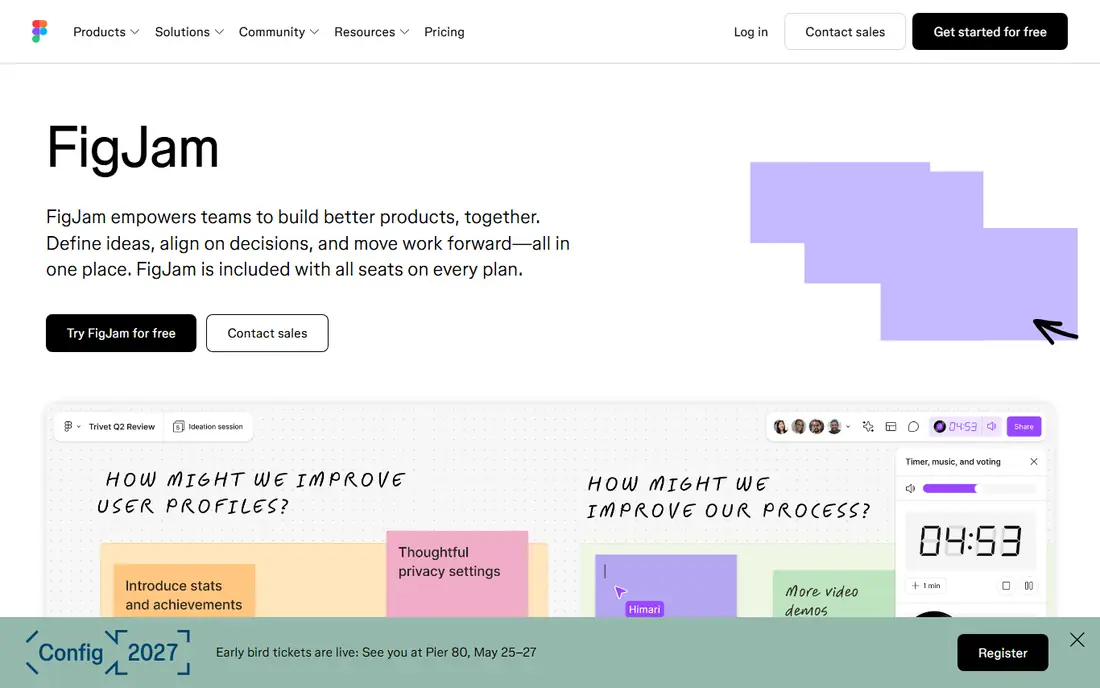
FigJam is Figma online whiteboard, and its main strength is the link to Figma Design. You can brainstorm, sort stickies with AI, vote on ideas and move winners into design files without re-importing. Templates cover retros and planning, and paid teams get open sessions, where anyone can edit for 24 hours without an account, plus audio chat and team libraries. Pricing changed in 2026, so older guides quoting a 5 dollar FigJam Professional plan are out of date, and FigJam is now included in every Figma seat. A Collab seat on the Professional plan costs 3 dollars a month billed annually, or 5 dollars billed monthly, and gives full FigJam access. If your team already pays for Figma, FigJam is the cheapest serious whiteboard here, but otherwise the seat model adds friction.
What we like- Deep Figma integration, sticky notes with AI sorting, voting and open sessions, low entry price through a Collab seat
Watch out for- FigJam cannot be bought on its own, so you are buying into Figma seat pricing, and the free plan caps a team at three FigJam files
#4Whimsical
Best for: Product teams that want flowcharts, wireframes, mind maps and docs in one clean workspace4.6/5 on
G2 (189 reviews, checked Oct 2026)
Visit whimsical.com
Starting priceFree plan; Pro from $10 per editor per month billed annually ($12 billed monthly), checked 16 November 2026
Free planYes, free plan with 50 board objects and 50 doc blocks a month
Whimsical is the tidiest tool on this list. Where Miro feels like a big open room, Whimsical feels like a well organised studio. Flowcharts snap together cleanly, wireframes use a consistent component set, and mind maps expand without fuss. Docs sit next to boards, so a product spec can live beside its diagram, which suits product managers. Only editors need a paid seat, so viewers cost nothing. Pro removes the object limits and the export watermark, and adds 90-day version history and 100 GB of storage. Business, at 20 dollars per editor per month billed annually, adds private teams. The free plan allows 50 board objects and 50 doc blocks a month.
What we like- Only editors pay while viewers are free, polished flowchart and wireframe tools, docs sit beside boards
Watch out for- The free plan monthly object cap is tight for active teams, and AI credits beyond the included allowance cost extra
#5Microsoft Whiteboard
Best for: Teams already running on Microsoft 365 and Teams that want a whiteboard with no extra bill4.0/5 on
G2 (51 reviews, checked Oct 2026)
Visit microsoft.com
Starting priceFree with a Microsoft 365 work or school account; no separate paid Whiteboard tier, checked 16 November 2026
Free planYes, included at no extra cost with a Microsoft 365 work or school account
Microsoft Whiteboard is the simplest choice for a Microsoft shop. It is an infinite canvas with sticky notes, shapes, ink and templates, and it opens as a tab inside Teams meetings, so the board stays in the meeting chat. Boards are stored in OneDrive, so the same sharing and compliance controls apply. There is no separate Whiteboard subscription, so if your organisation already pays for Microsoft 365, Whiteboard costs nothing extra. The trade-off is depth: fewer templates than Miro, thinner voting and private mode, and basic diagramming. The standalone apps retired on 16 October 2026, so work and school accounts now use it in Teams and on the web.
What we like- No extra seat cost for Microsoft 365 users, native Teams integration, boards stored in OneDrive, familiar security and compliance controls
Watch out for- Fewer templates and facilitation features than Miro or Mural, and the standalone apps retired on 16 October 2026, so it now runs in Teams and on the web only
#6
Lucidspark
Best for: Brainstorming and retrospectives for teams that also diagram in Lucidchart
Visit lucidspark.com
Starting priceFree plan; Individual from $9 per month billed annually, checked 16 November 2026; older sources list $7.95, so confirm at checkout
Free planYes, free plan with three editable boards
Lucidspark is Lucid visual whiteboard, built for structured brainstorming rather than freeform sketching. Sticky notes can be grouped and sorted with AI help, and facilitators can run voting sessions, timers and breakout boards for small groups. The canvas links to Lucidchart, so a brainstorm can turn into a formal diagram. The free plan allows three editable boards. Individual costs 9 dollars a month billed annually and suits a solo user who wants unlimited boards. Team costs 10 dollars per user per month billed annually with a three-seat minimum and adds the timer and private voting. Older pages still list 7.95 dollars for Individual, so confirm at checkout.
What we like- Strong voting, timers and private-mode brainstorming, clean Lucidchart integration, breakout boards on higher plans
Watch out for- Facilitation tools such as timers and private voting start on the Team plan, and the price varies between sources, so the checkout figure is the one that counts
#7Mural
Best for: Facilitators running structured workshops, design sprints and retrospectives with large groups4.6/5 on
G2 (1,496 reviews, checked Oct 2026)
Visit mural.co
Starting priceFree plan; Team+ from $9.99 per member per month billed annually ($12 billed monthly), checked 16 November 2026
Free planYes, free plan with unlimited members and three editable murals at a time
Mural is built around facilitation. The canvas supports sticky notes, diagrams and frameworks, but the real product is the Facilitation Superpowers toolkit, with an outline, timer, voting, private mode, summon and celebrate controls that guide a group through a session. Templates cover design sprints and retros, and Mural AI can cluster stickies. The free plan allows unlimited members but only three editable murals at a time. Team+ adds unlimited editable murals, visitors with editing rights and Mural AI. A 24-person group pays about 240 dollars a month on Team+ before tax, more than Miro Starter, so Mural earns its premium only when a facilitator runs structured sessions weekly.
What we like- Excellent facilitation controls including private mode, voting and timers, visitors are free on every plan, Mural AI included from Team+
Watch out for- Single sign-on needs the Business plan at 17.99 dollars per member per month, and per-seat pricing adds up fast for large groups
#8
diagrams.net (draw.io)
Best for: Free, private diagramming with no account, no subscription and no feature paywall
Visit diagrams.net
Starting priceFree; the web and desktop editor cost $0 with no paid tier for individual use, checked 16 November 2026
Free planYes, the full editor is free, with no sign-up and no account needed
diagrams.net, also known as draw.io, is the most generous free tool on this list. The web app at app.diagrams.net and the desktop apps for Windows, macOS and Linux cost nothing, need no account and lock no core feature behind a paid tier. Shape libraries cover flowcharts, network diagrams and org charts, and diagrams save as files you own. Real-time co-editing is weaker than Miro or FigJam, so you will usually share a file rather than work live on one canvas. The interface is functional rather than beautiful, and templates are fewer. For an engineer, student or small IT team that wants capable, private and free diagramming, diagrams.net is hard to beat.
What we like- Completely free with no paywall on core features, works offline as a desktop app, saves to your own cloud storage, exports to SVG, PNG, PDF and Visio formats
Watch out for- Real-time collaboration is weaker than Miro or FigJam, the interface looks dated beside newer whiteboards, and templates are fewer
tldraw vs the Alternatives at a Glance
| Tool | Starting price | Free plan | Best for |
| Excalidraw | Free; Plus $6 per user per month billed annually | Yes, one scene | Quick hand-drawn sketches |
| Miro | Free; Starter $8 per member per month billed annually | Yes, three editable boards | Large team workshops |
| FigJam | Free; Collab seat $3 per seat per month billed annually | Yes, three FigJam files | Design teams using Figma |
| Whimsical | Free; Pro $10 per editor per month billed annually | Yes, 50 objects a month | Flowcharts, wireframes and docs |
| Microsoft Whiteboard | Free with Microsoft 365 | Yes, included with Microsoft 365 | Microsoft 365 and Teams teams |
| Lucidspark | Free; Individual $9 per month billed annually | Yes, three editable boards | Facilitated brainstorming |
| Mural | Free; Team+ $9.99 per member per month billed annually | Yes, three editable murals | Structured workshops |
| diagrams.net (draw.io) | Free, $0, no paid tier for the editor | Yes, full editor free | Free private diagramming |
Prices were checked on 16 November 2026. Confirm the figure on the vendor pricing page before you buy.
Start with the job, not the tool. If the job is quick sketches and rough diagrams, a free tool is enough: Excalidraw matches tldraw most closely, and diagrams.net covers formal diagrams at no cost. If the job is a weekly workshop with voting, timers and breakout groups, pay for facilitation: Miro suits a general team, Mural suits a dedicated facilitator, Lucidspark suits a Lucidchart team.
Next, count the people who will edit, not the people who will look. Most tools here charge per editor or per member, while viewers are free, so a team of twenty viewers and five editors costs far less than a team of twenty editors. Miro two-license minimum and Lucidspark three-seat Team minimum matter for small teams, because the cheapest bill is higher than the headline price. Work out the annual total for your real headcount first, since annual billing saves 14 to 20 percent on most tools here.
Then check what you already pay for. A Figma team gets FigJam through a 3 dollar Collab seat, the cheapest paid route here, and a Microsoft 365 organisation gets Whiteboard for nothing extra. Finally, run a real session before you commit. Pick your top two tools, run the same task in each, and ask the group which canvas felt easier. Check export options, version history and admin controls during the trial.
Frequently asked questions
Sources we checked (11)
- https://plus.excalidraw.com/pricing
- https://excalidraw.com
- https://miro.com/pricing/
- https://www.figma.com/pricing/
- https://www.figma.com/figjam
- https://whimsical.com/pricing
- https://www.microsoft.com/en-us/microsoft-365/whiteboard
- https://lucid.app/pricing/lucidspark
- https://www.mural.co/pricing
- https://www.diagrams.net
- https://tldraw.com
Is your product missing or out of date?
We review this list regularly. Vendors can request a listing, send updated pricing or ask about featured placement.

Shihab Mia · Founder, Rankite
Shihab has 5+ years in B2B and SaaS SEO. He writes Rankite's software buying guides from pricing pages, documentation and public user reviews. More about Shihab.