How we make this list: we compare pricing pages, product documentation and public user reviews. Ratings come from G2, Capterra or Trustpilot, with the date we checked them.
Key takeaways
- Scrivener itself is not listed here, since this article covers alternatives for writers leaving it or choosing a first long-form tool.
- Writers leave Scrivener mainly for its steep learning curve, lack of real-time collaboration, and export setup that demands far more tinkering than newer tools.
- Reedsy Studio is the clearest free alternative, with free drafting, formatting, and EPUB plus print PDF export in the browser.
- Dabble is the closest cloud-synced novel writing app, with built-in automatic sync, co-authoring, and a Plot Grid replacing manual file juggling.
- One-time purchases still exist: Atticus costs 147 dollars once, Plottr costs 150 dollars lifetime, and yWriter and Manuskript-style free tools cost nothing.
Quick comparison
| Tool | Best for | Starting price | Free plan |
|---|
 Reedsy Studio Reedsy Studio | Free all-in-one for self-publishers | Free | Yes |
 Ulysses Ulysses | Synced writing on Apple devices | $5.99 per month | No |
 Dabble Dabble | Cloud-synced novel writing | $19 per month | No |
 Plottr Plottr | Visual story mapping | $60 per year | No |
 Atticus Atticus | Custom book formatting | $147 one-time | No |
 Obsidian Obsidian | Visual linking and worldbuilding | Free | Yes |
 Novlr Novlr | Goal-driven minimalist drafting | Free | Yes |
 yWriter yWriter | Free novel organization | Free | Yes |
Is your product missing or out of date?
We review this list regularly. Vendors can request a listing, send updated pricing or ask about featured placement.
The best Scrivener alternatives
Starting priceFree
Free planYes

What we like- Reedsy Studio is the clearest antidote to Scrivener frustrations, with a free core covering drafting, formatting, and export in the browser. Importing a manuscript automatically divides it into chapters, and the editor offers auto-indentation, footnotes, block quotes, spellcheck, and a floating formatting bar. Collaboration works by email invitation with tracked changes, inline comments, and a read-only preview link for beta readers, all without file-syncing gymnastics. Export produces a typeset EPUB and a print-ready PDF in the chosen trim size, ready to upload directly to KDP or IngramSpark.
Watch out for- Studio Boards offer solid visual planning with drag-and-drop cards and dozens of writing templates, but do not match Scrivener depth for writers who live in their sidebar. Premium add-ons cost extra: Studio Craft at 4.99 dollars per month, Studio Outlining at 7.99 dollars per month, or a bundle at 10.99 dollars per month. Web-only access means no offline desktop app.
#2Ulysses
Best for: Synced writing on Apple devices4.5/5 on
G2 (25 reviews, checked Oct 2026)
Visit ulysses.app
Starting price$5.99 per month
Free planNo
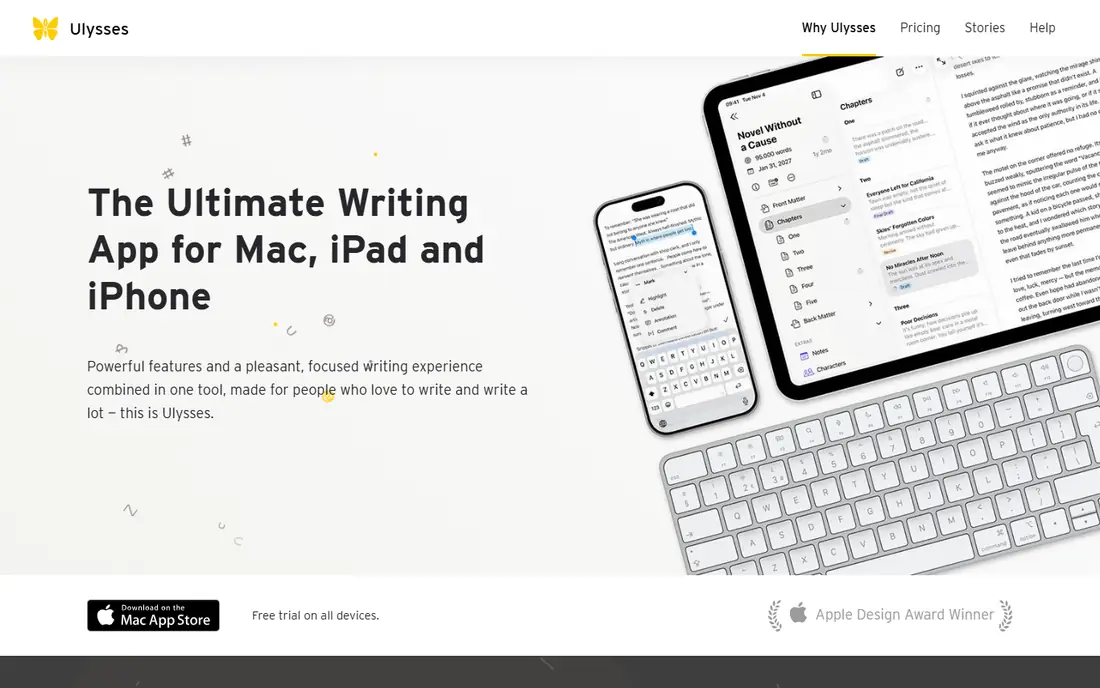
What we like- Ulysses offers synced, cross-device writing on Apple platforms, with offline access, a distraction-free Markdown editor, and sync across macOS and iOS. It costs 5.99 dollars per month or 39.99 dollars per year, with a 14-day trial that turns read-only after expiry. Proofreading, rewriting, and summarizing selected text are built in, and export covers Word, PDF, and ebook formats with basic formatting.
Watch out for- It runs on macOS and iOS only, so Windows and Android writers are excluded. Collaboration is not built in, and export formatting is basic compared with Atticus or Reedsy Studio. The subscription model costs more over time than a one-time purchase like Atticus for long-term users.
Starting price$19 per month
Free planNo
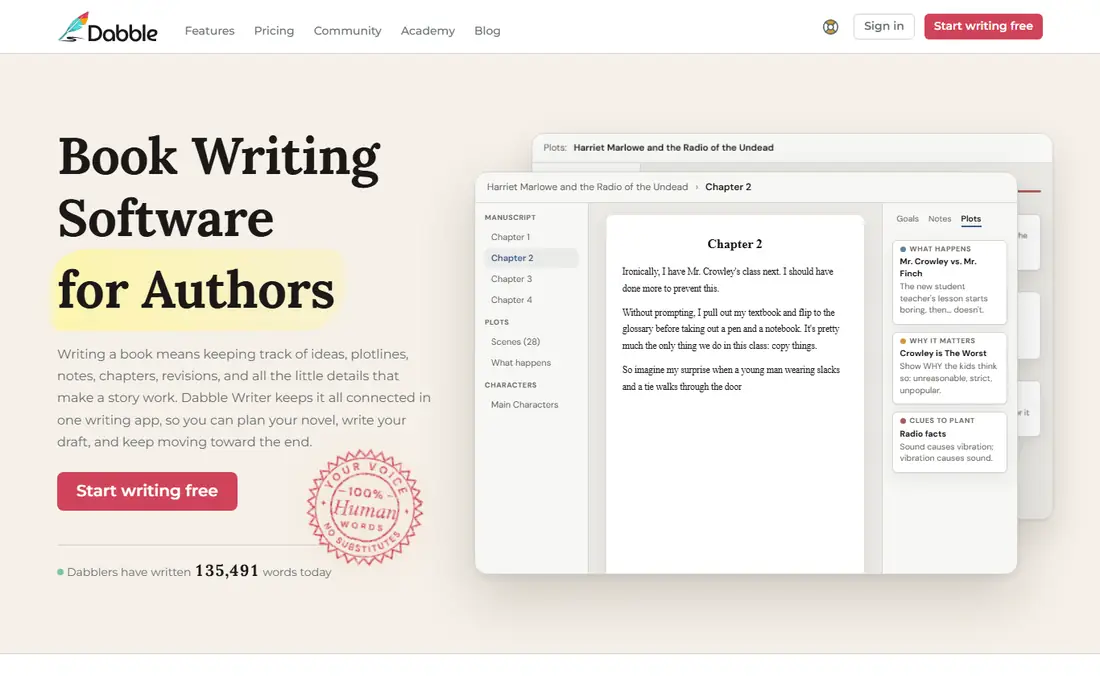
What we like- Dabble is a cloud-synced novel writing app with built-in automatic sync across browser, desktop, iOS, Android, and Chromebook, removing the Dropbox juggling Scrivener requires. Chapters and scenes sit in a sidebar, the Plot Grid maps scenes by plotlines, and co-authoring and sharing work on every plan with versioning on every plan. It costs 19, 29, or 49 dollars per month, with a 699 dollar lifetime Author tier, and a 14-day trial requiring no card. It is AI-free by policy, which some writers prefer.
Watch out for- Export covers Word, Google Docs, Markdown, and web link, with PDF only via print and no EPUB export, so publishing needs another tool. Pricing reports conflict, with older comparisons listing 9 to 29 dollars per month against the October 2026 check at 19 to 49 dollars per month, so confirm current tiers before paying. Story notes and character profiles are thinner than dedicated worldbuilding tools.
#4Plottr
Best for: Visual story mapping4.8/5 on
G2 (2 reviews, checked Oct 2026)
Visit plottr.com
Starting price$60 per year
Free planNo
What we like- Plottr is a visual story mapping tool for planning, not drafting, with timeline views, scene cards, and structure templates that suit outliners. It costs 60 dollars per year or 150 dollars lifetime, with a 30-day trial, and runs on web, Mac, and Windows with offline access. Paid tiers add collaboration, and it pairs well with a drafting tool like Reedsy Studio or Dabble for writers wanting planning depth.
Watch out for- It is planning only, with no drafting or ebook export, so it cannot replace Scrivener alone. Writers wanting one tool for drafting and planning need to pair it with another app. Export covers outlines rather than publishable manuscripts.
#5Atticus
Best for: Custom book formatting3.0/5 on
G2 (2 reviews, checked Oct 2026)
Visit atticus.io
Starting price$147 one-time
Free planNo
What we like- Atticus is an all-in-one writing plus formatting tool with best-in-class export, offering 17-plus themes, front and back matter handling, and print-ready PDF plus EPUB output for self-publishers. It costs 147 dollars one-time with free updates and a 30-day money-back guarantee, running on web plus a progressive web app on all operating systems. It suits writers who want a finished, publishable manuscript without learning Compile settings.
Watch out for- It requires an Atticus account, and offline access is limited compared with desktop tools. Plotting and worldbuilding features are thinner than Plottr or Campfire, and collaboration needs account sharing rather than real-time co-authoring. The one-time price is higher than free alternatives for writers not needing formatting.
#6Obsidian
Best for: Visual linking and worldbuilding4.5/5 on
G2 (13 reviews, checked Oct 2026)
Visit obsidian.md
Starting priceFree
Free planYes
What we like- Obsidian is a Markdown-based writing tool built around visually connecting ideas, with a graph view showing how characters, plot twists, and world elements connect, plus backlinks and internal linking. It is free for personal use, with local-first storage, full offline capability, and community plugins for customization, running on Windows, Mac, Linux, iOS, and Android. Optional cloud sync costs 5 dollars per month, and commercial use costs 50 dollars per year.
Watch out for- It is less structured than Scrivener out of the box, with a learning curve around Markdown and plugin setup. Formatting and ebook export require external tools, and there is no built-in collaboration. Writers wanting chapters, scenes, and manuscript structure need to build it themselves with folders and plugins.
Starting priceFree
Free planYes
What we like- Novlr is a goal-driven minimalist drafting tool in the browser, with a free tier, a clean distraction-free editor, and writing goals that suit daily word-count habits. Paid tiers add features at Plus and Pro levels, with Plus reported at 6 dollars per month in one comparison and 8 dollars per month in another, and Pro at 14 dollars per month. It suits writers wanting simple drafting with goal tracking and no desktop install.
Watch out for- It is web-only with no offline desktop app, and export covers basic EPUB without print PDF, so publishing needs another tool. Worldbuilding and plotting depth lag dedicated tools, and there is no real-time collaboration. The Plus price conflict means confirming current pricing before subscribing.
Starting priceFree
Free planYes
What we like- YWriter is a free novel organization tool from Spacejock Software, breaking manuscripts into scenes and chapters with character, location, and item tracking, plus word counts and scene-level organization. It is free with no subscription, runs offline on desktop, and exports to common formats including DOCX, EPUB, PDF, HTML, and Markdown. It suits writers wanting Scrivener-style scene organization at zero cost.
Watch out for- The interface is older and less polished than Dabble or Novlr, and there is no cloud sync or real-time collaboration built in. Formatting and ebook export are basic compared with Atticus, and mobile access is limited. Writers wanting modern design should look at Dabble or Reedsy Studio.
How we chose
We ranked tools on scene and chapter organization, plotting depth, export quality, collaboration, platform coverage, and published pricing. Tools earned credit for free tiers, one-time pricing, cloud sync, visual plotting, and publishable EPUB plus print PDF export. We excluded Scrivener itself, since this article covers alternatives, and we excluded general word processors without novel organization features, since scene and chapter structure defines this category. Figures come from published pricing and 2026 comparison reporting, and readers should confirm current terms directly, since prices and trial terms change.
How to choose the right Scrivener alternative
Start with your biggest frustration: writers hating the learning curve should pick Reedsy Studio or Dabble, writers hating file juggling should pick Dabble for automatic sync, and writers hating export setup should pick Atticus or Reedsy Studio. Next, check platform coverage: Ulysses suits Apple-only writers, while Dabble, Reedsy Studio, and Obsidian cover all major platforms. Then check the cost model: free tools like Reedsy Studio, Obsidian, Novlr, and yWriter cost nothing to start, while Atticus at 147 dollars once and Plottr at 150 dollars lifetime beat subscriptions over years. Then check plotting needs: Plottr suits outliners, Obsidian suits worldbuilders, and Dabble Plot Grid suits scene-level plotters. Finally, confirm export before committing: writers publishing to KDP need EPUB plus print PDF, which Reedsy Studio and Atticus provide, while Dabble and Plottr need a second tool for that step.
Frequently asked questions
Why do writers switch from Scrivener?
Mainly the steep learning curve, no real-time collaboration with a shared Dropbox folder as the workaround, and Compile export setup that demands tinkering. Newer tools offer automatic sync, email collaboration, and one-click EPUB plus print PDF export.
What is the best free Scrivener alternative?
Reedsy Studio is the clearest free alternative, with free drafting, formatting, and EPUB plus print PDF export in the browser. Obsidian and yWriter are also free, with Obsidian suiting worldbuilding and yWriter suiting scene organization.
Which alternative is best for plotting?
Plottr suits visual story mapping with timelines and structure templates, while Dabble Plot Grid maps scenes by plotlines inside the drafting app. Obsidian graph view suits worldbuilding connections, and Reedsy Studio Boards suit drag-and-drop outlining.
Which alternative handles book formatting best?
Atticus offers best-in-class formatting with 17-plus themes and print-ready PDF plus EPUB output for 147 dollars one-time. Reedsy Studio offers free EPUB plus print PDF export, while Dabble and Plottr need a second tool for publishable formatting.
Can I use these tools on Windows and Mac?
Dabble, Plottr, Atticus, Obsidian, and yWriter cover Windows and Mac, while Reedsy Studio and Novlr run in any browser. Ulysses is the exception, running on macOS and iOS only, so Windows and Android writers should avoid it.
Do any of these tools offer one-time pricing?
Yes. Atticus costs 147 dollars one-time, Plottr costs 150 dollars lifetime, and yWriter is free. Dabble offers a 699 dollar lifetime Author tier, while Ulysses, Novlr, and Obsidian Sync use subscriptions.
Sources we checked (0)
Is your product missing or out of date?
We review this list regularly. Vendors can request a listing, send updated pricing or ask about featured placement.

Shihab Mia · Founder, Rankite
Shihab has 5+ years in B2B and SaaS SEO. He writes Rankite's software buying guides from pricing pages, documentation and public user reviews. More about Shihab.