How we make this list: we compare pricing pages, product documentation and public user reviews. Ratings come from G2, Capterra or Trustpilot, with the date we checked them.
What Is Penpot and Why Look for an Alternative
Penpot is a free, open source design and prototyping tool for UI and UX teams. It runs in the browser, it is built on open standards such as SVG and CSS, and it stores design files in formats that other tools can read.
There are still good reasons to look for a Penpot alternative. Penpot is younger than the market leaders, so its plugin library is smaller, its community is smaller, and some advanced prototyping features are less polished. Teams that hire often find that new designers already know Figma or Sketch, which shortens onboarding. Teams that need deep developer handoff, design system governance or a large template library may also find Penpot limiting. The right move depends on how your team works, who reviews your files, and what your developers need at handoff.
How We Picked These Penpot Alternatives
We picked tools that a Penpot user can realistically switch to without losing core work. Every tool on this list supports vector UI design, artboards or frames, reusable components and clickable prototypes. Every tool has a current product page and an active user base in 2026. Price was checked against vendor pricing pages and current search results on 16 November 2026. Where a vendor hides a price behind a sales call, we say so instead of guessing. Adobe XD gets a special note here, because it is no longer sold on its own, and a simple price would mislead a new buyer.
Quick comparison
| Tool | Best for | Starting price | Free plan |
|---|
 Figma | Product teams that need real time collaboration, shared design systems and smooth developer handoff | $16 per full seat per month, billed annually, Professional plan, checked 16 November 2026 | Yes, Starter plan is free with limited files and projects |
 Sketch | Mac based designers and teams that want a fast native app with a one time licence option | $12 per editor per month, billed yearly, Standard plan, checked 16 November 2026 | No permanent free plan, 30 day free trial only |
 Adobe XD | Existing Creative Cloud teams that need to open and maintain old XD files while they plan a move | Not sold standalone, checked 16 November 2026, available only to existing Creative Cloud users in maintenance mode | No free plan for new users |
 Framer | Designers and small teams that want to design a marketing site and publish it live without code | $5 per site per month, billed annually, Mini plan, checked 16 November 2026 | Yes, free plan with a Framer subdomain and limited pages |
 Lunacy | Solo designers and small teams that want a free desktop design app on Windows, Mac or Linux | Free, checked 16 November 2026 | Yes, free plan with up to 10 cloud documents and 30 days of version history |
 Justinmind | UX teams that need detailed wireframes, conditional logic and realistic mobile and web prototypes | $19 per user per month, billed annually, Standard plan, checked 16 November 2026 | Yes, free plan with one project and unlimited screens |
 Axure RP | Enterprise UX teams that need complex logic, variables, adaptive views and detailed specifications | $29 per user per month, billed annually, Pro plan, checked 16 November 2026 | No permanent free plan, 30 day free trial, free Team edition for qualified students and educators |
 Proto.io | Product managers and UX designers who need realistic, interactive prototypes for user testing without code | $24 per month, billed annually, Freelancer plan, checked 16 November 2026 | No permanent free plan, 15 day free trial only |
Is your product missing or out of date?
We review this list regularly. Vendors can request a listing, send updated pricing or ask about featured placement.
The 8 Best Penpot Alternatives
The eight tools below move from the most general replacement to the most specialised prototyping tools. Figma and Sketch suit most teams. Framer suits teams that publish marketing sites. Lunacy suits solo designers and tight budgets. Justinmind, Axure RP and Proto.io suit teams that need detailed interaction logic and user testing before development starts.
#1Figma
Best for: Product teams that need real time collaboration, shared design systems and smooth developer handoff4.7/5 on
G2 (1,593 reviews, checked Oct 2026)
Visit figma.com
Starting price$16 per full seat per month, billed annually, Professional plan, checked 16 November 2026
Free planYes, Starter plan is free with limited files and projects
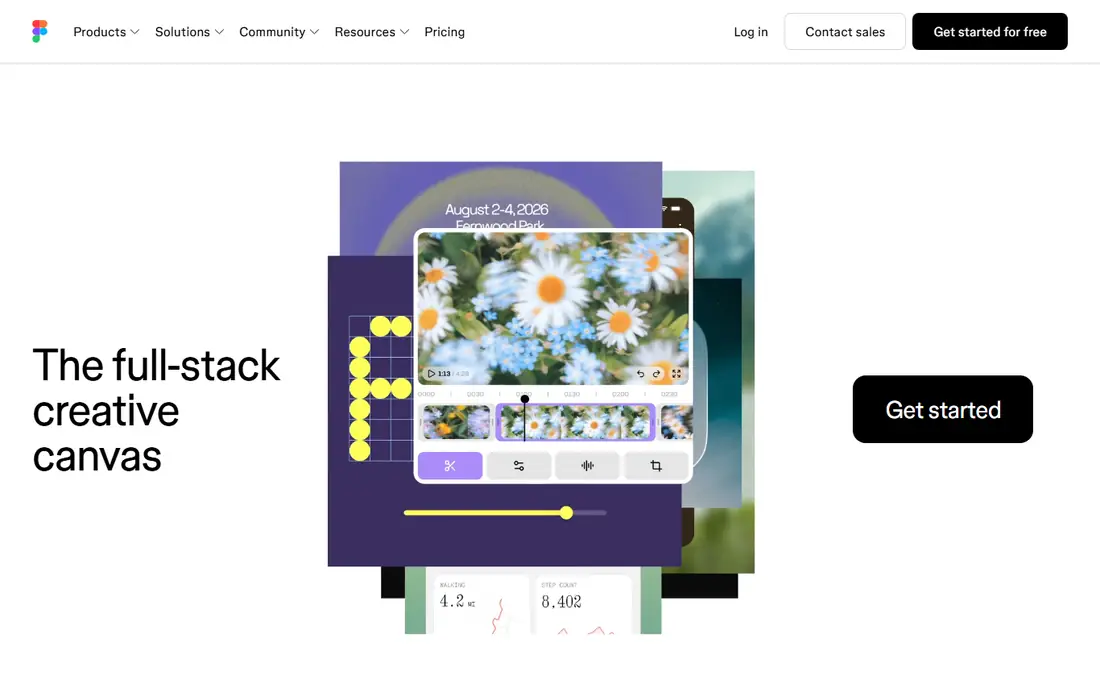
Figma is the closest direct replacement for Penpot for most product teams, and it is the tool most new hires already know. It runs in the browser on Windows, Mac, Linux and ChromeOS, so platform is rarely a barrier. Multiple people can edit the same file at the same time, leave comments on a specific frame, and watch changes appear live. Dev Mode gives developers measurements, code snippets and asset exports without a separate handoff tool. Figma is not the cheapest option, and the seat model needs care. Only editors need a full seat, while viewers cost less, so plan seats by role before you buy.
What we like- Real time multiplayer editing, strong components and variables, large plugin library, built in Dev Mode handoff
Watch out for- Per seat costs add up fast on larger teams, and the interface can feel crowded for new users
#2Sketch
Best for: Mac based designers and teams that want a fast native app with a one time licence option4.5/5 on
G2 (1,227 reviews, checked Oct 2026)
Visit sketch.com
Starting price$12 per editor per month, billed yearly, Standard plan, checked 16 November 2026
Free planNo permanent free plan, 30 day free trial only
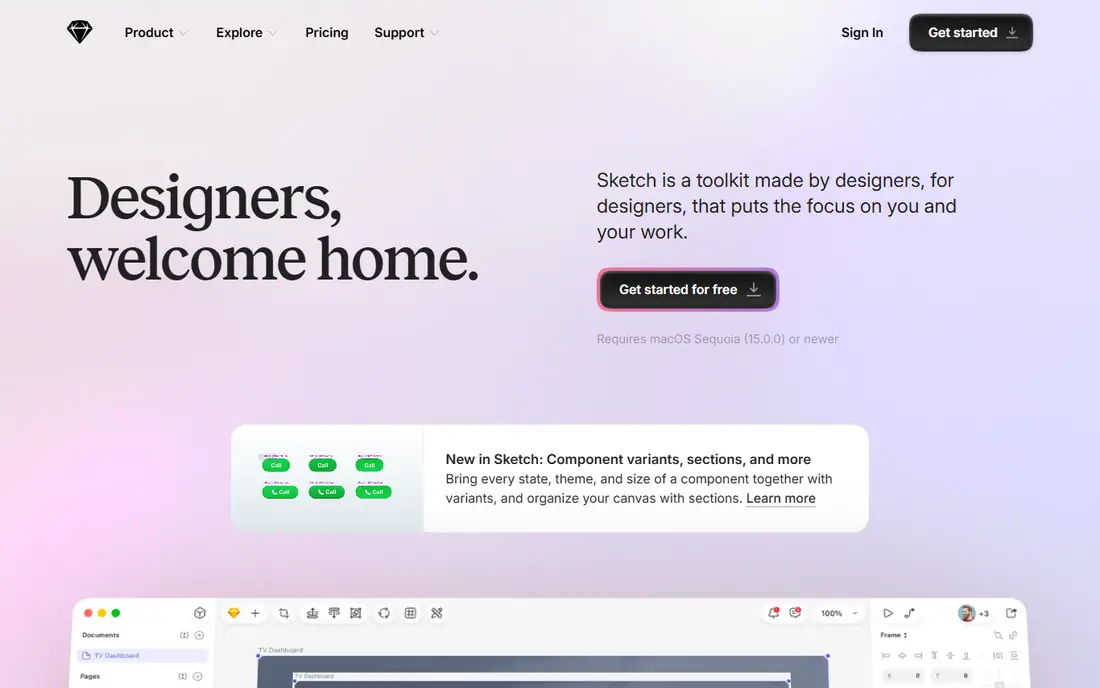
Sketch defined modern UI design before browser tools took over, and it remains a strong choice for Mac only teams. The native app feels fast and responsive, with precise vector tools and a calm interface that stays out of the way. Real time collaboration now works through the web app for subscribers. Pricing is simple. Only editors pay, while viewers are free on every plan, so stakeholders can comment and inspect without a seat. Standard costs $12 per editor per month billed yearly, or $14 billed monthly, and includes collaboration, unlimited documents, version history and free developer handoff. The limit is platform. If any editor uses Windows or Linux, Sketch cannot be the main tool.
What we like- Fast native Mac app, clean vector editing, strong symbols and libraries, unlimited free viewers
Watch out for- Mac only for editing, so Windows and Linux members can only view in the browser
#3
Adobe XD
Best for: Existing Creative Cloud teams that need to open and maintain old XD files while they plan a move
Visit adobe.com
Starting priceNot sold standalone, checked 16 November 2026, available only to existing Creative Cloud users in maintenance mode
Free planNo free plan for new users
Adobe XD is included here as a warning as much as a recommendation. Adobe moved XD into maintenance mode in 2023, after its planned purchase of Figma ended. Adobe is not investing in new development or shipping new features. The last release with new features was version 57 in June 2023. New customers cannot buy XD on its own. Adobe stopped single app sales to new customers in April 2023, so the only way in now is through a Creative Cloud plan for existing users. That makes XD a poor choice for a team starting fresh in 2026. If your team already pays for Creative Cloud and has a library of XD files, XD can keep that work alive while you migrate. Do not start new long term projects in XD, and do not buy Creative Cloud just to get XD.
What we like- Familiar Adobe interface, solid vector and prototyping basics, works with Photoshop and Illustrator assets
Watch out for- In maintenance mode with no new features since June 2023, not sold to new customers since April 2023
#4Framer
Best for: Designers and small teams that want to design a marketing site and publish it live without code4.5/5 on
G2 (144 reviews, checked Oct 2026)
Visit framer.com
Starting price$5 per site per month, billed annually, Mini plan, checked 16 November 2026
Free planYes, free plan with a Framer subdomain and limited pages
Framer is a different kind of Penpot alternative, because it closes the gap between design and a live website. You design on a canvas that feels familiar to Figma users, add interactions and animations, then publish the result as a real site with hosting included. That workflow suits landing pages, portfolios, startup marketing sites and campaign pages, where speed from idea to live page matters more than deep app prototyping. Pricing is per site, not per user, which changes the maths. Mini costs $5 per site per month billed annually, or $10 month to month, and adds a custom domain and removes Framer branding. Check the vendor page for Basic and Pro prices before you budget for several sites. For a design led team that ships marketing sites every week, Framer can replace both a design tool and a separate website builder.
What we like- Canvas feels like Figma, one click publishing to a live site, custom domain on paid plans
Watch out for- Pricing is per site, so costs rise with each new site, and it is not a full product design tool
#5Lunacy
Best for: Solo designers and small teams that want a free desktop design app on Windows, Mac or Linux4.3/5 on
G2 (28 reviews, checked Oct 2026)
Visit icons8.com
Starting priceFree, checked 16 November 2026
Free planYes, free plan with up to 10 cloud documents and 30 days of version history
Lunacy, from Icons8, is the most direct free desktop alternative to Penpot on this list. It is a vector design app with components, prototyping and real time collaboration on up to 10 files, and it runs natively on Windows, Mac and Linux, with a browser version also available. That cross platform desktop support matters for teams that want offline work or a Linux option, which Figma and Sketch do not offer in the same way. The free plan covers the core design work, while paid cloud plans from $4.99 per month add unlimited cloud documents, and a Pro plan at $11.99 per user per month billed yearly adds premium assets and AI tools. For a freelancer or a startup with no design budget, Lunacy is a practical choice.
What we like- Free for personal and commercial use, native apps for Windows, Mac and Linux, opens Sketch files
Watch out for- Cloud documents are capped at 10 on the free plan, and collaboration is lighter than Figma
#6Justinmind
Best for: UX teams that need detailed wireframes, conditional logic and realistic mobile and web prototypes4.0/5 on
G2 (55 reviews, checked Oct 2026)
Visit justinmind.com
Starting price$19 per user per month, billed annually, Standard plan, checked 16 November 2026
Free planYes, free plan with one project and unlimited screens
Justinmind is a prototyping first tool for teams that test flows before they build them. It supports wireframes, high fidelity screens, gestures, tab navigation, conditional content and data driven prototypes, all without code. A designer can build a flow that reacts to a user choice, shows a different screen for a logged in user, or simulates a form error, which is useful for usability testing and stakeholder sign off. Standard adds advanced interaction design, team management and shared UI libraries. Professional adds user testing integrations. The trade off is polish and speed. Justinmind is less fluid than Figma for pure visual design, and a team that only needs simple clickable screens may find it heavier than needed. For UX teams that prototype complex enterprise software or multi step onboarding, Justinmind earns its price with logic that simpler tools cannot match.
What we like- Advanced interactions and conditional logic without code, large UI kit library, user testing integrations
Watch out for- Interface feels dated next to Figma, and Professional features need the $29 per user per month plan
#7Axure RP
Best for: Enterprise UX teams that need complex logic, variables, adaptive views and detailed specifications4.2/5 on
G2 (277 reviews, checked Oct 2026)
Visit axure.com
Starting price$29 per user per month, billed annually, Pro plan, checked 16 November 2026
Free planNo permanent free plan, 30 day free trial, free Team edition for qualified students and educators
Axure RP is the most powerful prototyping tool on this list, and it is built for teams that need to prove a complex interaction before development starts. Designers can use variables, conditions, math functions and adaptive views to build prototypes that behave like real software. A form can validate input, a dashboard can filter data, and a checkout flow can branch on payment type, all inside the prototype. Pro costs $29 per user per month billed annually, or $34 month to month, and includes unlimited prototypes, unlimited reviewers, unlimited projects on Axure Cloud, plus wireframes, diagrams and documentation. Team adds co authoring and revision history, while Enterprise is quoted by sales. The tool is not cheap, and it is not the fastest way to draw a simple landing page. For enterprise teams that need documentation and logic in one place, Axure RP is still the standard other tools are measured against.
What we like- Best in class conditional logic and variables, adaptive views, native notes and specifications
Watch out for- High price for freelancers and small teams, and a steep learning curve with no AI features as of 2026
#8Proto.io
Best for: Product managers and UX designers who need realistic, interactive prototypes for user testing without code4.1/5 on
G2 (68 reviews, checked Oct 2026)
Visit proto.io
Starting price$24 per month, billed annually, Freelancer plan, checked 16 November 2026
Free planNo permanent free plan, 15 day free trial only
Proto.io is a focused prototyping tool for teams that need to test an idea with real users before writing code. The drag and drop editor is easy to learn, with a library of UI elements, icons and animations that help a prototype feel like a finished app. Designers can link screens, add gestures, build interactive states and share a link with testers, who can click through on a phone or in a browser without installing anything. Pricing starts at $24 per month billed annually for the Freelancer plan, which covers one user and five active projects, or $29 month to month. Higher plans add users and projects, and all plans include unlimited reviewers. One limit deserves a clear note. Proto.io does not allow multiple users to edit one project at the same time, so teams that co edit live should look at Figma instead. For a designer who prototypes alone and tests with users often, Proto.io is a fast and focused Penpot alternative.
What we like- Drag and drop editor is easy to learn, realistic interactions and animations, unlimited reviewers
Watch out for- No permanent free plan, no real time multi user editing on the same project, and costs rise with team size
Penpot vs the Alternatives at a Glance
Use this table to compare the starting point for each tool at a glance. Prices are the entry paid plan as checked on 16 November 2026, and billing periods matter, so confirm the annual and monthly figures on the vendor page before you buy. Penpot itself is free and open source, which sets a high bar for any paid tool to justify its fee.
| Tool | Starting price | Free plan | Best for |
| Figma | $16 per full seat per month, billed annually | Yes, Starter | Real time product design and handoff |
| Sketch | $12 per editor per month, billed yearly | No, 30 day trial | Mac native UI design |
| Adobe XD | Not sold standalone | No | Maintaining old XD files only |
| Framer | $5 per site per month, billed annually | Yes | Publishing marketing sites live |
| Lunacy | Free | Yes | Free desktop design on any OS |
| Justinmind | $19 per user per month, billed annually | Yes, one project | Detailed UX prototyping and logic |
| Axure RP | $29 per user per month, billed annually | No, 30 day trial | Enterprise logic and specifications |
| Proto.io | $24 per month, billed annually | No, 15 day trial | Realistic prototypes for user testing |
The table shows a clear split. Figma, Sketch and Lunacy cover everyday UI design. Framer covers design to live site. Justinmind, Axure RP and Proto.io cover detailed prototyping and testing. Adobe XD covers legacy work only.
Start with platform and people, not price. List every person who will edit files, every person who will only review, and the operating system each editor uses. If editors mix Windows, Mac and Linux, Figma, Penpot, Lunacy and Proto.io are workable, while Sketch is not. If your team co edits live every day, Figma is the strongest fit, while Proto.io and Axure RP suit solo prototyping better. Next, define the main job. For product design with a shared design system and weekly developer handoff, Figma is the default choice, with Sketch as the Mac only option and Lunacy as the free option. For marketing sites that must go live fast, Framer is the direct pick. For detailed flows with conditions and user testing, compare Justinmind, Axure RP and Proto.io on logic depth and price, and test the trial with a real flow from your own product. Finally, run a small paid pilot before you migrate a whole library. Move one project, rebuild its core components, and run one sprint in the new tool. If the pilot is slower than Penpot after two weeks, the tool is probably wrong for your team, even if the price looks right.
Frequently asked questions
Is Penpot really free?
Yes, Penpot is free and open source, with no paid tier for the core design and prototyping features. You can use it in the browser or self host it, and your files use open standards such as SVG and CSS. Paid support and hosting options exist for some teams, but the tool itself does not charge per seat.
Which Penpot alternative is best for most teams?
Figma is the best choice for most teams, because it covers UI design, real time collaboration, components, prototyping and developer handoff in one place. It also has the largest hiring pool, the most plugins and the most templates. Teams on a tight budget should try Lunacy first, while Mac only teams should compare Sketch.
Is Adobe XD still a good Penpot alternative in 2026?
No, Adobe XD is not a good choice for new work in 2026. Adobe moved XD into maintenance mode in 2023, stopped selling it as a single app to new customers in April 2023, and has shipped no new features since June 2023. Use XD only to maintain existing files while you migrate to Figma, Sketch or Penpot.
Can I move my Penpot files to Figma or Sketch?
You can export assets and rebuild screens, but there is no perfect one click migration for full design systems. Penpot uses open formats such as SVG, which helps with icons and illustrations, while components, variables and prototype links usually need manual rebuilding. Plan time for that rebuild in your migration budget.
Which Penpot alternative is best for detailed prototyping?
Axure RP is the strongest choice for detailed prototyping, because it supports variables, conditions, adaptive views and full specifications in one tool. Justinmind is a good mid price option for conditional flows and user testing. Proto.io suits realistic mobile and web demos, but it does not allow multiple users to edit one project at the same time.
Sources we checked (9)
- https://www.figma.com/pricing
- https://www.sketch.com/pricing
- https://helpx.adobe.com/xd/get-started.html
- https://www.framer.com/pricing
- https://icons8.com/lunacy
- https://www.justinmind.com/pricing
- https://www.axure.com/pricing
- https://proto.io/pricing
- https://penpot.app
Is your product missing or out of date?
We review this list regularly. Vendors can request a listing, send updated pricing or ask about featured placement.

Shihab Mia · Founder, Rankite
Shihab has 5+ years in B2B and SaaS SEO. He writes Rankite's software buying guides from pricing pages, documentation and public user reviews. More about Shihab.