How we make this list: we compare pricing pages, product documentation and public user reviews. Ratings come from G2, Capterra or Trustpilot, with the date we checked them.
Ooma vs Nextiva: which one should you pick
Ooma Office suits a small business that wants a simple phone system with predictable per user pricing and no long setup project. Nextiva suits a team that wants calling, texting, video, and customer contact tools in one platform and is willing to pay for the wider feature set. If your team only needs reliable calling with a virtual receptionist and a mobile app, Ooma Office Essentials at $19.95 per user per month is the cheaper and simpler starting point. If you want one system that also covers team chat, video meetings, and contact management, Nextiva NEXT Core at $15 per user per month on annual billing is the lower entry price with the broader platform.
What matters most when you compare business phone systems
Start with how your team actually works. A five person office that takes inbound calls all day needs a good auto attendant, call routing, and a mobile app that rings reliably. A distributed team needs shared numbers, texting, and call recording more than it needs desk phones. Count the users who will need a paid seat, because per user pricing turns a small monthly difference into a large annual bill once you pass ten seats. Check whether the plan includes unlimited calling to the United States and Canada, and whether international calling is metered. Look at the free trial length and whether porting your existing number costs extra. Finally, test the mobile app during the trial, because a phone system lives or dies on call quality away from the desk, and a clumsy app will push staff back to personal numbers.
Ooma vs Nextiva head to head
Ooma Office prices in three tiers, Essentials at $19.95, Pro at $24.95, and Pro Plus at $29.95 per user per month, with no annual contract required. Nextiva prices in three tiers as well, NEXT Core at $15, Engage at $25, and Scale at $75 per user per month on annual billing, after a 2026 repackage that retired older tiers. Ooma wins on simplicity and on the fact that its plans do not require an annual commitment to get the listed price. Nextiva wins on breadth, because even the entry tier includes video meetings and team messaging alongside calling, while Ooma charges more for its higher tiers to add video meetings and call recording. Both include an auto attendant, voicemail transcription, and mobile apps. Ooma offers a 30 day money back guarantee rather than a free trial on most plans. Nextiva offers a demo and a trial period that varies by plan. For a small office that wants phones working this week, Ooma is the faster choice.
| Tool | Starting price | Best for |
| Ooma Office | $19.95 per user per month | Small offices that want simple, reliable calling |
| Nextiva | $15 per user per month, annual billing | Teams that want calling, video, and messaging in one place |
| RingCentral | $20 per user per month, annual billing | Growing teams that need a full unified communications platform |
| Vonage | $19.99 per line per month | Small teams that want a flexible cloud phone with mobile apps |
| 8x8 | Quote based | Contact centres and teams that need omnichannel support |
| Dialpad | $15 per user per month, annual billing | Teams that want AI call summaries and coaching |
| Zoom Phone | $10 per user per month | Businesses already using Zoom for meetings |
| Grasshopper | $14 per month, flat per account | Solo operators and very small teams on a budget |
We picked eight business phone systems that compete directly with Ooma and Nextiva on price, features, or audience, and we checked each starting price against the vendor pricing page on 18 November 2026. Where a vendor hides prices behind a quote, we say so and give third party reported figures only when they are labelled as such. Every tool below includes a real drawback, because a list without drawbacks does not help a buyer decide. Prices are in United States dollars and exclude taxes and fees unless the vendor states otherwise.
Quick comparison
| Tool | Best for | Starting price | Free plan |
|---|
 Ooma Office | Small offices that want a simple cloud phone system with no annual contract | $19.95 per user per month for Essentials; Pro $24.95; Pro Plus $29.95 | No free plan; 30 day money back guarantee on most plans |
 Nextiva | Teams that want calling, video, messaging, and customer contact tools in one platform | $15 per user per month for NEXT Core on annual billing; Engage $25; Scale $75 | No free plan; demo and trial availability varies by plan |
 RingCentral | Growing teams that need a full unified communications platform with strong integrations | $20 per user per month for RingEX Core on annual billing ($30 monthly); Advanced $25 ($35); Ultra $35 ($45) | No free plan; 14 day free trial on most plans |
 Vonage | Small teams that want a flexible cloud phone with strong mobile apps and international options | $19.99 per line per month for Mobile; Premium $29.99; Advanced $39.99 (a 30 percent promotion lists $13.99, $20.99, and $27.99 through 31 December 2026) | No free plan; trial availability varies by plan |
 8x8 | Contact centres and teams that need omnichannel voice, chat, and video in one platform | Quote based; third party reports list X2 from $24 per user per month on annual billing, X4 $44, X6 $85, X7 from $110, X8 from $140 | No free plan; demo available on request |
 Dialpad | Teams that want AI call summaries, transcripts, and coaching built into every call | $15 per user per month for Connect Standard on annual billing ($27 monthly); Pro $25 ($35); Enterprise quote | No free plan; 14 day free trial |
 Zoom Phone | Businesses already using Zoom for meetings that want to add cloud calling | $10 per user per month for the US and Canada calling plan; Pro $15; Business Plus $20 | No free plan for Zoom Phone; a free Zoom Meetings Basic tier exists for video only |
 Grasshopper | Solo operators and very small teams that want a business number on a flat monthly price | $14 per month for True Solo on annual billing ($18 monthly); Solo Plus $25 ($32); Small Business $55 ($70), flat per account, not per user | No free plan; 7 day free trial |
Is your product missing or out of date?
We review this list regularly. Vendors can request a listing, send updated pricing or ask about featured placement.
The 8 best Ooma vs Nextiva alternatives and competitors
#1Ooma Office
Best for: Small offices that want a simple cloud phone system with no annual contract4.5/5 on
G2 (134 reviews, checked Oct 2026)
Visit ooma.com
Starting price$19.95 per user per month for Essentials; Pro $24.95; Pro Plus $29.95
Free planNo free plan; 30 day money back guarantee on most plans
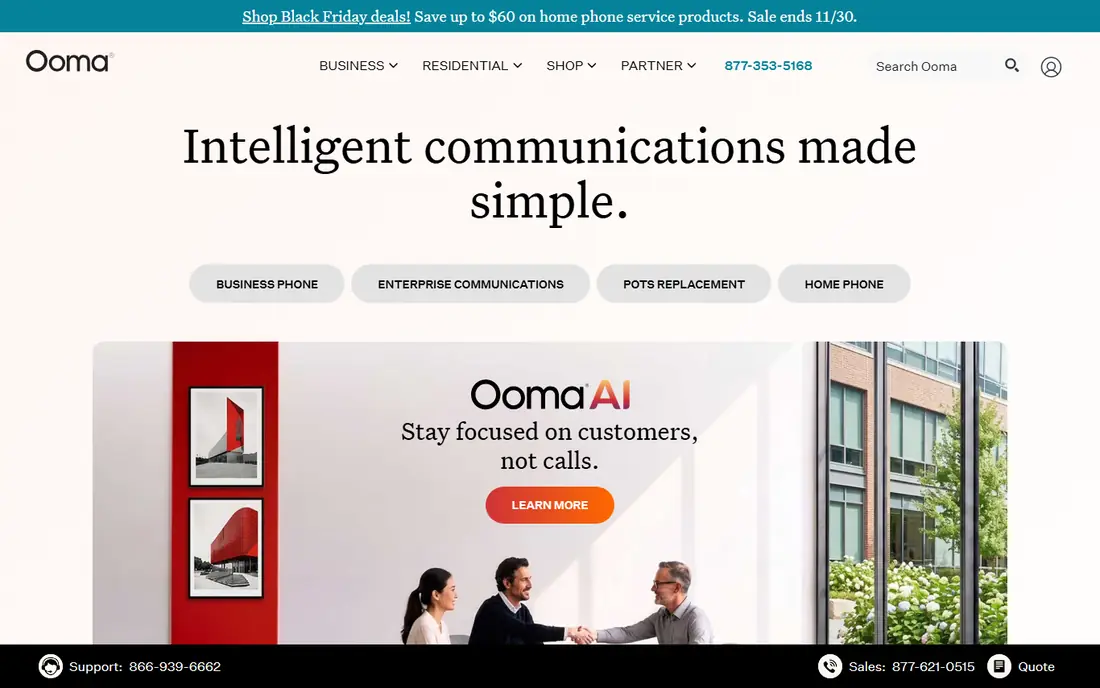
Ooma Office is the simplest system on this list to buy and run. Essentials covers the core of a small office phone system, with a virtual receptionist, extension dialling, voicemail to email, and a mobile app that lets staff take business calls on a personal phone without sharing a personal number. Pro adds call recording, voicemail transcription, and enhanced call blocking, while Pro Plus adds video meetings and call queueing. The per user price is higher than the entry prices of Nextiva or Dialpad, but there is no annual contract, which matters for a business that wants the freedom to leave.
What we like- No annual contract required for listed prices
- Easy setup with a virtual receptionist, ring groups, and voicemail transcription included
- Desktop and mobile apps are straightforward for non technical staff
Watch out for- Video meetings and advanced call recording sit in the higher tiers, so the entry plan feels limited for teams that want an all in one platform
#2Nextiva
Best for: Teams that want calling, video, messaging, and customer contact tools in one platform4.5/5 on
G2 (3,659 reviews, checked Oct 2026)
Visit nextiva.com
Starting price$15 per user per month for NEXT Core on annual billing; Engage $25; Scale $75
Free planNo free plan; demo and trial availability varies by plan
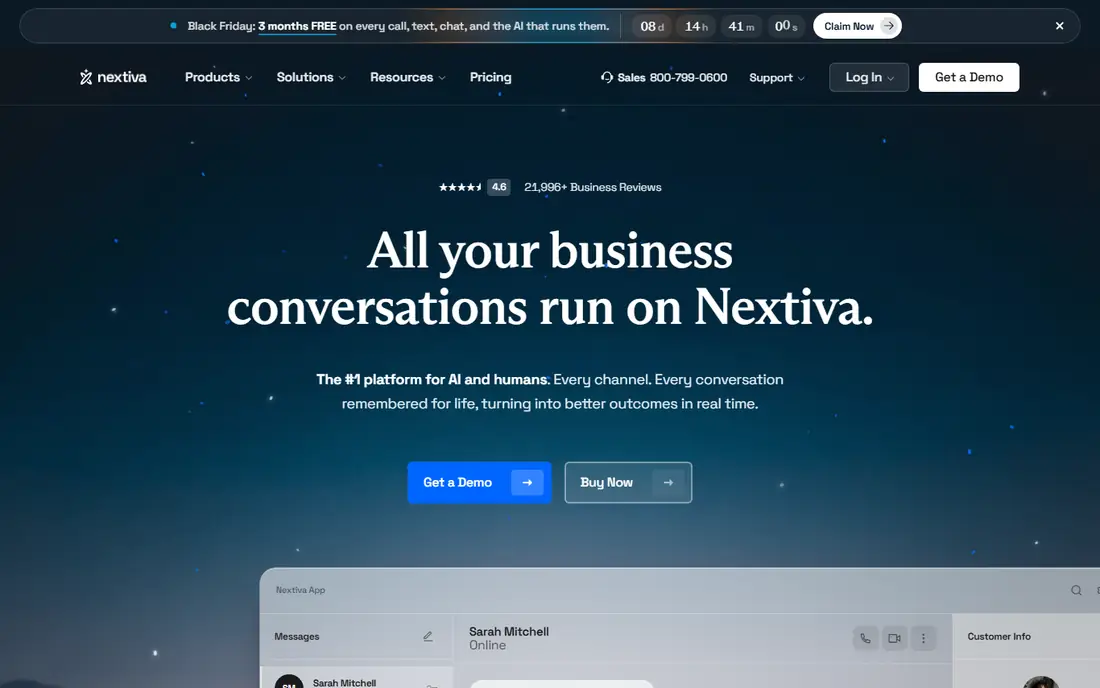
Nextiva suits a business that wants to stop paying for separate meeting and messaging tools. NEXT Core includes unlimited voice and video calling in the United States and Canada, team messaging, and voicemail transcription, which makes it a genuine all in one starter plan. Engage adds customer journey analytics and more automation, while Scale adds workforce management and advanced contact centre tools. The platform is more complex to administer than Ooma, and small teams may need help during setup, but the payoff is a single login for most daily communication.
What we like- One platform covers voice, video, team chat, and SMS
- The entry tier is cheaper than Ooma Essentials on annual billing
- Call analytics and integrations are stronger than most small business rivals
Watch out for- The 2026 repackage retired older tiers, so long standing customers must recheck which features their plan still includes
- The Scale tier at $75 per user per month is a steep jump for advanced contact features
#3RingCentral
Best for: Growing teams that need a full unified communications platform with strong integrations4.1/5 on
G2 (1,076 reviews, checked Oct 2026)
Visit ringcentral.com
Starting price$20 per user per month for RingEX Core on annual billing ($30 monthly); Advanced $25 ($35); Ultra $35 ($45)
Free planNo free plan; 14 day free trial on most plans
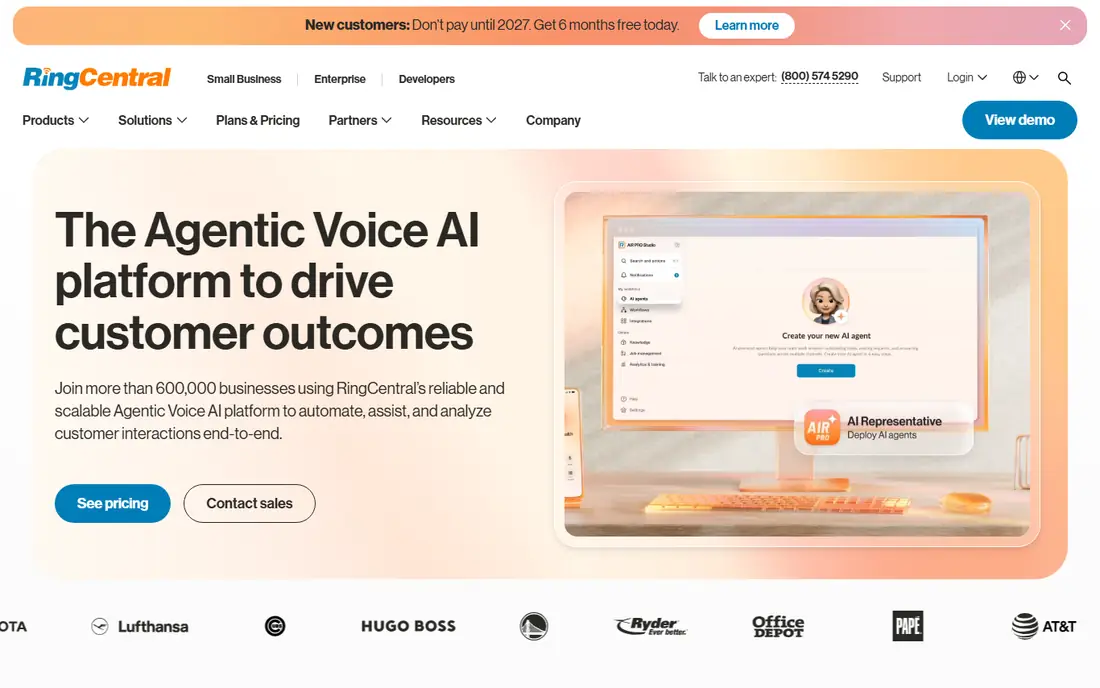
RingCentral RingEX is the safe choice for a business that expects to grow from five seats to fifty without switching systems. Core covers unlimited calling in the United States and Canada, SMS, team messaging, and video meetings. Advanced adds call monitoring, analytics, and more integrations, while Ultra adds device analytics and advanced call handling. The platform is stable and well supported, and its app ecosystem is the widest in this group. The drawback is cost discipline, because add ons and the monthly billing premium can push the real bill well above the headline price.
What we like- Deep integrations with Microsoft 365, Google Workspace, Salesforce, and HubSpot
- Reliable call quality and a mature admin console
- AI call summaries and analytics on higher tiers
Watch out for- The monthly billing price is far higher than the annual price, so month to month buyers pay a heavy premium
- The admin console can feel complex for a team of fewer than five people
#4Vonage
Best for: Small teams that want a flexible cloud phone with strong mobile apps and international options4.3/5 on
G2 (503 reviews, checked Oct 2026)
Visit vonage.com
Starting price$19.99 per line per month for Mobile; Premium $29.99; Advanced $39.99 (a 30 percent promotion lists $13.99, $20.99, and $27.99 through 31 December 2026)
Free planNo free plan; trial availability varies by plan
Vonage Business Communications is a solid middle ground between Ooma simplicity and RingCentral breadth. The Mobile plan covers the essentials for a small team, including a virtual receptionist, unlimited calling and SMS in the United States, and the Vonage mobile and desktop apps. Premium adds CRM integrations and call recording, while Advanced adds visual voicemail, call groups, and more admin control. Vonage has a long history in cloud voice, and its network reliability is generally good.
What we like- Mobile app is polished and reliable for staff who work away from a desk
- Virtual receptionist, call groups, and voicemail to email are included from the entry tier
- International calling options suit teams with overseas clients
Watch out for- The promotional price ends on 31 December 2026, so budget on the standard price, not the discounted one
- Some advanced features, including call recording on lower tiers, require the Premium or Advanced plan
#58x8
Best for: Contact centres and teams that need omnichannel voice, chat, and video in one platform4.2/5 on
G2 (939 reviews, checked Oct 2026)
Visit 8x8.com
Starting priceQuote based; third party reports list X2 from $24 per user per month on annual billing, X4 $44, X6 $85, X7 from $110, X8 from $140
Free planNo free plan; demo available on request
8x8 is the enterprise grade option in this group, and it shows in both capability and buying effort. The X Series bundles unified communications with contact centre tools, so a support team can handle calls, chats, and emails from one agent desktop, with call recording, analytics, and workforce management built in. That depth is valuable for a team running a real support operation, but it is overkill for a five person office that just needs phones to ring.
What we like- Strong omnichannel contact centre with voice, chat, email, and social in one queue
- Global coverage suits teams with international callers
- Analytics and quality management are deeper than small business rivals
Watch out for- Quote based pricing makes it impossible to budget without a sales conversation
- The platform is heavier to administer than Ooma or Grasshopper, and small teams may pay for contact centre depth they never use
#6Dialpad
Best for: Teams that want AI call summaries, transcripts, and coaching built into every call4.4/5 on
G2 (4,201 reviews, checked Oct 2026)
Visit dialpad.com
Starting price$15 per user per month for Connect Standard on annual billing ($27 monthly); Pro $25 ($35); Enterprise quote
Free planNo free plan; 14 day free trial
Dialpad stands out because its AI features are not an expensive add on. Connect Standard includes AI call summaries, transcripts, and voicemail transcription, which saves managers time on call review and helps small sales teams learn from real conversations. The interface is modern and fast, and setup takes hours rather than days. The limitation is price discipline, because the gap between annual and monthly billing is one of the largest on this list, and the Pro tier is where the more useful coaching and analytics live. If your team will use the AI summaries every day, Dialpad is worth the premium over Ooma.
What we like- AI summaries and real time transcripts are included from the entry tier
- Clean interface that new staff learn quickly
- Integrations with Google Workspace, Microsoft 365, Salesforce, and Slack
Watch out for- The monthly billing price of $27 per user is nearly double the annual price, so short term buyers pay far more
- Advanced AI coaching and analytics require the Pro tier or higher
#7Zoom Phone
Best for: Businesses already using Zoom for meetings that want to add cloud calling4.6/5 on
G2 (2,672 reviews, checked Oct 2026)
Visit zoom.com
Starting price$10 per user per month for the US and Canada calling plan; Pro $15; Business Plus $20
Free planNo free plan for Zoom Phone; a free Zoom Meetings Basic tier exists for video only
Zoom Phone is the cheapest way to add business calling if your team already lives in Zoom. The $10 US and Canada plan covers unlimited domestic calling, voicemail, and call forwarding, and staff answer calls in the same app they use for video meetings. Pro adds more admin control, while Business Plus adds advanced analytics and integrations. The trade off is that Zoom Phone is a calling add on to a meetings platform rather than a full contact centre, so teams that need deep call centre features will look at RingCentral or 8x8 instead.
What we like- Lowest starting price on this list for domestic calling
- Tight integration with Zoom Meetings, so staff use one app for calls and video
- Simple admin for teams already in the Zoom ecosystem
Watch out for- Advanced phone features, including call queueing and analytics, need higher tiers or add ons
- Teams that do not already use Zoom get less value than a standalone platform offers
#8Grasshopper
Best for: Solo operators and very small teams that want a business number on a flat monthly price3.9/5 on
G2 (162 reviews, checked Oct 2026)
Visit grasshopper.com
Starting price$14 per month for True Solo on annual billing ($18 monthly); Solo Plus $25 ($32); Small Business $55 ($70), flat per account, not per user
Free planNo free plan; 7 day free trial
Grasshopper is the budget pick on this list, and its flat pricing is the reason. A solo operator pays $14 a month on annual billing for a business number, a greeting, extensions, and voicemail transcription, where a per user system would charge the same again for every extra seat. Solo Plus adds more numbers and extensions, and Small Business covers up to five numbers. The limitation is scope, because Grasshopper is a virtual phone system, not a unified communications platform, so there is no video, no team chat, and no contact centre. For a freelancer, a consultant, or a two person startup, that trade off is sensible. For a team that will hire five more people this year, start with a per user platform instead.
What we like- Flat per account pricing is far cheaper than per user pricing for a one or two person business
- Setup takes minutes, with a virtual number, extensions, and voicemail transcription
- The mobile app keeps business and personal calls separate
Watch out for- No video meetings or team messaging, so growing teams outgrow it quickly
- The per account model stops saving money once you need many extensions and separate numbers
Which one should you choose
Choose Ooma Office if you want the simplest setup and no annual contract. Choose Nextiva if you want calling, video, and messaging in one platform and your team will use all three. Choose RingCentral if you expect to grow past twenty seats and want the widest integrations. The common mistake is buying the biggest platform for a small need, or buying the cheapest plan and then paying for add ons that cost more than the next tier. List the three features your team will use every day, then buy the cheapest plan that includes all three, and recheck the price on annual billing before you sign.
Frequently asked questions
Is Ooma cheaper than Nextiva for a small teamOoma Essentials costs $19.95 per user per month with no annual contract, while Nextiva NEXT Core costs $15 per user per month on annual billing. For a five person team on annual billing, Nextiva is cheaper per seat and includes video and messaging. For a team that wants month to month billing, Ooma is the cheaper and more flexible option, because Nextiva monthly pricing is higher than its annual figure.
Does Nextiva include video meetingsYes. Nextiva NEXT Core includes video meetings and team messaging alongside voice calling, which is the main reason it suits teams that want one platform. Ooma includes video meetings only on the Pro Plus tier at $29.95 per user per month, so a team that wants video from Ooma pays more per seat than the Nextiva entry tier.
Can I keep my existing business number with Ooma or NextivaYes, both Ooma and Nextiva support number porting from most United States carriers, and the other tools on this list do the same. Porting usually takes a few business days, and you should keep your old service active until the port completes. Ask the vendor to confirm the port timeline and whether there is a fee before you cancel anything.
Which tool on this list is best for a solo operatorGrasshopper is the best fit for a solo operator, because it charges a flat $14 per month on annual billing instead of a per user price, and it includes a business number, extensions, and voicemail transcription. Ooma and Nextiva are both per user systems, so they cost more for one person and offer features a solo operator rarely needs.
Do any of these tools offer a free planNone of the eight tools offers a free plan for business calling. Grasshopper offers a 7 day free trial, RingCentral and Dialpad offer 14 day free trials, and Ooma offers a 30 day money back guarantee. Zoom offers a free Meetings Basic tier for video only, but Zoom Phone itself is a paid add on.
Sources we checked (9)
- https://www.ooma.com/small-business/pricing/
- https://www.nextiva.com/pricing.html
- https://www.ringcentral.com/office/plansandpricing.html
- https://www.vonage.com/business/pricing/
- https://www.8x8.com/products/pricing
- https://www.dialpad.com/pricing/
- https://www.zoom.com/en/pricing/phone/
- https://www.grasshopper.com/pricing
- https://rankite.com/blog/
Is your product missing or out of date?
We review this list regularly. Vendors can request a listing, send updated pricing or ask about featured placement.

Shihab Mia · Founder, Rankite
Shihab has 5+ years in B2B and SaaS SEO. He writes Rankite's software buying guides from pricing pages, documentation and public user reviews. More about Shihab.