How we make this list: we compare pricing pages, product documentation and public user reviews. Ratings come from G2, Capterra or Trustpilot, with the date we checked them.
What is the best Lumion alternative in 2026?
Twinmotion is the best Lumion alternative for most architecture firms in 2026. It is free for firms under 1 million dollars in annual gross revenue, and it costs 445 dollars per seat per year above that line. It runs on Unreal Engine, it syncs directly with Revit, SketchUp, Archicad, and Rhino, and it produces stills, animations, and walkthroughs without a long render queue. D5 Render is the best value paid option at 360 dollars per year, and Enscape is the best choice if you want to render inside your modelling software. Lumion Pro costs 1,149 dollars per year, so each of these three saves money.
How much does Lumion cost compared with its alternatives?
Lumion Pro costs 1,149 dollars per year, and Lumion Pro Floating costs 1,499 dollars per year, based on Lumion pricing checked in October 2026. That price puts Lumion near the top of this list. Only KeyShot Studio Professional costs more, at 1,299 dollars per year. Twinmotion is free under 1 million dollars in revenue, Enscape Solo is 574.80 dollars per year, V-Ray Solo is 540 dollars per year, and D5 Render Pro is 360 dollars per year. Blender and Unreal Engine are free to start, with Unreal Engine charging a 5 percent royalty only after 1 million dollars in lifetime gross revenue for games and runtime products. OctaneRender Studio+ costs 19.99 euros per month when billed yearly, which is 239.88 euros per year.
Lumion alternatives at a glance
Use the table below to shortlist two or three tools, then read the detailed sections for the workflow and hardware notes that matter for your projects. A low price does not help if the tool needs a GPU you do not own, or if it lacks a live link to your modelling software. Check the best use column against the work you do most often.
| Tool | Starting price | Free plan | Best for |
| Twinmotion | Free under 1 million dollars revenue; 445 dollars per seat per year above that | Yes, free edition under the revenue limit | Real-time arch-viz for small and mid-size firms |
| Enscape | 574.80 dollars per year, Enscape Solo | No permanent free plan; 14-day trial | Rendering inside Revit, SketchUp, Rhino, Archicad, or Vectorworks |
| V-Ray | 540 dollars per year, V-Ray Solo | No permanent free plan; trial available | Photoreal stills with full control over light and materials |
| D5 Render | 360 dollars per year, D5 Render Pro | Yes, Community edition for non-commercial use | Low-cost real-time rendering on Windows with ray tracing |
| Unreal Engine | Free; 5 percent royalty after 1 million dollars lifetime revenue for games and runtime products | Yes, free to download and use below the thresholds | High-end interactive walkthroughs and cinematic arch-viz |
| Blender | Free, open source | Yes, full suite free | Modelling, rendering, and animation with no licence cost |
| OctaneRender | 19.99 euros per month billed yearly, Studio+ | Yes, OctaneRender Prime free tier | GPU path tracing for stills and animation |
| KeyShot | 1,299 dollars per year, KeyShot Studio Professional | No permanent free plan; 14-day trial | Fast product and interior stills from CAD models |
Which Lumion alternative is best for Revit and SketchUp users?
Enscape is the best Lumion alternative for Revit and SketchUp users who want to stay inside their modelling software. It installs as a plugin, it opens a live viewport beside your model, and every change to the model appears in the render view at once. There is no export step and no separate scene file to keep in sync. Twinmotion is the next best option, because its Datasmith link keeps the model synced, and it adds stronger animation and landscape tools than Enscape. D5 Render also offers LiveSync for SketchUp, Revit, Rhino, Archicad, and 3ds Max.
What should you check before you switch from Lumion?
Check four things before you switch from Lumion. First, check your hardware. Real-time tools need a dedicated GPU, and D5 Render needs a ray-tracing GPU, while Enscape lists a dedicated card with 4 GB of VRAM as its Windows minimum. Second, check your asset library, since moving to a tool with a smaller library can slow early projects. Third, check your file workflow on a real project file, and confirm that materials, layers, and scale survive the transfer. Fourth, check your output needs. For mostly still images, V-Ray or KeyShot may suit you better. For weekly animations and walkthroughs, Twinmotion, D5 Render, or Unreal Engine will save more time.
How we picked these 8 Lumion alternatives
We picked tools that replace the core Lumion job, which is fast, visual architectural rendering for client presentations. Each tool on this list can produce stills, and most can produce animation or walkthroughs as well. Prices come from vendor pricing pages checked on 16 November 2026. Each tool has at least one real con. Confirm the current figure with the vendor before you buy.
Quick comparison
| Tool | Best for | Starting price | Free plan |
|---|
 Twinmotion | Small and mid-size architecture firms that want Lumion style real-time rendering for free under 1 million dollars in revenue | Free under 1 million dollars in annual gross revenue; 445 dollars per seat per year above that, or for Twinmotion Cloud access | Yes, free edition for individuals, students, educators, hobbyists, and companies under 1 million dollars in annual gross revenue, with commercial use allowed |
 Enscape | Architects who want to render inside Revit, SketchUp, Rhino, Archicad, or Vectorworks without exporting | 574.80 dollars per year, Enscape Solo, 47.90 dollars per month billed annually | No permanent free plan; 14-day free trial covering Premium and Collection tiers |
 V-Ray | Studios that need photoreal stills with full control over lighting, materials, and render settings | 540 dollars per year, V-Ray Solo, 45 dollars per month billed annually | No permanent free plan; trial available, and student pricing is sold separately |
 D5 Render | Freelancers and small studios on Windows who want real-time ray tracing at a lower price than Lumion | 360 dollars per year, D5 Render Pro, 30 dollars per month billed annually, or 38 dollars per month billed monthly | Yes, Community edition free for non-commercial use, learning, personal projects, and evaluation |
 Unreal Engine | Studios that need high-end interactive walkthroughs, cinematic animation, and real-time arch-viz at the largest scale | Free; 5 percent royalty on lifetime gross revenue above 1 million dollars per product for games and runtime products | Yes, free to download and use below the revenue thresholds, with full features included |
 Blender | Firms and freelancers who want a free, open-source 3D suite for modelling, rendering, and animation with no licence cost | Free, open source under the GNU General Public License, with no paid edition | Yes, the full suite is free, including commercial use, with no seat fees and no render node limits |
 OctaneRender | Artists and small studios that want GPU path tracing for stills and animation across many 3D apps | 19.99 euros per month billed yearly, OctaneRender Studio+, 239.88 euros per year; 23.95 euros per month billed monthly | Yes, OctaneRender Prime free tier, with limits on use and features |
 KeyShot | Product designers and interior visualisers who need fast, clean stills from CAD models with little setup | 1,299 dollars per year, KeyShot Studio Professional, 108.25 dollars per user per month billed annually | No permanent free plan; 14-day free trial with full features and no credit card required |
Is your product missing or out of date?
We review this list regularly. Vendors can request a listing, send updated pricing or ask about featured placement.
8 Best Lumion Alternatives
The eight tools below cover real-time archviz, offline rendering, and free options.
#1Twinmotion
Best for: Small and mid-size architecture firms that want Lumion style real-time rendering for free under 1 million dollars in revenue4.5/5 on
G2 (61 reviews, checked Oct 2026)
Visit twinmotion.com
Starting priceFree under 1 million dollars in annual gross revenue; 445 dollars per seat per year above that, or for Twinmotion Cloud access
Free planYes, free edition for individuals, students, educators, hobbyists, and companies under 1 million dollars in annual gross revenue, with commercial use allowed
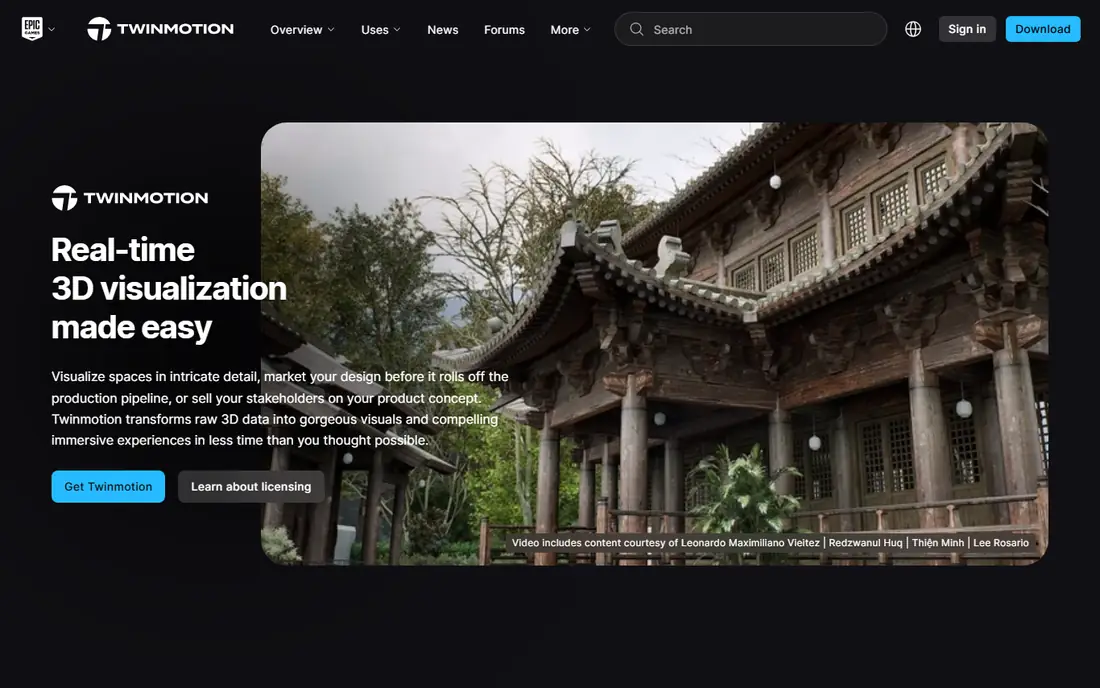
Twinmotion is the closest direct replacement for Lumion, and it is the first tool most Lumion users should test. You can import a model, add trees, people, and materials from the built-in library, set the sun and weather, and render a still or an animation in the same session. The free edition covers commercial work for firms under the revenue limit, which makes it a low-risk switch. Twinmotion lacks the deep material and light control of V-Ray, so firms that sell photoreal stills may still need a second renderer.
What we like- Free for most small firms, direct sync with Revit, SketchUp, Archicad, and Rhino, strong landscape and animation tools, built on Unreal Engine
Watch out for- Twinmotion Cloud needs a paid seat, and large or complex scenes can need a strong GPU to stay smooth in the viewport
#2Enscape
Best for: Architects who want to render inside Revit, SketchUp, Rhino, Archicad, or Vectorworks without exporting4.6/5 on
G2 (416 reviews, checked Oct 2026)
Visit chaos.com
Starting price574.80 dollars per year, Enscape Solo, 47.90 dollars per month billed annually
Free planNo permanent free plan; 14-day free trial covering Premium and Collection tiers
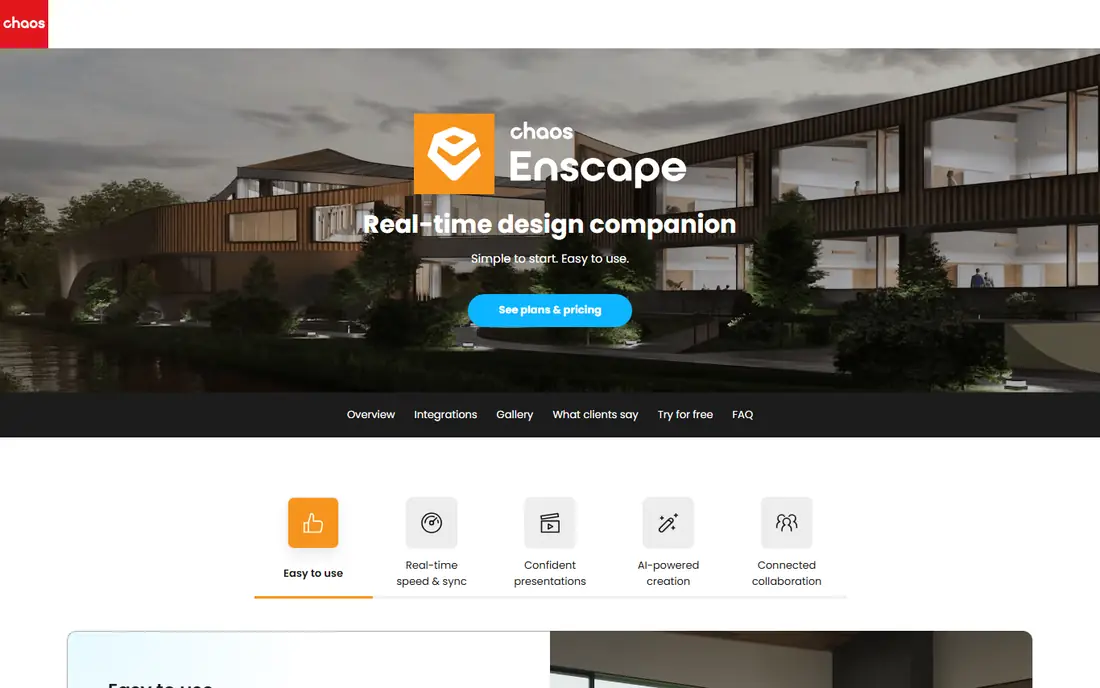
Enscape suits teams that live inside their BIM or CAD software and want rendering to feel like part of modelling, not a separate job. Once the plugin is installed, you open the Enscape window beside your model and you see the rendered view update as you move walls, change materials, or adjust the sun. That live link removes the export loop that slows many Lumion workflows. The price is higher than D5 Render Pro, and there is no free tier for ongoing commercial work, so small firms need to weigh the plugin workflow against the cost.
What we like- Live viewport inside the host app, fast to learn, Veras AI and Chaos AI credits bundled, Chaos Cloud sharing, works on Windows and Apple Silicon Mac
Watch out for- No permanent free plan, and the Solo tier has a smaller AI credit allowance and fewer assets than the higher tiers
#3V-Ray
Best for: Studios that need photoreal stills with full control over lighting, materials, and render settings4.5/5 on
G2 (241 reviews, checked Oct 2026)
Visit chaos.com
Starting price540 dollars per year, V-Ray Solo, 45 dollars per month billed annually
Free planNo permanent free plan; trial available, and student pricing is sold separately
V-Ray is the production renderer that many architecture firms turn to when a still image has to look like a photograph. It gives you control over every light, material, reflection, and shadow, and that control is why it is still the default choice for high-end marketing images. V-Ray Solo includes the rendering engine, up to 15,000 Chaos Cosmos assets, and 100 Chaos AI credits a month, and it works with most major host apps. The trade-off is time. A V-Ray scene needs careful setup, and test renders take longer than a real-time preview.
What we like- Industry standard photoreal quality, CPU, GPU, and hybrid rendering, works with many host apps, large Chaos Cosmos asset library, Chaos Cloud rendering
Watch out for- Steep learning curve, and setting up lights and materials takes far longer than in a real-time tool such as Lumion or Twinmotion
#4D5 Render
Best for: Freelancers and small studios on Windows who want real-time ray tracing at a lower price than Lumion4.8/5 on
G2 (1,094 reviews, checked Oct 2026)
Visit d5render.com
Starting price360 dollars per year, D5 Render Pro, 30 dollars per month billed annually, or 38 dollars per month billed monthly
Free planYes, Community edition free for non-commercial use, learning, personal projects, and evaluation
D5 Render is the best value paid alternative on this list, and it is the closest match to the Lumion workflow at about a third of the Lumion Pro price. It is a standalone real-time renderer with LiveSync, so model changes flow into the render view without a manual export. Pro adds commercial use, more than 16,000 assets, AI tools, and VR walkthroughs. The Community edition is useful for learning, but commercial work needs a Pro licence. The main limit is platform. D5 Render is Windows only, and it needs a ray-tracing GPU, with D5 recommending an RTX 3060 class card.
What we like- Low price for Pro, real-time ray tracing, LiveSync with major modelling tools, large asset library on Pro, built-in AI tools, VR walkthroughs
Watch out for- Windows only with no Mac version, and it needs a ray-tracing NVIDIA GPU, so it will not run well on older or integrated graphics
#5Unreal Engine
Best for: Studios that need high-end interactive walkthroughs, cinematic animation, and real-time arch-viz at the largest scale4.5/5 on
G2 (151 reviews, checked Oct 2026)
Visit unrealengine.com
Starting priceFree; 5 percent royalty on lifetime gross revenue above 1 million dollars per product for games and runtime products
Free planYes, free to download and use below the revenue thresholds, with full features included
Unreal Engine is the most powerful tool on this list, and it is also the hardest to learn. It is the engine behind Twinmotion, but it adds full control over interactivity, scripting, animation, and cinematic cameras. That makes it the right choice for interactive walkthroughs, configurators, virtual reality presentations, and film-quality arch-viz films. The licence is free to download, and games pay a 5 percent royalty only after 1 million dollars in lifetime gross revenue per product. For non-game commercial work, companies over 1 million dollars in annual revenue need Unreal Subscription seats at 1,850 dollars per seat per year. Unreal Engine suits teams with a dedicated visualisation specialist, not teams that need a render in an hour with no training.
What we like- Best in class real-time visuals, full control over lighting and interactivity, large asset marketplace, strong animation and sequencing tools
Watch out for- Steep learning curve, and non-game companies over 1 million dollars in annual revenue need paid Unreal Subscription seats at 1,850 dollars per seat per year
#6Blender
Best for: Firms and freelancers who want a free, open-source 3D suite for modelling, rendering, and animation with no licence cost4.6/5 on
G2 (319 reviews, checked Oct 2026)
Visit blender.org
Starting priceFree, open source under the GNU General Public License, with no paid edition
Free planYes, the full suite is free, including commercial use, with no seat fees and no render node limits
Blender is the only tool on this list that costs nothing and does everything, from modelling to rendering to animation, in one free application. It ships with two render engines: Cycles, a path tracer for photoreal stills, and Eevee, a real-time rasteriser for fast previews. Both use the same shader nodes, so a material built for one can often switch to the other. The trade-off is workflow. Blender has no live link to Revit and no built-in architecture asset library on the scale of Lumion.
What we like- Free for any use including commercial work, two built-in render engines in Cycles and Eevee, full modelling and animation toolset, large community and add-on library
Watch out for- No dedicated arch-viz asset library or live link to Revit, so architecture scenes need more manual setup than in Lumion or Enscape
#7OctaneRender
Best for: Artists and small studios that want GPU path tracing for stills and animation across many 3D apps4.1/5 on
G2 (11 reviews, checked Oct 2026)
Visit home.otoy.com
Starting price19.99 euros per month billed yearly, OctaneRender Studio+, 239.88 euros per year; 23.95 euros per month billed monthly
Free planYes, OctaneRender Prime free tier, with limits on use and features
OctaneRender is a GPU production renderer from OTOY, and it suits users who want path-traced quality without the per-seat cost of some rivals. Studio+ gives access to the standalone renderer and the full plugin ecosystem, with no limit on GPUs per machine, plus cloud rendering and extra tools such as MoI 3D and Cascadeur. The free Prime tier has limits, so commercial arch-viz work will usually need Studio+. OctaneRender needs a compatible GPU, and the node-based material and lighting workflow takes longer to learn than Lumion. Check GPU support for your card before you buy, since older cards may not run the current version.
What we like- Fast GPU path tracing, works as a plugin for many 3D apps including Blender, Cinema 4D, Maya, and Houdini, no GPU count limit on Studio+, cloud rendering access
Watch out for- Needs a compatible NVIDIA or Apple Metal GPU, and the plugin workflow is more technical than a standalone real-time app such as Lumion
#8KeyShot
Best for: Product designers and interior visualisers who need fast, clean stills from CAD models with little setup4.5/5 on
G2 (182 reviews, checked Oct 2026)
Visit keyshot.com
Starting price1,299 dollars per year, KeyShot Studio Professional, 108.25 dollars per user per month billed annually
Free planNo permanent free plan; 14-day free trial with full features and no credit card required
KeyShot is the most expensive tool on this list, and it earns its place because it is the fastest way to turn a CAD model into a clean, client-ready still. You import a model, apply a material, set the lighting, and render, often in minutes rather than hours. It supports more than 34 CAD formats, so it fits product design and engineering workflows where the model already exists in CAD. KeyShot Studio Professional includes the full feature set on one named seat, with real-time ray tracing and AI denoise. KeyShot is less suited to large architecture projects, since it lacks the landscape and site tools of Lumion, Twinmotion, and D5 Render.
What we like- Very fast to learn, real-time ray tracing, supports more than 34 CAD formats, strong material system, local AI tools and AI denoise, animation included
Watch out for- Highest starting price on this list, and it is built for product and interior stills rather than large architecture scenes or landscape work
Frequently asked questions
Is Twinmotion really free for commercial work?
Yes, Twinmotion is free for commercial work if you are an individual or a company with under 1 million dollars in annual gross revenue, and for students, educators, and hobbyists. Above that revenue line, or if you need Twinmotion Cloud, you need a paid seat at 445 dollars per seat per year.
Which Lumion alternative is cheapest for paid commercial use?
D5 Render Pro is the cheapest paid option on this list for commercial use, at 360 dollars per year when billed annually. Twinmotion is cheaper still if you qualify for the free edition, and Blender is free with no licence cost at all. OctaneRender Studio+ is next, at 239.88 euros per year.
Can I use Enscape or V-Ray on a Mac?
Yes, Enscape works on Apple Silicon Macs as well as on Windows, and V-Ray has Mac builds for several host apps, so check the host app you use before you buy. Twinmotion also runs on Mac. D5 Render does not, since it is Windows only and needs a ray-tracing NVIDIA GPU. Blender, Unreal Engine, OctaneRender, and KeyShot also have Mac versions, but GPU support varies by model.
Do I need a powerful GPU for these Lumion alternatives?
Yes, most of these tools need a dedicated GPU for smooth real-time work, and D5 Render and OctaneRender need a ray-tracing or compatible GPU in particular. Enscape lists a dedicated card with 4 GB of VRAM as its Windows minimum, and D5 Render recommends an RTX 3060 class card. V-Ray can render on the CPU, so it works without a strong GPU.
Should I keep Lumion and add a second tool instead of switching?
Yes, many firms keep Lumion for fast concept work and add a second tool for final stills or interactive walkthroughs. A common pair is Twinmotion for client reviews plus V-Ray for hero images. That approach costs more in licences, but it avoids a full workflow change and lets each tool do the job it does best.
Sources we checked (9)
- https://www.moldaspace.com/blog/best-lumion-alternatives
- https://www.renderahouse.com/blog/twinmotion-pricing
- https://www.chaos.com/explore-enscape-plans
- https://www.chaos.com/vray/buy-online
- https://www.d5render.com/posts/render-pricing-d5-plans
- https://www.renderahouse.com/blog/unreal-engine-pricing
- https://www.blender.org
- https://home.otoy.com/render/octane-render/purchase/
- https://www.keyshot.com/pricing/
Is your product missing or out of date?
We review this list regularly. Vendors can request a listing, send updated pricing or ask about featured placement.

Shihab Mia · Founder, Rankite
Shihab has 5+ years in B2B and SaaS SEO. He writes Rankite's software buying guides from pricing pages, documentation and public user reviews. More about Shihab.