How we make this list: we compare pricing pages, product documentation and public user reviews. Ratings come from G2, Capterra or Trustpilot, with the date we checked them.
What is Lightworks and why look for an alternative
Lightworks is a long running non linear video editor with a history in film and television. It offers a free version alongside a paid Pro plan, and it runs on Windows, macOS and Linux. The free version is a genuine editor rather than a demo, yet it caps exports at 1080p, which limits creators who need 4K delivery. Lightworks Pro is reported at $27.99 per month in third party listings, so confirm at checkout, since the official pricing page at https://lwks.com/pricing does not expose a dollar figure in a text fetch, and other sources quote $23.99 per month.
The other reason is fit. Lightworks has a distinctive timeline and workflow that some editors love and others find awkward. Its effects library and title tools are thinner than those of larger rivals, and its free export cap pushes anyone shooting in 4K toward a paid plan or a different editor.
How do you pick the right Lightworks alternative
Start with your budget and your delivery format. If you need 4K exports without paying, a free editor that allows them is the obvious pick. If you work on client projects, look for reliable performance and strong colour grading and audio tools. A one time purchase suits editors who dislike subscriptions.
Next, weigh your skill level against the learning curve. Professional suites such as DaVinci Resolve and Adobe Premiere Pro reward time invested with deep control, yet they ask for a capable computer and patience. Simpler editors such as OpenShot and Filmora get a beginner cutting within an hour. Match the tool to the work you actually do. A YouTuber publishing weekly needs speed and templates, while a documentary editor needs stable multi track performance and precise audio. Check the operating system too, since VSDC runs on Windows only, while Shotcut, Kdenlive and OpenShot run on Windows, macOS and Linux. Test the free version or trial before paying, and confirm the current price on the vendor site before buying.
The 8 best Lightworks alternatives at a glance
| Tool |
Best for |
Starting price |
Free plan |
| DaVinci Resolve |
Professional all in one editing, colour grading and audio finishing |
$0 free, Studio $295 one-time |
Yes, full editor capped at Ultra HD 3840x2160 at 60fps |
| Shotcut |
Free cross platform editing for hobbyists and YouTubers |
$0, free and open source |
Yes, fully free |
| Kdenlive |
Capable free multi track editing with keyframeable effects |
$0, free and open source |
Yes, fully free |
| OpenShot |
Beginner friendly free editing for simple projects |
$0, free and open source |
Yes, fully free |
| Filmora |
Beginner friendly editing for YouTubers and social creators |
$49.99 per year |
Yes, with watermark on exports |
| Adobe Premiere Pro |
Industry standard professional editing for film, TV and agency work |
$22.99 per month |
No, 7 day free trial only |
| VSDC Free Video Editor |
Free Windows only non linear editing for budget conscious creators |
$0 free, Pro $19.99 per year |
Yes, no watermark and no time limit |
| CapCut |
Short form social video with fast templates and auto captions |
$0 free, Pro $19.99 per month |
Yes |
Quick comparison
| Tool | Best for | Starting price | Free plan |
|---|
 DaVinci Resolve | Professional all in one editing, colour grading and audio finishing. | Free version $0, Studio $295 one-time, currently $236 on a 20 percent sale until 20 Nov 2026, quote $295 standard. | Yes. The free version is a full editor capped at Ultra HD 3840x2160 at 60fps, with no watermark. |
 Shotcut | Free cross platform editing for hobbyists and YouTubers who need wide format support through FFmpeg and native 4K editing at no cost. | $0, free and open source under GPLv3, no paid tier. | Yes, fully free with no paid tier. |
 Kdenlive | Capable free multi track editing with keyframeable effects and proxy editing. | $0, free and open source under GPLv3, no paid tier. | Yes, fully free with no paid tier. |
 OpenShot | Beginner friendly free editing for simple YouTube and school projects. | $0, free and open source under GPLv3. | Yes, fully free. |
 Filmora | Beginner friendly editing for YouTubers and social creators who want templates, effects, captions and AI tools in a simple timeline. | Basic $49.99 per year, Advanced $59.99 per year, Perpetual $79.99 one-time for Filmora 16 only. | Yes, but every export carries a watermark. |
 Adobe Premiere Pro | Industry standard professional editing for film, TV and agency work. | $22.99 per month for the single app on an annual plan billed monthly. | No free plan, only a 7 day free trial. |
 VSDC Free Video Editor | Free Windows only non linear editing for budget conscious creators who want 4K support, colour correction and many effects without paying. | Free version $0, VSDC Pro $19.99 per year. | Yes. The free version has no watermark and no time limit. |
 CapCut | Short form social video creators who want fast templates and auto captions. | Free plan $0, Pro $19.99 per month or $179.99 per year. | Yes, free plan with templates, effects and auto captions. |
Is your product missing or out of date?
We review this list regularly. Vendors can request a listing, send updated pricing or ask about featured placement.
The 8 best Lightworks alternatives
#1DaVinci Resolve
Best for: Professional all in one editing, colour grading and audio finishing.4.7/5 on
G2 (221 reviews, checked Oct 2026)
Visit blackmagicdesign.com
Starting priceFree version $0, Studio $295 one-time, currently $236 on a 20 percent sale until 20 Nov 2026, quote $295 standard.
Free planYes. The free version is a full editor capped at Ultra HD 3840x2160 at 60fps, with no watermark.
DaVinci Resolve is the strongest direct replacement for Lightworks if you want professional depth without a monthly subscription. The free version covers editing, colour, visual effects and audio in a single download, and it exports up to Ultra HD 3840x2160 at 60fps with no watermark, which already beats the Lightworks free export cap. Its colour grading tools are among the best available at this price, and the Fairlight audio page handles mixing without a separate app. Studio adds AI tools, noise reduction, 10-bit codec support and output above 4K/60fps for a one time payment of $295, currently $236 on a 20 percent sale until 20 Nov 2026. The trade off is hardware and time: Resolve runs best on a machine with a strong graphics card, and its interface takes longer to learn than a simple consumer editor.
What we like- Full professional editor, colour grading and Fairlight audio in one app
- Free version has no watermark
- Studio is a one time purchase, not a subscription.
Watch out for- Steep learning curve and needs a powerful computer with a strong graphics card. The free version locks AI tools such as noise reduction, 10-bit codecs and output above 4K/60fps behind Studio.
#2Shotcut
Best for: Free cross platform editing for hobbyists and YouTubers who need wide format support through FFmpeg and native 4K editing at no cost.4.2/5 on
G2 (42 reviews, checked Oct 2026)
Visit shotcut.org
Starting price$0, free and open source under GPLv3, no paid tier.
Free planYes, fully free with no paid tier.
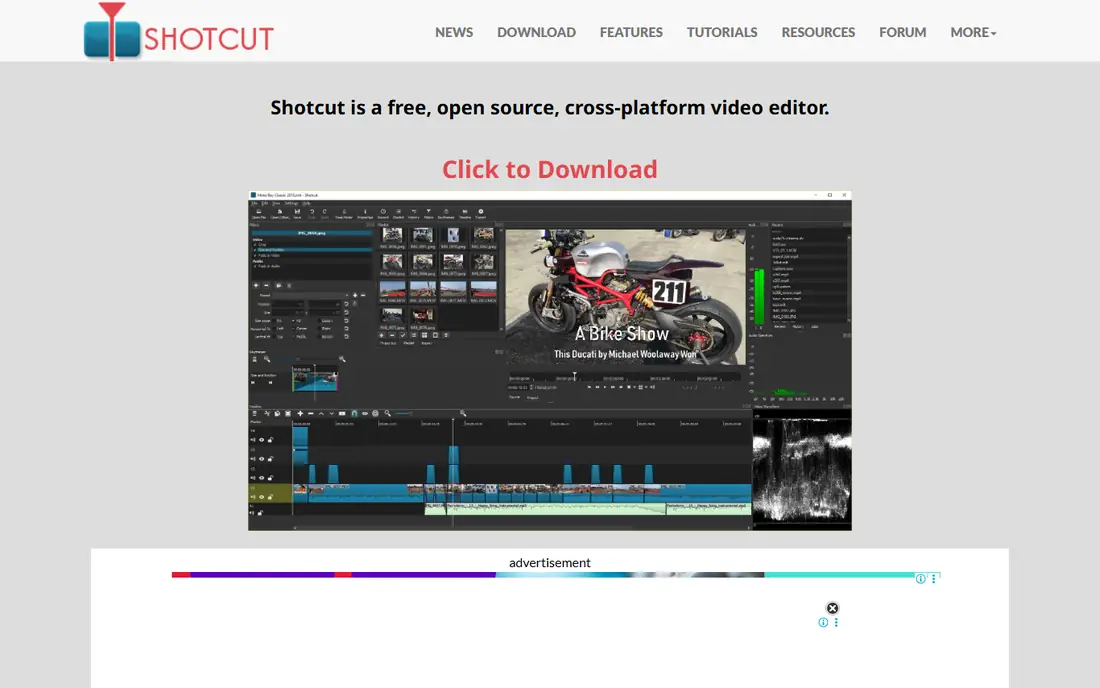
Shotcut is a free and open source editor that gives Lightworks users a no cost route to 4K exports. Built on FFmpeg, it opens almost any video format without conversion, and it edits natively in 4K with no watermark and no export cap. The timeline supports multiple tracks, filters, keyframes and transitions, and the app runs on Windows, macOS and Linux. There is no paid tier, so every feature is available from the first install. The cost of that freedom is polish. Shotcut can crash or lag when a project grows complex, and it has no built in templates or AI features. Its panel based interface looks dated next to Filmora or CapCut, and new users need time to learn where each tool lives.
What we like- Completely free with no watermark or export limits
- Runs on Windows, macOS and Linux
- Supports a wide range of formats through FFmpeg and edits natively in 4K.
Watch out for- It can crash or lag on complex projects, it has no built in templates and no AI features, and its panel based interface looks dated and takes learning.
#3Kdenlive
Best for: Capable free multi track editing with keyframeable effects and proxy editing.
Visit kdenlive.org
Starting price$0, free and open source under GPLv3, no paid tier.
Free planYes, fully free with no paid tier.
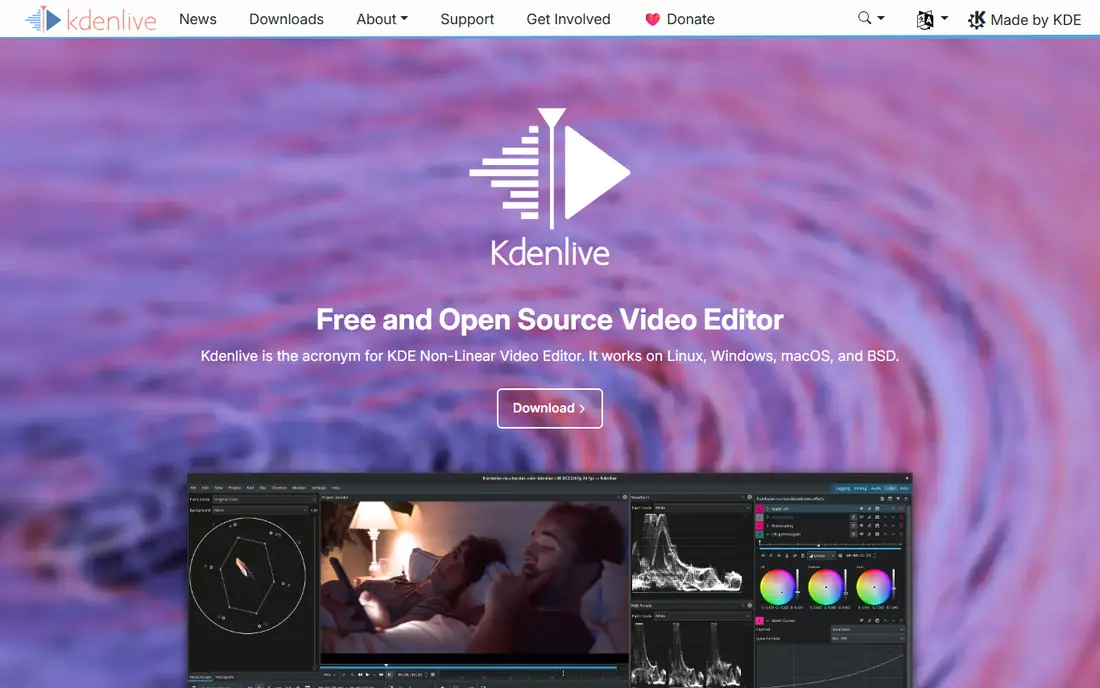
Kdenlive is another free and open source editor, and it sits a step above Shotcut for editors who want more control over effects and titles. Its multi track timeline supports keyframeable effects, so you can animate filters, transforms and opacity over time. Proxy editing creates lightweight stand ins for heavy footage, which keeps playback smooth on modest hardware. Kdenlive runs on Windows, macOS and Linux, and it costs nothing, with no watermark and no paid tier waiting behind a paywall. The main weakness is stability. Users report occasional crashes during long sessions or large multi track projects, so saving often is a habit worth building. Its effects and title tools can also feel confusing next to the guided interfaces of paid editors.
What we like- Free multi track editing with keyframeable effects
- Proxy editing keeps large projects smooth
- Runs on Windows, macOS and Linux.
Watch out for- Users report occasional crashes during long sessions or large multi track projects, and its effects and title tools can feel confusing compared with paid editors.
#4OpenShot
Best for: Beginner friendly free editing for simple YouTube and school projects.4.5/5 on
G2 (31 reviews, checked Oct 2026)
Visit openshot.org
Starting price$0, free and open source under GPLv3.
Free planYes, fully free.
OpenShot is the easiest free editor on this list to learn, which makes it a good first step away from Lightworks for casual creators. Its interface is clean and uncluttered, with a timeline, a preview window and a simple effects panel. Trimming clips, adding titles, transitions and a soundtrack takes minutes to learn, and the app is free with no watermark on exports. It runs on Windows, macOS and Linux. OpenShot suits simple YouTube videos, school projects and family films, where the goal is a finished video rather than a polished grade. Its limits show on bigger jobs. Performance can be slow and the app can crash on large or high resolution projects, and its colour and audio tools are basic compared with Resolve and Kdenlive.
What we like- Simple interface that beginners can learn quickly
- Free with no watermark
- Runs on Windows, macOS and Linux.
Watch out for- Known for slow performance and occasional crashes on large or high resolution projects, and it trails Resolve and Kdenlive on advanced colour and audio tools.
#5Filmora
Best for: Beginner friendly editing for YouTubers and social creators who want templates, effects, captions and AI tools in a simple timeline.4.4/5 on
G2 (613 reviews, checked Oct 2026)
Visit filmora.wondershare.com
Starting priceBasic $49.99 per year, Advanced $59.99 per year, Perpetual $79.99 one-time for Filmora 16 only.
Free planYes, but every export carries a watermark.
Filmora is built for creators who want a finished looking video quickly, and it is the most template driven editor on this list. Its timeline is simple, yet it ships with a large library of effects, titles, transitions and stock media, plus AI tools for auto captions, background removal and audio cleanup. A YouTuber can go from raw clips to a published video in an evening, and the learning curve is gentle. Pricing starts at $49.99 per year for Basic, $59.99 per year for Advanced, and $79.99 one time for a Perpetual license covering Filmora 16 only. A free version exists for testing, but every export from it carries a watermark. The catches are worth noting before paying. Basic includes no monthly AI credits, so the AI features that make Filmora attractive cost extra at that tier, and the Perpetual license covers one platform and Filmora 16 only.
What we like- Simple timeline with a large library of templates, effects and titles
- AI tools for captions, background removal and audio
- Works on Windows and macOS.
Watch out for- The free version watermarks all exports, Basic includes no monthly AI credits, and the Perpetual license covers one platform and Filmora 16 only.
#6Adobe Premiere Pro
Best for: Industry standard professional editing for film, TV and agency work.4.5/5 on
G2 (1,675 reviews, checked Oct 2026)
Visit adobe.com
Starting price$22.99 per month for the single app on an annual plan billed monthly.
Free planNo free plan, only a 7 day free trial.
Adobe Premiere Pro is the industry standard editor, and that status is its main selling point. If you work in film, television or an agency, clients and collaborators are likely to expect Premiere Pro project files, and its integration with After Effects, Audition and Photoshop keeps a whole workflow inside one ecosystem. The plugin library is the largest of any editor, and the tutorial base is deep enough to answer almost any question. Pricing starts at $22.99 per month for the single app on an annual plan billed monthly, with a 7 day free trial and no free plan. The subscription model is also its biggest drawback. There is no perpetual license, so the cost never ends, and cancelling an annual plan early can trigger a fee equal to 50 percent of the remaining contract. Recent versions also draw frequent user reports of crashes on complex projects, so editors on demanding timelines should test it on their own hardware first.
What we like- Industry standard with the widest plugin and integration ecosystem
- Strong collaboration tools through Adobe Creative Cloud
- Frequent updates and a huge tutorial library.
Watch out for- Subscription only with no perpetual license, cancelling an annual plan early can trigger a fee equal to 50 percent of the remaining contract, and recent versions draw frequent user reports of crashes on complex projects.
#7VSDC Free Video Editor
Best for: Free Windows only non linear editing for budget conscious creators who want 4K support, colour correction and many effects without paying.4.2/5 on
G2 (55 reviews, checked Oct 2026)
Visit videosoftdev.com
Starting priceFree version $0, VSDC Pro $19.99 per year.
Free planYes. The free version has no watermark and no time limit.
VSDC is the best free option on this list for Windows users who want 4K exports without paying anything. The free version has no watermark and no time limit, and it supports 4K export, colour correction, chroma key and a wide range of effects and transitions. Its system requirements are modest for a non linear editor, so it runs well on older or budget hardware. VSDC Pro costs $19.99 per year and adds hardware acceleration, video stabilization, motion tracking and masking. The main drawback is the interface, which is dense and dated, with a steep learning curve that can put off new users. It is also Windows only, so macOS and Linux editors need to look elsewhere.
What we like- Free version exports in 4K with no watermark and no time limit
- Includes colour correction, chroma key and many effects
- Low system requirements for a non linear editor.
Watch out for- Windows only, its interface is dense and dated with a steep learning curve, and hardware acceleration, video stabilization, motion tracking and masking are locked behind Pro.
#8CapCut
Best for: Short form social video creators who want fast templates and auto captions.1.2/5 on
Trustpilot (1,347 reviews, checked Oct 2026)
Visit capcut.com
Starting priceFree plan $0, Pro $19.99 per month or $179.99 per year.
Free planYes, free plan with templates, effects and auto captions.
CapCut is the fastest editor on this list for short form social video, and it is the natural choice if your main output is TikTok, Reels or Shorts. Its templates, auto captions and trending effects let you turn raw clips into a finished vertical video in minutes, and the same project can move between desktop, web and mobile. The free plan covers templates, effects and auto captions, while Pro costs $19.99 per month or $179.99 per year and unlocks the full AI toolset. The limit to watch is the credit pool. Pro AI tools run on a capped monthly pool of 1,200 credits, so heavy AI use can run out before the month ends.
What we like- Very fast for short form video, with templates, auto captions and trending effects
- Works on desktop, web and mobile
- Easy to learn.
Watch out for- Pro AI tools run on a capped monthly credit pool of 1,200 credits, and there is no perpetual license.
Which Lightworks alternative should you choose
The right pick depends on the work you do most. Choose DaVinci Resolve if you want the most capable free editor and a one time Studio purchase, and you have a computer strong enough to run it. Choose Shotcut or Kdenlive if you want a free open source editor with 4K exports and no subscription. Choose OpenShot if you are a beginner who wants the simplest free editor for short projects. Choose Filmora if you publish often on YouTube or social media and want templates and AI tools in a simple timeline. Choose Adobe Premiere Pro if you work with clients who expect industry standard project files. Choose VSDC if you edit on Windows and want free 4K exports with no watermark. Choose CapCut if your videos are short form and live on TikTok, Reels or Shorts.
Frequently asked questions
Is DaVinci Resolve really free?
Yes. DaVinci Resolve has a free version that costs $0 and includes editing, colour grading, visual effects and Fairlight audio, with exports up to Ultra HD 3840x2160 at 60fps and no watermark. The paid Studio version costs $295 one time, currently $236 on a 20 percent sale until 20 Nov 2026, and adds AI tools, noise reduction, 10-bit codec support and output above 4K/60fps.
Which Lightworks alternative is best for free 4K editing?
DaVinci Resolve, Shotcut, Kdenlive and VSDC all export in 4K for free. DaVinci Resolve is the most capable of the four, with professional colour and audio tools, but it needs a strong computer. Shotcut and Kdenlive are free and open source and run on Windows, macOS and Linux. VSDC is free with no watermark, but it runs on Windows only.
Can I use a Lightworks alternative without a subscription?
Yes. DaVinci Resolve Studio is a one time purchase of $295, currently $236 on sale, and Filmora offers a Perpetual license at $79.99 one time for Filmora 16 only. Shotcut, Kdenlive, OpenShot and the free version of VSDC cost nothing at all. Only Adobe Premiere Pro and CapCut Pro are subscription only, with no perpetual license available.
What happened to HitFilm?
HitFilm was discontinued in January 2025. The FXhome site is shut down and the activation servers are offline, so there is no live price or download. Existing users cannot activate new installs. If you were using HitFilm, DaVinci Resolve is the closest free replacement, since it covers editing, colour, effects and audio in one app with no watermark on the free version.
Which Lightworks alternative is easiest for beginners?
OpenShot is the easiest free editor on this list, with a clean interface and a short learning curve for simple projects. Filmora is the easiest paid option, with templates, effects and AI tools that speed up editing, starting at $49.99 per year. CapCut is the easiest choice for short form social video, with templates and auto captions that turn clips into finished videos in minutes.
Sources we checked (9)
- https://www.blackmagicdesign.com/products/davinciresolve
- https://shotcut.org
- https://kdenlive.org
- https://www.openshot.org/
- https://filmora.wondershare.com/
- https://www.adobe.com/products/premierepro.html
- https://www.videosoftdev.com/free-video-editor
- https://www.capcut.com
- https://lwks.com/pricing
Is your product missing or out of date?
We review this list regularly. Vendors can request a listing, send updated pricing or ask about featured placement.

Shihab Mia · Founder, Rankite
Shihab has 5+ years in B2B and SaaS SEO. He writes Rankite's software buying guides from pricing pages, documentation and public user reviews. More about Shihab.