How we make this list: we compare pricing pages, product documentation and public user reviews. Ratings come from G2, Capterra or Trustpilot, with the date we checked them.
What does Krisp cost in 2026 and what changed with the free plan
Krisp Meeting AI Core costs $8 per user per month billed annually, or $16 per user per month billed monthly. Advanced costs $15 per user per month billed annually, or $30 per user per month billed monthly. Enterprise is custom priced. All paid plans start with a 7 day free trial, and no credit card is required for the trial. There is no permanent free plan anymore. The old free tier, which gave 60 minutes per day of noise cancellation, was retired in 2026, and plans changed on 1 November 2026. If you only need occasional noise removal, a free tool may cover you. If you take calls all day, a one time purchase can cost far less over a year.
Which Krisp alternative is best for live calls
The best live call alternative depends on your computer and your meeting app. NVIDIA Broadcast is the strongest free live option if you have a Windows computer with a supported RTX graphics card, because it cleans your microphone in real time on Zoom, Teams, and Meet. Noise Blocker is the best one time purchase for Windows users who want a simple live filter without a subscription. Iris Clarity, sold as IRIS Clarity, is built for contact centres and live agents, so it fits a support team better than a single home user. SoliCall Pro is also aimed at companies, with a minimum purchase of 20 licences. Adobe Podcast Enhance, Descript, and Auphonic cannot help live calls, since they clean audio after recording ends.
Which Krisp alternative is best for recorded audio and podcasts
Recorded audio needs a different tool from live calls. Adobe Podcast Enhance is the best free starting point for spoken audio, because it can turn a rough phone recording into clean speech in a few minutes, with a free plan for audio up to 30 minutes. Descript is the best pick if you also want to edit the recording by editing a transcript, since it combines audio cleanup with text based editing, captions, and publishing tools. Auphonic is the best pick for podcasters who publish on a regular schedule, because it handles loudness, levelling, noise reduction, and chapter marks in one pass.
Check five things before you switch. First, decide if you need live cleanup or post recording cleanup, because no tool in this list does both well. Second, check your operating system. NVIDIA Broadcast, Noise Blocker, and SoliCall Pro are Windows only, while Adobe Podcast Enhance, Descript, and Auphonic run in a browser or on Mac and Windows. Third, check your hardware. NVIDIA Broadcast needs a GeForce RTX 2060, Quadro RTX 3000, TITAN RTX or higher, and NoiseGator needs Java plus a separate virtual audio cable. Fourth, check the price model. Noise Blocker charges $50 once, and Iris Clarity and SoliCall Pro are quote only. Fifth, test with your real microphone and your real room noise before you pay.
Quick comparison
| Tool | Best for | Starting price | Free plan |
|---|
 NVIDIA Broadcast | Windows users with an RTX graphics card who want free live noise removal on every call | $0, free with no paid plan; the cost is the RTX graphics card, checked November 2026 | Yes, free, full app, no trial needed |
 Adobe Podcast Enhance | Podcasters and creators who want to clean a recorded voice file with one click | $0 free, then Firefly Pro at $19.99 per month for paid Enhance limits, checked November 2026 | Yes, free plan for audio only, files up to 30 minutes and 500 MB, 1 hour per day; Firefly Pro has a free trial |
 Descript | Creators who want to edit audio and video by editing a transcript | $16 per user per month billed annually, or $24 per user per month billed monthly, for Hobbyist, checked November 2026 | Yes, free plan at $0 with 1 media hour per month, 100 one-time AI credits and 720p watermarked export |
 Auphonic | Podcasters who want consistent loudness, levelling, and noise reduction on finished episodes | $13 per month for the recurring S plan, or $11 per month billed annually, for 9 hours per month; one-time credits from $12 for 5 hours, checked November 2026 | Yes, free plan with 2 hours per month |
 Iris | Contact centres and support teams who need live voice clarity for agents | Quote only, the vendor page shows no self-serve price; G2 vendor-supplied figures are 9.50 pounds per user per month billed monthly and 6.50 pounds on the annual plan, checked November 2026 | No permanent free plan; 30-day free trial per the Talkdesk listing |
 Noise Blocker | Windows users who want a one time purchase for live microphone filtering | $50 one-time for a single-user licence, including 12 months of updates and priority support, checked November 2026 | Free for 30 minutes per week, no email required; no permanent free plan |
 SoliCall Pro | Companies that need live noise reduction across a whole team of Windows users | Quote only, the vendor site lists no price, checked November 2026 | No free plan; 3-day evaluation only |
 NoiseGator | Windows users who want a free noise gate and do not mind old, manual software | $0, free and open source | Yes, free, full app, no trial needed |
Is your product missing or out of date?
We review this list regularly. Vendors can request a listing, send updated pricing or ask about featured placement.
The 8 best Krisp alternatives
#1
NVIDIA Broadcast
Best for: Windows users with an RTX graphics card who want free live noise removal on every call
Visit nvidia.com
Starting price$0, free with no paid plan; the cost is the RTX graphics card, checked November 2026
Free planYes, free, full app, no trial needed
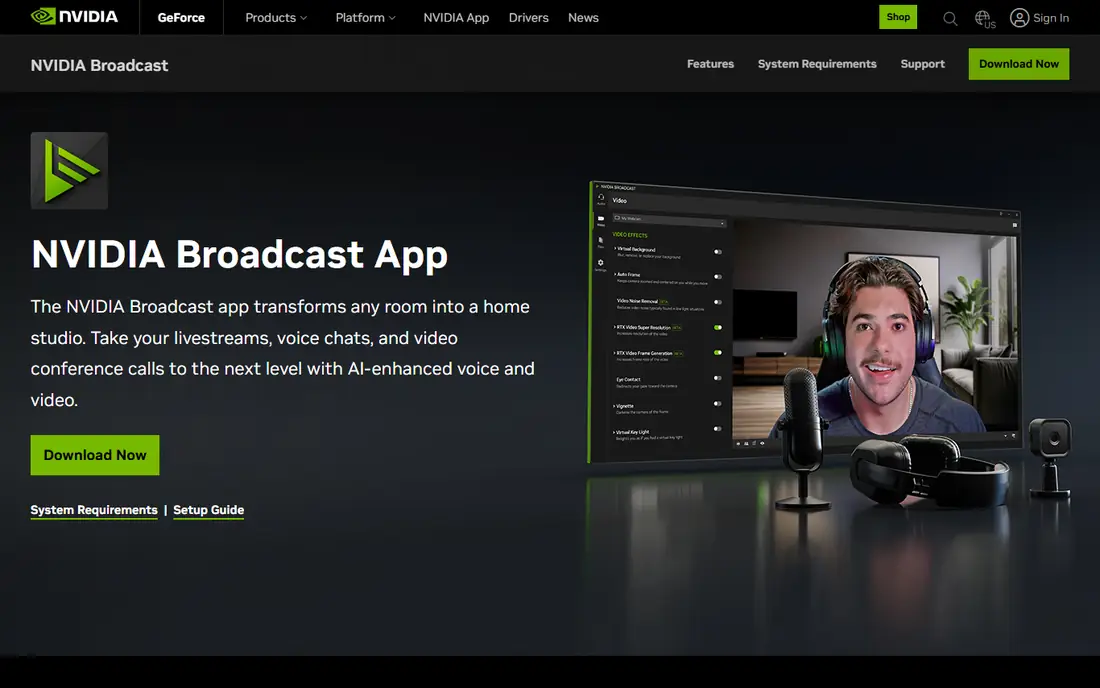
NVIDIA Broadcast is the closest free replacement for Krisp for many Windows users, and it costs nothing beyond the graphics card you already own. It sits between your microphone and your meeting app, so it cleans your voice in real time on Zoom, Microsoft Teams, Google Meet, and Discord. The limit is hardware. It does not run on Mac, on older GTX cards, or on AMD or Intel graphics.
What we like- Free with no subscription or account limit. Works live with Zoom, Teams, Meet, and other call apps. Also blurs backgrounds and keeps eye contact centred. Runs locally on your own graphics card.
Watch out for- Windows only, and it needs a GeForce RTX 2060, Quadro RTX 3000, TITAN RTX or higher
- No Mac, and no GTX, AMD or Intel support.
#2
Adobe Podcast Enhance
Best for: Podcasters and creators who want to clean a recorded voice file with one click
Visit podcast.adobe.com
Starting price$0 free, then Firefly Pro at $19.99 per month for paid Enhance limits, checked November 2026
Free planYes, free plan for audio only, files up to 30 minutes and 500 MB, 1 hour per day; Firefly Pro has a free trial
Adobe Podcast Enhance is the simplest way to fix a bad recording after the fact. You upload an audio file, and the tool removes room echo, background hiss, and uneven volume, leaving speech that sounds close to a studio recording. The free plan covers audio files up to 30 minutes and 500 MB, with 1 hour per day. Paid limits come through Firefly Pro at $19.99 per month. Note that the older Adobe Podcast Premium plan at $9.99 per month stopped for new buyers on 30 August 2026.
What we like- Very strong speech cleanup from a single upload. Free plan covers short audio files. Part of the wider Adobe Podcast studio with recording and editing tools. No install needed for the web tool.
Watch out for- Post-processing only, not live call noise cancellation
- The free plan has no video, no bulk upload and no strength control.
#3Descript
Best for: Creators who want to edit audio and video by editing a transcript4.6/5 on
G2 (928 reviews, checked Oct 2026)
Visit descript.com
Starting price$16 per user per month billed annually, or $24 per user per month billed monthly, for Hobbyist, checked November 2026
Free planYes, free plan at $0 with 1 media hour per month, 100 one-time AI credits and 720p watermarked export
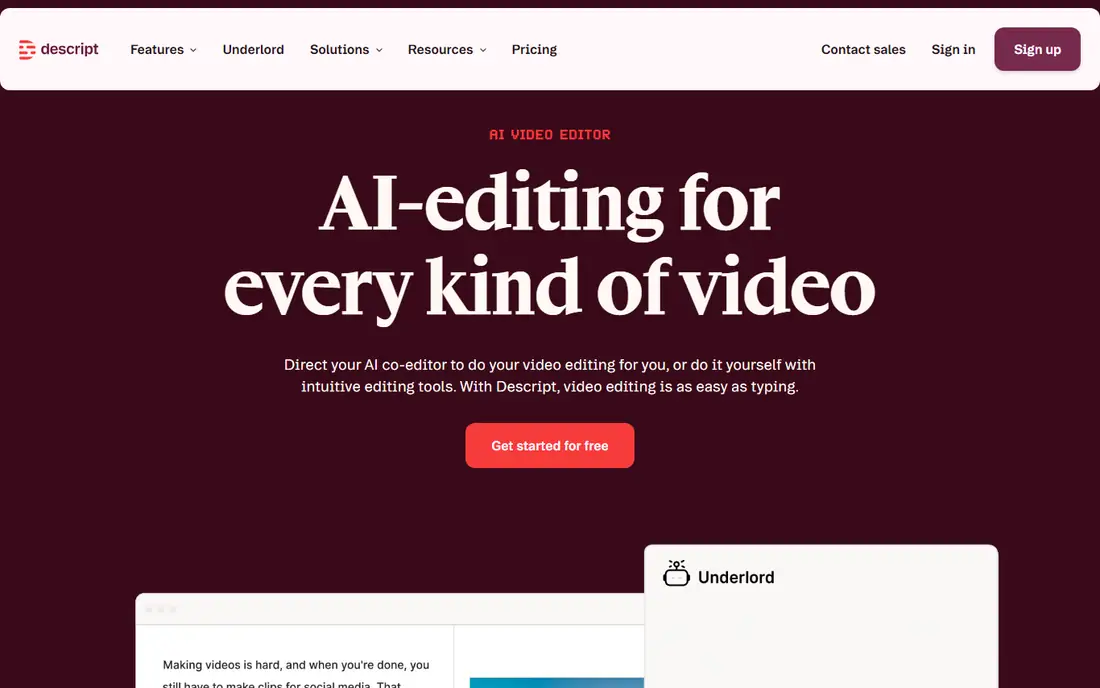
Descript is a full audio and video editor that treats your recording as a text document. When you delete a sentence in the transcript, Descript deletes the matching audio, which makes editing far faster than cutting on a waveform. Studio Sound is the feature that matters for Krisp users, since it removes background noise and room echo from a recording. The main warning is the credit system. Media hours and AI credits are separate meters, and Hobbyist cannot buy top-ups.
What we like- Text based editing makes cutting filler words and mistakes fast. Studio Sound cleans noisy recordings. Screen recording, captions, and publishing are built in. Works on Mac and Windows.
Watch out for- Two separate meters, media hours plus AI credits, and Hobbyist cannot buy top-ups, so credits can run out fast
- Also post-production, not live call cleanup.
#4Auphonic
Best for: Podcasters who want consistent loudness, levelling, and noise reduction on finished episodes4.2/5 on
G2 (10 reviews, checked Oct 2026)
Visit auphonic.com
Starting price$13 per month for the recurring S plan, or $11 per month billed annually, for 9 hours per month; one-time credits from $12 for 5 hours, checked November 2026
Free planYes, free plan with 2 hours per month
Auphonic is a post production service built for podcasters who want a finished episode that sounds the same every week. You upload the audio, and Auphonic applies loudness normalisation, levelling between speakers, noise reduction, and hum removal, then adds chapter marks and metadata. The recurring S plan costs $13 per month, or $11 per month billed annually, for 9 hours per month, and one time credits start at $12 for 5 hours. The free plan gives 2 hours per month.
What we like- Automatic loudness, levelling, noise and hum reduction in one pass. Chapter marks, metadata, and publishing to hosts. One time credits suit irregular publishers. Works in a browser with no install.
Watch out for- Free productions include an Auphonic jingle, and recurring credits do not roll over
- Post-processing only, not live calls.
#5
Iris
Best for: Contact centres and support teams who need live voice clarity for agents
Visit iris.audio
Starting priceQuote only, the vendor page shows no self-serve price; G2 vendor-supplied figures are 9.50 pounds per user per month billed monthly and 6.50 pounds on the annual plan, checked November 2026
Free planNo permanent free plan; 30-day free trial per the Talkdesk listing
Iris Clarity, sold as IRIS Clarity, is a live noise cancellation product for contact centres, not a consumer microphone app. The vendor site at iris.audio/clarity shows no self-serve price, so buyers need a quote. G2 vendor-supplied figures are 9.50 pounds per user per month billed monthly and 6.50 pounds on the annual plan, checked November 2026. Do not confuse this product with iris.fm, which is a different product, a browser podcast recording service, with its own pricing.
What we like- Built for live agent calls with real time voice isolation. Integrates with contact centre platforms such as Talkdesk. Aims to cut background noise on both sides of a call. Trial lets a team test it on real calls.
Watch out for- Contact-centre focused and priced per user, so it is poor value for a single home user who only wants microphone cleanup.
#6
Noise Blocker
Best for: Windows users who want a one time purchase for live microphone filtering
Visit closedlooplabs.com
Starting price$50 one-time for a single-user licence, including 12 months of updates and priority support, checked November 2026
Free planFree for 30 minutes per week, no email required; no permanent free plan
Noise Blocker is a simple live microphone filter for Windows users who do not want another subscription. You set a noise threshold, and the app blocks sounds below that level, such as keyboard typing, fans, and household noise, while letting your voice through to Zoom, Teams, or Meet. A single user licence costs $50 one time, including 12 months of updates and priority support, checked November 2026.
What we like- One time payment with no monthly bill. Simple live filter that works with most meeting apps. Free weekly use with no email required. Light on system resources.
Watch out for- Windows 10 and 11 only, no Mac, and updates stop after 12 months unless renewed.
#7
SoliCall Pro
Best for: Companies that need live noise reduction across a whole team of Windows users
Visit solicall.com
Starting priceQuote only, the vendor site lists no price, checked November 2026
Free planNo free plan; 3-day evaluation only
SoliCall Pro is a business tool for live call quality, not a consumer app. It adds noise reduction and echo cancellation to VoIP calls, and it is sold to companies that run phone systems or call centres on Windows. The vendor site lists no price, so every buyer needs a quote, and the minimum purchase is 20 licences. There is no free plan, only a 3-day evaluation.
What we like- Live noise reduction and echo cancellation for VoIP calls. Built for business phone systems and call centres. Can be deployed across many seats at once. Works with common softphones.
Watch out for- Windows only, with a minimum purchase of 20 licences and no self-serve price, so it is aimed at companies, not individual buyers.
#8
NoiseGator
Best for: Windows users who want a free noise gate and do not mind old, manual software
Visit sourceforge.net
Starting price$0, free and open source
Free planYes, free, full app, no trial needed
NoiseGator is a free, open source noise gate for Windows, hosted on SourceForge. It is not a modern AI tool. It watches your microphone level and blocks sound below a threshold you set, then passes louder sound through to your call app through a virtual audio cable. The project is abandoned, with the last release in 2014 or 2015, so there are no updates or support.
What we like- Free and open source with no account or payment. Simple noise gate that cuts sound below a set level. Light download with no subscription. Works with a virtual audio cable and most call apps.
Watch out for- Abandoned, with the last release in 2014 or 2015
- It needs Java plus a separate virtual audio cable, and it is a simple noise gate, not AI suppression, so it can clip speech.
How the 8 Krisp alternatives compare on price
| Tool |
Starting price |
Free plan |
| NVIDIA Broadcast |
$0, free with no paid plan |
Yes, free, full app |
| Adobe Podcast Enhance |
$0 free, then Firefly Pro at $19.99 per month |
Yes, free plan for audio only |
| Descript |
$16 per user per month billed annually |
Yes, free plan at $0 |
| Auphonic |
$13 per month for the recurring S plan |
Yes, free plan with 2 hours per month |
| Iris |
Quote only, G2 figures 9.50 pounds per user per month billed monthly |
No, 30-day free trial |
| Noise Blocker |
$50 one-time for a single-user licence |
Free for 30 minutes per week |
| SoliCall Pro |
Quote only, vendor site lists no price |
No, 3-day evaluation only |
| NoiseGator |
$0, free and open source |
Yes, free, full app |
Prices were checked against vendor pricing pages and vendor-supplied listings in November 2026. Quote only tools have no self-serve price to list, so confirm the quote before you budget for them.
Which Krisp alternative should you pick
Pick NVIDIA Broadcast if you have a supported RTX card and want free live noise removal on Windows. Pick Noise Blocker if you want a one time purchase for live calls and you use Windows 10 or 11. Pick Adobe Podcast Enhance if you record podcasts or interviews and need a quick post recording fix. Pick Descript if you also need to edit the recording. Pick Auphonic if you publish episodes on a schedule and want consistent loudness and levelling. Pick Iris Clarity if you run a contact centre and need live clarity for agents. Pick SoliCall Pro only if you are buying for a company with at least 20 Windows seats. Pick NoiseGator only as a free experiment, since it is old, manual, and can clip speech.
Frequently asked questions
Is Krisp still free in 2026
No. Krisp no longer offers a permanent free plan. The old free tier of 60 minutes per day was retired in 2026, and plans changed on 1 November 2026. Paid plans now start with a 7-day free trial, and Core costs $8 per user per month billed annually, or $16 billed monthly. If you need a free live tool, NVIDIA Broadcast is the closest free pick for supported Windows computers.
What is the best free Krisp alternative
NVIDIA Broadcast is the best free Krisp alternative for live calls, if you have a Windows computer with a supported RTX graphics card. It is free, with no paid plan, and it works live with Zoom, Teams, Meet, and other call apps. For recorded audio, Adobe Podcast Enhance is the best free pick, with a free plan for audio files up to 30 minutes.
Can any Krisp alternative clean audio during a live call
Yes. NVIDIA Broadcast, Noise Blocker, Iris Clarity, SoliCall Pro, and NoiseGator all work live, with different limits. NVIDIA Broadcast and Noise Blocker are the best live picks for home users. Iris Clarity and SoliCall Pro are aimed at companies and contact centres. Adobe Podcast Enhance, Descript, and Auphonic do not work live, since they clean audio after recording ends.
Which Krisp alternative is best for podcasts
Adobe Podcast Enhance is best for a quick fix to a single recording, Descript is best if you also need to edit the show, and Auphonic is best if you publish on a schedule and want consistent loudness and levelling. All three are post-processing tools, so they work on the recorded file rather than on a live call. Test each one with a real episode file before you pay.
Do I need to pay monthly for a Krisp alternative
No. NVIDIA Broadcast and NoiseGator are free, Noise Blocker costs $50 once, and Auphonic sells one-time credits from $12 for 5 hours. Adobe Podcast Enhance, Descript, and Auphonic also have free plans with limits. Only Iris Clarity and SoliCall Pro are quote only, with no self-serve price, so get a quote before you budget for a team purchase.
Sources we checked (15)
- https://krisp.ai/pricing/
- https://krisp.ai/
- https://www.nvidia.com/en-us/geforce/broadcasting/broadcast-app/
- https://podcast.adobe.com/
- https://podcast.adobe.com/en/plans
- https://www.descript.com/pricing
- https://www.descript.com/
- https://auphonic.com/pricing
- https://auphonic.com/
- https://iris.audio/clarity
- https://www.g2.com/products/iris-clarity/pricing
- https://closedlooplabs.com/
- https://solicall.com/solicall-pro/
- https://solicall.com/
- https://sourceforge.net/projects/noisegator
Is your product missing or out of date?
We review this list regularly. Vendors can request a listing, send updated pricing or ask about featured placement.

Shihab Mia · Founder, Rankite
Shihab has 5+ years in B2B and SaaS SEO. He writes Rankite's software buying guides from pricing pages, documentation and public user reviews. More about Shihab.