How we make this list: we compare pricing pages, product documentation and public user reviews. Ratings come from G2, Capterra or Trustpilot, with the date we checked them.
The short answer: which Guru alternative should you pick
For most teams, Notion is the best Guru alternative, because it pairs a wiki with docs, tasks and databases for $10 per user per month on the Plus plan. Teams already inside Atlassian should pick Confluence, and teams that only need a clean internal wiki should look at Slab at $6.67 per user per month. Guru itself no longer publishes a price, so any team that needs a firm number before a purchase should start with one of the tools below.
Key takeaways
- Guru removed its published prices in 2026 and now sells a custom package, so budgeting for Guru means a sales conversation first.
- Notion Plus at $10 per user per month is the best all-round replacement for most teams.
- Confluence Standard at $7.15 per user per month is the natural pick for teams already using Jira.
- Slab at $6.67 per user per month is the cheapest paid wiki on this list with a real free plan.
- Document360 is quote only, which makes it the hardest alternative to price without a sales call.
Why teams look for a Guru alternative
Guru built its name on verified knowledge cards that surface inside Slack, Microsoft Teams and the browser, so sales and support teams could get a trusted answer without leaving their workflow. That idea still works, but the buying experience changed in 2026. Guru no longer publishes a per-seat price. Its pricing page now describes a custom package of platform, solution engineers and governance, and third-party checks in October 2026 found no public price at all. The last published self-serve price was $25 per user per month billed annually, with a 10-seat minimum, which put the real floor at $250 a month for a small team. Enterprise pricing is usage based and quoted.
The other reason teams leave is scope. Guru is built for internal knowledge only. There is no public knowledge base, so a team that also needs customer-facing help docs has to buy a second tool. The alternatives below split into two groups: internal wikis such as Notion, Confluence, Slab, Nuclino and Tettra, and customer-facing help centers such as Document360, Helpjuice and GitBook. Pick the group that matches the job first, then compare prices.
The 8 best Guru alternatives compared
| Tool | Best for | Starting price | Free plan |
| Notion | A wiki plus docs, tasks and databases | $10 per user per month | Yes |
| Confluence | Teams already on Jira or Atlassian | $7.15 per user per month | Yes, up to 10 users |
| Slab | A clean internal wiki for product teams | $6.67 per user per month | Yes, up to 10 users |
| Nuclino | Small teams that want a fast, simple wiki | $5 per user per month | Yes |
| Document360 | Customer-facing help centers and API docs | Quote only | No, 14-day trial |
| Helpjuice | Support teams that want a branded help center | $249 per month | No, 14-day trial |
| Tettra | Slack-first teams answering repeat questions | $8 per user per month | Yes, up to 10 users |
| GitBook | Technical teams publishing docs from Git | $65 per site per month plus $12 per user | Yes |
Quick comparison
| Tool | Best for | Starting price | Free plan |
|---|
 Notion | Teams that want a wiki plus docs, tasks and databases in one place | $10 per user per month (Plus, billed annually) | Yes, free for individuals with limited blocks |
 Confluence | Teams already using Jira or other Atlassian tools | $7.15 per user per month (Standard, billed annually) | Yes, free for up to 10 users |
 Slab | Engineering and product teams that want a clean internal wiki | $6.67 per user per month (Startup, billed annually) | Yes, free for up to 10 users |
 Nuclino | Small teams that want a fast, simple wiki | $5 per user per month (Starter, billed annually) | Yes, free plan with limited items |
 Document360 | Customer-facing help centers and API documentation | Quote only (the vendor no longer publishes prices) | No, 14-day free trial only |
 Helpjuice | Support teams that want a branded help center that cuts tickets | $249 per month (Knowledge Base, up to 30 users) | No, 14-day free trial |
 Tettra | Slack-first teams that answer the same questions again and again | $8 per user per month (Scaling, 10-user minimum) | Yes, free for up to 10 users |
 GitBook | Technical teams that publish docs from Git | $65 per site per month plus $12 per user per month (Premium, billed annually) | Yes, free for 1 site and 1 user |
Is your product missing or out of date?
We review this list regularly. Vendors can request a listing, send updated pricing or ask about featured placement.
The 8 best Guru alternatives
#1Notion
Best for: Teams that want a wiki plus docs, tasks and databases in one place4.6/5 on
G2 (13,834 reviews, checked Oct 2026)
Visit notion.com
Starting price$10 per user per month (Plus, billed annually)
Free planYes, free for individuals with limited blocks
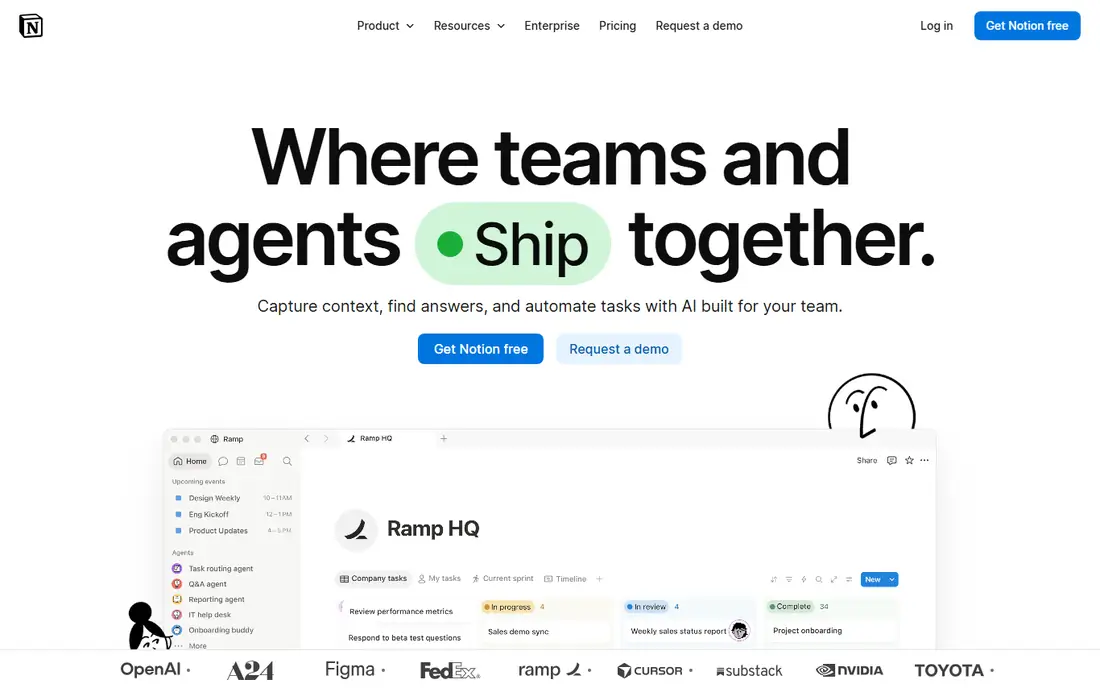
Notion is the closest all-round replacement for Guru because it covers the same internal wiki job and adds far more. A team can keep its onboarding guides, meeting notes, project docs and a lightweight task tracker in one workspace, and the database views make it easy to build a real knowledge hub rather than a pile of pages. Templates for wikis, meeting notes and company handbooks cut setup time, and the AI add-on can draft and summarise pages. The trade is control. Notion has no verification workflow like Guru, so pages can go stale without anyone noticing, and search is good but not tuned for support-style answers. For a team of 25, Plus costs $250 a month billed annually, which is the same floor Guru used to charge, with a wider toolset.
What we like- Flexible pages and databases, strong templates, a large integration library
Watch out for- Search is weaker than a dedicated knowledge base, and there is no built-in verification workflow for keeping pages current
#2Confluence
Best for: Teams already using Jira or other Atlassian tools4.1/5 on
G2 (4,368 reviews, checked Oct 2026)
Visit atlassian.com
Starting price$7.15 per user per month (Standard, billed annually)
Free planYes, free for up to 10 users
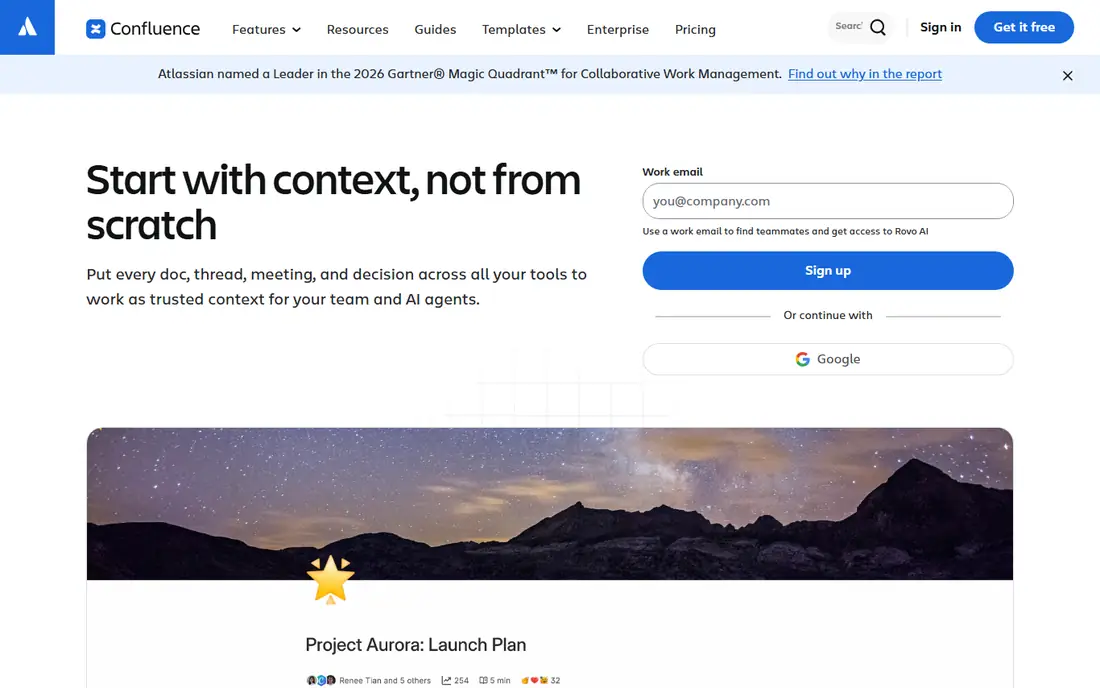
Confluence is the obvious Guru alternative inside Atlassian shops, because it already sits next to Jira and the two tools share users, permissions and search. Product and engineering teams can link a spec page to the Jira tickets that implement it, and the page tree keeps long-lived docs organised. Macros add tables of contents, status panels and embedded roadmaps without extra tools. The price is honest: Standard is $7.15 per user per month after the Atlassian increase of 13 October 2026, and the free plan covers teams up to 10 users. The weak point is speed and sprawl. Large Confluence sites get slow, and search surfaces old pages unless someone curates them. It also has no AI answer layer like Guru, so readers still have to find the page themselves.
What we like- Deep Jira integration, page trees and macros, strong permissions
Watch out for- The interface can feel heavy and slow, and search results need regular curation to stay useful
#3Slab
Best for: Engineering and product teams that want a clean internal wiki4.6/5 on
G2 (309 reviews, checked Oct 2026)
Visit slab.com
Starting price$6.67 per user per month (Startup, billed annually)
Free planYes, free for up to 10 users
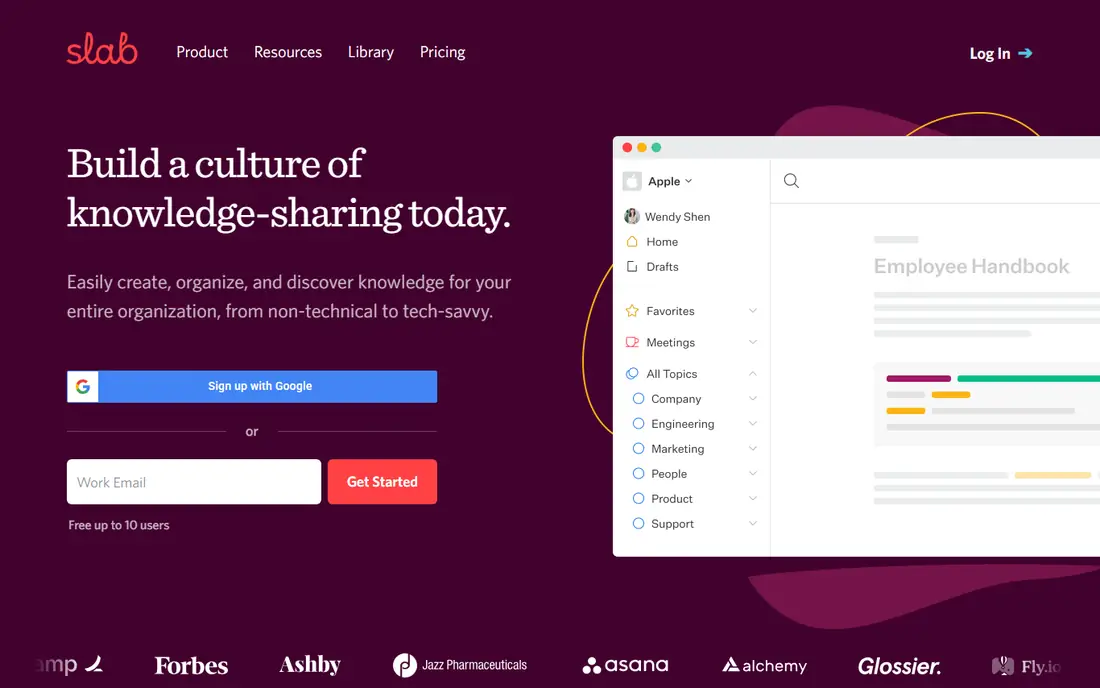
Slab is a focused wiki that does one job well, which is why product and engineering teams like it. The editor is fast and uncluttered, topics and posts keep docs organised, and unified search reaches into connected tools such as Slack and Google Drive, so answers are not trapped in the wiki alone. Verification reminders prompt owners to confirm a page is still correct, which is the closest feature here to Guru's verification workflow. Startup costs $6.67 per user per month billed annually, and Business at $12.50 adds SAML SSO and an API. The free plan covers up to 10 users with unlimited posts and topics. The limits are scope and templates. Slab has no task tracking or databases, so teams that want an all-in-one workspace will outgrow it, and the template library is thin next to Notion.
What we like- Unified search across connected tools, a clean editor, simple structure
Watch out for- Fewer templates than Notion, and AI features sit on the paid plans
#4Nuclino
Best for: Small teams that want a fast, simple wiki4.7/5 on
G2 (29 reviews, checked Oct 2026)
Visit nuclino.com
Starting price$5 per user per month (Starter, billed annually)
Free planYes, free plan with limited items
Nuclino is the lightest tool on this list, and that is the point. It opens fast, the editor stays out of the way, and the graph view shows how pages connect, which helps new hires see the shape of a knowledge base at a glance. A small team can set up a wiki in an afternoon, with collections for onboarding, processes and reference docs, and real-time collaboration works well for co-writing. Starter costs $5 per user per month billed annually, which makes it the cheapest paid plan here. The trade is depth. Nuclino has little automation, limited workflow controls, and no public help center, so it suits internal wikis for teams under about 50 people. Larger teams that need granular permissions or audit trails should look at Confluence or Slab Business instead.
What we like- Very fast, visual graph view of pages, easy onboarding
Watch out for- Limited automation, and advanced permissions sit on higher plans
#5Document360
Best for: Customer-facing help centers and API documentation4.7/5 on
G2 (543 reviews, checked Oct 2026)
Visit document360.com
Starting priceQuote only (the vendor no longer publishes prices)
Free planNo, 14-day free trial only
Document360 is the pick when the knowledge base faces customers, not staff. It handles versioned docs, multiple languages, and API reference pages in one place, and the analytics show which articles readers open and where they give up. The Eddy AI assistant can answer from the docs, and category management keeps large help centers organised. The catch is price transparency. Document360 stopped publishing prices, and its pricing page is now a quote form. Third-party checks in October 2026 found reported ranges around $199 to $249 a month for Professional, but there is no published number to budget against. That makes it a poor fit for a team that needs a firm cost before a trial. It is a strong fit for a SaaS company whose docs are a product surface and where a sales conversation is already part of the buying process.
What we like- Versioning, multilingual support, strong analytics and AI search
Watch out for- Quote-only pricing makes budgeting slow, and the entry cost is high for small teams
#6Helpjuice
Best for: Support teams that want a branded help center that cuts tickets4.7/5 on
G2 (382 reviews, checked Oct 2026)
Visit helpjuice.com
Starting price$249 per month (Knowledge Base, up to 30 users)
Free planNo, 14-day free trial
Helpjuice is a dedicated knowledge base for support teams, and it shows in the details. Every plan includes a fully customised design built by the vendor, the editor is made for support staff who do not write for a living, and the search analytics show what readers searched for and failed to find, which is the fastest way to spot missing articles. Pricing is flat and published: Knowledge Base is $249 a month for up to 30 users, AI-Knowledge Base is $449 a month for up to 100 users, and the unlimited plan is $799 a month. The flat price is good value once a team passes 25 users, but it is a steep floor for a five-person support team, and the AI search, chatbot and writer all sit one tier up. There is no free plan, only a 14-day trial, so test the authoring experience before committing.
What we like- Custom design included on every plan, good search analytics, strong authoring tools
Watch out for- The AI suite only starts on the $449 per month plan, and the $249 floor is steep for small teams
#7Tettra
Best for: Slack-first teams that answer the same questions again and again4.7/5 on
G2 (161 reviews, checked Oct 2026)
Visit tettra.com
Starting price$8 per user per month (Scaling, 10-user minimum)
Free planYes, free for up to 10 users
Tettra is built around one habit: when someone asks a question in Slack, the answer becomes a wiki page. The Slack bot can surface answers in channel, and the question-and-answer workflow assigns experts to fill gaps, which keeps the knowledge base tied to real questions rather than guesswork. Scaling costs $8 per user per month with a 10-user minimum, so the real floor is $80 a month, and annual billing is advertised at 20 percent off. The free plan covers up to 10 users. Tettra suits internal teams that live in Slack and want a curated wiki without a heavy setup. It is a poor fit for public help centers, since it is designed for internal Q and A, and the 10-seat minimum means a team of four pays for six empty seats.
What we like- Deep Slack integration, a question-and-answer workflow, usage analytics
Watch out for- A 10-seat minimum applies on paid plans, and public documentation features are weak
#8GitBook
Best for: Technical teams that publish docs from Git4.7/5 on
G2 (207 reviews, checked Oct 2026)
Visit gitbook.com
Starting price$65 per site per month plus $12 per user per month (Premium, billed annually)
Free planYes, free for 1 site and 1 user
GitBook is the best fit when documentation lives next to code. It syncs with GitHub and GitLab, so engineers can write docs in Markdown and publish them without leaving their normal workflow, and versioning keeps docs for each product release side by side. The AI assistant answers visitor questions using only the published content, and custom domains come with the Premium plan. Pricing is per site plus per user: Premium is $65 per site per month plus $12 per user per month, billed annually, so a five-person team on one site pays about $113 a month. That model is fair for one product and punishing for three, since each extra site adds another $65. GitBook suits developer docs and internal technical wikis, but it is not the cheapest route to a simple internal wiki.
What we like- GitHub and GitLab sync, versioning, an AI assistant that answers from your docs
Watch out for- Per-site plus per-user pricing adds up fast, and visitor limits apply on paid tiers
How much does switching from Guru cost
Price the switch on the team size you actually have, not the headline rate. A 25-person team on Notion Plus pays $250 a month billed annually. The same team on Confluence Standard pays about $179 a month, and on Slab Startup about $167 a month. Nuclino Starter is the cheapest at $125 a month. Tettra Scaling costs $200 a month for 25 users, since the $8 rate has a 10-user minimum that a 25-person team clears. Helpjuice is $249 a month flat for up to 30 users, which works out to under $10 per person at this size, but only if the team needs a customer-facing help center. Document360 and GitBook need a quote or a per-site calculation, so run both numbers before deciding. Add migration time to every option: exporting Guru cards, rebuilding the structure, and re-verifying pages takes days, not hours, for a large knowledge base.
How to choose a Guru alternative
Start with the audience. If the readers are employees, pick an internal wiki such as Notion, Confluence, Slab, Nuclino or Tettra. If the readers are customers, pick a help center such as Document360, Helpjuice or GitBook. Then check the integrations the team already uses. Slack-first teams get the most from Tettra, Jira teams from Confluence, and Git-based engineering teams from GitBook. Then test search and verification, because those two features decide whether a knowledge base stays useful. Ask each vendor how pages get marked out of date, how owners are reminded, and how search ranks results. Finally, trial with real content, not a blank workspace. Import twenty of the most-read Guru pages and watch how long it takes a new hire to find an answer. The tool that wins that test is the right one, whatever the price table says.
Frequently asked questions
Is Guru still available in 2026
Yes. Guru is still sold as a knowledge management platform, and its site lists AI search, knowledge agents and integrations with Slack and Microsoft Teams. What changed is the price. The vendor no longer publishes a per-seat price, and buyers now get a custom package quoted by sales. The last published self-serve price was $25 per user per month billed annually with a 10-seat minimum, reported in September 2025.
What is the cheapest Guru alternative
Nuclino Starter at $5 per user per month billed annually is the cheapest paid plan on this list, and Slab Startup at $6.67 per user per month is close behind. Both have free plans for small teams. Notion and Confluence also have free tiers, but their paid plans start higher. The cheapest option overall depends on team size, since Tettra and Guru both carry minimum seat counts that raise the real floor.
Can I export my content from Guru
Guru offers export options for knowledge content, but the format and the ease of the move depend on the plan and the size of the library. Cards, categories and verification status do not always map cleanly to another tool. Plan a migration test with a small set of pages first, and check whether images, attachments and internal links survive the move before committing to a full export.
Which Guru alternative has the best search
Document360 and Helpjuice have the strongest search for customer-facing docs, because they pair full-text search with analytics that show failed searches. For internal wikis, Slab has the best unified search, since it reaches into connected tools as well as the wiki itself. Notion search is solid for pages but weaker for finding answers inside long docs. Test search with real questions from your team before choosing.
Does Notion replace Guru completely
Notion replaces the wiki and documentation side of Guru well, and it adds tasks, databases and templates that Guru does not have. It does not replace Guru's verification workflow or its in-flow answers inside Slack and Teams. A team that relies on verified cards surfacing inside chat will need a process to keep Notion pages current, such as a monthly owner review, or it should pick Slab or Tettra instead.
Sources we checked (10)
- https://www.notion.com/pricing
- https://www.atlassian.com/software/confluence/pricing
- https://slab.com/pricing
- https://www.nuclino.com/pricing
- https://document360.com/pricing
- https://helpjuice.com/pricing
- https://tettra.com/pricing
- https://www.gitbook.com/pricing
- https://www.supered.io/blog/guru-pricing/
- https://getguru.com
Is your product missing or out of date?
We review this list regularly. Vendors can request a listing, send updated pricing or ask about featured placement.

Shihab Mia · Founder, Rankite
Shihab has 5+ years in B2B and SaaS SEO. He writes Rankite's software buying guides from pricing pages, documentation and public user reviews. More about Shihab.