How we make this list: we compare pricing pages, product documentation and public user reviews. Ratings come from G2, Capterra or Trustpilot, with the date we checked them.
What is FigJam and why look for an alternative
FigJam is Figma's online whiteboard for brainstorming, planning, workshops, and diagramming. It offers sticky notes, shapes, connectors, and templates for retros, journey mapping, and early design discussions. It sits inside the Figma ecosystem, so a team that designs in Figma can move from a whiteboard sketch to a finished design without leaving the account.
The main reason people look for an alternative is that FigJam is tied to Figma. Access runs through Figma seats, with a Figma Collab seat at $3 per month on the Professional plan, and a team that does not design in Figma pays for an ecosystem it does not use. A team that only needs a whiteboard may prefer a standalone tool with its own pricing and its own feature set.
Depth is the second reason. FigJam is a friendly, lightweight whiteboard, and it is deliberately simple. Teams that run structured workshops with timers, voting, and breakout rooms often find Mural or Klaxoon stronger. Teams that need advanced diagramming or Jira sync often find Miro or Stormboard stronger. Teams that want a free, open whiteboard with no account often find Excalidraw simpler.
The free plan is the third reason. FigJam Starter is free, but it caps the number of FigJam files, and a team that whiteboards every day will hit the limit. Several alternatives offer a free plan with a different cap.
How do you pick the right FigJam alternative
Start with what the whiteboard is for. If you run workshops, retros, and design sprints, pick a tool with facilitation controls such as timers, voting, and breakout rooms, such as Mural, Klaxoon, or Stormboard. If you brainstorm and plan on an open canvas, pick a general whiteboard such as Miro or Lucidspark. If you sketch diagrams and wireframes, pick Whimsical or Excalidraw. If you just need a free board for a quick session, Microsoft Whiteboard or Excalidraw will do.
Next, check the free plan cap, because every free whiteboard caps something. Miro, Mural, and Lucidspark cap editable boards at 3. Whimsical caps monthly object creation at 50 board objects. Stormboard caps free Storms at 5 members. Excalidraw is free with 1 scene and unlimited collaborators. Read the cap before you commit, because the cap, not the price, decides whether the free plan works.
Then check collaboration and integrations. Real-time co-editing matters if a whole team works on the same board at once, and all eight tools in this list offer it. Miro and Stormboard sync with Jira and Azure DevOps, Lucidspark pairs with Lucidchart, Klaxoon converts ideas into Wrike tasks, and Microsoft Whiteboard fits teams already on Microsoft 365. Finally, compare the per-seat price, because a whiteboard that looks cheap for five people can get expensive for fifty.
The 8 best FigJam alternatives at a glance
| Tool |
Best for |
Starting price |
Free plan |
| Miro |
The deepest whiteboard canvas and template library |
Starter $8 per member per month billed annually |
Yes, 3 editable boards |
| Mural |
Structured workshops and facilitation |
Team+ $9.99 per member per month billed annually |
Yes, 3 editable murals |
| Lucidspark |
Brainstorming that pairs with Lucidchart diagrams |
Individual $9 per month billed annually |
Yes, 3 editable boards |
| Microsoft Whiteboard |
Free whiteboard for Microsoft 365 teams |
Free |
Yes, free with a Microsoft account |
| Whimsical |
Fast flowcharts, mind maps, and wireframes |
Pro $10 per editor per month billed yearly |
Yes, capped monthly usage |
| Stormboard |
Data-first workshops with Jira and Azure DevOps sync |
Business $8.33 per user per month billed annually |
Yes, Personal plan |
| Excalidraw |
Free, open, hand-drawn whiteboard with no account |
Free, Excalidraw+ $6 per user per month billed annually |
Yes, free editor |
| Klaxoon |
Interactive workshops and training sessions |
Starter 24.90 euros per user per month billed annually |
Yes, 1 open activity |
Quick comparison
| Tool | Best for | Starting price | Free plan |
|---|
 Miro | Online whiteboard workshops, brainstorms, planning, and cross-functional collaboration on an infinite canvas | Starter $8 per member per month billed annually ($10 billed monthly). Business $16 per member per month billed annually. | Yes. Free plan with 3 editable boards and unlimited members. |
 Mural | Structured workshops and facilitation with timers, voting, breakout rooms, and granular permissions | Team+ $9.99 per member per month billed annually ($12 billed monthly). Business $17.99 per member per month billed annually. | Yes. Free plan with 3 editable murals and unlimited view-only visitors. |
 Lucidspark | Brainstorming and whiteboarding that pairs with Lucidchart diagrams in one Lucid account | Individual $9 per month billed annually. Team $10 per user per month billed annually, with a 3-user minimum. | Yes. Free plan with 3 editable boards. |
 Microsoft Whiteboard | Free whiteboarding for teams already on Microsoft 365, with no extra subscription | Free. Free with a Microsoft account; full features need Microsoft 365. | Yes. Free with a Microsoft account. |
 Whimsical | Fast flowcharts, mind maps, wireframes, and docs in a light, speedy editor | Pro $10 per editor per month billed yearly ($12 billed monthly). Business $20 per editor per month billed yearly. | Yes. Free plan with 50 board objects and 50 doc blocks per month, unlimited boards and members. |
 Stormboard | Data-first workshops and planning with two-way Jira and Azure DevOps sync and structured exports | Business $8.33 per user per month billed annually ($99.96 per user per year), or $10 per user per month billed monthly. | Yes. Personal plan is free, with 5 open Storms and up to 5 members per Storm. |
 Excalidraw | Free, open, hand-drawn whiteboarding with no account, in the browser | Free. Excalidraw+ $6 per user per month billed annually ($7 billed monthly), with a 14-day trial. | Yes. The free editor is free with 1 scene and unlimited collaborators, no account needed. |
 Klaxoon | Interactive workshops and training sessions with live polls, quizzes, and one-click conversion to Wrike tasks | Starter 24.90 euros per user per month billed annually. Enterprise is custom-priced. | Yes. Free plan with 1 open activity and 5 contributors. |
Is your product missing or out of date?
We review this list regularly. Vendors can request a listing, send updated pricing or ask about featured placement.
The 8 best FigJam alternatives
The eight tools below are ordered from the closest direct replacement for most FigJam teams to the most specialised options. Prices are in USD unless noted, and were checked on 16 Nov 2026.
#1Miro
Best for: Online whiteboard workshops, brainstorms, planning, and cross-functional collaboration on an infinite canvas4.6/5 on
G2 (13,631 reviews, checked Oct 2026)
Visit miro.com
Starting priceStarter $8 per member per month billed annually ($10 billed monthly). Business $16 per member per month billed annually.
Free planYes. Free plan with 3 editable boards and unlimited members.

Miro is the closest direct replacement for FigJam, and the most capable whiteboard in this list. It is an online whiteboard on an infinite canvas, with sticky notes, diagrams, flowcharts, and a template library of more than 5,000 boards, plus voting, timers, and facilitation tools for running structured sessions. A product team can brainstorm, map a journey, plan a sprint, and run a retrospective on the same board. Starter is $8 per member per month billed annually, and the free plan covers 3 editable boards with unlimited members, which suits a small team. The trade-offs are cost and weight: per-member pricing adds up, anyone invited to collaborate can become a paid member on upgrade, and the canvas can feel heavy for a quick sketch.
What we like- Infinite canvas with a huge template library, strong workshop tools such as voting and timers, and a free plan that suits small teams
Watch out for- Per-member pricing adds up as the team grows, guests become paid members on upgrade unless you buy Business, and the canvas can feel heavy for a quick sketch
#2Mural
Best for: Structured workshops and facilitation with timers, voting, breakout rooms, and granular permissions4.6/5 on
G2 (1,496 reviews, checked Oct 2026)
Visit mural.co
Starting priceTeam+ $9.99 per member per month billed annually ($12 billed monthly). Business $17.99 per member per month billed annually.
Free planYes. Free plan with 3 editable murals and unlimited view-only visitors.
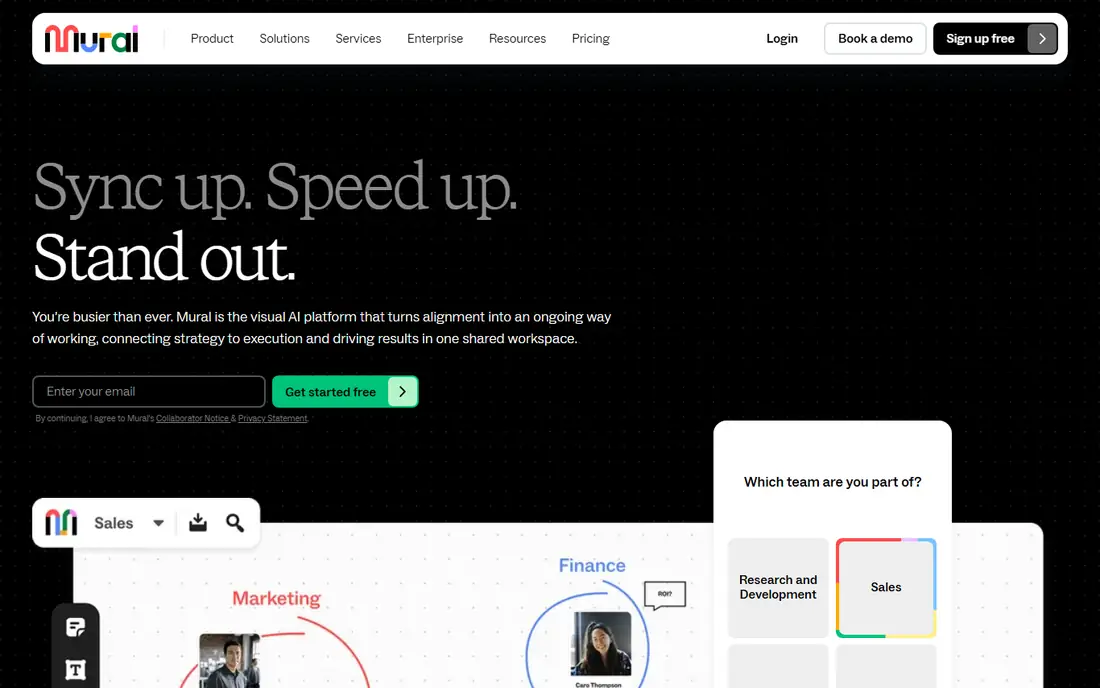
Mural is the pick for FigJam users who run workshops rather than open brainstorms. Its whole pitch is facilitation: built-in timers, voting, breakout areas, and granular room permissions, which is why consulting teams and anyone running structured client workshops tend to land here instead of Miro. Team+ is $9.99 per member per month billed annually and unlocks unlimited murals, private rooms, and Mural AI. Business is $17.99 and adds single sign-on and unlimited external guest access. The free plan allows 3 editable murals with unlimited view-only visitors, but no private rooms. The trade-offs are a narrower template library than Miro and non-refundable payments, so start on Free or Team+ monthly before committing. For facilitated sessions, Mural is the best tool in this list.
What we like- Built-in facilitation controls for workshops, private rooms and granular permissions, Mural AI bundled into paid plans, and a clear per-member price
Watch out for- A narrower template library than Miro, payments are non-refundable, and the free plan caps editable murals at 3
#3
Lucidspark
Best for: Brainstorming and whiteboarding that pairs with Lucidchart diagrams in one Lucid account
Visit lucidspark.com
Starting priceIndividual $9 per month billed annually. Team $10 per user per month billed annually, with a 3-user minimum.
Free planYes. Free plan with 3 editable boards.
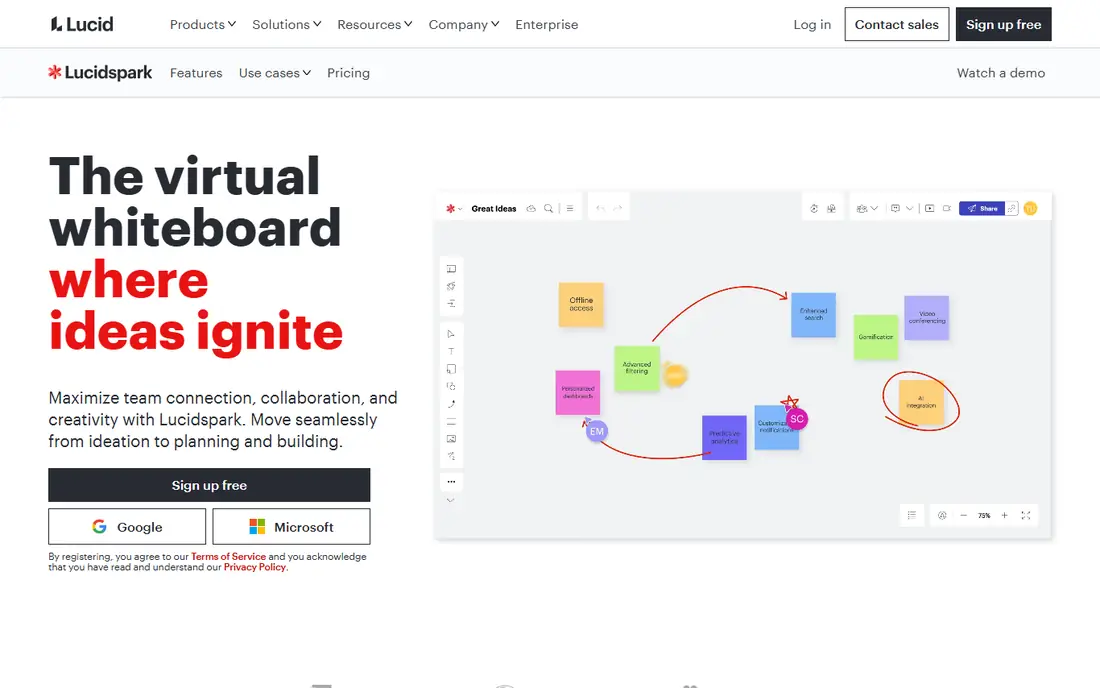
Lucidspark is Lucid's virtual whiteboard, and it suits teams that already diagram in Lucidchart. It offers sticky notes, freehand drawing, templates, and a clean brainstorming canvas, and it shares an account with Lucidchart, so a team can brainstorm in Lucidspark and turn the result into a structured diagram without leaving Lucid. Individual is $9 per month billed annually with unlimited boards, and Team is $10 per user per month billed annually with a 3-user minimum, which adds voting, a timer, guest collaborators, and revision history. The free plan covers 3 editable boards. The catch is that voting and a timer, the two features most essential for running a retro, are locked behind Team. Lucid's pricing pages have shown Individual at $7.95 in some reads, so confirm the current figure at checkout. For Lucidchart users, Lucidspark is the natural whiteboard.
What we like- Clean brainstorming canvas with voting and timers on Team, pairs with Lucidchart for diagrams, and a straightforward per-user price
Watch out for- Voting and timers need the Team plan, the free plan caps editable boards at 3, and Lucid's pricing pages have shown Individual at $7.95 in some reads, so confirm the current figure at checkout
#4Microsoft Whiteboard
Best for: Free whiteboarding for teams already on Microsoft 365, with no extra subscription4.0/5 on
G2 (51 reviews, checked Oct 2026)
Visit whiteboard.microsoft.com
Starting priceFree. Free with a Microsoft account; full features need Microsoft 365.
Free planYes. Free with a Microsoft account.
Microsoft Whiteboard is the best FigJam alternative for teams already on Microsoft 365, because it costs nothing extra. It is a simple, fast whiteboard for sticky notes, drawing, and diagrams, with integration into Teams meetings and OneDrive storage, so a team can open a board inside a call and keep it with the meeting notes. It is free with a Microsoft account, and the full feature set comes with Microsoft 365. The trade-off is depth: fewer templates and facilitation tools than Miro or Mural, no advanced workshop controls, and the experience is weakest outside the Microsoft ecosystem. For a Microsoft shop that needs a quick board, it is the obvious choice.
What we like- Free, included with Microsoft 365, simple and fast for quick sessions, and deep integration with Teams and OneDrive
Watch out for- Fewer templates and facilitation tools than Miro or Mural, no advanced workshop controls, and the experience is weakest outside the Microsoft ecosystem
#5Whimsical
Best for: Fast flowcharts, mind maps, wireframes, and docs in a light, speedy editor4.6/5 on
G2 (189 reviews, checked Oct 2026)
Visit whimsical.com
Starting pricePro $10 per editor per month billed yearly ($12 billed monthly). Business $20 per editor per month billed yearly.
Free planYes. Free plan with 50 board objects and 50 doc blocks per month, unlimited boards and members.
Whimsical is the lightest tool in this list, and deliberately so. It combines flowcharts, mind maps, wireframes, sticky-note boards, and docs in a fast editor that feels quicker than Miro or FigJam for small, focused diagrams. A product team can sketch a flow, map a mind map, and write the spec doc alongside it, with viewers always free, so stakeholders cost nothing. Pro is $10 per editor per month billed yearly, which is close to Mural Team+, and Business is $20. The free plan allows unlimited boards, members, and guests, but caps creation at 50 board objects and 50 doc blocks a month, so ongoing work needs Pro. AI credits are a one-off 10 per account on every plan. For small teams that want speed over depth, Whimsical is a strong pick.
What we like- Very fast editor, flowcharts, mind maps, wireframes, and docs in one place, and viewers are always free
Watch out for- The free plan caps monthly object creation, AI credits are a one-off 10 per account, and private teams and SSO need Business at $20
#6
Stormboard
Best for: Data-first workshops and planning with two-way Jira and Azure DevOps sync and structured exports
Visit stormboard.com
Starting priceBusiness $8.33 per user per month billed annually ($99.96 per user per year), or $10 per user per month billed monthly.
Free planYes. Personal plan is free, with 5 open Storms and up to 5 members per Storm.
Stormboard is the pick for FigJam users who run structured planning and need the board to connect to their tracker. It is a data-first whiteboard: sticky notes, templates, voting, and timers, plus two-way sync with Jira and Azure DevOps, which is included on the Business plan rather than locked behind a higher tier. Reports and exports go to Word, PowerPoint, Excel, and Google formats, which suits teams that need a paper trail after a workshop. Business is $8.33 per user per month billed annually, or $10 billed monthly. The free Personal plan covers 5 open Storms with up to 5 members each, which is too small for most team retros. For an engineering team that needs tracker sync at a lower price than Miro Business, Stormboard is the best value in this list.
What we like- Two-way Jira and Azure DevOps sync on the Business plan, exports to Word, PowerPoint, Excel, and Google formats, and enterprise-grade security and data residency
Watch out for- The free plan caps Storms at 5 members, which is too small for most team retros, and per-user pricing adds up for larger teams
#7Excalidraw
Best for: Free, open, hand-drawn whiteboarding with no account, in the browser4.5/5 on
G2 (32 reviews, checked Oct 2026)
Visit excalidraw.com
Starting priceFree. Excalidraw+ $6 per user per month billed annually ($7 billed monthly), with a 14-day trial.
Free planYes. The free editor is free with 1 scene and unlimited collaborators, no account needed.
Excalidraw is the simplest and most open whiteboard in this list. It is a free, open-source, hand-drawn whiteboard that opens in the browser with no account, and you can start sketching in seconds and share a link with unlimited collaborators. The hand-drawn style keeps sketches informal, which suits architecture diagrams, rough wireframes, and quick explanations. The free editor is free with 1 scene, and work saves in the browser, so it is best for sketches rather than a permanent record. Excalidraw+ is $6 per user per month billed annually and adds unlimited scenes and folders saved in the cloud, sharing controls, comments, presentations, and voice hangouts. Excalidraw+ bills every seat in every workspace, and charges are non-refundable. For a quick sketch with no setup, nothing in this list is faster.
What we like- Free and open source under the MIT licence, no account needed, hand-drawn style that keeps sketches informal, and a low-cost paid cloud workspace
Watch out for- The free editor saves work in the browser only, with 1 scene, and Excalidraw+ bills every seat in every workspace, with non-refundable charges
#8
Klaxoon
Best for: Interactive workshops and training sessions with live polls, quizzes, and one-click conversion to Wrike tasks
Visit klaxoon.com
Starting priceStarter 24.90 euros per user per month billed annually. Enterprise is custom-priced.
Free planYes. Free plan with 1 open activity and 5 contributors.
Klaxoon is the most workshop-focused tool in this list, and the most expensive per user. It is a whiteboard with interactive activities: live polls, quizzes, surveys, and brainstorms, plus AI that summarises and translates ideas, and one-click conversion of ideas into Wrike tasks, since Klaxoon is now part of Wrike. Starter is 24.90 euros per user per month billed annually, the highest per-user price in this list, and it is priced in euros, so the dollar cost moves with the exchange rate. The free plan allows 1 open activity and 5 contributors, which is enough to try the tool but not to run a workshop. For trainers and teams that run interactive sessions every week, the activity library and the Wrike link justify the price. For occasional brainstorms, Miro or Mural cost far less.
What we like- Rich interactive activities including polls, quizzes, and surveys, AI that summarises and translates ideas, and one-click conversion of ideas into Wrike tasks
Watch out for- The highest per-user price in this list, priced in euros, and the free plan allows only 1 open activity with 5 contributors
Which FigJam alternative should you choose
Choose Miro for the deepest whiteboard canvas and the largest template library, if your team whiteboards every day. Choose Mural for structured workshops with timers, voting, and breakout rooms. Choose Lucidspark if your team already diagrams in Lucidchart. Choose Microsoft Whiteboard if your team is on Microsoft 365 and wants a free board. Choose Whimsical for the fastest editor for flowcharts, mind maps, and wireframes, with viewers free. Choose Stormboard for two-way Jira and Azure DevOps sync at a lower price than Miro Business. Choose Excalidraw for a free, open whiteboard with no account. Choose Klaxoon if you run interactive training every week and use Wrike.
Frequently asked questions
Is Miro better than FigJam
For most teams that whiteboard every day, yes. Miro offers an infinite canvas, a template library of more than 5,000 boards, voting, timers, and facilitation tools, from Starter at $8 per member per month billed annually. FigJam still wins if your team designs in Figma and wants both tools in one account.
What is the best free FigJam alternative
Excalidraw is the best free FigJam alternative, with a free editor, no account needed, and unlimited collaborators. Microsoft Whiteboard is the best free option for Microsoft 365 teams. Miro is the best free option for a fuller whiteboard, with 3 editable boards.
Can I import my FigJam boards into another tool
There is no direct FigJam import in most alternatives, so expect to rebuild. Miro, Mural, and Lucidspark all support image import, so you can bring in exported boards as a reference. For a large library, rebuild the active boards first.
Which FigJam alternative is best for workshops
Mural is the best FigJam alternative for workshops, with built-in timers, voting, breakout rooms, and private rooms, from Team+ at $9.99 per member per month billed annually. Klaxoon is the best option for interactive training, with polls, quizzes, and surveys, though it costs more per user.
Do I still need FigJam if I use Miro
Not usually. Miro covers whiteboards, diagrams, flowcharts, and workshops on one canvas, with a free plan for 3 editable boards. Keep FigJam only if your team designs in Figma and wants the whiteboard and the design tool in one account, or if your stakeholders already know the FigJam canvas.
Sources we checked (9)
- https://www.figma.com/pricing/
- https://miro.com/pricing/
- https://www.mural.co/pricing/
- https://lucidspark.com/pricing/
- https://whiteboard.microsoft.com
- https://whimsical.com/pricing
- https://www.stormboard.com/pricing/
- https://plus.excalidraw.com/pricing
- https://klaxoon.com/pricing/
Is your product missing or out of date?
We review this list regularly. Vendors can request a listing, send updated pricing or ask about featured placement.

Shihab Mia · Founder, Rankite
Shihab has 5+ years in B2B and SaaS SEO. He writes Rankite's software buying guides from pricing pages, documentation and public user reviews. More about Shihab.