How we make this list: we compare pricing pages, product documentation and public user reviews. Ratings come from G2, Capterra or Trustpilot, with the date we checked them.
Why people look for an eM Client alternative
eM Client is a capable desktop email client for Windows and macOS, with mail, calendar, contacts, tasks and chat in one window. People usually look for an alternative for two reasons: the free licence is narrow, and the paid licence costs more than it used to. The free licence covers personal use on one device with two email accounts, and it leaves out snooze, Send Later, notes, thread view and translation. The Personal plan costs $49.95 per year for one person on up to three devices, or $74.95 as a one-time payment for the current major version, based on vendor-page checks in October and November 2026 after a price rise with version 11 on 8 October 2026. Older pages still show $39.95 per year and a $59.95 one-time licence, so check the pricing page before you buy. There is no Linux app and no web version. The eight tools below cover every reason people switch.
The 8 best eM Client alternatives at a glance
| Tool | Best for | Starting price | Free plan |
| Mailbird | Polished inbox on Windows | $4.03 per month billed yearly, or $99.75 once | Yes, 1 account |
| Mozilla Thunderbird | A full client for $0 | Free | Yes, full app |
| Microsoft Outlook | Microsoft 365 users | Free with ads; $99.99 per year for Personal | Yes, with ads |
| Spark | Same inbox everywhere | $99 per year for Plus | Yes, unlimited accounts |
| Postbox | Owners of an existing licence | $29.99 per year, see note | Trial only |
| Mailspring | Tracking on desktop | $8 per month or $85 per year for Pro | Yes, with caps |
| Apple Mail | Mac and iPhone users | Free, included with Apple devices | Yes, full app |
| BlueMail | Mobile-first users | $35.99 per year for Plus | Yes, unlimited accounts |
Which eM Client alternative is best for Windows users?
Mailbird is the closest match on Windows, with the same desktop-first feel as eM Client, a unified inbox, a calendar panel and app integrations. If you already pay for Microsoft 365, Outlook is the better pick, because the desktop app and 1 TB of OneDrive are included. If your budget is zero, Thunderbird is the strongest free Windows client, with unlimited accounts. Mailspring is worth a look if you send a lot of sales mail and want read receipts and link tracking without paying much.
Is there a free alternative to eM Client with unlimited accounts?
Yes, and Thunderbird is the clearest answer. It is free forever, open source and funded by donations, with no account cap, no ads and no paid tier for the desktop app. That is a sharp contrast with eM Client, where the free licence stops at two accounts on one device. Spark also gives unlimited accounts on its free plan, along with a Smart Inbox, snooze, send later and a calendar, the best free option with a modern design and mobile apps. BlueMail is free with unlimited accounts too, and Apple Mail is free on Apple devices.
Which eM Client alternative is best on a Mac?
Apple Mail is the default answer on a Mac because it is free, already installed, private and fast, with deep integration into macOS and iOS. Spark is the best paid-style option on a Mac, with a polished design, a Smart Inbox and the same app on Windows, iPhone and Android. Outlook for Mac is free with ads and is the right choice if your work runs on Exchange or Microsoft 365. Mailbird for Mac launched in September 2025, but it still lags the Windows version, so Mac buyers should test it before paying.
Do I need a paid email client, or is the free version enough?
For most personal users, a free client is enough. Thunderbird, Apple Mail, Spark and BlueMail all cover unlimited accounts for free, and they include the core tools most people use every day. You should pay when you need something the free tier holds back. The usual triggers are commercial use, more accounts than the free tier allows, read receipts and link tracking, shared inboxes for a team, or priority support. Before you pay, check what the paid plan actually adds. Mailspring Pro, for example, only lifts weekly caps on features the free plan already includes.
What should I check before I switch email clients?
Check five things before you move. First, account support: make sure the new client handles your account type, whether that is Gmail, Outlook.com, iCloud, IMAP or Exchange, because Exchange support varies a lot between clients. Second, import: your mail stays on the server with IMAP and Exchange, so you can usually just add the account, but local folders need an export and import step. Third, calendar and contacts: confirm they sync, because some clients handle mail well and calendar poorly. Fourth, licence terms: check whether the price is per user or per device. Fifth, the mobile companion: if you read mail on your phone, pick a client with a real mobile app.
Quick comparison
| Tool | Best for | Starting price | Free plan |
|---|
 Mailbird | Windows users who want a polished unified inbox with app integrations | Premium from $4.03 per user per month billed yearly, or $99.75 one-time, checked November 2026 on Mailbird's own site. Some 2026 roundups list euro prices of 27.60 per year and 73.80 one-time instead, so confirm the currency for your region. | Yes, limited to one email account |
 Mozilla Thunderbird | Anyone who wants a full-featured email client for $0 | Free, $0, with no paid tier for the desktop app | Yes, the full app is free forever, funded by donations |
 Microsoft Outlook | People already paying for Microsoft 365, and Exchange or Outlook.com users | Outlook app is free with ads; Microsoft 365 Personal is $99.99 per year or $9.99 per month, checked November 2026. Basic is $19.99 per year for ad-free Outlook. Older articles quoting $69.99 per year for Personal are out of date after the early 2025 price rise. | Yes, free app with ads and a 15 GB mailbox on Outlook.com |
 Spark | People who use email on Mac, Windows, iPhone and Android and want the same inbox everywhere | Plus $99 per year or $10 per month; Pro $199 per year or $20 per month, checked November 2026. The older $59.99 per year Premium plan is a legacy plan for existing subscribers only. | Yes, unlimited accounts with Smart Inbox, snooze, send later and calendar |
 Postbox | Power users who already own a licence and want fast search and tabbed email | $29.99 per year per G2, with pricing supplied by Postbox; older listings show a $49 one-time licence. Postbox was acquired by eM Client on 22 October 2024 and is no longer sold or developed, so new buyers cannot purchase it. | No free plan; a 30-day free trial was offered when it was still sold |
 Mailspring | Desktop users who want read receipts, link tracking and send later at a low price | Pro $8 per month, or $85 per year, checked November 2026 on Mailspring's own pricing and subscription pages | Yes, unlimited accounts with weekly caps on snooze, send later, reminders and tracking |
 Apple Mail | Mac and iPhone users who want a free, private client that is already installed | Free, included with macOS and iOS; no paid tier | Yes, the full app is free on every Apple device |
 BlueMail | Mobile-first users who want AI summaries and unlimited accounts for free | Plus $35.99 per year ($3 per month billed annually) or $4.99 billed monthly, checked October 2026. The App Store shows $6.99 per month and $49.99 per year instead, so buy on the website. Team is $99 per user per year. | Yes, Personal plan is free with unlimited accounts and no ads |
Is your product missing or out of date?
We review this list regularly. Vendors can request a listing, send updated pricing or ask about featured placement.
The 8 best eM Client alternatives in 2026
#1Mailbird
Best for: Windows users who want a polished unified inbox with app integrations3.6/5 on
G2 (101 reviews, checked Oct 2026)
Visit getmailbird.com
Starting pricePremium from $4.03 per user per month billed yearly, or $99.75 one-time, checked November 2026 on Mailbird's own site. Some 2026 roundups list euro prices of 27.60 per year and 73.80 one-time instead, so confirm the currency for your region.
Free planYes, limited to one email account
Mailbird is the most direct replacement for eM Client on Windows. It brings all your accounts into one unified inbox, with a calendar, contacts and a sidebar of connected apps including WhatsApp and Slack. Tracking, templates, snooze and send later sit on the paid plans. The Mac version arrived in September 2025, though it is still catching up with Windows. The weak point is the free plan, which allows only one account.
What we like- Unified inbox across accounts, app integrations including WhatsApp, Slack and Google Calendar, email tracking and templates on paid plans
Watch out for- Free plan covers one account only
- The Mac version launched in September 2025 and still lags the Windows version
- Some users report confusion over lifetime licence changes after the Mailbird 3.0 upgrade
#2Mozilla Thunderbird
Best for: Anyone who wants a full-featured email client for $04.3/5 on
G2 (340 reviews, checked Oct 2026)
Visit thunderbird.net
Starting priceFree, $0, with no paid tier for the desktop app
Free planYes, the full app is free forever, funded by donations
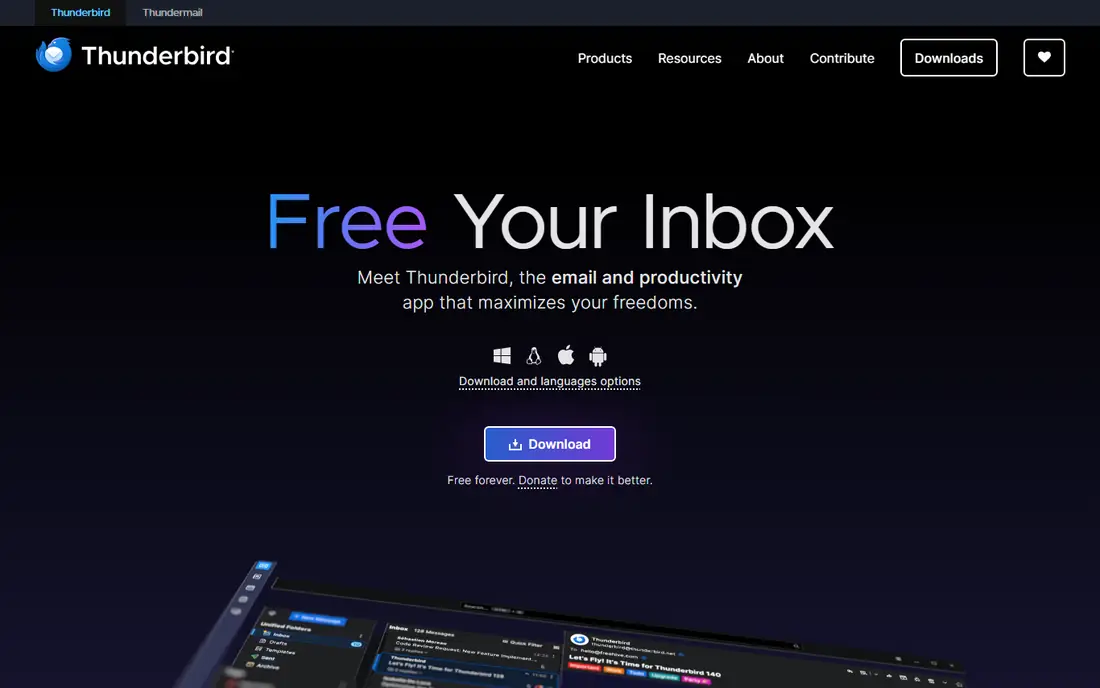
Thunderbird is the strongest free alternative to eM Client. It has been free and open source for more than two decades, funded by donations instead of ads, and it puts email, calendar, contacts and tasks in one app with no account cap and no feature paywall. Recent versions added native Exchange support for work accounts, and there is an Android app for mobile access. The trade-offs are real: no iPhone app, no web version, and help from community forums rather than a support team.
What we like- Completely free with unlimited accounts and no ads, open source, built-in calendar, contacts and tasks, runs on Windows, macOS, Linux and Android
Watch out for- No iPhone or iPad app and no web version, interface looks less polished than paid rivals, support is community forums only
#3Microsoft Outlook
Best for: People already paying for Microsoft 365, and Exchange or Outlook.com users4.5/5 on
G2 (3,547 reviews, checked Oct 2026)
Visit outlook.live.com
Starting priceOutlook app is free with ads; Microsoft 365 Personal is $99.99 per year or $9.99 per month, checked November 2026. Basic is $19.99 per year for ad-free Outlook. Older articles quoting $69.99 per year for Personal are out of date after the early 2025 price rise.
Free planYes, free app with ads and a 15 GB mailbox on Outlook.com
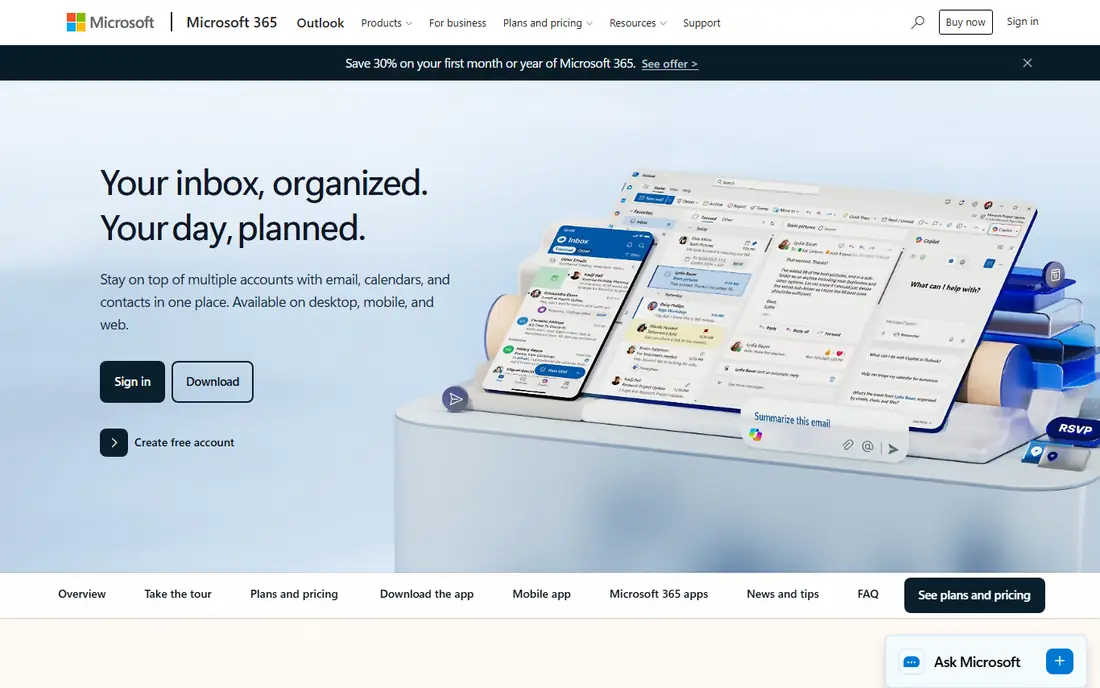
Outlook is the obvious alternative if your work or household already runs on Microsoft 365, because the desktop app, 1 TB of OneDrive and the full Office apps are included in the subscription. Its Exchange support is the best in this list, with shared calendars and enterprise features that eM Client cannot match. The free version works on Windows, Mac, web and mobile, though it shows ads. The case against Outlook is that it is a poor standalone purchase at $99.99 a year for an email client alone.
What we like- Best Exchange and Microsoft 365 integration, Focused Inbox and strong search, calendar and contacts built in, same app on Windows, Mac, web and mobile
Watch out for- Free version shows ads and lacks the full desktop experience
- The new Outlook for Windows replaced the classic app and some long-time users dislike the change
#4
Spark
Best for: People who use email on Mac, Windows, iPhone and Android and want the same inbox everywhere
Visit sparkmailapp.com
Starting pricePlus $99 per year or $10 per month; Pro $199 per year or $20 per month, checked November 2026. The older $59.99 per year Premium plan is a legacy plan for existing subscribers only.
Free planYes, unlimited accounts with Smart Inbox, snooze, send later and calendar
Spark is the best cross-device alternative to eM Client. It runs on Mac, Windows, iPhone and Android with the same Smart Inbox everywhere, which sorts mail into Priority, Notifications and Newsletters. The free plan is unusually generous, with unlimited accounts, snooze, send later, reminders and a calendar. Paid plans add an AI assistant, meeting notes and team tools such as shared inboxes and assignments. The main drawback is privacy: cloud features require storing your account tokens on Readdle servers.
What we like- Most generous free plan among premium clients, Smart Inbox sorts mail into Priority, Notifications and Newsletters, strong team features including shared inboxes and comments
Watch out for- Account tokens are stored on Readdle servers for cloud features, which privacy-minded users dislike
- Read statuses sit on the $199 per year Pro tier
#5Postbox
Best for: Power users who already own a licence and want fast search and tabbed email3.5/5 on
G2 (32 reviews, checked Oct 2026)
Visit postbox-inc.com
Starting price$29.99 per year per G2, with pricing supplied by Postbox; older listings show a $49 one-time licence. Postbox was acquired by eM Client on 22 October 2024 and is no longer sold or developed, so new buyers cannot purchase it.
Free planNo free plan; a 30-day free trial was offered when it was still sold
Postbox belongs on this list only with a clear warning. Built on the same Mozilla codebase as Thunderbird, it won over power users with fast full-text search, tabbed browsing and quick filters. For a mailbox with 100,000 or more messages, its search was among the fastest of any desktop client. That ended on 22 October 2024, when eM Client acquired Postbox and stopped selling and developing it. Existing licence holders can keep using it, but new buyers should not choose Postbox.
What we like- Fast full-text search across large mailboxes, tabbed email browsing, quick filters and canned responses with variables
Watch out for- Discontinued, with no further updates, security patches or new features
- Support requests were charged separately at $8 each
#6Mailspring
Best for: Desktop users who want read receipts, link tracking and send later at a low price3.8/5 on
G2 (18 reviews, checked Oct 2026)
Visit getmailspring.com
Starting pricePro $8 per month, or $85 per year, checked November 2026 on Mailspring's own pricing and subscription pages
Free planYes, unlimited accounts with weekly caps on snooze, send later, reminders and tracking
Mailspring is a fast, modern desktop client for Mac, Windows and Linux, and it is the cheapest way to get read receipts and link tracking. The free plan takes unlimited accounts into one unified inbox, with Gmail-style search across all your accounts. Pro costs $8 per month or $85 per year, and it removes the weekly limits on snooze, send later, reminders, read receipts and link tracking. Pro features run on the client, so your credentials never go to the cloud. The weak point is value: Pro buys little beyond lifting caps, and there is no mobile app.
What we like- Fast search with Gmail-style queries, unified inbox, read receipts and link tracking, open source core, runs on Windows, macOS and Linux
Watch out for- Pro only lifts weekly caps, so the paid upgrade buys little beyond that
- No premium support included with Pro
- No mobile app
#7
Apple Mail
Best for: Mac and iPhone users who want a free, private client that is already installed
Visit apple.com
Starting priceFree, included with macOS and iOS; no paid tier
Free planYes, the full app is free on every Apple device
Apple Mail is the easiest switch for anyone who already uses a Mac or iPhone, because it is free and already installed. It handles Gmail, Outlook, iCloud and any IMAP account, with no account cap and no ads, and it integrates with macOS through Handoff, Spotlight and iCloud. Mail Privacy Protection hides your IP address and blocks tracking pixels, a genuine privacy edge over most rivals. The limits are about scope: there is no Windows, Android or web version, and its rules are weaker than Thunderbird or Outlook.
What we like- Free with no ads and no account cap, deep integration with macOS and iOS including Handoff and Spotlight search, strong privacy with Mail Privacy Protection
Watch out for- Mac and iPhone only, with no Windows, Android or web version
- Smart mailbox rules and filtering are weaker than in Thunderbird or Outlook
#8BlueMail
Best for: Mobile-first users who want AI summaries and unlimited accounts for free4.3/5 on
G2 (53 reviews, checked Oct 2026)
Visit bluemail.me
Starting pricePlus $35.99 per year ($3 per month billed annually) or $4.99 billed monthly, checked October 2026. The App Store shows $6.99 per month and $49.99 per year instead, so buy on the website. Team is $99 per user per year.
Free planYes, Personal plan is free with unlimited accounts and no ads
BlueMail is a free, cross-platform email app with more than 10 million downloads on Google Play, and the best budget pick for phone-first users. The free Personal plan covers unlimited accounts with no ads, a unified inbox, Clusters, a calendar and PGP encryption. The paid Plus plan adds GemAI for summaries and drafting, plus desktop backup and priority support. At $35.99 per year on the website, it is one of the cheapest AI email upgrades, though the App Store lists higher prices. There is no web version, and business controls sit on the Enterprise plan.
What we like- Free plan covers unlimited accounts with a unified inbox, Clusters and PGP encryption, GemAI summaries and drafting on Plus, runs on iOS, Android, macOS, Windows and Linux
Watch out for- AI features are paid only, there is no web version, S/MIME, SSO and device management are Enterprise only
Frequently asked questions
Is eM Client free?
eM Client has a free licence for personal use, but it is limited to one device and two email accounts, and it leaves out snooze, Send Later, notes, thread view and translation. The Personal plan costs $49.95 per year for one person on up to three devices, or $74.95 as a one-time payment for the current major version, based on vendor-page checks in October and November 2026. Older pages still show $39.95 per year and a $59.95 one-time licence.
What is the best free alternative to eM Client?
Thunderbird is the best free alternative, because it is free forever with unlimited accounts, no ads and no paid tier. Spark is the best free alternative if you also want a phone app, because its free plan covers unlimited accounts on Mac, Windows, iPhone and Android. Apple Mail is the best free choice on a Mac, and BlueMail is the best free choice for mobile-first users who want PGP encryption at no cost.
Which eM Client alternative is best for business use?
Outlook is the best choice for businesses already on Microsoft 365 or Exchange, because it has the deepest calendar, shared mailbox and admin integration. Spark Pro at $199 per year per user suits small teams that need shared inboxes, assignments and read statuses. Mailbird Business starts from $79 per user per year and adds admin controls and onboarding. Thunderbird is free for business use too, but support comes from community forums.
Can I move my mail from eM Client to another client?
Yes, in most cases the move is simple. If your accounts use IMAP or Exchange, your mail stays on the server, so you only need to add the same account to the new client and the mail appears. Local folders and archived mail stored only on your computer need an export and import step, and the exact steps depend on the client you choose. Calendar and contacts may need a separate export.
Is Postbox still a good eM Client alternative?
No, not for new buyers. eM Client acquired Postbox on 22 October 2024 and stopped selling and developing it, so there are no further updates, security patches or new features. Existing licence holders can keep using it. If you liked Postbox for its fast search and tabbed browsing, Thunderbird shares the same Mozilla codebase and is actively developed, while Mailbird offers a similar power-user workflow on Windows and Mac.
Sources we checked (16)
- https://www.getmailbird.com/
- https://www.thunderbird.net/
- https://appbreakup.com/apps/thunderbird
- https://outlook.live.com/
- https://www.flozic.ai/blog/reviews/microsoft-outlook-review
- https://sparkmailapp.com/
- https://cmdk.email/post/spark-mail-review/
- https://www.postbox-inc.com/
- https://www.g2.com/products/postbox/pricing
- https://www.getmailbird.com/postbox-alternatives/
- https://www.getmailspring.com/
- https://www.getmailspring.com/docs/about-mailspring-pro-subscriptions
- https://www.apple.com/macos/mail/
- https://bluemail.me/
- https://toolgpa.com/tools/bluemail
- https://toolgpa.com/tools/em-client
Is your product missing or out of date?
We review this list regularly. Vendors can request a listing, send updated pricing or ask about featured placement.

Shihab Mia · Founder, Rankite
Shihab has 5+ years in B2B and SaaS SEO. He writes Rankite's software buying guides from pricing pages, documentation and public user reviews. More about Shihab.