How we make this list: we compare pricing pages, product documentation and public user reviews. Ratings come from G2, Capterra or Trustpilot, with the date we checked them.
What is DaVinci Resolve and why look for an alternative
DaVinci Resolve is a professional video editor from Blackmagic Design that combines editing, colour grading, visual effects and audio post production in one application. The free version is free with no watermark, which makes it one of the most capable free editors available. DaVinci Resolve Studio costs $295 as a one-time purchase, and it is currently $236 on a 20 percent sale until 20 Nov 2026. The Studio version adds DaVinci Neural Engine features, stereoscopic 3D tools, HDR grading and multi-user collaboration.
Resolve is powerful, but it is also demanding. It needs a capable GPU and plenty of RAM, and its node based colour page and Fusion effects page carry a steep learning curve. Editors who cut simple timelines or short social clips may find it slower than a lighter editor, and teams invested in Adobe or Mac hardware may prefer a tool that fits their existing workflow.
How do you pick the right DaVinci Resolve alternative
Start with the kind of video you actually make. A YouTuber cutting weekly talking head videos needs a fast timeline, good audio tools and easy export presets. A wedding videographer needs reliable colour tools and smooth 4K playback. A social media creator needs templates, auto captions and vertical formats. Match the tool to the work, not to the feature list. Then weigh price against commitment: a subscription spreads the cost but never ends, while a one-time purchase costs more upfront and stays yours. Check whether the free version watermarks exports, because a watermarked export is not usable for client work.
Check the hardware you already own. Final Cut Pro only runs on Mac, while Shotcut, Kdenlive and OpenShot run on Windows, Mac and Linux. If your computer struggles with Resolve, a lighter editor such as Shotcut or OpenShot will feel much faster on the same hardware.
Finally, think about learning time. If you are starting from zero, a beginner friendly editor such as Filmora or OpenShot gets you editing in an afternoon, while Lightworks and Kdenlive reward a longer learning investment with deeper control.
The 8 best DaVinci Resolve alternatives at a glance
| Tool |
Best for |
Starting price |
Free plan |
| Adobe Premiere Pro |
Professional timeline editing inside the Adobe ecosystem |
$22.99 per month |
No, 7 day free trial only |
| Final Cut Pro |
Fast smooth editing on Apple silicon |
$299.99 one-time |
No, 30 day free trial |
| Shotcut |
Free cross platform editing with broad format support |
Free |
Yes, fully free and open source |
| Kdenlive |
Free multi track editing with keyframeable effects |
Free |
Yes, fully free and open source |
| OpenShot |
Beginner friendly editing with a simple timeline |
Free |
Yes, fully free and open source |
| Filmora |
Fast beginner friendly editing for YouTube and social video |
$49.99 per year |
Yes, with watermark on exports |
| CapCut |
Short form social video with templates and auto captions |
Free, Pro $19.99 per month |
Yes, free tier available |
| Lightworks |
Professional non linear editing with a film industry pedigree |
Free, Pro reported at $27.99 per month |
Yes, exports capped at 1080p |
Quick comparison
| Tool | Best for | Starting price | Free plan |
|---|
 Adobe Premiere Pro | Professional timeline editing inside the Adobe ecosystem | $22.99 per month, single app annual plan billed monthly | No free plan, 7 day free trial only |
 Final Cut Pro | Fast smooth editing on Apple silicon | $299.99 one-time | No free version, 30 day free trial |
 Shotcut | Free cross platform editing with broad format support through FFmpeg | Free, open source, no paid tier | Yes, fully free and open source |
 Kdenlive | Free multi track editing with keyframeable effects and proxy editing | Free, open source, no paid tier | Yes, fully free and open source |
 OpenShot | Beginner friendly editing with a simple drag and drop timeline | Free, open source, no paid tier for the desktop editor | Yes, fully free and open source |
 Filmora | Fast beginner friendly editing for YouTube and social video with templates and AI tools | Basic $49.99 per year, perpetual $79.99 one-time for Filmora 16 only | Yes, free version exists but exports carry a watermark |
 CapCut | Short form social video with templates and auto captions | Free, Pro $19.99 per month or $179.99 per year | Yes, free tier available |
 Lightworks | Professional non linear editing with a film industry pedigree and advanced trimming | Free, Pro reported at $27.99 per month, confirm at checkout | Yes, free version available, exports capped at 1080p |
Is your product missing or out of date?
We review this list regularly. Vendors can request a listing, send updated pricing or ask about featured placement.
The 8 best DaVinci Resolve alternatives
These eight editors cover the full range, from free open source tools to professional paid software. Each one is a genuine alternative to Resolve for a specific kind of editor.
#1Adobe Premiere Pro
Best for: Professional timeline editing inside the Adobe ecosystem4.5/5 on
G2 (1,675 reviews, checked Oct 2026)
Visit adobe.com
Starting price$22.99 per month, single app annual plan billed monthly
Free planNo free plan, 7 day free trial only
Premiere Pro is the editor most professional teams reach for when they leave Resolve, because it is the industry standard in agencies, broadcast and corporate video. The timeline is fast and familiar, with track based editing, multicam support, Lumetri colour tools and a huge library of third party plugins and templates. Integration with the rest of Adobe Creative Cloud is the real draw: send a clip to After Effects for motion graphics, clean audio in Audition, then bring it back without round tripping through exports. The cost adds up over years, and the cancellation fee on annual plans is a genuine drawback, so read the terms before you sign up.
What we like- Industry standard timeline editing, deep integration with After Effects and Audition, strong format support, regular feature updates, large plugin and template ecosystem
Watch out for- Subscription only with no perpetual licence, and cancelling an annual plan after 14 days triggers a fee of 50 percent of the remaining term
#2Final Cut Pro
Best for: Fast smooth editing on Apple silicon4.4/5 on
G2 (87 reviews, checked Oct 2026)
Visit apple.com
Starting price$299.99 one-time
Free planNo free version, 30 day free trial
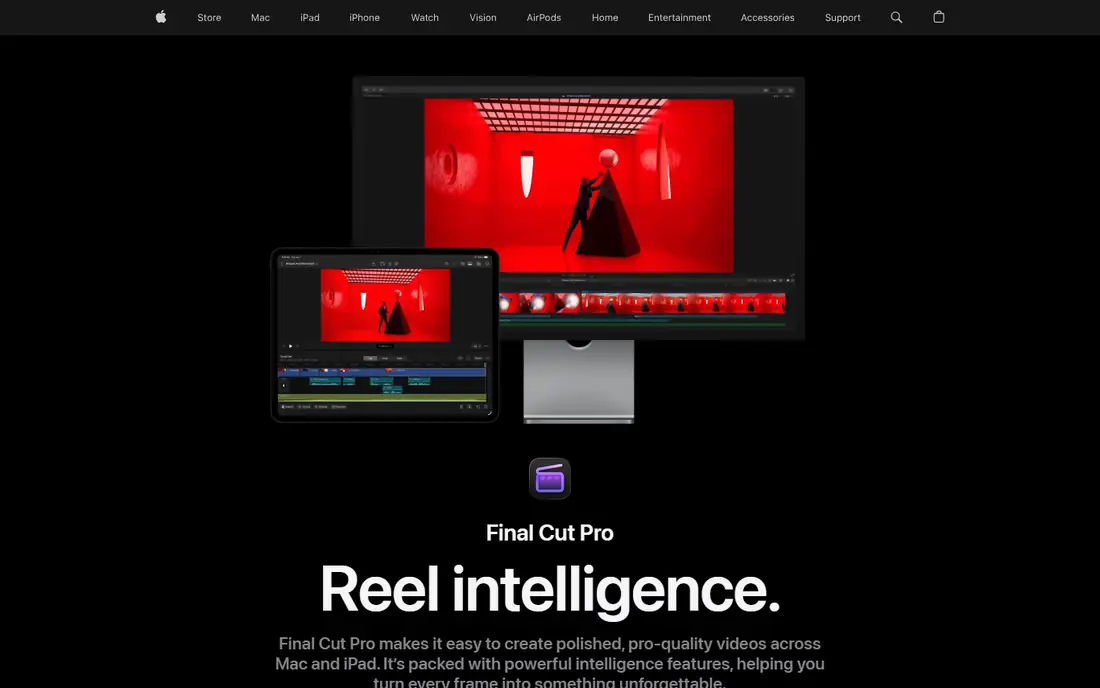
Final Cut Pro is Apple's professional editor, and on Apple silicon Macs it is one of the fastest editors you can buy. Playback of 4K and even 8K footage is smooth without proxies in many cases, and background rendering keeps the timeline responsive while you work. The one-time price of $299.99 is good value next to a Premiere Pro subscription, since it pays for itself in just over a year. The Magnetic Timeline is the feature that divides editors: clips snap together automatically and connected clips move with their parent, but editors coming from a traditional track based timeline need time to adjust. Final Cut Pro includes strong colour grading, HDR support and a large library of titles and effects. The hard limit is platform: if you work on Windows or Linux, Final Cut Pro is not an option.
What we like- One-time purchase with no subscription, excellent performance on Apple silicon, Magnetic Timeline keeps clips connected, strong colour and HDR tools, regular free updates
Watch out for- Mac only, and the trackless Magnetic Timeline takes real adjustment for editors used to traditional tracks
#3Shotcut
Best for: Free cross platform editing with broad format support through FFmpeg4.2/5 on
G2 (42 reviews, checked Oct 2026)
Visit shotcut.org
Starting priceFree, open source, no paid tier
Free planYes, fully free and open source
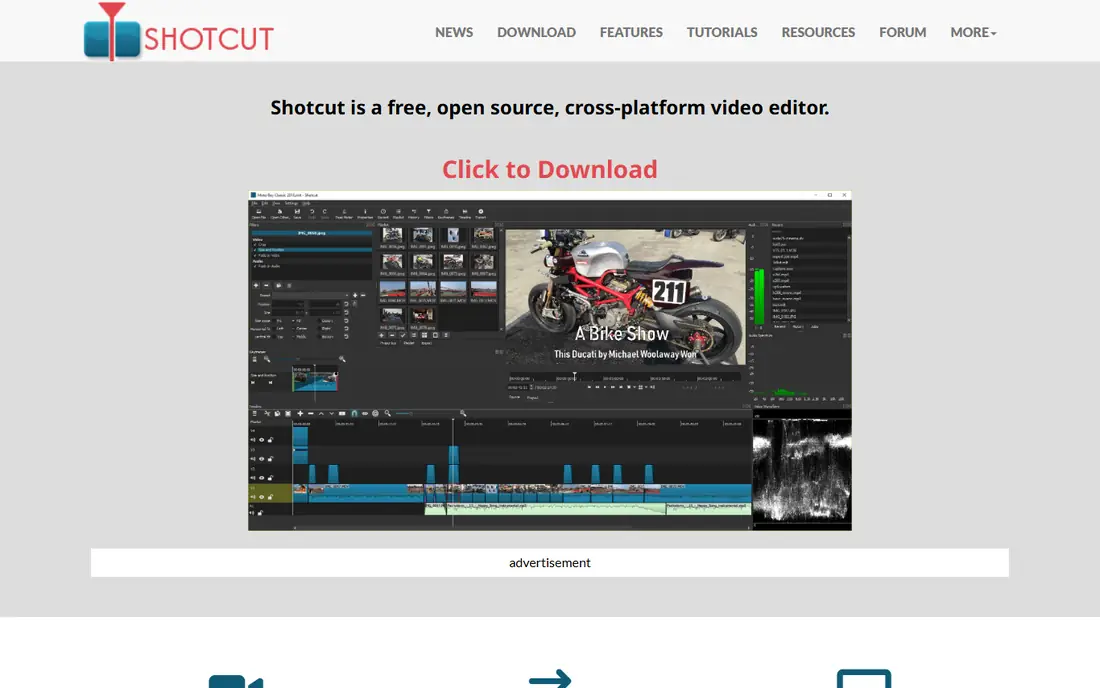
Shotcut is a free open source editor that quietly does more than many paid tools. It is built on FFmpeg, so it opens almost any video format without conversion, including files that other editors refuse. The timeline supports multiple tracks, keyframes, filters, transitions and colour grading, and it handles 4K projects without a licence fee. There is no watermark, no export limit and no account to create, which makes it a clean choice for editors who want a genuinely free tool. Shotcut runs on Windows, Mac and Linux, and the same project files work across platforms. The interface is functional rather than polished: panels and menus look dated next to Filmora or Final Cut Pro, and finding an advanced effect can take a few clicks.
What we like- Free with no watermark, runs on Windows, Mac and Linux, broad format support through FFmpeg, no account or subscription, supports 4K editing
Watch out for- Panel based interface looks dated, and advanced effects and motion tracking take extra effort
#4Kdenlive
Best for: Free multi track editing with keyframeable effects and proxy editing
Visit kdenlive.org
Starting priceFree, open source, no paid tier
Free planYes, fully free and open source
Kdenlive is a free open source editor with a feature set that comes closest to a professional tool among the free options. The multi track timeline supports keyframeable effects, transitions, colour scopes, audio mixing and title templates, and proxy editing keeps 4K footage smooth on modest hardware. It runs on Windows, Mac and Linux, and the project files are portable. Recent versions have improved stability considerably, with a rewritten rendering pipeline and regular releases from an active development community. The interface is modular, which means panels can be rearranged to suit your workflow, but that flexibility also means the first session can feel busy for a complete beginner. Kdenlive suits editors who want professional depth without paying, and who are willing to spend an evening learning the layout in exchange for a tool with no subscription and no watermark.
What we like- Free with no watermark, multi track timeline with keyframeable effects, proxy editing for smooth 4K playback, runs on Windows, Mac and Linux, active open source development
Watch out for- Older versions had a reputation for crashes on complex projects, and the modular interface has a learning curve for absolute beginners
#5OpenShot
Best for: Beginner friendly editing with a simple drag and drop timeline4.5/5 on
G2 (31 reviews, checked Oct 2026)
Visit openshot.org
Starting priceFree, open source, no paid tier for the desktop editor
Free planYes, fully free and open source
OpenShot is the easiest free editor on this list to pick up. The timeline is a simple drag and drop layout with clear tracks, and trimming, splitting and adding transitions takes minutes to learn. It includes animated titles, a library of transitions and effects, and keyframe animation for clips. There is no watermark and no paid tier for the desktop editor, so what you export is yours to publish. OpenShot runs on Windows, Mac and Linux, which makes it a good classroom or family computer choice. The trade off is performance: large projects with many layers, or 4K footage on a modest machine, can lag during playback and rendering. Occasional crashes have been reported, and there is no visible autosave, so saving often is good practice. For short videos, school projects and first time editors, OpenShot is a friendly starting point that costs nothing.
What we like- Free with no watermark, simple drag and drop timeline, easy to learn, runs on Windows, Mac and Linux, animated titles and transitions included
Watch out for- Rendering and playback lag on large or complex multi layer 4K projects, occasional crashes with no visible autosave
#6Filmora
Best for: Fast beginner friendly editing for YouTube and social video with templates and AI tools4.4/5 on
G2 (613 reviews, checked Oct 2026)
Visit filmora.wondershare.com
Starting priceBasic $49.99 per year, perpetual $79.99 one-time for Filmora 16 only
Free planYes, free version exists but exports carry a watermark
Filmora is built for creators who want polished videos quickly. The interface is clean and modern, with a drag and drop timeline, a large library of templates, transitions, titles and effects, and one click export presets for YouTube, TikTok and Instagram. AI tools add real speed: auto captions, smart cutout, background removal and text to video help turn raw footage into a finished clip in less time. The Basic plan at $49.99 per year covers the core editor, and the perpetual licence at $79.99 one-time for Filmora 16 suits buyers who dislike subscriptions, though it applies to that version only. The free version is useful for learning, but its watermarked exports rule it out for published work. Some advanced features and AI tools require higher tiers or paid add ons, so check which tier includes the tools you need before paying.
What we like- Very easy to learn, large template and effects library, AI tools for captions, background removal and text to video, good social export presets, perpetual licence option
Watch out for- Free version watermarks exports, and several advanced features and AI tools sit on higher tiers or paid add ons
#7CapCut
Best for: Short form social video with templates and auto captions1.2/5 on
Trustpilot (1,347 reviews, checked Oct 2026)
Visit capcut.com
Starting priceFree, Pro $19.99 per month or $179.99 per year
Free planYes, free tier available
CapCut grew out of short form video, and it shows in the best way. Templates, trending effects, auto captions and beat synced cuts make it very fast to produce TikTok, Reels and Shorts. The free tier covers a lot: basic editing, filters, transitions, text and a solid template library, with no watermark on most exports. The desktop app is more capable than many expect, with multi track editing, keyframes, colour adjustment and a media library, and projects sync between desktop and mobile. Pro at $19.99 per month or $179.99 per year adds cloud storage, premium templates, more AI features and commercial use rights. The main catch is the AI credit system: Pro AI tools run on a capped monthly credit pool, so heavy users of AI generation can hit the limit before the month ends.
What we like- Free tier is genuinely usable, huge template library, auto captions and text to speech, easy vertical video editing, desktop and mobile apps sync, cloud storage included with Pro
Watch out for- Pro AI tools run on a capped monthly credit pool, and there is no perpetual licence
#8Lightworks
Best for: Professional non linear editing with a film industry pedigree and advanced trimming3.6/5 on
G2 (31 reviews, checked Oct 2026)
Visit lwks.com
Starting priceFree, Pro reported at $27.99 per month, confirm at checkout
Free planYes, free version available, exports capped at 1080p
Lightworks has been used on feature films, and its editing tools reflect that heritage. Trimming is precise and flexible, with a dedicated trim mode, slip and slide tools, and a bin system that suits large projects with lots of footage. Multicam editing, audio mixing and a wide format range are all included, and the editor runs on Windows, Mac and Linux. The free version is usable for learning and for projects that only need 1080p delivery, since exports are capped at 1080p. The official pricing page does not show a dollar figure in a text fetch, so the Pro price is reported at $27.99 per month in third party listings: confirm at checkout before paying. The interface follows a film editing workflow rather than the layout Premiere or Resolve users expect, so allow real learning time before judging it.
What we like- Professional trimming and editing tools, film industry pedigree, runs on Windows, Mac and Linux, strong multicam support, flexible timeline and bin system
Watch out for- Free version caps exports at 1080p, and the interface follows a film editing workflow that takes real learning for editors coming from Premiere or Resolve
Which DaVinci Resolve alternative should you choose
If you edit professionally and already use Adobe apps, choose Premiere Pro. The subscription is the price of staying inside the industry standard ecosystem, and the integration with After Effects and Audition is hard to match.
If you edit on a Mac and want a one-time purchase, choose Final Cut Pro. At $299.99 it pays for itself in just over a year against a Premiere Pro subscription, and its performance on Apple silicon is excellent.
If you want a free editor with no watermark and no subscription, choose Kdenlive for depth or Shotcut for format support. Kdenlive has the stronger effects and proxy workflow, while Shotcut opens almost any file you hand it. OpenShot is the better pick if you are a complete beginner and want the simplest possible timeline.
If you make YouTube or social videos and want speed, choose Filmora for polished longer videos or CapCut for short form clips. Filmora has the better desktop editing depth and a perpetual licence option, while CapCut has the better templates and auto captions for vertical video.
If you want professional trimming and a film editing workflow, choose Lightworks, and accept the learning curve in exchange for tools built for feature film editing.
Frequently asked questions
Is there a free alternative to DaVinci Resolve
Yes, several. Shotcut, Kdenlive and OpenShot are all free and open source, with no watermark on exports and no paid tier. They cover the core editing work most people need, including multi track timelines, transitions, colour adjustment and 4K support. Kdenlive has the deepest feature set of the three, Shotcut has the broadest format support, and OpenShot is the easiest to learn.
Is Premiere Pro better than DaVinci Resolve
It depends on your workflow. Premiere Pro is better if you work inside Adobe Creative Cloud, collaborate with agencies, or need After Effects integration. DaVinci Resolve is better for colour grading, and its free version is far more capable than Premiere Pro, which has no free plan. Resolve Studio at $295 one-time is also cheaper over time than a Premiere Pro subscription.
Is Final Cut Pro a good alternative to DaVinci Resolve
Yes, if you work on a Mac. Final Cut Pro costs $299.99 as a one-time purchase, runs very fast on Apple silicon, and includes strong colour and HDR tools. Its Magnetic Timeline is the main adjustment for editors used to track based timelines. It cannot run on Windows or Linux, so it only works for Mac based workflows.
Can I edit 4K video for free with a DaVinci Resolve alternative
Yes. Shotcut, Kdenlive and OpenShot all support 4K editing for free with no watermark. Kdenlive has the best proxy workflow of the three, which keeps playback smooth on modest hardware. CapCut and Filmora also handle 4K, but their free versions carry limits: CapCut reserves some features for Pro, and Filmora watermarks free exports.
What happened to HitFilm as a DaVinci Resolve alternative
HitFilm was discontinued in January 2025. The FXhome site is shut down and the activation servers are offline, so there is no live download, no live price and no support. Existing users cannot activate new installs. That is why HitFilm is not listed in this guide. If you used HitFilm, Shotcut and Kdenlive are the closest free replacements, and Filmora is the closest paid replacement for its effects and templates.
Sources we checked (9)
- https://www.adobe.com/products/premierepro.html
- https://www.apple.com/final-cut-pro/
- https://shotcut.org
- https://kdenlive.org
- https://www.openshot.org/
- https://filmora.wondershare.com
- https://www.capcut.com
- https://lwks.com
- https://www.blackmagicdesign.com/products/davinciresolve
Is your product missing or out of date?
We review this list regularly. Vendors can request a listing, send updated pricing or ask about featured placement.

Shihab Mia · Founder, Rankite
Shihab has 5+ years in B2B and SaaS SEO. He writes Rankite's software buying guides from pricing pages, documentation and public user reviews. More about Shihab.