How we make this list: we compare pricing pages, product documentation and public user reviews. Ratings come from G2, Capterra or Trustpilot, with the date we checked them.
What is the best Capture One alternative in 2026
The best Capture One alternative for most photographers is Adobe Lightroom. It pairs a full RAW processor with a catalog that handles large libraries, cloud sync across devices, and AI masking and denoise tools, all for 11.99 dollars a month on the Lightroom plan with 1TB of storage, checked November 2026. Photographers who want the closest match to Capture One image quality should look at DxO PhotoLab instead, because its optical corrections and DeepPRIME denoise are built around measured camera and lens profiles. Photographers who want to stop paying a subscription should look at ON1 Photo RAW at 99.99 dollars one time, or at Affinity, which became free in October 2025. The right pick depends on whether you need tethered shooting, a catalog, layered retouching, or a one time license, and this guide covers all four needs.
Capture One earns its following for good reasons. Its color editing is precise, its tethered capture is the standard in studios, and its sessions workflow suits shooters who work job by job. Photographers look elsewhere mainly for price, the move toward subscription billing, or a missing feature such as a mobile app. Every tool below covers at least one of those gaps without giving up professional RAW quality.
How to pick a Capture One alternative
Start with how you shoot and how you organize. If you shoot tethered in a studio, you need an editor with live capture support, which narrows the field fast. If you shoot weddings or events, the catalog matters more than anything, because you need to cull, rate, and batch edit thousands of frames quickly. If you shoot landscapes or portraits and edit a few dozen keepers at a time, a session style workflow with strong local adjustments is enough, and a catalog becomes optional.
Next, decide how you want to pay. Subscription editors such as Lightroom and Photoshop keep getting new features, but the bill never stops. One time licenses such as DxO PhotoLab, ON1 Photo RAW, Luminar Neo, and Exposure cost more up front and nothing after, though major version upgrades are usually paid. Free editors such as Affinity and darktable cost nothing at all.
Finally, check camera support before you buy. Every editor on this list supports the major camera brands, but support for a brand new body can lag by weeks after launch. If you just bought a new camera, confirm that your chosen editor reads its RAW files.
Which Capture One alternative is best for tethered shooting
Tethered shooting is the hardest feature to replace, because Capture One built its reputation on it. Among the tools here, Adobe Lightroom offers the most practical tethered option for most photographers, with live capture for many Canon, Nikon, and Sony bodies. ON1 Photo RAW also supports tethered capture for a range of cameras. DxO PhotoLab does not focus on tethering, so studio photographers who live on a tethered workflow should test Lightroom or ON1 first.
If tethering is only an occasional need rather than a daily one, the rest of the list opens up. Affinity and darktable cover the editing side well, and a separate free tethering utility can cover the capture side on shoot days. The key point is to separate the two jobs in your mind: capture and editing do not have to live in the same app.
Do any Capture One alternatives work without a subscription
Yes, and this is where the list gets interesting. DxO PhotoLab, ON1 Photo RAW, Luminar Neo, and Exposure all sell perpetual licenses, so you pay once and keep using that version. Affinity and darktable are free, with no purchase and no subscription at all. Only Adobe Lightroom and Adobe Photoshop are subscription only, with no way to buy them outright.
A one time license is not the same as free updates forever. Most vendors sell the current version and charge for the next major version, usually at a discount for existing owners. Even so, a photographer who upgrades every two or three years spends far less than a subscriber over the same period.
Quick comparison
| Tool | Best for | Starting price | Free plan |
|---|
 Adobe Lightroom | Photographers who want a catalog, cloud sync, and batch editing in one place | 11.99 dollars per month (Lightroom plan, 1TB, annual plan billed monthly, checked November 2026) | 7 day free trial, no free plan |
 Adobe Photoshop | Retouchers and photographers who need layers, compositing, and pixel level control | 22.99 dollars per month (single app plan, annual plan billed monthly, checked November 2026) | 7 day free trial, no free plan |
 DxO PhotoLab | Photographers who want the best RAW image quality and noise reduction | 149.99 dollars one time (Essential edition, checked November 2026) | 30 day free trial, no free plan |
 Luminar Neo | Photographers who want fast, guided AI edits with minimal manual work | 129 dollars one time (Desktop Only perpetual license, checked October 2026) | 7 day free trial, no free plan |
 ON1 Photo RAW | Photographers who want one app for catalog, RAW editing, and layers | 99.99 dollars one time (Photo RAW 2026, checked October 2026) | 30 day free trial, no free plan |
 Affinity | Photographers who want a full professional editor for free | Free (unified app, free since 30 October 2025) | Free, the full app costs nothing |
 darktable | Photographers who want a free, open source RAW processor with a catalog | Free (open source) | Free, the full app costs nothing |
 Exposure | Photographers who want film looks, presets, and a creative editing style | 119 dollars one time (Exposure X7, vendor list price) | 30 day free trial, no free plan |
Is your product missing or out of date?
We review this list regularly. Vendors can request a listing, send updated pricing or ask about featured placement.
The 8 best Capture One alternatives
#1Adobe Lightroom
Best for: Photographers who want a catalog, cloud sync, and batch editing in one place4.6/5 on
G2 (3,299 reviews, checked Oct 2026)
Visit adobe.com
Starting price11.99 dollars per month (Lightroom plan, 1TB, annual plan billed monthly, checked November 2026)
Free plan7 day free trial, no free plan
Lightroom is the closest thing to a default answer for photographers leaving Capture One. The catalog handles large libraries with collections, keywords, and ratings, and the cloud plan keeps edits in sync between a desktop, a laptop, and a phone. Its AI masking can select a subject, a sky, or a background in one click, and the AI denoise cleans up high ISO files well. Batch editing is fast: copy settings from one frame, paste them across hundreds, and adjust the whole set with presets. The trade off is the subscription, and Lightroom Classic only comes with the Photography plan at 19.99 dollars a month. If you edit on the go and want your library everywhere, Lightroom is the pick.
What we like- Strong catalog and search, cloud sync across desktop and mobile, AI masking and denoise, wide camera support
Watch out for- Subscription only with no perpetual license, and the 20GB Photography plan costs 19.99 dollars a month if you also want Lightroom Classic and Photoshop
#2Adobe Photoshop
Best for: Retouchers and photographers who need layers, compositing, and pixel level control4.6/5 on
G2 (13,426 reviews, checked Oct 2026)
Visit adobe.com
Starting price22.99 dollars per month (single app plan, annual plan billed monthly, checked November 2026)
Free plan7 day free trial, no free plan
Photoshop is not a Capture One replacement on its own, because it has no catalog and no batch RAW workflow. It belongs on this list because so many Capture One users pair Capture One with Photoshop already. Its layer system, frequency separation, and advanced masking remain unmatched for portrait and commercial retouching. Generative Fill can extend a background or remove a distraction with a text prompt. The single app plan costs 22.99 dollars a month, but the Photography plan at 19.99 dollars a month includes Photoshop, Lightroom, and Lightroom Classic, which makes it the cheaper route for most photographers.
What we like- Deepest layer and masking tools available, Generative Fill and Generative Expand, industry standard PSD files
Watch out for- Subscription only, and it has no catalog, so it works best paired with Lightroom rather than as a standalone replacement
#3DxO PhotoLab
Best for: Photographers who want the best RAW image quality and noise reduction4.4/5 on
Capterra (14 reviews, checked Oct 2026)
Visit dxo.com
Starting price149.99 dollars one time (Essential edition, checked November 2026)
Free plan30 day free trial, no free plan
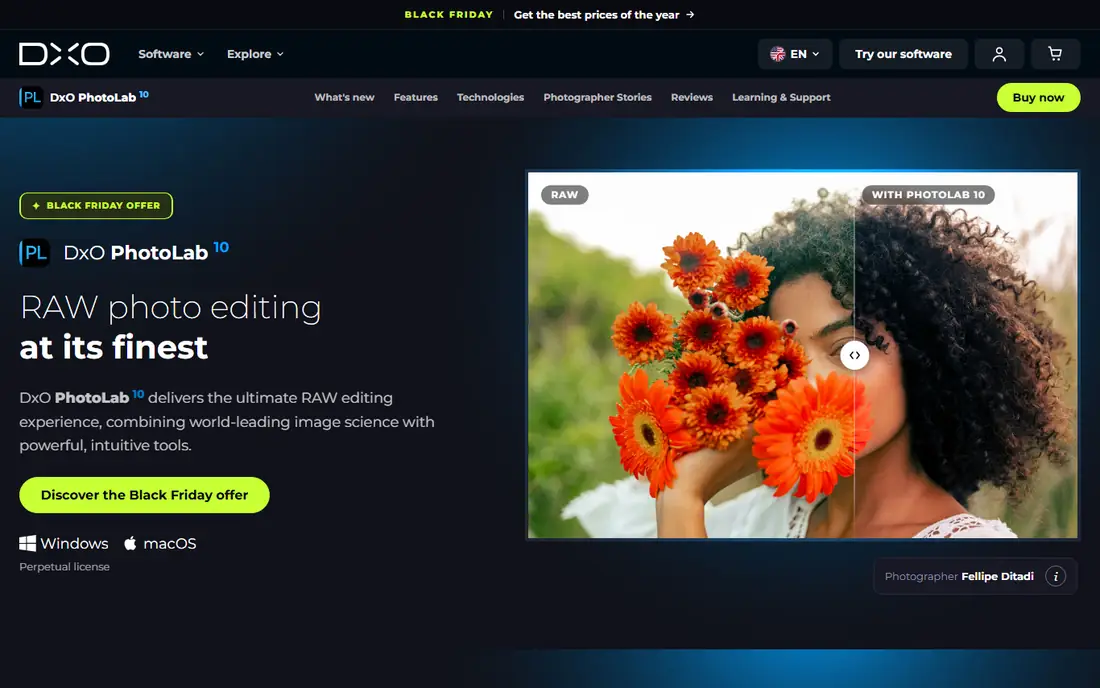
DxO PhotoLab is the pick for photographers who care most about what the file looks like. DxO measures each camera and lens combination in a lab and builds correction modules from those measurements, so distortion, vignetting, and soft corners are corrected with unusual precision. DeepPRIME and DeepPRIME XD denoise recover detail from high ISO files that other editors smear, and the difference shows in large prints. Version 9 adds AI masks, which close one of the gaps with Lightroom. The catalog is basic, so photographers with large libraries often pair PhotoLab with a separate organizer. If image quality is your top priority and you dislike subscriptions, PhotoLab is hard to beat.
What we like- DeepPRIME denoise is among the best available, optical corrections measured per camera and lens pair, perpetual license with no subscription
Watch out for- Catalog and organizing tools are thin next to Lightroom, and the Elite edition at 239.99 dollars is needed for DeepPRIME XD and Fujifilm X-Trans support
#4Luminar Neo
Best for: Photographers who want fast, guided AI edits with minimal manual work4.4/5 on
G2 (115 reviews, checked Oct 2026)
Visit skylum.com
Starting price129 dollars one time (Desktop Only perpetual license, checked October 2026)
Free plan7 day free trial, no free plan
Luminar Neo trades depth for speed. Sky AI can swap a dull sky in one click, Relight AI can balance a backlit portrait, and the portrait tools can smooth skin and brighten eyes without manual masking. For photographers who process a lot of similar images, such as real estate or portrait sessions, that speed adds up to real hours saved. The Desktop Only perpetual license costs 129 dollars one time, with All Platforms and Max tiers above it. The catalog and culling tools are serviceable but not a match for Capture One sessions or a Lightroom library. If you want fast results and a simple interface, Luminar Neo delivers.
What we like- One click sky replacement, relight, and portrait tools, clean and simple interface, perpetual license option
Watch out for- Generative tools stop working after one year unless you renew, and the catalog is weaker than Lightroom or Capture One
#5
ON1 Photo RAW
Best for: Photographers who want one app for catalog, RAW editing, and layers
Visit on1.com
Starting price99.99 dollars one time (Photo RAW 2026, checked October 2026)
Free plan30 day free trial, no free plan
ON1 Photo RAW is the most complete single app alternative on this list. It combines a catalog browser, a RAW developer, and a layered editor, so it can replace both Capture One and much of Photoshop for many photographers. AI masking, sky replacement, and NoNoise AI cover the common technical edits, and the effects and presets library is large. Tethered capture is supported, which matters for studio photographers. A subscription option exists from 7.99 dollars a month for photographers who want every update, but the perpetual license keeps working without it. If you want one app that does the whole job and you want to own it, ON1 is the strongest value here.
What we like- Catalog, RAW develop, and layered editing in one app, perpetual license, tethered capture support
Watch out for- Performance can lag on older computers when AI tools are running, and the interface takes time to learn
#6Affinity
Best for: Photographers who want a full professional editor for free4.5/5 on
G2 (452 reviews, checked Oct 2026)
Visit affinity.serif.com
Starting priceFree (unified app, free since 30 October 2025)
Free planFree, the full app costs nothing
Affinity changed the math for every paid editor on this list. On 30 October 2025, Canva folded Affinity Photo, Designer, and Publisher into a single unified app called Affinity and made it free. The old 69.99 dollar one time price is gone, and the full app, including the Pixel studio for photo editing, costs nothing. The Develop persona handles RAW files with a solid set of controls, and the Photo persona offers layers, masks, frequency separation, and focus stacking. You activate it with a free Canva account. The limits are real: there is no catalog, so you need a separate organizer for large libraries, and the Canva AI tools inside Affinity need a paid Canva plan.
What we like- Completely free with no subscription, full pixel editing with layers and RAW develop, also includes vector and layout tools
Watch out for- No catalog or library management, and the AI tools need a paid Canva plan
#7
darktable
Best for: Photographers who want a free, open source RAW processor with a catalog
Visit darktable.org
Starting priceFree (open source)
Free planFree, the full app costs nothing
darktable is the free, open source answer to Lightroom and Capture One. It is a non destructive RAW processor with a catalog, ratings, and collections, plus a deep module system for tone, color, sharpening, and local adjustments. Masking is powerful, with drawn and parametric masks that can target tones and colors. It runs on Windows, Mac, and Linux, and it costs nothing, with no account, no subscription, and no locked features. The trade off is the learning curve: the interface packs a lot into small panels, and new users often need a few sessions before it feels natural.
What we like- Free and open source, full non destructive RAW processing with masking and cataloging, active community and frequent updates
Watch out for- The interface is dense and takes time to learn, and there is no official support channel if something goes wrong
#8
Exposure
Best for: Photographers who want film looks, presets, and a creative editing style
Visit exposure.software
Starting price119 dollars one time (Exposure X7, vendor list price)
Free plan30 day free trial, no free plan
Exposure, formerly Alien Skin, is built around the look of film. Exposure X7 combines a non destructive RAW editor and organizer with a large library of film emulations, creative presets, and grain controls that give digital files an analog character. The presets are a genuine strength: they are built from careful film modeling, and they can be adjusted layer by layer. The app also works as a plug in for Photoshop and Lightroom. The vendor list price is 119 dollars one time, and a bundle with the Blow Up and Snap Art tools costs 149 dollars. If your style leans creative and you want film character without a subscription, Exposure is a strong fit.
What we like- Huge library of film looks and presets, non destructive RAW editing with an organizer, works standalone or as a plug in
Watch out for- The catalog is lighter than Lightroom, and the preset heavy workflow suits creative editing more than high volume batch work
Frequently asked questions
What is the best free Capture One alternative?
Affinity is the best free Capture One alternative for most photographers, because the full unified app became free on 30 October 2025 and includes professional pixel editing, layers, and RAW development at no cost. darktable is the best free alternative if you also need a catalog, since it is open source and combines RAW processing with organizing tools. Both cost nothing, so the choice comes down to whether you need a library or a deeper retouching toolset.
Can I use Lightroom instead of Capture One for tethered shooting?
Yes, Lightroom supports tethered capture for many Canon, Nikon, and Sony cameras, and it works well for portrait and product sessions. Capture One still has the edge for high volume studio work, with faster live view and more camera specific controls. ON1 Photo RAW also offers tethered capture and is worth testing if you want a one time license. Test your exact camera body before committing, because tether support varies by model.
Is DxO PhotoLab better than Capture One for image quality?
DxO PhotoLab is often rated higher for pure RAW image quality, thanks to its lab measured optical corrections and DeepPRIME denoise, which recover detail from high ISO files with unusual clarity. Capture One still leads on color editing tools and tethered workflow. The best choice depends on your priority: choose PhotoLab for image quality and denoise, or stay with Capture One for color grading and studio capture.
Do any Capture One alternatives offer a one time purchase?
Yes. DxO PhotoLab starts at 149.99 dollars one time, ON1 Photo RAW starts at 99.99 dollars one time, Luminar Neo starts at 129 dollars one time, and Exposure starts at 119 dollars one time. Affinity and darktable are free. Only Adobe Lightroom and Adobe Photoshop are subscription only. A one time license covers the current version, and the next major version is usually a paid upgrade at a discount.
Can I switch from Capture One without losing my edits?
You cannot carry Capture One adjustments into another editor, because each app stores edits in its own format. The practical route is to export finished work as TIFF or JPEG, and to keep your original RAW files with their Capture One sidecar files for reference. Most photographers run both apps during a transition period, finishing open jobs in Capture One and starting new jobs in the replacement. Your RAW files themselves are never locked to Capture One.
Sources we checked (15)
- https://www.adobe.com/products/photoshop-lightroom.html
- https://www.adobe.com/creativecloud/plans.html
- https://www.adobe.com/products/photoshop.html
- https://www.adobe.com/creativecloud/plans.html
- https://www.dxo.com/dxo-photolab/
- https://shop.dxo.com/en/photo-software/dxo-photolab
- https://skylum.com/luminar
- https://skylum.com/luminar
- https://www.on1.com/products/photo-raw/
- https://www.on1.com/products/photo-raw/
- https://affinity.serif.com/
- https://affinity.serif.com/
- https://www.darktable.org/
- https://exposure.software/
- https://exposure.software/
Is your product missing or out of date?
We review this list regularly. Vendors can request a listing, send updated pricing or ask about featured placement.

Shihab Mia · Founder, Rankite
Shihab has 5+ years in B2B and SaaS SEO. He writes Rankite's software buying guides from pricing pages, documentation and public user reviews. More about Shihab.