How we make this list: we compare pricing pages, product documentation and public user reviews. Ratings come from G2, Capterra or Trustpilot, with the date we checked them.
Key takeaways
- The best tools to research competitor PPC in 2026 use public ad data, such as ad libraries and search results, to show which keywords and ads rivals run.
- SpyFu leads for deep Google Ads history at a low price, while Semrush covers PPC research inside a much wider marketing suite.
- Similarweb adds traffic and audience context that pure PPC tools miss, which helps a team judge whether a rival campaign is actually working.
- Free transparency centers from Google, Meta, and TikTok show live ads directly, so every paid tool should be checked against them.
- These tools support legitimate competitive research only: they show public ads and estimated spend, and they never access a rival account or private data.
Quick comparison
| Tool | Best for | Starting price | Free plan |
|---|
 SpyFu SpyFu | Deep Google Ads history on a budget | $39 per month | Yes |
 Semrush Semrush | PPC research inside a full suite | $139.95 per month | Free trial |
 Ahrefs Ahrefs | Paid keyword and ad research | $29 per month | Yes |
 Similarweb Similarweb | Traffic and audience context | $249 per month | Free trial |
 Serpstat Serpstat | Affordable all in one research | $69 per month | Free trial |
 iSpionage iSpionage | Competitor ad copy and landing pages | See website | Free trial |
 WhatRunsWhere WhatRunsWhere | Display and native ad intelligence | See website | No |
 Google Ads Transparency Center Google Ads Transparency Center | Free live ad checks | Free | Yes |
Is your product missing or out of date?
We review this list regularly. Vendors can request a listing, send updated pricing or ask about featured placement.
#1SpyFu
Best for: Deep Google Ads history on a budget4.6/5 on
G2 (518 reviews, checked Oct 2026)
Visit spyfu.com
Starting price$39 per month
Free planYes
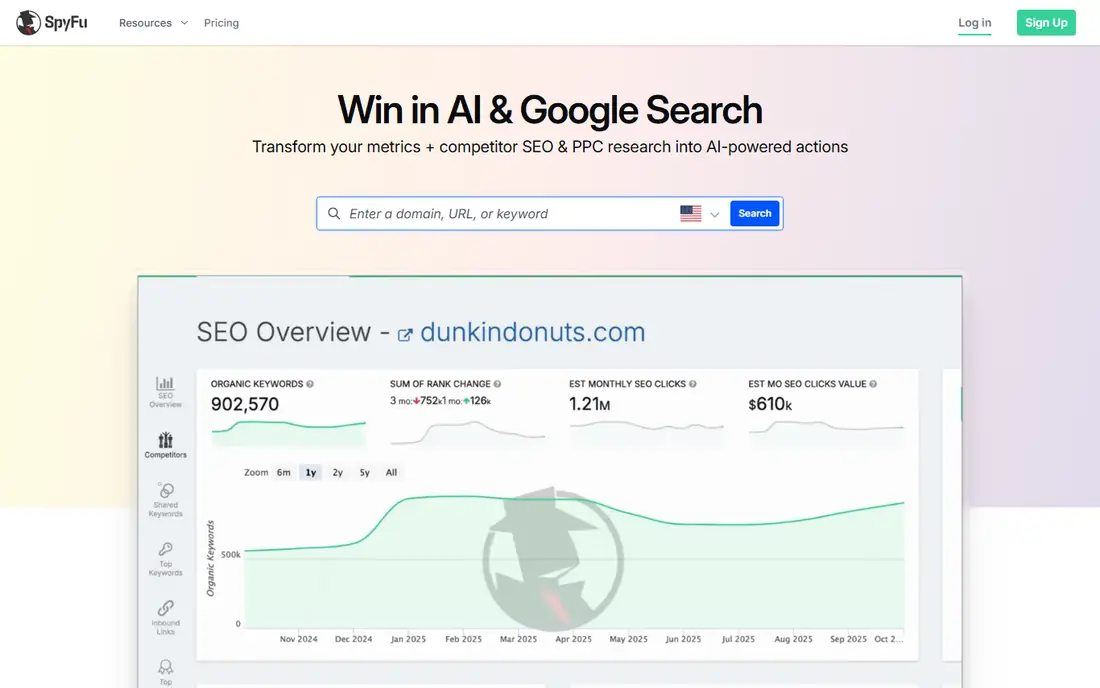
SpyFu is the most focused PPC research tool on this list. It shows every keyword a competitor has ranked for, every Google Ads campaign they have run, and estimated ad spend, going back years. Its Kombat tool compares keyword overlap between your domain and rivals in a simple diagram, which quickly shows gaps worth bidding on.
The limits are update speed and breadth. Data updates weekly rather than daily, backlink analysis is basic, and there is no site audit or social toolkit. Some sources list a $29 starting price against a $39 figure, so confirm the current plan on the pricing page. For a team whose main job is PPC research on a budget, SpyFu is the first tool to test.
What we like- Over 19 years of keyword and ad history
- Unlimited searches and exports on every plan
- Ad spend estimates
Watch out for- Data updates weekly rather than daily
- Backlink tools are basic
- No site audit or social tools
#2Semrush
Best for: PPC research inside a full suite4.4/5 on
G2 (4,035 reviews, checked Oct 2026)
Visit semrush.com
Starting price$139.95 per month
Free planFree trial
Semrush covers PPC research inside the widest marketing suite on this list. Its Advertising Toolkit shows competitor ad copy, paid keywords, and landing pages, while domain overview adds organic traffic and backlink context. A team can move from spotting a rival keyword to building a campaign, a content brief, and a social post without leaving the account.
The trade is price and complexity. Entry at $139.95 per month is steep when PPC research is the only need, query limits apply on lower plans, and new users may need training. For a team that already runs SEO, content, and PPC together, Semrush gives the best combined value.
What we like- Advertising Toolkit with ad copy and keyword data
- Tracks up to five competitors at once
- SEO, content, and social tools included
Watch out for- Entry price is high for PPC research alone
- Query limits apply
- Interface can feel crowded
#3Ahrefs
Best for: Paid keyword and ad research4.5/5 on
G2 (717 reviews, checked Oct 2026)
Visit ahrefs.com
Starting price$29 per month
Free planYes
Ahrefs is best known for SEO, but its paid search reports suit PPC research well. Site Explorer shows paid keywords, top ads, and landing pages for any domain, backed by one of the largest keyword databases in the industry. Teams that already use Ahrefs for organic research can add PPC checks without a second subscription.
The limits are focus and price. Its PPC depth is thinner than SpyFu, especially for historical ad copy, and the full suite climbs past the $29 Starter plan quickly. For a team that already pays for Ahrefs, its PPC reports are a strong bonus rather than a reason to buy alone.
What we like- Huge keyword and backlink databases
- Paid search reports for any domain
- Free Webmaster Tools for own sites
Watch out for- PPC features are thinner than SpyFu
- Full suite pricing climbs fast
- Rank tracking updates weekly unless upgraded
#4Similarweb
Best for: Traffic and audience context4.4/5 on
G2 (1,236 reviews, checked Oct 2026)
Visit similarweb.com
Starting price$249 per month
Free planFree trial
Similarweb answers a question pure PPC tools cannot: is a rival campaign actually driving traffic? It estimates website visits, traffic sources, audience interests, and paid search share, so a team can judge whether a competitor's ads support real growth or only noise. That context helps prioritize which rivals to study closely.
The trade is price and PPC detail. Entry starts at $249 per month, which is steep for small teams, and its PPC keyword detail is thinner than SpyFu. Estimates also vary in accuracy by site size. For a team that needs market context beside PPC data, Similarweb is worth its price.
What we like- Website traffic and audience data
- Paid search plus display and social context
- Strong benchmarking
Watch out for- Expensive for small teams
- PPC keyword detail is thinner than SpyFu
- Estimates vary by site size
#5Serpstat
Best for: Affordable all in one research4.6/5 on
G2 (464 reviews, checked Oct 2026)
Visit serpstat.com
Starting price$69 per month
Free planFree trial
Serpstat is an affordable all in one research tool that covers keyword research, PPC analysis, and backlink checks in a single plan from $69 per month. Its competitor reports show paid keywords and ad history, which suits a small team that needs PPC insight without paying for a full suite.
The limits are database size and PPC depth. Its data is thinner than Semrush or Ahrefs, updates run less often, and PPC specific reports are fewer than SpyFu. For a small team that wants one budget tool for SEO and PPC research together, Serpstat is a sensible pick.
What we like- Keyword, PPC, and backlink research in one lower tier
- Competitor ad history
- Clean interface
Watch out for- Smaller databases than Semrush or Ahrefs
- Update frequency is lower
- Fewer PPC specific reports
Starting priceSee website
Free planFree trial
iSpionage focuses on what rivals actually say in ads. It tracks competitor ad copy, landing pages, and keyword overlap, which helps a team write stronger ads rather than only bidding on the same keywords. Its reports suit copywriters and campaign managers who care about message as much as bids.
The trade is scope. iSpionage is narrower than a full suite, its index is smaller than SpyFu, and pricing is not always public, so the entry price is "See website" here. For a team that wants ad copy intelligence above all, it earns a place beside a broader research tool.
What we like- Focused on competitor ad copy
- Landing page snapshots
- Keyword overlap reports
Watch out for- Narrower scope than full suites
- Pricing not always public
- Smaller index than SpyFu
Starting priceSee website
Free planNo
WhatRunsWhere covers the ad formats search tools miss: display, native, and mobile ads. It shows which creatives rivals run, where those ads appear, and how long campaigns last, which helps a team planning display or native campaigns rather than search only. Its creative library is useful for spotting message trends across a market.
The limits are search depth and price transparency. Search PPC detail is thinner than SpyFu, and pricing is not public, so buyers must request a quote. For a team that runs display or native alongside search, WhatRunsWhere fills a gap other tools leave open.
What we like- Strong display and native ad coverage
- Creative and publisher data
- Long ad history
Watch out for- Search PPC detail is thinner
- Pricing is not public
- Interface suits experienced buyers
Starting priceFree
Free planYes
The Google Ads Transparency Center is the free ground truth for PPC research. It shows live ads from verified advertisers, searchable by advertiser, region, and format, with no account or payment needed. Every paid tool claim about a rival ad can be checked here in seconds.
The limits are depth and workflow. It gives no keyword data, spend estimates, or history, and checking is manual, with no alerts or exports. Use it beside a paid tool: the paid tool finds patterns across thousands of ads, and the Transparency Center confirms what a rival is running right now.
What we like- Free
- Shows live ads from verified advertisers
- Searchable by advertiser, region, and format
Watch out for- No keyword, spend, or history data
- Manual checking only
- No alerts or exports
How we chose
We ranked tools by depth of ad history, keyword and copy data, spend estimates, ease of use, and price. We favored tools that show real ad copy and landing pages, since copy reveals positioning that keyword lists alone miss. We gave extra weight to tools with long histories, because a rival campaign from two years ago often predicts the next one.
We also weighed legitimacy. Every tool here uses public data, such as ad libraries, search results, and publisher pages. None accesses a rival account, private data, or hidden systems, and readers should avoid any tool that promises such access. Price conflicts across sources were handled by writing "See website" where published figures disagreed.
Buying guide
Start by defining the research question. If the goal is search keywords and spend, SpyFu or Semrush fits. If the goal is display creative, WhatRunsWhere fits. If the goal is market context, Similarweb fits. Buying the wrong type of intelligence wastes more money than buying a slightly dearer tool of the right type.
Next, test with a known rival. Pick a competitor whose ads you already see, run the tool, and check whether its keyword and copy data match what the Transparency Center shows live. A tool that misses obvious live ads will miss subtle ones too.
Finally, set a research rhythm. PPC research pays off when it runs monthly, not once a year, since rivals change copy, budgets, and landing pages often. Assign one person to review competitor ads each month and feed findings into campaign briefs, so research turns into better ads rather than a forgotten report.
Frequently asked questions
Is it legal to research competitor PPC ads?
Yes, when the research uses public data such as ad libraries, search results, and publisher pages. Tools on this list use public sources only and never access a rival account or private data.
What is the best budget tool for PPC research?
SpyFu is the best budget pick, with deep Google Ads history from $39 per month and unlimited searches on every plan. Serpstat at $69 per month is a good alternative for teams that also need SEO research.
Do these tools show exact competitor ad spend?
No tool shows exact spend. They estimate spend from keyword bids, ad positions, and traffic data, so treat figures as direction, not fact. Use them to compare rivals, not to quote precise budgets.
Can I see live competitor ads for free?
Yes. The Google Ads Transparency Center shows live ads from verified advertisers for free, and Meta and TikTok run similar ad libraries. Free checks work for one rival at a time, while paid tools track many rivals at scale.
How often should I check competitor PPC?
Check monthly at minimum, since rivals change copy, budgets, and landing pages often. Teams in fast moving markets benefit from weekly checks on top rivals.
Sources we checked (0)
Is your product missing or out of date?
We review this list regularly. Vendors can request a listing, send updated pricing or ask about featured placement.

Shihab Mia · Founder, Rankite
Shihab has 5+ years in B2B and SaaS SEO. He writes Rankite's software buying guides from pricing pages, documentation and public user reviews. More about Shihab.