How we make this list: we compare pricing pages, product documentation and public user reviews. Ratings come from G2, Capterra or Trustpilot, with the date we checked them.
Best notification software for desktop alerts
DeskAlerts is the top pick for most employers because it is built around screen takeover alerts, acknowledgement tracking and targeting by group and location. It suits internal communications, IT and HR teams that need proof staff saw an urgent message. SnapComms is the main alternative for teams that also want tickers, screensavers and surveys in one employee communications suite.
Key takeaways
- Desktop alert software puts a message on top of other windows, so staff see it even when they ignore email.
- Acknowledgement tracking separates a real alert tool from a simple pop-up. Ask for it by name in every demo.
- Most vendors in this guide hide paid prices behind a quote. Confirm the quote in writing before you sign.
- IT outage and safety alerts need a different tool from routine HR news. Pick the tool that fits the urgent use first.
- ContactMonkey is the weakest desktop fit in this list. It is an email-first platform, so use it only if email and SMS already cover most of your staff.
Comparison table
| Tool | Best for | Starting price | Free plan |
| DeskAlerts | Screen takeover alerts with acknowledgement tracking | Quote; third-party reported from $3,300 per year | No free plan; free trial available |
| SnapComms | Multi-channel employee communications with desktop alerts | Quote; third-party reported from $7 per user per year | No free plan; 30-day free trial |
| Netpresenter | Desktop alerts plus signage and screensavers | Quote | No free plan; 14-day trial reported by one source |
| Appspace | Workplace communications, signage and space tools in one platform | Free tier $0; paid plans by quote | Yes, limited free tier |
| Poppulo | Large enterprise internal communications across email, screens and mobile | Quote | No free plan |
| AlertOps | IT incident alerting with on-call schedules and escalation | Free for 5 users; Standard $8 per user per month billed annually | Yes, free for 5 users |
| xMatters | Automated incident response and alert routing for IT teams | Free for up to 10 users; Starter from $9 to $15 per user per month, sources disagree | Yes, free tier |
| ContactMonkey | Tracked employee email with SMS and Teams reach | Quote; third-party reported from $600 per month | No free plan; free trial available |
What is desktop alert software?
Desktop alert software sends a pop-up message directly to an employee computer screen. The message appears on top of other windows, so it is hard to miss. Many tools add a full screen mode, a scrolling ticker, and a button staff must click to confirm they read the message. That confirmation record is acknowledgement tracking.
When should you use desktop alerts instead of email?
Desktop alerts fit messages that cannot wait for staff to open an inbox. Use them for a system outage, a security incident, a building evacuation, a safety warning, a payroll deadline or a policy change with a legal date. Email still works for routine news, newsletters and long documents, which staff can read later. A desktop alert works when delay has a cost, such as lost work or a missed safety step. If a message is routine, do not send it as an alert.
How does acknowledgement tracking work?
Acknowledgement tracking records who saw an alert and who confirmed it. The alert stays on screen until the employee clicks a button, and the system logs each confirmation time. Managers can then see who has not yet responded and send a follow-up through another channel. This record matters for safety drills, compliance messages and outage updates.
How much does desktop alert software cost?
Desktop alert software usually costs by employee count, user count or annual package, and most vendors in this guide do not publish a price. DeskAlerts, SnapComms, Netpresenter and Poppulo all require a quote for paid plans. Third-party listings report starting figures, such as $3,300 per year for DeskAlerts, but treat those as a guide, not a quote. AlertOps and xMatters publish clearer prices, with free tiers. Appspace lists a free tier at $0, with paid plans by quote.
What to check before you buy?
Check four things before you buy desktop alert software. First, test the alert on Windows and Mac with real staff, and confirm it appears on top of other windows. Second, check targeting by group, department, location and shift, because a building alert should not go to every site. Third, check the audit trail, reporting and data rules, including where data is hosted and how long records are kept. Fourth, check the rollout work, including the desktop agent install and support hours.
Quick comparison
| Tool | Best for | Starting price | Free plan |
|---|
 DeskAlerts | Employers that need screen takeover alerts with proof staff read them | Quote; vendor publishes no price. Third-party reported from $3,300 per year for the on-premise LITE package and $4,400 per year for cloud, checked 14 Nov 2026. Price conflict flagged: the vendor lists no price, while Software Advice and GetApp report $3,300 per year. | No free plan; free trial available |
 SnapComms | Internal communications teams that want alerts, tickers, screensavers and surveys in one suite | Quote; vendor publishes no price. Third-party reported from $7 per user per year on GetApp and $9 per user per year on SpotSaaS, checked 14 Nov 2026. Price conflict flagged: the two third-party figures disagree by $2 per user per year. | No free plan; 30-day free trial reported |
 Netpresenter | Offices, plants and hospitals that want alerts on desktops, screensavers and digital signage together | Quote; vendor publishes no price. Third-party reported from $1 per user per year on Software Advice, checked 14 Nov 2026. Price conflict flagged: that $1 figure is not supported by the vendor site or by G2, which lists all three tiers as contact us, so get a written quote. | No free plan reported by G2; a 14-day trial is reported by one comparison source, while G2 states no free trial is available, so confirm trial access with the vendor |
 Appspace | Large employers that want employee communications, signage, intranet and space booking in one platform | Free tier $0; Express and Enterprise by quote. Third-party reported figures conflict: SoftwareWorld reports $3 per user per month, while SourceForge reports $600 per month, checked 14 Nov 2026. Price conflict flagged: neither figure matches the vendor position, which lists Free at $0 and paid plans as custom quote. | Yes, limited free tier with 2 premium users and 1 device, as reported in vendor pricing material |
 Poppulo | Large enterprise internal communications teams that run email, intranet, mobile and screens under one contract | Quote; the vendor does not publish a price, and no reliable third-party starting price was found, checked 14 Nov 2026 | No free plan; no free trial reported by the main third-party listings |
 AlertOps | IT operations teams that need on-call schedules, escalation and stakeholder alerts together | Free for 5 users; Standard $8 per user per month billed annually ($10 monthly) on the vendor site, checked 14 Nov 2026. Price conflict flagged: SpotSaaS reports $5 per user per month billed annually, which matches an older vendor price, while the vendor blog dated November 2026 states $8, so use the vendor figure as current. | Yes, free for 5 users |
 xMatters | IT and DevOps teams that need automated incident response across monitoring, chat and alert channels | Free for up to 10 users; Starter reported at $15 per user per month on the vendor pricing page checked by IncidentBot in October 2026, with Base at $39. Price conflict flagged: BetterStack, SoftwareWorld and ITQlick report Starter at $9, and SpotSaaS reports $16, so confirm the live price before you buy. | Yes, free tier for up to 10 users, with no SMS or phone notifications on the free tier |
 ContactMonkey | Internal communications teams that need tracked employee email, with SMS and Teams as extra channels | Quote; vendor publishes no price. Third-party reported from $600 per month for the Essential plan on SelectSoftwareReviews, and from $2,500 per year for the SMS Comms offering on Software Finder, checked 14 Nov 2026. Price conflict flagged: the two figures cover different offerings, so they are not a like-for-like starting price. | No free plan; free trial available |
Is your product missing or out of date?
We review this list regularly. Vendors can request a listing, send updated pricing or ask about featured placement.
Starting priceQuote; vendor publishes no price. Third-party reported from $3,300 per year for the on-premise LITE package and $4,400 per year for cloud, checked 14 Nov 2026. Price conflict flagged: the vendor lists no price, while Software Advice and GetApp report $3,300 per year.
Free planNo free plan; free trial available
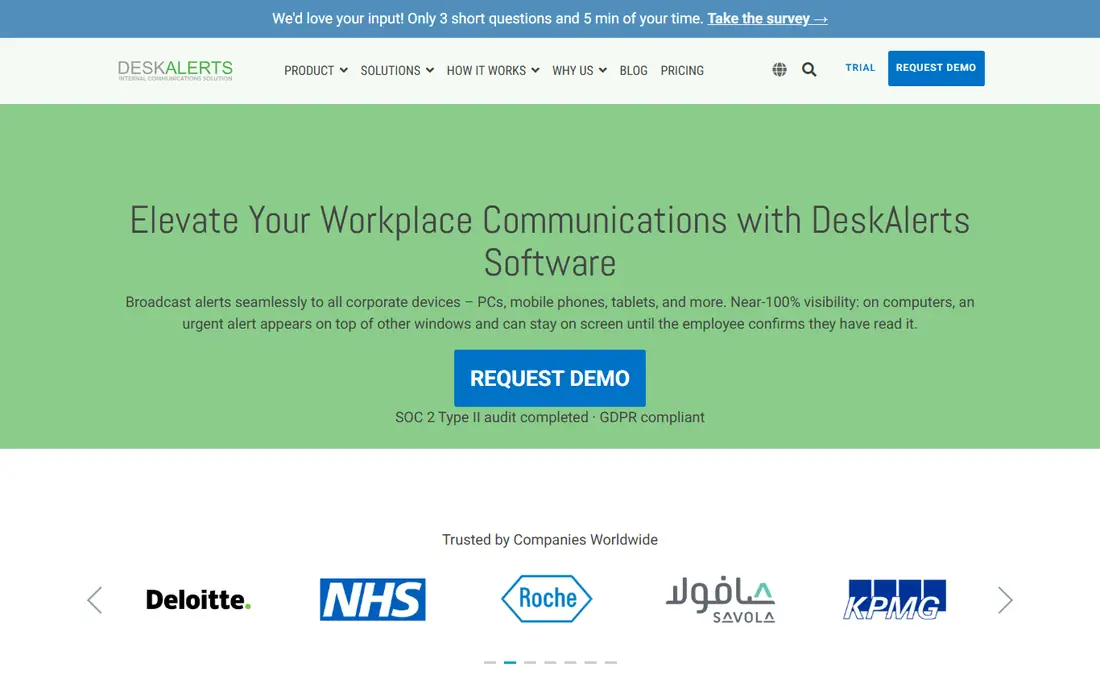
DeskAlerts is the most focused desktop alert tool in this list. Its homepage, checked 14 Nov 2026, describes urgent alerts that appear on top of other windows and stay on screen until the employee confirms they have read the message. That design fits emergency notices, IT outage updates and safety instructions. The platform also covers wallpapers, screensavers, tickers, surveys and mobile push,.
What we like- Full screen alerts that stay on screen until acknowledged
- Targeting by group and location
- On-premise and cloud options
- SOC 2 Type II and GDPR compliance stated on the vendor site
Watch out for- No published price, so budgeting needs a sales quote
- Entry package is aimed at larger employers
#2
SnapComms
Best for: Internal communications teams that want alerts, tickers, screensavers and surveys in one suite
Visit snapcomms.com
Starting priceQuote; vendor publishes no price. Third-party reported from $7 per user per year on GetApp and $9 per user per year on SpotSaaS, checked 14 Nov 2026. Price conflict flagged: the two third-party figures disagree by $2 per user per year.
Free planNo free plan; 30-day free trial reported
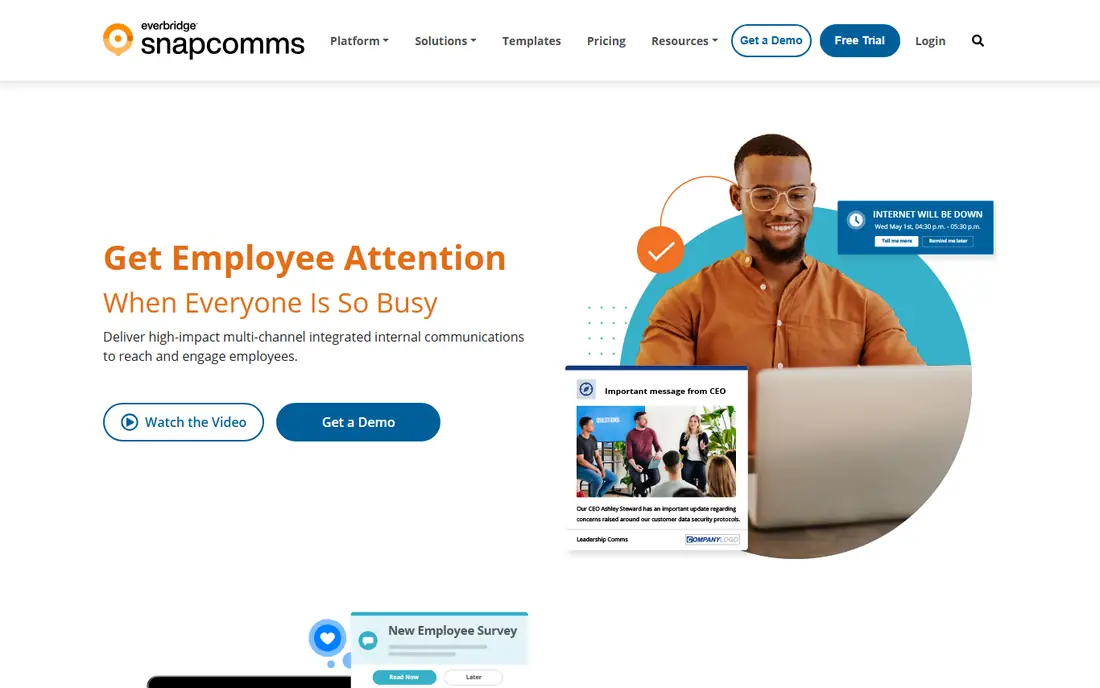
SnapComms is a strong pick when desktop alerts are one part of a wider internal communications plan. Its homepage, checked 14 Nov 2026, presents desktop alerts, tickers and screensavers as channels that bypass email, with a focus on urgent and important messages. The desktop alert places a high priority message above other applications, and staff can respond through the pop-up.
What we like- Desktop alerts plus tickers, lock screens, wallpapers, newsletters, quizzes and surveys
- Targeting by team and location
- Real time reporting on reads
- Now part of Everbridge
Watch out for- Pricing starts from 100 employees, so it is not built for small teams
- Teams that only need alerts may pay for channels they never use
#3
Netpresenter
Best for: Offices, plants and hospitals that want alerts on desktops, screensavers and digital signage together
Visit netpresenter.com
Starting priceQuote; vendor publishes no price. Third-party reported from $1 per user per year on Software Advice, checked 14 Nov 2026. Price conflict flagged: that $1 figure is not supported by the vendor site or by G2, which lists all three tiers as contact us, so get a written quote.
Free planNo free plan reported by G2; a 14-day trial is reported by one comparison source, while G2 states no free trial is available, so confirm trial access with the vendor
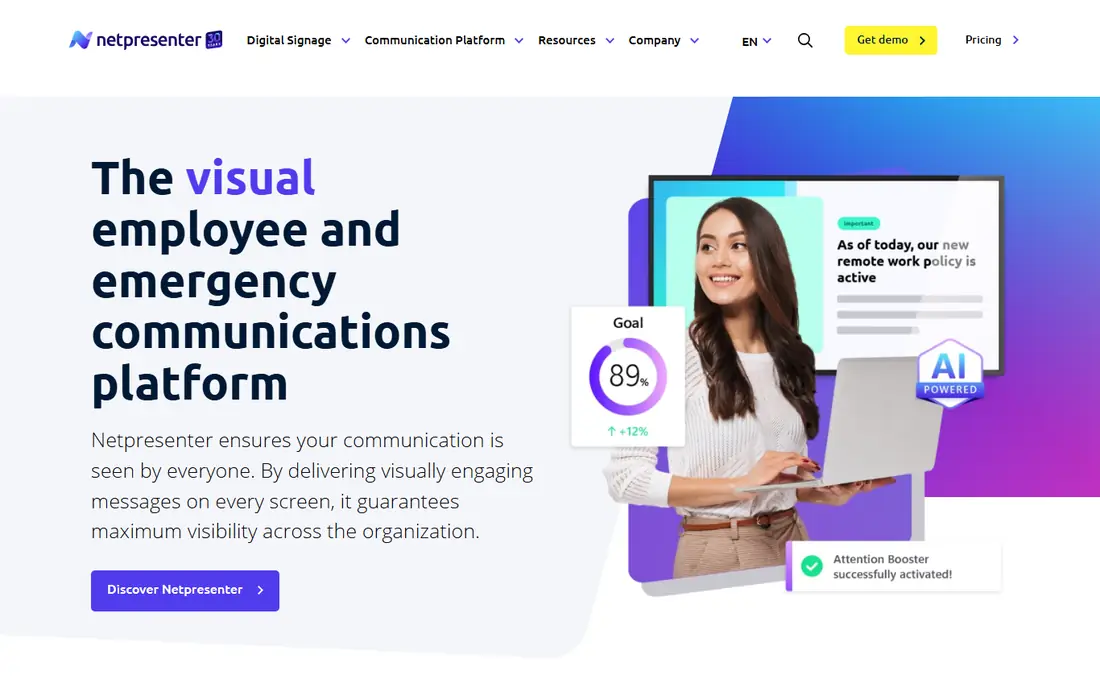
Netpresenter has worked in employee and emergency communications since 1995, and its homepage, checked 14 Nov 2026, centres on visual push communication across PC, TV and mobile screens. The platform suits employers that already run screens in lobbies, wards or factory floors. Alert scenarios let teams pre-build messages for common incidents, and acknowledgement tracking on the Enterprise tier shows who saw each alert, which matters for safety drills and outage updates.
What we like- Desktop alerts, screensaver, lock screen, wallpaper, digital signage and mobile app in one platform
- Alert scenarios and acknowledgement tracking on the Enterprise tier
- Strong Microsoft integration with SharePoint, Teams and Power BI
Watch out for- Quote-only pricing with no published starting price
- Signage support is limited to Windows and Android devices
#4Appspace
Best for: Large employers that want employee communications, signage, intranet and space booking in one platform4.7/5 on
G2 (153 reviews, checked Oct 2026)
Visit appspace.com
Starting priceFree tier $0; Express and Enterprise by quote. Third-party reported figures conflict: SoftwareWorld reports $3 per user per month, while SourceForge reports $600 per month, checked 14 Nov 2026. Price conflict flagged: neither figure matches the vendor position, which lists Free at $0 and paid plans as custom quote.
Free planYes, limited free tier with 2 premium users and 1 device, as reported in vendor pricing material
Appspace is the broadest platform in this list, and that breadth is both its strength and its limit for this guide. Its homepage, checked 14 Nov 2026, presents a workplace experience platform that connects intranet, digital signage, space reservation and visitor management. For desktop alerts, the value is reach: the same message can go to intranet, signage, mobile and desktop from one publish step. That suits large employers that already plan to buy signage and space tools.
What we like- Intranet, signage, employee app and space tools in one platform
- Strong Microsoft 365, Teams and SharePoint integration
- Recognised as a Leader in 2026 Gartner Magic Quadrant reports for intranet and workplace experience
Watch out for- Desktop alerting is one module inside a wide workplace platform, not the core product
- The per user plus per device model can raise the bill as headcount and screen count grow
#5
Poppulo
Best for: Large enterprise internal communications teams that run email, intranet, mobile and screens under one contract
Visit poppulo.com
Starting priceQuote; the vendor does not publish a price, and no reliable third-party starting price was found, checked 14 Nov 2026
Free planNo free plan; no free trial reported by the main third-party listings
Poppulo suits a large employer that wants one vendor for most internal communications channels. Its homepage, checked 14 Nov 2026, presents an AI powered platform that aligns staff across every channel, screen and location, with digital signage and employee experience as the two headline areas. For desktop alerts, Poppulo works best as part of that wider plan: an urgent message can go to email, mobile, signage and desktop from the same campaign, with analytics that show what worked.
What we like- Multichannel platform covering email, intranet, mobile app and digital signage
- ISO 27001 and SOC 2 Type 2 compliance
- Deep HRIS integration with Workday, Microsoft Entra ID and SAP
Watch out for- Quote-only pricing with no trial in the main listings, so evaluation needs a sales process
- Built for large employers, so smaller teams may find the scope and implementation time too large
#6AlertOps
Best for: IT operations teams that need on-call schedules, escalation and stakeholder alerts together4.7/5 on
G2 (155 reviews, checked Oct 2026)
Visit alertops.com
Starting priceFree for 5 users; Standard $8 per user per month billed annually ($10 monthly) on the vendor site, checked 14 Nov 2026. Price conflict flagged: SpotSaaS reports $5 per user per month billed annually, which matches an older vendor price, while the vendor blog dated November 2026 states $8, so use the vendor figure as current.
Free planYes, free for 5 users
AlertOps is the best pick in this list for IT led alerting. Its homepage, checked 14 Nov 2026, presents an incident management platform built around on-call scheduling, automated escalation, call routing, stakeholder notifications and workflow automation. For desktop alerts, the strength is routing: an alert from a monitoring tool can reach the right on-call engineer by schedule, skill and availability, then escalate if no one answers.
What we like- On-call scheduling with rotations, overrides and holiday cover
- Automated escalation and live call routing
- 200 plus integrations with monitoring and ticketing tools
- 14-day trial with no card reported on the vendor blog
Watch out for- Desktop alerting is part of an incident platform, not a standalone employee communications tool, so HR teams may find the interface built for IT
- SMS and voice allowances vary by plan
#7xMatters
Best for: IT and DevOps teams that need automated incident response across monitoring, chat and alert channels4.5/5 on
G2 (794 reviews, checked Oct 2026)
Visit xmatters.com
Starting priceFree for up to 10 users; Starter reported at $15 per user per month on the vendor pricing page checked by IncidentBot in October 2026, with Base at $39. Price conflict flagged: BetterStack, SoftwareWorld and ITQlick report Starter at $9, and SpotSaaS reports $16, so confirm the live price before you buy.
Free planYes, free tier for up to 10 users, with no SMS or phone notifications on the free tier
xMatters is an incident orchestration platform, now part of Everbridge, and its homepage, checked 14 Nov 2026, presents automated incident management with AI powered context, workflows and integrations. For desktop alerts, the value is automation: a monitoring signal can trigger a workflow that pages the right responder, posts a status update and starts a runbook without manual steps. That reduces the time between detection and response, which is the core goal of incident alerting.
What we like- Automated workflows that route alerts, launch remediation and notify stakeholders
- Broad integration with ServiceNow, Datadog, Dynatrace and Splunk
- Per user tiers with a free starting point for small teams
Watch out for- The free tier has no SMS or phone alerts, so real on-call use starts on a paid plan
- The per user model counts every account holder, not only the people who receive pages
#8
ContactMonkey
Best for: Internal communications teams that need tracked employee email, with SMS and Teams as extra channels
Visit contactmonkey.com
Starting priceQuote; vendor publishes no price. Third-party reported from $600 per month for the Essential plan on SelectSoftwareReviews, and from $2,500 per year for the SMS Comms offering on Software Finder, checked 14 Nov 2026. Price conflict flagged: the two figures cover different offerings, so they are not a like-for-like starting price.
Free planNo free plan; free trial available
ContactMonkey is included here as a complement to desktop alert tools, not as a like-for-like desktop alert tool, and buyers should weigh that limit. Its homepage, checked 14 Nov 2026, presents an internal communications platform for employee emails and newsletters inside Outlook and Gmail, with AI help for drafting and pre-send checks, plus analytics and reporting. Its email tracking shows opens, clicks and read time by segment, which helps comms teams prove a message landed, even though it cannot force a screen takeover the way a desktop alert tool can.
What we like- Email creation, sending and tracking inside Outlook and Gmail
- Segmented analytics on opens, clicks and read time
- SMS, Microsoft Teams and SharePoint reach for staff who do not read email
Watch out for- No native desktop pop-up alert feature was found on the vendor homepage or in third-party listings, so it does not offer screen takeover or acknowledgement tracking like the other tools here
- Pricing is quote-only
Frequently asked questions
Can desktop alert software replace email for internal communications?
No, desktop alert software should not replace email. Email suits long messages, documents and records that staff need to search later. Desktop alerts suit short urgent messages that need action now, such as an outage, a safety warning or a deadline.
Do employees need to install software to receive desktop alerts?
Yes, most desktop alert tools need a small agent installed on each computer. The agent displays the pop-up, ticker or full screen message and reports back when staff acknowledge it. Some tools also offer a mobile app and a web channel for staff without a managed desktop. Ask how the agent is deployed, whether it works on Windows and Mac, and how it behaves when a computer is off.
How do desktop alerts work for remote and hybrid staff?
Desktop alerts work for remote staff when the agent runs on their work computer and connects over the internet, not only on the office network. The alert should appear in the same way at home as in the office, with the same targeting by team and location. Check whether the tool supports staff on personal devices, staff on VPN, and staff in different time zones.
What is the difference between a desktop alert and a push notification?
A desktop alert is a pop-up or full screen message on a computer screen, usually sent by an employer to staff, and it can require acknowledgement. A push notification is a short message sent by an app or a browser to a phone or a computer, and it can be dismissed or missed. Desktop alert tools add targeting, audit trails and acknowledgement tracking that a simple push tool often lacks.
How should we test desktop alert software before buying?
Run a trial with a real scenario, such as a planned IT outage or a safety drill, and include staff from IT, HR and internal communications. Send the alert to a small group first, check that it appears on top of other windows, and check the acknowledgement report. Test targeting by location and shift, test the message on Windows and Mac, and test what happens when a computer is off.
Sources we checked (16)
- https://www.alert-software.com
- https://www.softwareadvice.com/ca/help-desk/deskalerts-profile/
- https://www.snapcomms.com
- https://www.getapp.com/collaboration-software/a/snapcomms-communications-software/
- https://www.netpresenter.com
- https://Www.G2.com/products/netpresenter-netpresenter/pricing
- https://www.appspace.com
- https://www.g2.com/products/appspace/pricing
- https://www.poppulo.com
- https://www.poppulo.com/employee-experience-platform/frontline-communications
- https://www.alertops.com
- https://alertops.com/blogs/best-on-call-scheduling-software/
- https://www.xmatters.com
- https://incidentbot.com/blog/xmatters-pricing
- https://www.contactmonkey.com
- https://softwarefinder.com/collaboration-productivity-software/contactmonkey
Is your product missing or out of date?
We review this list regularly. Vendors can request a listing, send updated pricing or ask about featured placement.

Shihab Mia · Founder, Rankite
Shihab has 5+ years in B2B and SaaS SEO. He writes Rankite's software buying guides from pricing pages, documentation and public user reviews. More about Shihab.