How we make this list: we compare pricing pages, product documentation and public user reviews. Ratings come from G2, Capterra or Trustpilot, with the date we checked them.
Key takeaways
- Most crypto tax tools let you import and preview for free, and charge only when you download a finished tax report, with price driven mainly by transaction count.
- Koinly and CoinLedger both start at 49 dollars per tax year for small portfolios, while CoinTracker starts at 59 dollars for its entry tier.
- Form 1099-DA changed the filing picture for 2026, because exchanges now report gross proceeds to the IRS, which makes accurate cost basis more important than ever.
- High volume traders and heavy DeFi users should weigh integration depth and reconciliation tools more than entry price, since cleanup work is where cheap plans get expensive.
Quick comparison
| Tool | Best for | Starting price | Free plan |
|---|
 Koinly Koinly | International filers and free previews | $49 per tax year | Yes |
 CoinTracker CoinTracker | Coinbase users and portfolio tracking | $59 per tax year | Yes |
 CoinLedger CoinLedger | TurboTax filers with simple portfolios | $49 per tax year | Yes |
 ZenLedger ZenLedger | US filers who want phone support | $49 per tax year | Yes |
 TokenTax TokenTax | Filers who want expert-prepared returns | $49 per tax year | No |
 Summ Summ | High volume traders and 1099-DA reconciliation | $49 per tax year | Yes |
 CoinTracking CoinTracking | Traders who want deep custom reports | $49 per year | Yes |
 Blockpit Blockpit | European and US filers needing country reports | $49 per tax year | Yes |
Is your product missing or out of date?
We review this list regularly. Vendors can request a listing, send updated pricing or ask about featured placement.
The best crypto tax software
#1Koinly
Best for: International filers and free previews4.5/5 on
Trustpilot (2,366 reviews, checked Oct 2026)
Visit koinly.io
Starting price$49 per tax year
Free planYes
Koinly suits investors who want to see the damage before they pay. You can connect exchanges and wallets, import up to 10,000 transactions for a free preview, and check your capital gains and income in real time. That preview step matters, because it shows missing cost basis and odd transfers early, when they are still cheap to fix. The dashboard keeps portfolio value, gains and losses in one view, so filing season holds fewer surprises.
The international coverage is a genuine edge. While several rivals focus on US forms, Koinly produces country specific reports for more than 20 countries, plus IRS Form 8949 and Schedule D for US filers. Its double entry ledger flags gaps in purchase history, which is the most common reason people overpay. The trade off is support speed, which reviewers say drops during the filing rush, and the absence of a full tax-loss harvesting tool on the cheapest tiers.
What we like- Free preview of gains before paying
- Reports for 20 plus countries
- Strong DeFi, staking and NFT handling
Watch out for- Support can slow down during peak tax season
- Tax-loss harvesting is limited on lower tiers
Starting price$59 per tax year
Free planYes
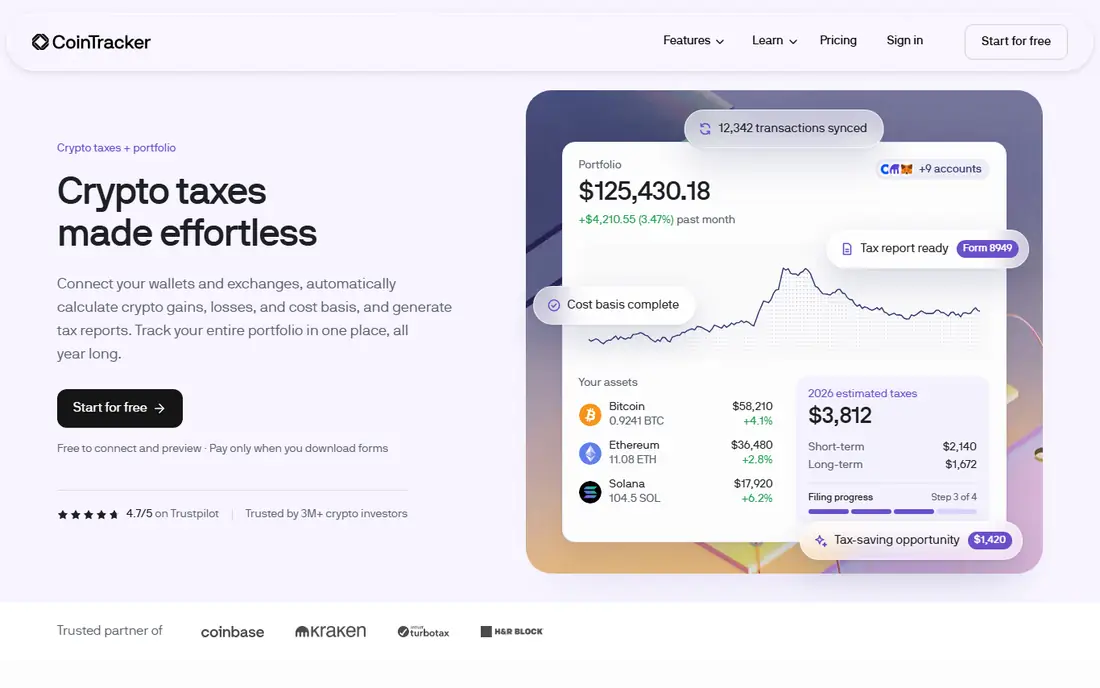
CoinTracker is the natural first stop for Coinbase users, and the integration is genuinely close. Transactions flow in with little manual work, and DeFi activity is categorized on every plan, including the free tier. That last point is unusual, since most tools reserve DeFi handling for paid plans. For a filer with staking rewards, liquidity pool tokens and a few NFT sales, that early categorization saves real cleanup time.
The cost is the catch. Entry pricing starts at 59 dollars, above the 49 dollar entry point shared by most rivals, and the top tiers climb steeply for very high volumes. CoinTracker also leans on its tax report strengths more than on portfolio analytics, so traders who want deep portfolio charting may find the dashboard plain. Still, for a US filer who mainly uses Coinbase and wants a report that drops into TurboTax, it is a solid pick.
What we like- Smooth Coinbase integration
- DeFi categorization on every plan including free
- TurboTax, TaxAct and H and R Block exports
Watch out for- Higher entry price than most rivals
- Portfolio tracking features are thinner than some competitors
#3CoinLedger
Best for: TurboTax filers with simple portfolios4.6/5 on
G2 (4 reviews, checked Oct 2026)
Visit coinledger.io
Starting price$49 per tax year
Free planYes
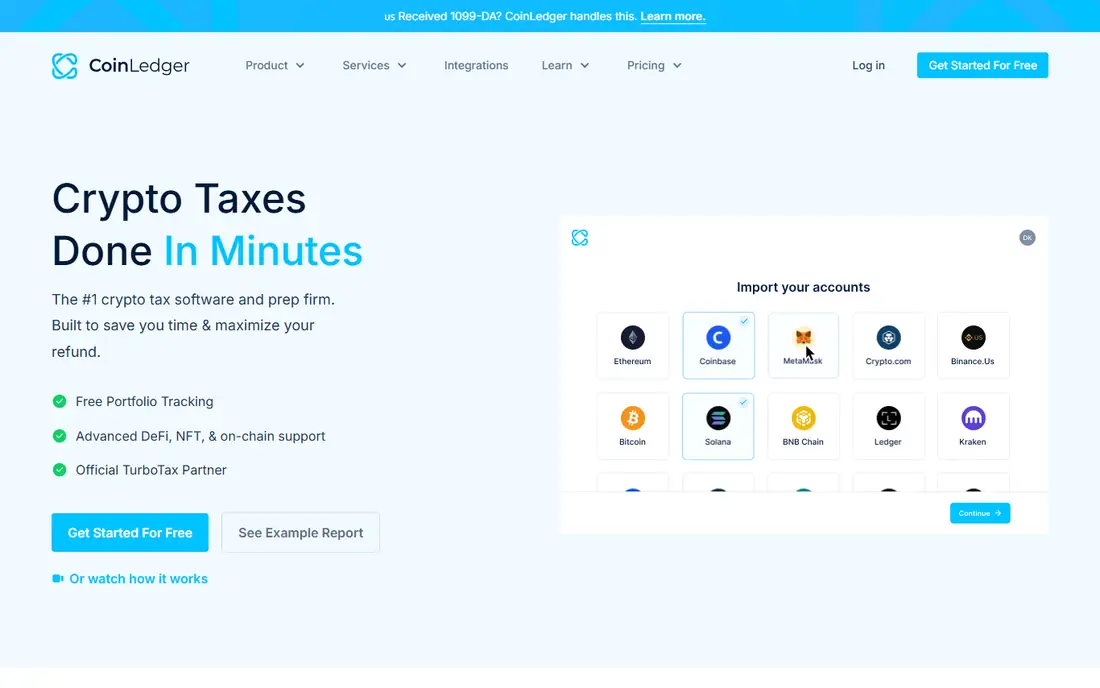
CoinLedger, formerly CryptoTrader.Tax, keeps the filing path short. Connect your exchanges, review the import, and send the finished report to TurboTax, H and R Block, TaxAct or TaxSlayer. The interface stays out of the way, which suits filers who hold coins on a few centralized exchanges and do not live in DeFi protocols. More than 1,000 integrations cover the major exchanges and wallets, so most mainstream portfolios import cleanly.
The limits show up at the edges. DeFi and NFT coverage exists but is thinner than what Koinly or Summ offer, and manual editing is basic when a transaction needs careful reclassification. A filer with complex on chain activity may hit those walls. For a straightforward US portfolio, though, CoinLedger is one of the easiest routes from exchange history to a filed return, and the 49 dollar entry tier covers up to 100 transactions.
What we like- Simple setup for US filers
- Direct TurboTax, H and R Block and TaxAct imports
- More than 1,000 integrations
Watch out for- DeFi and NFT depth is limited next to specialists
- Manual editing tools are basic
Starting price$49 per tax year
Free planYes
ZenLedger aims at US filers who would rather talk to a person than read help docs. Phone support is a real differentiator in this category, where most rivals offer only chat or email. The tool generates IRS forms and Schedule D, supports FBAR reporting for foreign accounts, and exports to TurboTax. Tier steps are easy to follow, with the Gold tier covering 5,000 or fewer transactions at 199 dollars and Platinum covering 15,000 or fewer at 399 dollars.
The weak spot is advanced on chain activity. DeFi and NFT support is present but limited compared with the leaders, so a heavy DeFi trader may need manual fixes. The free tier is a tracking preview rather than a full free plan, which is normal in this market but worth knowing before you import a large history. For a mid size US portfolio with staking income and a few exchanges, ZenLedger balances price, forms and human help well.
What we like- Phone support for stuck filers
- IRS forms plus FBAR support
- Clear tier steps by transaction count
Watch out for- DeFi and NFT coverage is limited
- No free plan beyond a tracking preview
Starting price$49 per tax year
Free planNo
TokenTax is built for the filer who would rather hand the whole problem to an expert. Its software handles imports from centralized exchanges, DeFi protocols and NFT platforms, and its VIP tier pairs that with expertly prepared returns for 3,499 dollars. That service tier is the reason TokenTax still earns a place here: for a high net worth filer with tangled history, paying an expert can cost less than filing a wrong return.
The DIY side is less generous. There is no free plan, and the entry paid tier starts at 49 dollars per tax year for up to 100 transactions, which is less roomy than some rivals at the same price. Support and service quality are strong, but budget filers will find better value elsewhere. Choose TokenTax when your history is messy enough that expert review is worth more than a low sticker price.
What we like- Expert-prepared return service for complex cases
- Covers centralized exchanges, DeFi and NFTs
- TurboTax and H and R Block exports
Watch out for- No free plan
- VIP expert service costs 3,499 dollars
- Entry tiers cover fewer transactions than rivals
Starting price$49 per tax year
Free planYes
Summ, formerly CryptoTaxCalculator, is the volume pick. It claims more than 3,500 wallet, exchange and on chain integrations, far above most rivals, and its reconciliation tools are built for the 1099-DA era, when broker reported proceeds must be matched against your own cost basis records. For a trader with activity across many chains and platforms, that breadth reduces the manual CSV wrangling that eats filing weekends.
The brand is newer than the category leaders, so its track record is shorter, and the top standard tier runs to 499 dollars for 100,000 transactions. Still, the entry tier starts at 49 dollars per tax year, and the free preview lets you test the import before paying. If your history spans dozens of sources, Summ deserves a trial import before you commit to a more familiar name.
What we like- More than 3,500 integrations
- Strong 1099-DA reconciliation
- Handles DeFi, NFTs and staking well
Watch out for- Newer brand than Koinly or CoinTracker
- Top tiers reach 499 dollars and beyond
Starting price$49 per year
Free planYes
CoinTracking is the veteran of this list, and it shows in the reporting depth. Traders who want custom reports, detailed gain analysis and fine control over cost basis methods will find more levers here than in most newer tools. Manual editing is excellent, which matters when an exchange export is incomplete or a transfer needs reclassification. The annual subscription model also differs from per tax year pricing, so multi year filers should compare total cost across years.
The interface is the price of that depth. It looks and feels older than Koinly or CoinLedger, and the learning curve is steeper for a first time filer. Integration count sits around 230, below the leaders, though the major exchanges and wallets are covered. Pick CoinTracking when you trade often and want control over every report detail, not when you want the simplest possible setup.
What we like- Very deep reporting and analysis tools
- Strong manual editing
- Long track record since the early crypto years
Watch out for- Interface feels dated next to newer rivals
- Integration count is lower than the leaders
#8Blockpit
Best for: European and US filers needing country reports4.4/5 on
Trustpilot (950 reviews, checked Oct 2026)
Visit blockpit.io
Starting price$49 per tax year
Free planYes
Blockpit earns its place through country coverage. It produces tax reports tailored to the US, Germany, Austria, France and Spain, with DeFi support included, which suits filers with cross border activity or a move between countries. The free tier covers up to 50 transactions, and the entry paid tier starts at 49 dollars per tax year. For a filer who needs a German or Austrian report alongside a US one, few tools match it.
The trade off is scale. Its integration set, around 770 wallets and exchanges, is smaller than Koinly or Summ, and US focused features such as state level guidance trail the US first tools. If your filing is purely domestic and simple, a US specialist will feel smoother. If your tax life crosses borders, Blockpit is a strong fit.
What we like- Country specific tax reports for the US and several European countries
- Strong DeFi support
- Free tier for small portfolios
Watch out for- Smaller integration set than the leaders
- US specific features trail US focused rivals
How we chose
We compared pricing pages, feature lists and independent comparisons published in 2026, and we weighed integration counts, DeFi and NFT handling, 1099-DA reconciliation, export options for TurboTax and other filing software, and free preview terms. We favored tools with a clear free preview, published per tax year pricing, and IRS Form 8949 output, and we noted where prices came from comparison sources rather than a vendor pricing page. No tool was credited with hands-on testing, and no user counts, awards or ratings were invented for this guide.
What to check before you pay
Start with transaction count, not price. Every tool here prices by volume, so count your trades, transfers, staking rewards and NFT sales across all years you plan to file, then match that count to a tier. A plan that looks cheap at 100 transactions can jump sharply at 1,000, and amending a prior year usually means buying that year again.
Next, test the import before you pay. Import your largest exchange and your messiest wallet, then look for missing cost basis warnings and duplicate income entries. The best tool for you is the one that reconciles your actual history with the least manual repair. Pay attention to transfer handling between your own wallets, since misclassified transfers are a leading cause of overstated gains.
Finally, confirm the export path. If you file with TurboTax, check that the tool exports in a format TurboTax accepts directly. If an accountant files for you, ask which format they prefer, since a clean CSV or Form 8949 PDF can save a billable hour. And keep your exchange CSV exports saved outside the tool, so a future plan change never strands your history.
Frequently asked questions
Do I need crypto tax software if I only bought and held?
If you only bought crypto and never sold, traded, spent or earned it, you usually have no taxable event to report, but keeping records still helps. Software becomes valuable the moment you sell, swap, stake or receive rewards, because each of those events needs a cost basis and a date. Importing early also catches missing purchase history before filing season pressure builds.
What is Form 1099-DA and why does it matter in 2026?
Form 1099-DA is the IRS form brokers use to report your crypto sales and gross proceeds. It matters because the IRS now sees your proceeds directly, so a return with missing or wrong cost basis can overstate your gains. Good software reconciles broker reported proceeds against your own records and produces a defensible Form 8949.
Can free plans handle a real tax return?
Free plans in this category are almost always previews, not finished returns. You can import, track and preview gains for free, but downloading the final tax report requires a paid tier. The exception is a very small portfolio on a genuinely free tier, so check the transaction limit before relying on a free plan.
How do these tools handle DeFi and staking rewards?
Most tools import DeFi activity and staking rewards automatically from supported chains, then classify them as income or capital activity based on the transaction type. Coverage varies widely, so test your specific protocols during the free preview. Liquidity pool tokens, wrapped assets and bridged transfers are the cases most likely to need manual review.
Is my exchange data safe with these tools?
Reputable tools connect with read only API keys or CSV uploads, which means they cannot move your funds. Use read only keys, never share withdrawal permissions, and remove API access after filing season if you prefer. Also check that the vendor publishes security certifications, since you are handing over a full financial history.
Should I use software or hire a crypto tax professional?
Software suits clean histories on a few exchanges with limited DeFi activity. A professional earns their fee when your history spans many chains, includes business income, or has missing cost basis that needs judgment calls. Many filers use both: software to organize the history, then a professional to review the finished report.
Sources we checked (5)
- https://koinly.io/blog/compare-crypto-tax-software/
- https://coinlaw.io/best-crypto-tax-software/
- https://countonsheep.com/blog/best-crypto-tax-software
- https://chainwisecpa.com/best-crypto-tax-software/
- https://defirate.com/tax/
Is your product missing or out of date?
We review this list regularly. Vendors can request a listing, send updated pricing or ask about featured placement.

Shihab Mia · Founder, Rankite
Shihab has 5+ years in B2B and SaaS SEO. He writes Rankite's software buying guides from pricing pages, documentation and public user reviews. More about Shihab.